Page 143 of 458
143
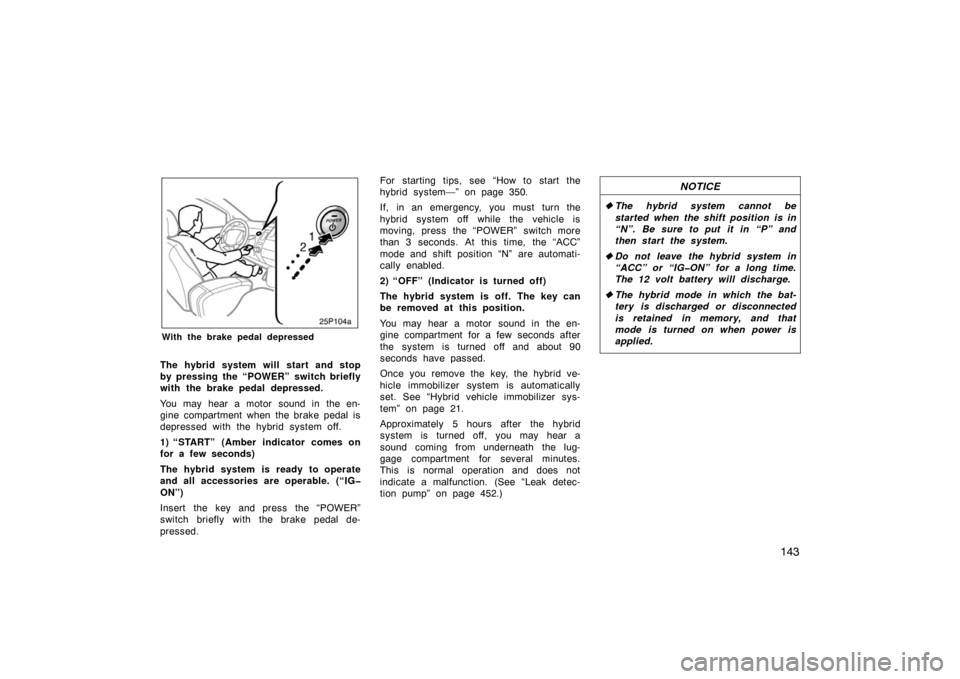
25p104a
With the brake pedal depressed
The hybrid system will start and stop
by pressing the “POWER” switch briefly
with the brake pedal depressed.
You may hear a motor sound in the en-
gine compartment when the brake pedal is
depressed with the hybrid system off.
1) “START” (Amber indicator comes on
for a few seconds)
The hybrid system is ready to operate
and all accessories are operable. (“IG
ON”)
Insert the key and press the “POWER”
switch briefly with the brake pedal de-
pressed.For starting tips, see “How to start the
hybrid system—” on page 350.
If, in an emergency, you must turn the
hybrid system off while the vehicle is
moving, press the “POWER” switch more
than 3 seconds. At this time, the “ACC”
mode and shift position “N” are automati-
cally enabled.
2) “OFF” (Indicator is turned off)
The hybrid system is off. The key can
be removed at this position.
You may hear a motor sound in the en-
gine compartment for a few seconds after
the system is turned off and about 90
seconds have passed.
Once you remove the key, the hybrid ve-
hicle immobilizer system is automatically
set. See “Hybrid vehicle immobilizer sys-
tem” on page 21.
Approximately 5 hours after the hybrid
system is turned off, you may hear a
sound coming from underneath the lug-
gage compartment for several minutes.
This is normal operation and does not
indicate a malfunction. (See “Leak detec-
tion pump” on page 452.)
NOTICE
�
The hybrid system cannot be
started when the shift position is in
“N”. Be sure to put it in “P” and
then start the system.
� Do not leave the hybrid system in
“ACC” or “IGON” for a long time.
The 12 volt battery will discharge.
� The hybrid mode in which the bat-
tery is discharged or disconnected
is retained in memory, and that
mode is turned on when power is
applied.
Page 177 of 458
177
27p184
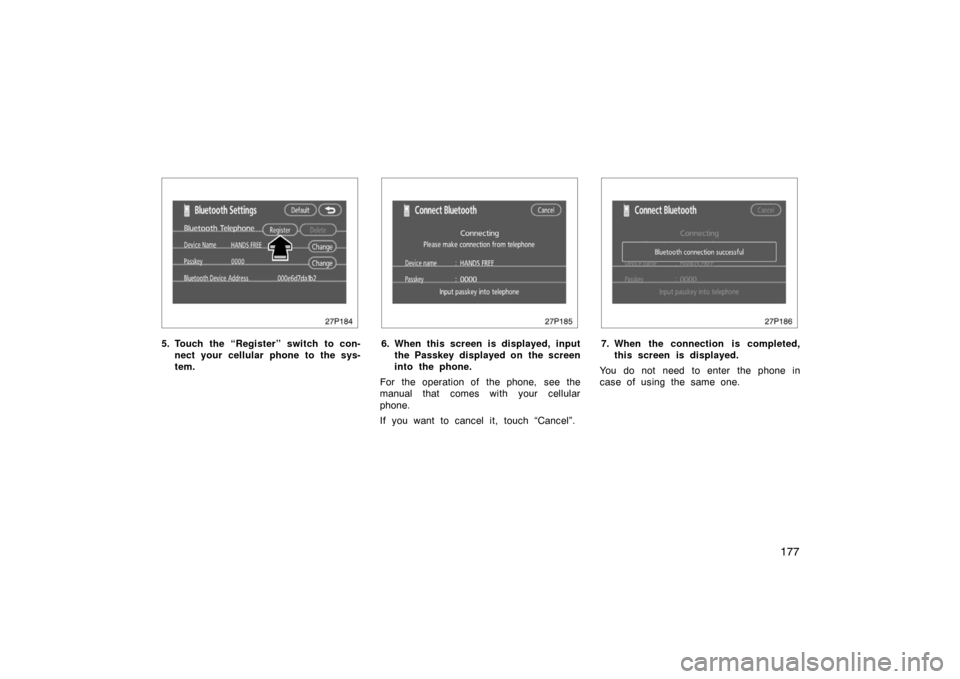
5. Touch the “Register” switch to con-nect your cellular phone to the sys-
tem.
27p185
6. When this screen is displayed, inputthe Passkey displayed on the screen
into the phone.
For the operation of the phone, see the
manual that comes with your cellular
phone.
If you want to cancel it, touch “Cancel”.
27p186
7. When the connection is completed, this screen is displayed.
You do not need to enter the phone in
case of using the same one.
Page 180 of 458
180
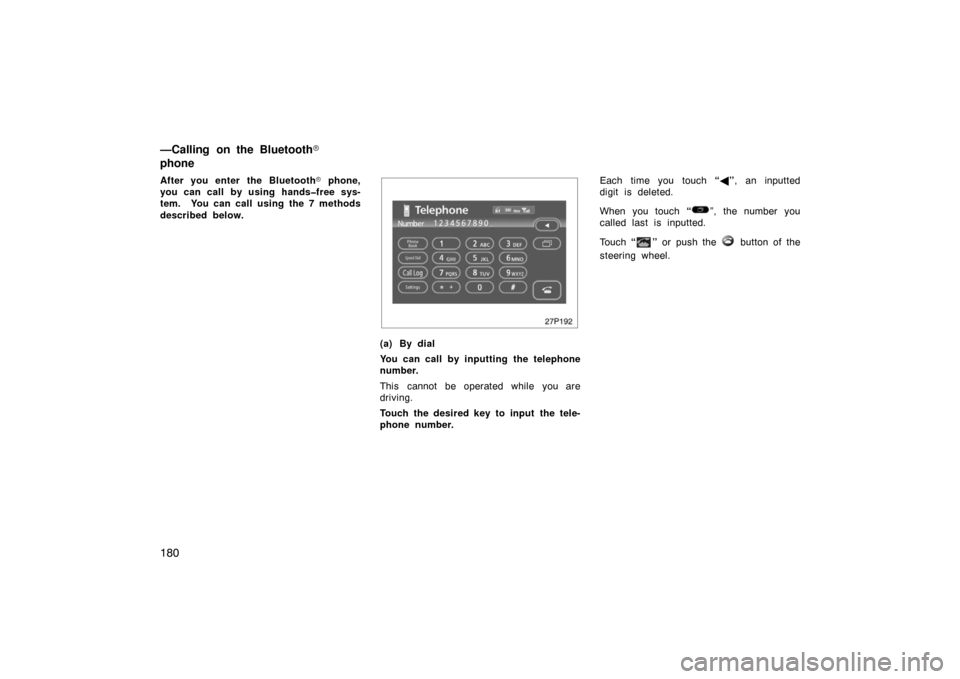
After you enter the Bluetooth� phone,
you can call by using handsfree sys-
tem. You can call using the 7 methods
described below.
27p192
(a) By dial
You can call by inputting the telephone
number.
This cannot be operated while you are
driving.
Touch the desired key to input the tele-
phone number. Each time you touch
“� ”, an inputted
digit is deleted.
When you touch “
”, the number you
called last is inputted.
Touch “
” or push the button of the
steering wheel.
—Calling on the Bluetooth�
phone
Page 181 of 458
181
27p193
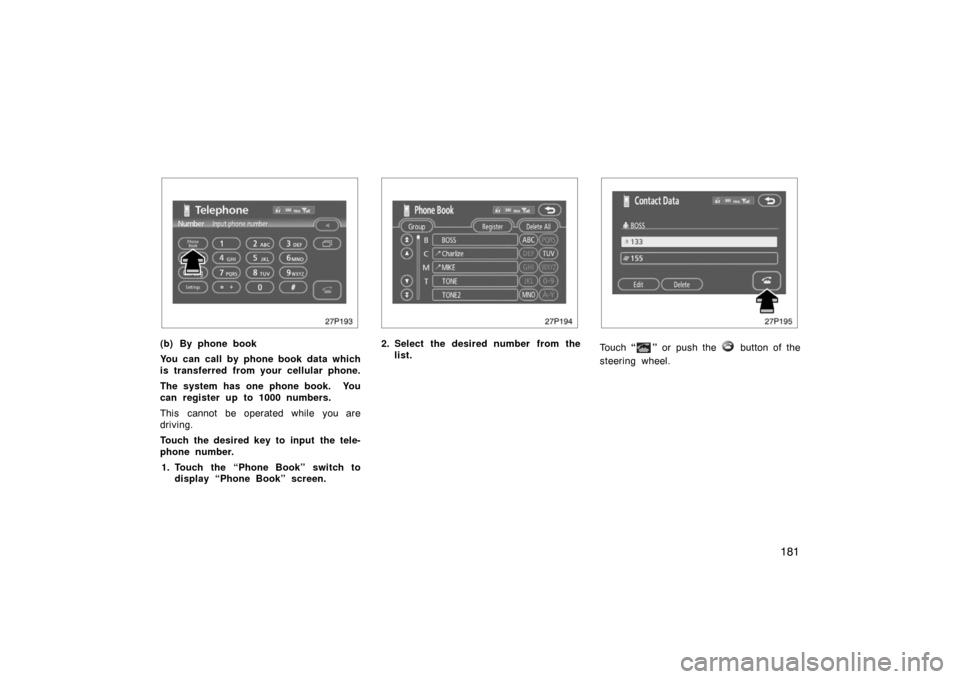
(b) By phone book
You can call by phone book data which
is transferred from your cellular phone.
The system has one phone book. You
can register up to 1000 numbers.
This cannot be operated while you are
driving.
Touch the desired key to input the tele-
phone number.1. Touch the “Phone Book” switch to display “Phone Book” screen.
27p194
2. Select the desired number from the
list.
27p195
Touch “” or push the button of the
steering wheel.
Page 189 of 458
189
To input a Key:Touch the “0 −9” switch.
To transfer the call Touch the “Transfer Call” switch.
You cannot change from hands −free call
to cellular phone call while you are driv-
ing.
When you change from cellular phone call
to hands −free call, the hands −free screen
will be displayed and you can operate it
on the screen.
Transferring method and behavior are dif-
ferent depending on the cellular phone
which you have.
For the operation of the phone, see the
manual that comes with your cellular
phone.
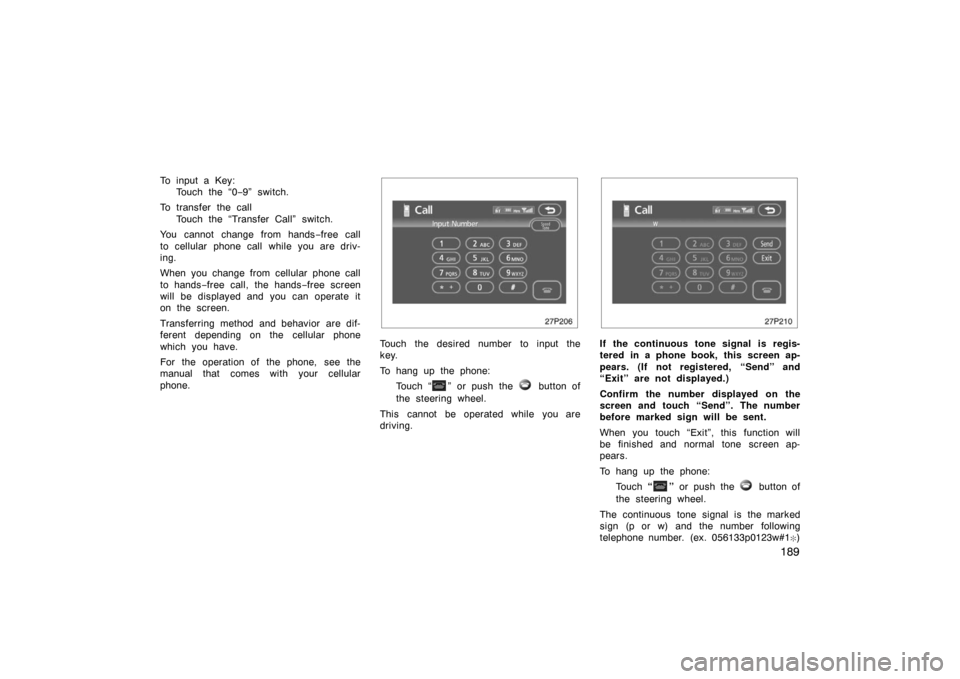
27p206
Touch the desired number to input the
key.
To hang up the phone:
Touch “
” or push the button of
the steering wheel.
This cannot be operated while you are
driving.
27p210
If the continuous tone signal is regis-
tered in a phone book, this screen ap-
pears. (If not registered, “Send” and
“Exit” are not displayed.)
Confirm the number displayed on the
screen and touch “Send”. The number
before marked sign will be sent.
When you touch “Exit”, this function will
be finished and normal tone screen ap-
pears.
To hang up the phone: Touch “
” or push the button of
the steering wheel.
The continuous tone signal is the marked
sign (p or w) and the number following
telephone number. (ex. 056133p0123w#1
�)
Page 195 of 458
195
27p225
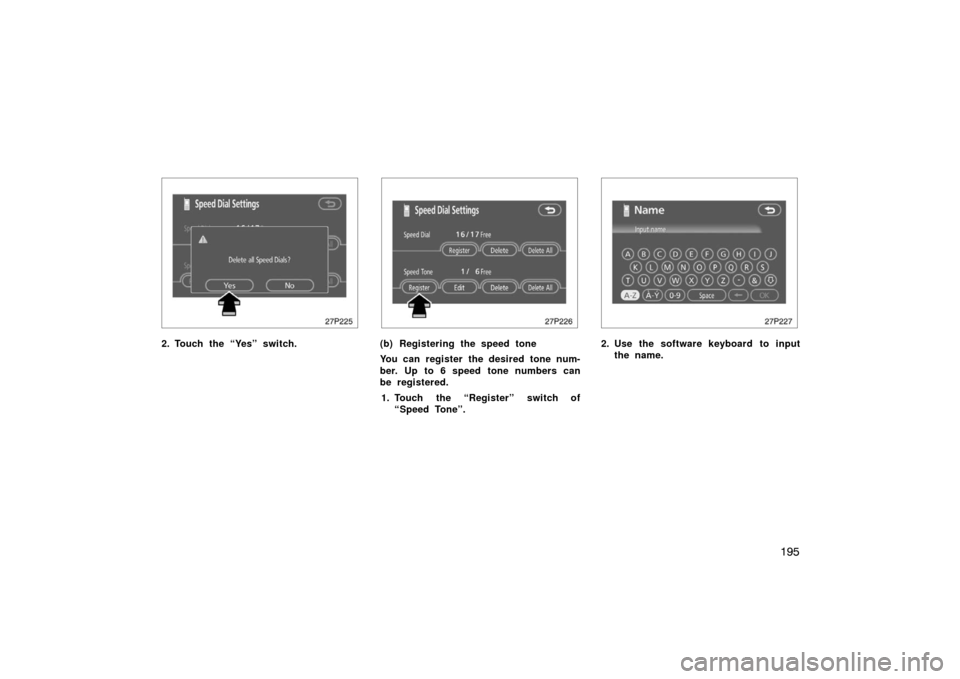
2. Touch the “Yes” switch.
27p226
(b) Registering the speed tone
You can register the desired tone num-
ber. Up to 6 speed tone numbers can
be registered.1. Touch the “Register” switch of “Speed Tone”.
27p227
2. Use the software keyboard to inputthe name.
Page 197 of 458
197
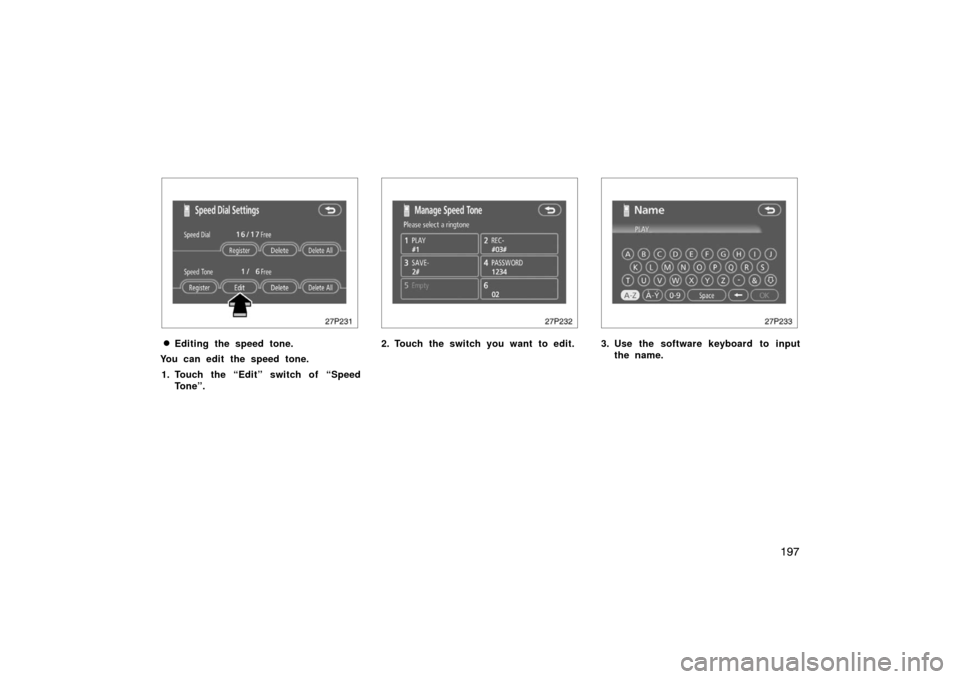
27p231
�Editing the speed tone.
You can edit the speed tone.
1. Touch the “Edit” switch of “Speed Tone”.
27p232
2. Touch the switch you want to edit.
27p233
3. Use the software keyboard to inputthe name.
Page 208 of 458
208
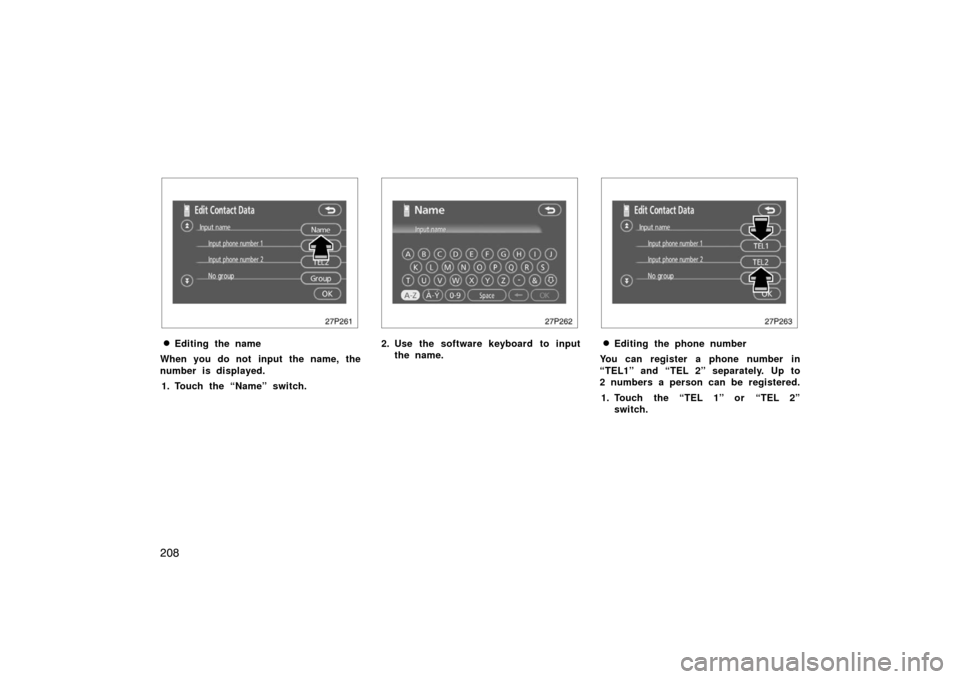
27p261
�Editing the name
When you do not input the name, the
number is displayed. 1. Touch the “Name” switch.
27p262
2. Use the software keyboard to input the name.
27p263
�Editing the phone number
You can register a phone number in
“TEL1” and “TEL 2” separately. Up to
2 numbers a person can be registered.
1. Touch the “TEL 1” or “TEL 2” switch.