Page 220 of 458
220
27p292
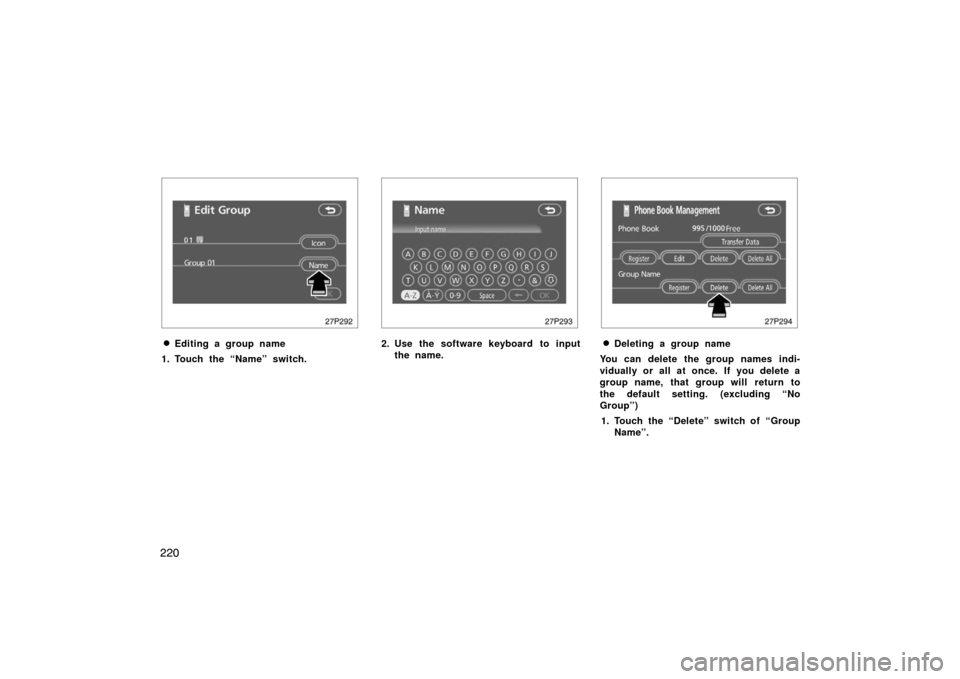
�Editing a group name
1. Touch the “Name” switch.
27p293
2. Use the software keyboard to input the name.
27p294
�Deleting a group name
You can delete the group names indi-
vidually or all at once. If you delete a
group name, that group will return to
the default setting. (excluding “No
Group”) 1. Touch the “Delete” switch of “Group Name”.
Page 231 of 458
231
27p320
2. Use the software keyboard to inputthe device name. (d) Changing the Bluetooth
� settings
You can change the display and settings
of Bluetooth � information on the system.
The information displays the following
items.
Device Name the name in the . .
Bluetooth � network. You
can change it.
Passkey the password when you . . . . . . .
register your cellular
phone in the system. You
can change it into the
figure of 4 −8 digits.
Bluetooth � D ev i c e A ddr es s . . . . . . . . . . . . . .
the address peculiar to
the system. You can not
change it. If you have
registered two Bluetooth �
phones with the same
Device Name or Passkey
and you cannot
distinguish one from the
other, refer to it.
27p321
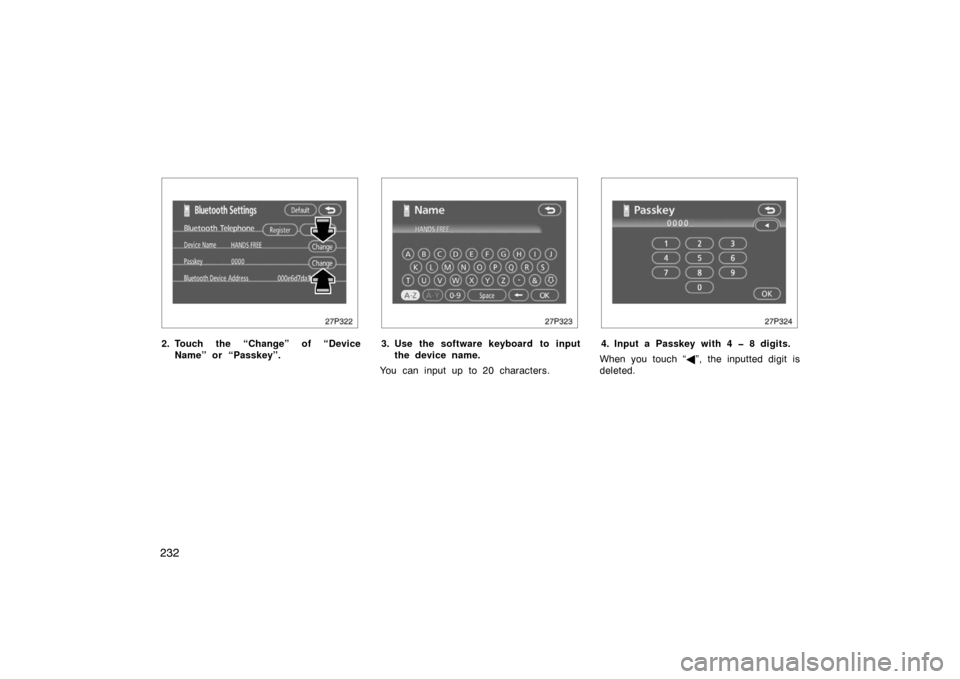
When you change the device name or
Passkey, do the following.
1. Touch the “Bluetooth*” switch.
*: Bluetooth is a registered trademark of
Bluetooth SIG. Inc.
Page 232 of 458
232
27p322
2. Touch the “Change” of “DeviceName” or “Passkey”.
27p323
3. Use the software keyboard to inputthe device name.
You can input up to 20 characters.
27p324
4. Input a Passkey with 4 8 digits.
When you touch “ �”, the inputted digit is
deleted.
Page 350 of 458
350
1. Check the area around the vehicle be-fore entering it.
2. Adjust seat position, seatback angle, head restraint height and steering
wheel angle.
3. Adjust the inside and outside rear view mirrors.
4. Lock all doors.
5. Fasten seat belts.
When you get in the vehicle, check
whether the “READY” light is on or
not.
CAUTION
Your vehicle does not produce any
noise or vibration when the vehicle is
ready to be driven with the “READY”
light on. Move your foot carefully
from the brake pedal to the accelera-
tion pedal when driving.
1. Apply the parking brake firmly.
2. Turn off unnecessary lights and acces- sories.
3. Depress the brake pedal and hold it to the floor until driving off.
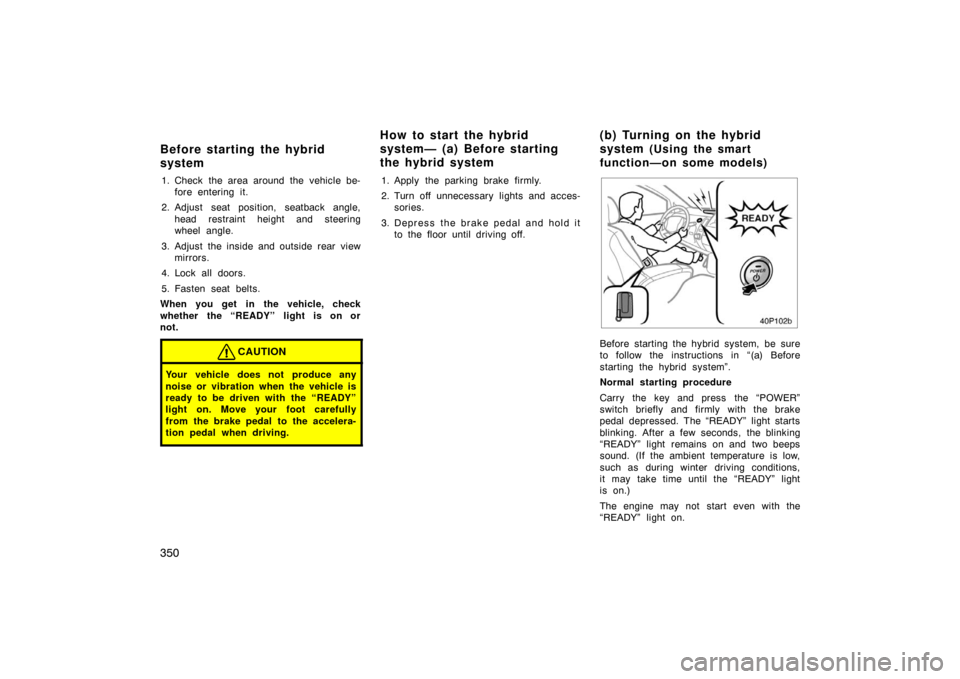
40p102b
Before starting the hybrid system, be sure
to follow the instructions in “(a) Before
starting the hybrid system”.
Normal starting procedure
Carry the key and press the “POWER”
switch briefly and firmly with the brake
pedal depressed. The “READY” light starts
blinking. After a few seconds, the blinking
“READY” light remains on and two beeps
sound. (If the ambient temperature is low,
such as during winter driving conditions,
it may take time until the “READY” light
is on.)
The engine may not start even with the
“READY” light on.
Before starting the hybrid
system How to start the hybrid
system— (a) Before starting
the hybrid system
( b ) Tu rn in g on th e hyb rid
system (Using the smart
function—on some models)
Page 351 of 458
351
You may hear a motor sound in the en-
gine compartment when the brake pedal is
depressed with the hybrid system off.
When the hybrid system is started or
stopped, you may hear a sound coming
from the hybrid battery in the luggage
compartment. However, this does not indi-
cate any trouble.
If there is a problem somewhere in the
hybrid system, the hybrid system malfunc-
tion warning light will come on in place of
the “READY” light. If this happens, contact
your Toyota dealer.
CAUTION
Never start the hybrid system from
outside the vehicle, or an accident
may occur. Be sure to sit on the driv-
er seat, then start the system when
driving.
NOTICE
�The hybrid system cannot be
started when the shift position is
“N”. Be sure to put it in “P” and
then start the system.
� If any warning light comes on (See
page 125 for details.) or the 12 volt
battery is disconnected, the hybrid
system may not start by pushing
the “POWER” switch. In that case,
push it once again. If the “READY”
light does not come on, contact
your Toyota dealer.
� When you start the hybrid system
at a lowered outside temperature, it
may take longer before the blinking
“READY” light changes to stay on.
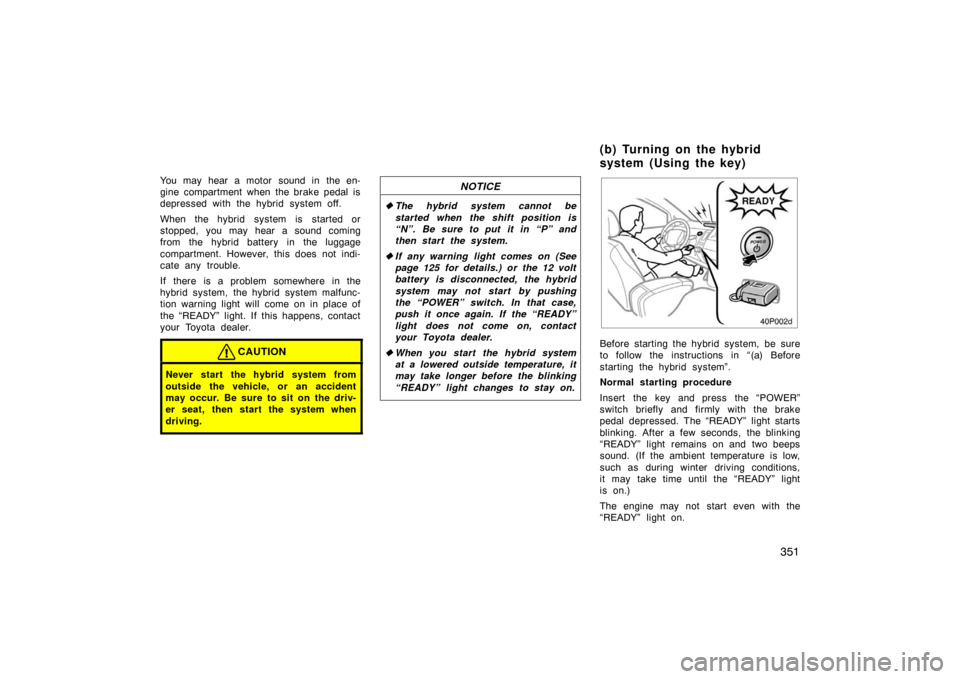
40p002d
Before starting the hybrid system, be sure
to follow the instructions in “(a) Before
starting the hybrid system”.
Normal starting procedure
Insert the key and press the “POWER”
switch briefly and firmly with the brake
pedal depressed. The “READY” light starts
blinking. After a few seconds, the blinking
“READY” light remains on and two beeps
sound. (If the ambient temperature is low,
such as during winter driving conditions,
it may take time until the “READY” light
is on.)
The engine may not start even with the
“READY” light on.
(b) Turning on the hybrid
system (Using the key)
Page 359 of 458
359
IN CASE OF AN EMERGENCY
In case of an emergency
If your vehicle will not start360
. . . . . . . . . . . . . . . . . . . . . . . . . . . . . . . . . . .
If your hybrid system stalls while driving 364
. . . . . . . . . . . . . . . . . . . . . . .
If your vehicle overheats 364
. . . . . . . . . . . . . . . . . . . . . . . . . . . . . . . . . . . . \
If you have a flat tire 365
. . . . . . . . . . . . . . . . . . . . . . . . . . . . . . . . . . . . \
. . . . .
If your vehicle needs to be towed 376
. . . . . . . . . . . . . . . . . . . . . . . . . . . . .
If you lose your keys 379
. . . . . . . . . . . . . . . . . . . . . . . . . . . . . . . . . . . . \
. . . .
If you cannot operate back door opener 380
. . . . . . . . . . . . . . . . . . . . . . .
SECTION 5
Page 360 of 458

360
Before making these checks, make sure
you have followed the correct starting
procedure given in “How to start the
hybrid system” on page 350 and that you
have sufficient fuel. Also check whether
the other keys will start the hybrid
system. If they work, your key may be
broken. Have the key checked at your
Toyota dealer. If none of your keys work,
there may be a malfunction in the hybrid
vehicle immobilizer system. Call your
Toyota dealer. (See “Keys” on page 20.)
If the instrument cluster dims or the
instrument cluster display turns off
with the hybrid system on—1. Check that the 12 volt battery terminals are tight and clean.
2. If the 12 volt battery terminals are O.K., the 12 volt battery is discharged.
You may try jump starting. See “(b)
Jump starting” for further instructions.
NOTICE
Hybrid vehicles cannot be push
started.
If the instrument cluster is shown in
appropriate brightness when the hybrid
system is in the “IGON” mode—
The hybrid vehicle system is suspected to
be faulty. Contact your Toyota dealer. If the 12 volt battery is discharged, the
hybrid system can be started by jump
starting. Depending on the vehicle con-
dition, the engine may not start.
To avoid serious personal injury and
damage to your vehicle which might re-
sult from battery explosion, acid burns,
electrical burns, or damaged electronic
components, these instructions must be
followed precisely.
If the 12 volt battery is discharged, you
cannot access to the 12 volt battery in the
luggage compartment because the back
door cannot be opened. Use the exclusive
jump starting terminal in the engine
compartment. For details, see “JUMP
STARTING PROCEDURE” on page 361.
NOTICE
If the 12 volt battery is discharged
with the transaxle in “P”, your vehicle
cannot be moved unless the front
wheels are raised. This is because the
front wheels are locked by means of
the parking lock mechanism.
If you are unsure about how to follow this
procedure, we strongly recommend that
you seek the help of a competent qualified
technician or towing service.
If your vehicle will not start—
(a) Simple checks
(b) Jump starting
Page 361 of 458
361
CAUTION
�Booster battery contains sulfuric
acid which is poisonous and corro-
sive. Wear protective safety glasses
when jump starting, and avoid spil-
ling acid on your skin, clothing, or
vehicle.
�If you should accidentally get acid
on yourself or in your eyes, remove
any contaminated clothing and flush
the affected area with water imme-
diately. Then get immediate medical
attention. If possible, continue to
apply water with a sponge or cloth
while en route to the medical office.
�The gas normally produced by a
battery will explode if a flame or
spark is brought near. Use only
standardized jumper cables and do
not smoke or light a match while
jump starting.
NOTICE
�The battery used for boosting must
be 12 V. Do not jump start unless
you are sure that the booster bat-
tery is correct.
� After jump starting procedure, the
hybrid system may not start by
pushing the “POWER” switch. In
that case, push it once again. If the
“READY” light does not come on,
contact your Toyota dealer.
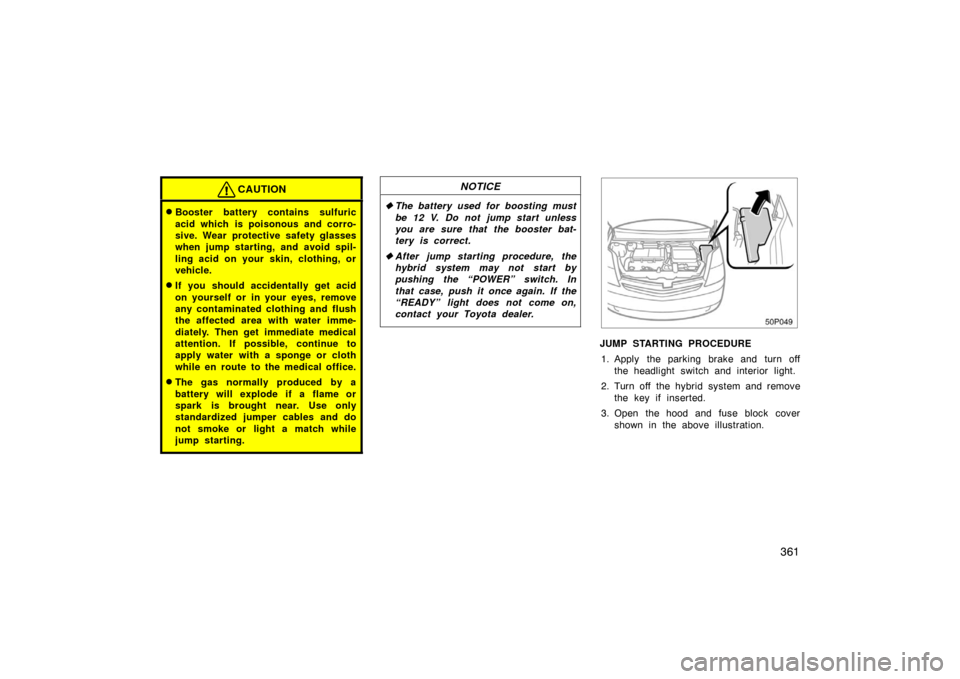
50p049
JUMP STARTING PROCEDURE
1. Apply the parking brake and turn off the headlight switch and interior light.
2. Turn off the hybrid system and remove the key if inserted.
3. Open the hood and fuse block cover shown in the above illustration.