Page 212 of 464
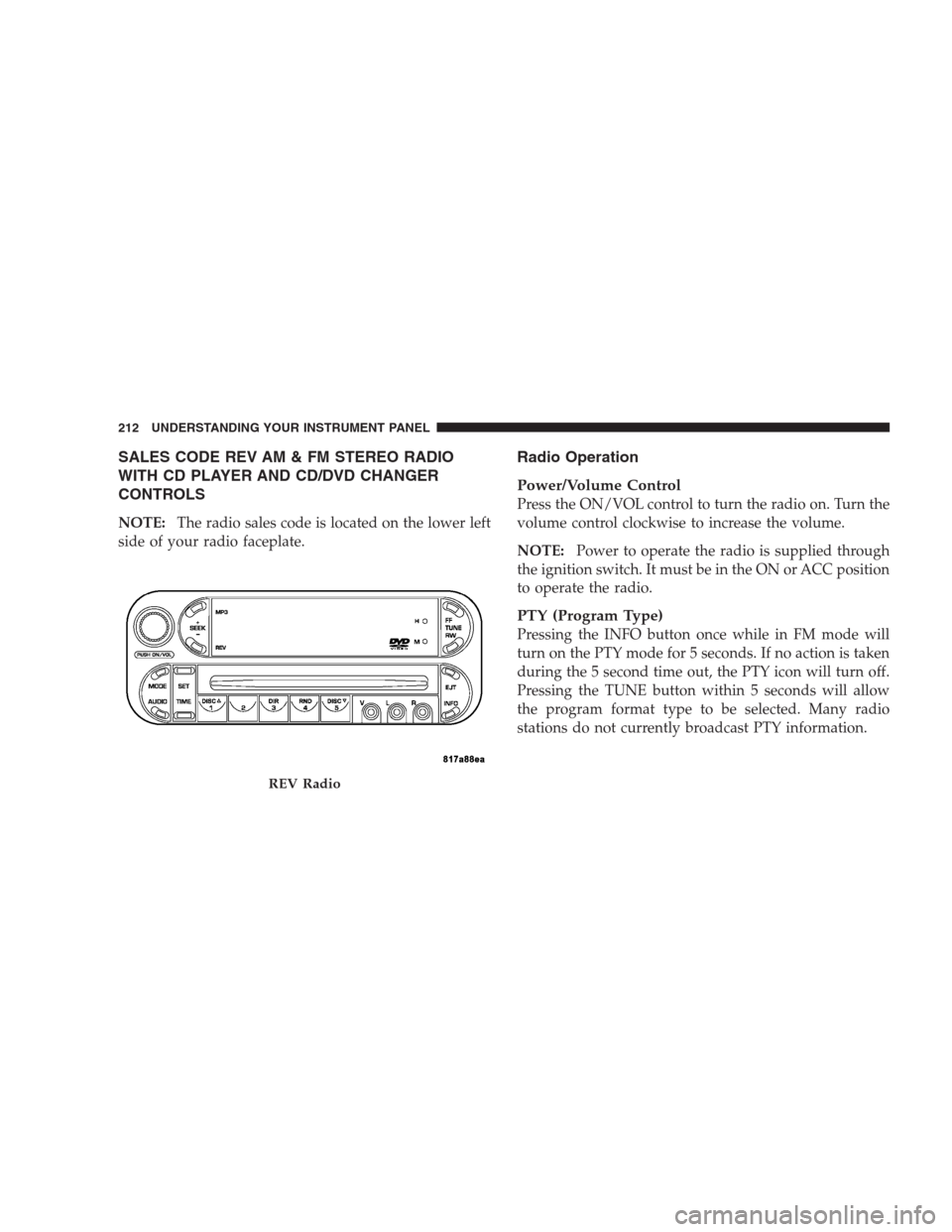
SALES CODE REV AM & FM STEREO RADIO
WITH CD PLAYER AND CD/DVD CHANGER
CONTROLS
NOTE:The radio sales code is located on the lower left
side of your radio faceplate.
Radio Operation
Power/Volume Control
Press the ON/VOL control to turn the radio on. Turn the
volume control clockwise to increase the volume.
NOTE:Power to operate the radio is supplied through
the ignition switch. It must be in the ON or ACC position
to operate the radio.
PTY (Program Type)
Pressing the INFO button once while in FM mode will
turn on the PTY mode for 5 seconds. If no action is taken
during the 5 second time out, the PTY icon will turn off.
Pressing the TUNE button within 5 seconds will allow
the program format type to be selected. Many radio
stations do not currently broadcast PTY information.
REV Radio
212 UNDERSTANDING YOUR INSTRUMENT PANEL
Page 216 of 464
NOTE:Changes or modifications not expressively ap-
proved by the party responsible for compliance could
void the user’s authority to operate the equipment.
CD Player Operation
NOTE:
•The ignition switch must be in the ON or ACC
position and the volume control ON before the CD
player will operate.
•This Radio is capable of playing compact discs (CD),
recordable compact discs (CD-R), rewritable compact
discs (CD-RW) compact discs with MP3 tracks and
multisession compact discs with CD and MP3 tracks.
Inserting The Compact Disc
CAUTION!
This CD player will accept only 4–3/4 inch (12 cm)
discs only. The use of other sized discs may damage
the CD player mechanism.
You may either insert or eject a disc with the radio OFF.
If you insert a disc with the ignition ON and the radio
OFF, the display will show the time of day. If you insert
a disc with the ignition OFF, the display will show the
time of day for about 5 seconds, then go out.
If the power is ON, the unit will switch from radio to CD
mode and begin to play when you insert the disc. The
display will show the track number and index time in
minutes and seconds. Play will begin at the start of track
one.
216 UNDERSTANDING YOUR INSTRUMENT PANEL
Page 222 of 464
The CD/DVD Changer will play CD-R, CD-RW, CD-
Audio and DVD Video disc formats. The video screen
will turn on automatically once a DVD is inserted into the
changer.
NOTE:The ignition switch must be in the ON or ACC
position before the CD/DVD changer will operate.Operating Instructions — CD/DVD Changer
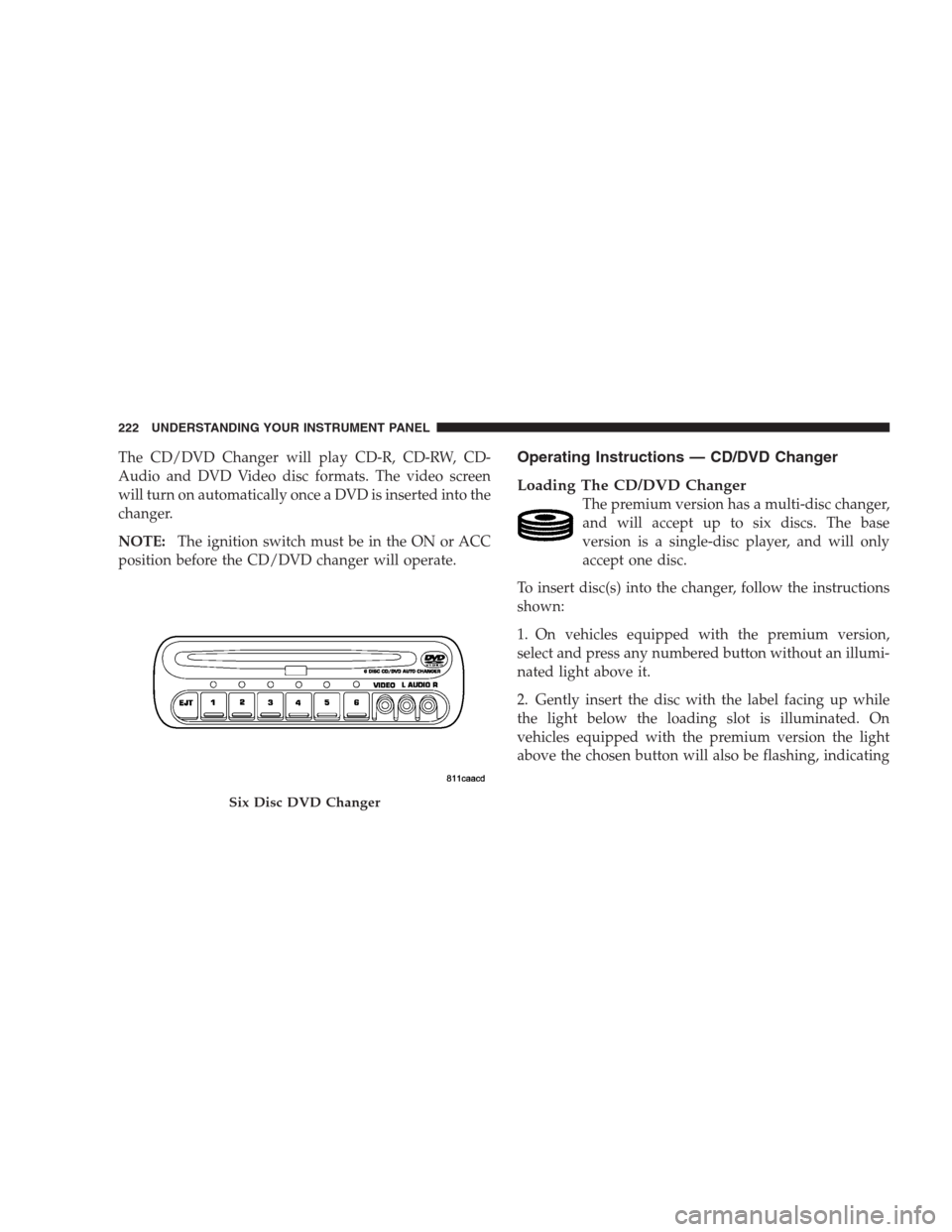
Loading The CD/DVD Changer
The premium version has a multi-disc changer,
and will accept up to six discs. The base
version is a single-disc player, and will only
accept one disc.
To insert disc(s) into the changer, follow the instructions
shown:
1. On vehicles equipped with the premium version,
select and press any numbered button without an illumi-
nated light above it.
2. Gently insert the disc with the label facing up while
the light below the loading slot is illuminated. On
vehicles equipped with the premium version the light
above the chosen button will also be flashing, indicating
Six Disc DVD Changer
222 UNDERSTANDING YOUR INSTRUMENT PANEL
Page 223 of 464
which numbered position the disc will be loaded into.
The disc will automatically be pulled into the CD/DVD
changer.
3. Upon insertion, the disc will begin to play, and the
light below the loading slot will turn off. On vehicles
equipped with the premium version the light above the
chosen button will remain illuminated.
4. Repeat the process for loading any additional CD/
DVDs into the premium version multi-disc changer. The
CD/DVD changer will stop while additional CD/DVDs
are loaded.
If the radio volume control is ON, the unit will switch
from radio to CD/DVD mode and the video screen will
turn on. If the DVD supports the autoplay feature, play
will begin automatically in approximately 10 seconds,
after the DVD disc menu is displayed. If the DVD does
not play automatically, press the ENTER button on the
remote control or on the side of the video screen to selectplay from the menu options. The radio display will show
the chapter number and index time in hours and minutes
of the DVD, or the track number, minutes and second of
the CD.
NOTE:
•You may eject a disc with the radio OFF.
•If you insert a disc with the ignition ON and the radio
OFF, the DVD will automatically be pulled into the
DVD changer and the display will show the time of
day.
•It is recommended to label home made burned discs
with a permanent marker instead of adhesive labels.
These types of labels may become loose and cause the
disc to be stuck in the DVD player. This may cause
permanent damage to the DVD mechanism.
UNDERSTANDING YOUR INSTRUMENT PANEL 223
4
Page 234 of 464
System Activation
To activate your Sirius Satellite Radio service, call the
toll-free number 888-539-7474, or visit the Sirius web site
at www.sirius.com. Please have the following informa-
tion available when activating your system:
1. The Electronic Serial Number/Sirius Identification
Number (ESN/SID).
2. Credit card information.
3. Your Vehicle Identification Number.
Electronic Serial Number/Sirius Identification
Number (ENS/SID)
The Electronic Serial Number/Sirius Identification Num-
ber is needed to activate your Sirius Satellite Radio
system. To access the ESN/SID, refer to the following
steps:
ESN/SID Access With RBB, RAH and RBK Radios
With the ignition switch in the ACCESSORY position and
the radio OFF, press the Tape Eject or CD Eject (depend-
ing on the radio type) and Time buttons simultaneously
for 3 seconds. The first four digits of the twelve-digit
ESN/SID number will be displayed. Press the SEEK UP
button to display the next four digits. Continue to press
the SEEK UP button until all twelve ESN/SID digits have
been displayed. The SEEK DOWN will page down until
the first four digits are displayed. The radio will exit the
ESN/SID mode when any other button is pushed, the
ignition is turned OFF, or 5 minutes has passed since any
button was pushed.
ESN/SID Access With RBP, RBU, RAZ, RB1 and
RBQ Radios
With the ignition switch in the ACCESSORY position and
the radio OFF, press the CD Eject and TIME buttons
simultaneously for 3 seconds. All twelve ESN/SID num-
bers will be displayed. The radio will exit the ESN/SID
234 UNDERSTANDING YOUR INSTRUMENT PANEL
Page 235 of 464
mode when any other button is pushed, the ignition is
turned OFF, or 5 minutes has passed since any button
was pushed.
Selecting Satellite Mode in RBB, RAH and RBK
Radios
Press the MODE button repeatedly until�SA�appears in
the display. A CD or tape may remain in the radio while
in the Satellite radio mode.
Selecting Satellite Mode in RBP, RBU, RAZ, RB1
and RBQ Radios
Press the MODE button repeatedly until the word
�SIRIUS�appears in the display. These radios will also
display the following:
•After 3 seconds, the current channel name and channel
number will be displayed for 5 seconds.
•The current program type and channel number will
then be displayed for 5 seconds.
•The current channel number will then be displayed
until an action occurs.
A CD or tape may remain in the radio while in the
Satellite radio mode.
Selecting a Channel
Press and release the SEEK or TUNE buttons to search for
the next channel. Press the top of the button to search up
and the bottom of the button to search down. Holding the
TUNE button causes the radio to bypass channels until
the button is released.
Press and release the SCAN button (if equipped) to
automatically change channels every 7 seconds. The
radio will pause on each channel for 7 seconds before
moving on to the next channel. The word�SCAN�will
appear in the display between each channel change. Press
the SCAN button a second time to stop the search.
UNDERSTANDING YOUR INSTRUMENT PANEL 235
4
Page 247 of 464
NOTE:
•The compressor will not engage until the engine has
been running for a few seconds.
•If your air conditioning performance seems lower than
expected, check the A/C air filter (ATC equipped
vehicles only) and the front of the A/C condenser for
an accumulation of dirt or insects. The A/C condenser
is located in front of the radiator. The A/C air filter is
located under the instrument panel on the passenger
side.
•Fabric type fascia protectors tend to block the amount
of air to the condenser and may reduce air condition-
ing performance.
Economy Mode
If economy mode is desired, press the A/C button to turn
off the indicator light, and the A/C compressor. Move the
temperature control lever to the desired temperature.
Recirculation Control
Press the recirculation button to recirculate the
air inside the vehicle. This is located next to the
A/C button. An indicator light on the button
shows that air is being recirculated. Use the
recirculation mode to rapidly cool the inside of the
vehicle. The recirculation mode can also be used to
temporarily block out outside odors, smoke, and dust.
NOTE:
•When the ignition switch is turned OFF, the recircula-
tion feature will be cancelled.
•In cold weather, use of the Recirculation mode may
lead to excessive window fogging. The Recirculation
mode is not allowed in the Mix and Defrost modes to
improve window clearing operation. Recirculation
will be disabled automatically if these modes are
selected.
UNDERSTANDING YOUR INSTRUMENT PANEL 247
4
Page 248 of 464
•If the recirculation button is pressed while in the Mix
or Defrost mode, the indicator light in the recirculation
button will flash 3 times indicating that recirculation is
not allowed.
A/C Recirculation Programming
The recirculation control is programmed to cancel the
recirculation mode when the ignition key is turned OFF
and will reset to outside air mode when the ignition key
is turned ON. The frequent use of outside air will help
keep odors from building up within the air conditioner-
heater housing. It is recommended that the recirculation
mode be used as little as possible, especially in humid
climates.
For hot and dry climates, or people who are allergic to
pollen and find frequent use of the recirculation mode
necessary, the recirculation mode can be programmed to
not automatically reset to the outside mode by using the
following procedures:
•Turn the ignition switch to the OFF position.
•Set the mode control to “PANEL”.
•Depress and hold in the “POWER” button.
•Start the engine, and continue to hold in the “POWER”
button until the indicator light starts flashing repeat-
edly.
•Press the recirculation button until the indicator light
remains lit.
•The selection will be stored when the ignition switch is
turned OFF or if the “POWER” button is pressed.
If the recirculation indicator light is lit, the recirculation
mode will not reset when the engine is started. If the
recirculation indicator light is not lit, the recirculation
mode will reset to the outside air mode when the engine
is started. The programmed status can be changed back
and forth by following the above mentioned procedure.
248 UNDERSTANDING YOUR INSTRUMENT PANEL