Page 239 of 464
CASSETTE TAPE AND PLAYER MAINTENANCE
To keep the cassette tapes and player in good condition,
take the following precautions:
1. Do not use cassette tapes longer than C-90; otherwise,
sound quality and tape durability will be greatly dimin-
ished.
2. Keep the cassette tape in its case to protect from
slackness and dust when it is not in use.
3. Keep the cassette tape away from direct sunlight, heat
and magnetic fields such as the radio speakers.
4. Before inserting a tape, make sure that the label is
adhering flat to the cassette.
5. A loose tape should be corrected before use. To rewind
a loose tape, insert the eraser end of a pencil into the tape
drive gear and twist the pencil in the required directions.Maintain your cassette tape player. The head and capstan
shaft in the cassette player can pick up dirt or tape
deposits each time a cassette is played. The result of
deposits on the capstan shaft may cause the tape to wrap
around and become lodged in the tape transport. The
other adverse condition is low or “muddy” sound from
one or both channels, as if the treble tone control were
turned all the way down. To prevent this, you should
periodically clean the head with a commercially available
WET cleaning cassette.
As preventive maintenance, clean the head about every
30 hours of use. If you wait until the head becomes very
dirty (noticeably poor sound), it may not be possible to
remove all deposits with a simple WET cleaning cassette.
UNDERSTANDING YOUR INSTRUMENT PANEL 239
4
Page 240 of 464
CD/DVD DISC MAINTENANCE
To keep the CD/DVD discs in good condition, take the
following precautions:
1. Handle the disc by its edge; avoid touching the
surface.
2. If the disc is stained, clean the surface with a soft cloth,
wiping from center to edge.
3. Do not apply paper, paper CD labels, or tape to the
disc; avoid scratching the disc.
4. Do not use solvents such as benzine, thinner, cleaners,
or antistatic sprays.
5. Store the disc in its case after playing.
6. Do not expose the disc to direct sunlight.
7. Do not store the disc where temperatures may become
too high.
RADIO OPERATION AND CELLULAR PHONES
Under certain conditions, the cellular phone being On in
your vehicle can cause erratic or noisy performance from
your radio. This condition may be lessened or eliminated
by relocating the cellular phone antenna. This condition
is not harmful to the radio. If your radio performance
does not satisfactorily “clear” by the repositioning of the
antenna, it is recommended that the radio volume be
turned down or off during cellular phone operation.
CLIMATE CONTROLS
The Air Conditioning and Heating System is designed to
make you comfortable in all types of weather.
240 UNDERSTANDING YOUR INSTRUMENT PANEL
Page 241 of 464
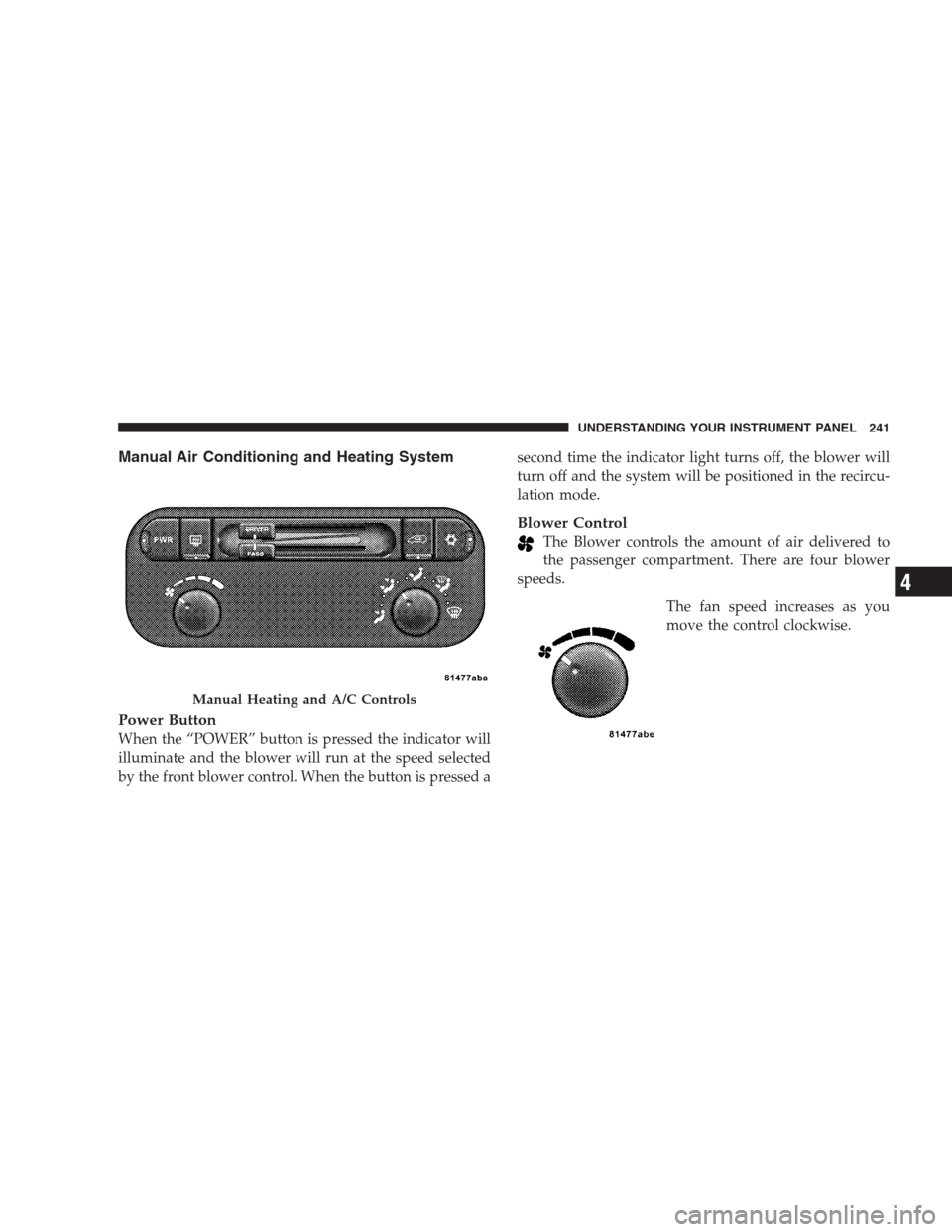
Manual Air Conditioning and Heating System
Power Button
When the “POWER” button is pressed the indicator will
illuminate and the blower will run at the speed selected
by the front blower control. When the button is pressed asecond time the indicator light turns off, the blower will
turn off and the system will be positioned in the recircu-
lation mode.
Blower Control
The Blower controls the amount of air delivered to
the passenger compartment. There are four blower
speeds.
The fan speed increases as you
move the control clockwise.
Manual Heating and A/C Controls
UNDERSTANDING YOUR INSTRUMENT PANEL 241
4
Page 244 of 464
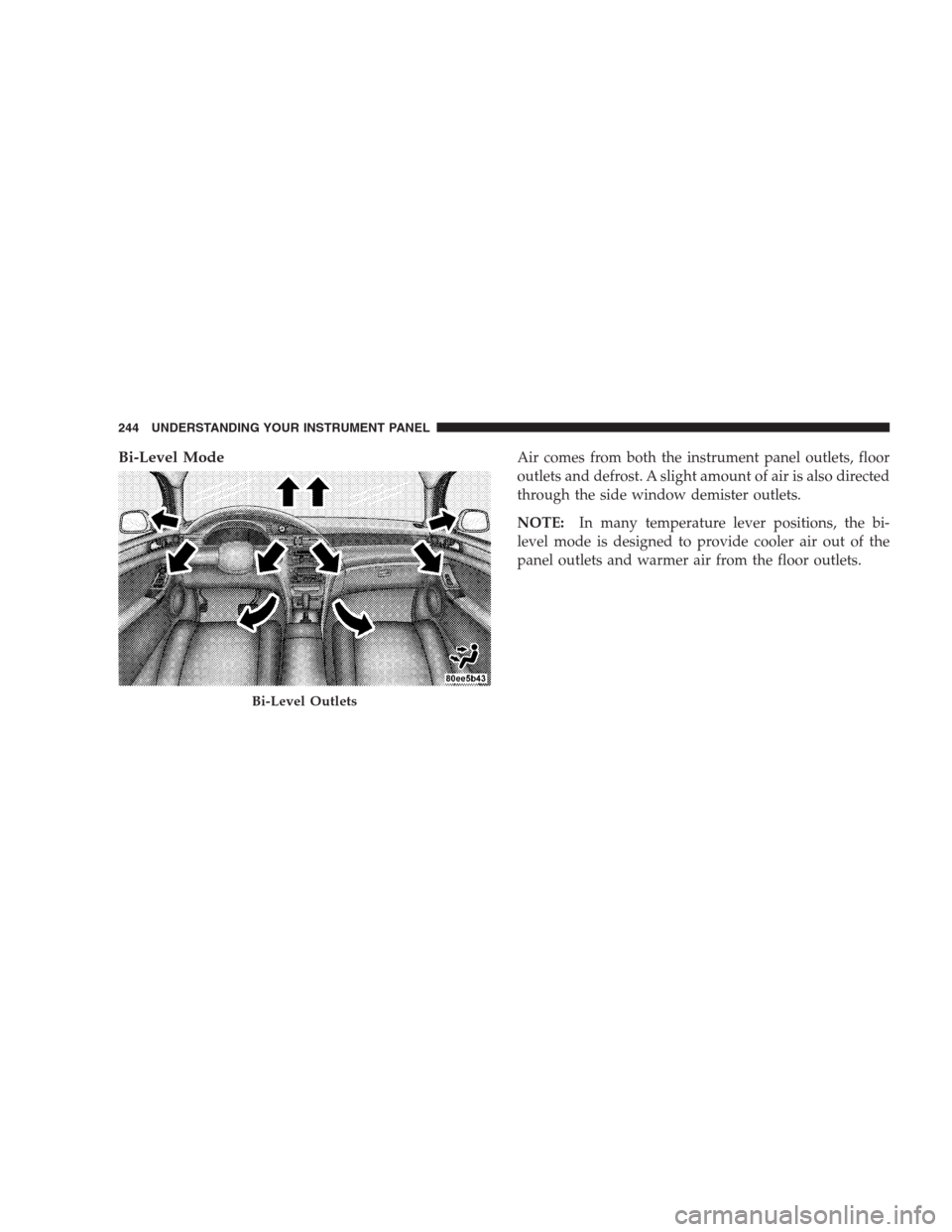
Bi-Level ModeAir comes from both the instrument panel outlets, floor
outlets and defrost. A slight amount of air is also directed
through the side window demister outlets.
NOTE:In many temperature lever positions, the bi-
level mode is designed to provide cooler air out of the
panel outlets and warmer air from the floor outlets.
Bi-Level Outlets
244 UNDERSTANDING YOUR INSTRUMENT PANEL
Page 245 of 464
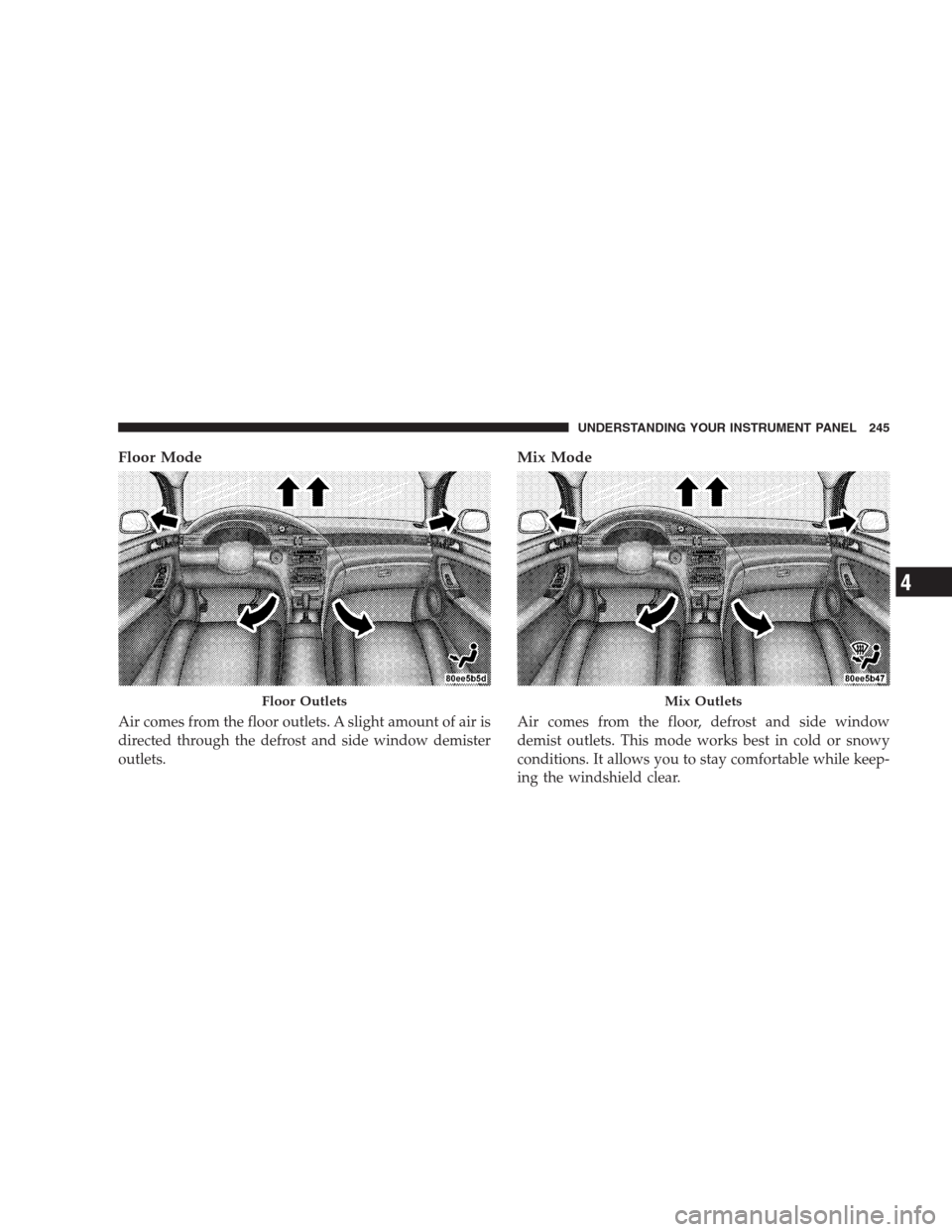
Floor Mode
Air comes from the floor outlets. A slight amount of air is
directed through the defrost and side window demister
outlets.
Mix Mode
Air comes from the floor, defrost and side window
demist outlets. This mode works best in cold or snowy
conditions. It allows you to stay comfortable while keep-
ing the windshield clear.
Floor OutletsMix Outlets
UNDERSTANDING YOUR INSTRUMENT PANEL 245
4
Page 246 of 464
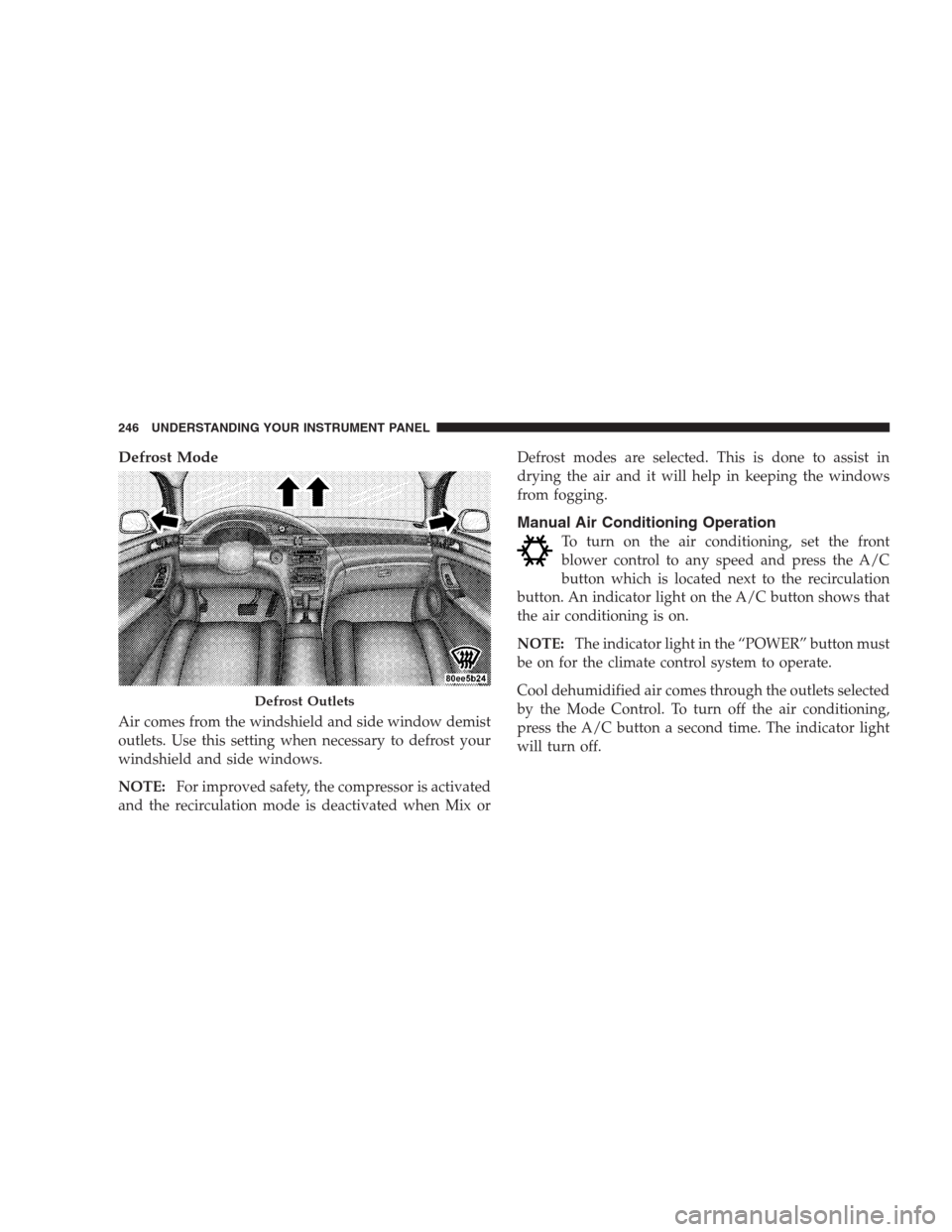
Defrost Mode
Air comes from the windshield and side window demist
outlets. Use this setting when necessary to defrost your
windshield and side windows.
NOTE:For improved safety, the compressor is activated
and the recirculation mode is deactivated when Mix orDefrost modes are selected. This is done to assist in
drying the air and it will help in keeping the windows
from fogging.
Manual Air Conditioning Operation
To turn on the air conditioning, set the front
blower control to any speed and press the A/C
button which is located next to the recirculation
button. An indicator light on the A/C button shows that
the air conditioning is on.
NOTE:The indicator light in the “POWER” button must
be on for the climate control system to operate.
Cool dehumidified air comes through the outlets selected
by the Mode Control. To turn off the air conditioning,
press the A/C button a second time. The indicator light
will turn off.
Defrost Outlets
246 UNDERSTANDING YOUR INSTRUMENT PANEL
Page 247 of 464
NOTE:
•The compressor will not engage until the engine has
been running for a few seconds.
•If your air conditioning performance seems lower than
expected, check the A/C air filter (ATC equipped
vehicles only) and the front of the A/C condenser for
an accumulation of dirt or insects. The A/C condenser
is located in front of the radiator. The A/C air filter is
located under the instrument panel on the passenger
side.
•Fabric type fascia protectors tend to block the amount
of air to the condenser and may reduce air condition-
ing performance.
Economy Mode
If economy mode is desired, press the A/C button to turn
off the indicator light, and the A/C compressor. Move the
temperature control lever to the desired temperature.
Recirculation Control
Press the recirculation button to recirculate the
air inside the vehicle. This is located next to the
A/C button. An indicator light on the button
shows that air is being recirculated. Use the
recirculation mode to rapidly cool the inside of the
vehicle. The recirculation mode can also be used to
temporarily block out outside odors, smoke, and dust.
NOTE:
•When the ignition switch is turned OFF, the recircula-
tion feature will be cancelled.
•In cold weather, use of the Recirculation mode may
lead to excessive window fogging. The Recirculation
mode is not allowed in the Mix and Defrost modes to
improve window clearing operation. Recirculation
will be disabled automatically if these modes are
selected.
UNDERSTANDING YOUR INSTRUMENT PANEL 247
4
Page 248 of 464
•If the recirculation button is pressed while in the Mix
or Defrost mode, the indicator light in the recirculation
button will flash 3 times indicating that recirculation is
not allowed.
A/C Recirculation Programming
The recirculation control is programmed to cancel the
recirculation mode when the ignition key is turned OFF
and will reset to outside air mode when the ignition key
is turned ON. The frequent use of outside air will help
keep odors from building up within the air conditioner-
heater housing. It is recommended that the recirculation
mode be used as little as possible, especially in humid
climates.
For hot and dry climates, or people who are allergic to
pollen and find frequent use of the recirculation mode
necessary, the recirculation mode can be programmed to
not automatically reset to the outside mode by using the
following procedures:
•Turn the ignition switch to the OFF position.
•Set the mode control to “PANEL”.
•Depress and hold in the “POWER” button.
•Start the engine, and continue to hold in the “POWER”
button until the indicator light starts flashing repeat-
edly.
•Press the recirculation button until the indicator light
remains lit.
•The selection will be stored when the ignition switch is
turned OFF or if the “POWER” button is pressed.
If the recirculation indicator light is lit, the recirculation
mode will not reset when the engine is started. If the
recirculation indicator light is not lit, the recirculation
mode will reset to the outside air mode when the engine
is started. The programmed status can be changed back
and forth by following the above mentioned procedure.
248 UNDERSTANDING YOUR INSTRUMENT PANEL