Page 153 of 574
Gate Operator and Canadian
Programming
Canadian radio-frequency laws require transmitter
signals to time out or quit after several seconds
of transmission. This may not be long enough
for Universal Home Remote to pick up the signal
during programming. Similarly, some U.S. gate
operators are manufactured to time out in
the same manner.
If you live in Canada, or you are having difficulty
programming a gate operator or garage door
opener by using the “Programming Universal
Home Remote” procedures, regardless of where
you live, replace Step 3 under “Programming
Universal Home Remote” with the following:
Continue to press and hold the Universal Home
Remote button while you press and release every
two seconds (cycle) the hand-held transmitter
button until the frequency signal has been
successfully accepted by the Universal Home
Remote. The Universal Home Remote indicator
light will ash slowly at rst and then rapidly.
Proceed with Step 4 under “Programming
Universal Home Remote” to complete.
Using Universal Home Remote
Press and hold the appropriate Universal Home
Remote button for at least half of a second.
The indicator light will come on while the signal
is being transmitted.
Erasing Universal Home Remote
Buttons
To erase programming from the three Universal
Home Remote buttons do the following:
1. Press and hold down the two outside buttons
until the indicator light begins to ash, after
20 seconds. Do not hold the two outside
buttons for longer than 30 seconds.
2. Release both buttons.
The Universal Home Remote is now in the training
(learning) mode and can be programmed at any
time beginning with Step 2 under “Programming
Universal Home Remote” shown earlier in
this section.
Individual buttons cannot be erased, but they can
be reprogrammed. See “Reprogramming a
Single Universal Home Remote Button” following
this section.
153
Page 154 of 574
Reprogramming a Single Universal
Home Remote Button
To program a device to Universal Home Remote
using a Universal Home Remote button
previously trained, follow these steps:
1. Press and hold the desired Universal Home
Remote button. Do not release the button.
2. The indicator light will begin to ash after
20 seconds. While still holding the Universal
Home Remote button, proceed with Step
2 under “Programming Universal Home
Remote” shown earlier in this section.
For help or information on the Universal Home
Remote System, call the customer assistance
phone number underCustomer Assistance Offices
on page 542.
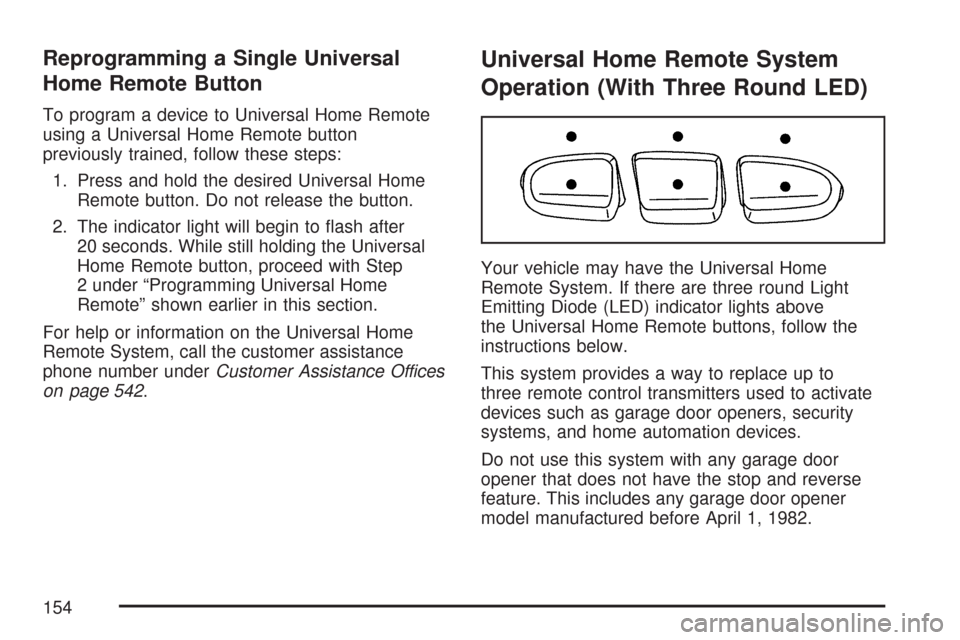
Universal Home Remote System
Operation (With Three Round LED)
Your vehicle may have the Universal Home
Remote System. If there are three round Light
Emitting Diode (LED) indicator lights above
the Universal Home Remote buttons, follow the
instructions below.
This system provides a way to replace up to
three remote control transmitters used to activate
devices such as garage door openers, security
systems, and home automation devices.
Do not use this system with any garage door
opener that does not have the stop and reverse
feature. This includes any garage door opener
model manufactured before April 1, 1982.
154
Page 159 of 574
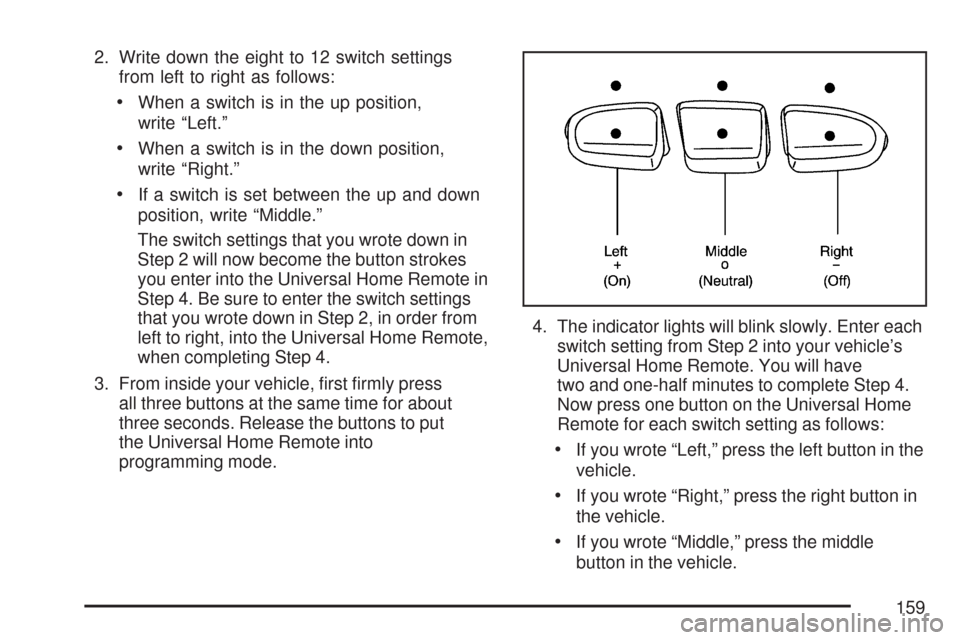
2. Write down the eight to 12 switch settings
from left to right as follows:
When a switch is in the up position,
write “Left.”
When a switch is in the down position,
write “Right.”
If a switch is set between the up and down
position, write “Middle.”
The switch settings that you wrote down in
Step 2 will now become the button strokes
you enter into the Universal Home Remote in
Step 4. Be sure to enter the switch settings
that you wrote down in Step 2, in order from
left to right, into the Universal Home Remote,
when completing Step 4.
3. From inside your vehicle, rst rmly press
all three buttons at the same time for about
three seconds. Release the buttons to put
the Universal Home Remote into
programming mode.4. The indicator lights will blink slowly. Enter each
switch setting from Step 2 into your vehicle’s
Universal Home Remote. You will have
two and one-half minutes to complete Step 4.
Now press one button on the Universal Home
Remote for each switch setting as follows:
If you wrote “Left,” press the left button in the
vehicle.
If you wrote “Right,” press the right button in
the vehicle.
If you wrote “Middle,” press the middle
button in the vehicle.
159
Page 190 of 574
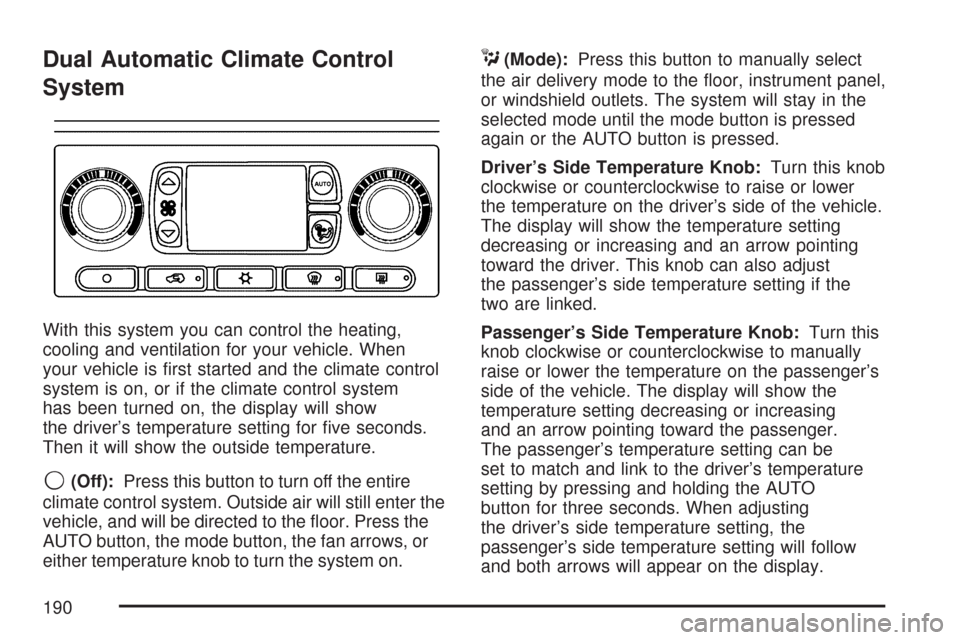
Dual Automatic Climate Control
System
With this system you can control the heating,
cooling and ventilation for your vehicle. When
your vehicle is rst started and the climate control
system is on, or if the climate control system
has been turned on, the display will show
the driver’s temperature setting for ve seconds.
Then it will show the outside temperature.
9(Off):Press this button to turn off the entire
climate control system. Outside air will still enter the
vehicle, and will be directed to the oor. Press the
AUTO button, the mode button, the fan arrows, or
either temperature knob to turn the system on.
C(Mode):Press this button to manually select
the air delivery mode to the oor, instrument panel,
or windshield outlets. The system will stay in the
selected mode until the mode button is pressed
again or the AUTO button is pressed.
Driver’s Side Temperature Knob:Turn this knob
clockwise or counterclockwise to raise or lower
the temperature on the driver’s side of the vehicle.
The display will show the temperature setting
decreasing or increasing and an arrow pointing
toward the driver. This knob can also adjust
the passenger’s side temperature setting if the
two are linked.
Passenger’s Side Temperature Knob:Turn this
knob clockwise or counterclockwise to manually
raise or lower the temperature on the passenger’s
side of the vehicle. The display will show the
temperature setting decreasing or increasing
and an arrow pointing toward the passenger.
The passenger’s temperature setting can be
set to match and link to the driver’s temperature
setting by pressing and holding the AUTO
button for three seconds. When adjusting
the driver’s side temperature setting, the
passenger’s side temperature setting will follow
and both arrows will appear on the display.
190
Page 192 of 574
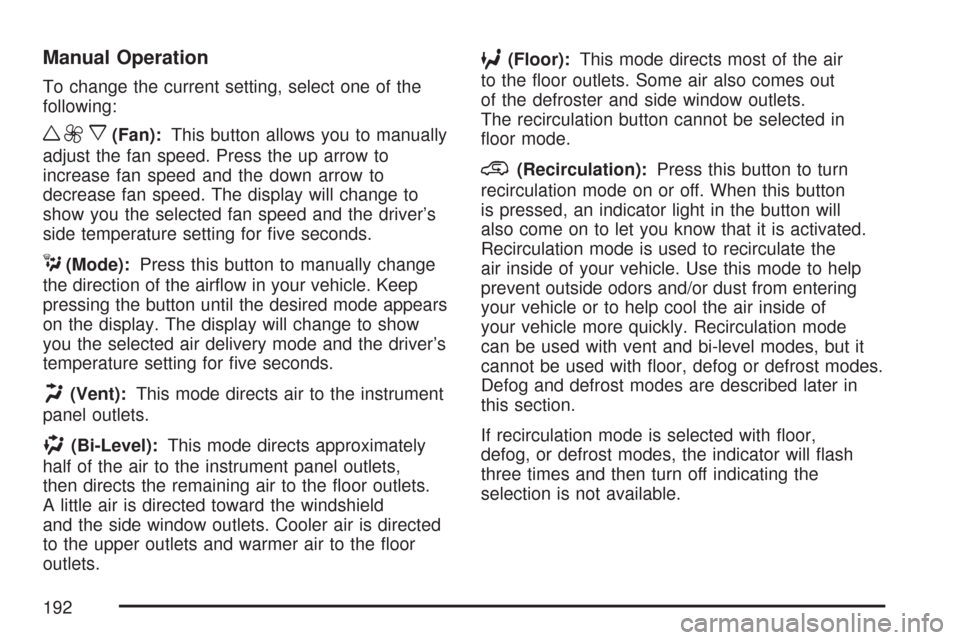
Manual Operation
To change the current setting, select one of the
following:
w9x(Fan):This button allows you to manually
adjust the fan speed. Press the up arrow to
increase fan speed and the down arrow to
decrease fan speed. The display will change to
show you the selected fan speed and the driver’s
side temperature setting for ve seconds.
C(Mode):Press this button to manually change
the direction of the airow in your vehicle. Keep
pressing the button until the desired mode appears
on the display. The display will change to show
you the selected air delivery mode and the driver’s
temperature setting for ve seconds.
H(Vent):This mode directs air to the instrument
panel outlets.
)(Bi-Level):This mode directs approximately
half of the air to the instrument panel outlets,
then directs the remaining air to the oor outlets.
A little air is directed toward the windshield
and the side window outlets. Cooler air is directed
to the upper outlets and warmer air to the oor
outlets.
6(Floor):This mode directs most of the air
to the oor outlets. Some air also comes out
of the defroster and side window outlets.
The recirculation button cannot be selected in
oor mode.
@(Recirculation):Press this button to turn
recirculation mode on or off. When this button
is pressed, an indicator light in the button will
also come on to let you know that it is activated.
Recirculation mode is used to recirculate the
air inside of your vehicle. Use this mode to help
prevent outside odors and/or dust from entering
your vehicle or to help cool the air inside of
your vehicle more quickly. Recirculation mode
can be used with vent and bi-level modes, but it
cannot be used with oor, defog or defrost modes.
Defog and defrost modes are described later in
this section.
If recirculation mode is selected with oor,
defog, or defrost modes, the indicator will ash
three times and then turn off indicating the
selection is not available.
192
Page 196 of 574
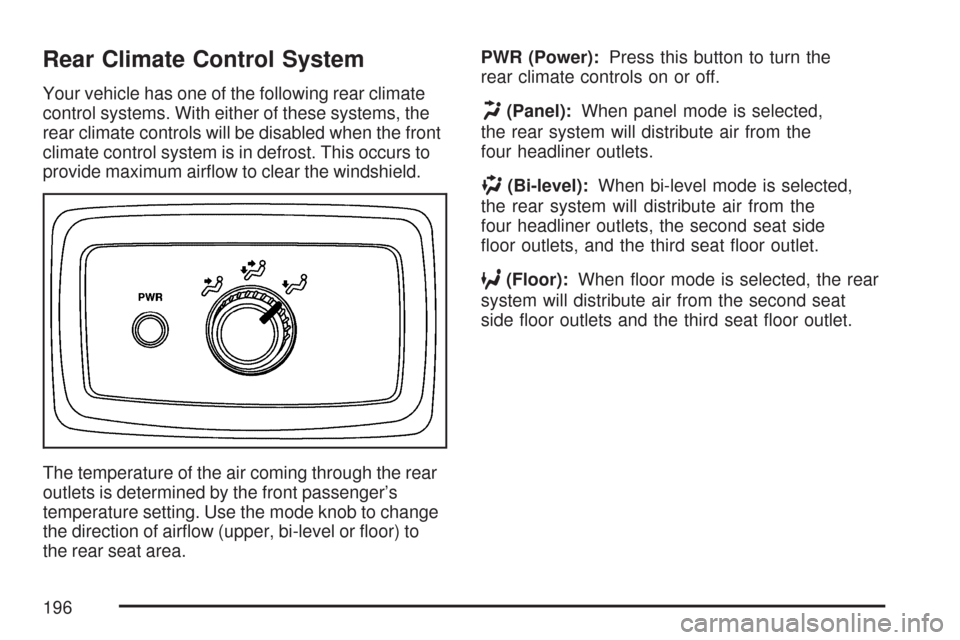
Rear Climate Control System
Your vehicle has one of the following rear climate
control systems. With either of these systems, the
rear climate controls will be disabled when the front
climate control system is in defrost. This occurs to
provide maximum airow to clear the windshield.
The temperature of the air coming through the rear
outlets is determined by the front passenger’s
temperature setting. Use the mode knob to change
the direction of airow (upper, bi-level or oor) to
the rear seat area.PWR (Power):Press this button to turn the
rear climate controls on or off.H(Panel):When panel mode is selected,
the rear system will distribute air from the
four headliner outlets.
)(Bi-level):When bi-level mode is selected,
the rear system will distribute air from the
four headliner outlets, the second seat side
oor outlets, and the third seat oor outlet.
6(Floor):When oor mode is selected, the rear
system will distribute air from the second seat
side oor outlets and the third seat oor outlet.
196
Page 199 of 574
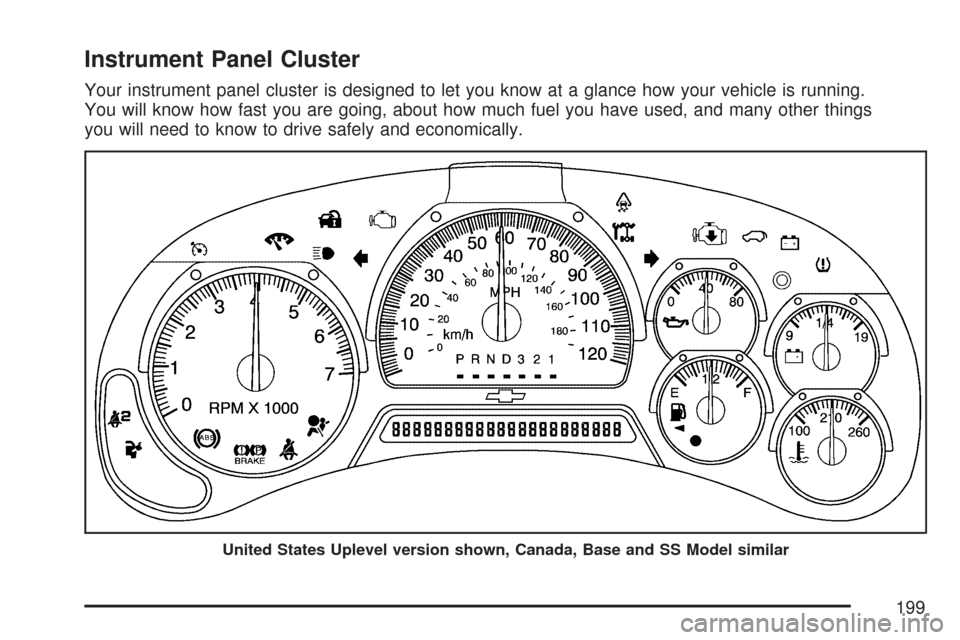
Instrument Panel Cluster
Your instrument panel cluster is designed to let you know at a glance how your vehicle is running.
You will know how fast you are going, about how much fuel you have used, and many other things
you will need to know to drive safely and economically.
United States Uplevel version shown, Canada, Base and SS Model similar
199
Page 207 of 574
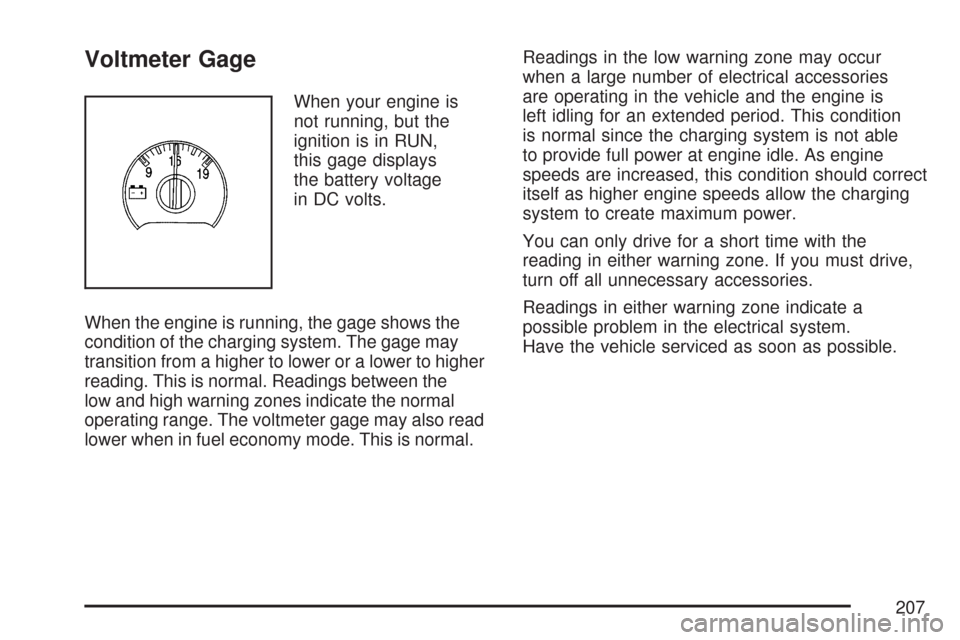
Voltmeter Gage
When your engine is
not running, but the
ignition is in RUN,
this gage displays
the battery voltage
in DC volts.
When the engine is running, the gage shows the
condition of the charging system. The gage may
transition from a higher to lower or a lower to higher
reading. This is normal. Readings between the
low and high warning zones indicate the normal
operating range. The voltmeter gage may also read
lower when in fuel economy mode. This is normal.Readings in the low warning zone may occur
when a large number of electrical accessories
are operating in the vehicle and the engine is
left idling for an extended period. This condition
is normal since the charging system is not able
to provide full power at engine idle. As engine
speeds are increased, this condition should correct
itself as higher engine speeds allow the charging
system to create maximum power.
You can only drive for a short time with the
reading in either warning zone. If you must drive,
turn off all unnecessary accessories.
Readings in either warning zone indicate a
possible problem in the electrical system.
Have the vehicle serviced as soon as possible.
207