Page 166 of 510
Traction Control System (TCS)
Warning Light........................................ 209
Traction Control System Active Light......... 209
Enhanced Traction System Warning Light.... 210
Enhanced Traction System Active Light....... 210
Engine Coolant Temperature
Warning Light........................................ 211
Engine Coolant Temperature Gage............ 211
Malfunction Indicator Lamp........................ 212
Oil Pressure Light..................................... 215
Security Light............................................ 216
Cruise Control Light.................................. 216
Highbeam On Light................................... 216
Fuel Gage................................................. 217
Driver Information Center (DIC).................. 218
DIC Operation and Displays...................... 218
DIC Warnings and Messages.................... 222
DIC Vehicle Personalization....................... 225
Audio System(s)......................................... 228
Setting the Time for Radios without
Radio Data Systems (RDS).................... 229
Setting the Time for Radios with
Radio Data Systems (RDS).................... 230Radio with CD (Base Level)...................... 230
Radio with CD (Uplevel)............................ 236
Radio with Six-Disc CD............................. 246
XM Radio Messages................................. 259
Rear Seat Entertainment System............... 261
Rear Seat Audio (RSA)
(Without Entertainment System)............. 278
Rear Seat Audio (RSA)
(With Entertainment System).................. 280
Theft-Deterrent Feature............................. 281
Audio Steering Wheel Controls
(Three Spoke)........................................ 282
Audio Steering Wheel Controls
(Four Spoke).......................................... 283
Radio Reception........................................ 284
Care of Your CDs and DVDs.................... 285
Care of the CD and DVD Player............... 285
Fixed Mast Antenna (MAXX Only)............. 285
Backglass Antenna (Sedan Only).............. 286
XM™ Satellite Radio Antenna System....... 286
Section 3 Instrument Panel
166
Page 171 of 510
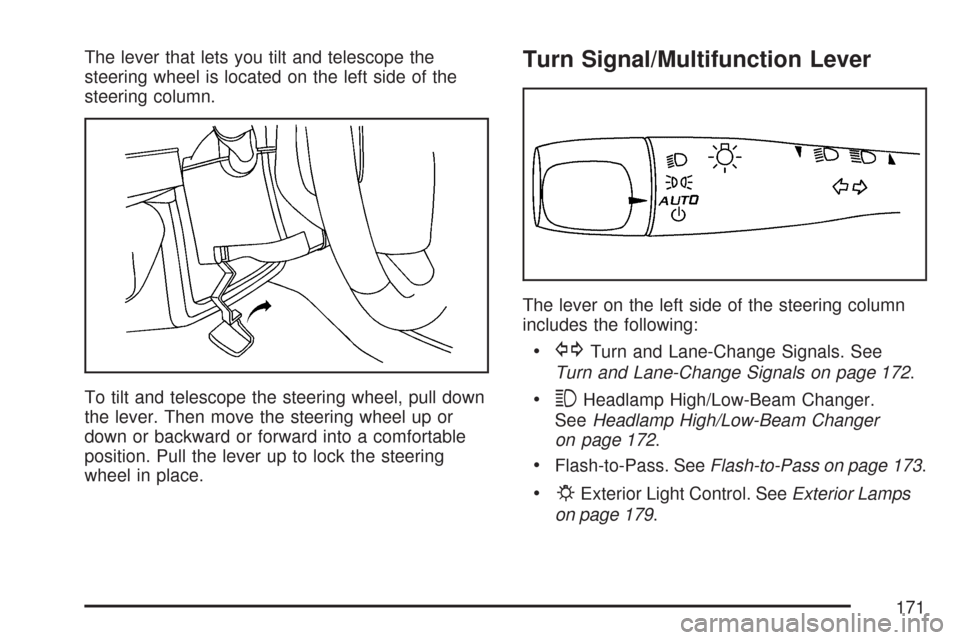
The lever that lets you tilt and telescope the
steering wheel is located on the left side of the
steering column.
To tilt and telescope the steering wheel, pull down
the lever. Then move the steering wheel up or
down or backward or forward into a comfortable
position. Pull the lever up to lock the steering
wheel in place.Turn Signal/Multifunction Lever
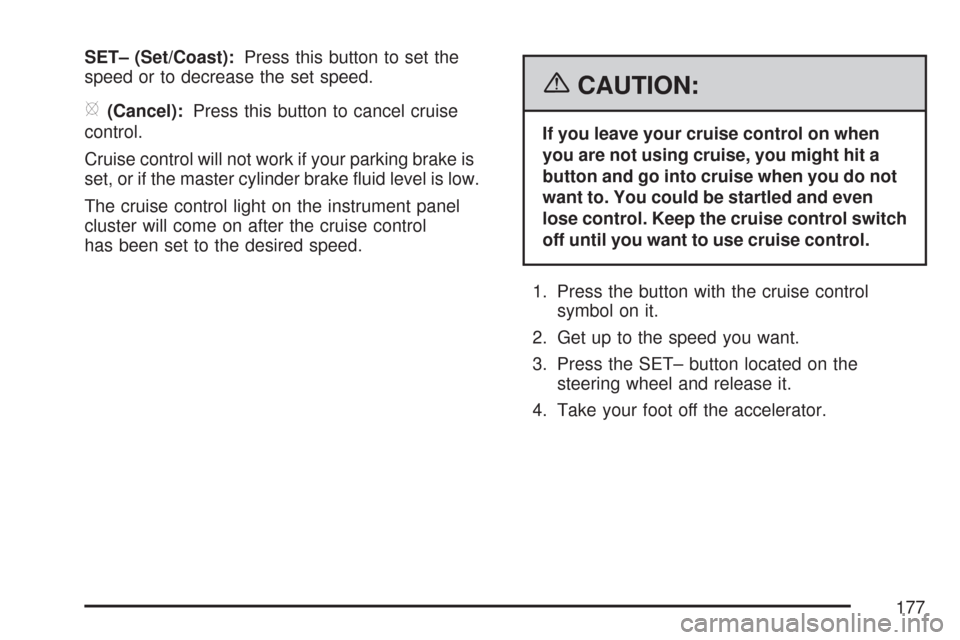
The lever on the left side of the steering column
includes the following:
GTurn and Lane-Change Signals. See
Turn and Lane-Change Signals on page 172.
3Headlamp High/Low-Beam Changer.
SeeHeadlamp High/Low-Beam Changer
on page 172.
Flash-to-Pass. SeeFlash-to-Pass on page 173.
PExterior Light Control. SeeExterior Lamps
on page 179.
171
Page 172 of 510
Turn and Lane-Change Signals
The turn signal has two upward (for right) and
two downward (for left) positions. These positions
allow you to signal a turn or a lane change.
To signal a turn, move the lever all the way up
or down to the latched position. When the turn is
nished, the lever will return automatically.
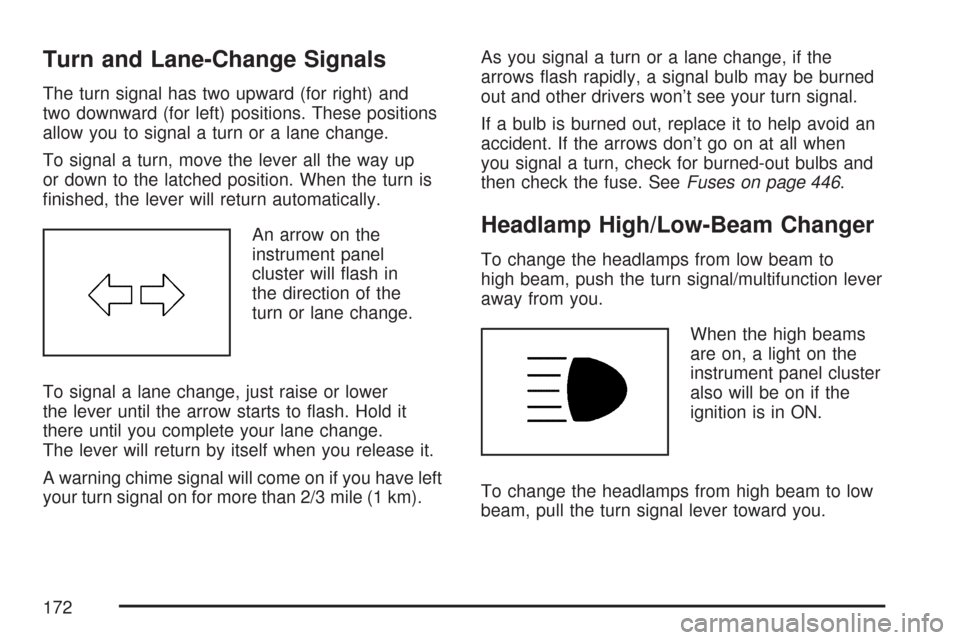
An arrow on the
instrument panel
cluster will ash in
the direction of the
turn or lane change.
To signal a lane change, just raise or lower
the lever until the arrow starts to ash. Hold it
there until you complete your lane change.
The lever will return by itself when you release it.
A warning chime signal will come on if you have left
your turn signal on for more than 2/3 mile (1 km).As you signal a turn or a lane change, if the
arrows ash rapidly, a signal bulb may be burned
out and other drivers won’t see your turn signal.
If a bulb is burned out, replace it to help avoid an
accident. If the arrows don’t go on at all when
you signal a turn, check for burned-out bulbs and
then check the fuse. SeeFuses on page 446.
Headlamp High/Low-Beam Changer
To change the headlamps from low beam to
high beam, push the turn signal/multifunction lever
away from you.
When the high beams
are on, a light on the
instrument panel cluster
also will be on if the
ignition is in ON.
To change the headlamps from high beam to low
beam, pull the turn signal lever toward you.
172
Page 177 of 510
SET– (Set/Coast):Press this button to set the
speed or to decrease the set speed.
[(Cancel):Press this button to cancel cruise
control.
Cruise control will not work if your parking brake is
set, or if the master cylinder brake uid level is low.
The cruise control light on the instrument panel
cluster will come on after the cruise control
has been set to the desired speed.
{CAUTION:
If you leave your cruise control on when
you are not using cruise, you might hit a
button and go into cruise when you do not
want to. You could be startled and even
lose control. Keep the cruise control switch
off until you want to use cruise control.
1. Press the button with the cruise control
symbol on it.
2. Get up to the speed you want.
3. Press the SET– button located on the
steering wheel and release it.
4. Take your foot off the accelerator.
177
Page 179 of 510
your speed. When going downhill, you may have
to brake or shift to a lower gear to keep your
speed down. Of course, applying the brake takes
you out of cruise control. Many drivers nd this
to be too much trouble and do not use cruise
control on steep hills.
Ending Cruise Control
There are three ways to disengage the
cruise control:
Step lightly on the brake pedal; when cruise
control disengages, the cruise symbol in the
instrument panel cluster will go out.
Press the on/off button, this will turn off the
cruise control system.
Press the cancel button. When cruise control
disengages, the cruise symbol in the
instrument panel cluster will go out.
Erasing Speed Memory
When you turn off the cruise control or the ignition,
your cruise control set speed memory is erased.
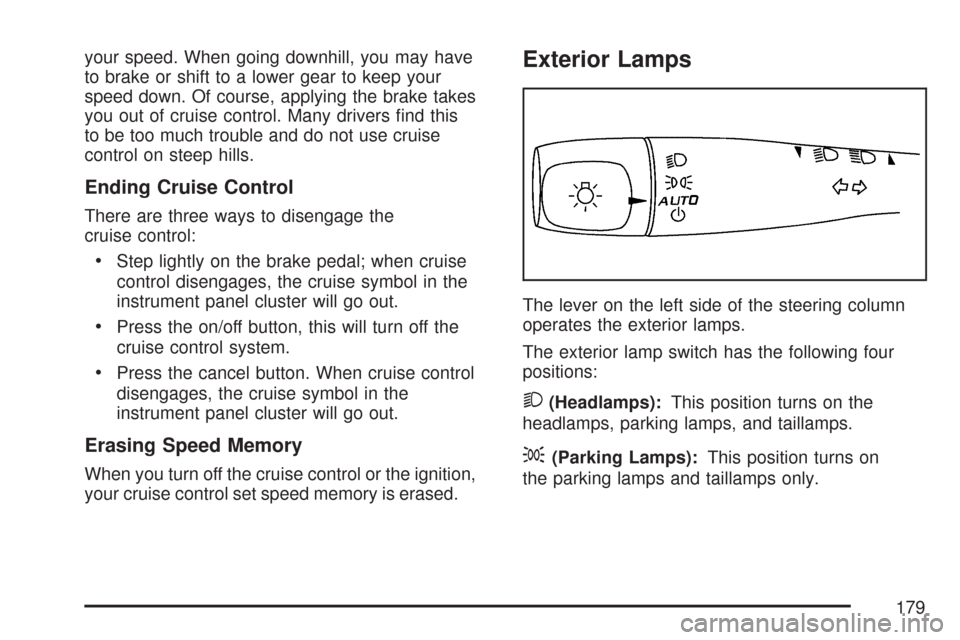
Exterior Lamps
The lever on the left side of the steering column
operates the exterior lamps.
The exterior lamp switch has the following four
positions:
2(Headlamps):This position turns on the
headlamps, parking lamps, and taillamps.
;(Parking Lamps):This position turns on
the parking lamps and taillamps only.
179
Page 181 of 510
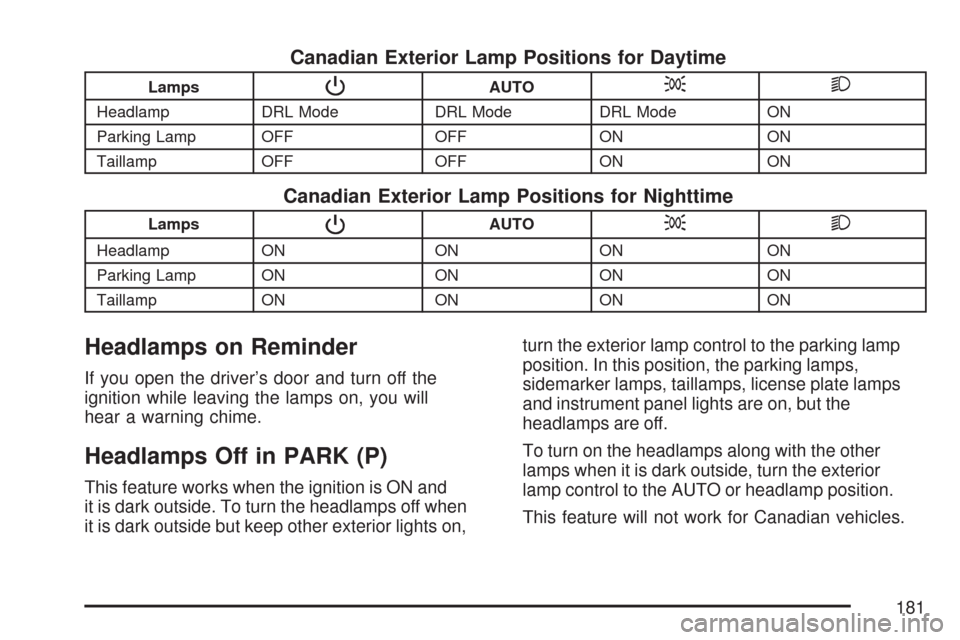
Canadian Exterior Lamp Positions for Daytime
LampsPAUTO;2
Headlamp DRL Mode DRL Mode DRL Mode ON
Parking Lamp OFF OFF ON ON
Taillamp OFF OFF ON ON
Canadian Exterior Lamp Positions for Nighttime
LampsPAUTO;2
Headlamp ON ON ON ON
Parking Lamp ON ON ON ON
Taillamp ON ON ON ON
Headlamps on Reminder
If you open the driver’s door and turn off the
ignition while leaving the lamps on, you will
hear a warning chime.
Headlamps Off in PARK (P)
This feature works when the ignition is ON and
it is dark outside. To turn the headlamps off when
it is dark outside but keep other exterior lights on,turn the exterior lamp control to the parking lamp
position. In this position, the parking lamps,
sidemarker lamps, taillamps, license plate lamps
and instrument panel lights are on, but the
headlamps are off.
To turn on the headlamps along with the other
lamps when it is dark outside, turn the exterior
lamp control to the AUTO or headlamp position.
This feature will not work for Canadian vehicles.
181
Page 182 of 510
Delayed Headlamps
The delayed headlamps feature will continue to
illuminate the headlamps for 20 seconds after the
key is turned to off at night. Then the headlamps
will automatically turn off.
To override the 20 second delayed headlamp
feature while it is active turn the switch at the
end of the turn signal/multifunction lever to
the off/on position.
Daytime Running Lamps (DRL)
Daytime Running Lamps (DRL) can make it
easier for others to see the front of your vehicle
during the day. DRL can be helpful in many
different driving conditions, but they can be
especially helpful in the short periods after
dawn and before sunset. Fully functional
daytime running lamps are required on all
vehicles rst sold in Canada.The DRL system will turn your low-beam
headlamps on at a reduced brightness when
the following conditions are met:
The ignition is on.
The exterior lamp control is turned to
AUTO. In addition, Canadian vehicles
DRL will also turn on if you have turned
on the parking lamps.
The light sensor detects daytime light.
See the end of this section for more
information on the light sensor.
The shift lever is not in PARK (P).
While the DRL system is on, the taillamps,
sidemarker lamps, and instrument panel lights
will not be illuminated.
The DRL system will be off any time your
vehicle is in PARK (P). The DRL system on
U.S. vehicles can also be turned off by using
the off/on switch for one ignition cycle.
As with any vehicle, you should turn on the
regular headlamp system when you need it.
182
Page 183 of 510
Light Sensor
Your vehicle has a light sensor on top of the
instrument panel. Make sure it is not covered
or the headlamps may remain on when you
do not need them. The light sensor for the
DRL and Automatic Headlamp features is
located on top of the instrument panel.
The automatic headlamp system may be on
when driving through a parking garage, heavy
outcast weather, or a tunnel. This is normal.
Automatic Headlamp System
When it is dark enough outside, the automatic
headlamp system turns on the headlamps at
the normal brightness along with other lamps
such as the taillamps, sidemarker, parking lamps,
and the instrument panel lights. The radio lights
will also be dim.
Your vehicle has a light sensor on top of the
instrument panel that controls the automatic
headlamp system. Make sure it is not covered
or the automatic headlamp system will be on
when it is not needed.There is a delay in the transition between the
daytime and nighttime operation of the DRL
and the automatic headlamp systems so that
driving under bridges or bright overhead street
lights does not affect the system. The DRL
and automatic headlamp systems will only be
affected when the light sensor sees a change
in lighting lasting longer than this delay.
If you start your vehicle in a dark garage,
the automatic headlamp system comes on
immediately. Once you leave the garage, it takes
about one minute for the automatic headlamp
system to change to DRL if it is light outside.
During that delay, the instrument panel cluster may
not be as bright as usual. Make sure the instrument
panel brightness control is in the full bright position.
See “Instrument Panel Brightness Control” under
Instrument Panel Brightness on page 184.
To idle your vehicle with the automatic headlamp
system off, turn the ignition on and set the exterior
light switch to the off/on position. For Canadian
vehicles, the transaxle must stay in PARK (P) for
this function.
As with any vehicle, you should turn on the
regular headlamps when they are needed.
183