Page 1062 of 2000
AX–178U151E AUTOMATIC TRANSAXLE – AUTOMATIC TRANSAXLE ASSEMBLY
AX
15. INSPECT AUTOMATIC TRANSAXLE FLUID
(a) Inspect the automatic transaxle fluid (see page AX-
126).
16. PERFORM RESET MEMORY
(a) Perform the RESET MEMORY procedures (A/T
initialization) (see page AX-20).
Page 1142 of 2000

U151F AUTOMATIC TRANSAXLE – AUTOMATIC TRANSAXLE SYSTEMAX–23
AX
INITIALIZATION
1. RESET MEMORY
NOTICE:
• Perform the RESET MEMORY procedures (A/T
initialization) when replacing the automatic
transaxle assembly, engine assembly or ECM.
• RESET MEMORY can be performed only with the
intelligent tester.
HINT:
The ECM memorizes the vehicle conditions when the
ECT controls the automatic transaxle assembly and
engine assembly. Therefore, when the automatic
transaxle assembly, engine assembly, or ECM has been
replaced, it is necessary to reset the memory so that the
ECM can memorize the new information.
The reset procedures are as follows.
(a) Turn the ignition switch OFF.
(b) Connect the intelligent tester to the CAN VIM. Then
connect the CAN VIM to the DLC3.
(c) Turn the ignition switch ON and turn the tester ON.
(d) Enter the following menus: DIAGNOSIS /
ENHANCED OBD II.
(e) Perform the reset memory procedures from the
Engine menu.
CAUTION:
After performing the RESET MEMORY
procedures, be sure to perform the ROAD TEST
(see page AX-13) as described earlier.
HINT:
The ECM learns through the ROAD TEST.
Page 1167 of 2000
U151F AUTOMATIC TRANSAXLE – AUTOMATIC TRANSAXLE ASSEMBLYAX–179
AX
16. INSPECT AUTOMATIC TRANSAXLE FLUID
(a) Inspect the automatic transaxle fluid (see page AX-
126).
17. PERFORM RESET MEMORY
(a) Perform the RESET MEMORY procedures (A/T
initialization) (see page AX-20).
Page 1246 of 2000

AX–22U241E AUTOMATIC TRANSAXLE – AUTOMATIC TRANSAXLE SYSTEM
AX
INITIALIZATION
1. RESET MEMORY
NOTICE:
• Perform the RESET MEMORY procedures (A/T
initialization) when replacing the automatic
transaxle assembly, engine assembly or ECM.
• RESET MEMORY can be performed only with the
intelligent tester.
HINT:
The ECM memorizes the vehicle conditions when the
ECT controls the automatic transaxle assembly and
engine assembly. Therefore, when the automatic
transaxle assembly, engine assembly, or ECM has been
replaced, it is necessary to reset the memory so that the
ECM can memorize the new information.
The reset procedures are as follows.
(a) Turn the ignition switch OFF.
(b) Connect the intelligent tester to the CAN VIM. Then
connect the CAN VIM to the DLC3.
(c) Turn the ignition switch ON and turn the tester ON.
(d) Enter the following menus: DIAGNOSIS /
ENHANCED OBD II.
(e) Perform the reset memory procedures from the
Engine menu.
CAUTION:
After performing the RESET MEMORY
procedures, be sure to perform the ROAD TEST
(see page AX-12) as described earlier.
HINT:
The ECM learns through the ROAD TEST.
Page 1268 of 2000
U241E AUTOMATIC TRANSAXLE – AUTOMATIC TRANSAXLE ASSEMBLYAX–151
AX
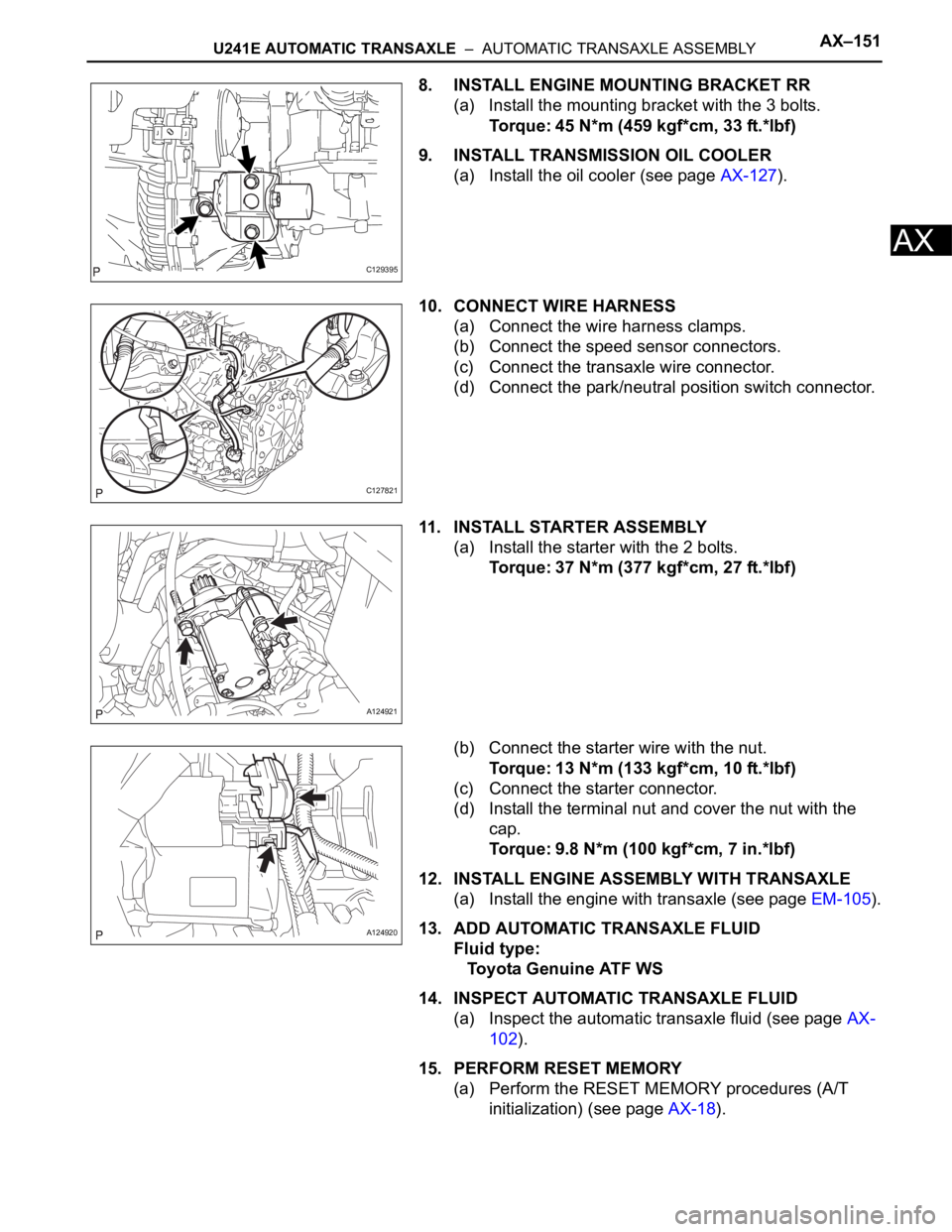
8. INSTALL ENGINE MOUNTING BRACKET RR
(a) Install the mounting bracket with the 3 bolts.
Torque: 45 N*m (459 kgf*cm, 33 ft.*lbf)
9. INSTALL TRANSMISSION OIL COOLER
(a) Install the oil cooler (see page AX-127).
10. CONNECT WIRE HARNESS
(a) Connect the wire harness clamps.
(b) Connect the speed sensor connectors.
(c) Connect the transaxle wire connector.
(d) Connect the park/neutral position switch connector.
11. INSTALL STARTER ASSEMBLY
(a) Install the starter with the 2 bolts.
Torque: 37 N*m (377 kgf*cm, 27 ft.*lbf)
(b) Connect the starter wire with the nut.
Torque: 13 N*m (133 kgf*cm, 10 ft.*lbf)
(c) Connect the starter connector.
(d) Install the terminal nut and cover the nut with the
cap.
Torque: 9.8 N*m (100 kgf*cm, 7 in.*lbf)
12. INSTALL ENGINE ASSEMBLY WITH TRANSAXLE
(a) Install the engine with transaxle (see page EM-105).
13. ADD AUTOMATIC TRANSAXLE FLUID
Fluid type:
Toyota Genuine ATF WS
14. INSPECT AUTOMATIC TRANSAXLE FLUID
(a) Inspect the automatic transaxle fluid (see page AX-
102).
15. PERFORM RESET MEMORY
(a) Perform the RESET MEMORY procedures (A/T
initialization) (see page AX-18).
C129395
C127821
A124921
A124920
Page 1502 of 2000
TW–30TIRE AND WHEEL – TIRE PRESSURE WARNING SYSTEM
TW
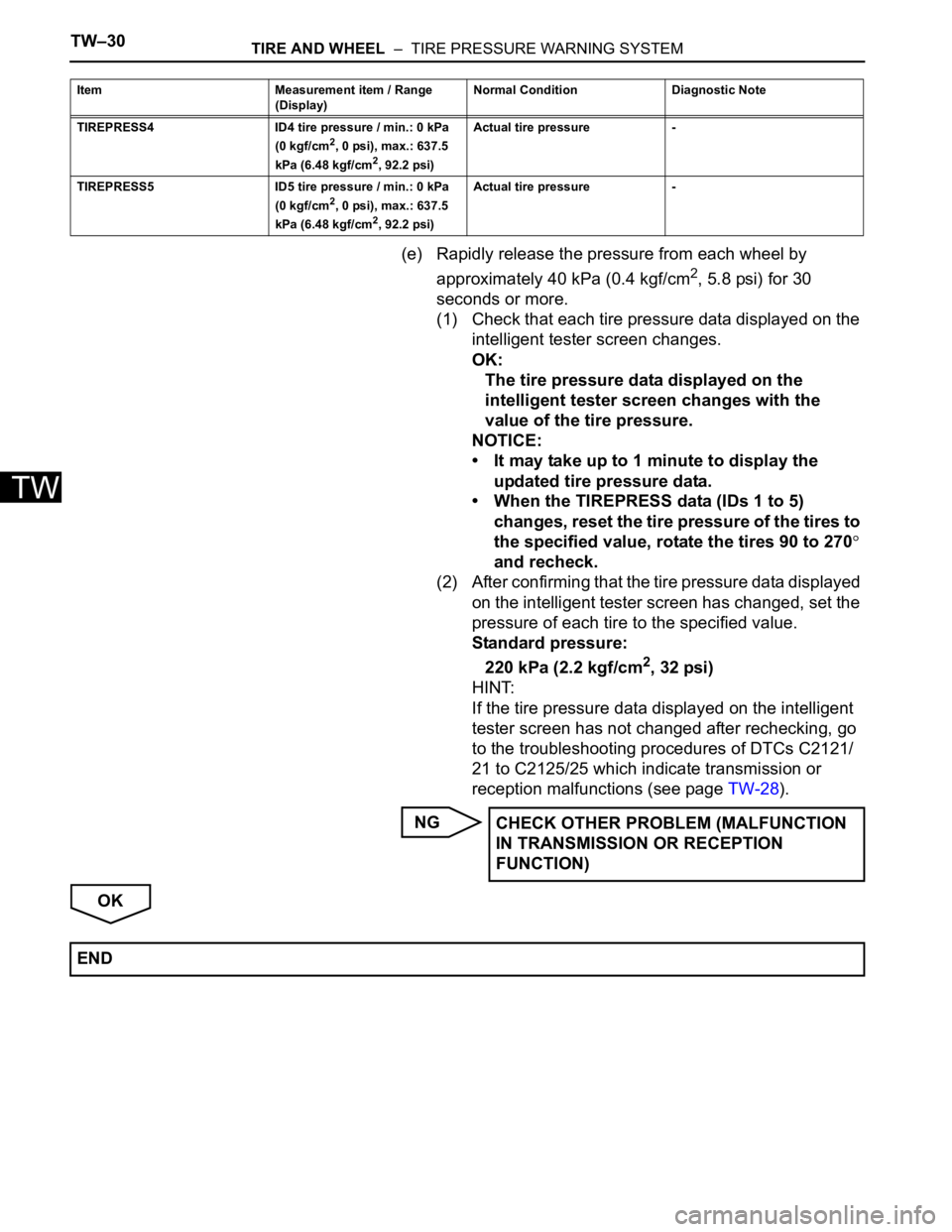
(e) Rapidly release the pressure from each wheel by
approximately 40 kPa (0.4 kgf/cm
2, 5.8 psi) for 30
seconds or more.
(1) Check that each tire pressure data displayed on the
intelligent tester screen changes.
OK:
The tire pressure data displayed on the
intelligent tester screen changes with the
value of the tire pressure.
NOTICE:
• It may take up to 1 minute to display the
updated tire pressure data.
• When the TIREPRESS data (IDs 1 to 5)
changes, reset the tire pressure of the tires to
the specified value, rotate the tires 90 to 270
and recheck.
(2) After confirming that the tire pressure data displayed
on the intelligent tester screen has changed, set the
pressure of each tire to the specified value.
Standard pressure:
220 kPa (2.2 kgf/cm
2, 32 psi)
HINT:
If the tire pressure data displayed on the intelligent
tester screen has not changed after rechecking, go
to the troubleshooting procedures of DTCs C2121/
21 to C2125/25 which indicate transmission or
reception malfunctions (see page TW-28).
NG
OK
TIREPRESS4 ID4 tire pressure / min.: 0 kPa
(0 kgf/cm2, 0 psi), max.: 637.5
kPa (6.48 kgf/cm2, 92.2 psi) Actual tire pressure -
TIREPRESS5 ID5 tire pressure / min.: 0 kPa
(0 kgf/cm
2, 0 psi), max.: 637.5
kPa (6.48 kgf/cm2, 92.2 psi) Actual tire pressure - Item Measurement item / Range
(Display) Normal Condition Diagnostic Note
CHECK OTHER PROBLEM (MALFUNCTION
IN TRANSMISSION OR RECEPTION
FUNCTION)
END
Page 1505 of 2000
TIRE AND WHEEL – TIRE PRESSURE WARNING SYSTEMTW–33
TW
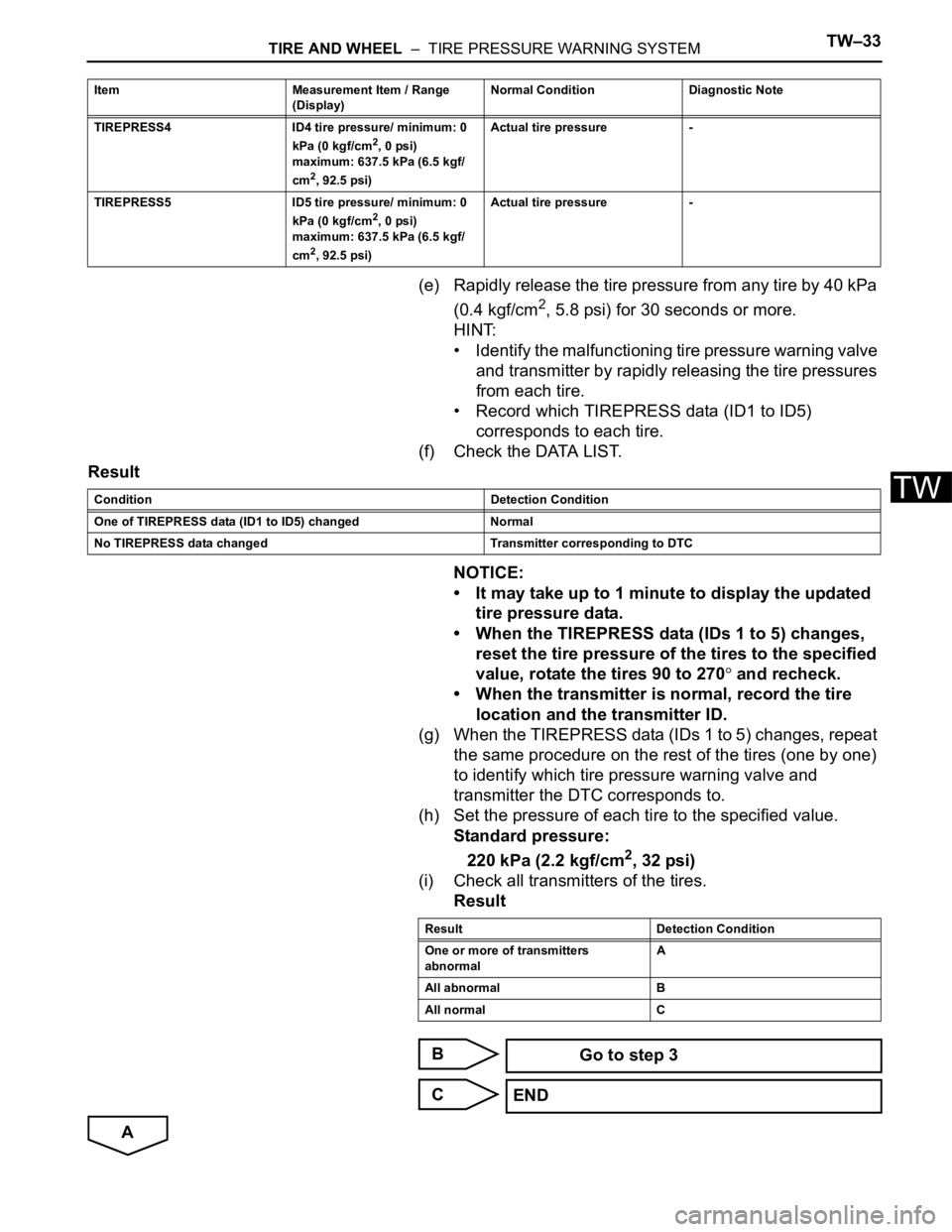
(e) Rapidly release the tire pressure from any tire by 40 kPa
(0.4 kgf/cm
2, 5.8 psi) for 30 seconds or more.
HINT:
• Identify the malfunctioning tire pressure warning valve
and transmitter by rapidly releasing the tire pressures
from each tire.
• Record which TIREPRESS data (ID1 to ID5)
corresponds to each tire.
(f) Check the DATA LIST.
Result
NOTICE:
• It may take up to 1 minute to display the updated
tire pressure data.
• When the TIREPRESS data (IDs 1 to 5) changes,
reset the tire pressure of the tires to the specified
value, rotate the tires 90 to 270
and recheck.
• When the transmitter is normal, record the tire
location and the transmitter ID.
(g) When the TIREPRESS data (IDs 1 to 5) changes, repeat
the same procedure on the rest of the tires (one by one)
to identify which tire pressure warning valve and
transmitter the DTC corresponds to.
(h) Set the pressure of each tire to the specified value.
Standard pressure:
220 kPa (2.2 kgf/cm
2, 32 psi)
(i) Check all transmitters of the tires.
Result
B
C
A
TIREPRESS4 ID4 tire pressure/ minimum: 0
kPa (0 kgf/cm2, 0 psi)
maximum: 637.5 kPa (6.5 kgf/
cm
2, 92.5 psi)Actual tire pressure -
TIREPRESS5 ID5 tire pressure/ minimum: 0
kPa (0 kgf/cm
2, 0 psi)
maximum: 637.5 kPa (6.5 kgf/
cm
2, 92.5 psi)Actual tire pressure - Item Measurement Item / Range
(Display)Normal Condition Diagnostic Note
Condition Detection Condition
One of TIREPRESS data (ID1 to ID5) changed Normal
No TIREPRESS data changed Transmitter corresponding to DTC
Result Detection Condition
One or more of transmitters
abnormalA
All abnormal B
All normal C
Go to step 3
END
Page 1529 of 2000
BC–26BRAKE CONTROL – VEHICLE STABILITY CONTROL SYSTEM
BC
CALIBRATION
1. DESCRIPTION
(a) After replacing components relating to the VSC or
performing "Front wheel alignment adjustment",
clear and read the sensor calibration data.
(b) Follow the chart to perform calibration.
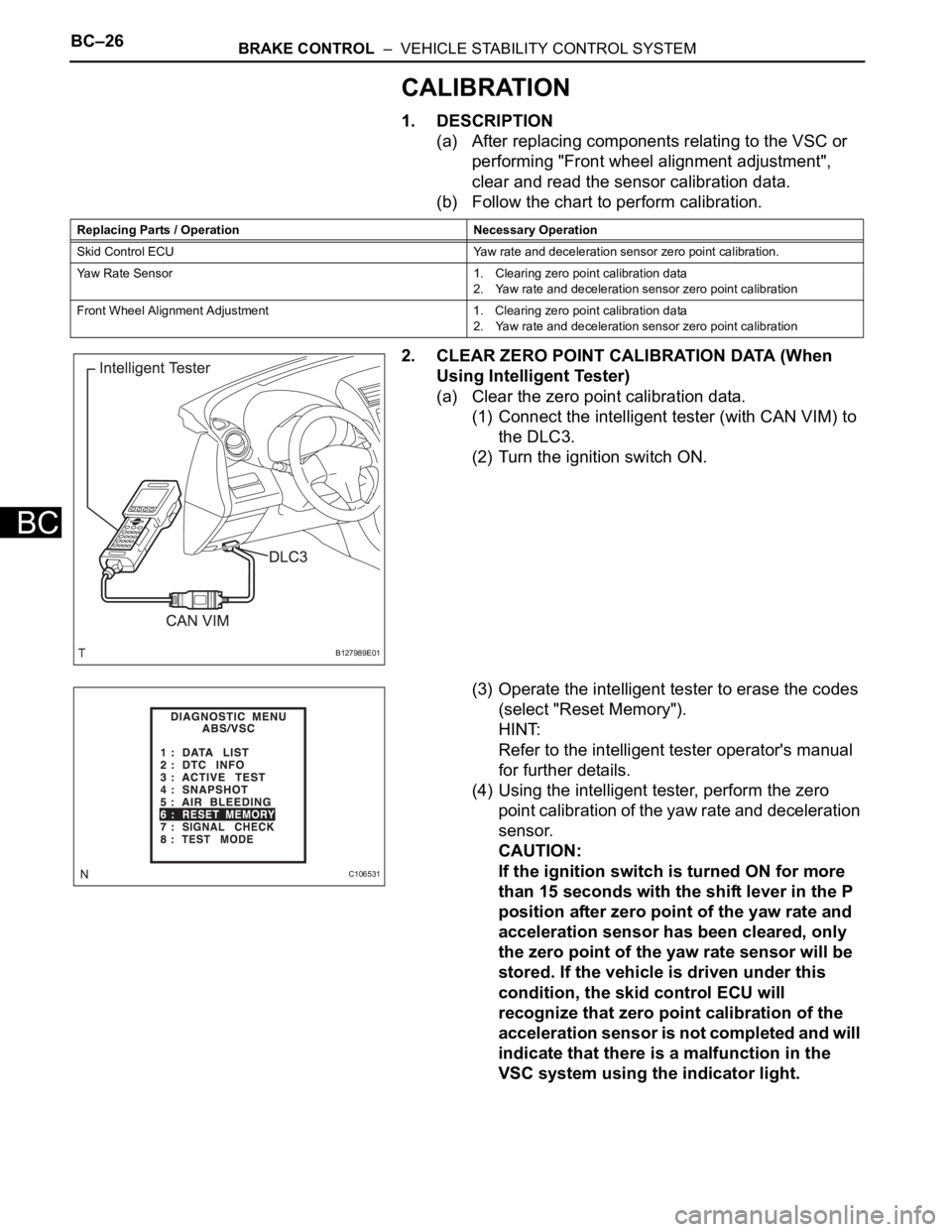
2. CLEAR ZERO POINT CALIBRATION DATA (When
Using Intelligent Tester)
(a) Clear the zero point calibration data.
(1) Connect the intelligent tester (with CAN VIM) to
the DLC3.
(2) Turn the ignition switch ON.
(3) Operate the intelligent tester to erase the codes
(select "Reset Memory").
HINT:
Refer to the intelligent tester operator's manual
for further details.
(4) Using the intelligent tester, perform the zero
point calibration of the yaw rate and deceleration
sensor.
CAUTION:
If the ignition switch is turned ON for more
than 15 seconds with the shift lever in the P
position after zero point of the yaw rate and
acceleration sensor has been cleared, only
the zero point of the yaw rate sensor will be
stored. If the vehicle is driven under this
condition, the skid control ECU will
recognize that zero point calibration of the
acceleration sensor is not completed and will
indicate that there is a malfunction in the
VSC system using the indicator light.
Replacing Parts / Operation Necessary Operation
Skid Control ECU Yaw rate and deceleration sensor zero point calibration.
Yaw Rate Sensor 1. Clearing zero point calibration data
2. Yaw rate and deceleration sensor zero point calibration
Front Wheel Alignment Adjustment 1. Clearing zero point calibration data
2. Yaw rate and deceleration sensor zero point calibration
B127989E01
C106531