Page 10 of 70
Remember7
Traffic safetyWARNING
•Please study how to operate the radio before starting the journey.
•Excessive volume may represent a danger to you and to others.
•Adjust the volume so that you can distinguish surrounding noises, for
example, horns, sirens, etc.
Switching on/off
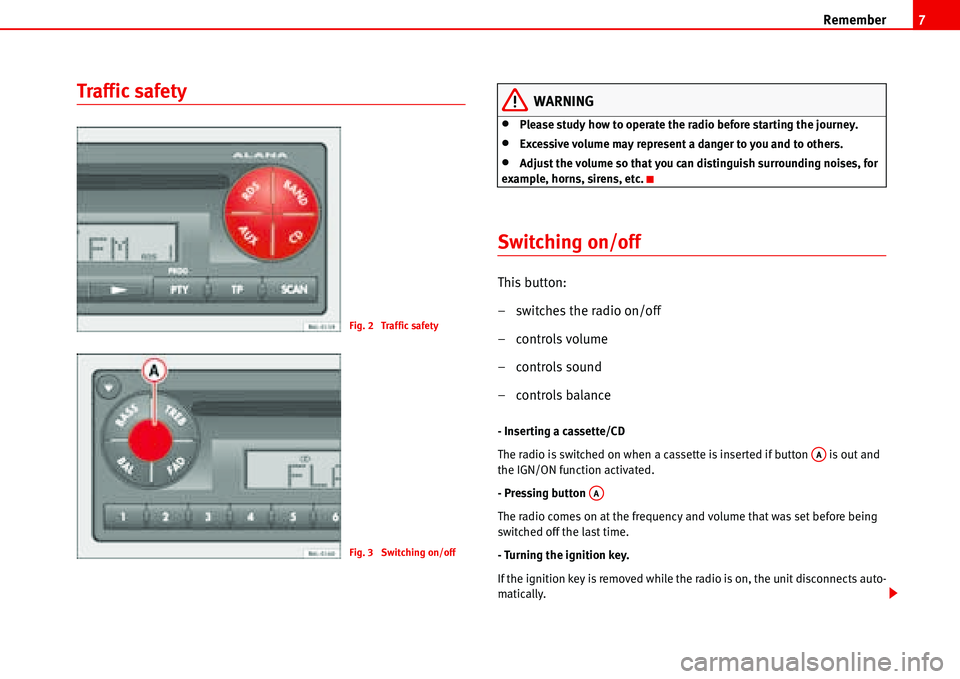
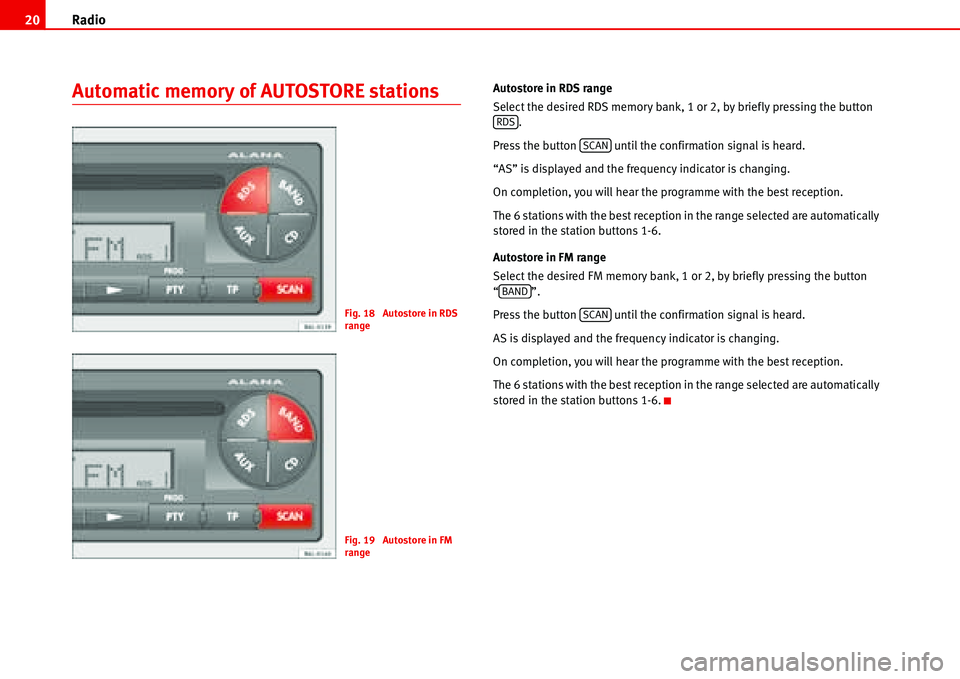
This button:
– switches the radio on/off
–controls volume
– controls sound
–controls balance
- Inserting a cassette/CD
The radio is switched on when a cassette is inserted if button is out and
the IGN/ON function activated.
- Pressing button
The radio comes on at the frequency and volume that was set before being
switched off the last time.
- Turning the ignition key.
If the ignition key is removed while the radio is on, the unit disconnects auto-
matically.
Fig. 2 Traffic safety
Fig. 3 Switching on/off
AA
AA
Page 11 of 70
Remember 8
If the ignition key is replaced and turned, the radio automatically comes on.
(See chapter “PROG settings”).
Starting up for a limited time (one hour)
With the car radio switched off and the key removed from the ignition, press
the principal control once .
In this mode, the apparatus will operate for one hour and will automatically
switch off after this time. if the key is turned in the ignition during this time,
the function (limited time) is deactivated.
To switch the apparatus off within the hour, press the principal control
again.
The apparatus can be started at any time.
With the car radio switched on and the key in the ignition but not switched on,
the radio stays on for 2 hours and then automatically switches off.
Mobile phone or radiophone function
It is possible to connect a mobile phone or a radio phone to the car radio.
While these accessories are in use, the volume of the radio is lowered to the
value set in the menu of the PROG-System. The values of tone, fader and
balance can be adjusted in this operating mode. The changed values are
stored in the memory. See chapter “PROG-System” (car radio muting).
“PHONE” appears on the display.
MutingWhile these accessories are in use the volume is muted. “PHONE” appears on
the display.
PROG settings
Different options for settings
For easier handling, the car radio is equipped with the PROG system. This
allows the user to programme a series of settings which are necessary only
once or very occasionally.
Function confirmation
The car radio is supplied from the factory with the settings adjusted so that
when certain buttons are pressed a short confirmation signal is heard.
The chapter “PROG-System” describes how to remove the warning signal
using the function “BEEP” (Beep off).
Now, instead of a warning signal, when the button is pressed the loud-
speakers remain silent.
AA
AA
Page 12 of 70
Brief instructions9
Brief instructions
Amplifier
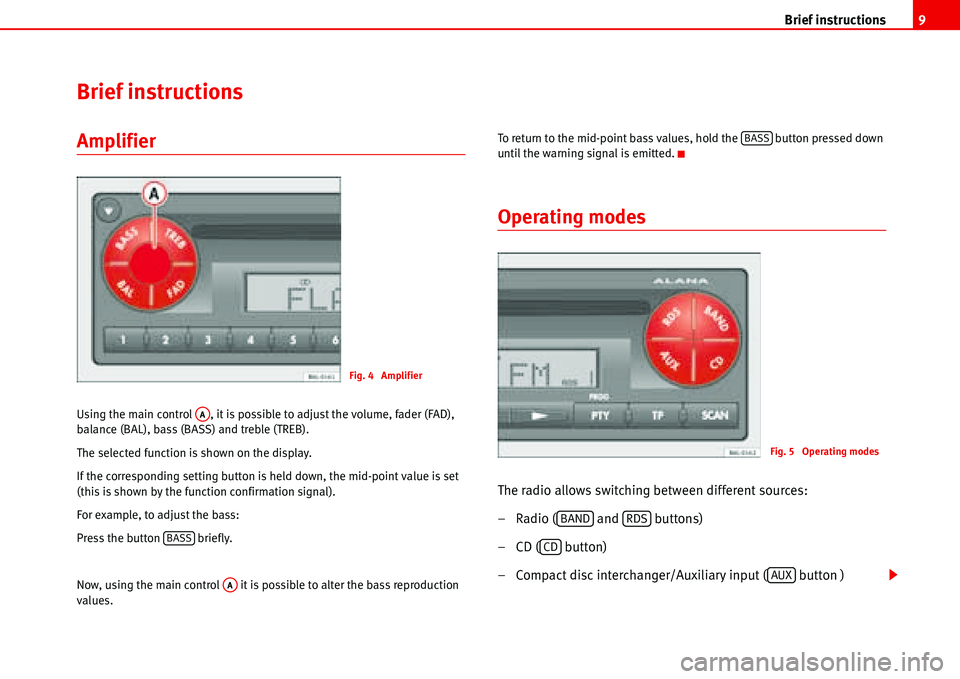
Using the main control , it is possible to adjust the volume, fader (FAD),
balance (BAL), bass (BASS) and treble (TREB).
The selected function is shown on the display.
If the corresponding setting button is held down, the mid-point value is set
(this is shown by the function confirmation signal).
For example, to adjust the bass:
Press the button briefly.
Now, using the main control it is possible to alter the bass reproduction
values.To return to the mid-point bass values, hold the button pressed down
until the warning signal is emitted.
Operating modes
The radio allows switching between different sources:
– Radio ( and buttons)
– CD ( button)
– Compact disc interchanger/Auxiliary input ( button )
Fig. 4 Amplifier
AA
BASS
AA
BASS
Fig. 5 Operating modes
BANDRDS
CD
AUX
Page 13 of 70

Brief instructions 10
If there is a compact disc interchanger or Auxiliary device connected to the car
radio and a CD is inserted, it is possible to switch directly between these two
sound sources using the keys and .
For example:
You are listening to the radio. If the button is pressed briefly the CD will
start to play. By pressing the button the CD stops and the compact disc
interchanger or device is activated.
To return to the radio function, press or .
Security
To prevent your car radio from being stolen, when leaving the
vehicle check:
–the code has been activated
–and you are carrying the removable control panel.
Display
This gives visual information about all the major functions when in radio, CD
or AUX mode.
With the PROG system selected, the functions of the corresponding level are
viewed.
Numerical keypad
The numerical keypad is necessary to store or activate programmes, to adjust
play settings, to search for stations with the PTY code and to activate or deac-
tivate the antitheft protection (Code).
CDAUX
CDAUX
BANDRDS
Fig. 6 Numerical keypad
Page 14 of 70
Brief instructions11
Display
Radio Mode
CD mode
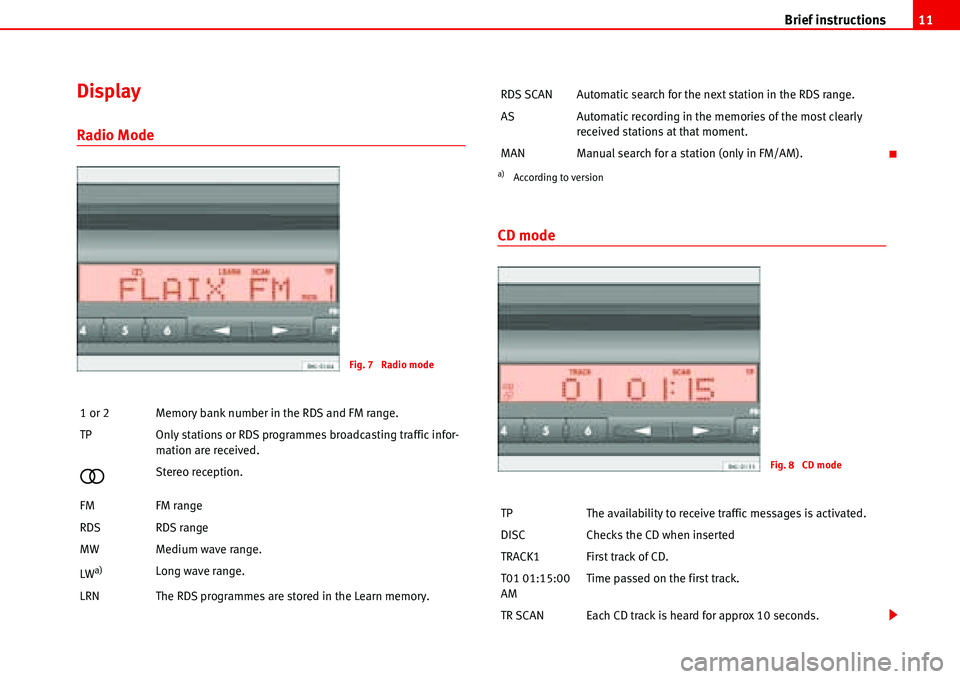
1 or 2 Memory bank number in the RDS and FM range.
TP Only stations or RDS programmes broadcasting traffic infor-
mation are received.
�Stereo reception.
FM FM range
RDS RDS range
MW Medium wave range.
LW
a)Long wave range.
LRN The RDS programmes are stored in the Learn memory.
Fig. 7 Radio mode
RDS SCAN Automatic search for the next station in the RDS range.
AS Automatic recording in the memories of the most clearly
received stations at that moment.
MAN Manual search for a station (only in FM/AM).
a)According to version
TP The availability to receive traffic messages is activated.
DISC Checks the CD when inserted
TRACK1 First track of CD.
T01 01:15:00
AMTime passed on the first track.
TR SCAN Each CD track is heard for approx 10 seconds.
Fig. 8 CD mode
Page 21 of 70
Radio 18
Radio
Select Radio mode
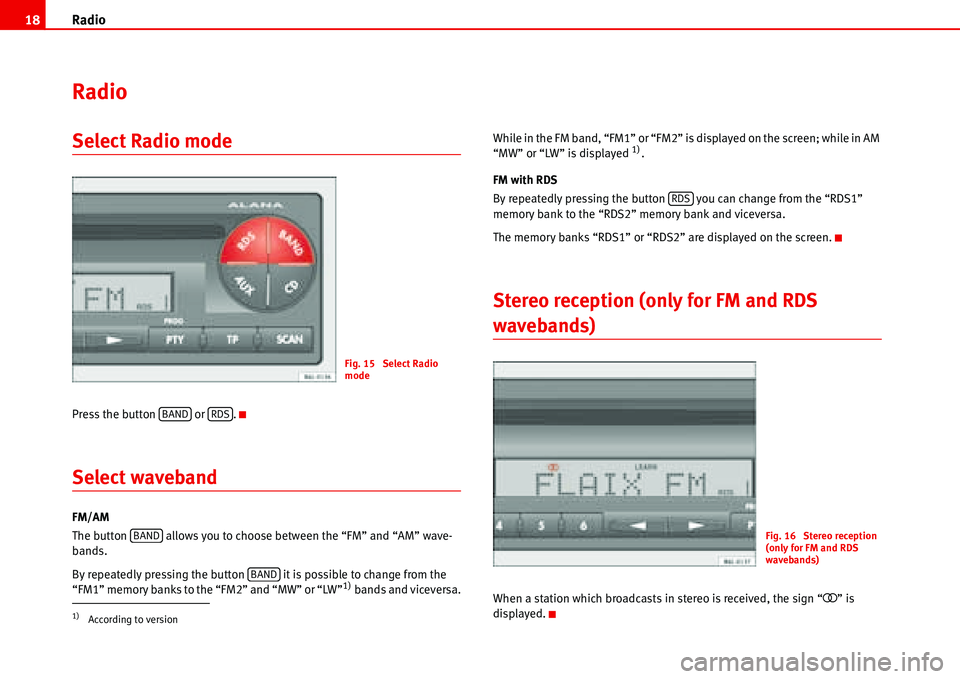
Press the button or .
Select waveband
FM/AM
The button allows you to choose between the “FM” and “AM” wave-
bands.
By repeatedly pressing the button it is possible to change from the
“FM1” memory banks to the “FM2” and “MW” or “LW”
1) bands and viceversa.While in the FM band, “FM1” or “FM2” is displayed on the screen; while in AM
“MW” or “LW” is displayed
1).
FM with RDS
By repeatedly pressing the button you can change from the “RDS1”
memory bank to the “RDS2” memory bank and viceversa.
The memory banks “RDS1” or “RDS2” are displayed on the screen.
Stereo reception (only for FM and RDS
wavebands)
When a station which broadcasts in stereo is received, the sign “�” is
displayed.
1)According to version
Fig. 15 Select Radio
mode
BANDRDS
BAND
BAND
RDS
Fig. 16 Stereo reception
(only for FM and RDS
wavebands)
Page 22 of 70
Radio19
Tuning RDS programes; LEARN memory
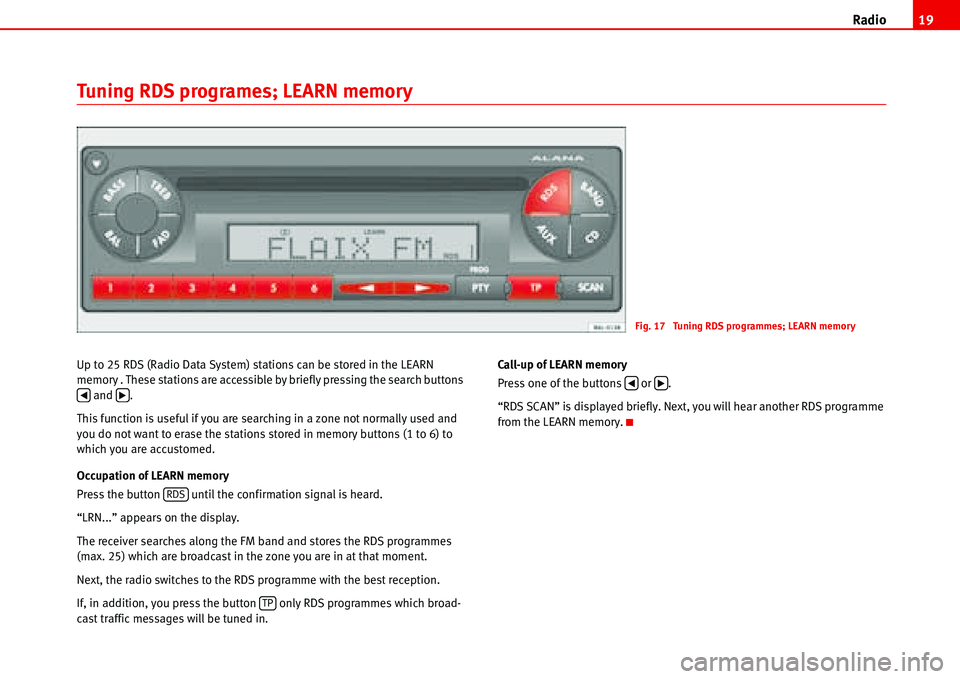
Up to 25 RDS (Radio Data System) stations can be stored in the LEARN
memory . These stations are accessible by briefly pressing the search buttons
and .
This function is useful if you are searching in a zone not normally used and
you do not want to erase the stations stored in memory buttons (1 to 6) to
which you are accustomed.
Occupation of LEARN memory
Press the button until the confirmation signal is heard.
“LRN...” appears on the display.
The receiver searches along the FM band and stores the RDS programmes
(max. 25) which are broadcast in the zone you are in at that moment.
Next, the radio switches to the RDS programme with the best reception.
If, in addition, you press the button only RDS programmes which broad-
cast traffic messages will be tuned in.Call-up of LEARN memory
Press one of the buttons or .
“RDS SCAN” is displayed briefly. Next, you will hear another RDS programme
from the LEARN memory.
Fig. 17 Tuning RDS programmes; LEARN memory
‚b
RDS
TP
‚b
Page 23 of 70
Radio 20
Automatic memory of AUTOSTORE stationsAutostore in RDS range
Select the desired RDS memory bank, 1 or 2, by briefly pressing the button
.
Press the button until the confirmation signal is heard.
“AS” is displayed and the frequency indicator is changing.
On completion, you will hear the programme with the best reception.
The 6 stations with the best reception in the range selected are automatically
stored in the station buttons 1-6.
Autostore in FM range
Select the desired FM memory bank, 1 or 2, by briefly pressing the button
“”.
Press the button until the confirmation signal is heard.
AS is displayed and the frequency indicator is changing.
On completion, you will hear the programme with the best reception.
The 6 stations with the best reception in the range selected are automatically
stored in the station buttons 1-6.
Fig. 18 Autostore in RDS
range
Fig. 19 Autostore in FM
range
RDS
SCAN
BAND
SCAN