Page 242 of 521
241 Controls in detail
Driving systems
Canceling cruise control
There are several ways to cancel the cruise
control:�
Step on the brake pedal.
The cruise control is canceled. The last
speed set is stored for later use.
or
�
Briefly push the cruise control lever in
direction of arrow3 (
�page 240).
The cruise control is canceled. The last
speed set is stored for later use.
iThe last stored speed is canceled when
you turn off the engine.
iThe cruise control switches off auto-
matically if�
you step on the brake pedal.
�
you depress the parking brake
pedal.
In this case the segments in the
multifunction display (
�page 245)
go out and no warning sounds.
�
the vehicle speed is below 20 mph
(30 km/h).
�
the ESP
® is in operation or
switched off with the ESP
® switch
(
�page 96).
�
you move the gear selector lever to
position N while driving.
The segments in the multifunction dis-
play (�page 245) go out, and an
acoustic warning sounds.
!Moving gear selector lever to
positionN while driving also cancels
the cruise control. However, the gear
selector lever should not be moved to
positionN while driving except to coast
when the vehicle is in danger of skid-
ding (e.g. on icy roads).iDepressing the accelerator pedal does
not deactivate the cruise control. After
brief acceleration (e.g. for passing), the
cruise control will resume the last
speed set.
Page 251 of 521

250 Controls in detailDriving systemsFine adjustment in 1 mph
(Canada: 1 km/h) increments
Faster�
Briefly tip the cruise control lever in di-
rection of arrow4 (
�page 248).Setting to last stored speed
(“Resume” function)
�
Briefly tip the cruise control lever in di-
rection of arrow4 (
�page 248).
Distronic is activated and set to the last
stored speed.
�
Remove your foot from the accelerator
pedal.Deactivating Distronic
There are several ways to deactivate the
Distronic system:
�
Briefly tip the cruise control lever in di-
rection of arrow3 (
�page 248).
or
�
Step on the brake pedal.
Distronic will be deactivated. The last
speed set will be stored into memory.
Warning!
G
The speed stored in memory should only be
set again if prevailing road conditions per-
mit. Possible acceleration or deceleration
differences arising from returning to the pre-
set speed could cause an accident and/or
serious injury to you and others.
iThe following message will appear in
the multifunction display for approxi-
mately 5 seconds:Distronic offThe last stored speed is deleted when
you turn off the engine.
Page 257 of 521
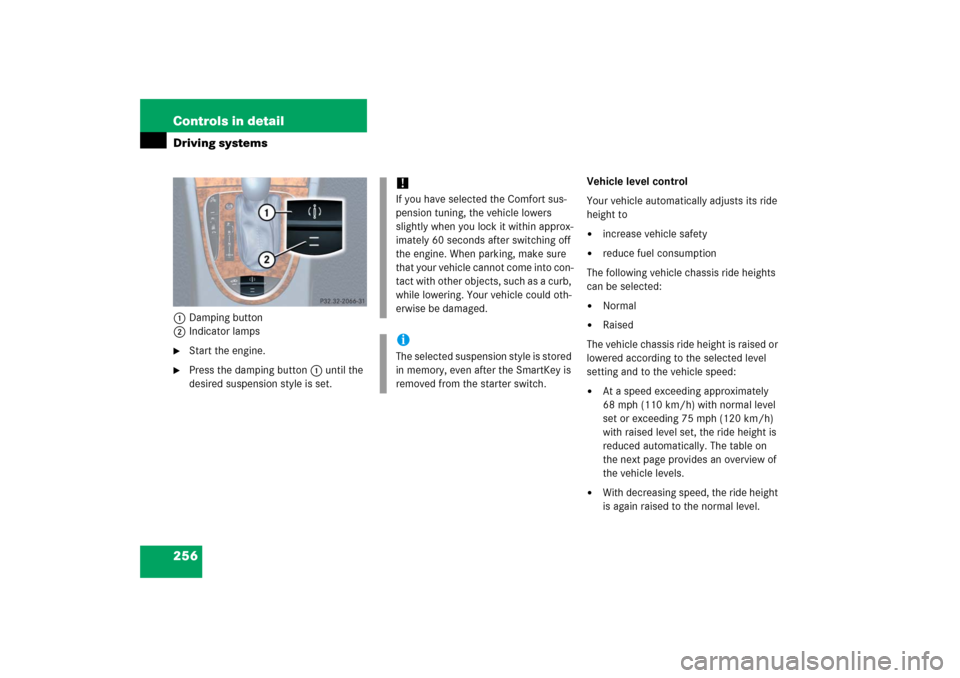
256 Controls in detailDriving systems1Damping button
2Indicator lamps�
Start the engine.
�
Press the damping button1 until the
desired suspension style is set.Vehicle level control
Your vehicle automatically adjusts its ride
height to
�
increase vehicle safety
�
reduce fuel consumption
The following vehicle chassis ride heights
can be selected:
�
Normal
�
Raised
The vehicle chassis ride height is raised or
lowered according to the selected level
setting and to the vehicle speed:
�
At a speed exceeding approximately
68 mph (110 km/h) with normal level
set or exceeding 75 mph (120 km/h)
with raised level set, the ride height is
reduced automatically. The table on
the next page provides an overview of
the vehicle levels.
�
With decreasing speed, the ride height
is again raised to the normal level.
!If you have selected the Comfort sus-
pension tuning, the vehicle lowers
slightly when you lock it within approx-
imately 60 seconds after switching off
the engine. When parking, make sure
that your vehicle cannot come into con-
tact with other objects, such as a curb,
while lowering. Your vehicle could oth-
erwise be damaged.iThe selected suspension style is stored
in memory, even after the SmartKey is
removed from the starter switch.
Page 259 of 521
258 Controls in detailDriving systemsThe following vehicle level settings can be
selected when the vehicle is stationary and
the engine is running:Vehicle level
when stationary
Indicator lamp
Suspension
tuning
Use for
Ride height increase
over normal
Automatic lowering
Normal
Lamp off
Comfort
For driving on normal
roads
None
Max. approx. 0.4 in (10 mm)
Normal
Lamp off
Sport 1 or 2
For driving on normal
roads
None
Max. approx. 0.6 in (15 mm)
Raised
Lamp on
Comfort
For driving on rough
roads or with snow
chains
Approx. 0.8 in (20 mm)
Max. approx. 1.2 in (30 mm)
Raised
Lamp on
Sport 1 or 2
For driving on rough
roads or with snow
chains
Approx. 0.8 in (20 mm)
Max. approx. 1.4 in (35 mm)
Page 260 of 521
259 Controls in detail
Driving systems
The button is located in the lower section
of the center console.
1Vehicle level control button
2Indicator lamp �
Start the engine (
�page 36).
�
Briefly press button1 to change from
normal level to raised level. When vehi-
cle is at raised level, pressing the but-
ton will return the vehicle to normal
level.
When raised level is set, indicator
lamp2 in the button comes on.
When normal level is set, indicator
lamp 2 in the button goes out.
iAt a speed of approximately above
75 mph (120 km / h) or if the speed
amounts to between 50 mph
(80 km / h) and 75 mph (120 km / h)
for approximately five minutes, the set-
ting raised is canceled. The indicator
lamp 2 in the button goes out.
If you do not drive in this speed range,
the raised level remains stored even if
the SmartKey is removed from the
starter switch.
Page 278 of 521
277 Controls in detail
Useful features
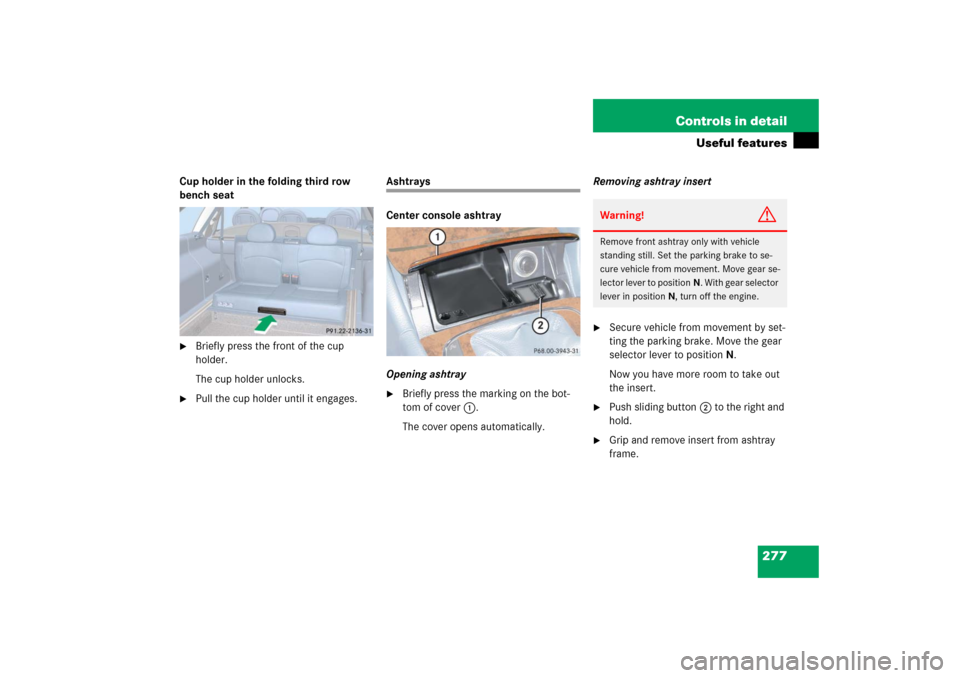
Cup holder in the folding third row
bench seat�
Briefly press the front of the cup
holder.
The cup holder unlocks.
�
Pull the cup holder until it engages.
Ashtrays
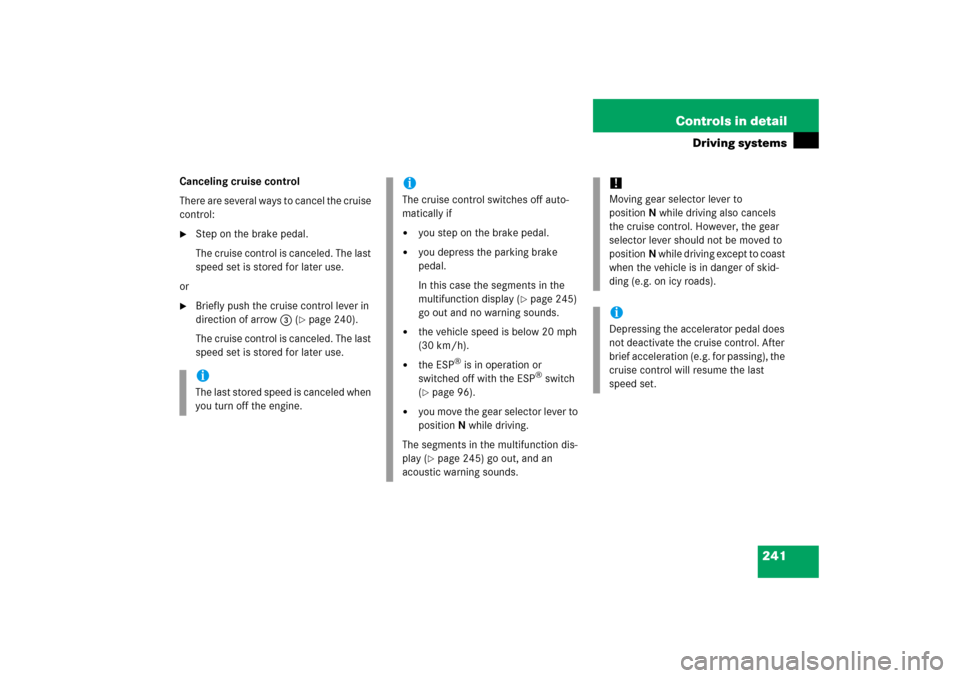
Center console ashtray
Opening ashtray�
Briefly press the marking on the bot-
tom of cover1.
The cover opens automatically.Removing ashtray insert
�
Secure vehicle from movement by set-
ting the parking brake. Move the gear
selector lever to positionN.
Now you have more room to take out
the insert.
�
Push sliding button2 to the right and
hold.
�
Grip and remove insert from ashtray
frame.Warning!
G
Remove front ashtray only with vehicle
standing still. Set the parking brake to se-
cure vehicle from movement. Move gear se-
lector lever to positionN. With gear selector
lever in positionN, turn off the engine.
Page 282 of 521
281 Controls in detail
Useful features
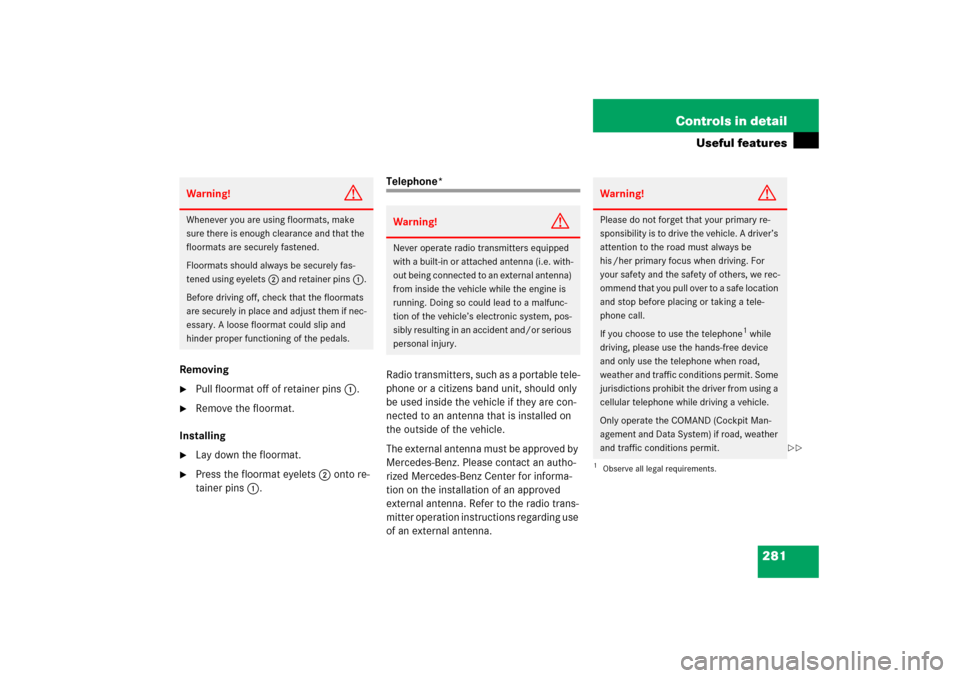
Removing�
Pull floormat off of retainer pins1.
�
Remove the floormat.
Installing
�
Lay down the floormat.
�
Press the floormat eyelets2 onto re-
tainer pins1.
Telephone*
Radio transmitters, such as a portable tele-
phone or a citizens band unit, should only
be used inside the vehicle if they are con-
nected to an antenna that is installed on
the outside of the vehicle.
The external antenna must be approved by
Mercedes-Benz. Please contact an autho-
rized Mercedes-Benz Center for informa-
tion on the installation of an approved
external antenna. Refer to the radio trans-
mitter operation instructions regarding use
of an external antenna.
Warning!
G
Whenever you are using floormats, make
sure there is enough clearance and that the
floormats are securely fastened.
Floormats should always be securely fas-
tened using eyelets2 and retainer pins1.
Before driving off, check that the floormats
are securely in place and adjust them if nec-
essary. A loose floormat could slip and
hinder proper functioning of the pedals.
Warning!
G
Never operate radio transmitters equipped
with a built-in or attached antenna (i.e. with-
out being connected to an external antenna)
from inside the vehicle while the engine is
running. Doing so could lead to a malfunc-
tion of the vehicle’s electronic system, pos-
sibly resulting in an accident and/or serious
personal injury.
Warning!
G
Please do not forget that your primary re-
sponsibility is to drive the vehicle. A driver’s
attention to the road must always be
his /her primary focus when driving. For
your safety and the safety of others, we rec-
ommend that you pull over to a safe location
and stop before placing or taking a tele-
phone call.
If you choose to use the telephone
1 while
driving, please use the hands-free device
and only use the telephone when road,
weather and traffic conditions permit. Some
jurisdictions prohibit the driver from using a
cellular telephone while driving a vehicle.
Only operate the COMAND (Cockpit Man-
agement and Data System) if road, weather
and traffic conditions permit.
1Observe all legal requirements.
��
Page 292 of 521

291 Controls in detail
Useful features
Programming the integrated remote
control
Step 1:�
Switch on the ignition (
�page 36).Step 2:
�
If you have previously programmed an
signal transmitter button and wish to
retain its programming, proceed to
step 3.
If you are programming the integrated
remote control for the first time, press
and hold the two outer signal transmit-
ter buttons2 and4 and release
them only when the indicator lamp1
begins to flash after approximately
20 seconds (do not hold the button for
longer than 30 seconds). This proce-
dure erases any previous settings for
all three channels and initializes the
memory.
If you later wish to program a second
and/or third hand-held transmitter to
the remaining two signal transmitter
buttons, do not repeat this step and be-
gin directly with step 3.
Warning!
G
Before programming the integrated remote
control to a garage door opener or gate
operator, make sure people and objects are
out of the way of the device to prevent po-
tential harm or damage. When programming
a garage door opener, the door moves up or
down. When programming a gate operator,
the gate opens or closes.
Do not use the integrated remote control
with any garage door opener that lacks
safety stop and reverse features as required
by U.S. federal safety standards (this
includes any garage door opener model
manufactured before April 1, 1982).
A garage door that cannot detect an object
- signaling the door to stop and reverse -
does not meet current U.S. federal safety
standards.
When programming a garage door opener,
park vehicle outside the garage.
Do not run the engine while programming
the integrated remote control. Inhalation of
exhaust gas is hazardous to your health. All
exhaust gas contains carbon monoxide, and
inhaling it can cause unconsciousness and
possible death.
��