Page 153 of 521

152 Controls in detailInstrument clusterTo brighten illumination�
Turn the reset button1 in the instru-
ment cluster clockwise.
The instrument cluster illumination will
brighten.
To dim illumination
�
Turn the reset button1 in the instru-
ment cluster counterclockwise.
The instrument cluster illumination will
dim.
Coolant temperature indicator
During severe operating conditions, e.g.
stop-and-go traffic, the coolant tempera-
ture may rise close to 248°F (120°C).
The engine should not be operated with
the coolant temperature above 248°F
(120°C). Doing so may cause serious en-
gine damage which is not covered by the
Mercedes-Benz Limited Warranty.Warning!
G
�
Driving when your engine is overheated
can cause some fluids which may have
leaked into the engine compartment to
catch fire. You could be seriously
burned.
�
Steam from an overheated engine can
cause serious burns and can occur just
by opening the hood. Stay away from
the engine if you see or hear steam com-
ing from it.
Turn off the engine, get out of the vehicle
and do not stand near the vehicle until the
engine has cooled down.
iExcessive coolant temperature trigger
a warning in the multifunction display
(�page 376).
Page 154 of 521
153 Controls in detail
Instrument cluster
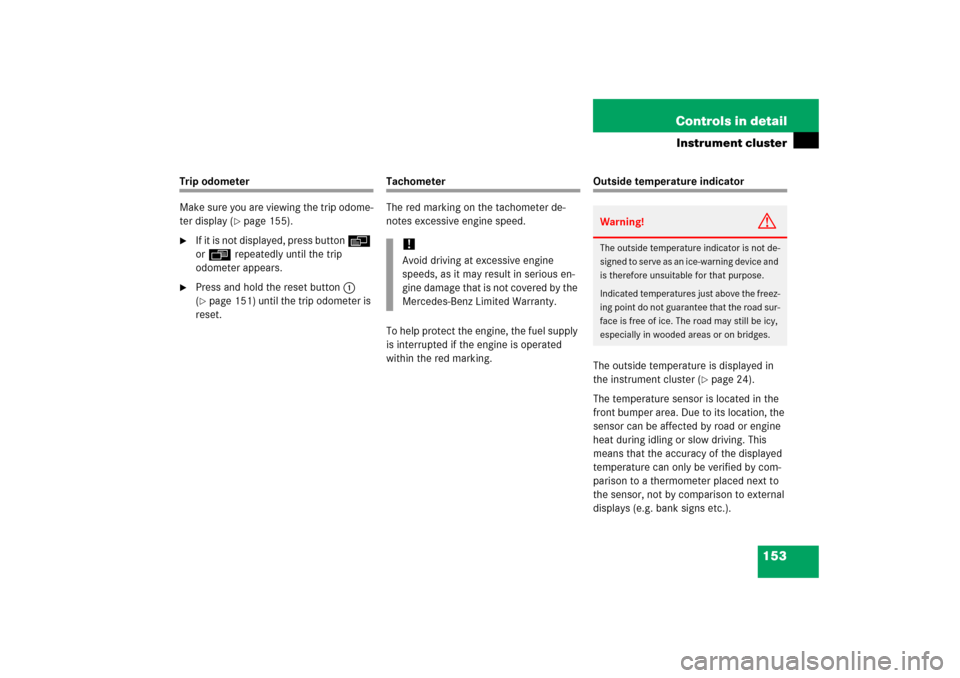
Trip odometer
Make sure you are viewing the trip odome-
ter display (
�page 155).
�
If it is not displayed, press button è
or ÿ repeatedly until the trip
odometer appears.
�
Press and hold the reset button1
(�page 151) until the trip odometer is
reset.
Tachometer
The red marking on the tachometer de-
notes excessive engine speed.
To help protect the engine, the fuel supply
is interrupted if the engine is operated
within the red marking.
Outside temperature indicator
The outside temperature is displayed in
the instrument cluster (
�page 24).
The temperature sensor is located in the
front bumper area. Due to its location, the
sensor can be affected by road or engine
heat during idling or slow driving. This
means that the accuracy of the displayed
temperature can only be verified by com-
parison to a thermometer placed next to
the sensor, not by comparison to external
displays (e.g. bank signs etc.).
!Avoid driving at excessive engine
speeds, as it may result in serious en-
gine damage that is not covered by the
Mercedes-Benz Limited Warranty.
Warning!
G
The outside temperature indicator is not de-
signed to serve as an ice-warning device and
is therefore unsuitable for that purpose.
Indicated temperatures just above the freez-
ing point do not guarantee that the road sur-
face is free of ice. The road may still be icy,
especially in wooded areas or on bridges.
Page 155 of 521
154 Controls in detailInstrument clusterWhen moving the vehicle into colder ambi-
ent temperatures (e.g. when leaving your
garage), you will notice a delay before the
lower temperature is displayed.
A delay also occurs when ambient temper-
atures rise. This prevents inaccurate tem-
perature indications caused by heat
radiated from the engine during idling or
slow driving.
Page 160 of 521
159 Controls in detail
Control system
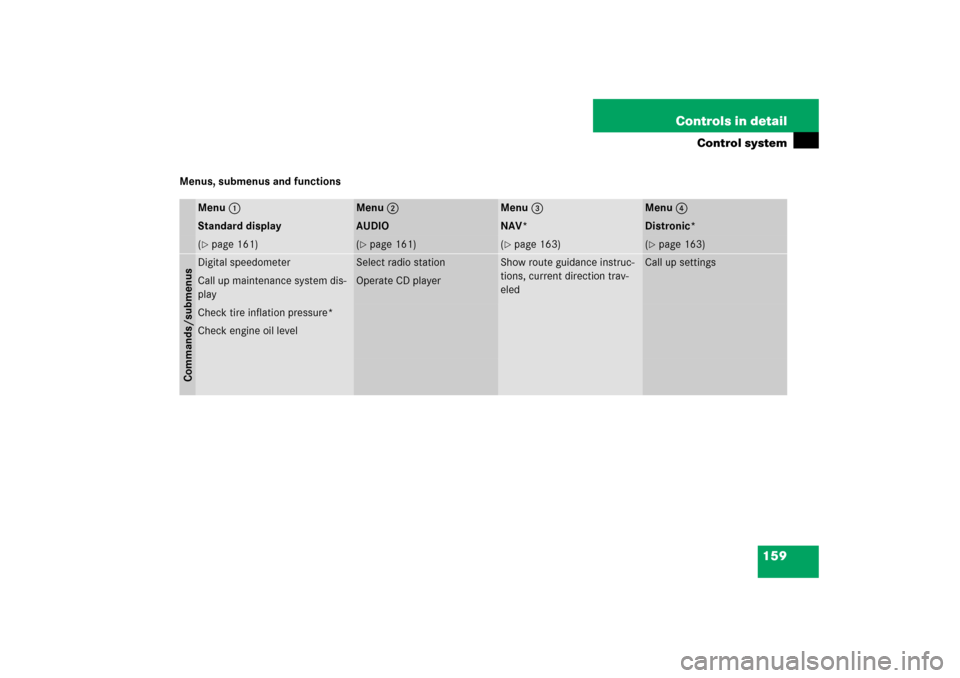
Menus, submenus and functions
Menu1
Menu2
Menu3
Menu4
Standard display
AUDIO
NAV*
Distronic*
(�page 161)
(�page 161)
(�page 163)
(�page 163)
Commands/submenusDigital speedometer
Select radio station
Show route guidance instruc-
tions, current direction trav-
eled
Call up settings
Call up maintenance system dis-
play
Operate CD player
Check tire inflation pressure*Check engine oil level
Page 162 of 521

161 Controls in detail
Control system
Standard display menu�
Press buttonk orj repeatedly
to select the functions in the standard
display menu.
The following functions are available:
Display digital speedometer
�
Press button k orj repeatedly
until the digital speedometer appears
in the multifunction display.
AUDIO menu
The functions in the
AUDIO
menu operate
the audio equipment which you currently
have turned on.
If no audio equipment is currently turned
on, the message
AUDIO off
appears in the
multifunction display.
The following functions are available:Select radio station
�
Turn on COMAND and select radio. Re-
fer to separate COMAND operating in-
structions.
�
Press buttonè orÿ repeatedly
until you see the currently tuned sta-
tion in the multifunction display.
1Waveband setting
2Station frequency
�
Press buttonk orj repeatedly
until the desired station is found.
Function
Page
Calling up digital speedometer
161
Calling up maintenance service
indicator
358
Checking tire inflation pressure*
335
Checking engine oil level
317
Function
Page
Select radio station
161
Select satellite radio station*
162
Operate CD player
162
iYou can only store new stations using
the corresponding feature on the radio,
see separate operating instructions.
You can also operate the radio in the
usual manner.
Page 175 of 521

174 Controls in detailControl system�
Press buttonj ork repeatedly
until the message
Function Surround
lighting
appears in the multifunction
display.
The selection marker is on the current
setting.
�
Press buttonæ orç to switch
the locator lighting function
on or
off
.
�
Turn the exterior lamp switch to
positionU when exiting the vehicle.
The locator lighting feature is activat-
ed.Setting ambient lighting
Use this function to adjust the brightness
of the ambient lighting.
�
Move the selection marker with
buttonæ orç to the
Lighting
submenu.
�
Press buttonj ork repeatedly
until the message
Ambient light Lev-
el
appears in the multifunction display.
The selection marker is on the current
setting.
�
Press buttonæ orç to select
the desired brightness of the ambient
lighting.
The setting
1 represents the darkest
level and setting
5 the brightest level.
The ambient light is switched off at set-
ting
0.Setting night security illumination
(Headlamps delayed shut-off)
Use this function to set whether you would
like the exterior lamps to remain on for
15 seconds during darkness after exiting
the vehicle and closing all doors.
With the delayed shut-off feature activated
and the exterior lamp switch in
positionU before the engine is turned
off, the following lamps will switch on
when the engine is turned off:
�
Parking lamps
�
Tail lamps
�
License plate lamps
�
Side marker lamps
�
Front fog lamps
If after turning off the engine you do not
open a door or do not close an opened
door, the lamps will automatically switch
off after 60 seconds.
��
Page 176 of 521

175 Controls in detail
Control system
�
Move the selection marker with
buttonæ orç to the
Lighting
submenu.
�
Press buttonj ork repeatedly
until the message
Headlamps delayed
shut-off
appears in the multifunction
display.
The selection marker is on the current
setting.
�
Press buttonæ orç to switch Headlamps delayed shut-off
on or
off
.
�
Turn the exterior lamp switch to
positionU before turning off the
engine.
You can temporarily deactivate the de-
layed shut-off feature:
�
Before exiting the vehicle, turn the
SmartKey in the starter switch to
position0.
�
Then turn it to position2 and back to
position0.
The delayed shut-off feature is deacti-
vated. It will reactivate as soon as you
reinsert the SmartKey in the starter
switch.
Vehicles with KEYLESS-GO*:
�
Press the KEYLESS-GO start / stop but-
ton on the gear selector lever
(�page 38).Setting interior lighting delayed shut-off
Use this function to set whether you would
like the interior lighting to remain lit for
10 seconds during darkness after you have
removed the SmartKey from the starter
switch.
�
Move the selection marker with
buttonæ orç to the
Lighting
submenu.
�
Press buttonj ork repeatedly
until the message
Interior lighting
delayed shut-off appears in the mul-
tifunction display.
The selection marker is on the current
setting.
�
Press buttonæ orç to switch Interior lighting delayed shut-off
on or
off
.
iYou can reactivate this function within
10 minutes by opening a door.
Page 183 of 521
182 Controls in detailControl systemYou can use the functions in the
Tel
menu
to operate your telephone, provided it is
connected to a hands-free system and
switched on.
�
Switch on the telephone and COMAND.
�
Press buttonÿ orè on the
steering wheel repeatedly until the
Tel
menu appears in the multifunction dis-
play.
Which messages will appear in the multi-
function display depends on whether your
telephone is switched on or off:
�
If the telephone is off, the message in
the multifunction display is:
PHONE off
.
�
If the telephone is on:
The telephone will then search for a
network. During this time the multi-
function display is empty.
As soon as the telephone has found a
network,
READY
appears in the multi-
function display.
This standby message indicates that your
telephone is ready for use and you can op-
erate it using the control system.
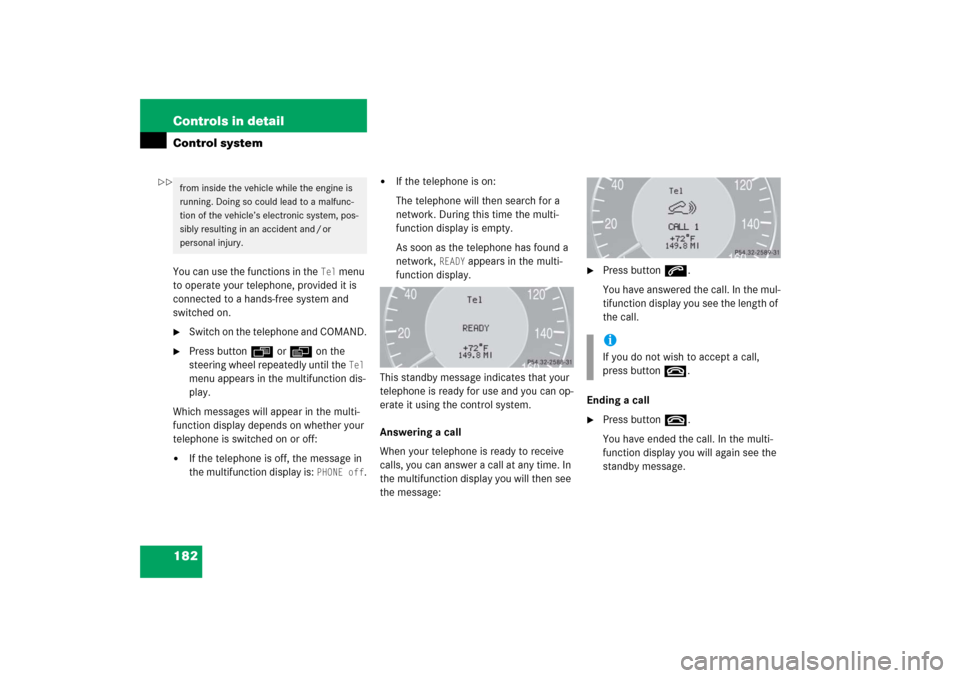
Answering a call
When your telephone is ready to receive
calls, you can answer a call at any time. In
the multifunction display you will then see
the message:
�
Press buttons.
You have answered the call. In the mul-
tifunction display you see the length of
the call.
Ending a call
�
Press buttont.
You have ended the call. In the multi-
function display you will again see the
standby message.
from inside the vehicle while the engine is
running. Doing so could lead to a malfunc-
tion of the vehicle’s electronic system, pos-
sibly resulting in an accident and / or
personal injury.
iIf you do not wish to accept a call,
press buttont.
��