Page 209 of 419
193
3-2. Using the audio system
3
Interior features
Using the rear controller
Turning on the power and selecting audio modes
■Pow e r
Push when the audio system is turned OFF.
■ Cha
nging modes
Push when the audio system is turned ON. P
ushing the button
changes the sound mode in the fo llo
wing order: AM, FM, cassette
deck, (CD changer).
Adjusting the volume
Push .
Continual adjustment is possible if the button is held for more than one
second.
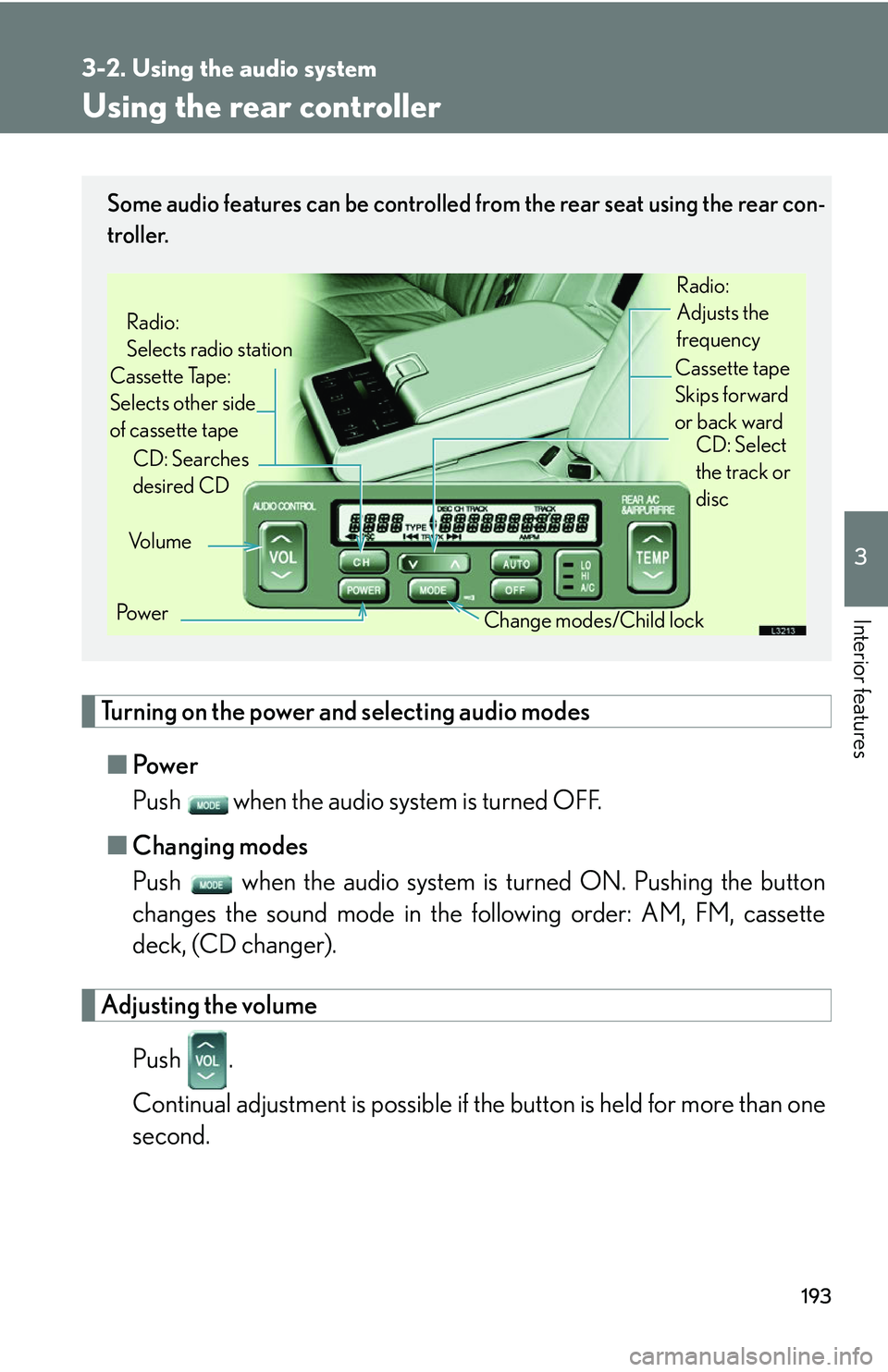
Some audio features can be controlled from the rear seat using the rear con-
troller.
Vo l u m e
Cassette Tape:
Selects other side
of cassette tape Radio:
Selects radio station
Po w e r Change modes/Child lock
CD: Searches
desired CD
Radio:
Adjusts the
frequency
Cassette tape
Skips forward
or back ward CD: Select
the track or
disc
Page 210 of 419
194
3-2. Using the audio system
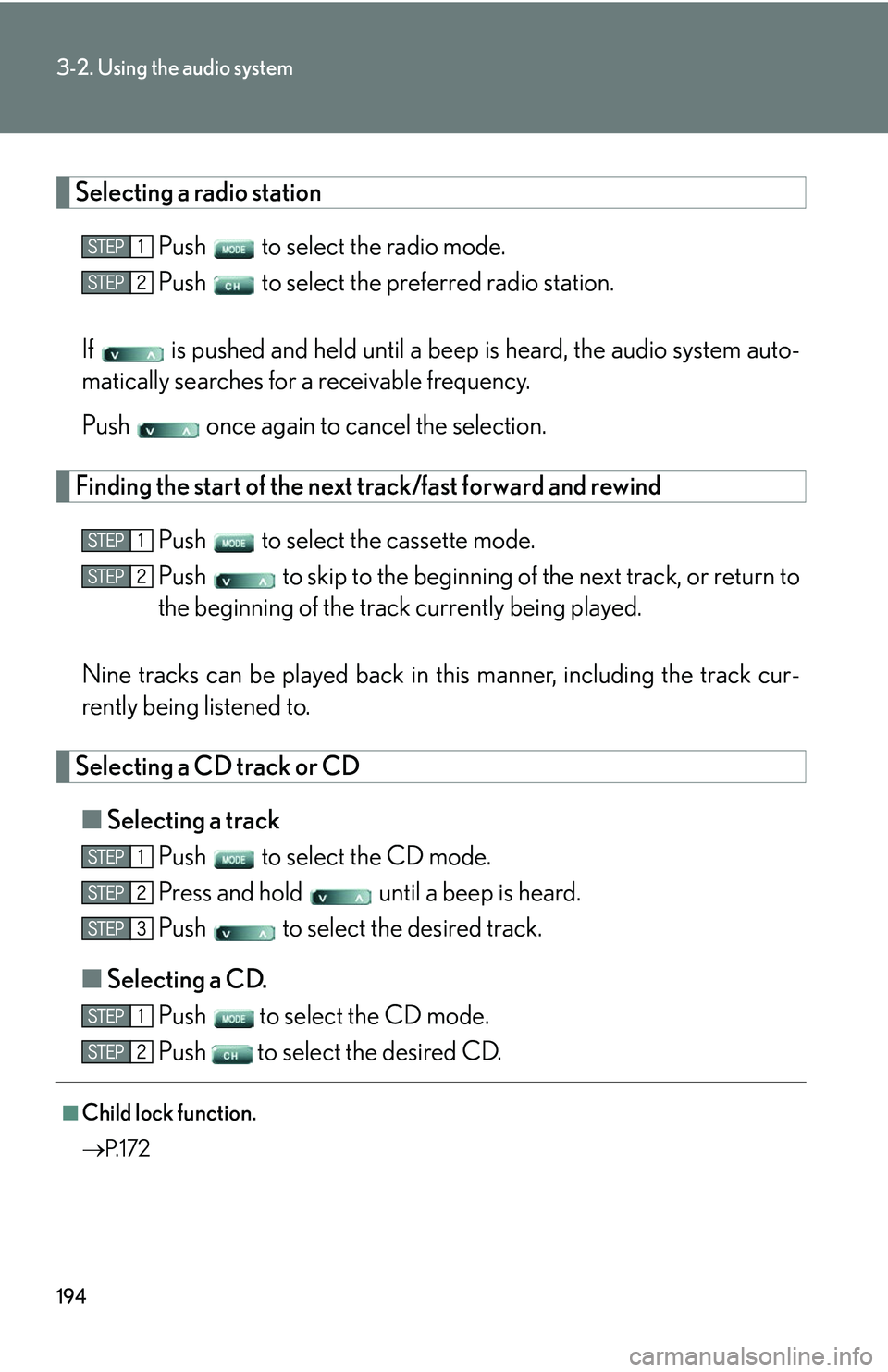
Selecting a radio station
Push to select the radio mode.
Push to select the preferred radio station.
If is pushed and held until a beep is hear
d, the audio system auto -
matically searches for a receivable frequency.
Push once again to cancel the selection.
Finding the start of the next track/fast forward and rewind
Push to select the cassette mode.
Push to skip to the beginning of th e ne
xt track, or return to
the beginning of the trac k curr
ently being played.
Nine tracks can be played back in this manner
, including the track cur-
rently being listened to.
Selecting a CD track or CD
■ Selecting a track
Push to select the CD mode.
Press and hold until a beep is heard.
Push to select the desired track.
■ Selecting a CD
.
Push
to select the CD mode.
Push
to select the desired CD.
■Child lock function.
P. 1 7 2
Page 214 of 419
198
3-3. Turning on interior lights
Interior lights list
■Illuminated entry system
The following lights turn on when the vehicle is unlocked or a door is opened.
• Ignition switch light
• Foot lights
• Interior lights (when the switch is in the DOOR position)
• Outer foot lights
• Inside door handle lights
After all the doors have been unlocked or
opened, the lights remain on for
approximately fifteen seconds and then go out.
(The lights turn off immediately if the vehicle is locked, or the ignition switch is
turned to A
CC or ON.)
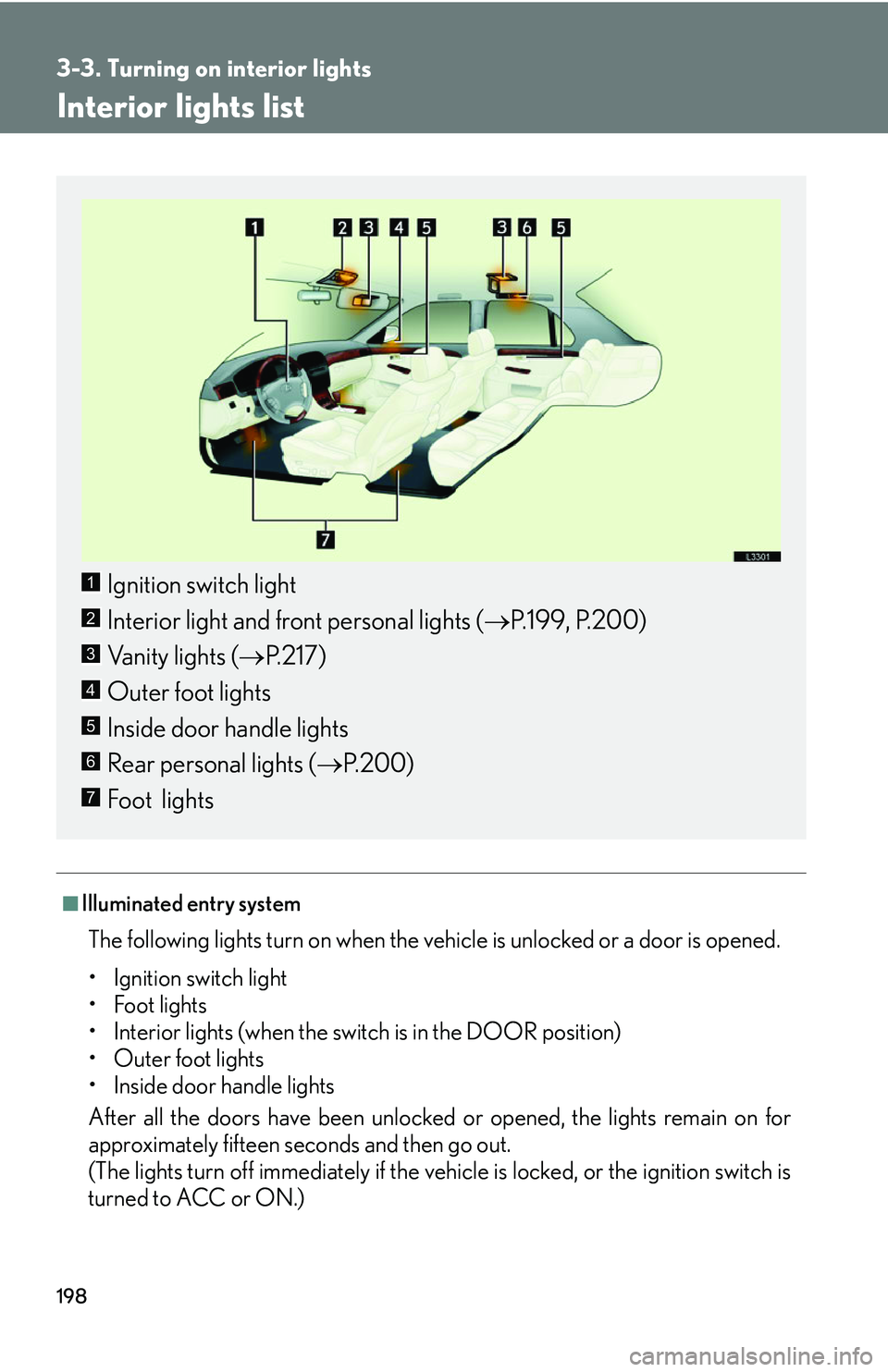
Ignition switch light
Interior light and front personal lights ( P.199 , P.200)
Vanity lights ( P
.217)
Outer foot lights
Inside door handle lights
Rear personal lights ( P.200 )
Foot lights
1
2
3
4
5
6
7
Page 215 of 419
199
3-3. Turning on interior lights
3
Interior features
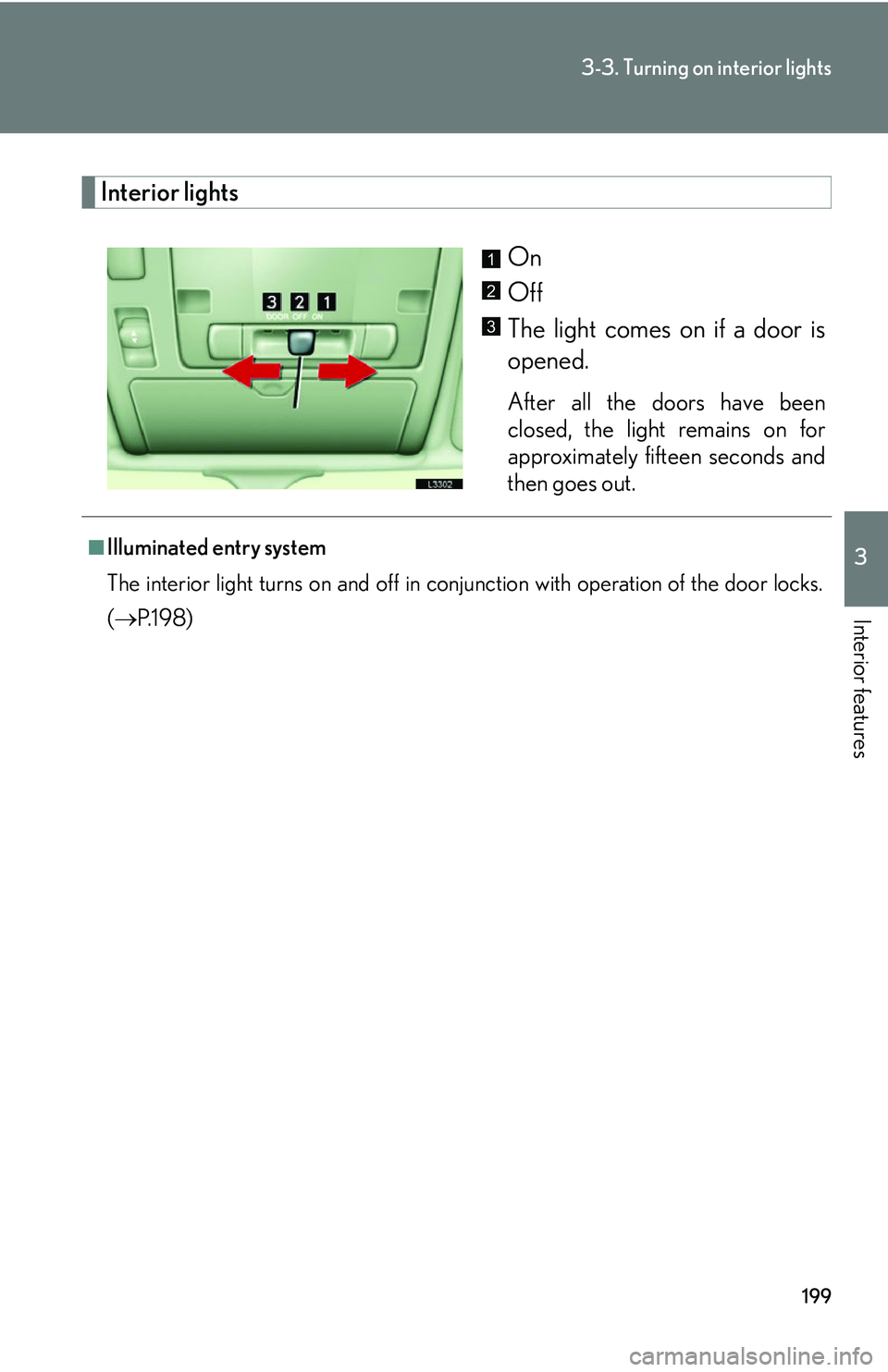
Interior lights
On
Off
The light comes on if a door is
opened.
After all the doors have been
closed, the light remains on for
approximately fifteen seconds and
then goes out.
1
2
3
■Illuminated entry system
The interior light turns on and off in conjun
ction with operation of the door locks.
( P.198 )
Page 218 of 419
202
3-4. Storage
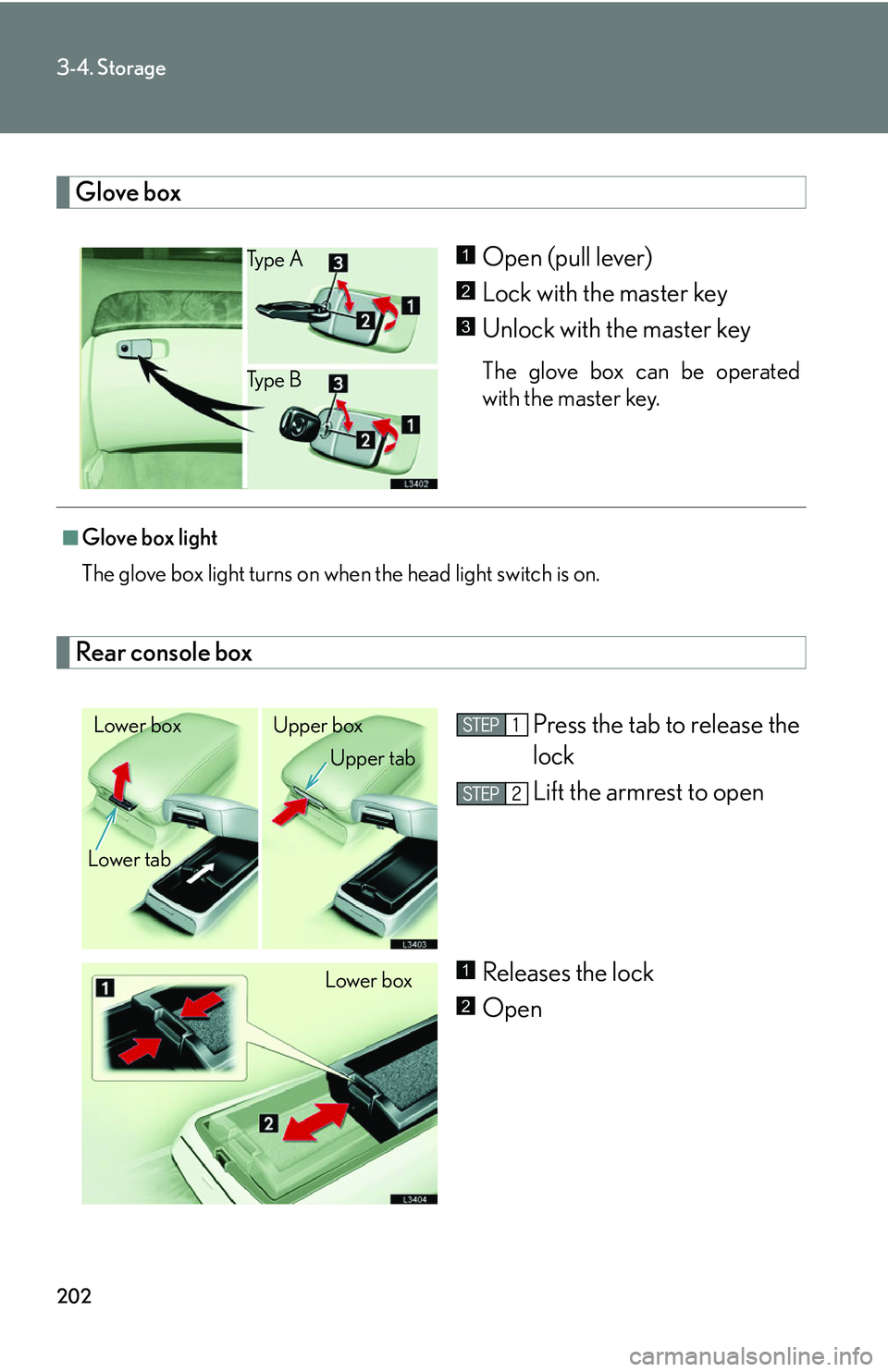
Glove box
Open (pull lever)
Lock with the master key
Unlock with the master key
The glove box can be operated
with the master key.
Rear console box
Press the tab to release the
lock
Lift the armrest to open
Releases the lock
Open
Ty p e A
Ty p e B1
2
3
■Glove box light
The glove box light turns on when the head light switch is on.
Lower box Upper box
Lower tab Upper tab
Lower box1
2
Page 226 of 419
210
3-5. Other interior features
Clock
■Operational condition
The ignition switch must be turned to ON or ACC for the clock to illuminate.
■Vehicles with navigation system
For clock setting, see the separate “
Navigation System Owner’s Manual.”
H button : Adjusts the hour.
M button : Adjusts the
minutes.
:00 button : Resets the
minutes to zero.*
*For example:
9:30 to 9:59 displayed 10
:00
10:01 to 10:29 displayed 10
:00
1
2
3
Page 234 of 419
218
3-5. Other interior features
Seat heaters
■Operating conditions
The ignition switch must be in the ON position.
Front
Press and release the knob to
use
Push the knob to pop out
ON/OFF
To turn on: turn the knob clock -
wise to the desired position, the
light abo
ve the knob indicates
that the seat heater is on.
To turn off: turn the knob all the
w
ay counter-clockwise. The
light will turn off when the seat
heater is off.
To adjust seat temperature: the
further you turn the knob clock -
wise, the warmer the seat tem -
perature becomes.
Push the knob into the recessed position when not in use
Rear
To turn on the seat heaters,
press the button for each seat.
The light on the buttons indicate
that the seat heater is on. To turn
off press the button again.
Driver’s seat Passenger’s seat1
2
3
Right seat
Left seat1
Page 240 of 419
224
3-5. Other interior features
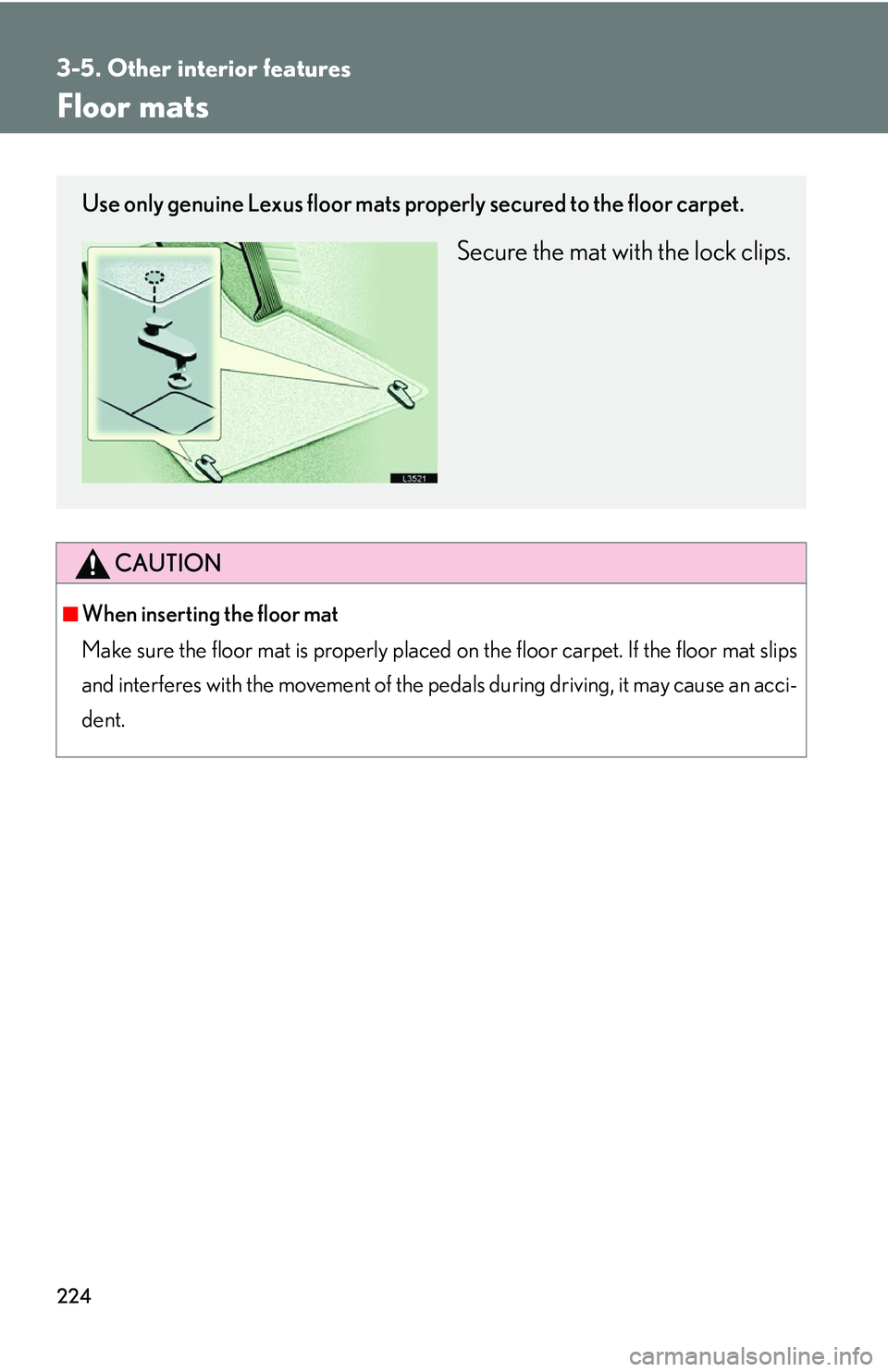
Floor mats
CAUTION
■When inserting the floor mat
Make sure the floor mat is properly placed on th
e floor carpet. If the floor mat slips
and interferes with the movement of the pedals during driving, it may cause an acci -
dent.
Use only genuine Lexus floor mats properly secured to the floor carpet.
Secure the mat with the lock clips.