Page 36 of 419
20
1-2. Opening, closing and locking the doors and trunk
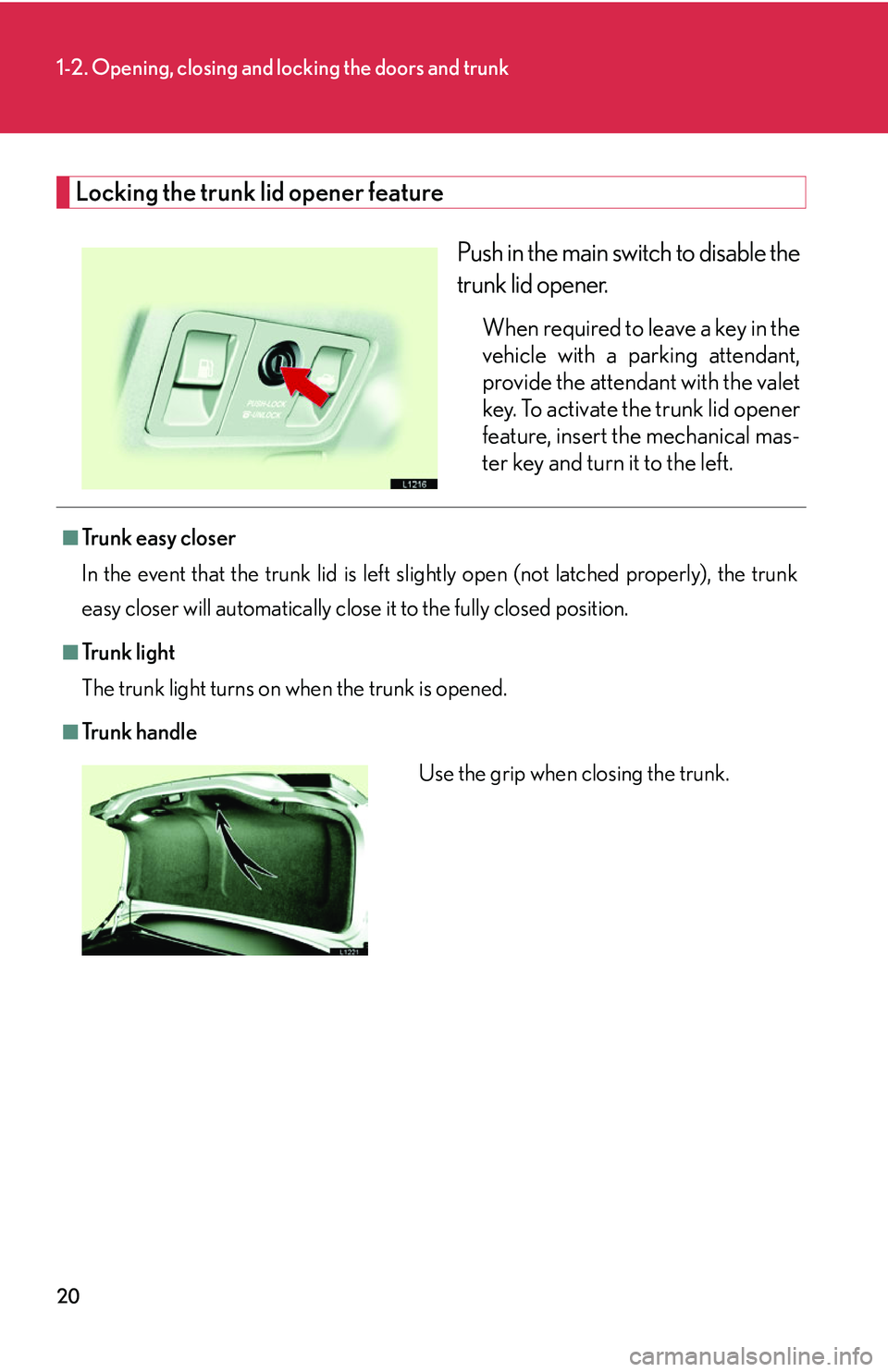
Locking the trunk lid opener feature
Push in the main switch to disable the
trunk lid opener.
When required to leave a key in the
vehicle with a parking attendant,
provide the attendant with the valet
key. To activate the trunk lid opener
feature, insert the mechanical mas-
ter key and turn it to the left.
■Tr u n k e a s y c l o s e r
In the event that the trunk lid is left slig h
tly open (not latched properly), the trunk
easy closer will automatically close it to the fully closed position.
■Tr u n k l i g h t
The trunk light turns on when the trunk is opened.
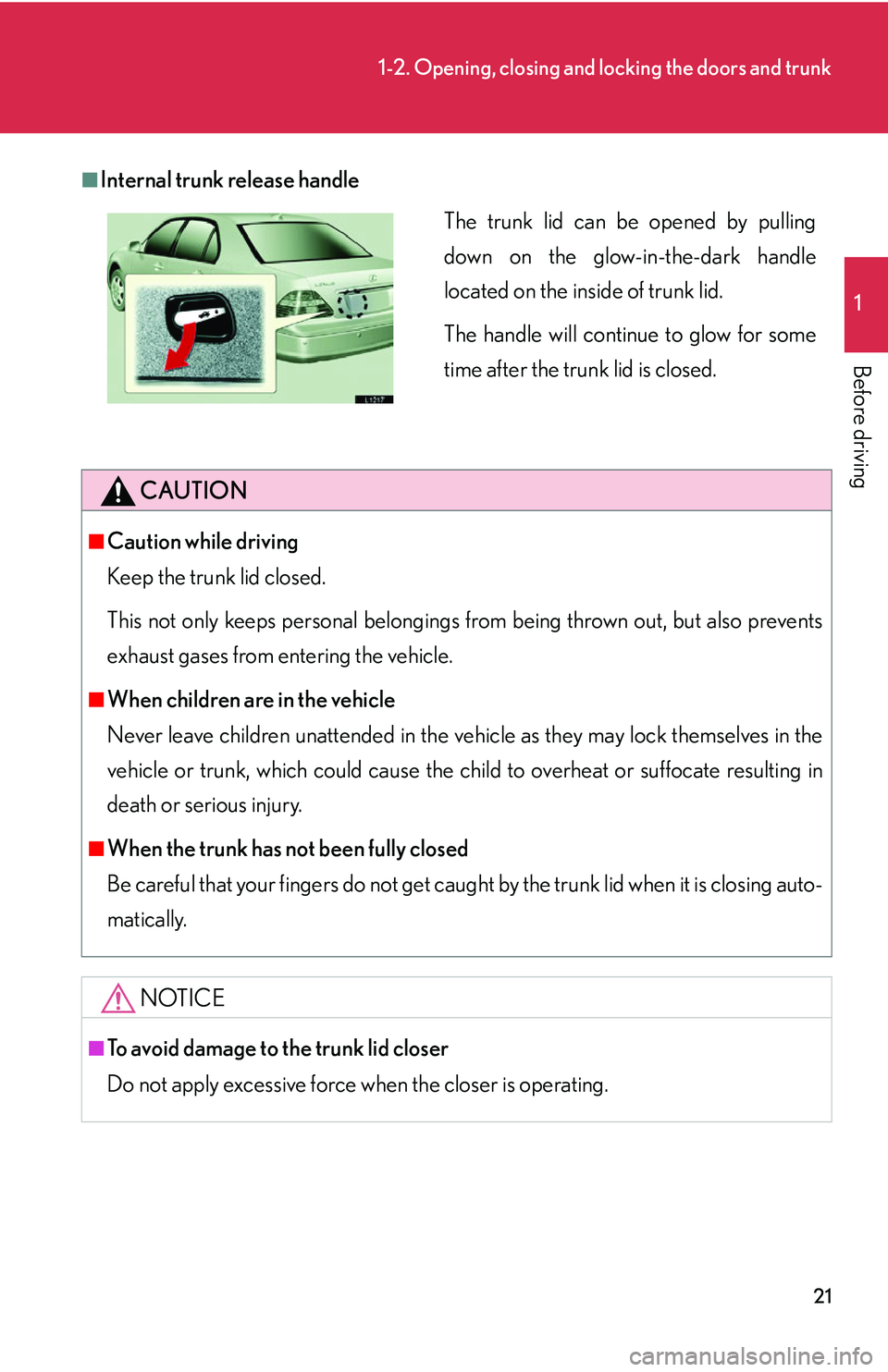
■Tr u n k h a n d l e
Use the grip when closing the trunk.
Page 37 of 419
21
1-2. Opening, closing and locking the doors and trunk
1
Before driving
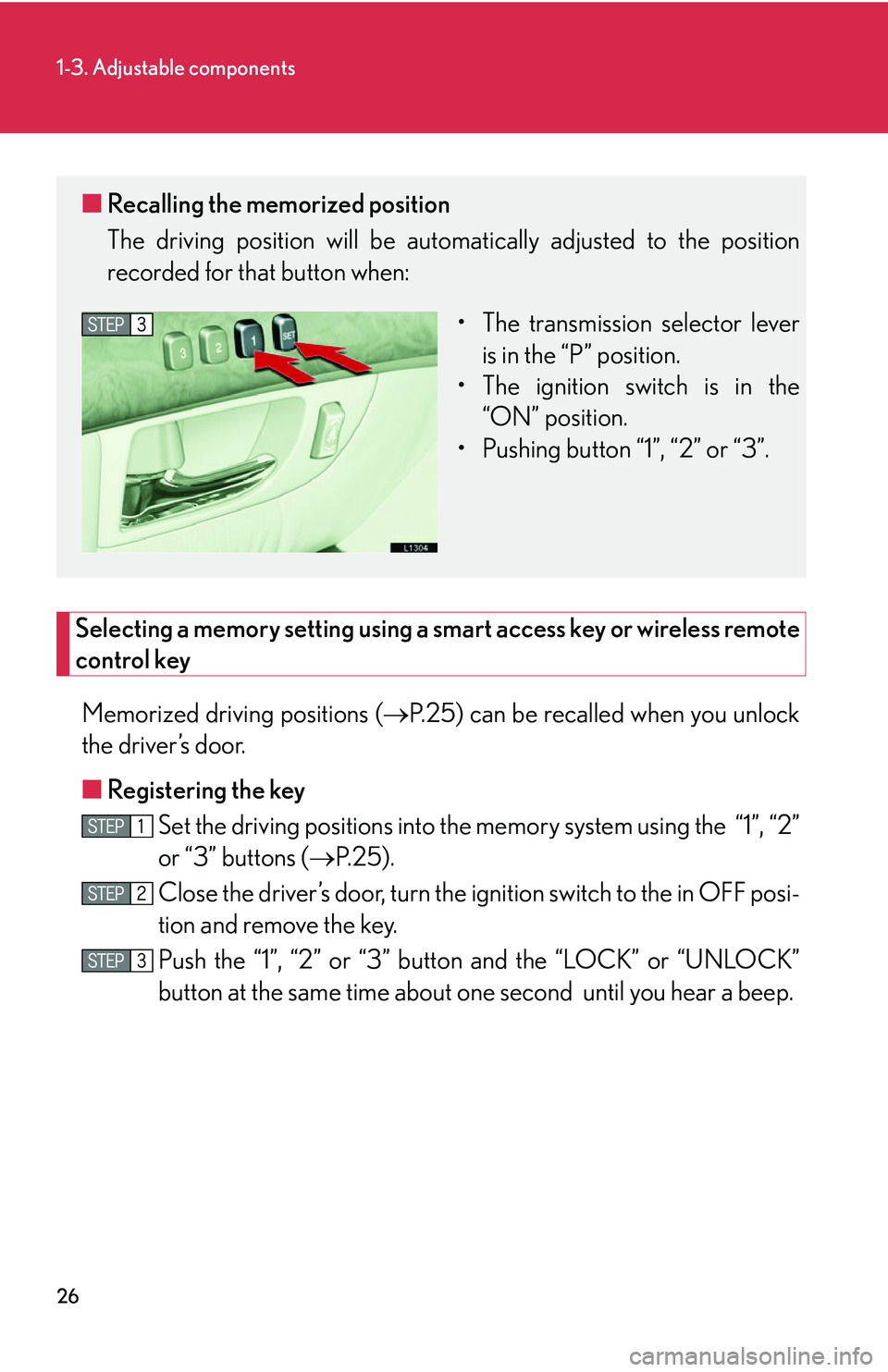
■Internal trunk release handle
CAUTION
■Caution while driving
Keep the trunk lid closed.
This not only keeps personal belongings from being thrown out, but also prevents
e
xhaust gases from entering the vehicle.
■When children are in the vehicle
Never leave children unattended in the vehicle
as they may lock themselves in the
vehicle or trunk, which could cause the child to overheat or suffocate resulting in
death or serious injury.
■When the trunk has not been fully closed
Be careful that your fingers do not get caught by the trunk lid when it is closing auto -
matically.
NOTICE
■To avoid damage to the trunk lid closer
Do not apply excessive force when the closer is operating.
The trunk lid can be opened by pulling
down on the glow-in-the-dark handle
located on the inside of trunk lid.
The handle will continue to glow for some
time after the trunk lid is closed.
Page 42 of 419
26
1-3. Adjustable components
Selecting a memory setting using a smart access key or wireless remote
control key
Memorized driving positions ( P.25) can be recalled when you unlock
the driver’s door.
■ R
egistering the key
Set the driving positions into the memor
y system using the “1”, “2”
or “3” buttons ( P.25 ).
Close the driver’s door, turn the ig nition switch to the in OFF posi-
tion and remove the key.
Push the “1”, “2” or “3” button and the “LOCK” or “UNLOCK”
button at the same time about one second until you hear a beep.
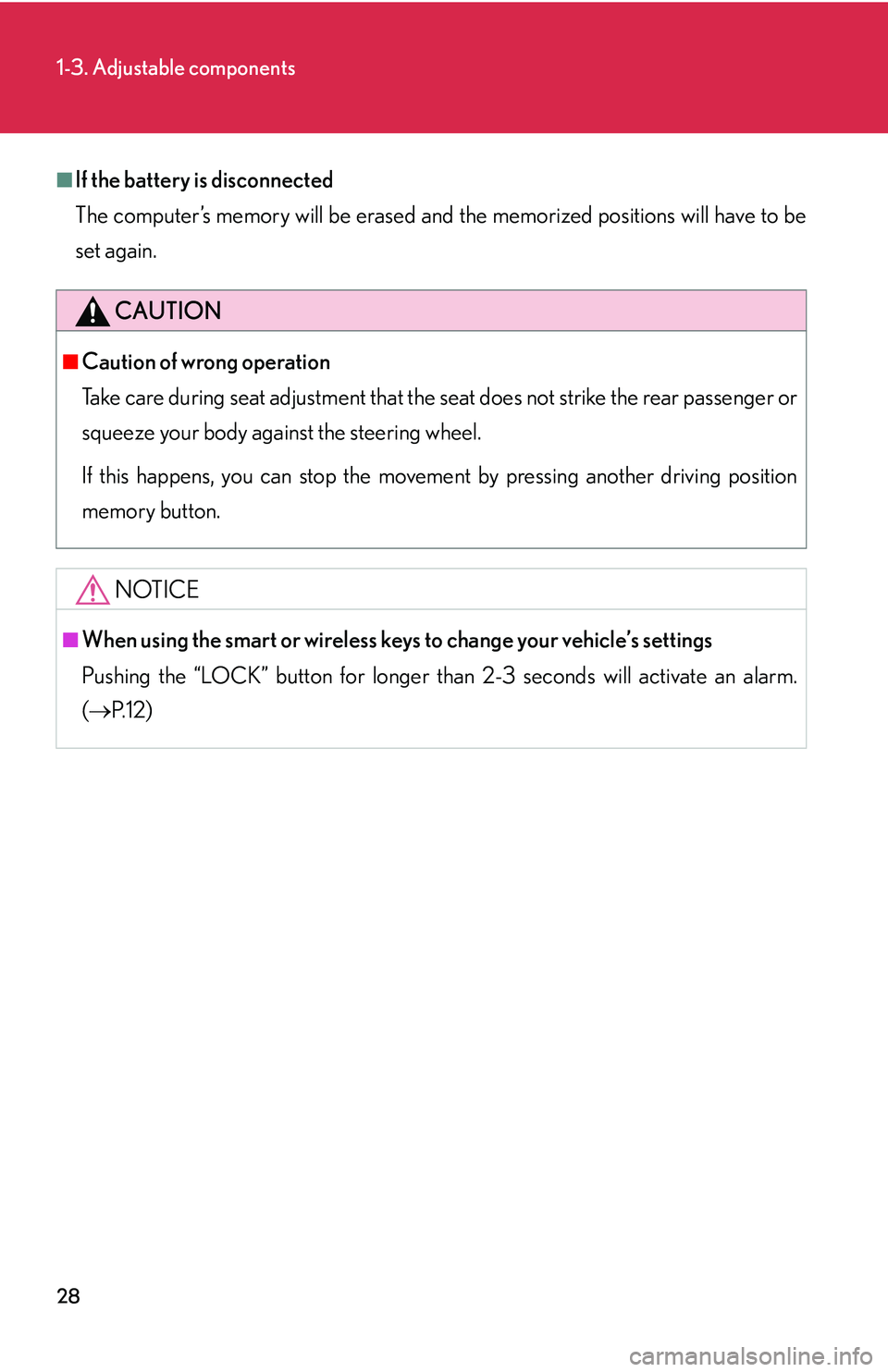
■ Recalling the memorized position
The driving position will be automati cally adjusted to the position
recorded for that button when:
• The transmission selector lever is in the “P
” position.
• The ignition switch is in the “
ON” position.
• Pushing button “1”, “2” or “3”.
Page 43 of 419
27
1-3. Adjustable components
1
Before driving
■Recalling the driving position
Driver’s seat position, head restraint height, seat cushion length, shoulder
belt height, and ou
tside rear view mirrors are adjus ted to memorized
position when you unlock the driver’s door with the wireless remote con-
trol or the smart access system, if equipped.
The tilt and telescopic steering column position is ad justed to the memo-
rized position when you push the ignitio n switch, or inser
t the key into the
key slot depending on the model.
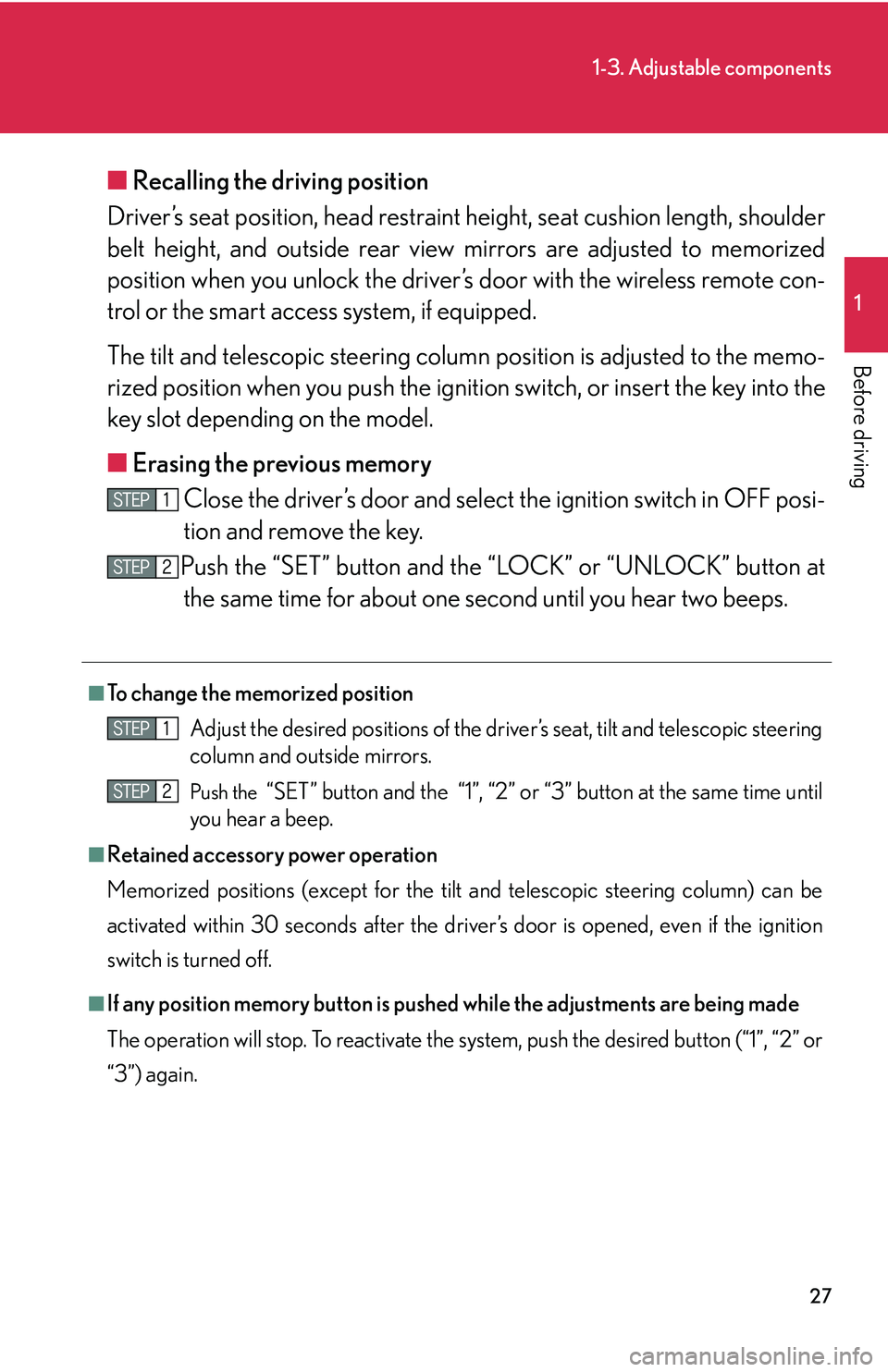
■ Er
asing the previous memory
Close the driver’s door and select the ignition switch in OFF posi-
tion and remove the key.
Push the “SET” button and the “LOCK” or “UNLOCK” button at the same time for about one second until you hear two beeps.
■To change the memorized position
Adjust the desired positions of the driver ’
s seat, tilt and telescopic steering
column and outside mirrors.
Push the “SET” button and the “1”, “2” or “3” button at the same time until
you hear a beep.
■Retained accessory power operation
Memorized positions (except for the tilt a
nd telescopic steering column) can be
activated within 30 seconds after the driver’s door is opened, even if the ignition
switch is turned off.
■If any position memory button is push ed while the adjustments are being made
The operation will stop. To reactivate the sy stem
, push the desired button (“1”, “2” or
“3”) again.
Page 44 of 419
28
1-3. Adjustable components
■If the battery is disconnected
The computer’s memory will b
e erased and the memorized positions will have to be
set again.
CAUTION
■Caution of wrong operation
Take care during seat adjustment that the seat does not strike the rear passenger or
squeeze
your body against the steering wheel.
If this happens, you can stop the moveme nt b
y pressing another driving position
memory button.
NOTICE
■When using the smart or wireless keys to change your vehicle’s settings
Pushing the “LOCK” button for longer than 2-3 seconds will activate an alarm.
( P.12 )
Page 47 of 419
31
1
1-3. Adjustable components
Before driving
Head restraints
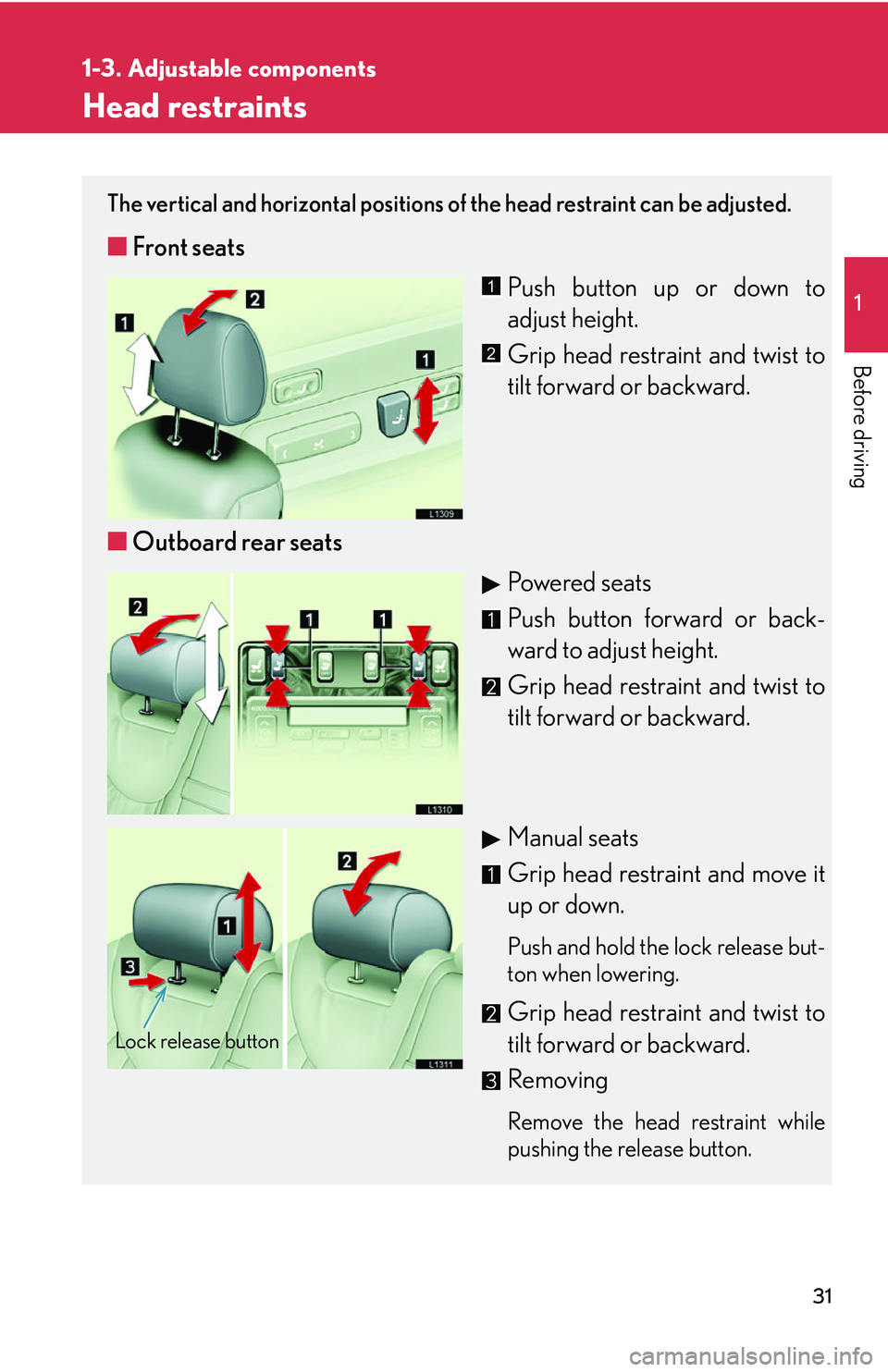
The vertical and horizontal positions of the head restraint can be adjusted.
■Front seats
Push button up or down to
adjust height.
Grip head restraint and twist to
tilt forward or backward.
■ Outboar
d rear seats
Powered seats
Push button forward or back-
ward to adjust height.
Grip head restraint and twist to
tilt forward or backward.
Manual seats
Grip head restraint and move it
up or down.
Push and hold the lock release but -
ton when lowering.
Grip head restraint and twist to
tilt forward or backward.
Removing
Remove the head restraint while
pushing the release button.
1
2
Lock release button
Page 52 of 419
36
1-3. Adjustable components
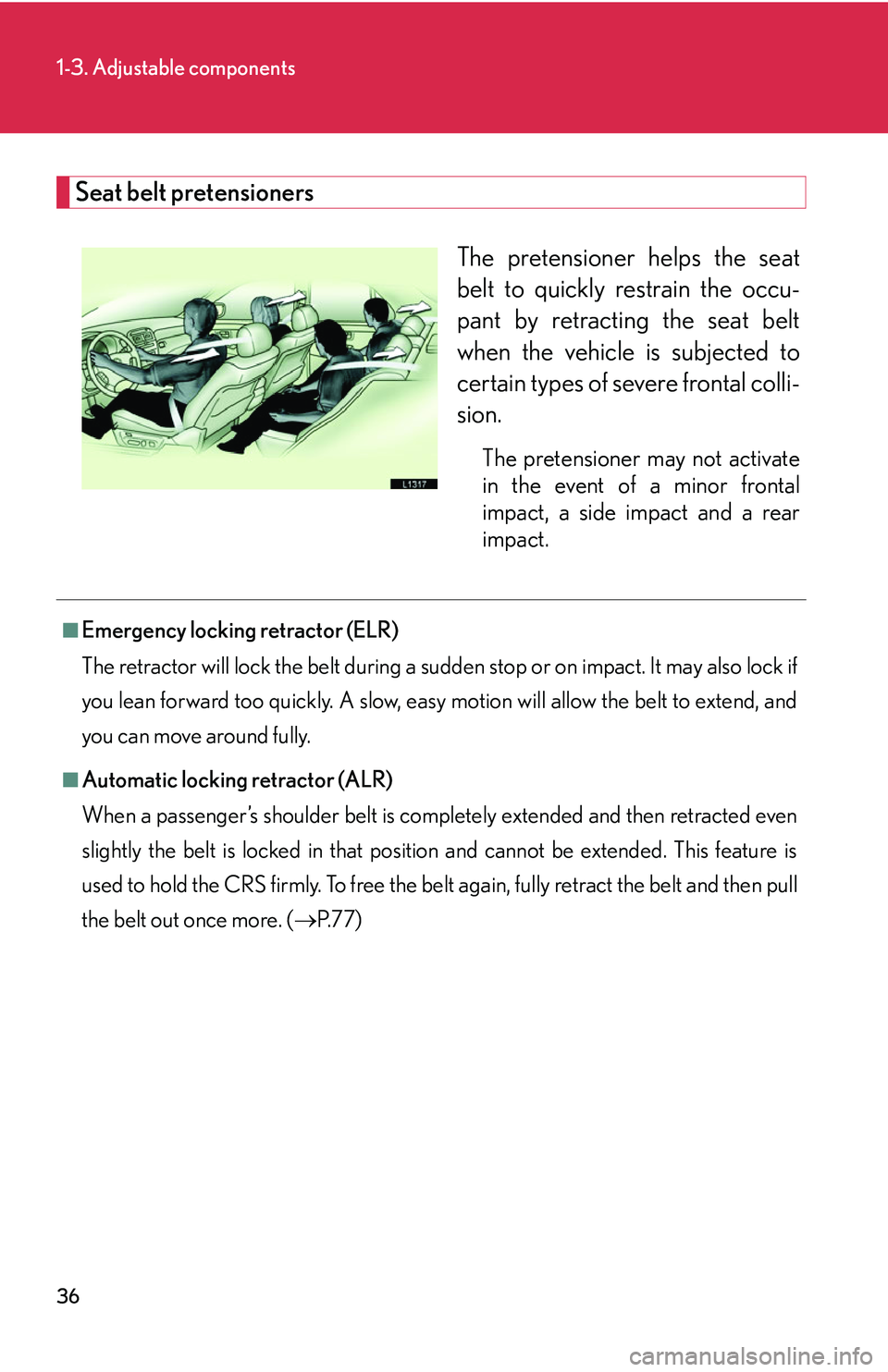
Seat belt pretensioners
The pretensioner helps the seat
belt to quickly restrain the occu-
pant by retracting the seat belt
when the v
ehicle is subjected to
certain types of severe frontal colli -
sion.
The pretensioner may not activate
in the event of a minor frontal
impact, a side impact and a rear
impact.
■Emergency locking retractor (ELR)
The retractor will lock the belt during a sudd e
n stop or on impact. It may also lock if
you lean forward too quickly. A slow, easy motion will allow the belt to extend, and
you can move around fully.
■Automatic locking retractor (ALR)
When a passenger’s shoulder belt is completely extended and then retracted even
sl
ightly the belt is locked in that position and cannot be extended. This feature is
used to hold the CRS firmly. To free the belt again, fully retract the belt and then pull
the belt out once more. ( P.77)
Page 55 of 419
39
1-3. Adjustable components
1
Before driving
CAUTION
■Seat belt damage and wear
●Do not damage the seat belts by allowing the belt, plate or buckle to be jammed
in the door.
●Do not use a damaged seat belt until it is replaced. Damaged seat belts cannot
protect an occupant from injury.
●Ensure that the belt and tab are locked and the belt is not twisted. If the seat belt
does not function correctly, immediately contact your Lexus dealer.
●Replace the seat assembly, including the belts, if your vehicle has been involved in
a serious accident, even if there is no obvious damage.
●Do not attempt to install, remove, modify , disassemble or dispose of a seat belt.
Have any necessary repairs carried out by your Lexus dealer. Inappropriate han-
dling of the pretensioner may cause it to activate or operate improperly and may
caus
e death or serious injury.
■Using seat belt extender
●Do not wear the seat belt extender, if you can fasten the seat belt without the
extender.
●Do not use the seat belt extender when installing a child restraint system, because
the belt will not securely hold the child restraint system, increasing the risk of
death or injury in the event of a collision.
●The personalized extender may not be safe on another vehicle, when used by
another person, or at a different seating position other than the one originally
intended.
NOTICE
■When using a seat belt extender
When releasing the seat belt, press on the buckle release button on the extender,
not
on the seat belt.
This helps prevent damage to the vehi cle
interior and the extender itself.