Page 130 of 419
114
2-3. Operating the headlight and windshield wipers
Windshield wipers and washer
■Windshield wiper and washer operating conditions
The ignition switch must be turn
ed to ON position.
■If no windshield washer fluid sprays
Check that there is washer fluid
in the windshield washer fluid reservoir, and that the
washer nozzles are not blocked.
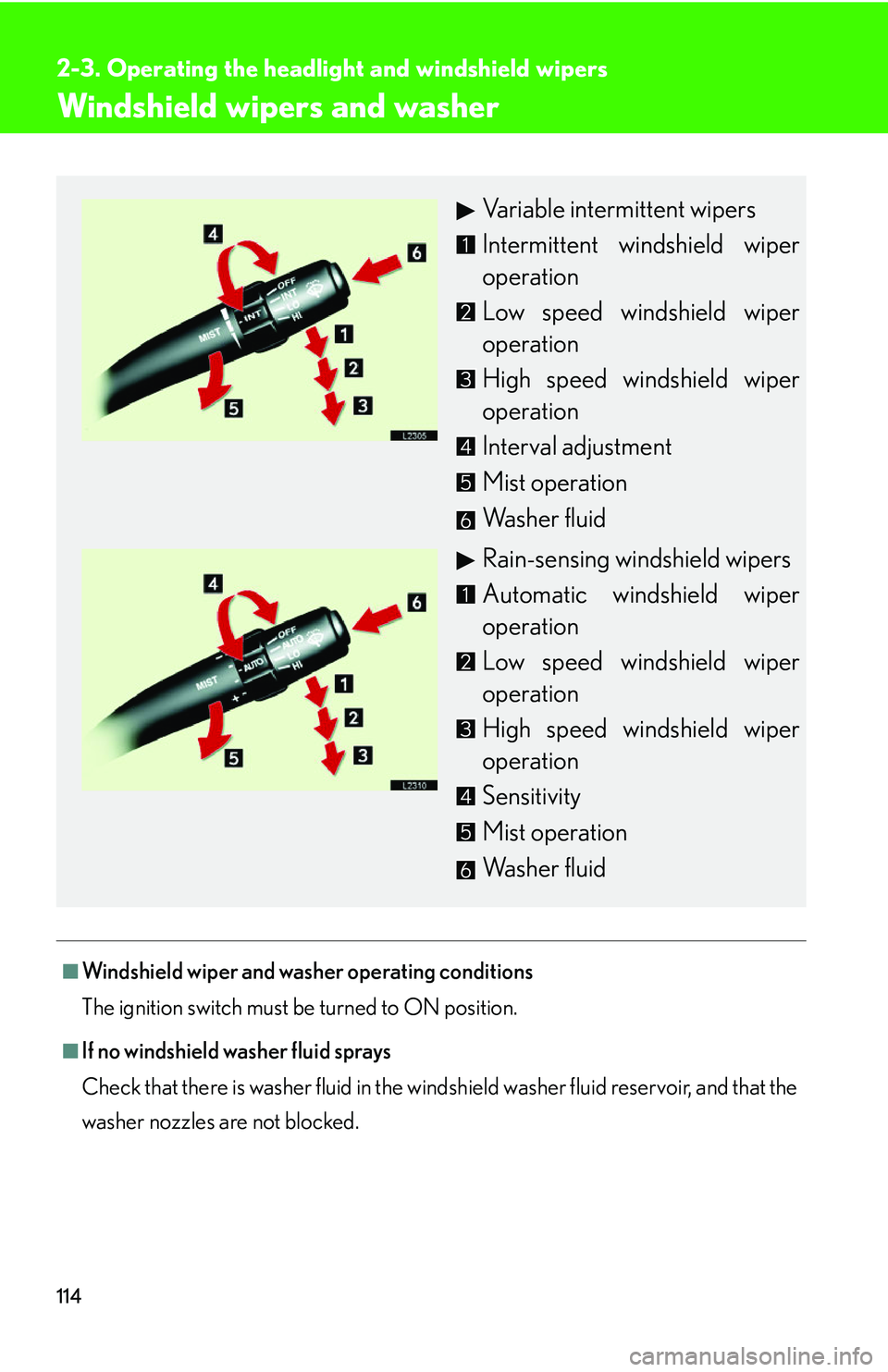
Variable intermittent wipers
Intermittent windshield wiper
operation
Low speed windshield wiper
operation
High speed windshield wiper
operation
Interval adjustment
Mist operation
Washer fluid
Rain-sensing windshield wipers
Automatic windshield wiper
operation
Low speed windshield wiper
operation
High speed windshield wiper
operation
Sensitivity
Mist operation
Washer fluid
Page 148 of 419
132
2-4. Using other driving systems
■Setting vehicle speed
Settings can be made when the vehicle
is traveling above 28 mph (45 km/h).
■Unsuitable conditions
You cannot set the speed in the following conditions:
• When the selector lever is in a position other than D, 4, 5, or 6.
• When driving in adverse weather conditions.
■Automatic cruise control cancellation
In the following cases, the preset speed is can ce
lled. If the system is restored, cruise
control enters the ready mode.
• The slip indicator light blinks and a warning tone sounds.
• The anti-lock braking system activates.
• Foreign matter adheres to the sensor.
• The driving pattern selector sw it
ch is set to “SNOW” mode.
• The wipers are operated at high speed (radar), or either high or low speeds (l
aser). This includes high and low speed operation with the wiper lever in the
AUTO position.
• The vehicle’s speed falls below 25 mph (40 km/h). In this case, you must apply th
e brakes manually to slow the vehicle.
If the preset speed automatically cancels out for other than the above reasons, the
sy
stem may have malfunctioned. Do not operate the dynamic radar/laser cruise
control. You may continue driving, howe ver have your vehicle checked by your
Lexus dealer at the earliest opportunity.
Page 156 of 419

140
2-4. Using other driving systems
Driver assist systems
When VSC or TRAC is operating
If the vehicle is in danger of slip-
ping or the rear wheels spin, the
slip indicator ligh t flash to indicate
that the s
ystems have been
engaged.
A buzzer (intermittent) sounds
when VSC is operating.
To help enhance improve vehicle safety, the following systems operate auto-
matically in certain driving conditions.
■ ABS (Anti-lock Braking System)
Help ensure steering performance in th e event of sudden braking or driving
on slippery road surfaces.
■ BA (Brake Assist)
Generates an increased level of braking force after the brake pedal is
pushed, when the system detects a panic stop situation.
■VSC (Vehicle Stability Control)
Helps the driver to control skidding wh en swerving suddenly or turning on
slippery road surfaces.
■ TRAC (Traction Control)
Helps maintain drive power and prevents spinning the rear wheels when
starting the vehicle or accelerating on slippery roads.
■Pre-collision system (if equipped)
( P. 1 4 3 )
Page 174 of 419
158
2-5. Driving information
• Always place wheel blocks under both the vehicle and the trailer
wheels when parking. Apply the pa rking brake firmly, and put the
transmission in “P”. Avoi d parking on a slope, but if unavoidable, do so
only after performing the following:
Apply the brakes and keep them applied.
Have someone place wheel blocks under both the v
ehicle and
trailer wheels.
When the wheel blocks are in pl ace, r
elease the brakes slowly
until the blocks absorb the load.
Apply the parking brake firmly.
Shift into “P” and turn off the engine.
• When restarting after parking on a slope:
With the transmission in the “P” position, star
t the engine. Be sure
to keep the brake pedal pressed.
Shift into “3”, “2”, “1”, or the “R” position (if r
eversing).
Release the parking brake and br ak
e pedal, and slowly pull or
back away from the wheel blocks.
Stop and apply the brakes.
Have someone retrieve the blocks.
Page 177 of 419

3Interior features
161
3-1. Using the air conditioning
system and defogger ........... 162
Automatic air conditioning
control .......................................... 162
Rear window defogger............. 170
Rear air conditioning
controls ........................................ 172
3-2. Using the audio system .......... 174 Audio system ................................. 174
Operating the radio................... 176
Operating the cassette
player ............................................ 182
Using the CD changer ............ 185
Optimal use of the audio
system ............................................ 191
Using the rear controller ......... 193
Using the steering switches.... 195
3-3. Turning on interior lights ...... 198 Interior lights list ......................... 198
3-4. Storage ...................................... 201 Storage features......................... 201 3-5. Other interior features ....... 208
Sun visors ..................................... 208
Vanity mirror and light ............ 209
Clock ............................................... 210
Ashtray............................................. 211
Cigarette lighter ......................... 213
Power outlets................................ 214
Outside temperature display .......................................... 216
Seat heaters .................................. 218
Climate control seat
switches ..................................... 220
Refreshing rear seat
switches ...................................... 222
Coat hooks................................... 223
Floor mats ..................................... 224
Sunshades ................................... 225
Trunk features.............................. 227
Garage door opener ............... 232
Compass (vehicles without
navigation system) ................ 238
Page 185 of 419
169
3-1. Using the air conditioning system and defogger
3
Interior features
■Notes regarding outside temperature display
If it is extremely hot or cold outside the vehicle, the outside temperature displayed
may not be accurate.
CAUTION
■To prevent the windshield fogging up
Do not use during cooled air operation in extremely humid weather. The
difference between the temperature of the outsi
de air and that of the windshield
could cause the outer surface of the windsh ield to fog up, blocking your vision.
NOTICE
■To prevent battery discharge
Do not leave the automatic climate control on longer than necessary when the
engine is
stopped.
Page 188 of 419
172
3-1. Using the air conditioning system and defogger
Rear air conditioning controls
Using the automatic mode
Push or .
If the front air conditioner is switched off, only the fan, not the cooling,
will operate.
Adjust the temperature setting using .
The temperature of front seats will also change.
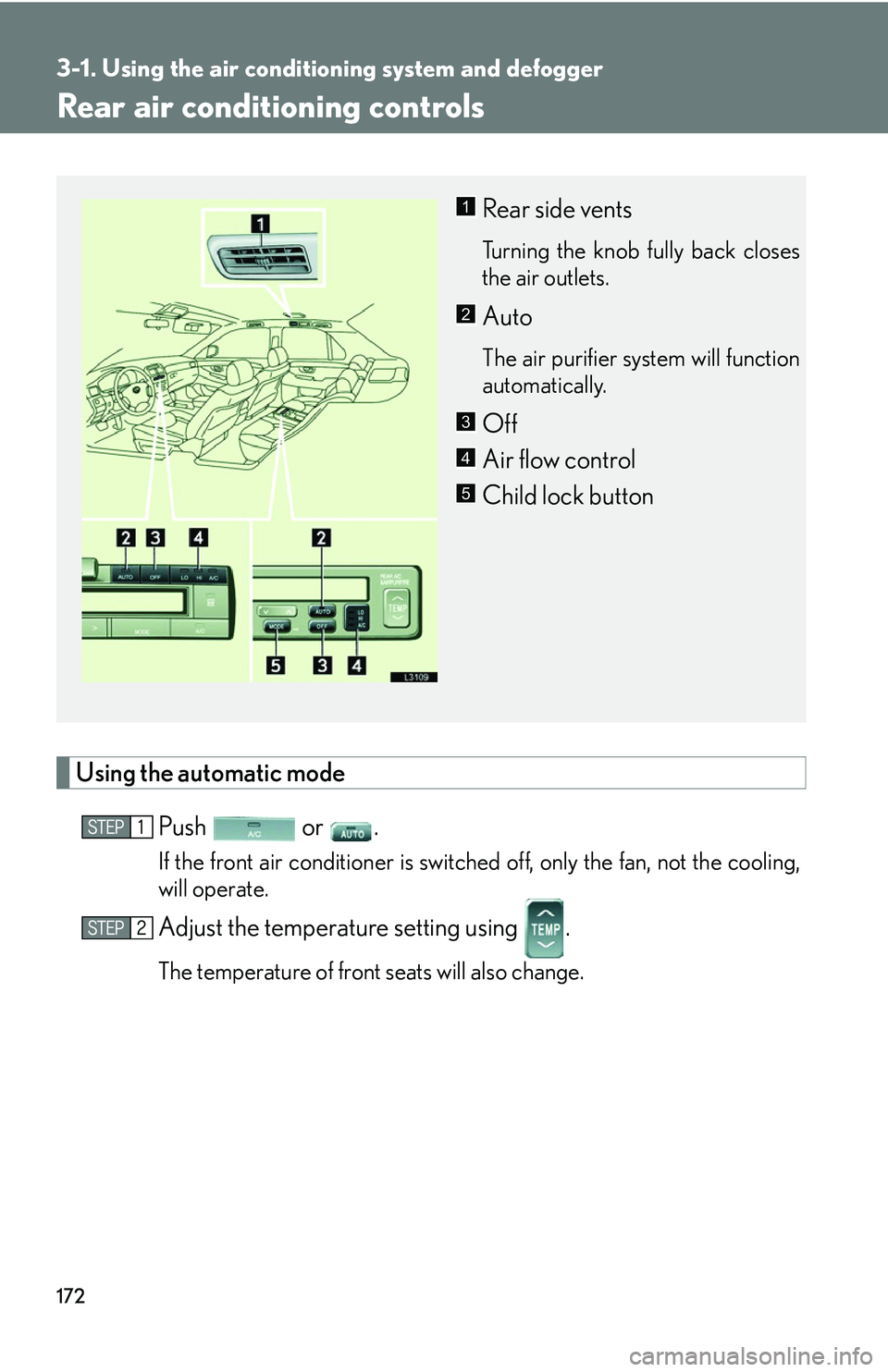
Rear side vents
Turning the knob fully back closes
the air outlets.
Auto
The air purifier system will function
automatically.
Off
Air flow control
Child lock button
1
2
3
4
5
Page 189 of 419
173
3-1. Using the air conditioning system and defogger
3
Interior features
Adjusting the setting
■Adjusting the temperature setting
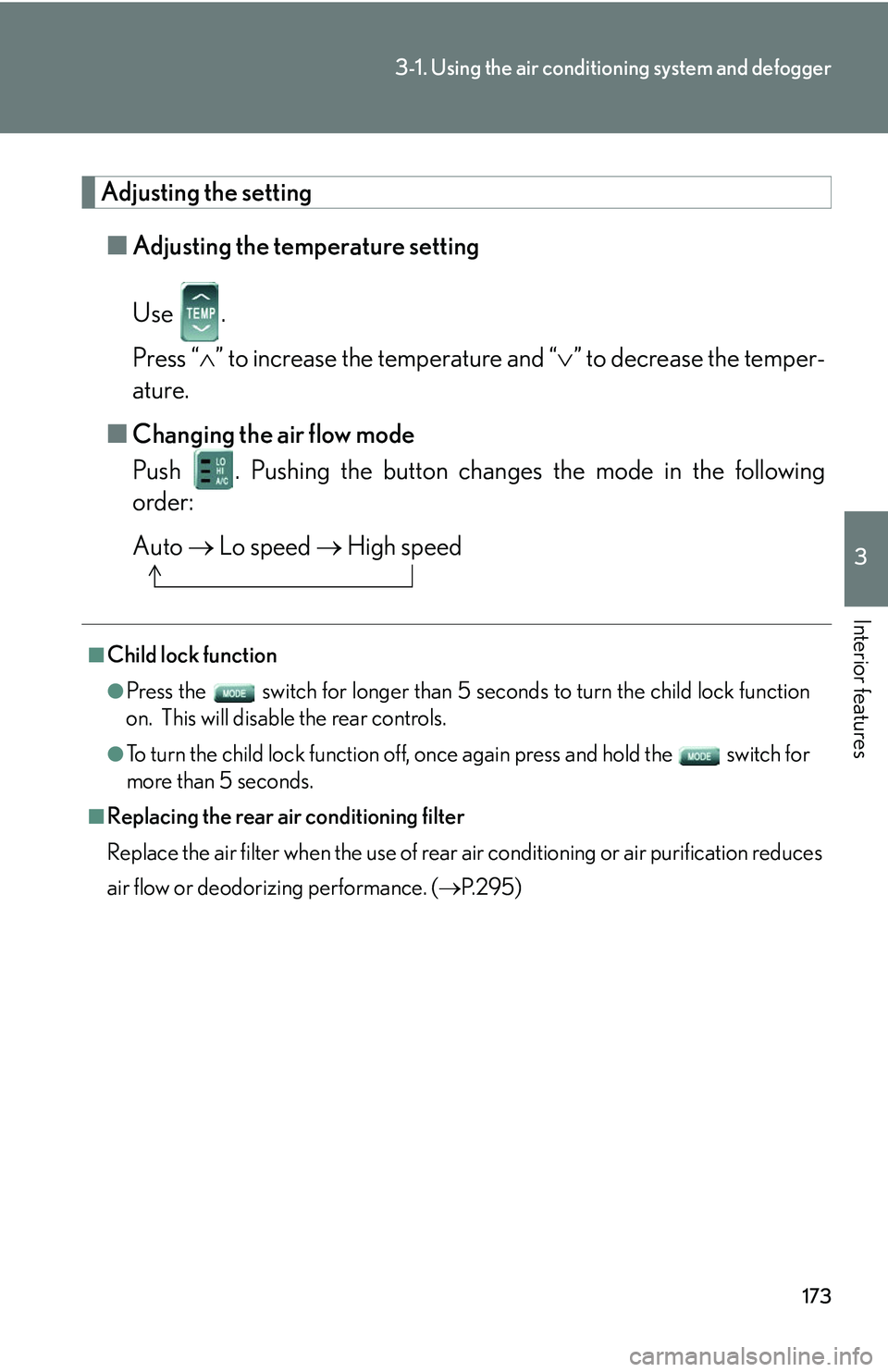
Use .
Press “ ” to increase the temperature and “ ” to decrease the temper -
ature.
■ Changing the air flo
w mode
Push . Pushing the button changes the mode in the following
order:
Auto Lo speed High speed
■Child lock function
●Press the switch for longer than 5 seconds t o turn the child lock function
on. This will disable the rear controls.
●To turn the child lock function off, once again press and hold the switch for
more than 5 seconds.
■Replacing the rear air conditioning filter
Replace the air filter when the use of rear air conditioning or air purification reduces
air
flow or deodorizing performance. ( P. 2 9 5 )