Page 3 of 419

1
2
3
4
5
6
7
2-3. Operating the headlight and windshield wipers ..................... 110
Headlight switch ............................. 110
Fog light switch ................................ 113
Windshield wipers and
washer............................................... 114
Headlight cleaner switch ............. 117
2-4. Using other driving systems..... 118 Lexus park assist system ............. 118
Rear view monitor system ......... 123
Cruise control ................................ 126
Dynamic radar/ laser cruise
control............................................. 129
Electronically modulated air
suspension..................................... 138
Driver assist systems.................... 140
Pre-collision system
(if equipped) ................................. 143
2-5. Driving information ................... 145 Cargo & luggage .......................... 145
Vehicle load limits ......................... 148
Winter driving tips ........................ 149
Trailer Towing................................. 152
Dinghy towing ................................ 160
3-1. Using the air conditioning
system and defogger .............. 162 Automatic air conditioning
control............................................. 162
Rear window defogger ............... 170
Rear air conditioning controls .. 172
3-2. Using the audio system............. 174 Audio system ................................... 174
Operating the radio ...................... 176
Operating the cassette player............................................... 182
Using the CD changer ............... 185
Optimal use of the audio
system ............................................... 191
Using the rear controller ........... 193
Using the steering switches ...... 195
3-3. Turning on interior lights......... 198 Interior lights list............................. 198
3-4. Storage......................................... 201 Storage features ............................ 201
3-5. Other interior features .......... 208 Sun visors........................................ 208
Vanity mirror and light ............... 209
Clock.................................................. 210
Ashtray ................................................ 211
Cigarette li ghter
............................ 213
Power outlets .................................. 214
Outside temperature display ... 216
Seat heaters..................................... 218
Climate control seat
switches ......................................... 220
3Interior features
Page 88 of 419
72
1-7. Safety information
CAUTION
■Modifications and disposal of SRS airbag system components
Do not perform any of the following modifications to o
r dispose of the vehicle with -
out consulting your Lexus dealer. The SRS airb
ag may malfunction and may deploy
(inflate) accidentally, causing death or serious injury.
• Installation, removal, disassembl y and r
epair of the SRS airbags.
• Repairs, modifications, removal or replacement of the steering wheel, instru -
ment panel, dashboard, seats or seat upholste
ry, front, side and rear pillars or
roof side rail.
• Repair or modification of the front fender , fr
ont bumper or side of the occupant
compartment.
• Installation of snow plows, winches, etc. to the front grille (bull bars, kangaroo ba
r, etc.).
• Modifications to the vehi cle
’s suspension system.
• Installation of electronic devices such as a mobile two-way radio, cassette tape pl
ayer or CD player.
Page 177 of 419

3Interior features
161
3-1. Using the air conditioning
system and defogger ........... 162
Automatic air conditioning
control .......................................... 162
Rear window defogger............. 170
Rear air conditioning
controls ........................................ 172
3-2. Using the audio system .......... 174 Audio system ................................. 174
Operating the radio................... 176
Operating the cassette
player ............................................ 182
Using the CD changer ............ 185
Optimal use of the audio
system ............................................ 191
Using the rear controller ......... 193
Using the steering switches.... 195
3-3. Turning on interior lights ...... 198 Interior lights list ......................... 198
3-4. Storage ...................................... 201 Storage features......................... 201 3-5. Other interior features ....... 208
Sun visors ..................................... 208
Vanity mirror and light ............ 209
Clock ............................................... 210
Ashtray............................................. 211
Cigarette lighter ......................... 213
Power outlets................................ 214
Outside temperature display .......................................... 216
Seat heaters .................................. 218
Climate control seat
switches ..................................... 220
Refreshing rear seat
switches ...................................... 222
Coat hooks................................... 223
Floor mats ..................................... 224
Sunshades ................................... 225
Trunk features.............................. 227
Garage door opener ............... 232
Compass (vehicles without
navigation system) ................ 238
Page 190 of 419
174
3-2. Using the audio system
Audio system
*If equipped
Ti t l ePa g e
Operating the radioP. 1 76
Receiving XM satellite radio*P. 1 7 9
Operating the cassette playerP. 1 8 2
Using the CD changerP. 1 8 5
Optimal use of the audio systemP. 1 9 1
Using the rear controllerP. 1 9 3
Using the steering switchesP. 1 9 5
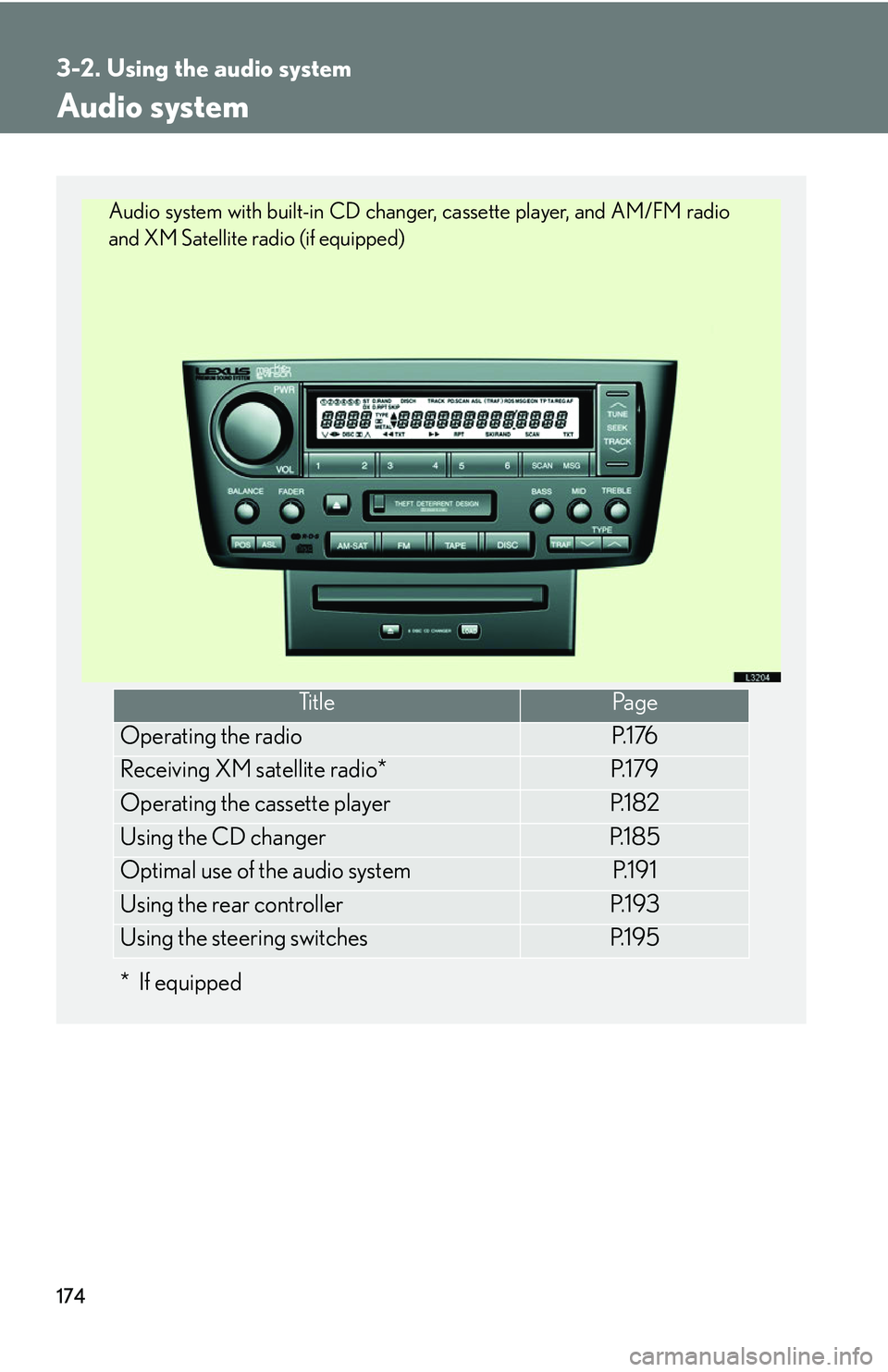
Audio system with built-in CD changer, cassette player, and AM/FM radio
and XM Satellite radio (if equipped)
Page 198 of 419
182
3-2. Using the audio system
Operating the cassette player
Finding the beginning of a track
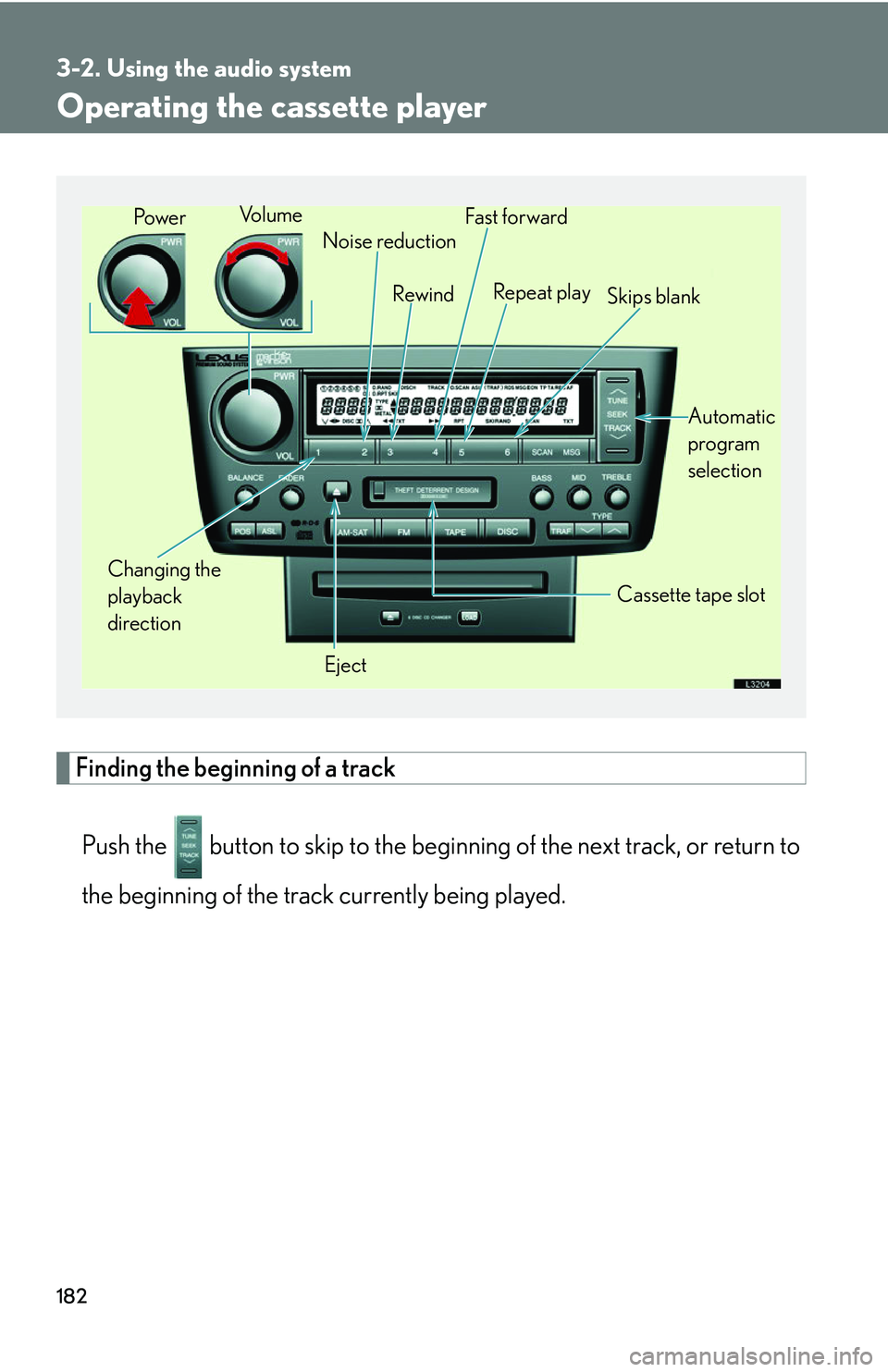
Push the button to skip to th e beginning of the ne xt track, or return to
the beginning of the track currently being played.
Changing the
playback
direction Noise reduction
Rewind
Eject Cassette tape slot
Vo l u m e
Fast for ward
Repeat play Skips blank
Automatic
program
selection
Pow e r
Page 199 of 419
183
3-2. Using the audio system
3
Interior features
Using Dolby Noise Reduction
Push the () button.
Reduces the level of noise for tapes r
ecorded with Dolby NR only.
Dolby noise reduction is manufactured under license from Dolby Laborato-
ries Licensing Corporation. “DOLBY” and the double-D symbol ( ) are
registered trademarks of Dolby Laboratories.
■Canceling
To c a n c e l (), (RPT) and
(SKIP): Push the same button.
To c a n c e l (), and (): Push the same button or .
■When the cassette player does not operat e correctly due to the cassette recording
conditions
Forwarding to the beginning of a track, repeat, blank tape skip and fast-forward
may not be possible in the following situations:
• The interval between tracks is less th an
three seconds (beginning of track and
repeat playback) or less than fif teen seconds (blank tape skip).
• When there is noise between two tracks.
• The beginning and end of subseque n
t tracks is not clearly defined.
■Using long playing cassette tapes
Avoid using tapes with a length of more than 90 minutes, as the tape used is very
thin an
d may become tangle d in the cassette player.
Page 200 of 419
184
3-2. Using the audio system
NOTICE
■Cassette tapes that cannot be used
Do not use a cassette tape if it has been damaged
or tangled or if its label is peeling
off. Such tapes may affect playing speed and may also get stuck in the player.
■Cassette player precautions
●Store cassette tapes away from direct sunlight.
●Do not insert anything other than cass ette tapes into the cassette player.
●Do not apply oil to the cassette player.
Page 204 of 419

188
3-2. Using the audio system
■About your changer
Your automatic changer can store up to 6 CDs
■If you accidentally push the button
Push the DISC or LOAD button to insert a
gain. Do not push in the CD which is
being ejected forcibly
■When LOAD, ERROR or WAIT are shown on the display.
LOAD : The CD changer is preparing to playback a CD. Wait for a short while.
ERROR 1: Make sure the label of the displayed disc is facing up and reinsert it into
the ch
anger.
ERROR 3 or 4: There is a problem with the changer.
WAIT : Operation is stopped due to a hi gh temp
erature inside the changer.
Remove the CD from the player and allow the player to cool down.
If the malfunction persists, take yo ur v
ehicle to your Lexus dealer.
■CD auto changer
■CD player protection feature
To protect the internal components, play back
is automatically stopped when a
problem is detected while the CD player is being used.
■Leaving CDs in the player for an extended period
Do not leave CDs in the CD player for an e
xtended period of time or the CDs may
become damaged.
The mark shown to the left indicates that only
audible CDs can be used. CD-Rs, CD-
ROMs and CDs with copy-protect features
cannot be used.