Page 269 of 420

The security system automatically
sets 15 seconds after you lock the
doors, hood, and the tailgate. For the
system to activate, you must lock the
doorsandthetailgatefromthe
outside with the key, the lock tab,
the door lock switch, or the remote
transmitter. The security system
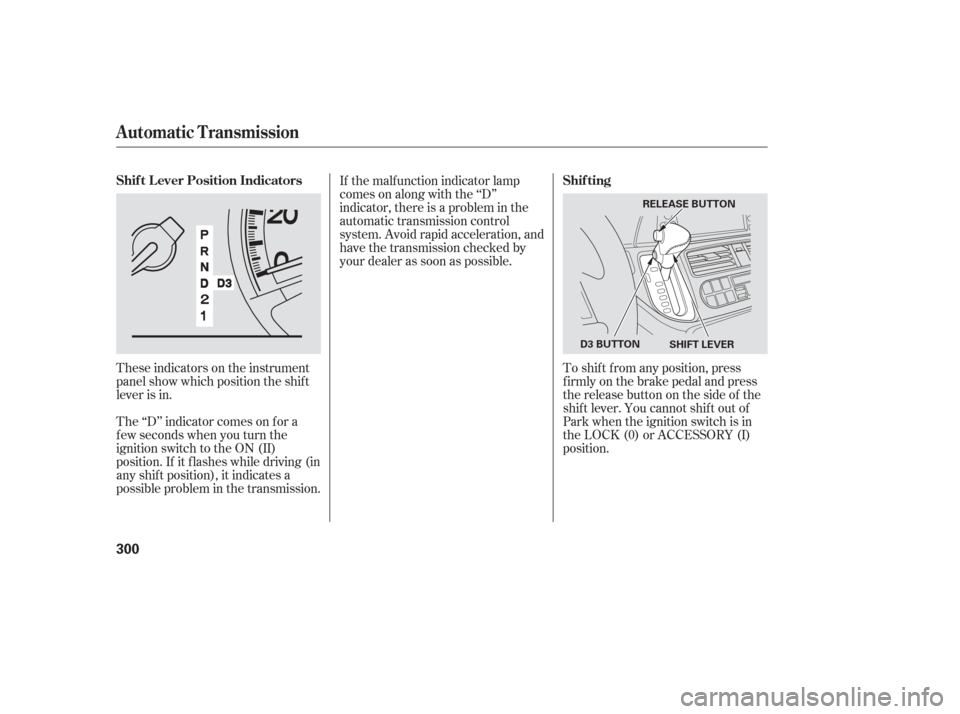
indicator in the instrument panel
starts blinking immediately to show
you the system is setting itself .Once the security system is set,
opening any door, the tailgate, or the
hood without using the key or the
remote transmitter, will cause it to
alarm. It also alarms if the radio is
removed f rom the dashboard or the
wiring is cut.The security system will not set if
the hood, tailgate, or any door is not
f ully closed. If the system will not set,
check the Door and Tailgate Open
Monitor on the instrument panel
(see page ), to see if the doors
and the tailgate are f ully closed.
Since it is not part of the monitor
display, manually check the hood.
Do not attempt to alter this system
or add other devices to it.
The security system helps to protect
your vehicle and valuables f rom thef t.
The horn sounds and a combination
of headlights, parking lights, side
marker lights and taillights f lashes if
someone attempts to break into your
vehicleorremovetheradio.This
alarm continues f or 2 minutes, then
the alarm stops. To reset an
alarming system before the 2
minutes have elapsed, unlock either
f ront door with the key or the
remote transmitter.
67
On EX, EX-L and Touring models
Security System
268
SECURITY SYSTEM
INDICATOR
Page 270 of 420
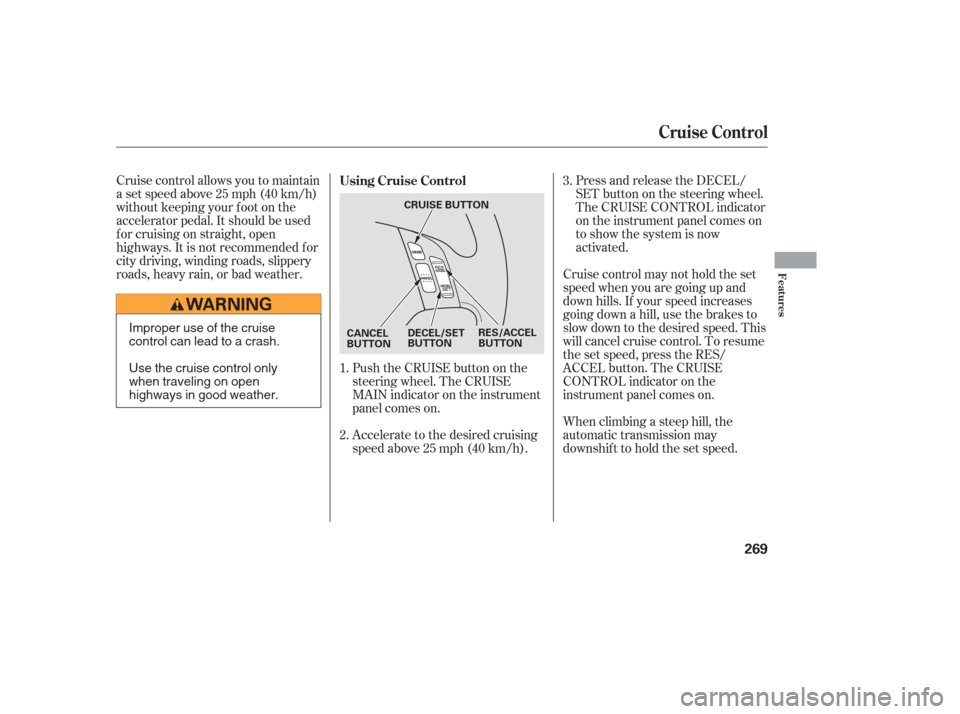
Press and release the DECEL/
SET button on the steering wheel.
The CRUISE CONTROL indicator
on the instrument panel comes on
to show the system is now
activated.
Cruise control allows you to maintain
asetspeedabove25mph(40km/h)
without keeping your f oot on the
accelerator pedal. It should be used
f or cruising on straight, open
highways. It is not recommended f or
city driving, winding roads, slippery
roads, heavy rain, or bad weather.
When climbing a steep hill, the
automatic transmission may
downshifttoholdthesetspeed.
Accelerate to the desired cruising
speedabove25mph(40km/h). Cruise control may not hold the set
speed when you are going up and
down hills. If your speed increases
going down a hill, use the brakes to
slow down to the desired speed. This
will cancel cruise control. To resume
the set speed, press the RES/
ACCEL button. The CRUISE
CONTROL indicator on the
instrument panel comes on.
Push the CRUISE button on the
steering wheel. The CRUISE
MAIN indicator on the instrument
panel comes on.
1.
2. 3.
Using Cruise Control
Cruise Control
Features
269
DECEL/SET
BUTTON
CANCEL
BUTTON RES/ACCEL
BUTTON
CRUISE BUTTONImproper use of the cruise
control can lead to a crash.
Use the cruise control only
when traveling on open
highways in good weather.
Page 273 of 420
�µ
The HomeLinkUniversal
Transceiver built into your vehicle
canbeprogrammedtooperateupto
three remote controlled devices
around your home, such as garage
doors, lighting, or home security
systems.
If you are training HomeLink to
operate a garage door or gate, you
should unplug the motor f or that
device during training. Repeatedly
pressing the remote control button
could burn out the motor. Always ref er to the opening
instructions and saf ety inf ormation
that came with your garage door
opener or other equipment you
intend to operate with HomeLink. If
you do not have this inf ormation,
contact the manuf acturer of the
equipment.
If you are training the second or
third buttons, go directly to step 1.
HomeLink stores the code in a
permanent memory. There should
be no need to retrain HomeLink if
your vehicle’s battery goes dead or is
disconnected. If your garage door
opener was manuf actured bef ore
April 1982, you may not be able to
program HomeLink to operate it.
They do not have the saf ety f eature that causes the motor to stop and
reverse if an obstacle is detected
during closing, increasing the risk of
injury.
For quick and accurate training,
make sure the remote control
transmitter for the device (garage
door, automatic gate, security
system, etc.) has a fresh battery.
If you just
received your vehicle and have not
trained any of the buttons in
HomeLink bef ore, you should erase
any previously learned codes bef ore
training the first button.
Todothis,pressandholdthetwo
outside buttons on the HomeLink
Transceiver for about 20 seconds
until the red indicator f lashes.
Release the buttons, then proceed to
step 1.
On EX, EX-L and Touring models
General Inf ormation T raining HomeL ink
Important Saf ety Precautions Bef ore you begin
HomeL ink Universal Transceiver
272
Page 275 of 420
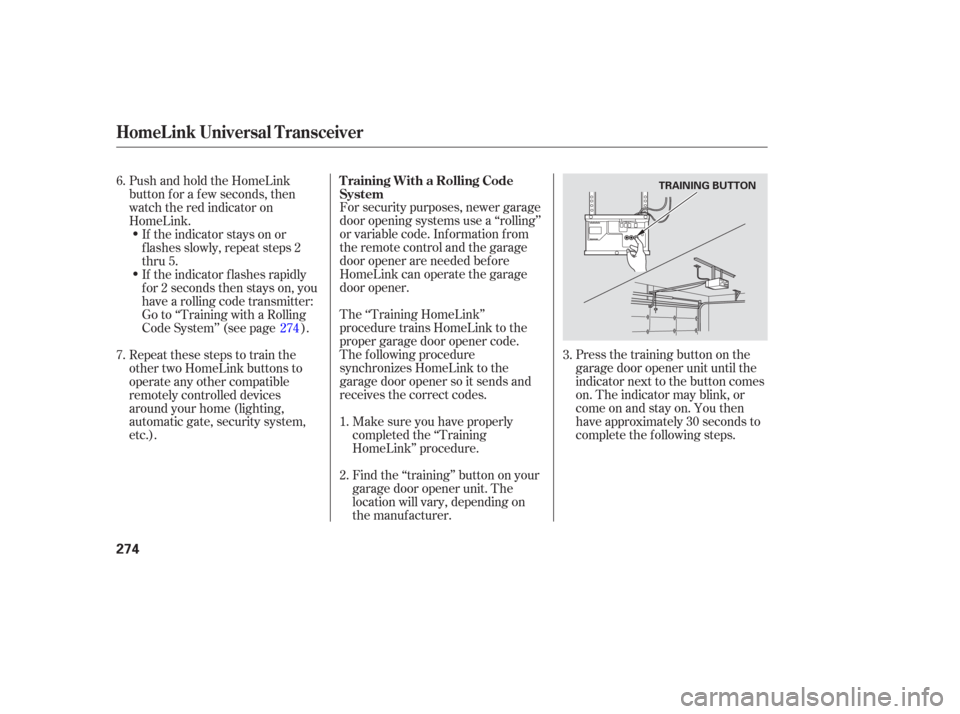
Press the training button on the
garage door opener unit until the
indicator next to the button comes
on. The indicator may blink, or
comeonandstayon.Youthen
have approximately 30 seconds to
complete the f ollowing steps.
For security purposes, newer garage
door opening systems use a ‘‘rolling’’
or variable code. Information from
the remote control and the garage
door opener are needed bef ore
HomeLink can operate the garage
door opener.
The ‘‘Training HomeLink’’
procedure trains HomeLink to the
proper garage door opener code.
The f ollowing procedure
synchronizes HomeLink to the
garage door opener so it sends and
receives the correct codes.
Make sure you have properly
completed the ‘‘Training
HomeLink’’ procedure.
Find the ‘‘training’’ button on your
garage door opener unit. The
location will vary, depending on
the manufacturer.
PushandholdtheHomeLink
button f or a f ew seconds, then
watch the red indicator on
HomeLink.
If the indicator stays on or
flashes slowly, repeat steps 2
thru 5.
If the indicator f lashes rapidly
f or 2 seconds then stays on, you
have a rolling code transmitter:
Go to ‘‘Training with a Rolling
Code System’’ (see page ).
Repeat these steps to train the
other two HomeLink buttons to
operate any other compatible
remotely controlled devices
around your home (lighting,
automatic gate, security system,
etc.).
6.
2. 1.3.
7. 274T raining With a Rolling Code
System
HomeL ink Universal Transceiver
274
TRAINING BUTTON
Page 286 of 420
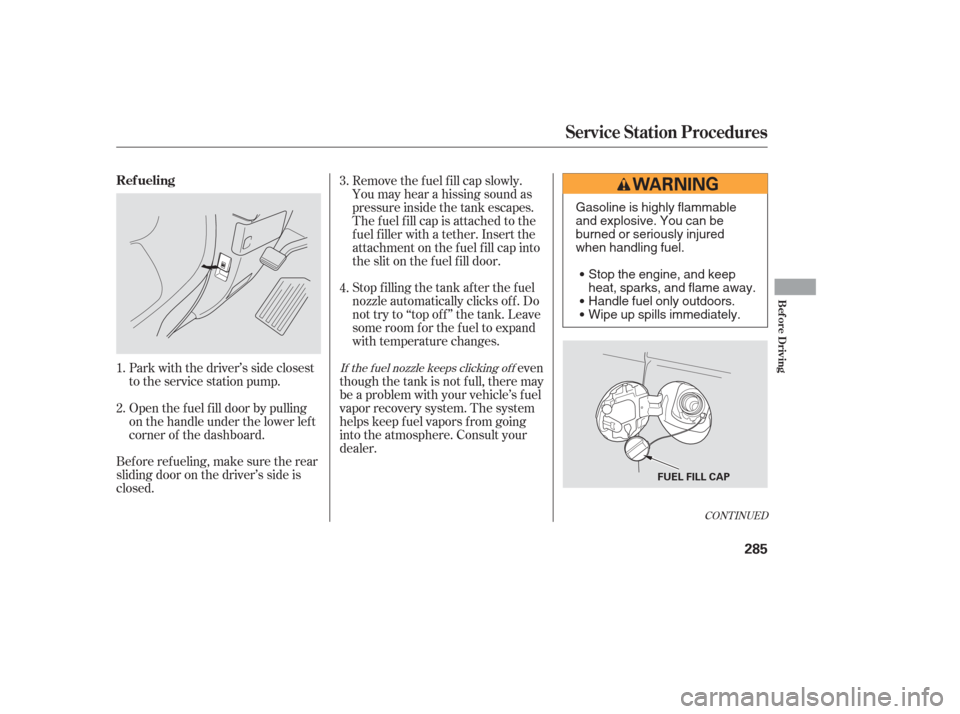
Bef ore ref ueling, make sure the rear
sliding door on the driver’s side is
closed.Park with the driver’s side closest
to the service station pump.
Stop f illing the tank af ter the f uel
nozzle automatically clicks of f . Do
not try to ‘‘top off’’ the tank. Leave
some room f or the f uel to expand
with temperature changes.
even
though the tank is not full, there may
be a problem with your vehicle’s f uel
vapor recovery system. The system
helps keep f uel vapors f rom going
into the atmosphere. Consult your
dealer.
Open the f uel f ill door by pulling
on the handle under the lower lef t
corner of the dashboard. Remove the f uel f ill cap slowly.
You may hear a hissing sound as
pressure inside the tank escapes.
The fuel fill cap is attached to the
f uel f iller with a tether. Insert the
attachment on the f uel f ill cap into
the slit on the f uel f ill door.
1.
2. 3.
4.
CONT INUED
If the f uel nozzle keeps clicking of f
Ref ueling
Service Station Procedures
Bef ore Driving
285
FUEL FILL CAP
Gasoline is highly flammable
and explosive. You can be
burned or seriously injured
when handling fuel.
Stop the engine, and keep
heat, sparks, and flame away.
Handle fuel only outdoors.
Wipe up spills immediately.
Page 298 of 420
This section gives you tips on
starting the engine under various
conditions, and how to operate the
automatic transmission. It also
includes important inf ormation on
parking your vehicle, the braking
system, the vehicle stability assist
system, the tire pressure monitoring
system, and f acts you need if you are
planning to tow a trailer.........................
Preparing to Drive .298
.......................
Starting the Engine .299
..............
Automatic Transmission .300
..................................
Parking Tips .304
.............................
Braking System .305
...............
Anti-lock Brakes (ABS) .306
Vehicle Stability Assist (VSA)
........................................
System .307
Tire Pressure Monitoring System ......................................
(TPMS) .309
...........................
Towing a Trailer .312
Driving
Driving
297
Page 301 of 420
These indicators on the instrument
panel show which position the shif t
lever is in.
The ‘‘D’’ indicator comes on f or a
f ew seconds when you turn the
ignition switch to the ON (II)
position. If it f lashes while driving (in
any shif t position), it indicates a
possible problem in the transmission.If the malf unction indicator lamp
comes on along with the ‘‘D’’
indicator, there is a problem in the
automatic transmission control
system. Avoid rapid acceleration, and
have the transmission checked by
your dealer as soon as possible.
To shif t f rom any position, press
f irmly on the brake pedal and press
the release button on the side of the
shiftlever.Youcannotshiftoutof
Park when the ignition switch is in
the LOCK (0) or ACCESSORY (I)
position.
Automatic Transmission
Shif t L ever Position Indicators Shif ting
300
SHIFT LEVER
RELEASE BUTTON
D3 BUTTON
Page 302 of 420

�µ�µ�µ
�µ
This position mechani-
cally locks the transmission. Use
Park whenever you are turning of f or
starting the engine. To shif t out of
Park, you must press on the brake
pedal and have your f oot of f the
accelerator pedal. Press the release
button on the side of the shift lever
to move it.
If you have done all of the above and
still cannot move the lever out of
Park, see on
page . Use neutral if you
need to restart a stalled engine, or if
it is necessary to stop brief ly with
the engine idling. Shif t to the Park
position if you need to leave your
vehicle for any reason. Press on the
brake pedal when you are moving
the shift lever from neutral to
another gear.
Use this position f or
normal driving. The transmission
automatically selects a suitable gear
f or your speed and acceleration. You
may notice the transmission shif ting
up at higher speeds when the engine
is cold. This helps the engine warm
up f aster.
Press the brake
pedal and press the release button to
shif t f rom Park to reverse. To shif t
f rom reverse to neutral, come to a
completestop,andthenshift. 303
CONT INUED
To shift from:
PtoR
RtoP
NtoR
Dto2 2to1
1to2
2toD
DtoN
NtoD RtoN
DtoD
DtoD Do this:
Press the brake pedal, and
press the release button.
Press the release button.
Move the lever.
Press the D button.
3
3 3 3
Park (P)
Shif t L ock Release Neutral (N)
Drive (D)
Reverse (R)
Automatic Transmission
Driving
301