Page 65 of 420

This indicator comes on when you
turn the ignition switch to the ON
(II) position. If it comes on at any
other time, it indicates that the
passenger’s side airbag has
automatically shut off. For more
inf ormation, see page .
This indicator comes on brief ly when
you turn the ignition switch to the
ON (II) position. If it comes on at
any other time, it indicates a
potential problem with your f ront
airbags. This indicator will also alert
you to a potential problem with your
side airbags, passenger’s side airbag
automatic cutoff system, side curtain
airbags, automatic seat belt
tensioners, driver’s seat position
sensor, or the f ront passenger’s
weight sensors. For more
inf ormation, see page .
This indicator comes on when you
turn the ignition switch to the ON
(II) position. It reminds you and your
passengers to f asten your seat belts.
A beeper also sounds if you have not
f astened your seat belt.
If you turn the ignition switch to the
ON (II) position bef ore f astening
your belt, the beeper sounds and the
indicator f lashes. If you do not f asten
your seat belt bef ore the beeper
stops, the indicator stops f lashing
but remains on.
If you continue driving without
f astening your seat belt, the beeper
sounds and the indicator f lashes
again at regular intervals. On the
Touring model, you will also see a
‘‘FASTEN SEAT BELT’’ message in
the multi-information display.
On the Touring model, you will also
see a ‘‘CHECK AIRBAG SYSTEM’’
message in the multi-inf ormation
display.On the Touring model, you will also
see a ‘‘PASSENGER SIDE AIRBAG
OFF’’ message in the multi-
inf ormation display.
32 33
Instrument Panel Indicators
Side Airbag Of f
Indicator
Supplemental Restraint
System Indicator
Seat Belt Reminder
Indicator
64
U.S. Canada
Page 85 of 420
Warning: Approaching Object
This message, and the indicator to
the lef t of the message, is a part of
the parking sensor system. If you are
approaching too close to an object,
you will see ‘‘WARNING
APPROACHING OBJECT’’ in the
display and hear a beeper. See pagef or more inf ormation.
Check Tire Pressure
If one or more of your vehicle tires
are low on pressure, you will see a
‘‘CHECK TIRE PRESSURE’’
message in the display. See page
f or more inf ormation on the tire
pressure monitoring system (TPMS).
Passenger Side Airbag Of f
If the passenger’s side airbag has
automatically shut of f , you will see
‘‘PASSENGER SIDE AIRBAG OFF’’
in the multi-inf ormation display. See
page f or more inf ormation.
33
309
277
On U.S. Touring model only
Multi-Inf ormation Display
84
U.S.
Canada
Page 89 of 420
Check Lef t/Right Sliding Door
If there is a problem in the power
sliding door, the multi-inf ormation
display shows ‘‘CHECK LEFT
SLIDING DOOR’’ or ‘‘CHECK
RIGHT SLIDING DOOR.’’ See pagef or more inf ormation.
Check Parking Sensor System
If there is a problem with the
parking sensor system, the multi-
inf ormation display shows a
‘‘CHECK PARKING SENSOR
SYSTEM’’ message. See page
f or more inf ormation.
Check Airbag System
If there is a problem with your f ront
airbags, side airbags, passenger’s
side airbag automatic cutoff system,
automatic seat belt tensioners, or
side curtain airbags, you will see
‘‘CHECK AIRBAG SYSTEM’’ in the
multi-inf ormation display. Take your
vehicle to a dealer as soon as
possible (see page ).
32 277
151
Multi-Inf ormation Display
88
U.S.
Canada
Page 125 of 420
�Î
�Î
To use the horn, press the pad around the ‘‘H’’ logo.
:
Controls Near the Steering Wheel
124
POWER SLIDING
DOOR SWITCHES
REAR WINDOW
DEFOGGER
STEERING WHEEL
ADJUSTMENT CRUISE
CONTROL
CLOCK
LIGHT CONTROL
SWITCH
AUDIO SYSTEM/
REAR
ENTERTAINMENT
SYSTEM
STEERING WHEEL
AUDIO CONTROLS PASSENGER
AIRBAG OFF
INDICATOR
POWER TAILGATE
SWITCH HEADLIGHTS/
TURN SIGNALS
HAZARD WARNING
BUTTON
WINDSHIELD
WIPERS/WASHERS
VSA OFF
SWITCH
HORN (P.33)
PARKING SENSOR
SYSTEM SWITCH
DRIVER’S PEDAL
ADJUSTMENT SWITCH
(P.75)MULTI-INFORMATION
DISPLAY SWITCHES
VSA OFF SWITCH
/
MOONROOF
(P.173)
(P.146)(P.170)
(P.308)
(P.277)
(P.308)
(P.233) (P.131) (P.125)(P.187)
(P.130)
(P.232)
(P.130)
(P.269)
(P.126)
(P.203,235)
(P.143)
Page 165 of 420
Follow these precautions when using
the seat heaters:Use the HI setting only to heat the
seats quickly, because it draws
large amounts of current f rom the
battery.
If the engine is lef t idling f or an
extended period, do not use the
seat heaters, even on the LO
setting. It can weaken the battery,
causing hard starting.
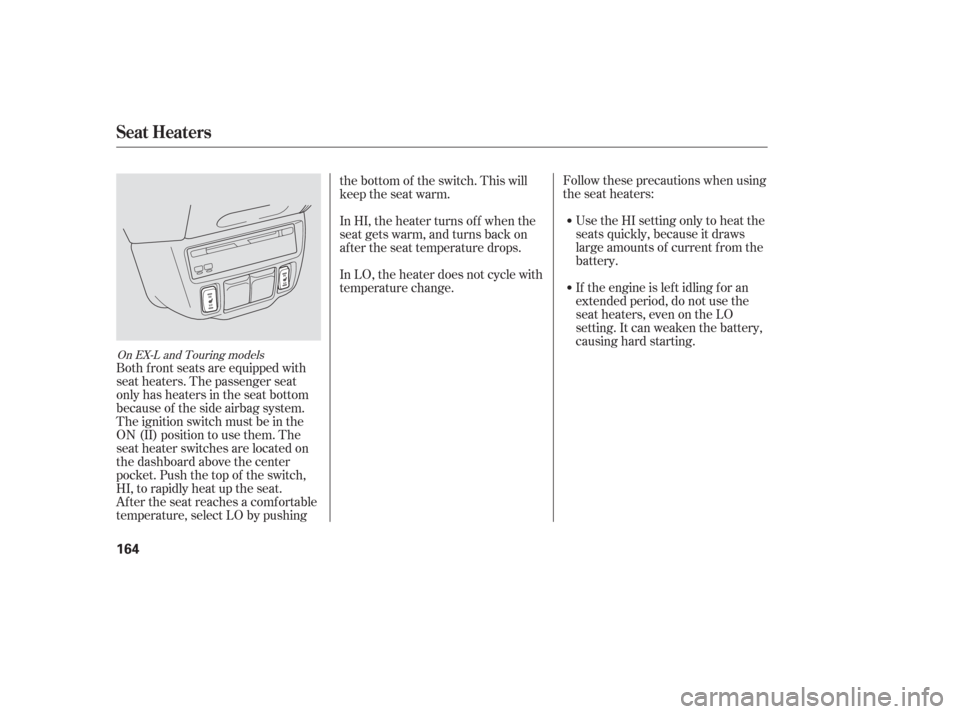
Both f ront seats are equipped with
seat heaters. The passenger seat
only has heaters in the seat bottom
because of the side airbag system.
The ignition switch must be in the
ON (II) position to use them. The
seat heater switches are located on
the dashboard above the center
pocket. Push the top of the switch,
HI, to rapidly heat up the seat.
After the seat reaches a comfortable
temperature, select LO by pushing the bottom of the switch. This will
keep the seat warm.
In HI, the heater turns of f when the
seat gets warm, and turns back on
after the seat temperature drops.
In LO, the heater does not cycle with
temperature change.
On EX-L and Touring models
Seat Heaters
164
Page 291 of 420

Your dealer has Honda accessories
that allow you to personalize your
vehicle. These accessories have
been designed and approved f or your
vehicle, and are covered by warranty.When properly installed, cellular
phones, alarms, two-way radios, and
low-powered audio systems should
not interf ere with your vehicle’s
computer controlled systems, such
as your airbags and anti-lock brakes.Bef ore installing any accessory:
Make sure the accessory does not
obscure any lights, or interf ere
with proper vehicle operation or
perf ormance.
Modif ying your vehicle, or installing
some non-Honda accessories, can
make it unsaf e. Bef ore you make any
modif ications or add any accessories,
be sure to read the f ollowing
inf ormation.
Although non-Honda accessories
may f it on your vehicle, they may not
meet f actory specif ications, and
could adversely af f ect your vehicle’s
handling and stability (see page ). Be sure electronic accessories do
not overload electrical circuits
(see page ) or interf ere with
the proper operation of your
vehicle.
Bef ore installing any electronic
accessory, have the installer
contact your dealer. If possible,
have your dealer inspect the f inal
installation.
Do not install accessories on the
side pillars or across the rear
windows as these may interf ere
with proper operation of the side
curtain airbags.
291 382
A ccessories
A ccessories and Modif ications
290
Improper accessories or
modifications can affect your
vehicle’s handling, stability, and
performance, and cause a
crash in which you can be hurt
or killed.
Follow all instructions in this
owner’s manual regarding
accessories and modifications.
Page 292 of 420
Some examples are:Larger or smaller wheels and tires
can interf ere with the operation of
your vehicle’s anti-lock brakes and
other systems.
Lowering the vehicle with a non-
Honda suspension kit that
signif icantly reduces ground
clearance can allow the
undercarriage to hit speed bumps
or other raised objects, which
could cause the airbags to deploy.
Raising your vehicle with a
non-Honda suspension kit can
af f ect the handling and stability. Modif ying your steering wheel or
any other part of your vehicle’s
saf ety systems could make the
systems inef f ective.
If you plan to modif y your vehicle,
consult your dealer. See
on page .
Removing parts f rom your vehicle,
or replacing components with
non-Honda components could
seriously af f ect your vehicle’s
handling, stability, and reliability.
Non-Honda wheels, because they
are a universal design, can cause
excessive stress on suspension
components and problems with
the tire pressure monitoring
system. 35
Modif ying Your Vehicle
Additional Saf ety Precautions
A ccessories and Modif ications
Bef ore Driving
291
Page 295 of 420
Store or secure all items that could
be thrown around and hurt
someone during a crash.
Be sure items placed on the f loor
behind the f ront seats cannot roll
under the seats and interf ere with
the pedals or seat operation.Distribute cargo evenly on the
f loor of the cargo area, placing the
heaviest items on the bottom and
as f ar f orward as possible. Tie
down items that could be thrown
about the vehicle during a crash or
sudden stop.
If you carry large items that
prevent you f rom closing the
tailgate, exhaust gas can enter the
passenger area. To avoid the
possibility of
, f ollow the instructions
on page .
Keep the glove boxes closed while
driving. If either are open, a
passenger could be injured during
a crash or sudden stop.
If you place items near the rear
windows, be sure they are below
the bottom of the windows. If
cargo is higher, it could interf ere
with proper operation of the side
curtain airbags.If you carry any items on a roof
rack,besurethetotalweightof
the rack and the items does not
exceed 150 lb (68 kg).
If you use an accessory roof rack,
the roof rack weight limit may be
lower. Ref er to the inf ormation that
came with your roof rack.
56
Carrying Items in the Passenger
Compartment
carbon monoxide
poisoning
Carrying Cargo in the Cargo A rea
or on a Roof Rack
Carrying Cargo
294


