Page 66 of 420
CONT INUED
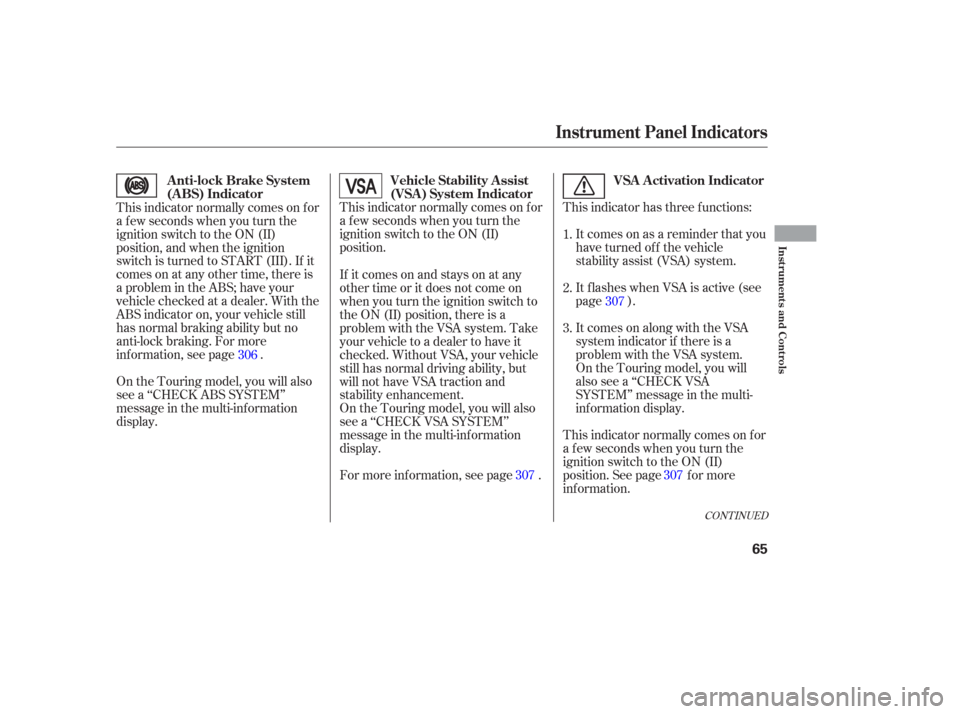
This indicator has three f unctions:It comes on as a reminder that you
have turned off the vehicle
stability assist (VSA) system.
It flashes when VSA is active (see
page ).
On the Touring model, you will
also see a ‘‘CHECK VSA
SYSTEM’’ message in the multi-
inf ormation display.
This indicator normally comes on f or
a f ew seconds when you turn the
ignition switch to the ON (II)
position.
This indicator normally comes on f or
a f ew seconds when you turn the
ignition switch to the ON (II)
position. See page f or more
inf ormation.It comes on along with the VSA
system indicator if there is a
problem with the VSA system.
This indicator normally comes on f or
a f ew seconds when you turn the
ignition switch to the ON (II)
position, and when the ignition
switch is turned to START (III). If it
comes on at any other time, there is
a problem in the ABS; have your
vehicle checked at a dealer. With the
ABS indicator on, your vehicle still
has normal braking ability but no
anti-lock braking. For more
inf ormation, see page .
On the Touring model, you will also
see a ‘‘CHECK ABS SYSTEM’’
message in the multi-inf ormation
display. If itcomesonandstaysonatany
other time or it does not come on
when you turn the ignition switch to
the ON (II) position, there is a
problem with the VSA system. Take
your vehicle to a dealer to have it
checked. Without VSA, your vehicle
still has normal driving ability, but
will not have VSA traction and
stability enhancement.
On the Touring model, you will also
see a ‘‘CHECK VSA SYSTEM’’
message in the multi-inf ormation
display.
For more inf ormation, see page .1.
2.
3.
306 307
307
307
Instrument Panel Indicators
Vehicle Stability Assist
(VSA ) System Indicator VSA A ctivation Indicator
Anti-lock Brake System
(A BS) Indicator
Inst rument s and Cont rols
65
Page 67 of 420
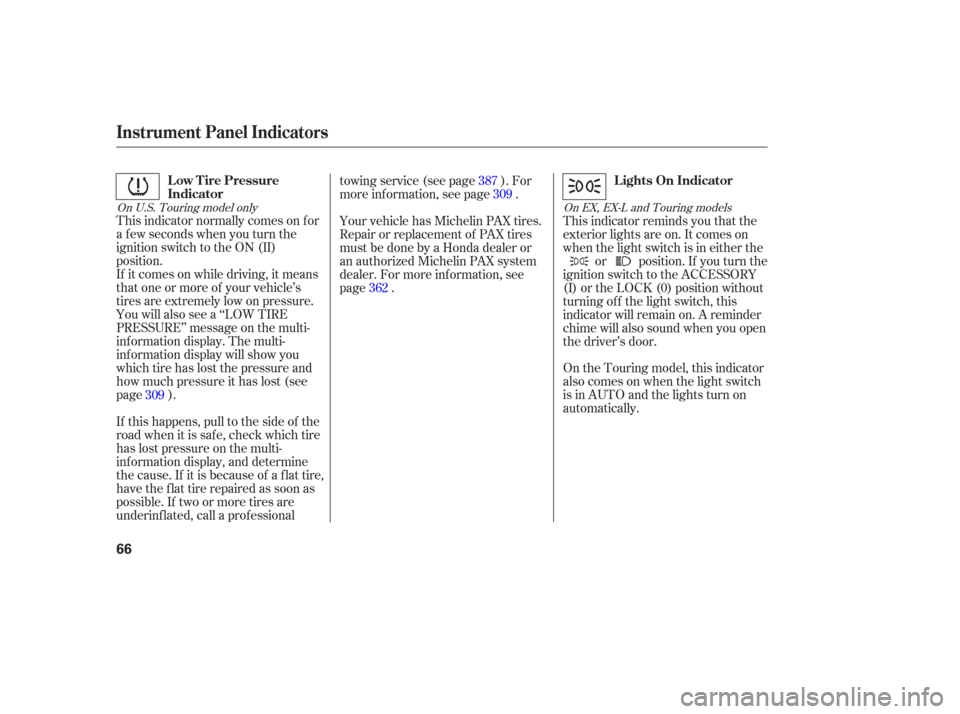
This indicator normally comes on f or
a f ew seconds when you turn the
ignition switch to the ON (II)
position.
If it comes on while driving, it means
that one or more of your vehicle’s
tires are extremely low on pressure.
You will also see a ‘‘LOW TIRE
PRESSURE’’ message on the multi-
inf ormation display. The multi-
inf ormation display will show you
which tire has lost the pressure and
how much pressure it has lost (see
page ).This indicator reminds you that the
exterior lights are on. It comes on
when the light switch is in either the
or position. If you turn the
ignition switch to the ACCESSORY
(I) or the LOCK (0) position without
turning of f the light switch, this
indicator will remain on. A reminder
chime will also sound when you open
the driver’s door.
On the Touring model, this indicator
also comes on when the light switch
is in AUTO and the lights turn on
automatically.
If this happens, pull to the side of the
road when it is saf e, check which tire
has lost pressure on the multi-
inf ormation display, and determine
the cause. If it is because of a flat tire,
have the flat tire repaired as soon as
possible. If two or more tires are
underinf lated, call a prof essional towingservice(seepage ).For
more information, see page .
Your vehicle has Michelin PAX tires.
Repair or replacement of PAX tires
must be done by a Honda dealer or
an authorized Michelin PAX system
dealer. For more inf ormation, see
page .
309 387
362 309
On U.S. Touring model only
On EX, EX-L and Touring models
Instrument Panel Indicators
Low Tire Pressure
IndicatorLights On Indicator
66
Page 68 of 420

This indicator comes on f or a f ew
seconds when you turn the ignition
switch to the ON (II) position. It will
gooffifyouhaveinserteda
properly-coded ignition key. If it is
not a properly-coded key, the
indicator will blink and the engine
will not start (see page ).
This indicator also blinks several
times when you turn the ignition
switch f rom the ON (II) position to
the ACCESSORY (I) or the LOCK
(0) position.The appropriate light comes on in
this display if the tailgate or any door
is not closed tightly.
All the lights in the monitor come on
f or a f ew seconds when you turn the
ignition switch to the ON (II)
position.
On the Touring model, you will also
see a ‘‘CHECK LEFT SLIDING
DOOR’’ or ‘‘CHECK RIGHT
SLIDING DOOR’’ message in the
multi-inf ormation display. This indicator comes on f or a f ew
seconds when you turn the ignition
switch to the ON (II) position. If it
comes on at any other time, there is
a problem in the power sliding door
system. With this indicator on, move
themainswitchonthedashboardto
the OFF position, and have the
system checked by your dealer as
soon as possible. You can still open
or close each sliding door manually.
For more inf ormation on the power
sliding doors, see page .
133
146
On EX and EX-L models only
Instrument Panel Indicators
Immobilizer System
Indicator Door and T ailgate Open Monitor
Power Sliding
Door Indicator
Inst rument s and Cont rols
67
U.S. Canada
Page 75 of 420
The multi-inf ormation display in the
instrument panel displays various
inf ormation and messages when the
ignition switch is in the ON (II)
position. Some of the messages help
you operate your vehicle more
comf ortably.
Others help to keep you aware of the
periodic maintenance your vehicle
needs f or continued trouble-f ree
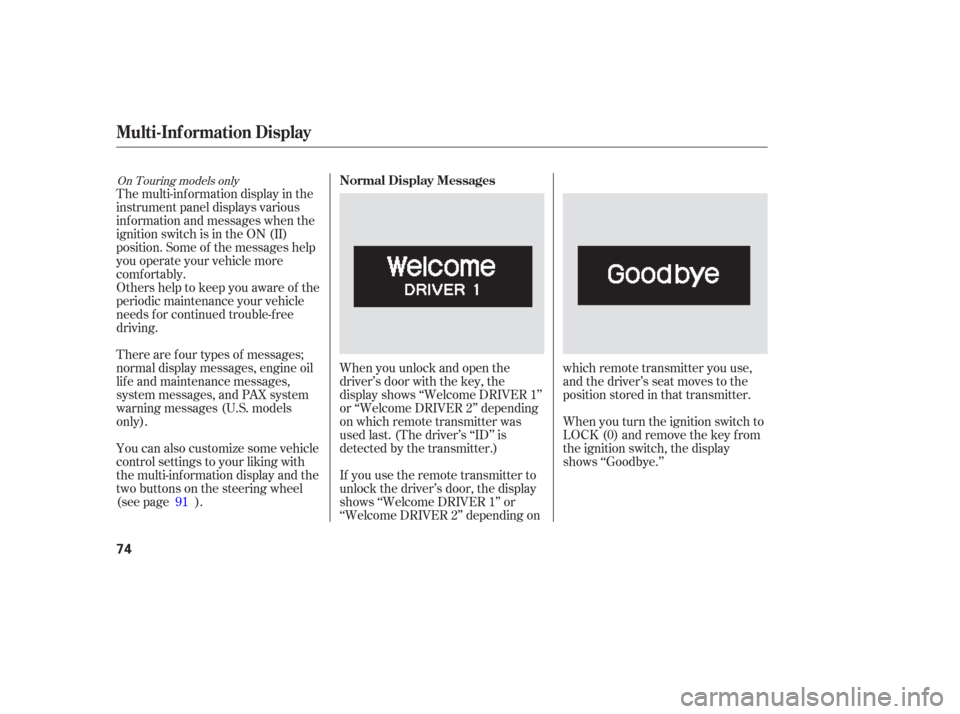
driving.When you unlock and open the
driver’s door with the key, the
display shows ‘‘Welcome DRIVER 1’’
or ‘‘Welcome DRIVER 2’’ depending
on which remote transmitter was
used last. (The driver’s ‘‘ID’’ is
detected by the transmitter.)
If you use the remote transmitter to
unlock the driver’s door, the display
shows ‘‘Welcome DRIVER 1’’ or
‘‘Welcome DRIVER 2’’ depending onwhich remote transmitter you use,
and the driver’s seat moves to the
positionstoredinthattransmitter.
When you turn the ignition switch to
LOCK (0) and remove the key from
the ignition switch, the display
shows ‘‘Goodbye.’’
There are f our types of messages;
normal display messages, engine oil
lif e and maintenance messages,
system messages, and PAX system
warning messages (U.S. models
only).
You can also customize some vehicle
control settings to your liking with
the multi-inf ormation display and the
two buttons on the steering wheel
(see page ).
91
On Touring models onlyNormal Display Messages
Multi-Inf ormation Display
74
Page 83 of 420
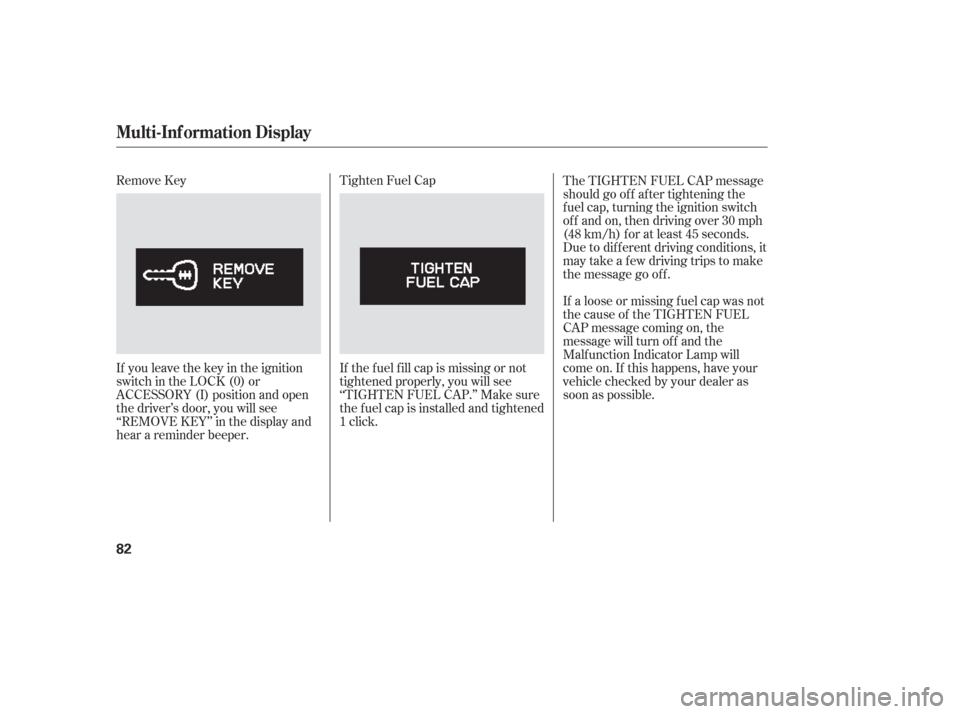
Remove Key
If you leave the key in the ignition
switch in the LOCK (0) or
ACCESSORY (I) position and open
the driver’s door, you will see
‘‘REMOVE KEY’’ in the display and
hear a reminder beeper.Tighten Fuel Cap
If the f uel f ill cap is missing or not
tightened properly, you will see
‘‘TIGHTEN FUEL CAP.’’ Make sure
the f uel cap is installed and tightened
1 click.
The TIGHTEN FUEL CAP message
should go of f af ter tightening the
f uel cap, turning the ignition switch
of f and on, then driving over 30 mph
(48 km/h) f or at least 45 seconds.
Due to dif f erent driving conditions, it
may take a few driving trips to make
the message go of f .
If a loose or missing f uel cap was not
the cause of the TIGHTEN FUEL
CAP message coming on, the
message will turn of f and the
Malf unction Indicator Lamp will
come on. If this happens, have your
vehicle checked by your dealer as
soon as possible.
Multi-Inf ormation Display
82
Page 88 of 420
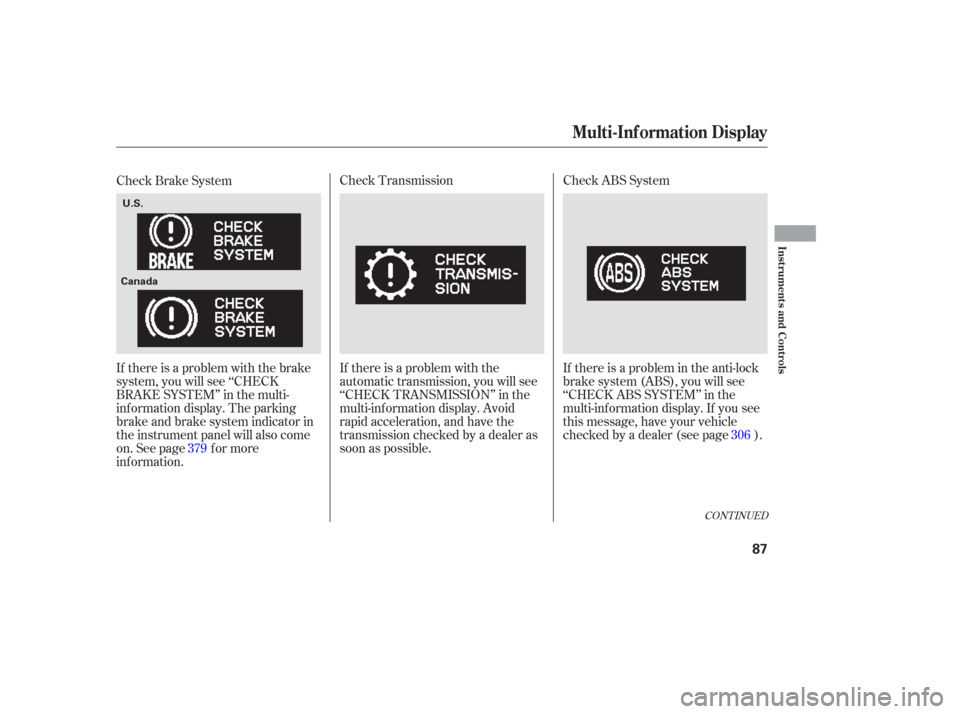
Check ABS System
If there is a problem in the anti-lock
brake system (ABS), you will see
‘‘CHECKABSSYSTEM’’inthe
multi-inf ormation display. If you see
this message, have your vehicle
checked by a dealer (see page ).
Check Transmission
If there is a problem with the
automatic transmission, you will see
‘‘CHECK TRANSMISSION’’ in the
multi-inf ormation display. Avoid
rapid acceleration, and have the
transmission checked by a dealer as
soon as possible.
Check Brake System
If there is a problem with the brake
system, you will see ‘‘CHECK
BRAKE SYSTEM’’ in the multi-
inf ormation display. The parking
brake and brake system indicator in
the instrument panel will also come
on. See page f or more
inf ormation.
379 306
CONT INUED
Multi-Inf ormation Display
Inst rument s and Cont rols
87
U.S.
Canada
Page 108 of 420
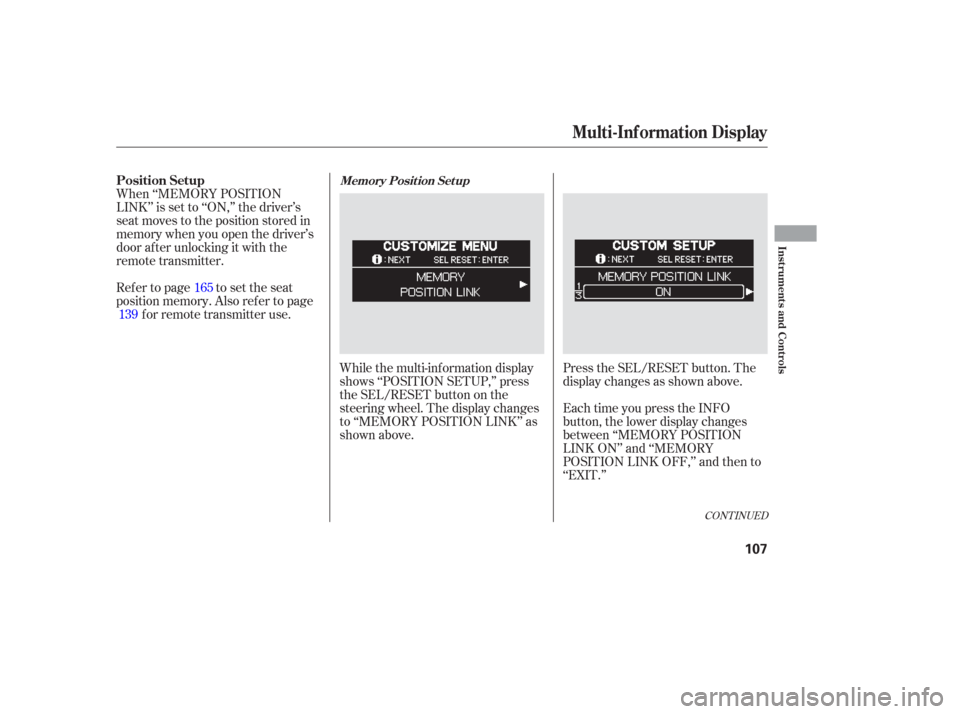
While the multi-information display
shows ‘‘POSITION SETUP,’’ press
the SEL/RESET button on the
steering wheel. The display changes
to ‘‘MEMORY POSITION LINK’’ as
shown above.Press the SEL/RESET button. The
display changes as shown above.
When ‘‘MEMORY POSITION
LINK’’ is set to ‘‘ON,’’ the driver’s
seat moves to the position stored in
memory when you open the driver’s
door af ter unlocking it with the
remote transmitter.
Ref er to page to set the seat
position memory. Also ref er to page
forremotetransmitteruse.
Each time you press the INFO
button, the lower display changes
between ‘‘MEMORY POSITION
LINK ON’’ and ‘‘MEMORY
POSITION LINK OFF,’’ and then to
‘‘EXIT.’’
165
139
CONT INUED
Position SetupMemory Posit ion Set up
Multi-Inf ormation Display
Inst rument s and Cont rols
107
Page 114 of 420
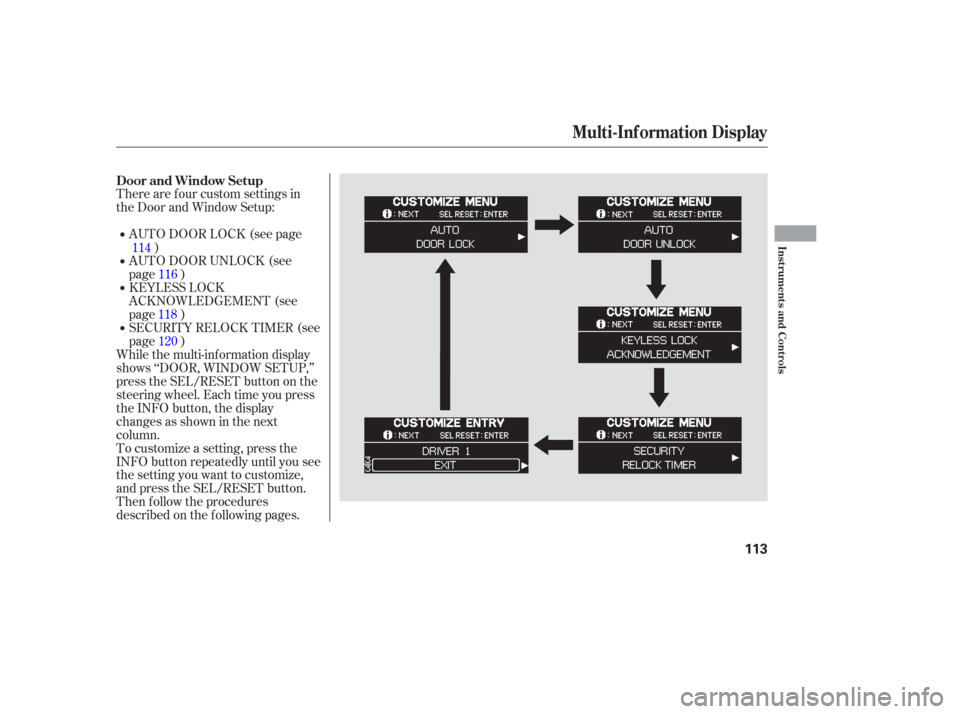
There are f our custom settings in
the Door and Window Setup:
To customize a setting, press the
INFO button repeatedly until you see
the setting you want to customize,
and press the SEL/RESET button.
Then f ollow the procedures
described on the f ollowing pages.AUTO DOOR LOCK (see page
)
While the multi-information display
shows ‘‘DOOR, WINDOW SETUP,’’
press the SEL/RESET button on the
steering wheel. Each time you press
the INFO button, the display
changesasshowninthenext
column. SECURITY RELOCK TIMER (see
page ) KEYLESS LOCK
ACKNOWLEDGEMENT (see
page ) AUTO DOOR UNLOCK (see
page )
114
116
118 120
Door and Window Setup
Multi-Inf ormation Display
Inst rument s and Cont rols
113