Page 218 of 328
If the parking brake is fully released, but the brake warning lamp
remains illuminated, the brakes may not be working properly.
See your authorized dealer.
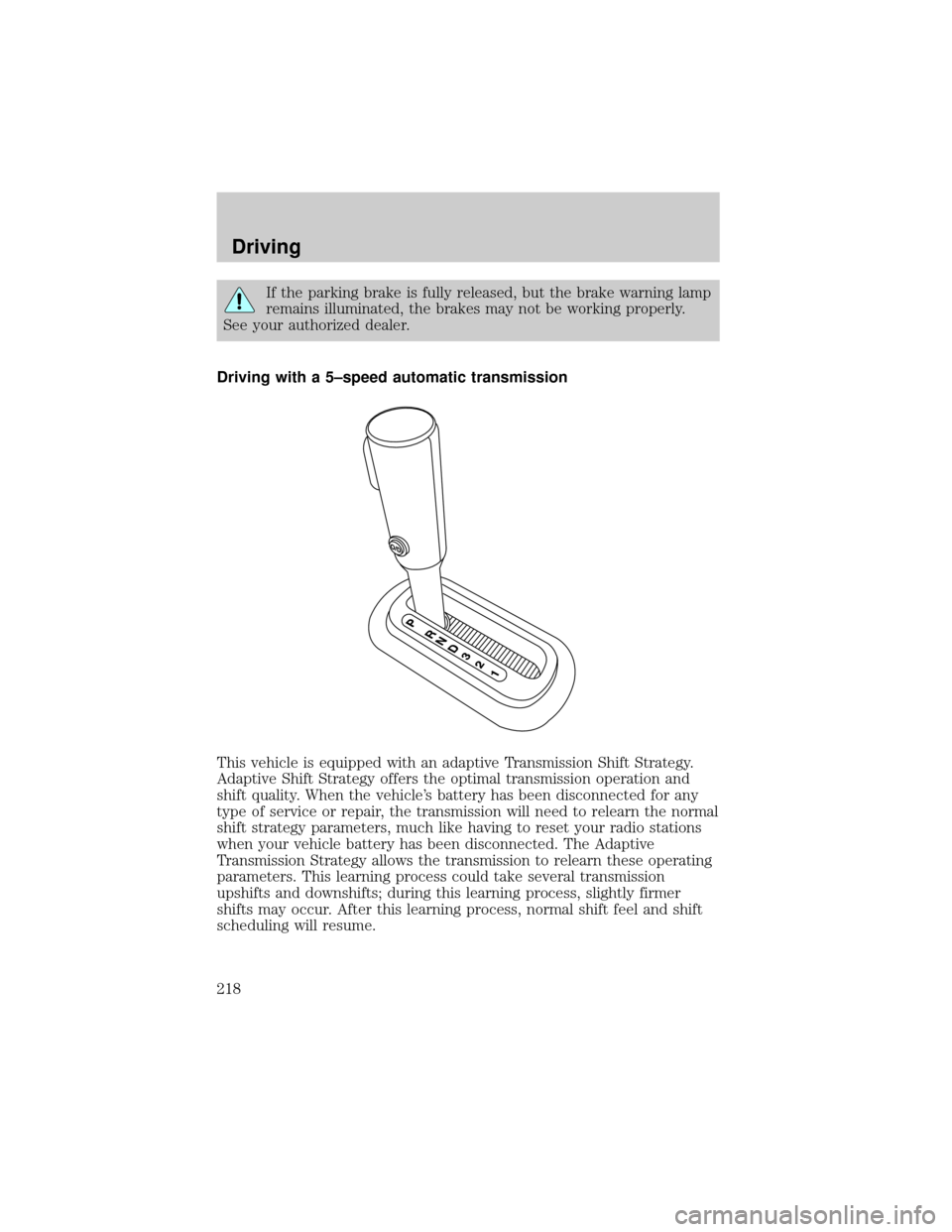
Driving with a 5±speed automatic transmission
This vehicle is equipped with an adaptive Transmission Shift Strategy.
Adaptive Shift Strategy offers the optimal transmission operation and
shift quality. When the vehicle's battery has been disconnected for any
type of service or repair, the transmission will need to relearn the normal
shift strategy parameters, much like having to reset your radio stations
when your vehicle battery has been disconnected. The Adaptive
Transmission Strategy allows the transmission to relearn these operating
parameters. This learning process could take several transmission
upshifts and downshifts; during this learning process, slightly firmer
shifts may occur. After this learning process, normal shift feel and shift
scheduling will resume.
Driving
218
Page 219 of 328
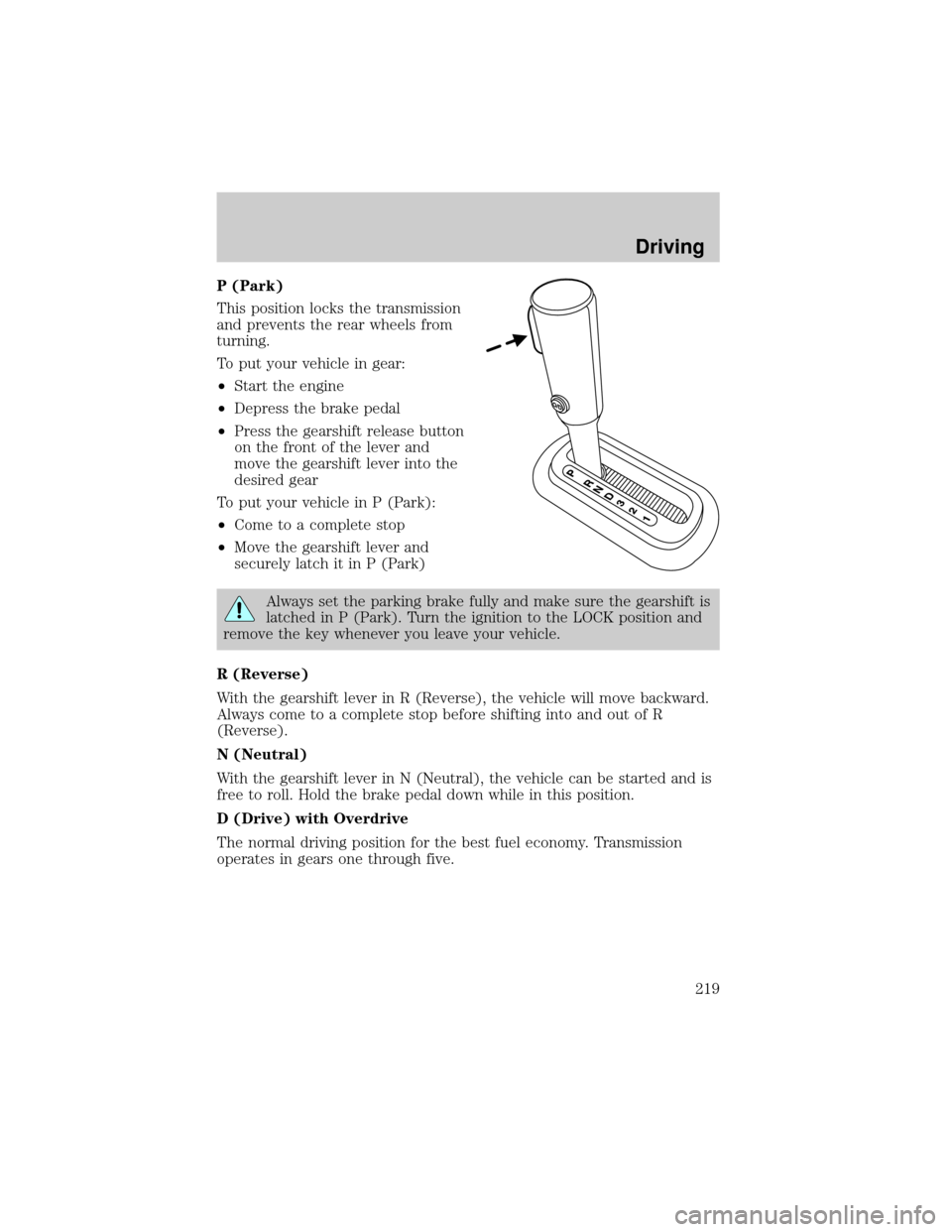
P (Park)
This position locks the transmission
and prevents the rear wheels from
turning.
To put your vehicle in gear:
²Start the engine
²Depress the brake pedal
²Press the gearshift release button
on the front of the lever and
move the gearshift lever into the
desired gear
To put your vehicle in P (Park):
²Come to a complete stop
²Move the gearshift lever and
securely latch it in P (Park)
Always set the parking brake fully and make sure the gearshift is
latched in P (Park). Turn the ignition to the LOCK position and
remove the key whenever you leave your vehicle.
R (Reverse)
With the gearshift lever in R (Reverse), the vehicle will move backward.
Always come to a complete stop before shifting into and out of R
(Reverse).
N (Neutral)
With the gearshift lever in N (Neutral), the vehicle can be started and is
free to roll. Hold the brake pedal down while in this position.
D (Drive) with Overdrive
The normal driving position for the best fuel economy. Transmission
operates in gears one through five.
Driving
219
Page 220 of 328
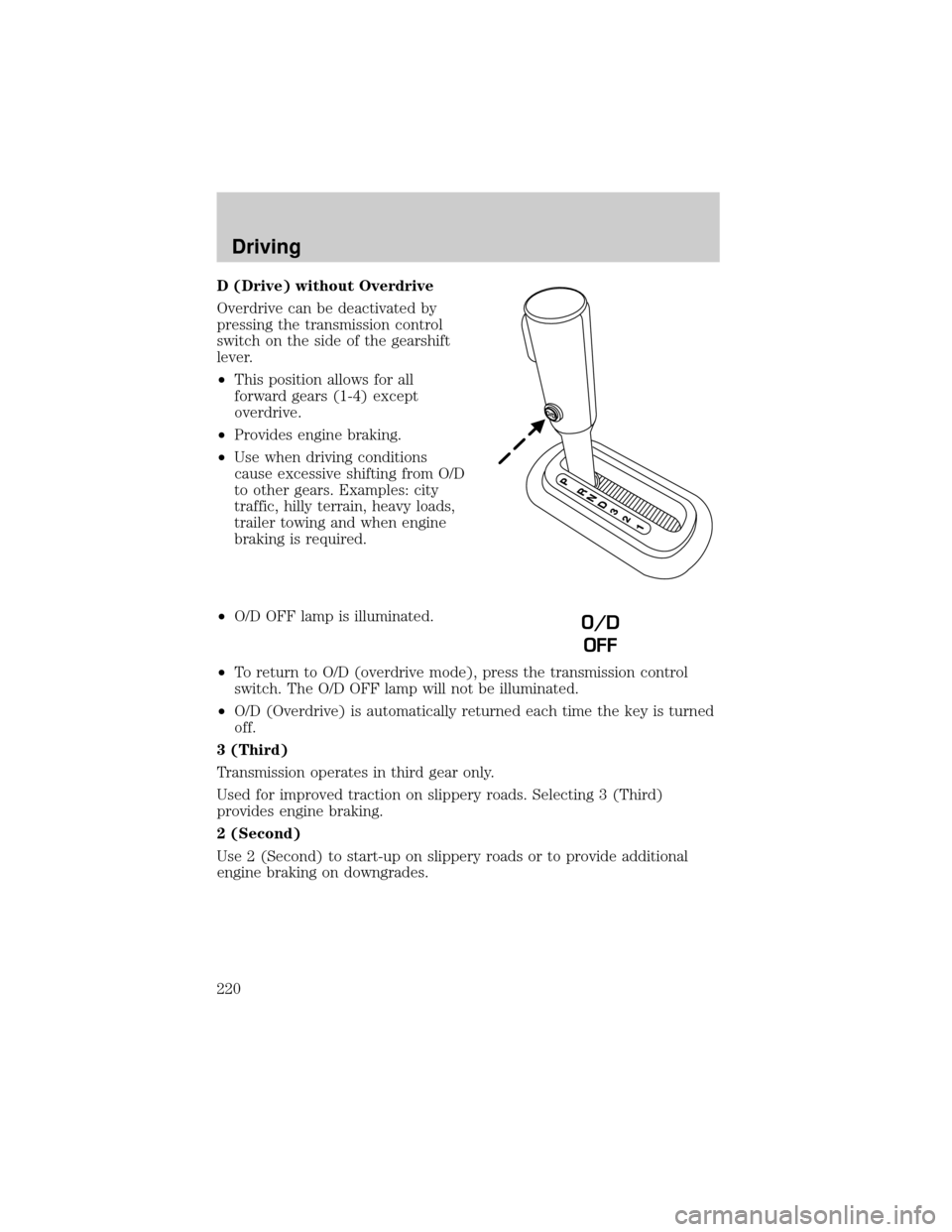
D (Drive) without Overdrive
Overdrive can be deactivated by
pressing the transmission control
switch on the side of the gearshift
lever.
²This position allows for all
forward gears (1-4) except
overdrive.
²Provides engine braking.
²Use when driving conditions
cause excessive shifting from O/D
to other gears. Examples: city
traffic, hilly terrain, heavy loads,
trailer towing and when engine
braking is required.
²O/D OFF lamp is illuminated.
²To return to O/D (overdrive mode), press the transmission control
switch. The O/D OFF lamp will not be illuminated.
²O/D (Overdrive) is automatically returned each time the key is turned
off.
3 (Third)
Transmission operates in third gear only.
Used for improved traction on slippery roads. Selecting 3 (Third)
provides engine braking.
2 (Second)
Use 2 (Second) to start-up on slippery roads or to provide additional
engine braking on downgrades.
O/D
OFF
Driving
220
Page 221 of 328
1 (First)
²Provides maximum engine braking.
²Allows upshifts by moving gearshift lever.
²Will not downshift into 1 (First) at high speeds; allows for 1 (First)
when vehicle reaches slower speeds.
Forced downshifts
²Allowed in D (Overdrive) or Drive.
²Depress the accelerator to the floor.
²Allows transmission to select an appropriate gear.
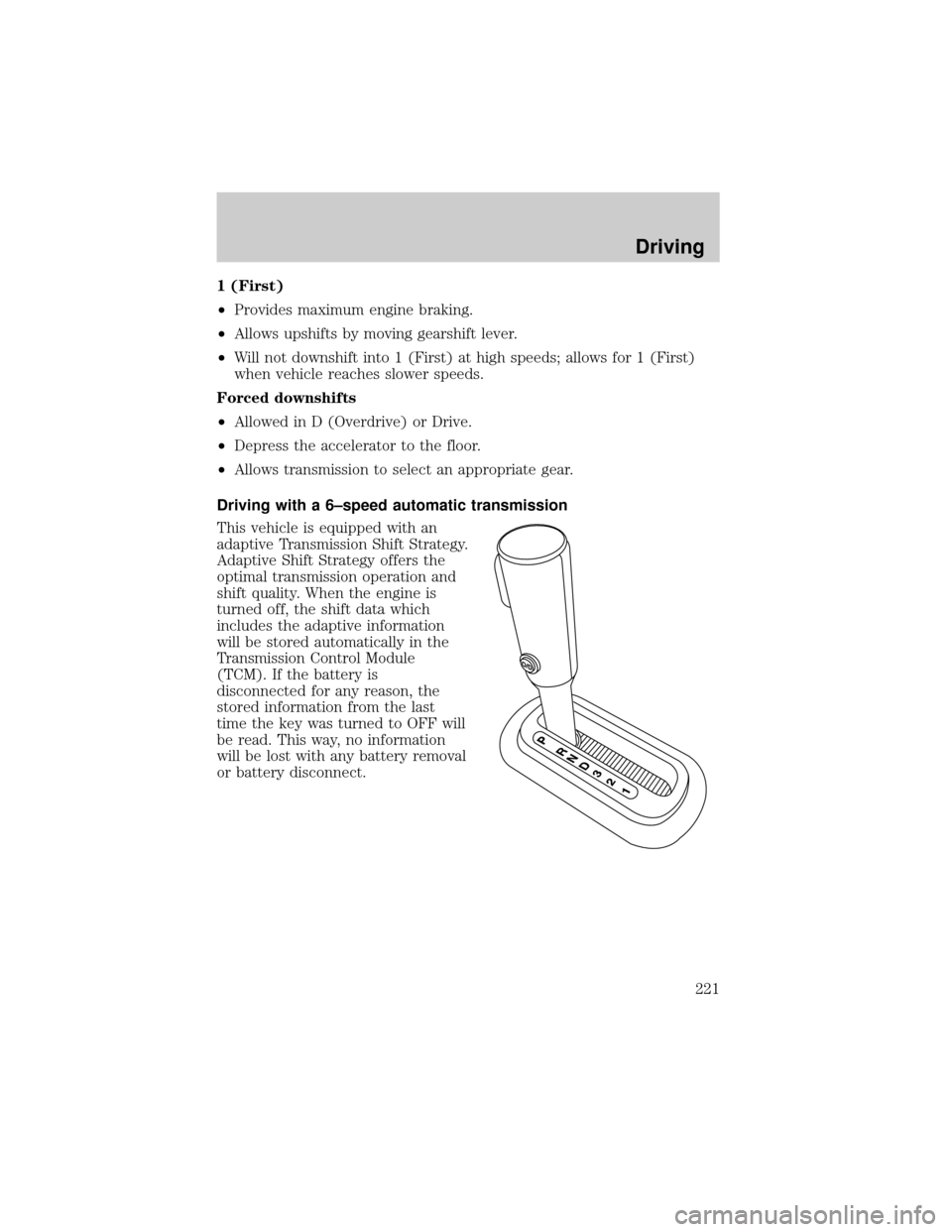
Driving with a 6±speed automatic transmission
This vehicle is equipped with an
adaptive Transmission Shift Strategy.
Adaptive Shift Strategy offers the
optimal transmission operation and
shift quality. When the engine is
turned off, the shift data which
includes the adaptive information
will be stored automatically in the
Transmission Control Module
(TCM). If the battery is
disconnected for any reason, the
stored information from the last
time the key was turned to OFF will
be read. This way, no information
will be lost with any battery removal
or battery disconnect.
Driving
221
Page 222 of 328
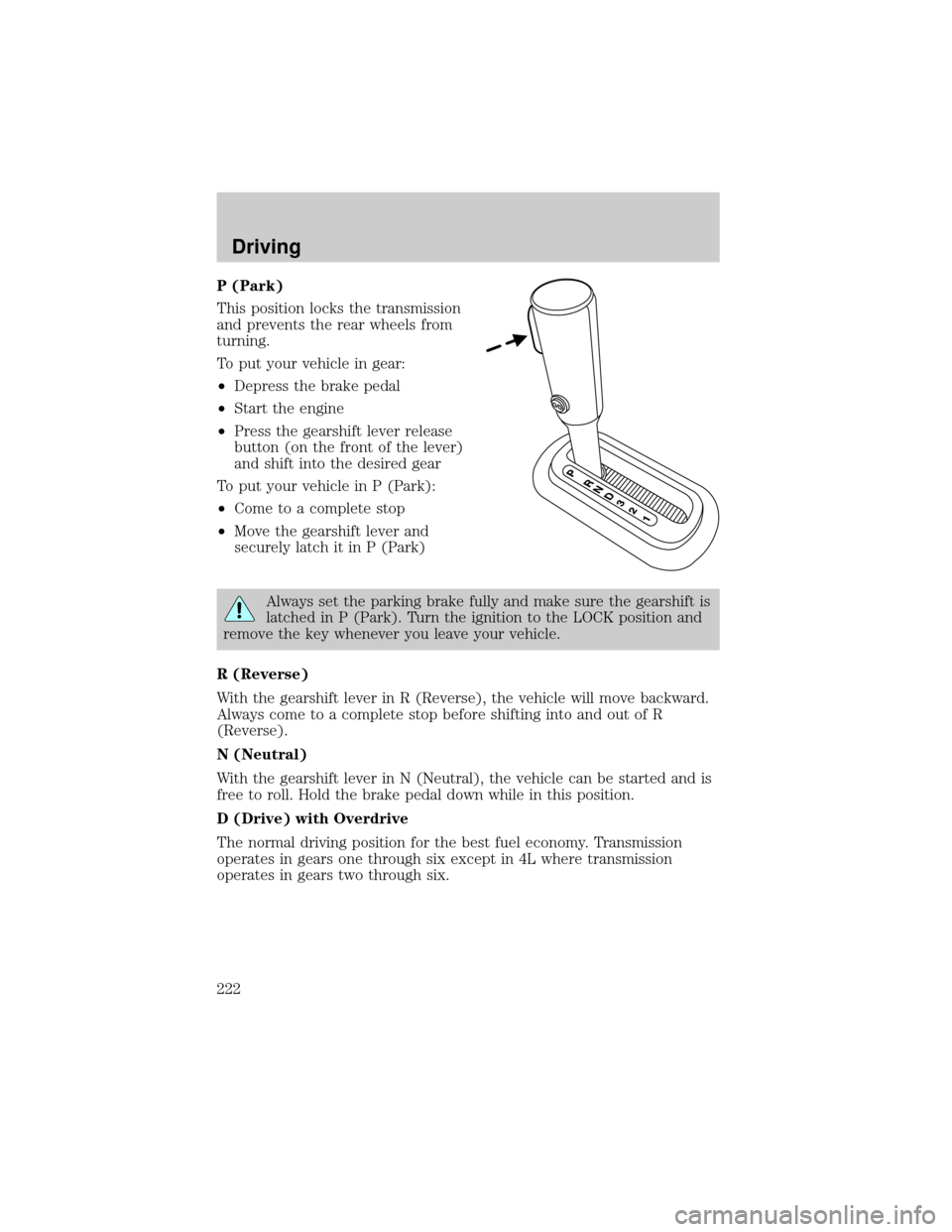
P (Park)
This position locks the transmission
and prevents the rear wheels from
turning.
To put your vehicle in gear:
²Depress the brake pedal
²Start the engine
²Press the gearshift lever release
button (on the front of the lever)
and shift into the desired gear
To put your vehicle in P (Park):
²Come to a complete stop
²Move the gearshift lever and
securely latch it in P (Park)
Always set the parking brake fully and make sure the gearshift is
latched in P (Park). Turn the ignition to the LOCK position and
remove the key whenever you leave your vehicle.
R (Reverse)
With the gearshift lever in R (Reverse), the vehicle will move backward.
Always come to a complete stop before shifting into and out of R
(Reverse).
N (Neutral)
With the gearshift lever in N (Neutral), the vehicle can be started and is
free to roll. Hold the brake pedal down while in this position.
D (Drive) with Overdrive
The normal driving position for the best fuel economy. Transmission
operates in gears one through six except in 4L where transmission
operates in gears two through six.
Driving
222
Page 223 of 328
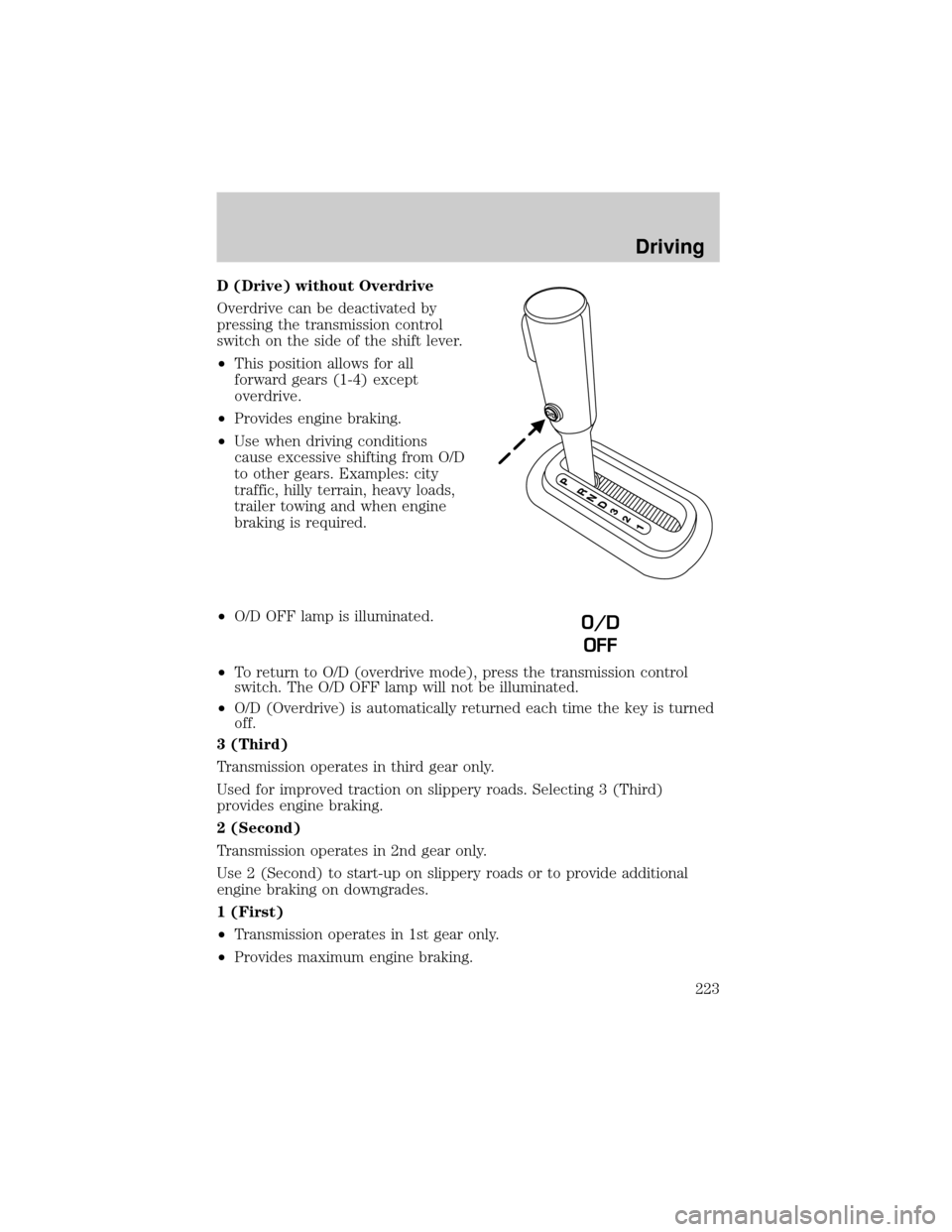
D (Drive) without Overdrive
Overdrive can be deactivated by
pressing the transmission control
switch on the side of the shift lever.
²This position allows for all
forward gears (1-4) except
overdrive.
²Provides engine braking.
²Use when driving conditions
cause excessive shifting from O/D
to other gears. Examples: city
traffic, hilly terrain, heavy loads,
trailer towing and when engine
braking is required.
²O/D OFF lamp is illuminated.
²To return to O/D (overdrive mode), press the transmission control
switch. The O/D OFF lamp will not be illuminated.
²O/D (Overdrive) is automatically returned each time the key is turned
off.
3 (Third)
Transmission operates in third gear only.
Used for improved traction on slippery roads. Selecting 3 (Third)
provides engine braking.
2 (Second)
Transmission operates in 2nd gear only.
Use 2 (Second) to start-up on slippery roads or to provide additional
engine braking on downgrades.
1 (First)
²Transmission operates in 1st gear only.
²Provides maximum engine braking.
O/D
OFF
Driving
223
Page 224 of 328
²Allows upshifts by moving gearshift lever.
²Will not downshift into 1 (First) at high speeds; allows for 1 (First)
when vehicle reaches slower speeds.
Forced downshifts
²Allowed in D (Drive) only.
²Depress the accelerator to the floor.
²Allows transmission to select an appropriate gear.
If your vehicle gets stuck in mud or snow
If your vehicle gets stuck in mud or snow, it may be rocked out by
shifting between forward and reverse gears, stopping between shifts in a
steady pattern. Press lightly on the accelerator in each gear.
Do not rock the vehicle if the engine is not at normal operating
temperature or damage to the transmission may occur.
Do not rock the vehicle for more than a minute or damage to the
transmission and tires may occur, or the engine may overheat.
REVERSE SENSING SYSTEM (IF EQUIPPED)
The Reverse Sensing System (RSS) sounds a tone to warn the driver of
obstacles near the rear bumper when the R (Reverse) is selected and the
vehicle is moving at speeds less than 3 mph (5 km/h). The system is not
effective at speeds above 3 mph (5 km/h) and may not detect certain
angular or moving objects.
To help avoid personal injury, please read and understand the
limitations of the reverse sensing system as contained in this
section. Reverse sensing is only an aid for some (generally large and
fixed) objects when moving in reverse on a flat surface at ªparking
speedsº. Inclement weather may also affect the function of the RSS;
this may include reduced performance or a false activation.
To help avoid personal injury, always use caution when in R
(Reverse) and when using the RSS.
This system is not designed to prevent contact with small or
moving objects. The system is designed to provide a warning to
assist the driver in detecting large stationary objects to avoid damaging
the vehicle. The system may not detect smaller objects, particularly
those close to the ground.
Driving
224
Page 227 of 328

Shifting between 4X4 AUTO (4WD Auto) and 4X4 HIGH (4WD High)
²Select 4X4 AUTO (4WD Auto) or 4X4 HIGH (4WD High) at any
forward speed.
Note:Do not perform this operation if the rear wheels are slipping.
Shifting to/from 4X4 LOW (4WD Low)
1. Bring the vehicle to a complete stop
2. Depress the brake
3. Place the transmission in N (Neutral).
4. Press the desired 4WD position.
²If shifting into 4X4 LOW (4WD Low), wait for the 4X4 LOW light in
the instrument cluster to turnonindicating the shift is complete.
²If shifting out of 4X4 LOW (4WD Low), wait for the 4X4 LOW light in
the instrument cluster to turnoffindicating the shift is complete.
Driving off-road with truck and utility vehicles
4WD vehicles are specially equipped for driving on sand, snow, mud and
rough terrain and have operating characteristics that are somewhat
different from conventional vehicles, both on and off the road.
How your vehicle differs from other vehicles
Truck and utility vehicles can differ from some other vehicles. Your
vehicle may be higher to allow it to travel over rough terrain without
getting hung up or damaging underbody components.
The differences that make your vehicle so versatile also make it handle
differently than an ordinary passenger car.
Maintain steering wheel control at all times, especially in rough terrain.
Since sudden changes in terrain can result in abrupt steering wheel
motion, make sure you grip the steering wheel from the outside. Do not
grip the spokes.
Drive cautiously to avoid vehicle damage from concealed objects such as
rocks and stumps.
You should either know the terrain or examine maps of the area before
driving. Map out your route before driving in the area. To maintain
steering and braking control of your vehicle, you must have all four
wheels on the ground and they must be rolling, not sliding or spinning.
Driving
227