Page 187 of 442
Notice:Before adding any sound equipment to
your vehicle, such as an audio system, CD player,
CB radio, mobile telephone, or two-way radio,
make sure that it can be added by checking with
your dealer. Also, check federal rules covering
mobile radio and telephone units. If sound
equipment can be added, it is very important to do
it properly. Added sound equipment may interfere
with the operation of your vehicle’s engine, radio,
or other systems, and even damage them. Your
vehicle’s systems may interfere with the operation
of sound equipment that has been added.
Your vehicle has a feature called Retained Accessory
Power (RAP). With RAP, the audio system can be
played even after the ignition is turned off. See
Retained Accessory Power (RAP) on page 2-24for
more information.
Setting the Time for Radios without
Radio Data Systems (RDS)
To set the hour, press the clock button. The clock
symbol will appear on the display and the hour number
will ash. Then turn the ADJ knob to increase or to
decrease. To set the minutes, press the clock button
again. The minute numbers will ash. Then turn the
ADJ knob to increase or to decrease. The time can be
set with the ignition on or off.
Setting the Time for Radios with
Radio Data Systems (RDS)
To set the hour, press the clock button. The clock
symbol will appear on the display and the hour number
will ash. Then turn the ADJ knob to increase or to
decrease. To set the minutes, press the clock button
again. The minute numbers will ash. Then turn the
ADJ knob to increase or to decrease. The time can be
set with the ignition on or off.
To synchronize the time with an FM station broadcasting
Radio Data System (RDS) information, press and
hold the clock button to enter the clock set mode,
then press and hold the clock button for three seconds
until UPDATED appears on the display. If the time
is not available from the station, NO UPDATE will
appear on the display.
RDS time is broadcast once a minute. After tuning to
an RDS broadcast station, it may take a few minutes for
the time to update.
3-55
Page 254 of 442
Steering in Emergencies
There are times when steering can be more effective
than braking. For example, you come over a hill and
nd a truck stopped in your lane, or a car suddenly
pulls out from nowhere, or a child darts out from
between parked cars and stops right in front of you.
You can avoid these problems by braking — if you can
stop in time. But sometimes you cannot; there is not
room. That is the time for evasive action — steering
around the problem.
Your vehicle can perform very well in emergencies
like these. First apply your brakes — but, unless you
have anti-lock brakes, not enough to lock your wheels.
SeeBraking on page 4-6. It is better to remove as
much speed as you can from a possible collision.
Then steer around the problem, to the left or right
depending on the space available.An emergency like this requires close attention and a
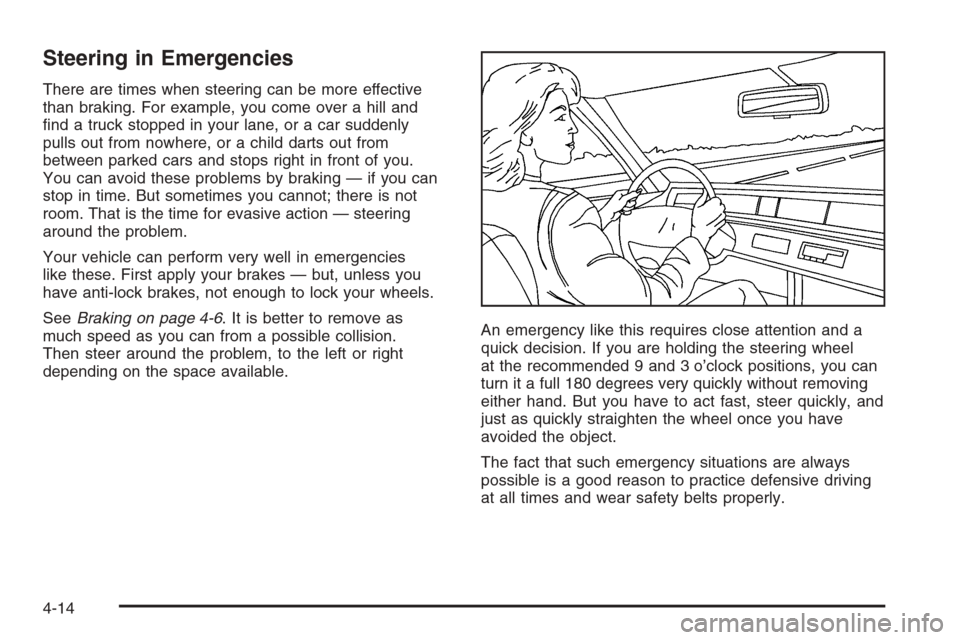
quick decision. If you are holding the steering wheel
at the recommended 9 and 3 o’clock positions, you can
turn it a full 180 degrees very quickly without removing
either hand. But you have to act fast, steer quickly, and
just as quickly straighten the wheel once you have
avoided the object.
The fact that such emergency situations are always
possible is a good reason to practice defensive driving
at all times and wear safety belts properly.
4-14
Page 296 of 442
Filling the Tank
{CAUTION:
Fuel vapor burns violently and a fuel re can
cause bad injuries. To help avoid injuries to you
and others, read and follow all the instructions
on the pump island. Turn off your engine when
you are refueling. Do not smoke if you are near
fuel or refueling your vehicle. Keep sparks,
ames, and smoking materials away from fuel.
Do not leave the fuel pump unattended when
refueling your vehicle — this is against the law
in some places. Keep children away from the
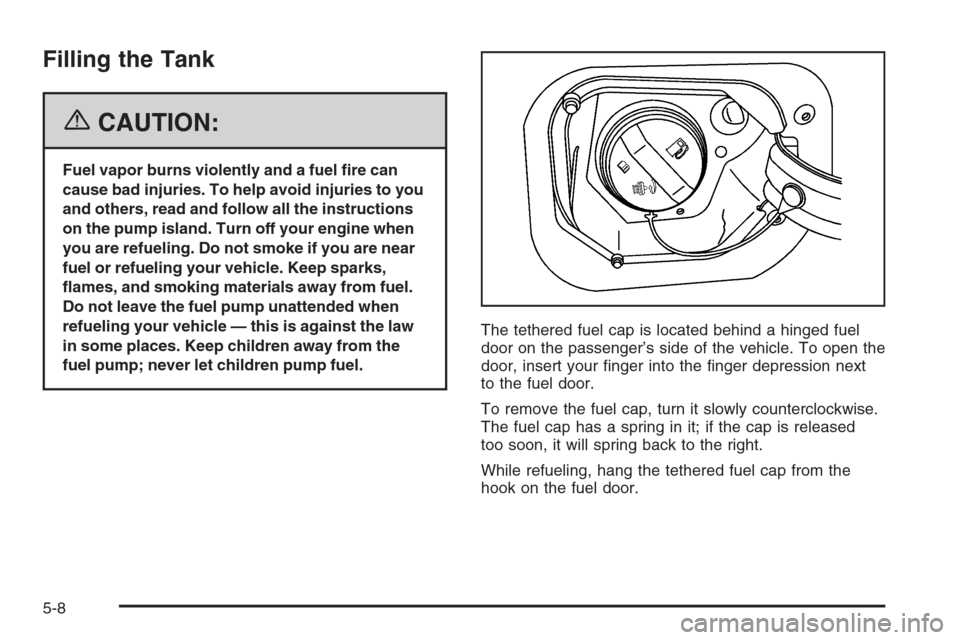
fuel pump; never let children pump fuel.The tethered fuel cap is located behind a hinged fuel
door on the passenger’s side of the vehicle. To open the
door, insert your nger into the nger depression next
to the fuel door.
To remove the fuel cap, turn it slowly counterclockwise.
The fuel cap has a spring in it; if the cap is released
too soon, it will spring back to the right.
While refueling, hang the tethered fuel cap from the
hook on the fuel door.
5-8
Page 297 of 442
{CAUTION:
If you spill fuel and then something ignites it,
you could be badly burned. Fuel can spray out
on you if you open the fuel cap too quickly.
This spray can happen if your tank is nearly
full, and is more likely in hot weather. Open
the fuel cap slowly and wait for any hiss noise
to stop. Then unscrew the cap all the way.
Be careful not to spill fuel. Do not top off or overll the
tank and wait a few seconds after you have nished
pumping before removing the nozzle. Clean fuel from
painted surfaces as soon as possible. SeeWashing Your
Vehicle on page 5-93.
When replacing the fuel cap, turn it clockwise until it
clicks. Make sure the cap is fully installed. The diagnostic
system can determine if the fuel cap has been left off or
improperly installed. This would allow fuel to evaporate
into the atmosphere. SeeMalfunction Indicator Lamp on
page 3-41.The CHECK GAS CAP message will be displayed on
the Driver Information Center (DIC) if the fuel cap is not
properly installed. SeeDIC Warnings and Messages
on page 3-50for more information.
{CAUTION:
If a re starts while you are refueling, do not
remove the nozzle. Shut off the ow of fuel by
shutting off the pump or by notifying the
station attendant. Leave the area immediately.
Notice:If you need a new fuel cap, be sure to get
the right type. Your dealer can get one for you.
If you get the wrong type, it may not t properly.
This may cause your malfunction indicator lamp to
light and may damage your fuel tank and emissions
system. SeeMalfunction Indicator Lamp on
page 3-41.
5-9
Page 323 of 442
{CAUTION:
Adding only plain water to your cooling
system can be dangerous. Plain water, or
some other liquid such as alcohol, can boil
before the proper coolant mixture will. Your
vehicle’s coolant warning system is set for the
proper coolant mixture. With plain water or the
wrong mixture, your engine could get too hot
but you would not get the overheat warning.
Your engine could catch re and you or others
could be burned. Use a 50/50 mixture of clean,
drinkable water and DEX-COOL
®coolant.
Notice:In cold weather, water can freeze and crack
the engine, radiator, heater core and other parts.
Use the recommended coolant and the proper
coolant mixture.
{CAUTION:
You can be burned if you spill coolant on hot
engine parts. Coolant contains ethylene glycol
and it will burn if the engine parts are hot
enough. Do not spill coolant on a hot engine.
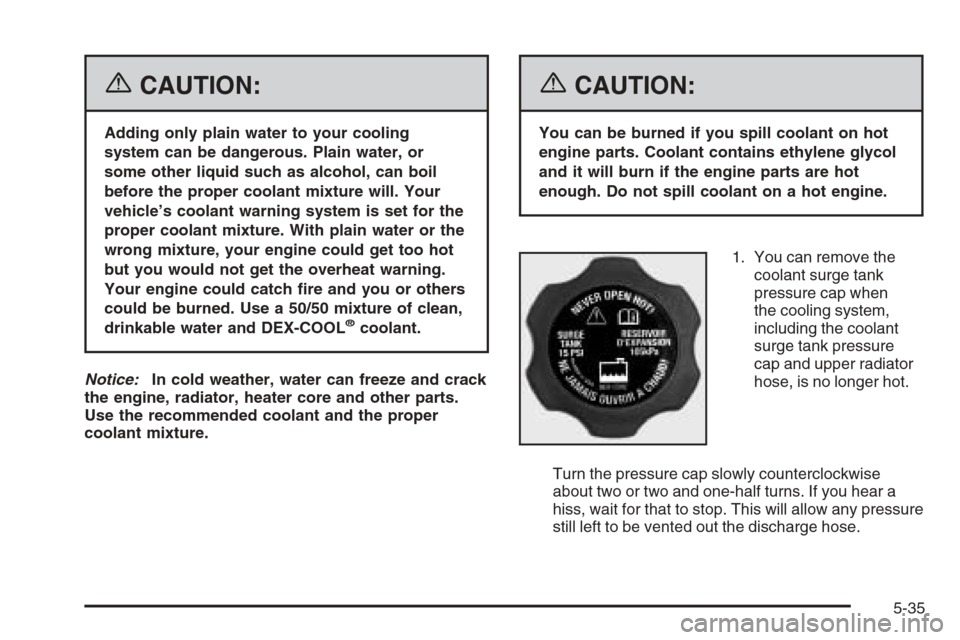
1. You can remove the
coolant surge tank
pressure cap when
the cooling system,
including the coolant
surge tank pressure
cap and upper radiator
hose, is no longer hot.
Turn the pressure cap slowly counterclockwise
about two or two and one-half turns. If you hear a
hiss, wait for that to stop. This will allow any pressure
still left to be vented out the discharge hose.
5-35
Page 337 of 442
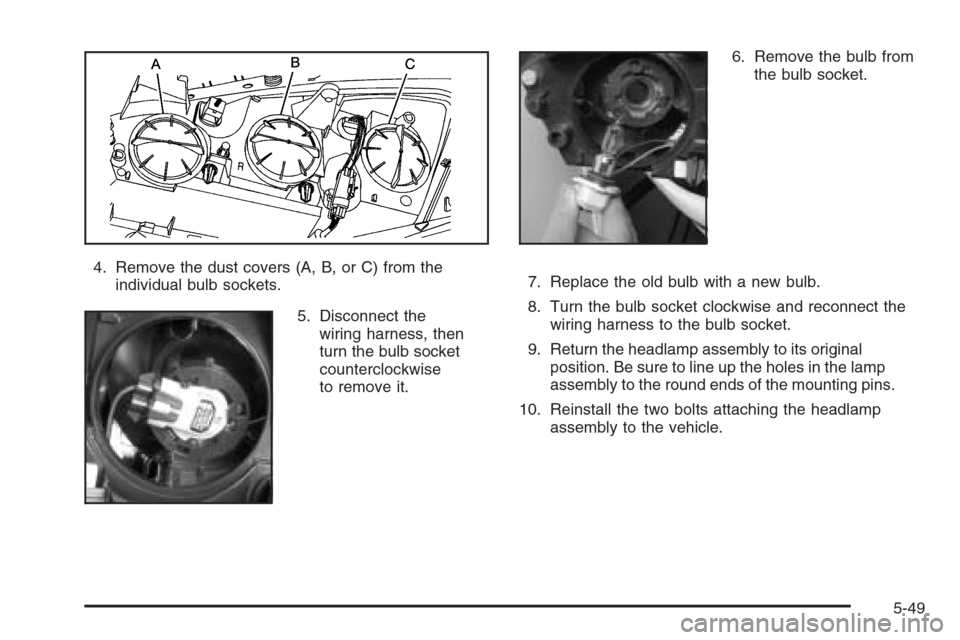
4. Remove the dust covers (A, B, or C) from the
individual bulb sockets.
5. Disconnect the
wiring harness, then
turn the bulb socket
counterclockwise
to remove it.6. Remove the bulb from
the bulb socket.
7. Replace the old bulb with a new bulb.
8. Turn the bulb socket clockwise and reconnect the
wiring harness to the bulb socket.
9. Return the headlamp assembly to its original
position. Be sure to line up the holes in the lamp
assembly to the round ends of the mounting pins.
10. Reinstall the two bolts attaching the headlamp
assembly to the vehicle.
5-49
Page 338 of 442
Taillamps, Turn Signal, Stoplamps
and Back-up Lamps
To replace one of these bulbs, do the following:
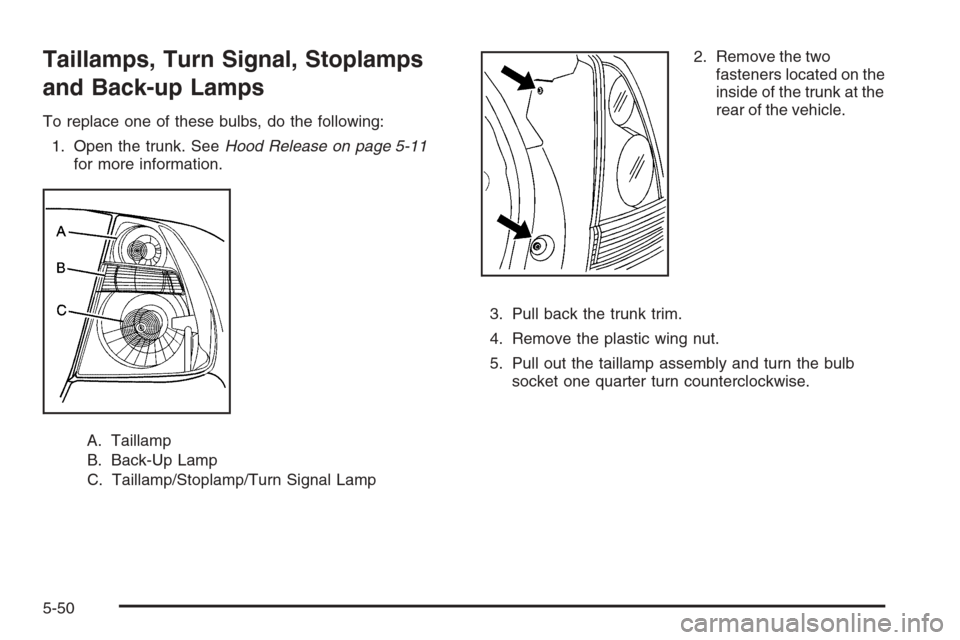
1. Open the trunk. SeeHood Release on page 5-11
for more information.
A. Taillamp
B. Back-Up Lamp
C. Taillamp/Stoplamp/Turn Signal Lamp2. Remove the two
fasteners located on the
inside of the trunk at the
rear of the vehicle.
3. Pull back the trunk trim.
4. Remove the plastic wing nut.
5. Pull out the taillamp assembly and turn the bulb
socket one quarter turn counterclockwise.
5-50
Page 362 of 442
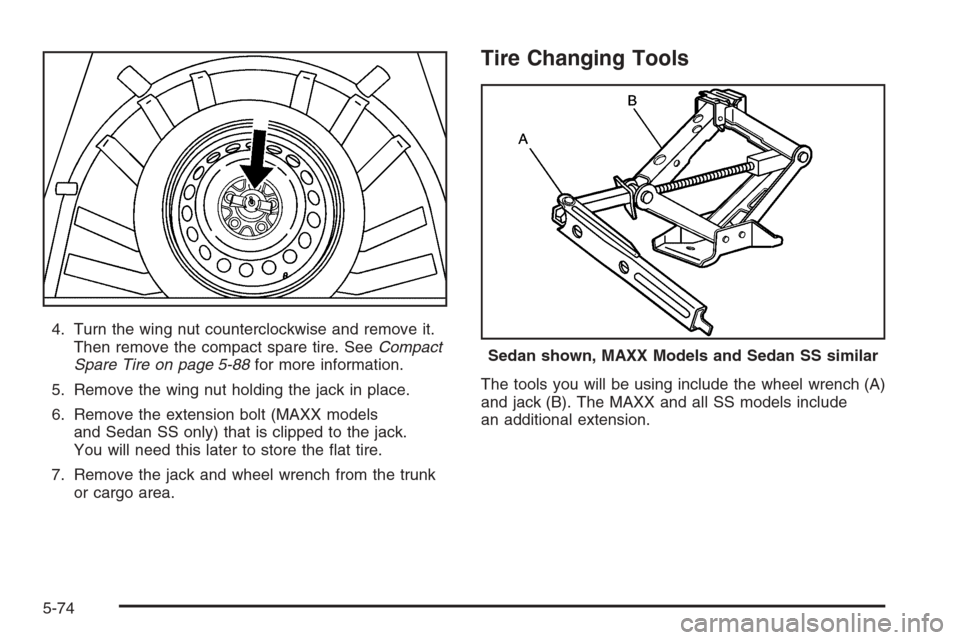
4. Turn the wing nut counterclockwise and remove it.
Then remove the compact spare tire. SeeCompact
Spare Tire on page 5-88for more information.
5. Remove the wing nut holding the jack in place.
6. Remove the extension bolt (MAXX models
and Sedan SS only) that is clipped to the jack.
You will need this later to store the at tire.
7. Remove the jack and wheel wrench from the trunk
or cargo area.
Tire Changing Tools
The tools you will be using include the wheel wrench (A)
and jack (B). The MAXX and all SS models include
an additional extension.
Sedan shown, MAXX Models and Sedan SS similar
5-74