2006 CHEVROLET HHR brakes
[x] Cancel search: brakesPage 110 of 394
Ensure the shift lever is fully in PARK (P) before starting
the engine. Your vehicle has an automatic transaxle shift
lock control system. You have to fully apply your regular
brakes before you can shift from PARK (P) when the
ignition key is in RUN. If you cannot shift out of PARK (P),
ease pressure on the shift lever — push the shift lever all
the way into PARK (P) and also release the shift lever
button as you maintain brake application. Then move the
shift lever into the gear you wish. Press the shift lever
button before moving the shift lever. SeeShifting Out
of Park (P) (Automatic Transaxle) on page 2-35.
REVERSE (R):Use this gear to back up.
Notice:Shifting to REVERSE (R) while your vehicle
is moving forward could damage the transaxle.
The repairs would not be covered by your warranty.
Shift to REVERSE (R) only after your vehicle is
stopped.
To rock your vehicle back and forth to get out of snow,
ice or sand without damaging your transaxle, see
If Your Vehicle is Stuck in Sand, Mud, Ice, or Snow
on page 4-30.NEUTRAL (N):In this position, your engine does not
connect with the wheels. To restart when you are
already moving, use NEUTRAL (N) only. Also, use
NEUTRAL (N) when your vehicle is being towed.
{CAUTION:
Shifting into a drive gear while your engine is
running at high speed is dangerous. Unless
your foot is rmly on the brake pedal, your
vehicle could move very rapidly. You could
lose control and hit people or objects. Do not
shift into a drive gear while your engine is
running at high speed.
Notice:Shifting out of PARK (P) or NEUTRAL (N)
while the engine is running at high speed may
damage the transaxle. The repairs would not be
covered by your warranty. Be sure the engine is not
running at high speeds when shifting your vehicle.
2-28
Page 111 of 394
Notice:Shifting to a drive gear from NEUTRAL (N)
while the vehicle is moving could damage the
transaxle. Make sure the vehicle is stopped before
shifting from NEUTRAL (N) into a drive gear.
AUTOMATIC OVERDRIVE (D):This position is for
normal driving with the automatic transaxle. If you need
more power for passing, and you are:
Going less than about 35 mph (55 km/h), push
your accelerator pedal about halfway down.
Going about 35 mph (55 km/h), push your
accelerator all the way down.
INTERMEDIATE (I):This position is also used for
normal driving. However, it offers braking from
the engine for slight downgrades where the vehicle
would otherwise accelerate due to steepness of
grade. If repetitive shifts occur between third and
fourth gears on steep uphills, this position can be
used to prevent repetitive shifting. Fuel economy
will be lower than AUTOMATIC OVERDRIVE (D).Here are some times you might choose
INTERMEDIATE (I) instead of AUTOMATIC
OVERDRIVE (D):
When driving on hilly, winding roads.
When towing a trailer, so there is less shifting
between gears.
LOW (L):This position gives you even more power
but lower fuel economy than INTERMEDIATE (I).
You can use it on very steep hills, or in deep snow or
mud. If the shift lever is put in LOW (L), the transaxle
will not shift into LOW (L) until the vehicle is going
slowly enough.
Notice:Spinning the tires or holding the vehicle
in one place on a hill using only the accelerator
pedal may damage the transaxle. If you are stuck,
do not spin the tires. When stopping on a hill,
use the brakes, or parking brake to hold the
vehicle in place.
2-29
Page 144 of 394
RES+ (Resume):Press this button to resume a set
speed and to accelerate the speed.
SET−(Set):Press this button to set a speed and to
decrease the speed.
To set a speed do the following:
1. Press the on/off button to turn cruise control on.
The indicator light on the button will come on.
2. Get to the speed you want.
3. Press the SET−control button and release it.
The CRUISE ENGAGED message will appear
on the Driver Information Center (DIC) to show the
system is engaged.
4. Take your foot off the accelerator pedal.
When you apply the brakes or clutch, the cruise control
will shut off.
If the vehicle is in cruise control and the Traction
Control System (TCS) begins to limit wheel spin,
the cruise control will automatically disengage.
SeeEnhanced Traction System (ETS) on page 4-10.
When road conditions allow, the cruise control can
be used again.Resuming a Set Speed
Suppose you set your cruise control at a desired speed
and then you apply the brake. This, of course,
disengages the cruise control. To return to your
previously set speed, you do not need to go through the
set process again. Once you’re going about 25 mph
(40 km/h) or more, you can press the RES+ part of the
button briey.
This will take you back up to your previously chosen
speed and stay there.
Increasing Speed While Using Cruise
Control
There are two ways to go to a higher speed.
1. Disengage the cruise control by applying the brake
pedal but do not turn it off. Accelerate to a higher
speed and reset the cruise control.
2. If the cruise control system is already engaged,
press the RES+ button. Hold it there until you get
up to the speed you want, and then release
the button. To increase your speed in very small
amounts, press the RES+ button briey and
then release it. Each time you do this, your vehicle
will go about 1 mph (1.6 km/h) faster.
3-12
Page 165 of 394

When the ignition is on, the brake system warning light
will also come on when you set your parking brake.
The light will stay on if your parking brake does not
release fully. If it stays on after your parking brake is
fully released, it means you have a brake problem.
If the light comes on while you are driving, pull off the
road and stop carefully. Make sure the parking brake is
fully released. You may notice that the pedal is harder
to push or, the pedal may go closer to the oor.
It may take longer to stop. If the light is still on, have the
vehicle towed for service. SeeTowing Your Vehicle
on page 4-37.
{CAUTION:
Your brake system may not be working
properly if the brake system warning light is
on. Driving with the brake system warning light
on can lead to an accident. If the light is still
on after you have pulled off the road and
stopped carefully, have the vehicle towed for
service.
Anti-Lock Brake System
Warning Light
If your vehicle is equipped
with the anti-lock brake
system, the light will come
on when your engine is
started and may stay on for
several seconds. That is
normal.
If the light stays on, turn the ignition the off. If the light
comes on when you are driving, stop as soon as
possible and turn the ignition off. Then start the engine
again to reset the system. If the light still stays on
after driving at a speed of at least 13 mph (20 km/h),
or comes on again while you are driving, your vehicle
needs service. If the regular brake system warning light
is not on, you still have brakes, but you do not have
anti-lock brakes. If the regular brake system warning
light is also on, you do not have anti-lock brakes
and there is a problem with your regular brakes.
SeeBrake System Warning Light on page 3-32.
The anti-lock brake system warning light will come on
briey when you turn the ignition key to RUN. This is
normal. If the light does not come on then, have it xed
so it will be ready to warn you if there is a problem.
3-33
Page 218 of 394
Control of a Vehicle
You have three systems that make your vehicle go
where you want it to go. They are the brakes, the
steering, and the accelerator. All three systems have
to do their work at the places where the tires meet
the road.
Sometimes, as when you are driving on snow or ice,
it is easy to ask more of those control systems than the
tires and road can provide. That means you can lose
control of your vehicle. SeeEnhanced Traction System
(ETS) on page 4-10.
Adding non-GM accessories can affect your vehicle’s
performance. SeeAccessories and Modifications
on page 5-3.
Braking
SeeBrake System Warning Light on page 3-32.
Braking action involves perception time and
reaction time.
First, you have to decide to push on the brake pedal.
That is perception time. Then you have to bring up your
foot and do it. That is reaction time.
Average reaction time is about three-fourths of a
second. But that is only an average. It might be less
with one driver and as long as two or three seconds or
more with another. Age, physical condition, alertness,
coordination, and eyesight all play a part. So do alcohol,
drugs, and frustration. But even in three-fourths of a
second, a vehicle moving at 60 mph (100 km/h) travels
66 feet (20 m). That could be a lot of distance in an
emergency, so keeping enough space between
your vehicle and others is important.
And, of course, actual stopping distances vary greatly
with the surface of the road, whether it is pavement or
gravel; the condition of the road, whether it is wet, dry, or
icy; tire tread; the condition of your brakes; the weight of
the vehicle; and the amount of brake force applied.
4-6
Page 219 of 394
Avoid needless heavy braking. Some people drive in
spurts — heavy acceleration followed by heavy
braking — rather than keeping pace with traffic. This is
a mistake. Your brakes may not have time to cool
between hard stops. Your brakes will wear out much
faster if you do a lot of heavy braking. If you keep pace
with the traffic and allow realistic following distances,
you will eliminate a lot of unnecessary braking.
That means better braking and longer brake life.
If your engine ever stops while you are driving, brake
normally but do not pump your brakes. If you do,
the pedal may get harder to push down. If your engine
stops, you will still have some power brake assist.
But you will use it when you brake. Once the power
assist is used up, it may take longer to stop and
the brake pedal will be harder to push.
Adding non-GM accessories can affect your vehicle’s
performance. SeeAccessories and Modifications
on page 5-3.Anti-Lock Brake System (ABS)
Your vehicle may have the Anti-Lock Brake System
(ABS), an advanced electronic braking system that will
help prevent a braking skid.
If your vehicle has ABS,
this warning light on the
instrument panel will come
on briey when you
start your vehicle.
When you start your engine, or when you begin to drive
away, your ABS will check itself. You may hear a
momentary motor or clicking noise while this test is
going on, and you may even notice that your brake
pedal moves or pulses a little. This is normal.
4-7
Page 220 of 394
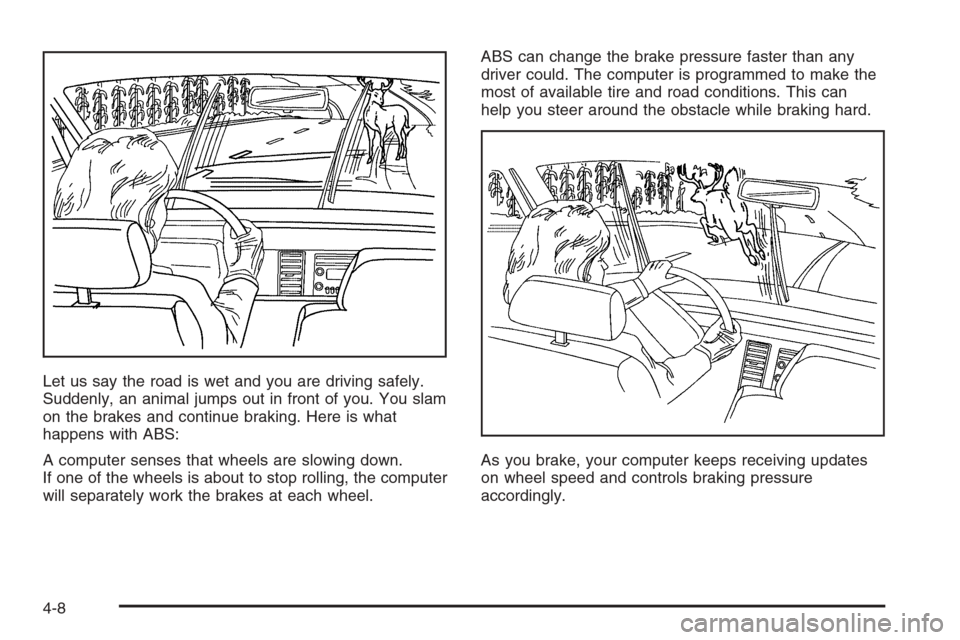
Let us say the road is wet and you are driving safely.
Suddenly, an animal jumps out in front of you. You slam
on the brakes and continue braking. Here is what
happens with ABS:
A computer senses that wheels are slowing down.
If one of the wheels is about to stop rolling, the computer
will separately work the brakes at each wheel.ABS can change the brake pressure faster than any
driver could. The computer is programmed to make the
most of available tire and road conditions. This can
help you steer around the obstacle while braking hard.
As you brake, your computer keeps receiving updates
on wheel speed and controls braking pressure
accordingly.
4-8
Page 221 of 394
Remember: ABS not change the time you need to get
your foot up to the brake pedal or always decrease
stopping distance. If you get too close to the vehicle in
front of you, you will not have time to apply your
brakes if that vehicle suddenly slows or stops. Always
leave enough room up ahead to stop, even though
you have ABS.
Using ABS
Do not pump the brakes. Just hold the brake pedal
down rmly and let anti-lock work for you. You may feel
a slight brake pedal pulsation or notice some noise,
but this is normal.
Braking in Emergencies
At some time, nearly every driver gets into a situation
that requires hard braking.
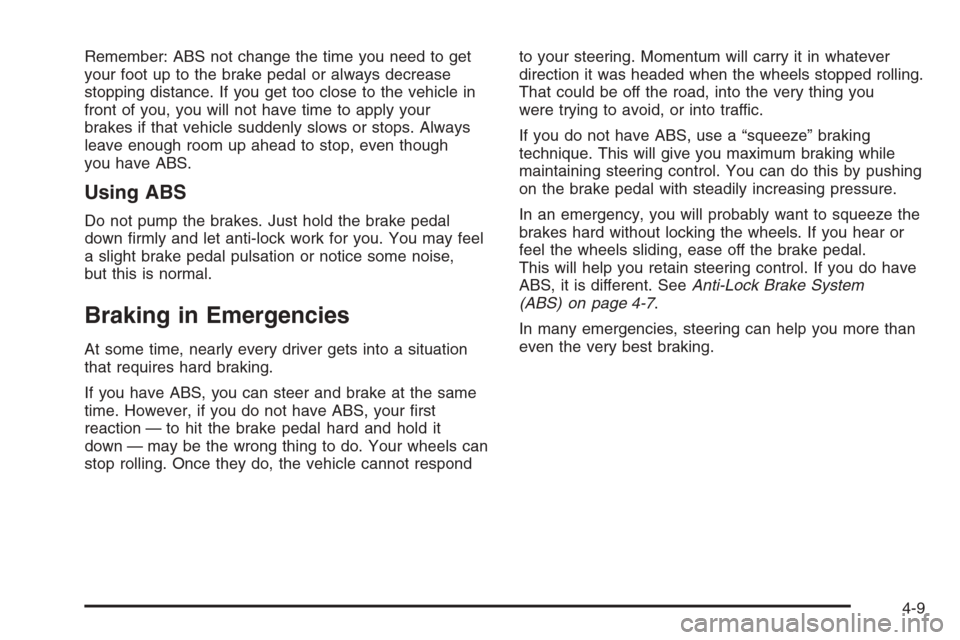
If you have ABS, you can steer and brake at the same
time. However, if you do not have ABS, your rst
reaction — to hit the brake pedal hard and hold it
down — may be the wrong thing to do. Your wheels can
stop rolling. Once they do, the vehicle cannot respondto your steering. Momentum will carry it in whatever
direction it was headed when the wheels stopped rolling.
That could be off the road, into the very thing you
were trying to avoid, or into traffic.
If you do not have ABS, use a “squeeze” braking
technique. This will give you maximum braking while
maintaining steering control. You can do this by pushing
on the brake pedal with steadily increasing pressure.
In an emergency, you will probably want to squeeze the
brakes hard without locking the wheels. If you hear or
feel the wheels sliding, ease off the brake pedal.
This will help you retain steering control. If you do have
ABS, it is different. SeeAnti-Lock Brake System
(ABS) on page 4-7.
In many emergencies, steering can help you more than
even the very best braking.
4-9