2006 CHEVROLET HHR lock
[x] Cancel search: lockPage 179 of 394
LOCK HORN
If your vehicle has remote keyless entry, this feature,
which allows the vehicle’s horn to chirp every time
the lock button on the remote keyless entry transmitter
is pressed, can be enabled or disabled. When LOCK
HORN appears on the display, press and hold the reset
button for at least one second to scroll through the
available settings:
OFF (default):The horn will not chirp on the rst press
of the remote keyless entry transmitter lock button.
The horn will still chirp on the second press.
ON:The horn will chirp on the rst press of the lock
button on the remote keyless entry transmitter.
SeeRemote Keyless Entry System Operation on
page 2-5for more information.
Choose one of the available settings and press the
information button to select it and move on to the next
feature.
UNLOCK HORN
If your vehicle has remote keyless entry, this feature,
which allows the vehicle’s horn to chirp on the rst press
of the unlock button on the remote keyless entry
transmitter, can be enabled or disabled. When UNLOCK
HORN appears on the display, press and hold the
reset button for at least one second to scroll through the
available settings:
OFF (default):The horn will not chirp when the unlock
button on the remote keyless entry transmitter is pressed.
ON:The horn will chirp on the rst press of the unlock
button on the remote keyless entry transmitter.
SeeRemote Keyless Entry System Operation on
page 2-5for more information.
Choose one of the available settings and press the
information button to select it and move on to the next
feature.
3-47
Page 180 of 394
LIGHT FLASH
If your vehicle has remote keyless entry, this feature,
which allows the vehicle’s exterior hazard/turn signal
lighting to ash every time the lock or unlock button on
the remote keyless entry transmitter is pressed, can
be enabled or disabled. When LIGHT FLASH appears
on the display, press and hold the reset button for
at least one second to scroll through the available
settings:
OFF:The exterior hazard/turn signal lighting will not
ash when the lock or unlock button on the remote
keyless entry transmitter is pressed.
ON (default):The exterior hazard/turn signal lighting
will ash when the lock or unlock button on the remote
keyless entry transmitter is pressed.
SeeRemote Keyless Entry System Operation on
page 2-5for more information.
Choose one of the available settings and press the
information button to select it and move on to the next
feature.
DELAY LOCK
This feature, which delays the actual locking of the
vehicle, can be enabled or disabled. When DELAY
LOCK appears on the display, press and hold the reset
button for at least one second to scroll through the
available settings:
ON (default):The doors will not lock until ve seconds
after the last door is closed. You can temporarily
override delayed locking by pressing the power lock
switch or the lock button on the remote keyless
entry transmitter a second time.
OFF:The doors will lock immediately when pressing
the power lock switch or the lock button on the remote
keyless entry transmitter.
SeePower Door Locks on page 2-10,Delayed Locking
on page 2-11, andRemote Keyless Entry System
Operation on page 2-5for more information.
Choose one of the available settings and press the
information button to select it and move on to the next
feature.
3-48
Page 181 of 394
AUTO UNLK (Unlock)
This feature, which allows the vehicle to automatically
unlock certain doors, can be enabled or disabled. When
AUTO UNLK appears on the display, press and hold
the reset button for at least one second to scroll through
the available settings:
ALL (default):All of the doors will automatically unlock.
DRIVER:The driver’s door will automatically unlock.
NONE:None of the doors will automatically unlock.
You will need to manually unlock the doors.
If you have a manual transaxle vehicle, the door(s) will
automatically unlock when the key is turned off.
If you have an automatic transaxle vehicle, you can
select when the automatic unlocking will occur.
See “UNLK (Unlock) (Automatic Transaxle Only)”
following.
SeeProgrammable Automatic Door Unlock on
page 2-11for more information.
Choose one of the available settings and press the
information button to select it and move on to the next
feature.
UNLK (Unlock) (Automatic Transaxle Only)
This screen displays only if your vehicle has an
automatic transaxle and DRIVER or ALL is selected for
the AUTO UNLK feature. This feature determines
when the automatic door unlocking will occur. When
UNLK appears on the display, press and hold the reset
button for at least one second to scroll through the
available settings:
KEY OFF:The door(s) will unlock when the key is
turned off.
SHIFT TO P (Park) (default):The door(s) will unlock
when the vehicle is shifted into PARK (P).
SeeProgrammable Automatic Door Unlock on
page 2-11for more information.
Choose one of the available settings and press the
information button to select it and move on to the next
feature.
3-49
Page 182 of 394
EXT (Exterior) LIGHTS
If your vehicle has remote keyless entry, this feature,
which allows the vehicle’s exterior perimeter lighting to
turn on each time the unlock button on the remote
keyless entry transmitter is pressed, can be enabled or
disabled. When EXT LIGHTS appears on the display,
press and hold the reset button for at least one second
to scroll through the available settings:
OFF:The exterior perimeter lighting will not turn on
when the unlock button on the remote keyless
entry transmitter is pressed.
ON (default):The exterior perimeter lighting will turn on
when the unlock button on the remote keyless entry
transmitter is pressed.
SeeRemote Keyless Entry System Operation on
page 2-5for more information.
Choose one of the available settings and press the
information button to select it and move on to the next
feature.
LANGUAGE
This feature allows you to select the language in which
the DIC will display. When LANGUAGE appears on
the display, press and hold the reset button for at least
one second to scroll through the available settings:
ENGLISH (default):The DIC will display all information
in English.
FRENCH:The DIC will display all information in
French.
SPANISH:The DIC will display all information in
Spanish.
GERMAN:The DIC will display all information in
German.
Choose one of the available settings and press the
information button to select it and exit out of the
personalization menu mode.
Exiting Personalization Menu
The personalization menu will be exited when any of the
following conditions occur:
A ten second time period has elapsed.
The ignition is turned off.
The end of the personalization menu list is reached.
3-50
Page 185 of 394
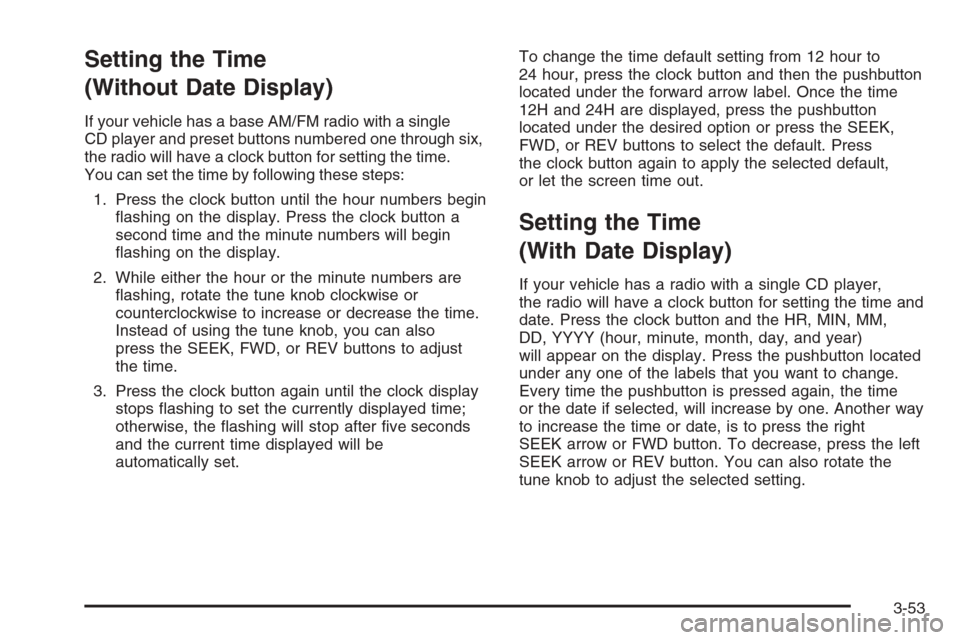
Setting the Time
(Without Date Display)
If your vehicle has a base AM/FM radio with a single
CD player and preset buttons numbered one through six,
the radio will have a clock button for setting the time.
You can set the time by following these steps:
1. Press the clock button until the hour numbers begin
ashing on the display. Press the clock button a
second time and the minute numbers will begin
ashing on the display.
2. While either the hour or the minute numbers are
ashing, rotate the tune knob clockwise or
counterclockwise to increase or decrease the time.
Instead of using the tune knob, you can also
press the SEEK, FWD, or REV buttons to adjust
the time.
3. Press the clock button again until the clock display
stops ashing to set the currently displayed time;
otherwise, the ashing will stop after ve seconds
and the current time displayed will be
automatically set.To change the time default setting from 12 hour to
24 hour, press the clock button and then the pushbutton
located under the forward arrow label. Once the time
12H and 24H are displayed, press the pushbutton
located under the desired option or press the SEEK,
FWD, or REV buttons to select the default. Press
the clock button again to apply the selected default,
or let the screen time out.
Setting the Time
(With Date Display)
If your vehicle has a radio with a single CD player,
the radio will have a clock button for setting the time and
date. Press the clock button and the HR, MIN, MM,
DD, YYYY (hour, minute, month, day, and year)
will appear on the display. Press the pushbutton located
under any one of the labels that you want to change.
Every time the pushbutton is pressed again, the time
or the date if selected, will increase by one. Another way
to increase the time or date, is to press the right
SEEK arrow or FWD button. To decrease, press the left
SEEK arrow or REV button. You can also rotate the
tune knob to adjust the selected setting.
3-53
Page 186 of 394
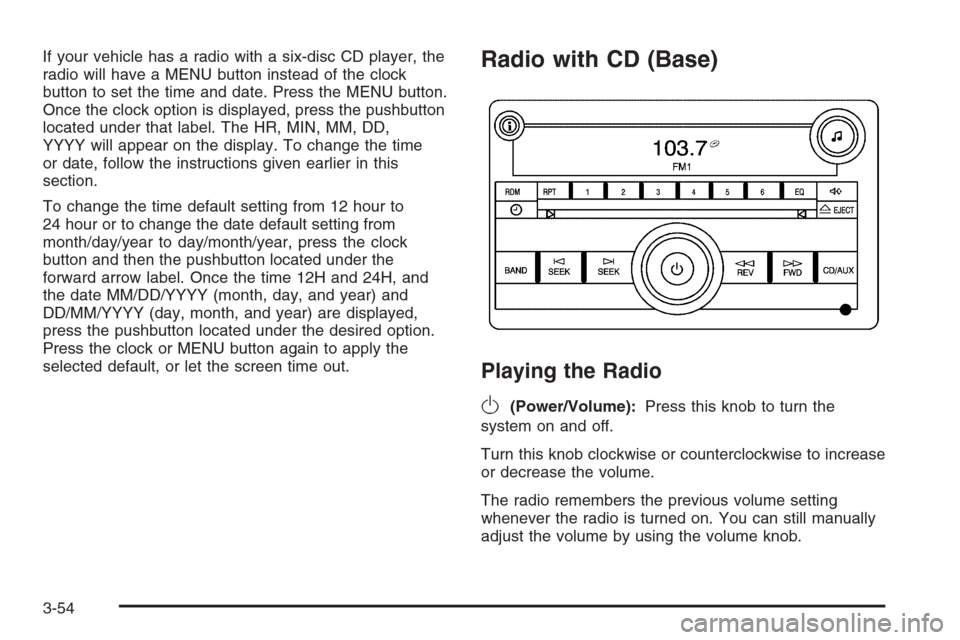
If your vehicle has a radio with a six-disc CD player, the
radio will have a MENU button instead of the clock
button to set the time and date. Press the MENU button.
Once the clock option is displayed, press the pushbutton
located under that label. The HR, MIN, MM, DD,
YYYY will appear on the display. To change the time
or date, follow the instructions given earlier in this
section.
To change the time default setting from 12 hour to
24 hour or to change the date default setting from
month/day/year to day/month/year, press the clock
button and then the pushbutton located under the
forward arrow label. Once the time 12H and 24H, and
the date MM/DD/YYYY (month, day, and year) and
DD/MM/YYYY (day, month, and year) are displayed,
press the pushbutton located under the desired option.
Press the clock or MENU button again to apply the
selected default, or let the screen time out.Radio with CD (Base)
Playing the Radio
O
(Power/Volume):Press this knob to turn the
system on and off.
Turn this knob clockwise or counterclockwise to increase
or decrease the volume.
The radio remembers the previous volume setting
whenever the radio is turned on. You can still manually
adjust the volume by using the volume knob.
3-54
Page 187 of 394
Finding a Station
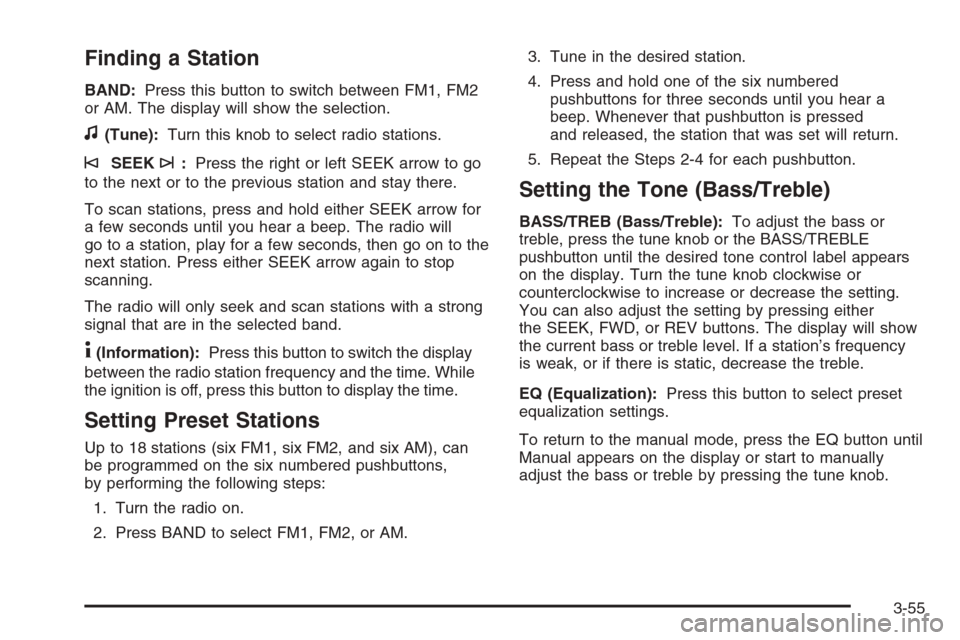
BAND:Press this button to switch between FM1, FM2
or AM. The display will show the selection.
f(Tune):Turn this knob to select radio stations.
©SEEK¨:Press the right or left SEEK arrow to go
to the next or to the previous station and stay there.
To scan stations, press and hold either SEEK arrow for
a few seconds until you hear a beep. The radio will
go to a station, play for a few seconds, then go on to the
next station. Press either SEEK arrow again to stop
scanning.
The radio will only seek and scan stations with a strong
signal that are in the selected band.
4(Information):Press this button to switch the display
between the radio station frequency and the time. While
the ignition is off, press this button to display the time.
Setting Preset Stations
Up to 18 stations (six FM1, six FM2, and six AM), can
be programmed on the six numbered pushbuttons,
by performing the following steps:
1. Turn the radio on.
2. Press BAND to select FM1, FM2, or AM.3. Tune in the desired station.
4. Press and hold one of the six numbered
pushbuttons for three seconds until you hear a
beep. Whenever that pushbutton is pressed
and released, the station that was set will return.
5. Repeat the Steps 2-4 for each pushbutton.
Setting the Tone (Bass/Treble)
BASS/TREB (Bass/Treble):To adjust the bass or
treble, press the tune knob or the BASS/TREBLE
pushbutton until the desired tone control label appears
on the display. Turn the tune knob clockwise or
counterclockwise to increase or decrease the setting.
You can also adjust the setting by pressing either
the SEEK, FWD, or REV buttons. The display will show
the current bass or treble level. If a station’s frequency
is weak, or if there is static, decrease the treble.
EQ (Equalization):Press this button to select preset
equalization settings.
To return to the manual mode, press the EQ button until
Manual appears on the display or start to manually
adjust the bass or treble by pressing the tune knob.
3-55
Page 188 of 394
Adjusting the Speakers (Balance/Fade)
`
BAL/FADE (Balance/Fade):To adjust the
balance or fade, press this button or the tune knob
until the desired speaker control label appears on
the display. Turn the tune knob clockwise or
counterclockwise to adjust the setting. You can also
adjust the setting by pressing either the SEEK, FWD, or
REV buttons.
Radio Messages
Calibration Error:The audio system has been
calibrated for your vehicle from the factory. If Calibration
Error appears on the display, it means that the radio
has not been congured properly for your vehicle and it
must be returned to your dealer for service.
Loc:This message is displayed while the THEFTLOCK
®
system has locked up the radio. Take the vehicle to your
dealer for service.
If any error occurs repeatedly or if an error cannot be
corrected, contact your dealer.
Playing a CD (Single CD Player)
Insert a CD partway into the slot, label side up. The
player will pull it in and the CD should begin playing.
If the ignition or radio is turned off with a CD in the
player, it will stay in the player. When the ignition or
radio is turned on, the CD will start playing where
it stopped, if it was the last selected audio source.
When a CD is inserted, the CD symbol will appear on
the radio display. As each new track starts to play,
the track number will appear on the display.
The CD player can play the smaller 3 inch (8 cm) single
CDs with an adapter ring. Full-size CDs and the
smaller CDs are loaded in the same manner.
If playing a CD-R, the sound quality may be reduced
due to CD-R quality, the method of recording, the quality
of the music that has been recorded, and the way the
CD-R has been handled. There may be an increase
in skipping, difficulty in nding tracks, and/or difficulty in
loading and ejecting. If these problems occur, check
the bottom surface of the CD. If the surface of the CD is
damaged, such as cracked, broken, or scratched, the
CD will not play properly. If the surface of the CD is
soiled, seeCare of Your CDs on page 3-79for more
information.
If there is no apparent damage, try a known good CD.
3-56