2006 CHEVROLET HHR airbag
[x] Cancel search: airbagPage 159 of 394
Safety Belt Reminder Light
When the key is turned to RUN or START, a chime will
come on for several seconds to remind people to
fasten their safety belts, unless the driver’s safety belt is
already buckled.
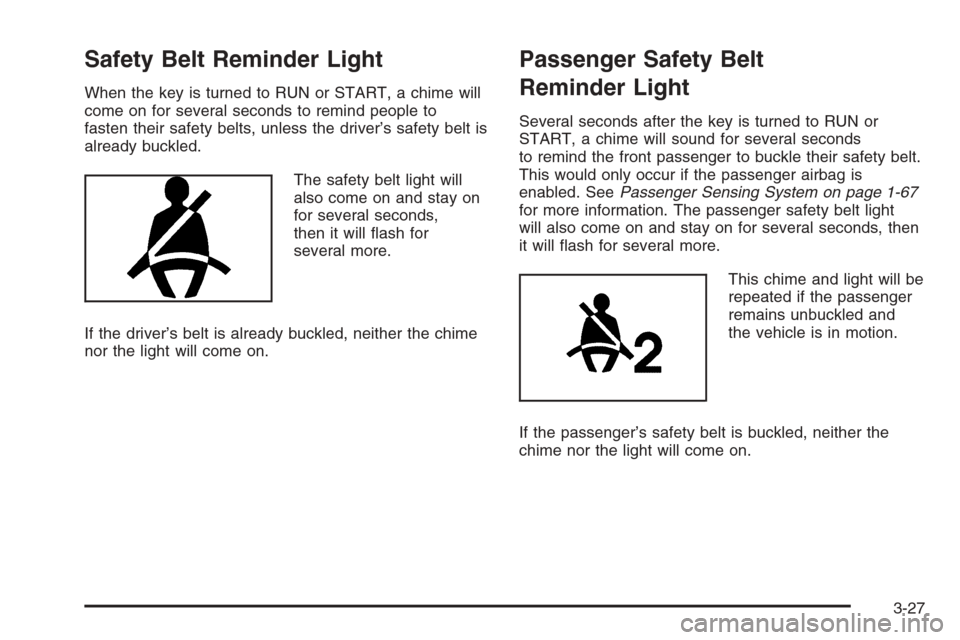
The safety belt light will
also come on and stay on
for several seconds,
then it will ash for
several more.
If the driver’s belt is already buckled, neither the chime
nor the light will come on.
Passenger Safety Belt
Reminder Light
Several seconds after the key is turned to RUN or
START, a chime will sound for several seconds
to remind the front passenger to buckle their safety belt.
This would only occur if the passenger airbag is
enabled. SeePassenger Sensing System on page 1-67
for more information. The passenger safety belt light
will also come on and stay on for several seconds, then
it will ash for several more.
This chime and light will be
repeated if the passenger
remains unbuckled and
the vehicle is in motion.
If the passenger’s safety belt is buckled, neither the
chime nor the light will come on.
3-27
Page 160 of 394

Airbag Readiness Light
There is an airbag readiness light on the instrument
panel, which shows the airbag symbol. The system
checks the airbag’s electrical system for malfunctions.
The light tells you if there is an electrical problem.
The system check includes the airbag sensor, the airbag
modules, the wiring and the crash sensing and
diagnostic module. For more information on the airbag
system, seeAirbag System on page 1-58.
This light will come on
when you start your
vehicle, and it will ash
for a few seconds.
Then the light should go
out. This means the
system is ready.
If the airbag readiness light stays on after you start the
vehicle or comes on when you are driving, your airbag
system may not work properly. Have your vehicle
serviced right away.{CAUTION:
If the airbag readiness light stays on after you
start your vehicle, it means the airbag system
may not be working properly. The airbags in
your vehicle may not inate in a crash, or they
could even inate without a crash. To help
avoid injury to yourself or others, have your
vehicle serviced right away if the airbag
readiness light stays on after you start your
vehicle.
The airbag readiness light should ash for a few
seconds when you turn the ignition key to RUN. If the
light does not come on then, have it xed so it will
be ready to warn you if there is a problem.
3-28
Page 161 of 394
Passenger Airbag Status Indicator
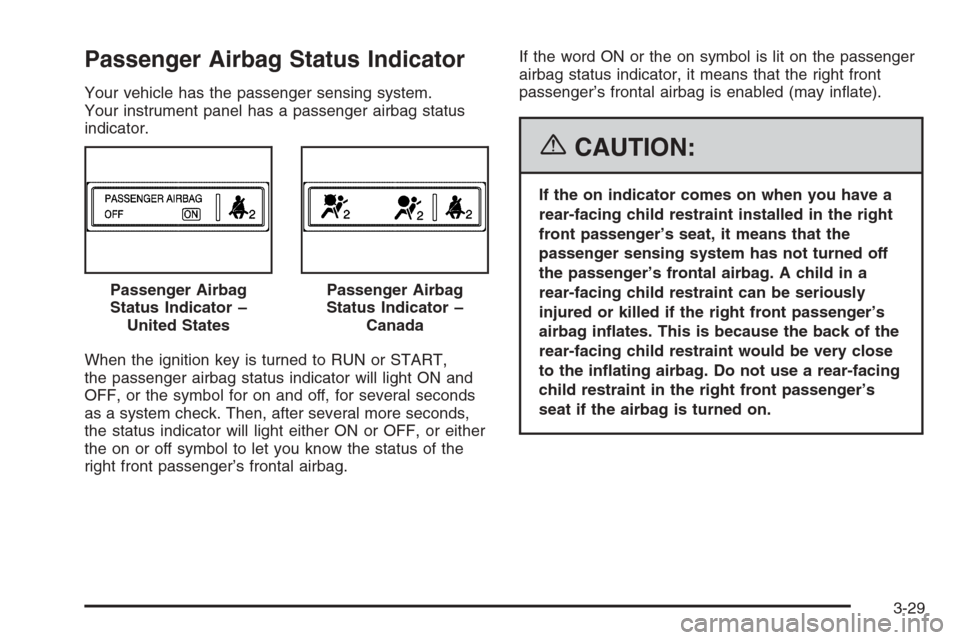
Your vehicle has the passenger sensing system.
Your instrument panel has a passenger airbag status
indicator.
When the ignition key is turned to RUN or START,
the passenger airbag status indicator will light ON and
OFF, or the symbol for on and off, for several seconds
as a system check. Then, after several more seconds,
the status indicator will light either ON or OFF, or either
the on or off symbol to let you know the status of the
right front passenger’s frontal airbag.If the word ON or the on symbol is lit on the passenger
airbag status indicator, it means that the right front
passenger’s frontal airbag is enabled (may inate).
{CAUTION:
If the on indicator comes on when you have a
rear-facing child restraint installed in the right
front passenger’s seat, it means that the
passenger sensing system has not turned off
the passenger’s frontal airbag. A child in a
rear-facing child restraint can be seriously
injured or killed if the right front passenger’s
airbag inates. This is because the back of the
rear-facing child restraint would be very close
to the inating airbag. Do not use a rear-facing
child restraint in the right front passenger’s
seat if the airbag is turned on. Passenger Airbag
Status Indicator –
United States
Passenger Airbag
Status Indicator –
Canada
3-29
Page 162 of 394
If your vehicle has a rear seat that will accommodate a
rear-facing child restraint, a label on your sun visor
says, “Never put a rear-facing child seat in the front.”
This is because the risk to the rear-facing child is
so great, if the airbag deploys.
{CAUTION:
Even though the passenger sensing system is
designed to turn off the passenger’s frontal
airbag if the system detects a rear-facing child
restraint, no system is failsafe, and no one can
guarantee that an airbag will not deploy under
some unusual circumstance, even though it is
turned off. We recommend that rear-facing
child restraints be secured in the rear seat,
even if the airbag is off.If your vehicle does not have a rear seat that will
accommodate a rear-facing child restraint, never put a
child in a rear-facing child restraint in the right front
passenger seat the unless passenger airbag status
indicator shows off. Never put a rear facing child
restraint in the right front passenger seat unless the
airbag is off. Here is why:{CAUTION:
Even though the passenger sensing system is
designed to turn off the passenger’s frontal
airbag if the system detects a rear-facing child
restraint, no system is fail-safe, and no one
can guarantee that an airbag will not deploy
under some unusual circumstance, even
though it is turned off. We recommend that
rear-facing child restraints be transported in
vehicles with a rear seat that will
accommodate a rear-facing child restraint,
whenever possible.
3-30
Page 163 of 394
If the word OFF or the off symbol is lit on the airbag
status indicator, it means that the passenger sensing
system has turned off the right front passenger’s frontal
airbag. SeePassenger Sensing System on page 1-67
for more on this, including important safety information.
If, after several seconds, all status indicator lights
remain on, or if there are no lights at all, there may be a
problem with the lights or the passenger sensing
system. See your retailer for service.
{CAUTION:
If the off indicator and the airbag readiness light
ever come on together, it means that something
may be wrong with the airbag system. If this
ever happens, have the vehicle serviced
promptly, because an adult-size person sitting
in the right front passenger seat may not have
the protection of the frontal airbag. SeeAirbag
Readiness Light on page 3-28.
Charging System Light
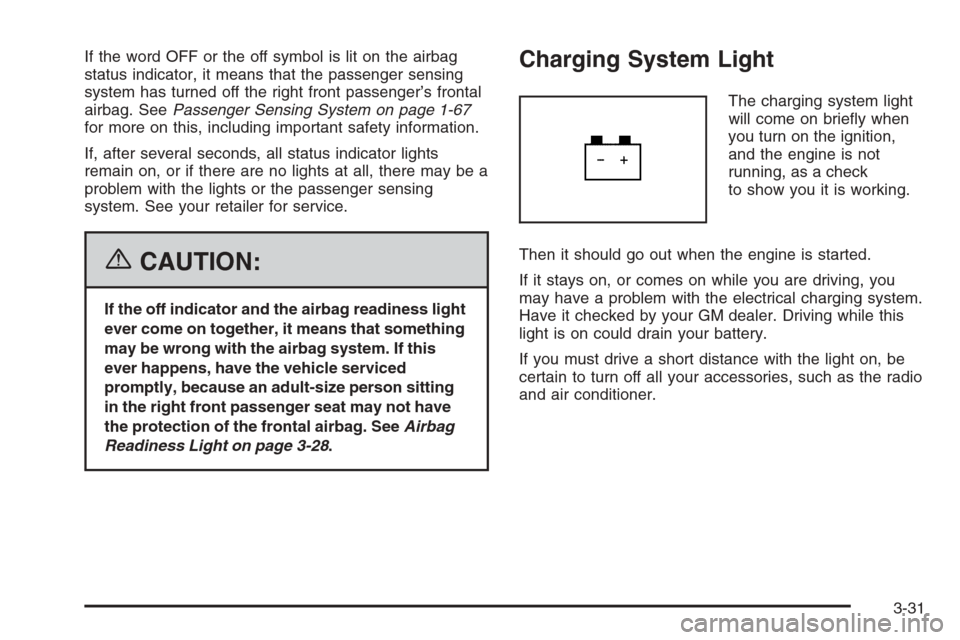
The charging system light
will come on briey when
you turn on the ignition,
and the engine is not
running, as a check
to show you it is working.
Then it should go out when the engine is started.
If it stays on, or comes on while you are driving, you
may have a problem with the electrical charging system.
Have it checked by your GM dealer. Driving while this
light is on could drain your battery.
If you must drive a short distance with the light on, be
certain to turn off all your accessories, such as the radio
and air conditioner.
3-31
Page 177 of 394

LOW TRACTION
This message will display when the Enhanced Traction
System (ETS) is actively limiting wheel spin. Slippery
road conditions may exist if this message is displayed,
so adjust your driving accordingly. SeeEnhanced
Traction System (ETS) on page 4-10for more
information.
PARKING BRAKE
This message will display if the parking brake is left
engaged. SeeParking Brake on page 2-32for
more information.
POWER STEERING
This message will display if a problem has been
detected with the electric power steering. Have your
vehicle serviced immediately by your GM dealer.
SERVICE AIR BAG
This message will display when there is a problem with
the airbag system. Have your vehicle serviced
immediately by your GM dealer.
TRAILER SHIFT ON
On some models, if towing a trailer, this message will
display when the vehicle is changing shifting patterns so
that the engine oil does not heat up above the proper
engine operating temperature.
DIC Vehicle Personalization
Your vehicle has personalization capabilities that allow
you to program certain features to a preferred setting.
All of the features listed may not be available on
your vehicle. Only the features available will be
displayed on your DIC.
The default settings for the features were set when your
vehicle left the factory, but may have been changed
from their default state since that time.
To change feature settings, use the following procedure:
Entering Personalization Menu
1. Turn the ignition on while the vehicle is stopped.
2. Press and hold the information and reset buttons at
the same time for one second, then release to enter
the personalization menu.
If the vehicle speed is greater than 2 mph (3 km/h),
only the UNITS menu will be accessible.
3. Press the information button to scroll through the
available personalization menu modes.
Press the reset button to scroll through the available
settings for each mode.
If you do not make a selection within ten seconds,
the display will go back to the previous information
displayed.
3-45
Page 263 of 394
Service
Your dealer knows your vehicle best and wants you to
be happy with it. We hope you will go to your dealer
for all your service needs. You will get genuine GM parts
and GM-trained and supported service people.
We hope you will want to keep your GM vehicle all GM.
Genuine GM parts have one of these marks:
Accessories and Modications
When you add non-GM accessories to your vehicle
they can affect your vehicle’s performance and safety,
including such things as, airbags, braking, stability,
ride and handling, emissions systems, aerodynamics,
durability, and electronic systems like anti-lock brakes,
traction control and stability control. Some of these
accessories may even cause malfunction or damage
not covered by warranty.
GM Accessories are designed to complement and
function with other systems on your vehicle. Your
GM dealer can accessorize your vehicle using genuine
GM Accessories. When you go to your GM dealer
and ask for GM Accessories, you will know that
GM-trained and supported service technicians will
perform the work using genuine GM Accessories.
California Proposition 65 Warning
Most motor vehicles, including this one, contain and/or
emit chemicals known to the State of California to
cause cancer and birth defects or other reproductive
harm. Engine exhaust, many parts and systems
(including some inside the vehicle), many uids, and
some component wear by-products contain and/or
emit these chemicals.
5-3
Page 264 of 394
Doing Your Own Service Work
{CAUTION:
You can be injured and your vehicle could be
damaged if you try to do service work on a
vehicle without knowing enough about it.
Be sure you have sufficient knowledge,
experience, the proper replacement parts,
and tools before you attempt any vehicle
maintenance task.
Be sure to use the proper nuts, bolts,
and other fasteners. English and metric
fasteners can be easily confused. If you
use the wrong fasteners, parts can later
break or fall off. You could be hurt.If you want to do some of your own service work,
you will want to use the proper service manual. It tells
you much more about how to service your vehicle
than this manual can. To order the proper service
manual, seeService Publications Ordering Information
on page 7-14.
Your vehicle has an airbag system. Before attempting
to do your own service work, seeServicing Your
Airbag-Equipped Vehicle on page 1-72.
You should keep a record with all parts receipts and
list the mileage and the date of any service work
you perform. SeeMaintenance Record on page 6-14.Adding Equipment to the Outside
of Your Vehicle
Things you might add to the outside of your vehicle
can affect the airow around it. This may cause
wind noise and affect windshield washer performance.
Check with your dealer before adding equipment to
the outside of your vehicle.
5-4