2006 CHEVROLET CORVETTE roof
[x] Cancel search: roofPage 138 of 426
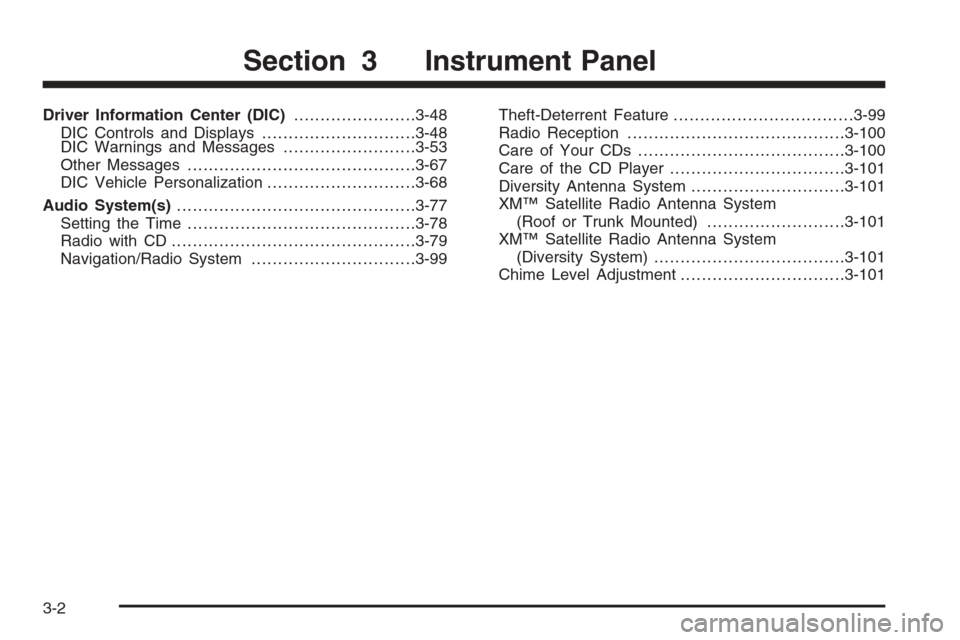
Driver Information Center (DIC).......................3-48
DIC Controls and Displays.............................3-48
DIC Warnings and Messages.........................3-53
Other Messages...........................................3-67
DIC Vehicle Personalization............................3-68
Audio System(s).............................................3-77
Setting the Time...........................................3-78
Radio with CD..............................................3-79
Navigation/Radio System...............................3-99Theft-Deterrent Feature..................................3-99
Radio Reception.........................................3-100
Care of Your CDs.......................................3-100
Care of the CD Player.................................3-101
Diversity Antenna System.............................3-101
XM™ Satellite Radio Antenna System
(Roof or Trunk Mounted)..........................3-101
XM™ Satellite Radio Antenna System
(Diversity System)....................................3-101
Chime Level Adjustment...............................3-101
Section 3 Instrument Panel
3-2
Page 162 of 426
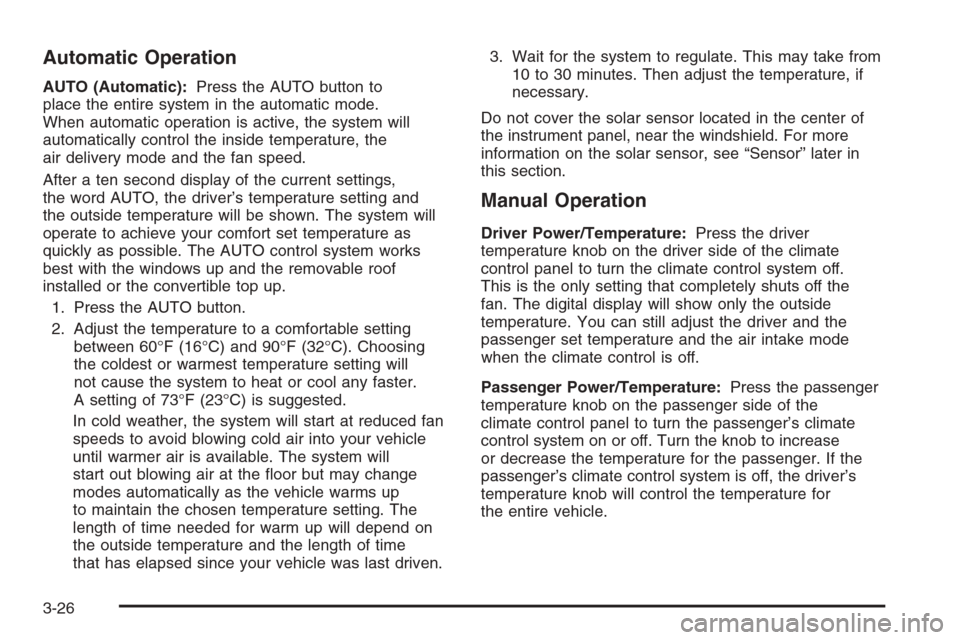
Automatic Operation
AUTO (Automatic):Press the AUTO button to
place the entire system in the automatic mode.
When automatic operation is active, the system will
automatically control the inside temperature, the
air delivery mode and the fan speed.
After a ten second display of the current settings,
the word AUTO, the driver’s temperature setting and
the outside temperature will be shown. The system will
operate to achieve your comfort set temperature as
quickly as possible. The AUTO control system works
best with the windows up and the removable roof
installed or the convertible top up.
1. Press the AUTO button.
2. Adjust the temperature to a comfortable setting
between 60°F (16°C) and 90°F (32°C). Choosing
the coldest or warmest temperature setting will
not cause the system to heat or cool any faster.
A setting of 73°F (23°C) is suggested.
In cold weather, the system will start at reduced fan
speeds to avoid blowing cold air into your vehicle
until warmer air is available. The system will
start out blowing air at the oor but may change
modes automatically as the vehicle warms up
to maintain the chosen temperature setting. The
length of time needed for warm up will depend on
the outside temperature and the length of time
that has elapsed since your vehicle was last driven.3. Wait for the system to regulate. This may take from
10 to 30 minutes. Then adjust the temperature, if
necessary.
Do not cover the solar sensor located in the center of
the instrument panel, near the windshield. For more
information on the solar sensor, see “Sensor” later in
this section.
Manual Operation
Driver Power/Temperature:Press the driver
temperature knob on the driver side of the climate
control panel to turn the climate control system off.
This is the only setting that completely shuts off the
fan. The digital display will show only the outside
temperature. You can still adjust the driver and the
passenger set temperature and the air intake mode
when the climate control is off.
Passenger Power/Temperature:Press the passenger
temperature knob on the passenger side of the
climate control panel to turn the passenger’s climate
control system on or off. Turn the knob to increase
or decrease the temperature for the passenger. If the
passenger’s climate control system is off, the driver’s
temperature knob will control the temperature for
the entire vehicle.
3-26
Page 237 of 426
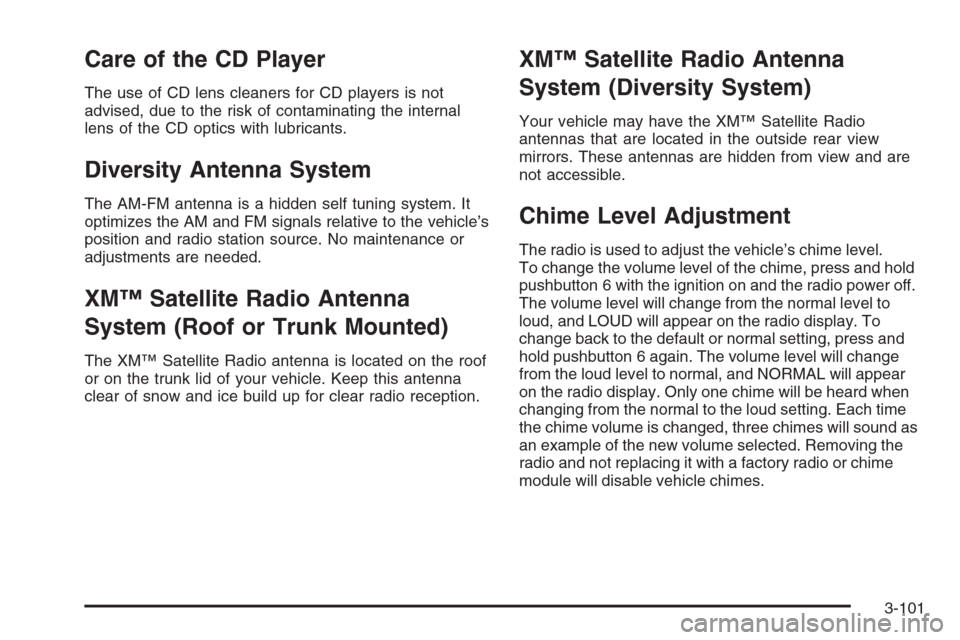
Care of the CD Player
The use of CD lens cleaners for CD players is not
advised, due to the risk of contaminating the internal
lens of the CD optics with lubricants.
Diversity Antenna System
The AM-FM antenna is a hidden self tuning system. It
optimizes the AM and FM signals relative to the vehicle’s
position and radio station source. No maintenance or
adjustments are needed.
XM™ Satellite Radio Antenna
System (Roof or Trunk Mounted)
The XM™ Satellite Radio antenna is located on the roof
or on the trunk lid of your vehicle. Keep this antenna
clear of snow and ice build up for clear radio reception.
XM™ Satellite Radio Antenna
System (Diversity System)
Your vehicle may have the XM™ Satellite Radio
antennas that are located in the outside rear view
mirrors. These antennas are hidden from view and are
not accessible.
Chime Level Adjustment
The radio is used to adjust the vehicle’s chime level.
To change the volume level of the chime, press and hold
pushbutton 6 with the ignition on and the radio power off.
The volume level will change from the normal level to
loud, and LOUD will appear on the radio display. To
change back to the default or normal setting, press and
hold pushbutton 6 again. The volume level will change
from the loud level to normal, and NORMAL will appear
on the radio display. Only one chime will be heard when
changing from the normal to the loud setting. Each time
the chime volume is changed, three chimes will sound as
an example of the new volume selected. Removing the
radio and not replacing it with a factory radio or chime
module will disable vehicle chimes.
3-101
Page 278 of 426
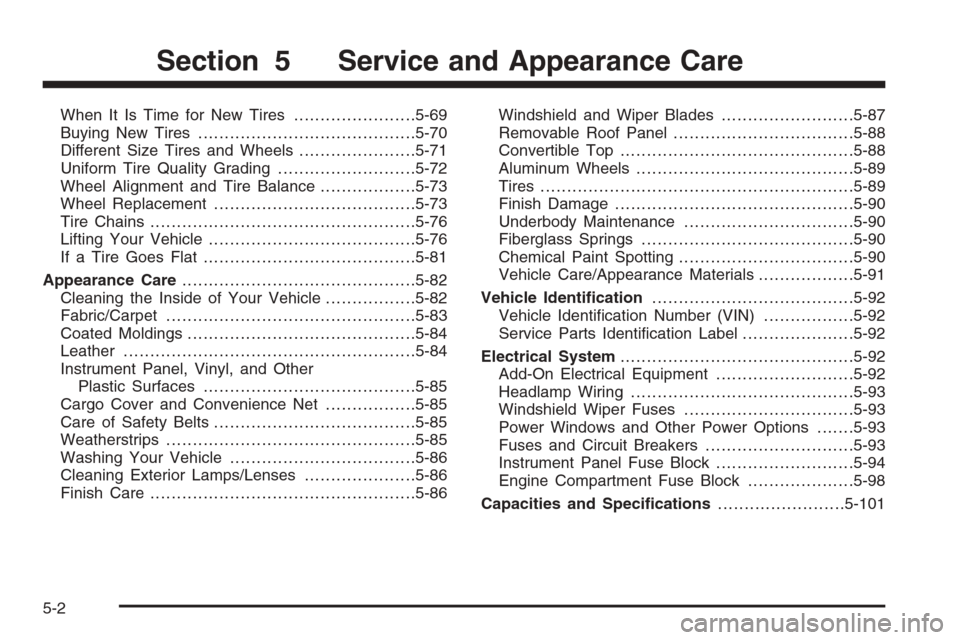
When It Is Time for New Tires.......................5-69
Buying New Tires.........................................5-70
Different Size Tires and Wheels......................5-71
Uniform Tire Quality Grading..........................5-72
Wheel Alignment and Tire Balance..................5-73
Wheel Replacement......................................5-73
Tire Chains..................................................5-76
Lifting Your Vehicle.......................................5-76
If a Tire Goes Flat........................................5-81
Appearance Care............................................5-82
Cleaning the Inside of Your Vehicle.................5-82
Fabric/Carpet...............................................5-83
Coated Moldings...........................................5-84
Leather.......................................................5-84
Instrument Panel, Vinyl, and Other
Plastic Surfaces........................................5-85
Cargo Cover and Convenience Net.................5-85
Care of Safety Belts......................................5-85
Weatherstrips...............................................5-85
Washing Your Vehicle...................................5-86
Cleaning Exterior Lamps/Lenses.....................5-86
Finish Care..................................................5-86Windshield and Wiper Blades.........................5-87
Removable Roof Panel..................................5-88
Convertible Top............................................5-88
Aluminum Wheels.........................................5-89
Tires...........................................................5-89
Finish Damage.............................................5-90
Underbody Maintenance................................5-90
Fiberglass Springs........................................5-90
Chemical Paint Spotting.................................5-90
Vehicle Care/Appearance Materials..................5-91
Vehicle Identication......................................5-92
Vehicle Identication Number (VIN).................5-92
Service Parts Identication Label.....................5-92
Electrical System............................................5-92
Add-On Electrical Equipment..........................5-92
Headlamp Wiring..........................................5-93
Windshield Wiper Fuses................................5-93
Power Windows and Other Power Options.......5-93
Fuses and Circuit Breakers............................5-93
Instrument Panel Fuse Block..........................5-94
Engine Compartment Fuse Block....................5-98
Capacities and Specications........................5-101
Section 5 Service and Appearance Care
5-2
Page 364 of 426
Removable Roof Panel
Notice:If you use a glass treatment and/or
conditioner that contains ethyl alcohol or ethyl
sulfate on the roof panel, you could damage
the panel. The repairs would not be covered by your
warranty. Only use a GM-approved glass cleaner
on the roof panel.
Special care is necessary when cleaning, removing,
and/or storing the roof panel.
Flush with water to remove dust and dirt, then dry
the panel.
Clean a transparent roof panel with GM Glass
Cleaner. Leave the cleaner on the panel for
one minute, then wipe the panel with a soft,
lint-free cloth. Do not use glass cleaner on a painted
roof panel.
Do not use abrasive cleaning materials on either
type of panel.
If water drops are frequently allowed to dry on the roof
panel, impurities in the water will adhere to the top.
These impurities may etch or mar the nish. When the
panel gets wet, dry it off.
Convertible Top
The vehicle’s convertible top should be cleaned often.
However, high pressure car washes may cause water to
enter your vehicle.
When you hand wash the top, do it in partial shade.
Use a mild soap, lukewarm water and a soft sponge.
A chamois or cloth may leave lint on the top, and
a brush can chafe the threads in the top fabric. Do not
use detergents, harsh cleaners, solvents or bleaching
agents.
Wet the entire vehicle and wash the top evenly to avoid
spots or rings. Let the soap remain on the fabric for
a few minutes. When the top is really dirty, use a mild
foam-type cleaner. Thoroughly rinse the entire
vehicle, then let the top dry in direct sunlight.
To protect the convertible top:
After you wash the vehicle, make sure the top is
completely dry before you lower it.
Do not get any cleaner on the vehicle’s painted
nish; it could leave streaks.
If you decide to go through an automatic car wash,
ask the manager if the equipment could damage
your top.
5-88
Page 413 of 426
A
Accessories and Modications............................ 5-3
Accessory Power Outlet(s)...............................3-24
Active Handling System...................................4-10
Active Handling System Light...........................3-40
Adding Equipment to Your Airbag-Equipped
Vehicle.......................................................1-53
Additives, Fuel................................................. 5-6
Add-On Electrical Equipment............................5-92
Air Cleaner/Filter, Engine.................................5-25
Air Conditioning..............................................3-25
Air Dam, Front...............................................2-21
Airbag
Passenger Status Indicator...........................3-35
Readiness Light..........................................3-34
Airbag Sensing and Diagnostic Module (SDM)...... 7-9
Airbag System................................................1-40
Adding Equipment to Your Airbag-Equipped
Vehicle...................................................1-53
How Does an Airbag Restrain?......................1-46
Passenger Sensing System...........................1-48
Servicing Your Airbag-Equipped Vehicle..........1-52
What Makes an Airbag Inate?......................1-46
What Will You See After an Airbag Inates?....1-46
When Should an Airbag Inate?....................1-44
Where Are the Airbags?...............................1-42
Antenna, Diversity Antenna System..................3-101Antenna, XM™ Satellite Radio Antenna
System.....................................................3-101
Anti-Lock Brake System (ABS)........................... 4-7
Anti-Lock Brake, System Warning Light..............3-39
Appearance Care
Aluminum Wheels........................................5-89
Care of Safety Belts....................................5-85
Cargo Cover and Convenience Net................5-85
Chemical Paint Spotting...............................5-90
Cleaning Exterior Lamps/Lenses....................5-86
Cleaning the Inside of Your Vehicle................5-82
Coated Moldings.........................................5-84
Convertible Top...........................................5-88
Fabric/Carpet..............................................5-83
Fiberglass Springs.......................................5-90
Finish Care.................................................5-86
Finish Damage............................................5-90
Instrument Panel, Vinyl, and Other
Plastic Surfaces.......................................5-85
Leather......................................................5-84
Removable Roof Panel.................................5-88
Tires..........................................................5-89
Underbody Maintenance...............................5-90
Vehicle Care/Appearance Materials................5-91
Washing Your Vehicle...................................5-86
Weatherstrips..............................................5-85
Windshield and Wiper Blades........................5-87
Ashtray(s)......................................................3-25
1
Page 415 of 426

Check
Engine Light...............................................3-42
Checking Things Under the Hood......................5-10
Chemical Paint Spotting...................................5-90
Child Restraints
Child Restraint Systems...............................1-27
Infants and Young Children...........................1-25
Lower Anchors and Tethers for
Children..........................................1-31, 1-35
Older Children.............................................1-22
Securing a Child Restraint in the
Passenger Seat Position...........................1-35
Chime Level Adjustment.................................3-101
Cigarette Lighter.............................................3-25
Cleaning
Aluminum Wheels........................................5-89
Cargo Cover and Convenience Net................5-85
Coated Moldings.........................................5-84
Convertible Top...........................................5-88
Exterior Lamps/Lenses.................................5-86
Fabric/Carpet..............................................5-83
Fiberglass Springs.......................................5-90
Finish Care.................................................5-86
Inside of Your Vehicle..................................5-82
Instrument Panel, Vinyl, and Other
Plastic Surfaces.......................................5-85
Leather......................................................5-84
Removable Roof Panel.................................5-88
Tires..........................................................5-89Cleaning (cont.)
Underbody Maintenance...............................5-90
Washing Your Vehicle...................................5-86
Weatherstrips..............................................5-85
Windshield and Wiper Blades........................5-87
Climate Control System
Air Filter, Passenger Compartment.................3-31
Dual Automatic............................................3-25
Outlet Adjustment........................................3-30
Clutch, Hydraulic.............................................5-28
Collision Damage Repair..................................7-10
Compass...............................................2-38, 2-41
Competitive Driving, Racing or Other.................4-18
Control of a Vehicle.......................................... 4-6
Convenience Net............................................2-54
Convertible Top......................................2-60, 2-67
Coolant
Engine Temperature Gage............................3-41
Heater, Engine............................................2-24
Surge Tank Pressure Cap.............................5-32
Cooling System..............................................5-34
Courtesy Lamps.............................................3-19
Cruise Control................................................3-11
Cupholder(s)..................................................2-51
Customer Assistance Information
Courtesy Transportation.................................. 7-7
Customer Assistance for Text
Telephone (TTY) Users............................... 7-4
3
Page 419 of 426

Hood
Checking Things Under................................5-10
Release.....................................................5-11
Horn ............................................................... 3-6
How to Use This Manual...................................... ii
How to Wear Safety Belts Properly...................1-13
Hydraulic Clutch.............................................5-28
I
Ignition Positions.............................................2-22
Infants and Young Children, Restraints...............1-25
Ination - Tire Pressure...................................5-64
Installing the Roof Panel..................................2-59
Instrument Panel
Overview..................................................... 3-4
Instrument Panel (I/P)
Brightness..................................................3-19
Cluster.......................................................3-33
J
Jump Starting.................................................5-46
K
Keyless Access System..................................... 2-4
Keyless Access System, Operation...................... 2-5
Keys............................................................... 2-3
L
Labeling, Tire Sidewall.....................................5-58
Lamps
Battery Run-Down Protection.........................3-20
Courtesy....................................................3-19
Exterior......................................................3-15
Exterior Lighting Battery Saver......................3-19
Fog ...........................................................3-17
Reading.....................................................3-20
Twilight Sentinel
®........................................3-18
LATCH System
Child Restraints...................................1-31, 1-35
Latches, Seatback............................................ 1-7
Lifting Your Vehicle, Tires.................................5-76
Light
Active Handling System................................3-40
Airbag Readiness........................................3-34
Anti-Lock Brake System Warning...................3-39
Brake System Warning.................................3-38
Fog Lamp ..................................................3-46
7