2006 BMW 325XI SPORTS WAGON low beam
[x] Cancel search: low beamPage 94 of 236
Controls
93Reference
At a glance
Driving tips
Communications
Navigation
Entertainment
Mobility
Depending on your vehicle's equipment ver-
sion, the fog lamps are switched off when you
activate the headlamp flasher or switch on the
high beams
*.
If the automatic headlamp control is acti-
vated, the low beams will come on auto-
matically when you switch on the fog lamps.<
Instrument lighting
You can adjust the brightness of the instrument
lighting only when the parking lamps or the low
beams are switched on.
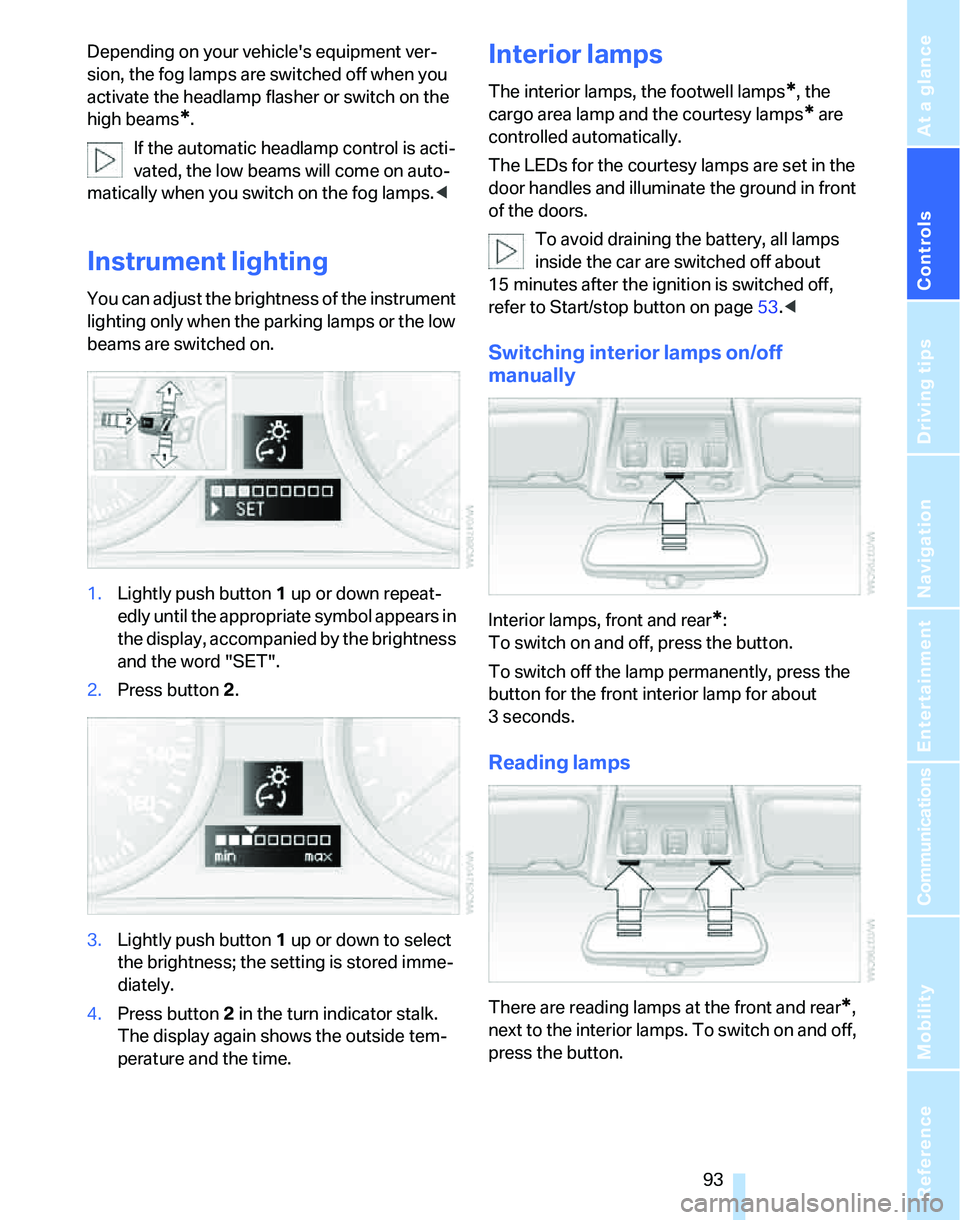
1.Lightly push button 1 up or down repeat-
edly until the appropriate symbol appears in
the display, accompanied by the brightness
and the word "SET".
2.Press button 2.
3.Lightly push button 1 up or down to select
the brightness; the setting is stored imme-
diately.
4.Press button 2 in the turn indicator stalk.
The display again shows the outside tem-
perature and the time.
Interior lamps
The interior lamps, the footwell lamps*, the
cargo area lamp and the courtesy lamps
* are
controlled automatically.
The LEDs for the courtesy lamps
are set in the
door handles and illuminate the ground in front
of the doors.
To avoid draining the battery, all lamps
inside the car are switched off about
15 minutes after the ignition is switched off,
refer to Start/stop button on page53.<
Switching interior lamps on/off
manually
Interior lamps, front and rear*:
To switch on and off, press the button.
To switch off the lamp permanently, press the
button for the front interior lamp for about
3seconds.
Reading lamps
There are reading lamps at the front and rear*,
next to the interior lamps. To switch on and off,
press the button.
Page 199 of 236
Replacing components
198 any instructions provided by the bulb manufac-
turer.<
For care and maintenance of the headlamps,
please follow the instructions in the separate
Caring for your vehicle brochure.
If the routine for changing a particular
bulb is not described here, please contact
your BMW Center or a workshop that works
according to BMW repair procedures with cor-
respondingly trained personnel.<
Light-emitting diodes LEDs
Light-emitting diodes installed behind translu-
cent lenses serve as the light source for many of
the controls and displays in your vehicle. These
light-emitting diodes, which operate using a
concept similar to that applied in conventional
lasers, are officially designated as Class 1 light-
emitting diodes.
Do not remove the covers or expose the
eyes directly to the unfiltered light source
for several hours at a time, otherwise this could
cause irritation to the retina.<
Xenon lamps*
The service life of these bulbs is very long and
the probability of a failure is very low, provided
that they are not switched on and off an unusual
number of times. If a xenon lamp fails neverthe-
less, switch on the fog lamps and continue the
journey with great care, provided that local leg-
islation does not prohibit this.
Have work on the xenon lighting system
performed only by your BMW Center or a
workshop that works according to BMW repair
procedures with correspondingly trained per-
sonnel. Due to the high electrical voltages
present, there is a risk of potentially fatal acci-
dents if work is performed inappropriate.<
Parking lamps, roadside parking lamps
In the event of a malfunction, please contact
your BMW Center or a workshop that works
according to BMW repair procedures with cor-
respondingly trained personnel.
Halogen lamps
H7 bulb, 55 watts
Always wear gloves and eye protection;
the atmosphere within the H7 bulb is
pressurized. Otherwise there is a risk of injury if
the bulb is damaged.<
There are separate headlamp covers for low-
beam headlamps and high-beam headlamps.
Be careful when installing the covers, oth-
erwise leaks could occur and cause dam-
age to the headlamp system.<
For checking and adjusting headlamp
aim, please contact your BMW Center.<
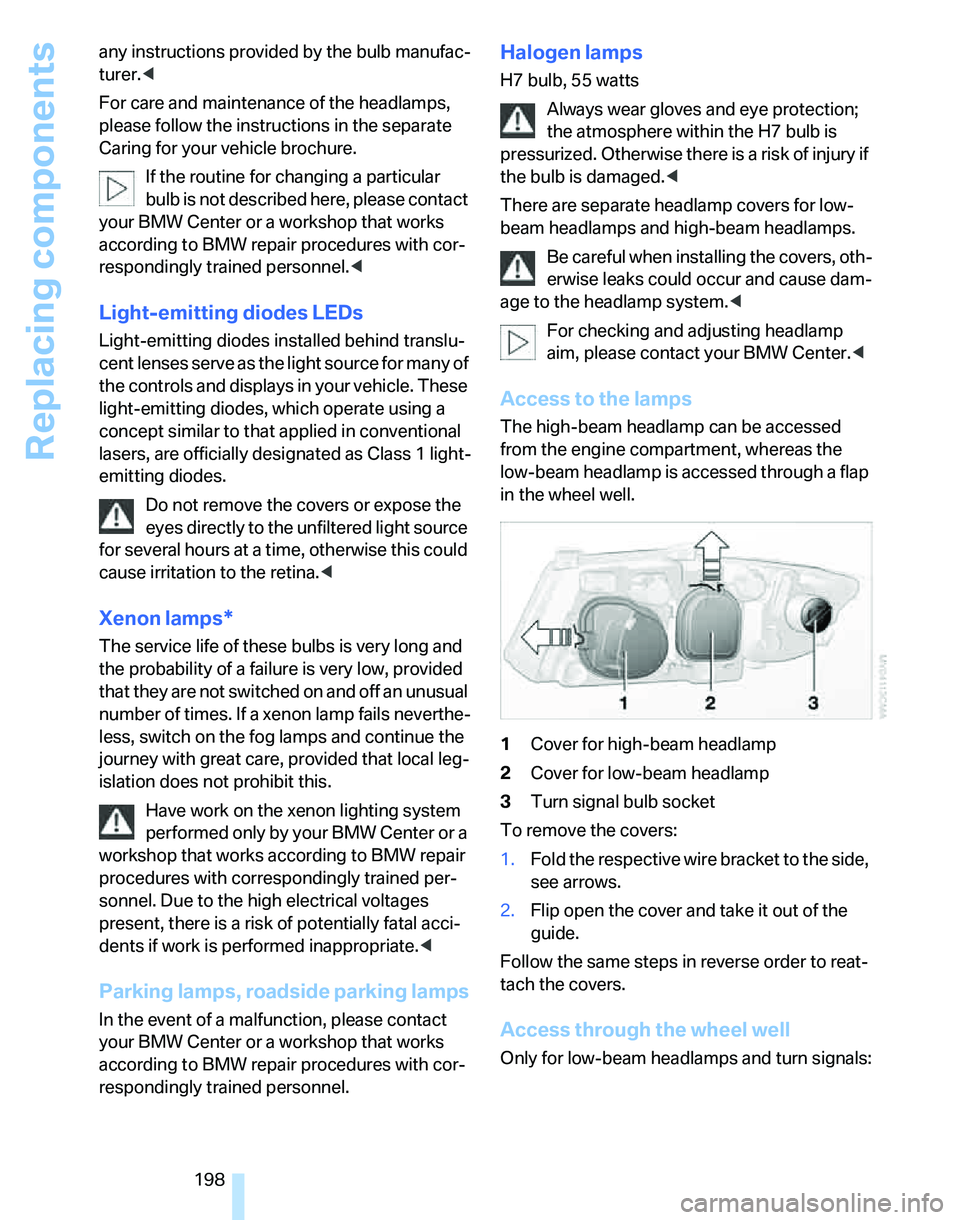
Access to the lamps
The high-beam headlamp can be accessed
from the engine compartment, whereas the
low-beam headlamp is accessed through a flap
in the wheel well.
1Cover for high-beam headlamp
2Cover for low-beam headlamp
3Turn signal bulb socket
To remove the covers:
1.Fold the respective wire bracket to the side,
see arrows.
2.Flip open the cover and take it out of the
guide.
Follow the same steps in reverse order to reat-
tach the covers.
Access through the wheel well
Only for low-beam headlamps and turn signals:
Page 200 of 236
Mobility
199Reference
At a glance
Controls
Driving tips
Communications
Navigation
Entertainment
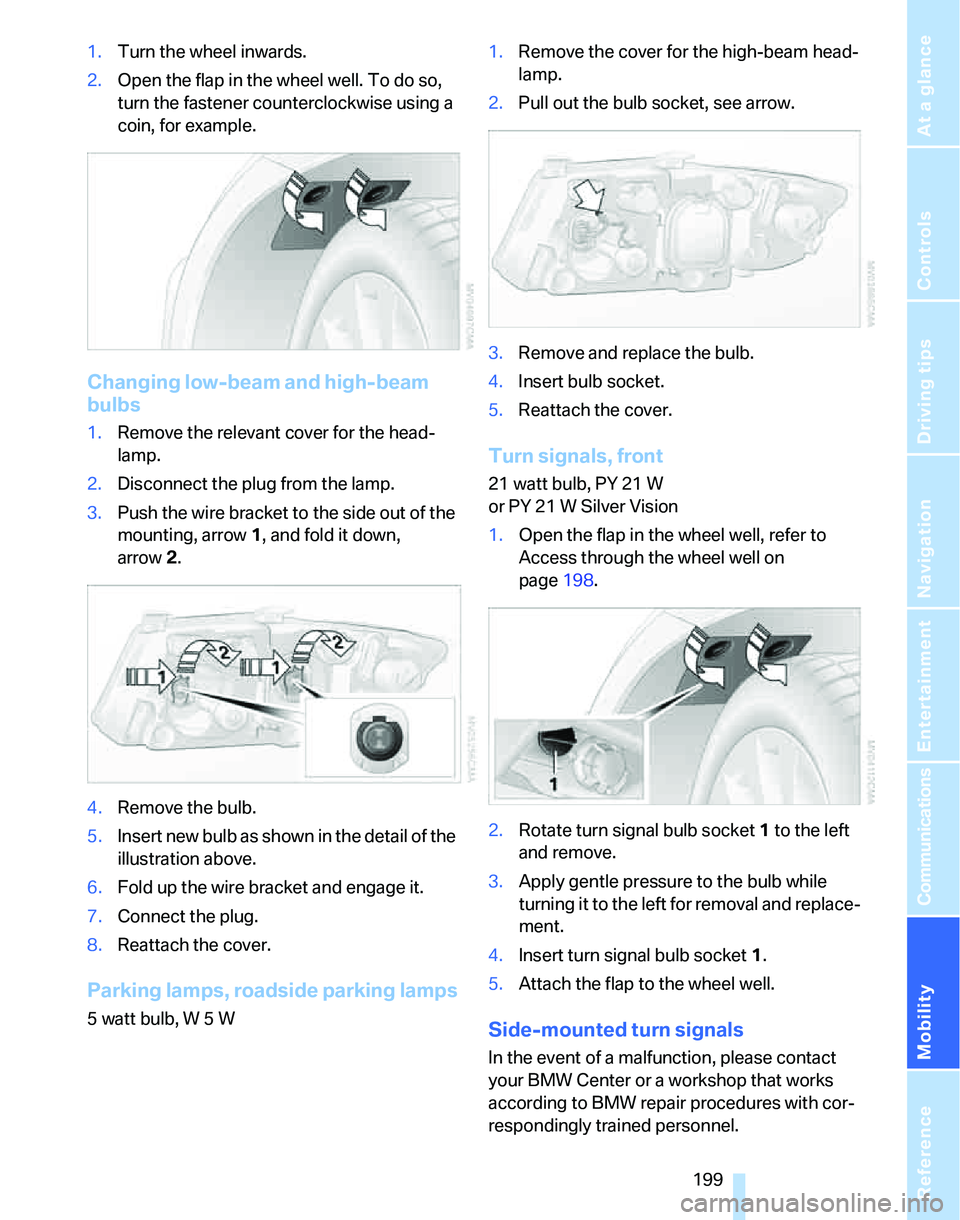
1.Turn the wheel inwards.
2.Open the flap in the wheel well. To do so,
turn the fastener counterclockwise using a
coin, for example.
Changing low-beam and high-beam
bulbs
1.Remove the relevant cover for the head-
lamp.
2.Disconnect the plug from the lamp.
3.Push the wire bracket to the side out of the
mounting, arrow1, and fold it down,
arrow2.
4.Remove the bulb.
5.Insert new bulb as shown in the detail of the
illustration above.
6.Fold up the wire bracket and engage it.
7.Connect the plug.
8.Reattach the cover.
Parking lamps, roadside parking lamps
5 watt bulb, W 5 W1.Remove the cover for the high-beam head-
lamp.
2.Pull out the bulb socket, see arrow.
3.Remove and replace the bulb.
4.Insert bulb socket.
5.Reattach the cover.
Turn signals, front
21 watt bulb, PY 21 W
or PY 21 W Silver Vision
1.Open the flap in the wheel well, refer to
Access through the wheel well on
page198.
2.Rotate turn signal bulb socket 1 to the left
and remove.
3.Apply gentle pressure to the bulb while
turning it to the left for removal and replace-
ment.
4.Insert turn signal bulb socket 1.
5.Attach the flap to the wheel well.
Side-mounted turn signals
In the event of a malfunction, please contact
your BMW Center or a workshop that works
according to BMW repair procedures with cor-
respondingly trained personnel.
Page 206 of 236
Mobility
205Reference
At a glance
Controls
Driving tips
Communications
Navigation
Entertainment
Your BMW has a special nut as body ground
or negative pole.
5.Attach the second terminal clamp of the
minus/– jumper cable to the negative termi-
nal of the battery or to the engine or body
ground of the vehicle to be started.
Starting the engine
1.Start the engine of the donor vehicle and
allow it to run for a few minutes at slightly
increased idle speed.
2.Start the engine on the other vehicle in the
usual way.
If the first start attempt is not successful,
wait a few minutes before another attempt
in order to allow the discharged battery to
recharge.
3.Let the engines run for a few minutes.
4.Disconnect the jumper cables by reversing
the above connecting sequence.
If necessary, have the battery checked and
recharged.
Never use spray fluids to start the
engine.<
Tow-starting, towing away
Observe the applicable laws and regula-
tions for tow-starting and towing vehi-
cles.<
Do not transport any occupants other
than the driver in a vehicle that is being
towed.<
Using a tow fitting
The screw-in tow fitting must always be carried
in the car. It can be screwed in at the front or
rear of the BMW.
It is stored in the onboard tool kit underneath
the cover on the right-hand side of the cargo
area, refer to page197.
Use only the tow fitting provided with the
vehicle and screw it all the way in. Use the
tow fitting for towing on paved roads only. Avoid
lateral loading of the tow fitting, e.g. do not lift
the vehicle by the tow fitting. Otherwise the tow
fitting and the vehicle could be damaged.<
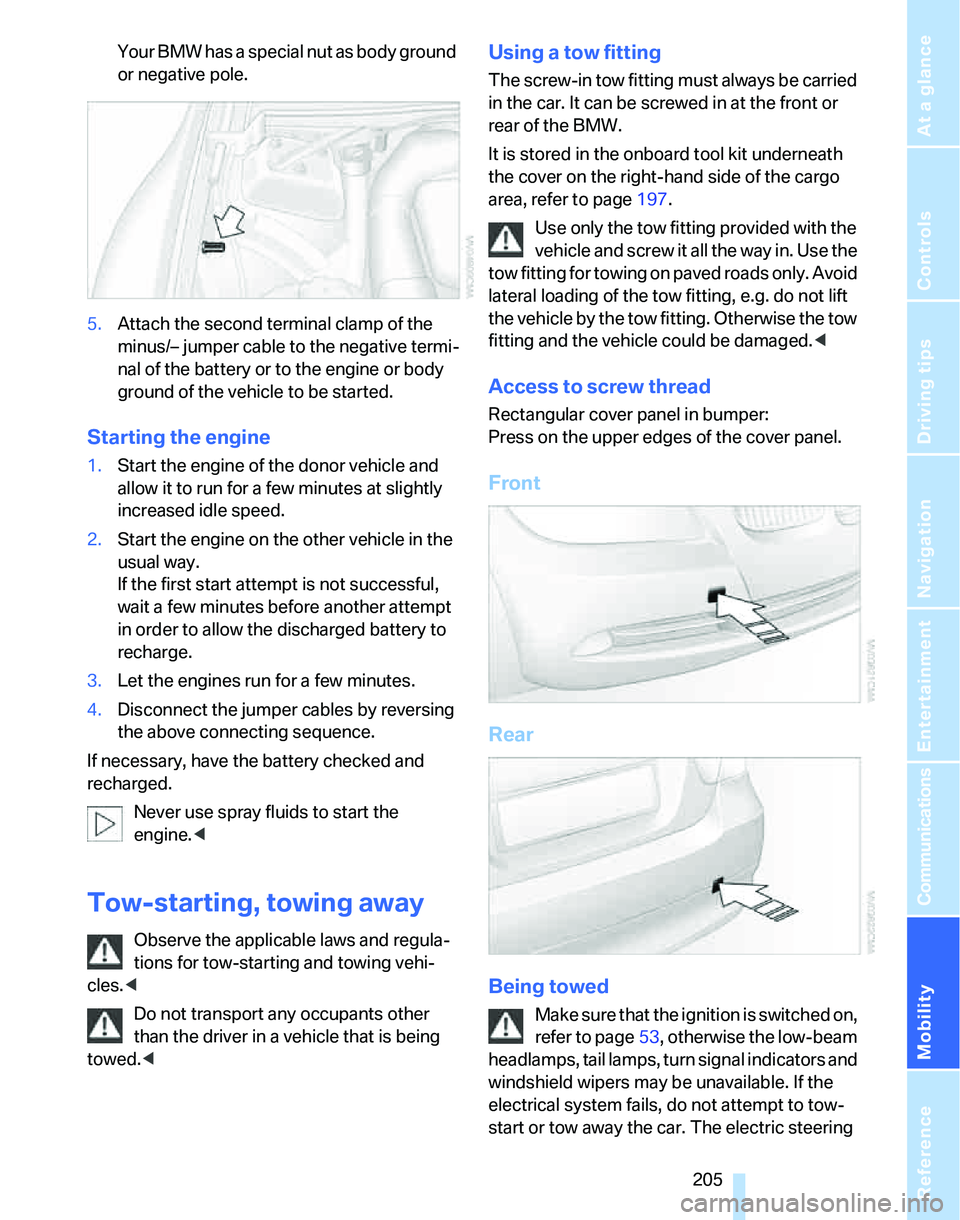
Access to screw thread
Rectangular cover panel in bumper:
Press on the upper edges of the cover panel.
Front
Rear
Being towed
Make sure that the ignition is switched on,
refer to page53, otherwise the low-beam
headlamps, tail lamps, turn signal indicators and
windshield wipers may be unavailable. If the
electrical system fails, do not attempt to tow-
start or tow away the car. The electric steering
Page 223 of 236
Everything from A - Z
222 Deadlocking, refer to
Locking30
Decommissioning the vehicle
– refer to Caring for your
vehicle brochure
Defect
– door lock32
– fuel filler door182
– panorama glass roof39
Defogging windows97
Defrosting windows97
Defrosting windows and
removing condensation
– automatic climate control97
Defrosting windshield, refer to
Defrosting windows97
Defrost position, refer to
Defrosting windows97
"Delete address book" in
navigation130
"Delete all numbers" on the
mobile phone169
"Delete data" in
navigation130
"Delete" for mobile
phone169
Destination address
– deleting129
– entering121,124
Destination for navigation
– entry121
– navigation list127
– selecting from address
book129
– selecting using
information126
– storing128Destination guidance132
– bypassing route
sections136
– canceling voice
instructions49
– changing specified
route130
– displaying route133
– displaying routes133
– distance and arrival132
– interrupting132
– starting132
– terminating/continuing132
– voice instructions135
– volume of voice
instructions135
Destination list for navigation
system127
Destinations recently driven
to127
"Dial" for mobile phone167
"Dial number"167
Digital clock67
Digital compass
101
Digital radio147
Dimensions211
Directional indicators, refer to
Turn signals57
Direction instructions, refer to
Voice instructions135
Directory for navigation, refer
to Address book128
Displacement, refer to Engine
data210
Display, refer to iDrive
controls16
Display lighting, refer to
Instrument lighting93
"Display off"21
Displays
– instrument cluster12
– on the Control Display16
Displays and controls10
"Display settings"75
Disposal
– coolant193
– remote control battery37
– vehicle battery201Distance control, refer to
Active cruise control61
Distance remaining to service,
refer to Service
requirements72
"Distance to dest."69
Distance warning, refer to
PDC Park Distance
Control81
Door key, refer to Integrated
key/remote control28
Door lock32
Door locking, confirmation
signals31
"Door locks"30
Doors, emergency
operation32
DOT Quality Grades186
Draft-free ventilation97
Drinks holders, refer to Cup
holders104
Drive-off assistant85
Driving lamps, refer to Parking
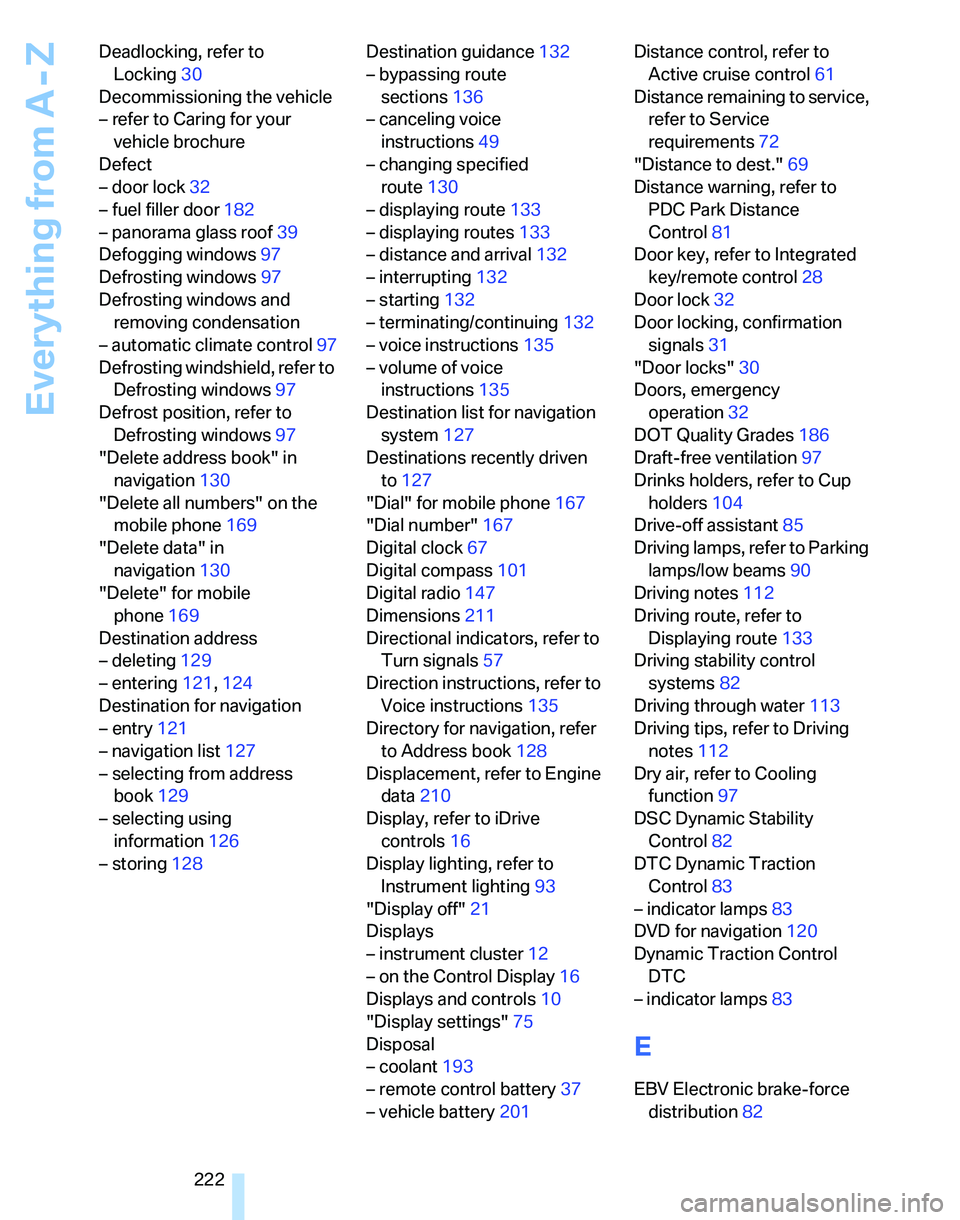
lamps/low beams90
Driving notes112
Driving route, refer to
Displaying route133
Driving stability control
systems82
Driving through water113
Driving tips, refer to Driving
notes112
Dry air, refer to Cooling
function97
DSC Dynamic Stability
Control82
DTC Dynamic Traction
Control83
– indicator lamps
83
DVD for navigation120
Dynamic Traction Control
DTC
– indicator lamps83
E
EBV Electronic brake-force
distribution82
Page 226 of 236
Reference 225
At a glance
Controls
Driving tips
Communications
Navigation
Entertainment
Mobility
iDrive16
– adjusting brightness80
– assistance window20
– automatic climate control95
– changing language80
– date and time, setting75
– displays, menus17
– menu guidance17
– operating principle16
– overview16
– selecting a menu item19
– status information20
– switching menu pages19
– symbols18
Ignition53
– switched off53
– switched on53
Ignition key, refer to
Integrated key/remote
control28
Ignition key position 1, refer to
Radio readiness53
Ignition key position 2, refer to
Ignition on53
Ignition lock53
Indicator and warning
lamps13
Individual air distribution95
Individually programmable
buttons on steering
wheel48
Individual settings, refer to
Personal Profile29
Information
– on another location126
– on country126
– on current position126
– on destination location126
"Information" in
navigation127
"Information on
destination"128
Initializing
– compass, refer to
Calibrating102
– Flat Tire Monitor FTM86
– panorama glass roof39
"Input map"126Installation location
– CD changer156
Instructions for navigation
system, refer to Voice
instructions135
Instrument cluster12
Instrument lighting93
Instrument panel, refer to
Cockpit10
Integrated key28
Integrated universal remote
control
100
Interesting destination for
navigation126
"Interim time"80
Interior lamps93
– remote control30
Interior motion sensor35
Interior rearview mirror47
– automatic dimming
feature113
Interior rearview mirror with
digital compass101
Interlock56
Intermittent mode of the
wipers58
J
Jacking points201
Joystick, refer to iDrive16
Jumpering, refer to Jump
starting204
Jump starting204
K
Key, refer to Integrated key/
remote control28
Keyless Go, refer to
Convenient access35
Keyless opening and closing,
refer to Convenient
access35
Key Memory, refer to Personal
Profile29
"Keypad"169Kick-down56
– automatic transmission with
Steptronic56
Knock control183
L
Lamps, refer to Parking lamps/
low beams90
Lamps and bulbs, replacing
bulbs197
"Languages" in
navigation135
"Languages"on the control
display80
Lap-and-shoulder safety
belt46
Lashing eyes, refer to
Securing cargo115
Last destinations, refer to
Destination list127
"Last seat pos."45
LATCH child-restraint fixing
system51
LEDs light-emitting
diodes198
Length, refer to
Dimensions211
License plate lamp, replacing
bulbs201
Light-emitting diodes
LEDs198
Lighter104
"Lighting"91
Lighting
– instruments93
– lamps and bulbs197
– of the vehicle, refer to
Lamps90
Light switch90
"Limit"79
Limit, refer to Speed limit79
Loading
– securing cargo115
Load securing equipment,
refer to Securing cargo115
Location
– drive for navigation DVD and
audio CD120
Page 227 of 236
Everything from A - Z
226 Lock buttons in the doors,
refer to Locking33
Locking
– adjusting confirmation
signal31
– from inside33
– from outside30
– without remote control, refer
to Convenient access35
Locking and unlocking doors
– from inside32
– from outside30
"LOGIC7", refer to Tone
control142
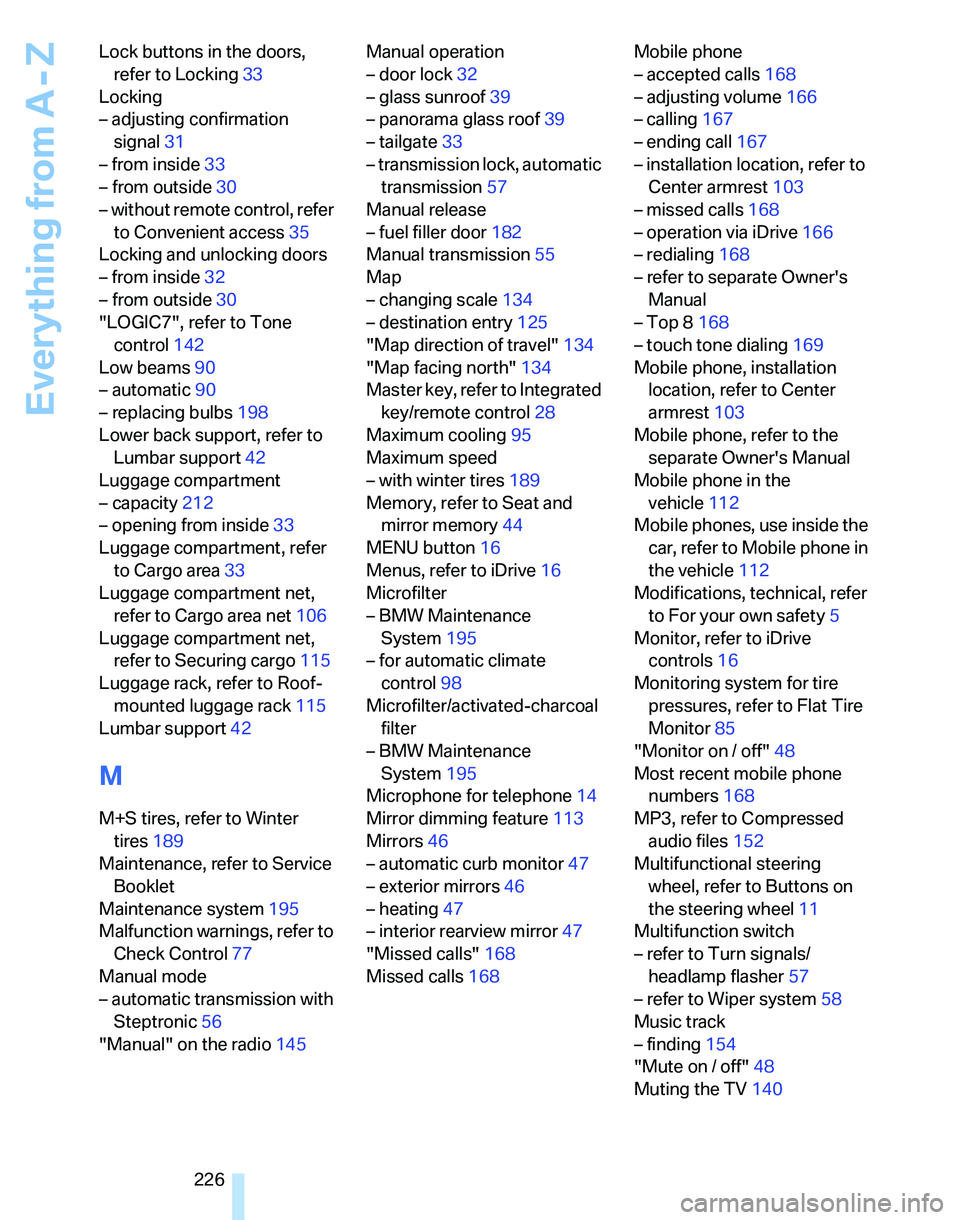
Low beams90
– automatic90
– replacing bulbs198
Lower back support, refer to
Lumbar support42
Luggage compartment
– capacity212
– opening from inside33
Luggage compartment, refer
to Cargo area33
Luggage compartment net,
refer to Cargo area net106
Luggage compartment net,
refer to Securing cargo115
Luggage rack, refer to Roof-
mounted luggage rack115
Lumbar support42
M
M+S tires, refer to Winter
tires189
Maintenance, refer to Service
Booklet
Maintenance system195
Malfunction warnings, refer to
Check Control77
Manual mode
– automatic transmission with
Steptronic56
"Manual" on the radio145Manual operation
– door lock32
– glass sunroof39
– panorama glass roof39
– tailgate33
– transmission lock, automatic
transmission57
Manual release
– fuel filler door182
Manual transmission55
Map
– changing scale134
– destination entry125
"Map direction of travel"134
"Map facing north"134
Master key, refer to Integrated
key/remote control28
Maximum cooling95
Maximum speed
– with winter tires189
Memory, refer to Seat and
mirror memory44
MENU button16
Menus, refer to iDrive16
Microfilter
– BMW Maintenance
System195
– for automatic climate
control98
Microfilter/activated-charcoal
filter
– BMW Maintenance
System195
Microphone for telephone14
Mirror dimming feature113
Mirrors46
– automatic curb monitor47
– exterior mirrors46
– heating47
– interior rearview mirror47
"Missed calls"168
Missed calls168Mobile phone
– accepted calls168
– adjusting volume166
– calling167
– ending call167
– installation location, refer to
Center armrest103
– missed calls168
– operation via iDrive166
– redialing168
– refer to separate Owner's
Manual
– Top 8168
– touch tone dialing169
Mobile phone, installation
location, refer to Center
armrest103
Mobile phone, refer to the
separate Owner's Manual
Mobile phone in the
vehicle112
Mobile phones, use inside the
car, refer to Mobile phone in
the vehicle112
Modifications, technical, refer
to For your own safety5
Monitor, refer to iDrive
controls16
Monitoring system for tire
pressures, refer to Flat Tire
Monitor85
"Monitor on / off"48
Most recent mobile phone
numbers168
MP3, refer to Compressed
audio files152
Multifunctional steering
wheel, refer to Buttons on
the steering wheel11
Multifunction switch
– refer to Turn signals/
headlamp flasher57
– refer to Wiper system58
Music track
– finding154
"Mute on / off"48
Muting the TV140
Page 229 of 236
Everything from A - Z
228 Parking
– vehicle54
Parking aid, refer to PDC Park
Distance Control81
Parking brake, refer to
Handbrake55
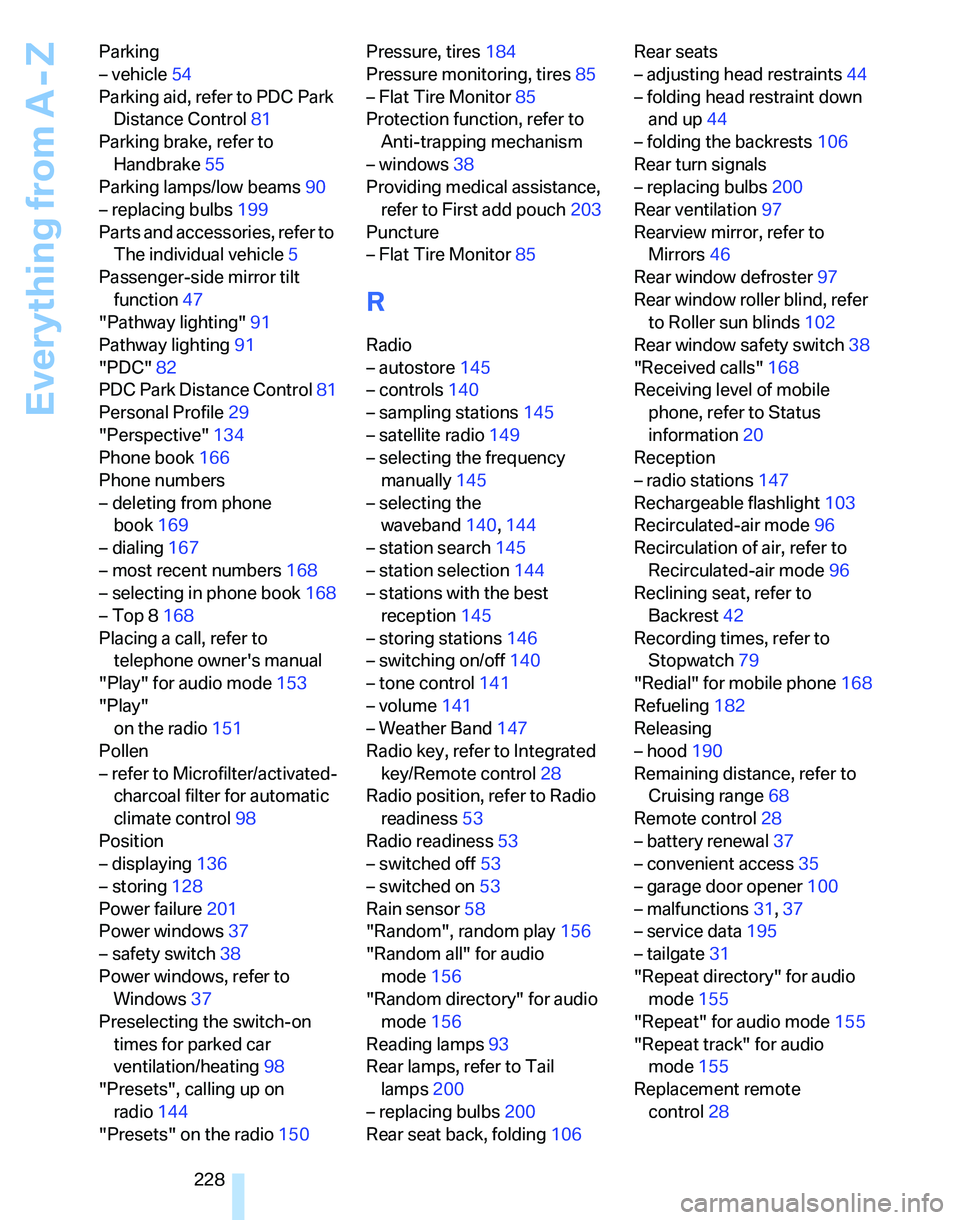
Parking lamps/low beams90
– replacing bulbs199
Parts and accessories, refer to
The individual vehicle5
Passenger-side mirror tilt
function47
"Pathway lighting"91
Pathway lighting91
"PDC"82
PDC Park Distance Control81
Personal Profile29
"Perspective"134
Phone book166
Phone numbers
– deleting from phone
book169
– dialing167
– most recent numbers168
– selecting in phone book168
– Top 8168
Placing a call, refer to
telephone owner's manual
"Play" for audio mode153
"Play"
on the radio151
Pollen
– refer to Microfilter/activated-
charcoal filter for automatic
climate control98
Position
– displaying136
– storing128
Power failure201
Power windows37
– safety switch38
Power windows, refer to
Windows37
Preselecting the switch-on
times for parked car
ventilation/heating98
"Presets", calling up on
radio144
"Presets" on the radio150Pressure, tires184
Pressure monitoring, tires85
– Flat Tire Monitor85
Protection function, refer to
Anti-trapping mechanism
– windows38
Providing medical assistance,
refer to First add pouch203
Puncture
– Flat Tire Monitor85
R
Radio
– autostore145
– controls140
– sampling stations145
– satellite radio149
– selecting the frequency
manually145
– selecting the
waveband140,144
– station search145
– station selection144
– stations with the best
reception145
– storing stations146
– switching on/off140
– tone control141
– volume141
– Weather Band147
Radio key, refer to Integrated
key/Remote control28
Radio position, refer to Radio
readiness53
Radio readiness53
– switched off53
– switched on53
Rain sensor58
"Random", random play156
"Random all" for audio
mode156
"Random directory" for audio
mode156
Reading lamps93
Rear lamps, refer to Tail
lamps200
– replacing bulbs200
Rear seat back, folding106Rear seats
– adjusting head restraints44
– folding head restraint down
and up44
– folding the backrests106
Rear turn signals
– replacing bulbs200
Rear ventilation97
Rearview mirror, refer to
Mirrors46
Rear window defroster97
Rear window roller blind, refer
to Roller sun blinds102
Rear window safety switch38
"Received calls"168
Receiving level of mobile
phone, refer to Status
information20
Reception
– radio stations147
Rechargeable flashlight103
Recirculated-air mode96
Recirculation of air, refer to
Recirculated-air mode96
Reclining seat, refer to
Backrest42
Recording times, refer to
Stopwatch79
"Redial" for mobile phone168
Refueling182
Releasing
– hood190
Remaining distance, refer to
Cruising range68
Remote control28
– battery renewal37
– convenient access35
– garage door opener100
– malfunctions31,37
– service data195
– tailgate31
"Repeat directory" for audio
mode155
"Repeat" for audio mode155
"Repeat track" for audio
mode155
Replacement remote
control28