2005 VOLVO S40 light
[x] Cancel search: lightPage 90 of 127

Wash the car, including the undercarriage, to reduce wear that can be caused by a buildup of dirt, and corrosion that
can be caused by salt residues.
Clean leaves and twigs from air intake vents at the base of the windshield, and from other places where they may
collect.
NOTE:
Complete service information for qualified technicians is available online for purchase or subscription at
www.volvotechinfo.com
.
pg. 148 Hood and engine compartment
Hood and engine compartment
Opening the hood
To open the hood:
Pull the lever located under the left side of the dash to release the hood lock.
Lift the hood slightly.
Press up the release control located under the front edge of the hood (at the center) up to the right, and lift the hood.
WARNING!
Check that the hood locks engage properly when closed.
Engine compartment
1. Cooling system expansion tank
2. Power steering fluid reservoir
3. Dipstick - engine oil
4. Radiator
5. Cooling fan
6. Washer fluid reservoir
7. Engine oil filler cap
8. Brake/clutch fluid reservoir
9. Battery
10. Relay/fuse box
11. Air cleaner
ProCarManuals.com
Page 96 of 127

Driving habits and conditions, climate, the number of starts, etc. all affect the service life and function of the battery.
In order for your battery to perform satisfactorily, keep the following in mind:
Check the fluid level in each cell in the battery every 24 months or every 15,0001 miles (24,000 km), whichever is
sooner. The fluid should be at the level shown in the illustration above (A). Do not overfill.
Use a screw driver to open the caps and a flashlight to inspect the level.
If necessary, add distilled water. The level should never be above the indicator (A).
The fluid level should be checked if the battery has been recharged.
After inspection, be sure the cap over each battery cell is securely in place.
Check that the battery cables are correctly connected and properly tightened.
Never disconnect the battery when the engine is running, for example when changing the battery.
The battery should be disconnected from the vehicle when a battery charger is used directly on the battery.
1. More frequently in warm climates.
WARNING!
PROPOSITION 65 WARNING!
Battery posts, terminals, and related accessories contain lead and lead compounds, chemicals known to the state of
California to cause cancer and reproductive harm. Wash hands after handling.
pg. 154 Battery
Battery replacement
1. Switch off the ignition and remove the key.
2. Unscrew the cover over the battery.
3. Wait at least 5 minutes after switching off the ignition before disconnecting the battery so that all information in the
vehicle's electrical system can be stored in the control modules.
4. Remove the cover and unscrew the front side of the battery box using a screwdriver.
ProCarManuals.com
Page 100 of 127
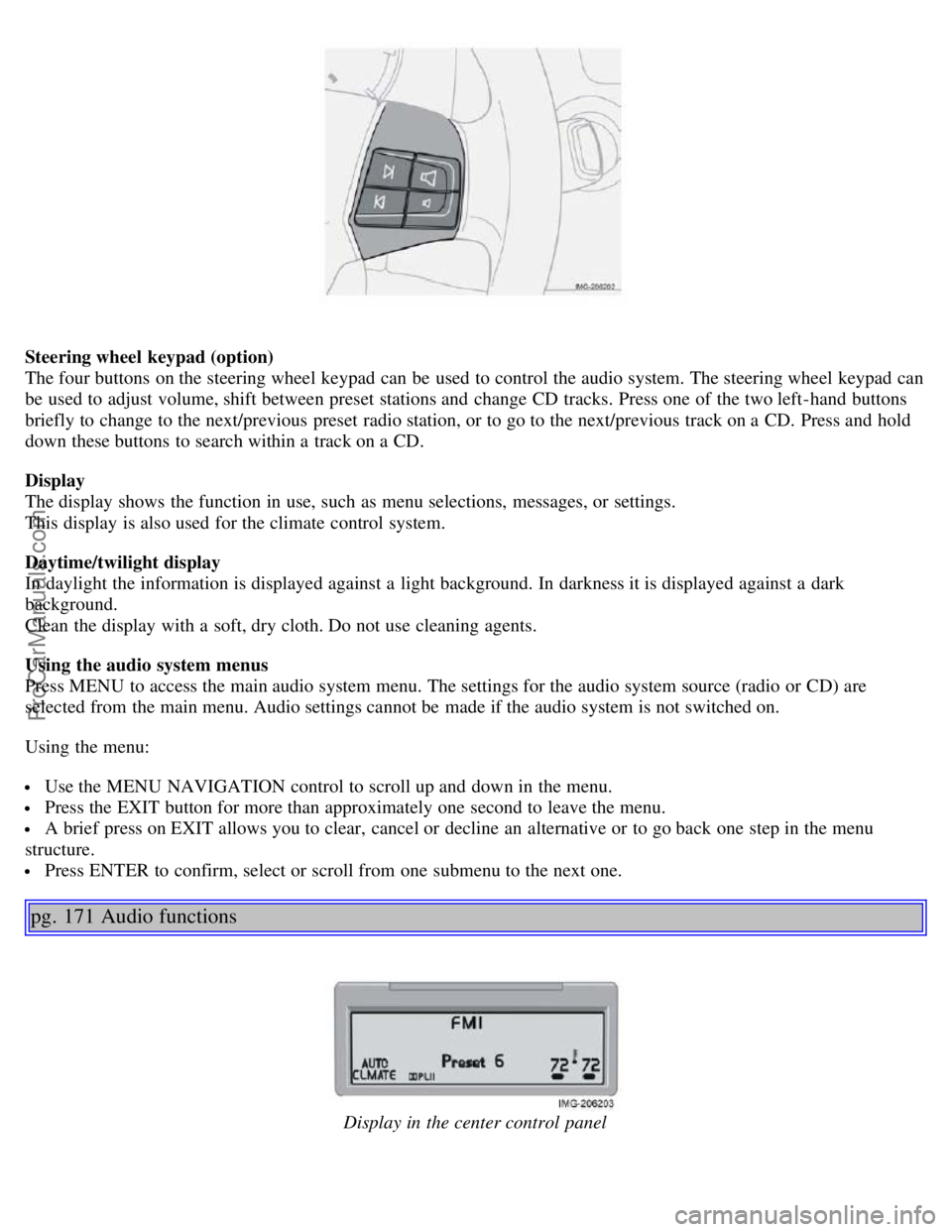
Steering wheel keypad (option)
The four buttons on the steering wheel keypad can be used to control the audio system. The steering wheel keypad can
be used to adjust volume, shift between preset stations and change CD tracks. Press one of the two left-hand buttons
briefly to change to the next/previous preset radio station, or to go to the next/previous track on a CD. Press and hold
down these buttons to search within a track on a CD.
Display
The display shows the function in use, such as menu selections, messages, or settings.
This display is also used for the climate control system.
Daytime/twilight display
In daylight the information is displayed against a light background. In darkness it is displayed against a dark
background.
Clean the display with a soft, dry cloth. Do not use cleaning agents.
Using the audio system menus
Press MENU to access the main audio system menu. The settings for the audio system source (radio or CD) are
selected from the main menu. Audio settings cannot be made if the audio system is not switched on.
Using the menu:
Use the MENU NAVIGATION control to scroll up and down in the menu.
Press the EXIT button for more than approximately one second to leave the menu.
A brief press on EXIT allows you to clear, cancel or decline an alternative or to go back one step in the menu
structure.
Press ENTER to confirm, select or scroll from one submenu to the next one.
pg. 171 Audio functions
Display in the center control panel
ProCarManuals.com
Page 107 of 127
Press the button (no. 16 in the illustration on page 169) to eject the disc.
NOTE: For reasons of traffic safety, the ejected CD must be removed within 12 seconds or it will be automatically
drawn back into the slot and the CD player will enter pause mode. Press the CD button to restart the disc.
Compact disc care
Before using a new CD for the first time, remove any burrs in the center/outer edge by running the stem of a pen or
similar object around the hole/edge of the disc.
Use CD standard EN 60908 discs only. Discs not meeting this standard may cause problems with system (poor
sound). CDR discs can cause listening problems due to the quality of the disc or recording equipment used.
Keep the discs clean. Wipe them with a soft, clean, lint-free cloth, working from the center outward. If necessary,
dampen the cloth with a neutral soap solution. Dry thoroughly before using.
Never use cleaning spray or antistatic liquid. Use only cleaners specifically made for CDs.
Use discs of the correct size only (3.5" discs should never be used).
pg. 178 CD player
Do not put tape or labels on the disc itself. They could become stuck in the player.
Volvo does not recommend the use of plastic outer rings on the disc.
Condensation may occur on discs/optical components of the changer in cold winter weather. The disc can be dried
with a clean, lint-free cloth. Optical components in the CD changer may, however, take up to one hour to dry off.
Never attempt to play a disc which is damaged in any way.
When not in use, the discs should be stored in their covers. Avoid storing discs in excessive heat, direct sunlight or
dusty locations.
pg. 179 CD changer (certain audio systems only)
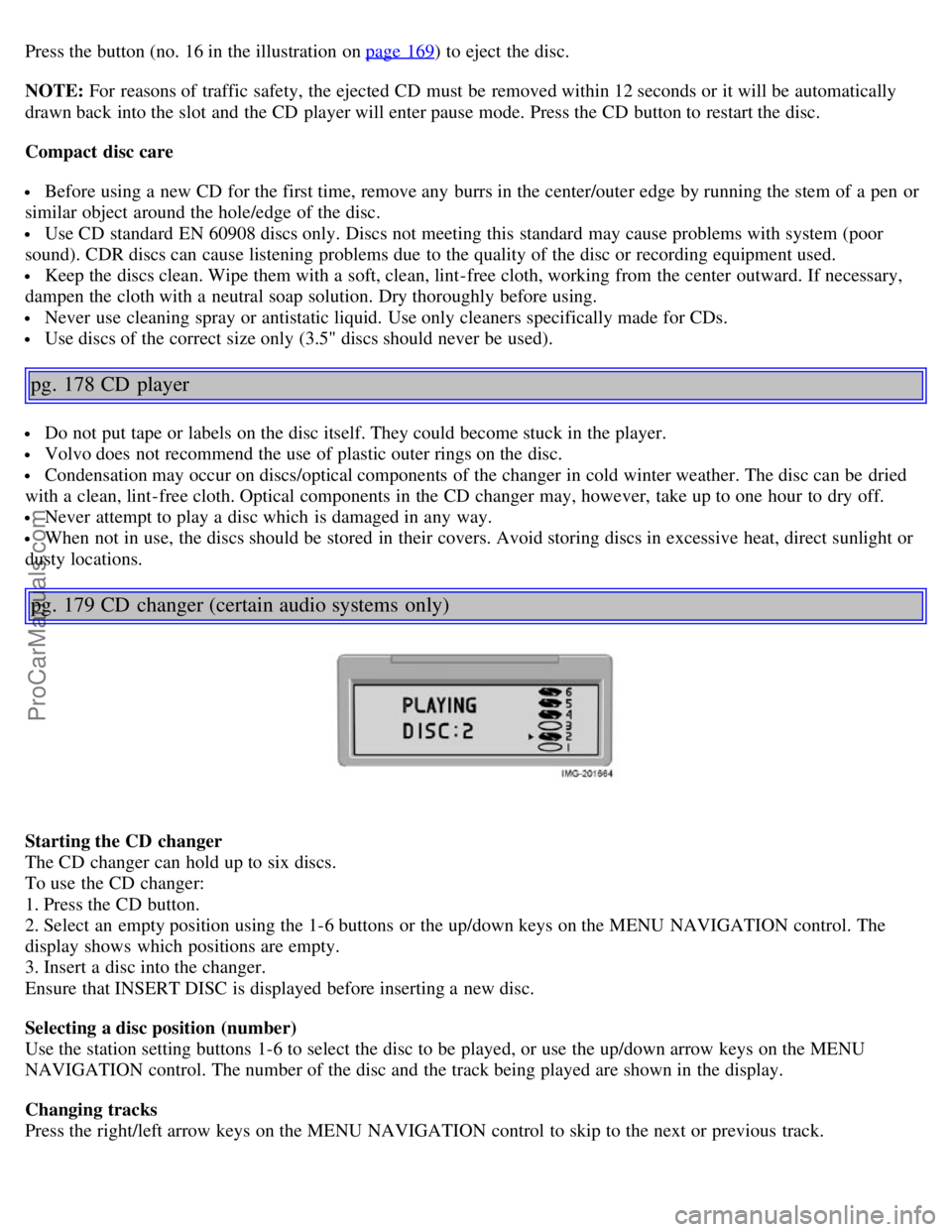
Starting the CD changer
The CD changer can hold up to six discs.
To use the CD changer:
1. Press the CD button.
2. Select an empty position using the 1-6 buttons or the up/down keys on the MENU NAVIGATION control. The
display shows which positions are empty.
3. Insert a disc into the changer.
Ensure that INSERT DISC is displayed before inserting a new disc.
Selecting a disc position (number)
Use the station setting buttons 1-6 to select the disc to be played, or use the up/down arrow keys on the MENU
NAVIGATION control. The number of the disc and the track being played are shown in the display.
Changing tracks
Press the right/left arrow keys on the MENU NAVIGATION control to skip to the next or previous track.
ProCarManuals.com
Page 109 of 127
Use CD standard EN 60908 discs only. Discs not meeting this standard may cause problems with system (poor
sound). CDR discs can cause listening problems due to the quality of the disc or recording equipment used.
Keep the discs clean. Wipe them with a soft, clean, lint-free cloth, working from the center outward. If necessary,
dampen the cloth with a neutral soap solution. Dry thoroughly before using.
Never use cleaning spray or antistatic liquid. Use only cleaners specifically made for CDs.
Use discs of the correct size only (3.5" discs should never be used).
Do not put tape or labels on the disc itself. They could become stuck in the player.
Volvo does not recommend the use of plastic outer rings on the disc.
Condensation may occur on discs/optical components of the changer in cold winter weather. The disc can be dried
with a clean, lint-free cloth. Optical components in the CD changer may, however, take up to one hour to dry off.
Never attempt to play a disc which is damaged in any way.
When not in use, the discs should be stored in their covers. Avoid storing discs in excessive heat, direct sunlight or
dusty locations.
pg. 181 Audio menu settings and selections
Audio menu settings and selections
NOTE:
All alternatives marked * can be selected or set to On or Off by navigating to the alternative in the menu and pressing
Enter.
FM1/FM2 menu
1. PTY
1.1. SELECT PTY
1.1.1. CLEAR ALL PTY
1.1.2. The available program types are listed here
1.2. SEARCH PTY
1.3. SHOW PTY ON/OFF (default)*
2. RADIOTEXT ON/OFF (default)*
3. ADVANCED RADIO SETTINGS
3.1. AF ON/OFF (default)*
3.2. RESET All
4. AUDIO SETTINGS
4.1. SURROUND AM/FM (Premium sound system only)
4.1.1. Dolby Pro Logic II*
4.1.2.3 Channel*
4.1.3. OFF (default)*
4.2. SURROUND CD
4.2.1. Dolby Pro Logic II (default)*
4.2.2.3 Channel*
4.2.3. OFF*
4.3. SUBWOOFER ON (default)/OFF* (accessory)
4.4. EQUALIZER FRONT (certain audio systems)
4.5. EQUALIZER REAR (certain audio systems)
4.6. Auto. volume control (speed compensated volume)
4.6.1. Low*
4.6.2. Medium (default)*
4.6.3. High*
4.7. RESET ALL
AM menu
1. 1. AUDIO SETTINGS
ProCarManuals.com
Page 119 of 127
2 0 0 5
VOLVO S40
Index
pg. 193-196 Index
Numerics
12 volt socket, in trunk 86
12 volt socket, rear seat54
12 volt sockets44
A
ABS (anti-lock brake system)2
Active yaw control - AYC113
Airbag deployment21
Alarm94
All Wheel Drive110
Antifreeze150
Anti-lock Brake System (ABS)2, 40
Approach lighting61, 89
ASC - speed compensated volume, audio system173
Audio functions171
Audio system - introduction168
Audio system menus, list of181
Audio system overview169
Autolock61
Automatic transmission - Geartronic108
Auxiliary equipment44
AWD110
B
Backrests, rear seat84
Battery drain - avoiding99
Battery maintenance153
Battery replacement154
Battery replacement, remote control91
Battery, conserving electrical current99
Battery, specifications189
Bi -Xenon headlights45, 156
Booster cushion33
ProCarManuals.com
Page 120 of 127
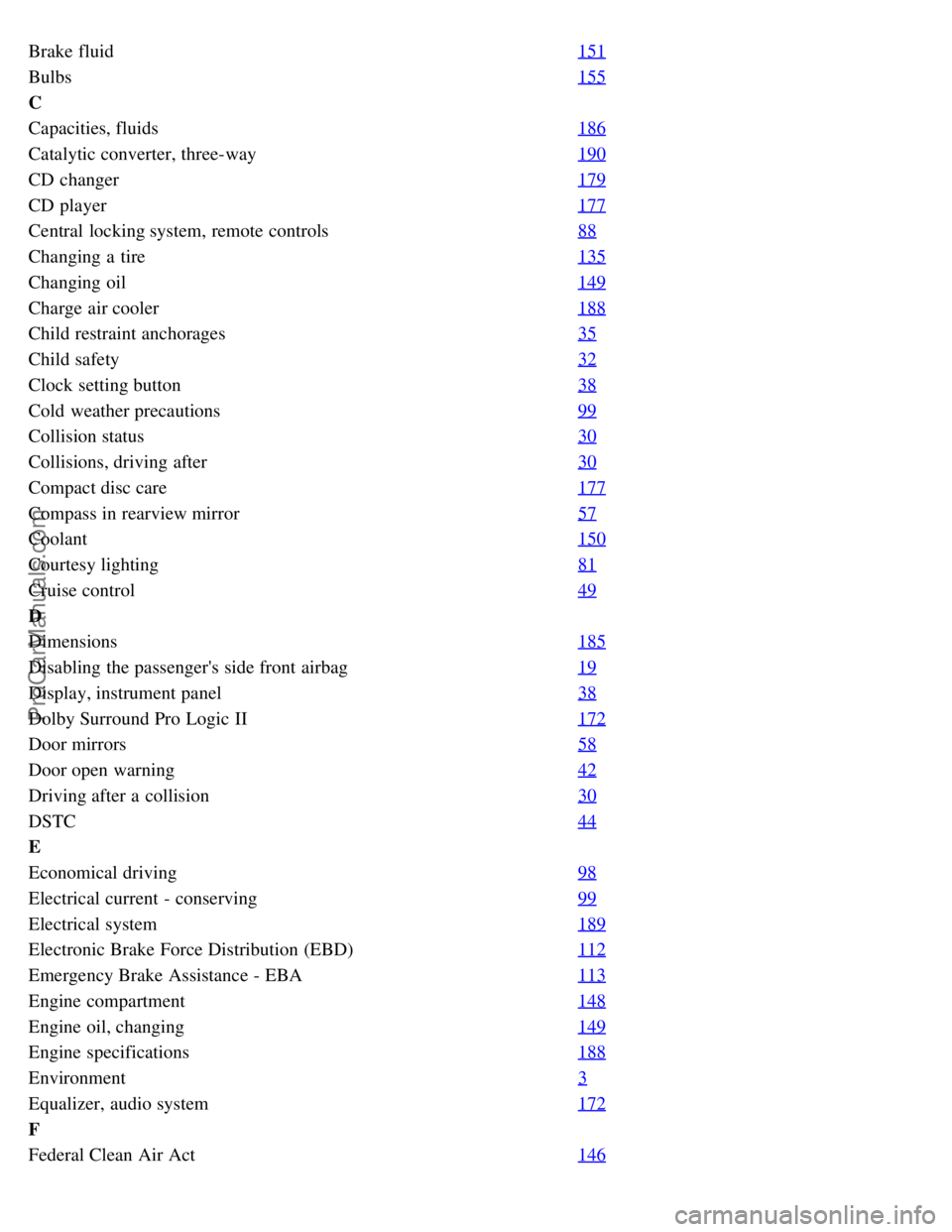
Brake fluid151
Bulbs155
C
Capacities, fluids186
Catalytic converter, three-way190
CD changer179
CD player177
Central locking system, remote controls88
Changing a tire135
Changing oil149
Charge air cooler188
Child restraint anchorages35
Child safety32
Clock setting button38
Cold weather precautions99
Collision status30
Collisions, driving after30
Compact disc care177
Compass in rearview mirror57
Coolant150
Courtesy lighting81
Cruise control49
D
Dimensions185
Disabling the passenger's side front airbag19
Display, instrument panel38
Dolby Surround Pro Logic II172
Door mirrors58
Door open warning42
Driving after a collision30
DSTC44
E
Economical driving98
Electrical current - conserving99
Electrical system189
Electronic Brake Force Distribution (EBD)112
Emergency Brake Assistance - EBA113
Engine compartment148
Engine oil, changing149
Engine specifications188
Environment3
Equalizer, audio system172
F
Federal Clean Air Act146
ProCarManuals.com
Page 121 of 127

Floor mats104
Floor mats, cleaning142
Front airbags17
Front fog light, replacing158
Front fog lights (option)45
Front seats, manual adjustment78
Front seats, power79
Fuel filler cap2
Fuel filler door2, 102
Fuel gauge38
Fuel requirements101
Fuel system188
Fuel tank capacity102
Fuse box in the passenger compartment, accessing163
Fuses161
Fuses in the engine compartment162
Fuses in the passenger compartment164
G
Gasoline101
Geartronic (manual shifting)108
Generator189
Generator warning light41
Glossary of tire terminology129
Glove compartment83
Glove compartment, locking93
Grocery bag holder (option)86
H
Hazard warning flashers53
Head restraints, rear seat84
Headlight flasher47
Headlight housing, removing156
Headlight washers51
Headlights45
High beam bulb, replacing157
High beam indicator38
High beams47
High/low beam headlights45
Home safe lighting47, 62
Hood, opening148
I
Ignition switch106
Immobilizer88, 104
Indicator and warning symbols38
Inflatable Curtain26
ProCarManuals.com