2005 PONTIAC BONNEVILLE lock
[x] Cancel search: lockPage 119 of 438
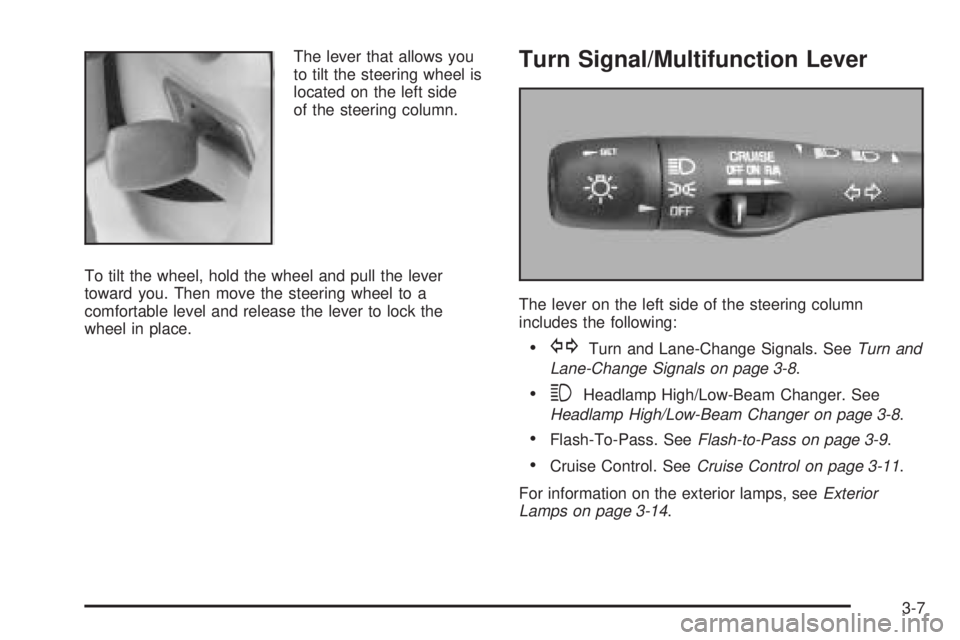
The lever that allows you
to tilt the steering wheel is
located on the left side
of the steering column.
To tilt the wheel, hold the wheel and pull the lever
toward you. Then move the steering wheel to a
comfortable level and release the lever to lock the
wheel in place.Turn Signal/Multifunction Lever
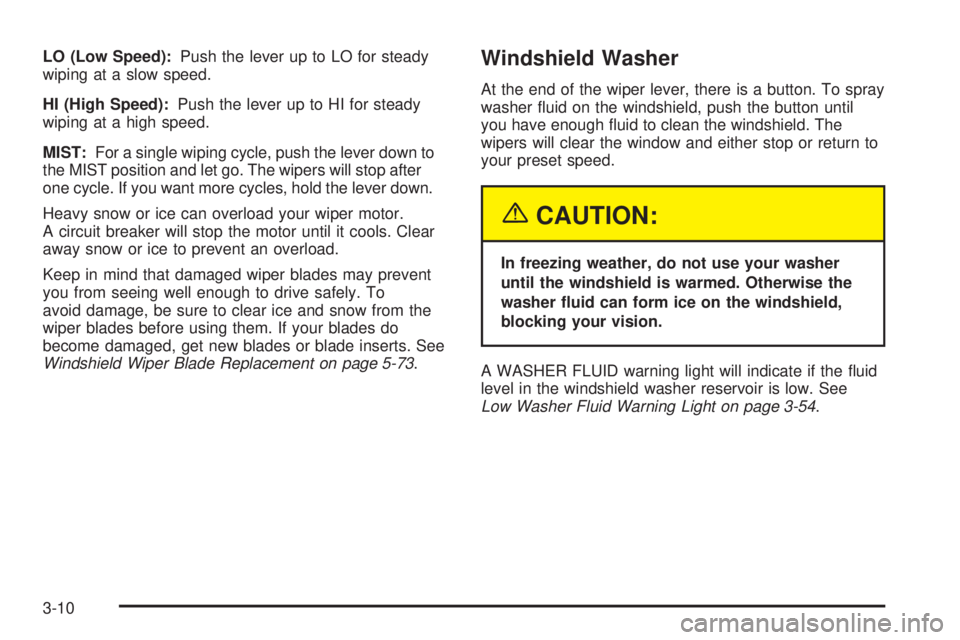
The lever on the left side of the steering column
includes the following:
GTurn and Lane-Change Signals. SeeTurn and
Lane-Change Signals on page 3-8.
3Headlamp High/Low-Beam Changer. See
Headlamp High/Low-Beam Changer on page 3-8.
Flash-To-Pass. SeeFlash-to-Pass on page 3-9.
Cruise Control. SeeCruise Control on page 3-11.
For information on the exterior lamps, seeExterior
Lamps on page 3-14.
3-7
Page 122 of 438
LO (Low Speed):Push the lever up to LO for steady
wiping at a slow speed.
HI (High Speed):Push the lever up to HI for steady
wiping at a high speed.
MIST:For a single wiping cycle, push the lever down to
the MIST position and let go. The wipers will stop after
one cycle. If you want more cycles, hold the lever down.
Heavy snow or ice can overload your wiper motor.
A circuit breaker will stop the motor until it cools. Clear
away snow or ice to prevent an overload.
Keep in mind that damaged wiper blades may prevent
you from seeing well enough to drive safely. To
avoid damage, be sure to clear ice and snow from the
wiper blades before using them. If your blades do
become damaged, get new blades or blade inserts. See
Windshield Wiper Blade Replacement on page 5-73.Windshield Washer
At the end of the wiper lever, there is a button. To spray
washer uid on the windshield, push the button until
you have enough uid to clean the windshield. The
wipers will clear the window and either stop or return to
your preset speed.
{CAUTION:
In freezing weather, do not use your washer
until the windshield is warmed. Otherwise the
washer uid can form ice on the windshield,
blocking your vision.
A WASHER FLUID warning light will indicate if the uid
level in the windshield washer reservoir is low. See
Low Washer Fluid Warning Light on page 3-54.
3-10
Page 127 of 438

Headlamps on Reminder
If you open the driver’s door while leaving the
headlamps or parking lamps on and the key is in OFF,
you will hear a warning chime.
Daytime Running Lamps (DRL)
Daytime Running Lamps (DRL) can make it easier for
others to see the front of your vehicle during the
day. DRL can be helpful in many different driving
conditions, but they can be especially helpful in the short
periods after dawn and before sunset. Fully functional
daytime running lamps are required on all vehicles
rst sold in Canada.
A light sensor on top of the instrument panel monitors
the exterior light level for the operation of DRL and
Twilight Sentinel
®, so be sure it is not covered. The DRL
system will make your low-beam headlamps come on
at a reduced brightness. In order for the DRL system to
be activated, the following conditions must be met:
The ignition is on.
The exterior lamp control is off.
The transaxle is not in PARK (P).When the DRL are on, only your low-beam headlamps
will be on at reduced intensity. The taillamps,
sidemarker and other lamps will not be on. Your
instrument panel will not be lit either.
When it is dark enough outside, your regular intensity
headlamps will come on at full brightness and the
DRL lighting will turn off. The parking lamps that
normally come on with your headlamps will also come
on. When it is bright enough outside, the regular
intensity headlamps and parking lamps will turn back
off, and the reduced brightness DRL lighting will
turn back on.
To idle your vehicle during the day with the DRL off,
shift the transaxle into PARK (P). The DRL will stay off
until you shift out of PARK (P).
At night, you can turn off all exterior lamps when you
are in PARK (P) by turning the Twilight Sentinel
®knob
all the way to OFF.
If the knob was already in OFF, it must be cycled to ON
and back to OFF. Turn the knob clockwise to turn the
exterior lighting back on. The lamps will come back
on automatically when you put the transaxle in gear.
As with any vehicle, you should turn on the regular
headlamp system when you need it.
3-15
Page 128 of 438
Fog Lamps
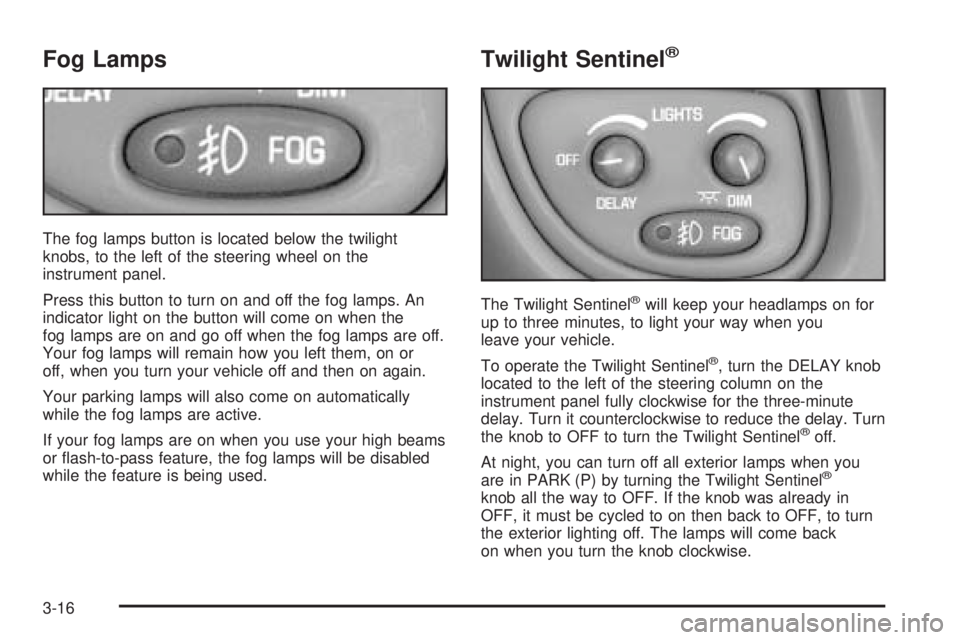
The fog lamps button is located below the twilight
knobs, to the left of the steering wheel on the
instrument panel.
Press this button to turn on and off the fog lamps. An
indicator light on the button will come on when the
fog lamps are on and go off when the fog lamps are off.
Your fog lamps will remain how you left them, on or
off, when you turn your vehicle off and then on again.
Your parking lamps will also come on automatically
while the fog lamps are active.
If your fog lamps are on when you use your high beams
or ash-to-pass feature, the fog lamps will be disabled
while the feature is being used.
Twilight Sentinel®
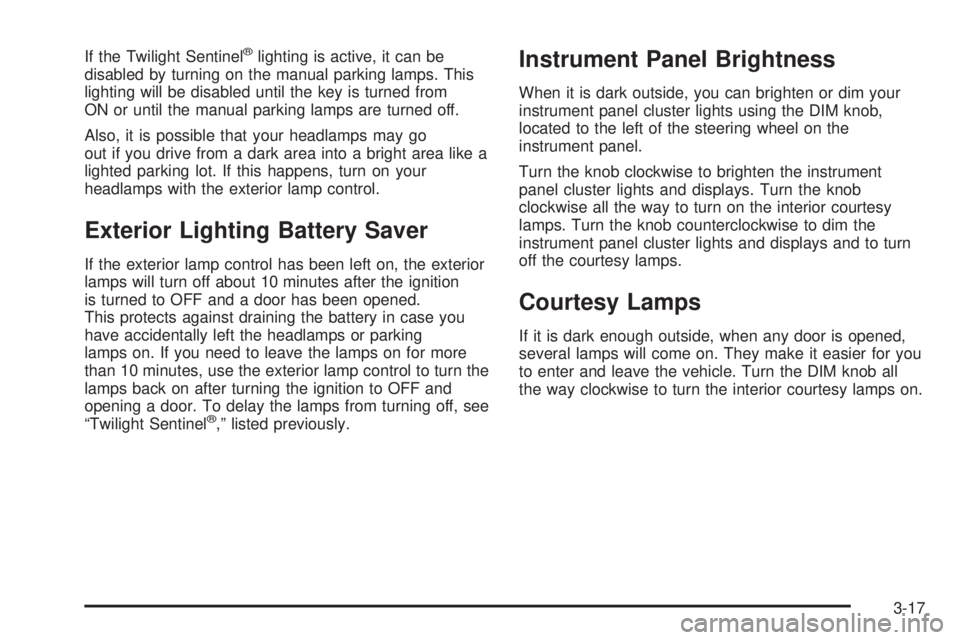
The Twilight Sentinel®will keep your headlamps on for
up to three minutes, to light your way when you
leave your vehicle.
To operate the Twilight Sentinel
®, turn the DELAY knob
located to the left of the steering column on the
instrument panel fully clockwise for the three-minute
delay. Turn it counterclockwise to reduce the delay. Turn
the knob to OFF to turn the Twilight Sentinel
®off.
At night, you can turn off all exterior lamps when you
are in PARK (P) by turning the Twilight Sentinel
®
knob all the way to OFF. If the knob was already in
OFF, it must be cycled to on then back to OFF, to turn
the exterior lighting off. The lamps will come back
on when you turn the knob clockwise.
3-16
Page 129 of 438
If the Twilight Sentinel®lighting is active, it can be
disabled by turning on the manual parking lamps. This
lighting will be disabled until the key is turned from
ON or until the manual parking lamps are turned off.
Also, it is possible that your headlamps may go
out if you drive from a dark area into a bright area like a
lighted parking lot. If this happens, turn on your
headlamps with the exterior lamp control.
Exterior Lighting Battery Saver
If the exterior lamp control has been left on, the exterior
lamps will turn off about 10 minutes after the ignition
is turned to OFF and a door has been opened.
This protects against draining the battery in case you
have accidentally left the headlamps or parking
lamps on. If you need to leave the lamps on for more
than 10 minutes, use the exterior lamp control to turn the
lamps back on after turning the ignition to OFF and
opening a door. To delay the lamps from turning off, see
“Twilight Sentinel
®,” listed previously.
Instrument Panel Brightness
When it is dark outside, you can brighten or dim your
instrument panel cluster lights using the DIM knob,
located to the left of the steering wheel on the
instrument panel.
Turn the knob clockwise to brighten the instrument
panel cluster lights and displays. Turn the knob
clockwise all the way to turn on the interior courtesy
lamps. Turn the knob counterclockwise to dim the
instrument panel cluster lights and displays and to turn
off the courtesy lamps.
Courtesy Lamps
If it is dark enough outside, when any door is opened,
several lamps will come on. They make it easier for you
to enter and leave the vehicle. Turn the DIM knob all
the way clockwise to turn the interior courtesy lamps on.
3-17
Page 130 of 438
Entry Lighting
If it is dark enough outside and you press the unlock
button on the remote keyless entry transmitter, if
equipped, the interior courtesy lamps will come on and
stay on for about 25 seconds. The lamps will turn
off immediately by pressing the lock button on the
remote keyless entry transmitter, by turning the ignition
key to ON or by activating the power door locks.
If a door is left ajar, your interior lamps will turn off after
10 minutes to save your battery.
Delayed Entry Lighting
When you open the door to enter your vehicle, the
interior lamps will come on if it is dark enough outside.
When you close the door with the ignition off, the
interior lamps will stay on for 25 seconds or until the
ignition is turned on. Locking the doors with the power
door lock switch, or with the lock button on the
remote keyless entry transmitter, if equipped, will
override the delayed entry lighting and the lamps will
turn off immediately.
Theater Dimming
This feature allows for a three to ve-second fade out of
the courtesy lamps instead of immediate turn off after
you remove the key from the ignition.
Delayed Exit Lighting
This feature will turn on the interior lamps for 25 seconds
after you remove the key from the ignition while the
doors are closed and it is night. This will give you time
to nd the door handle or lock switches as you exit
the vehicle.
This lighting will only be deactivated if the key is
reinserted into the ignition switch or the power door
locks are activated.
Perimeter Lighting
When the unlock button on the remote keyless entry
transmitter, if equipped, is pressed, the DRL headlamps,
parking lamps and back-up lamps will turn on if it is
dark enough outside.
3-18
Page 131 of 438
Personal Choice Programming
This feature can be programmed in the on or off mode
for each transmitter.
If your vehicle is equipped with the Driver Information
Center (DIC), you must program this feature through the
DIC. SeeDIC Vehicle Personalization on page 3-64.
To turn the feature off, do the following:
1. Keep all doors closed, the vehicle in PARK (P) and
the ignition on throughout this procedure.
2. Press and hold LOCK on the power door lock
switch throughout this procedure. All the doors
will lock.
3. Press the remote alarm button on the transmitter.
Perimeter lighting remains on at this time and the
horn will chirp twice.
4. Press the remote alarm button again. Perimeter
lighting is disabled and the horn will chirp once.
5. Release the door lock switch. The perimeter lighting
feature is now off.To turn the feature on, do the following:
1. Keep all doors closed, the vehicle in PARK (P) and
the ignition on throughout this procedure.
2. Press and hold LOCK on the power door lock
switch throughout this procedure. All the doors
will lock.
3. Press the remote alarm button on the transmitter.
Perimeter lighting remains off at this time and the
horn will chirp once.
4. Press the remote alarm button again. Perimeter
lighting is now enabled and the horn will chirp twice.
5. Release the door lock switch. The perimeter lighting
feature is now on.
This procedure only changes the mode for the
transmitter used to change this setting.
Parade Dimming
To activate the instrument panel backlighting during the
day, turn the exterior lamp switch to the parking lamp or
headlamp position. Dimming of the instrument panel
display is not possible during daylight hours. The
instrument panel display can only be adjusted when the
parking lamps or headlamps are on and it is dark outside.
3-19
Page 134 of 438
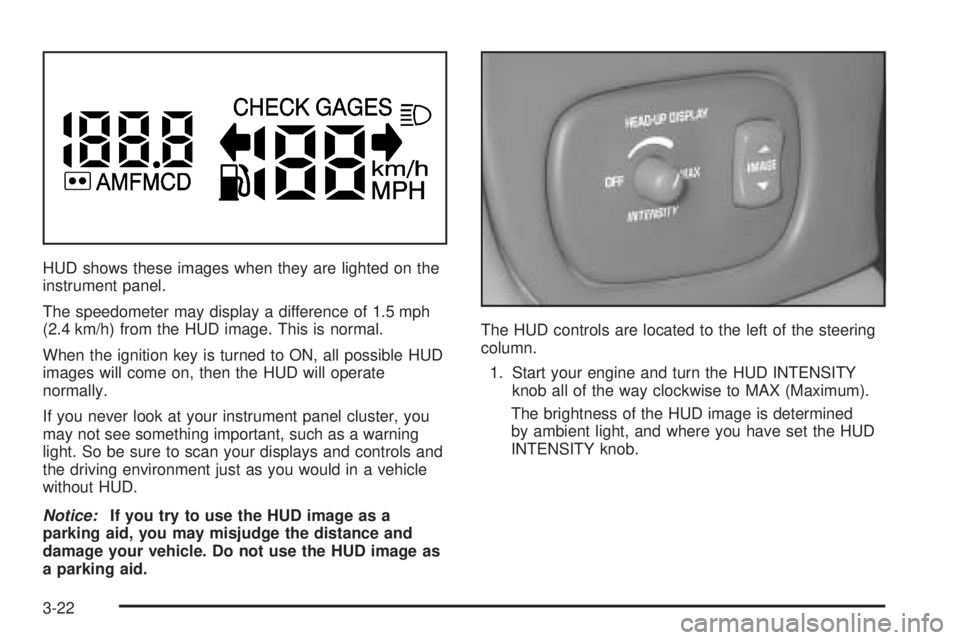
HUD shows these images when they are lighted on the
instrument panel.
The speedometer may display a difference of 1.5 mph
(2.4 km/h) from the HUD image. This is normal.
When the ignition key is turned to ON, all possible HUD
images will come on, then the HUD will operate
normally.
If you never look at your instrument panel cluster, you
may not see something important, such as a warning
light. So be sure to scan your displays and controls and
the driving environment just as you would in a vehicle
without HUD.
Notice:If you try to use the HUD image as a
parking aid, you may misjudge the distance and
damage your vehicle. Do not use the HUD image as
a parking aid.The HUD controls are located to the left of the steering
column.
1. Start your engine and turn the HUD INTENSITY
knob all of the way clockwise to MAX (Maximum).
The brightness of the HUD image is determined
by ambient light, and where you have set the HUD
INTENSITY knob.
3-22