Page 143 of 273
Plug in the garage door opener
motor, then test the HomeLink
button by pushing it.
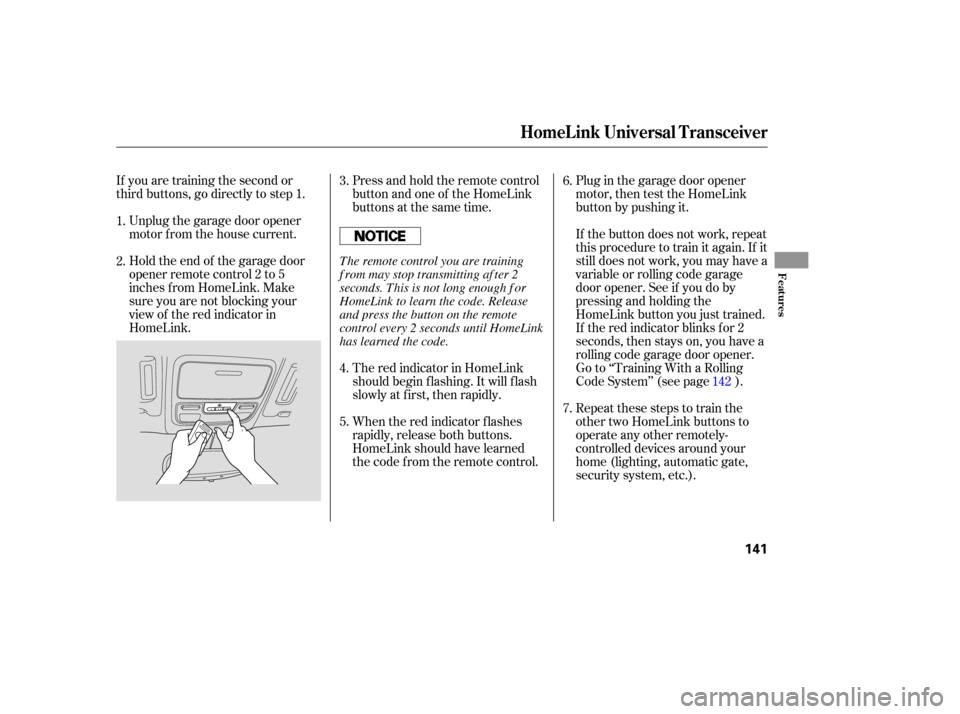
Press and hold the remote control
button and one of the HomeLink
buttons at the same time.
If you are training the second or
third buttons, go directly to step 1.
Unplug the garage door opener
motor f rom the house current.
Holdtheendof thegaragedoor
opener remote control 2 to 5
inches f rom HomeLink. Make
sure you are not blocking your
view of the red indicator in
HomeLink. If the button does not work, repeat
this procedure to train it again. If it
still does not work, you may have a
variable or rolling code garage
door opener. See if you do by
pressing and holding the
HomeLink button you just trained.
If the red indicator blinks for 2
seconds,thenstayson,youhavea
rolling code garage door opener.
Go to ‘‘Training With a Rolling
Code System’’ (see page ).
Repeat these steps to train the
other two HomeLink buttons to
operate any other remotely-
controlled devices around your
home (lighting, automatic gate,
security system, etc.).
The red indicator in HomeLink
should begin f lashing. It will f lash
slowly at first, then rapidly.
When the red indicator f lashes
rapidly, release both buttons.
HomeLink should have learned
the code f rom the remote control.
3.
4.
5.
6.
7.
1.
2.
142
HomeL ink Universal T ransceiver
Features
141
The remote control you are training
f rom may stop transmitting af ter 2
seconds. This is not long enough f or
HomeLink to learn the code. Release
and press the button on the remote
control every 2 seconds until HomeLink
has learned the code.
Page 153 of 273
Your dealer has Honda accessories
that allow you to personalize your
vehicle. These accessories have
been designed and approved f or your
vehicle, and are covered by warranty.When properly installed, cellular
phones, alarms, two-way radios, and
low-powered audio systems should
not interf ere with your vehicle’s
computer controlled systems, such
as your airbags and anti-lock brakes.Bef ore installing any accessory:
Make sure the accessory does not
obscure any lights, or interf ere
with proper vehicle operation or
perf ormance.
Be sure electronic accessories do
not overload electrical circuits
(see page ) or interf ere with
proper operation.
Modif ying your vehicle, or installing
some non-Honda accessories, can
make your vehicle unsaf e. Bef ore
you make any modif ications or add
anyaccessories,besuretoreadthe
f ollowing inf ormation.
Bef ore installing any electronic
accessory, have the installer
contact your dealer for assistance.
If possible, have your dealer
inspect the f inal installation.
Although non-Honda accessories
may f it on your vehicle, they may not
meet f actory specif ications, and
could adversely af f ect your vehicle’s
handling and stability. (See
‘‘Modif ications’’ on page f or
additional information.) 152 241
A ccessories
A ccessories and Modif ications
Bef ore Driving
151
Improper accessories or
modifications can affect your
vehicle’s handling, stability, and
performance, and cause a
crash in which you can be hurt
or killed.
Follow all instructions in this
owner’s manual regarding
accessories and modifications.
Page 154 of 273

Some examples are:Larger or smaller wheels and tires
can interf ere with the operation of
your vehicle’s anti-lock brakes and
other systems.
Any object
attached to or placed on the covers
marked ‘‘SRS AIRBAG’’ in the
center of the steering wheel and
on top the dashboard, and f ront
seat back could interf ere with the
proper operation of the airbags. Or,
if the airbags inf late, the objects
could be propelled inside the
vehicle and hurt someone.
If a side airbag
inflates,acupholderorotherhard
object attached on or near the
door could be propelled inside the
vehicle and hurt someone.
This could prevent the
airbag from inflating properly.
Modif ying your steering wheel or
any other part of your vehicle’s
safety features can make the
systems inef f ective.
If you plan to modif y your vehicle,
consult your dealer.
Removing parts f rom your vehicle,
or replacing components with
non-Honda components could
seriously af f ect your vehicle’s
handling, stability, and reliability.
Lowering the vehicle with a non-
Honda suspension kit that
signif icantly reduces ground
clearance can allow the
undercarriage to hit speed bumps
or other raised objects, which
could cause the airbags to deploy.
Raising your vehicle with a
non-Honda suspension kit can
af f ect the handling and stability.
Non-Honda wheels, because they
are a universal design, can cause
excessive stress on suspension
components.
Modif ying Your Vehicle
Additional Saf ety Precautions
Do not at t ach or place object s on
the airbag covers.
Do not at t ach hard object s on ornear a f ront door.
Do not place any object s over orreplacetheoutsideedgeof afrontseat -back.
A ccessories and Modif ications
152
Page 159 of 273

This section gives you tips on
starting the engine under various
conditions, and how to operate the
automatic transmission. It also
includes important inf ormation on
parking your vehicle, the braking
system, the VTM-4System, the VSA
system (EX-L model only), the tire
pressure monitoring system, and
f acts you need if you are planning to
tow a trailer. ........................
Driving Guidelines .158
.......................
Starting the Engine .159
..............
Automatic Transmission . 160
..............................
VTM-4 System .164
Tire Pressure Monitoring ........................
System (TPMS) .165
..................................
Parking Tips .167
.............................
Braking System .168
...............
Anti-lock Brakes (ABS) . 169
Vehicle Stability Assist (VSA) ........................................
System .171
.............................
VSA Of f Switch .172
...........................
Towing a Trailer .173
......................
Trailer Driving Tips .180
Towing Your Vehicle Behind a ................................
Motorhome .182
Of f -Highway Driving ..................................
Guidelines .183
Driving
Driving
157
Page 160 of 273

Your vehicle has a higher ground
clearance that allows you to travel
over bumps, obstacles, and rough
terrain. It also provides good
visibility so you can anticipate
problems earlier.
Because your vehicle rides higher
of f the ground, it has a high center
of gravity that can cause it to roll
over if you make abrupt turns. Utility
vehicles have a signif icantly higher
roll over rate than other types of
vehicles.
To prevent rollovers or loss of
control:Take corners at slower speeds
than you would with a passenger
vehicle.
Avoid sharp turns and abrupt
maneuvers whenever possible. Make sure the doors and the
tailgate are securely closed and
locked. Check the steering wheel
adjustment (see page ). Check the adjustment of the
inside and outside mirrors (see
page ). Check the seat adjustment (see
page ). Check that any items you may be
carrying are stored properly or
f astened down securely.
Visually check the tires. If a tire
looks low, use a gauge to check its
pressure. Make sure all windows, mirrors,
and outside lights are clean and
unobstructed. Remove f rost, snow,
or ice.
Youshoulddothefollowingchecks
and adjustments bef ore you drive
your vehicle. Do not carry heavy cargo on the
roof . Do not modif y your vehicle in any
way that would raise the center of
gravity.
Fasten your seat belt. Check that
your passengers have f astened
their seat belts (see page ).
When you start the engine, check
the gauges and indicators in the
instrument panel (see page ).
3.
2. 1. 4.
5.
6.
7.
8.
9.83
88 74
1557
See page f or additional driving of f -highway guidelines. 183
Driving Guidelines
Preparing to Drive
158
Page 162 of 273
If the malf unction indicator lamp
comes on along with the ‘‘D’’
indicator, there is a problem in the
automatic transmission control
system. Avoid rapid acceleration, and
have the transmission checked by
your dealer as soon as possible.
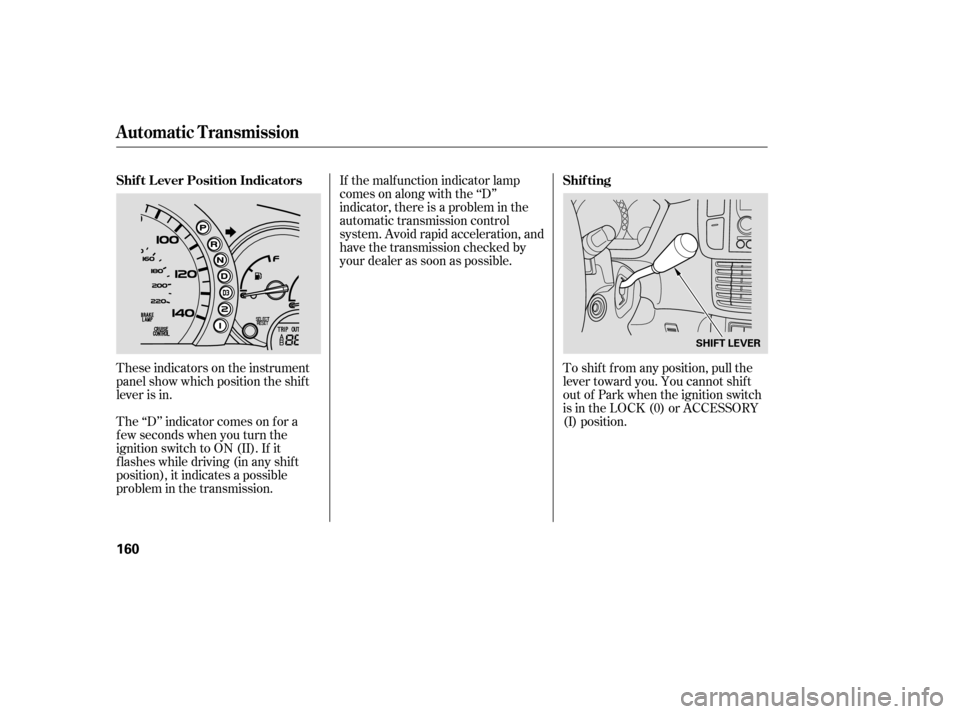
These indicators on the instrument
panel show which position the shif t
lever is in.
The ‘‘D’’ indicator comes on f or a
f ew seconds when you turn the
ignition switch to ON (II). If it
f lashes while driving (in any shif t
position), it indicates a possible
problem in the transmission. To shif t f rom any position, pull the
lever toward you. You cannot shif t
out of Park when the ignition switch
is in the LOCK (0) or ACCESSORY
(I) position.
Automatic Transmission
Shif t L ever Position Indicators
Shif ting
160
SHIFT LEVER
Page 163 of 273

�µ�µ �µ
�µTo shift from: PtoR
RtoP
NtoR
Dto2 2to1
1to2
2toD
DtoD DtoN
DtoD NtoDRtoN Do this:
Press the brake pedal and
pull the shift lever towards
you.
Pull the shift lever towards
you.
Move the lever.
3
3
3
3
This position mechani-
cally locks the transmission. Use
Park whenever you are turning of f or
starting the engine. To shif t out of
Park, you must press on the brake
pedal and have your f oot of f the
accelerator pedal.
If you have done all of the above and
still cannot move the lever out of
Park, see on
page .
To avoid transmission damage, come
to a complete stop bef ore shif ting
into Park. The shif t lever must be in
Park bef ore you can remove the key
from the ignition switch.
Press the brake
pedal and pull the shif t lever towards
you to shift from Park to Reverse. To
shif t f rom Reverse to Neutral, come
to a complete stop and then shift. Use Neutral if you
need to restart a stalled engine, or if
it is necessary to stop brief ly with
the engine idling. Shif t to the Park
position if you need to leave your
vehicle for any reason. Press on the
brake pedal when you are moving
the shift lever from Neutral to
another gear.
Use this position f or
your normal driving. The
transmission automatically selects a
suitable gear for the vehicle speed
and acceleration. You may notice the
transmission shif ting up at higher
speeds when the engine is cold. This
helps the engine warm up f aster.
163
CONT INUED
Park (P)
Shif t L ock Release
Reverse (R) Neutral (N)
Drive (D)
Automatic Transmission
Driving
161
Page 164 of 273

�µ�µ �µ
This position is
similar to D, except only the f irst
three gears are selected. Use D
when towing a trailer in hilly terrain,
or to provide engine braking when
going down a steep hill. D can also
keep the transmission f rom cycling
between third and f ourth gears in
stop-and-go driving.
This position locks
the transmission in second gear. It
does not downshif t to f irst gear
when you come to a stop.
Use Second gear:
For more power when climbing.
To increase engine braking when
going down steep hills.
For starting out on a slippery
surf ace or in deep snow.
To help reduce wheel spin. When driving downhill with a
trailer.
This position locks, the
transmission in f irst gear. By
upshif ting and downshif ting through
1, 2, D , and D, you can operate the
transmission much like a manual
transmission without a clutch pedal. If you exceed the maximum speed
f or the gear you are in, the engine
speed will enter into the tachometer’s
red zone. If this occurs, you may f eel
the engine cut in and out. This is
caused by a limiter in the engine’s
computer controls. The engine will
run normally when you reduce the
RPM below the red zone.
3
3 3
Drive (D )
Second (2) First (1)
Engine Speed L imiter3
Automatic Transmission
162