Page 2 of 226
Your Vehicle at a Glance
4
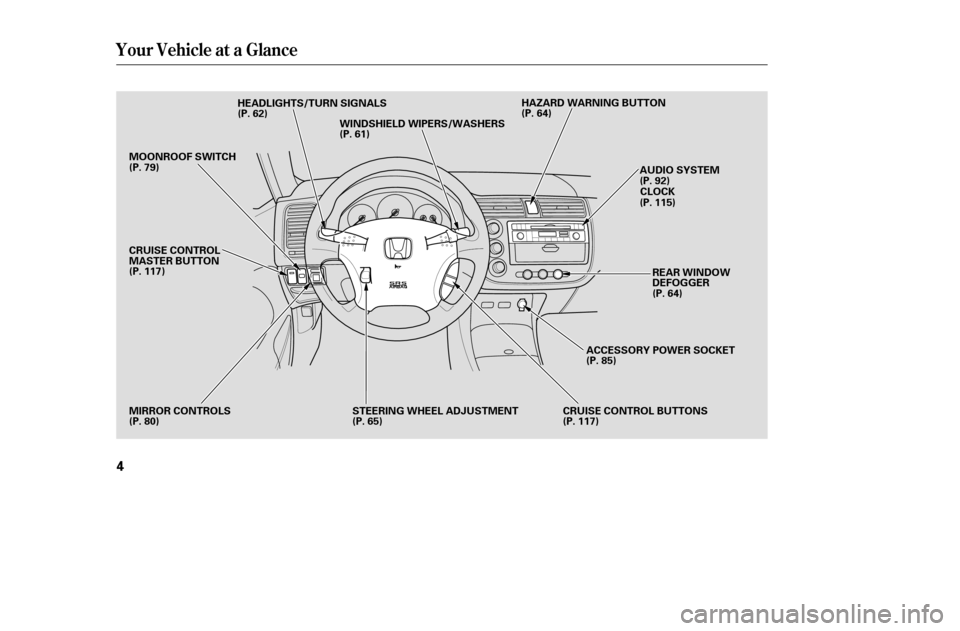
HEADLIGHTS/TURN SIGNALS
MIRROR CONTROLS CRUISE CONTROL BUTTONSREAR WINDOW
DEFOGGER
WINDSHIELD WIPERS/WASHERS
AUDIO SYSTEM
STEERING WHEEL ADJUSTMENT HAZARD WARNING BUTTON
MOONROOF SWITCH
(P. 79)
CRUISE CONTROL
MASTER BUTTON
(P. 117)
(P. 80) (P. 62)
(P. 61) (P. 64)
(P. 92)CLOCK
(P. 115)
(P. 64)
ACCESSORY POWER SOCKET
(P. 85)
(P. 117)
(P. 65)
�����—�����—�����y�
�������������y���
�(���%�������y���������y
Page 56 of 226
�Î
�Î
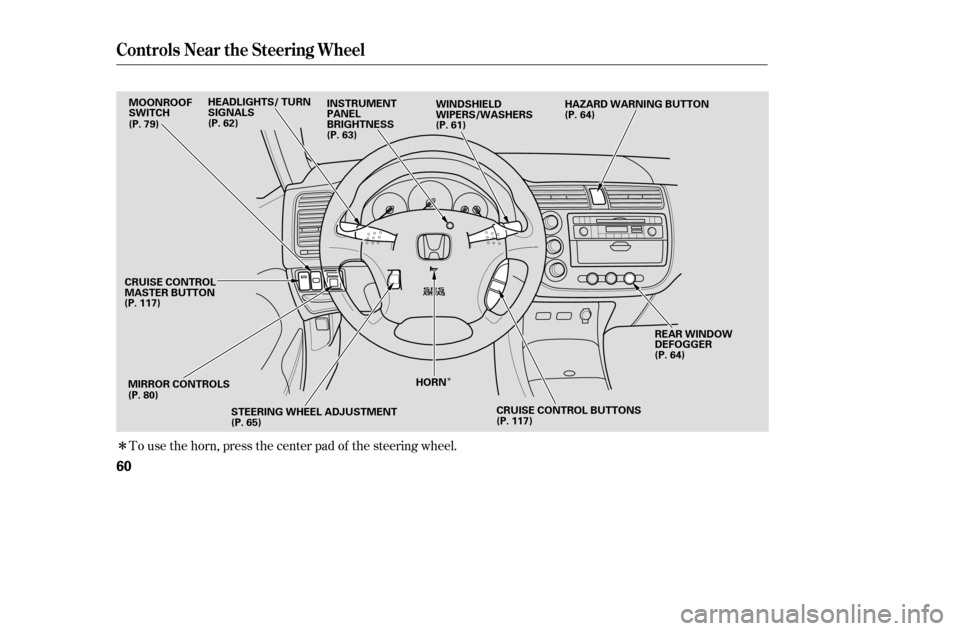
To use the horn, press the center pad of the steering wheel.
Controls Near the Steering Wheel
60
MIRROR CONTROLSREAR WINDOW
DEFOGGER
WINDSHIELD
WIPERS/WASHERS
MOONROOF
SWITCH
(P. 117) (P. 80) STEERING WHEEL ADJUSTMENT
(P. 65) (P. 64)
(P. 64)
(P. 61)
(P. 79)
HORNHAZARD WARNING BUTTON
INSTRUMENT
PANEL
BRIGHTNESS
(P. 63)
HEADLIGHTS/ TURN
SIGNALS
(P. 62)
CRUISE CONTROL BUTTONS
(P. 117)
CRUISE CONTROL
MASTER BUTTON
�����—�����—�����y�
������
����
�y���
�(���%�������y���������y
Page 57 of 226
�µ
�µ
�µ �µ
�µ
�µ
�µ
�µ �µ
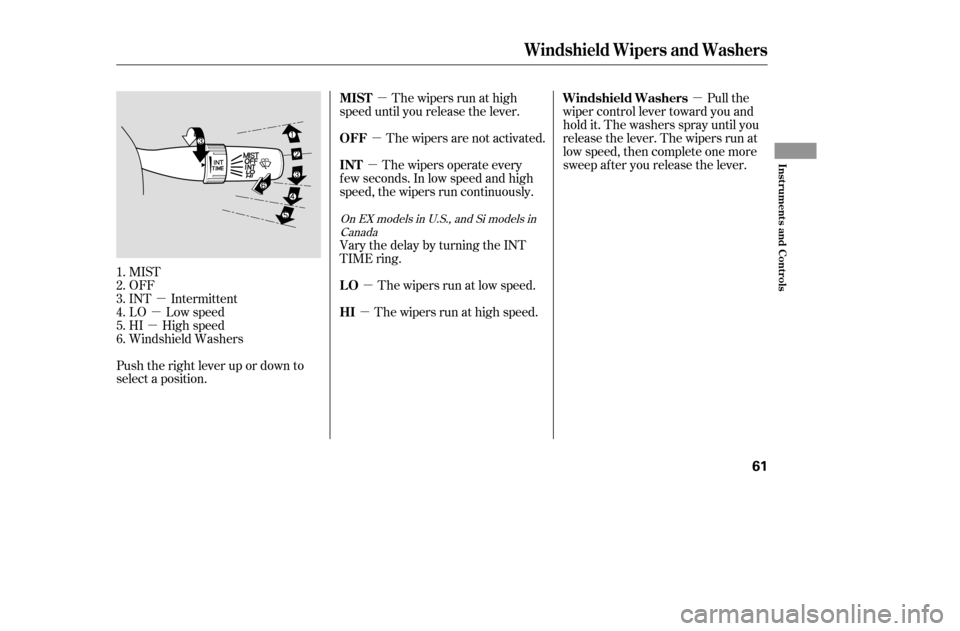
Push the right lever up or down to
select a position. MIST
OFF
INT Intermittent
LO Low speed
HI High speed
Windshield Washers The wipers run at high
speed until you release the lever.
The wipers are not activated.
The wipers operate every
f ew seconds. In low speed and high
speed, the wipers run continuously.
Vary the delay by turning the INT
TIME ring.
The wipers run at low speed.
The wipers run at high speed. Pull the
wiper control lever toward you and
hold it. The washers spray until you
release the lever. The wipers run at
low speed, then complete one more
sweep after you release the lever.
1.2.3.4.5.6.
On EX models in U.S., and Si models in Canada
Windshield Wipers and Washers
MIST
OFF INT LO HI Windshield Washers
Inst rument s and Cont rols
61
�����—�����—�����y�
������
������y���
�(���%�������y���������y
Page 84 of 226

Air f lows f rom the def roster
vents at the base of the windshield. Air flows from the center
and corner vents in the dashboard.
The outside air intakes f or the
heating and cooling system are at
the base of the windshield. Keep this
area clear of leaves and other debris.
Switch to recirculation mode when
driving through dusty or smoky
conditions, then return to fresh air
mode.
This button turns the rear window
def ogger of f and on (see page ).
Turning this dial clockwise increases
the temperature of the airflow.
This button turns the air
conditioning on and of f . The
indicatorinthebuttonisonwhen
the A/C is on.
Use the mode control dial to select
the vents the air flows from. Some
air will f low f rom the dashboard
corner vents in all modes. Airf low is divided between
the vents in the dashboard and the
f loor vents.
Airf low is divided between
the f loor vents and the def roster
vents at the base of the windshield.
When you select or ,
the system automatically switches to
f resh air mode and turns on the A/C.
You cannot turn the A/C of f in this
mode.
Turn this dial to increase or decrease
the fan speed and airflow.
When the recirculation indicator is
on, air f rom the vehicle’s interior is
sent throughout the system again.
When the indicator is off, air is
brought in f rom the outside of the
vehicle (fresh air mode).
Thesystemshouldbeleftinfresh
air mode under almost all conditions.
Keeping the system in recirculation
mode, particularly with the A/C of f ,
can cause the windows to fog up.
Air f lows f rom the f loor
vents. When you select , the
system automatically switches to
f resh air mode.
64
Optional on DX and HX models
Rear Window Def ogger Button
Mode Control Dial
Fan Control Dial
A irf low Controls
T emperature Control Dial
Air Conditioning (A/C) Button
Recirculation Button
Vents, Heating, and A/C
Features
89
�����—�����—�����y�
���������
���y���
�(���%�������y���������y
Page 86 of 226

To remove f og f rom the inside of the
windows:
When you switch to another mode
f rom , the A/C stays on.
Press the A/C button to turn it of f .Keep the system completely of f
f or short periods only.
To keep stale air and mustiness
f rom collecting, you should have
the f an running at all times.
Select . The system
automatically switches to f resh air
mode and turns on the A/C.
The A/C indicator does not come
on if it was of f to start with.
Select .
Set the f an and temperature
controls to maximum level.
To clear the windows f aster, you can
close the dashboard corner vents by
rotating the wheel below each vent.
This sends more warm air to the
windshield def roster vents. Once the
windshield is clear, select f resh air
mode to avoid f ogging the windows.
For your saf ety, make sure you have
a clear view through all the windows
bef ore driving. Turningthefanspeedand
temperature control dials all the way
to the left shuts off the system
completely.
Set the f an to the desired speed, or
high f or f aster def rosting.
Select . The system
automatically switches to f resh air
mode and turns on the A/C. The
A/C indicator will not come on if it
was off to start with.
Adjust the temperature so the
airf low f eels warm.
Select to help clear the
rear window.
To increase airf low to the
windshield, close the corner vents. 1. 2. 3.
1. 2. 3. 4.5.
Vents, Heating, and A/C
T o Def og and Def rost T o Remove Exterior Frost or Ice
From the WindowsTo Turn Everything Of f
Features
91
�����—�����—�����y�
�������������y���
�(���%�������y���������y
Page 156 of 226
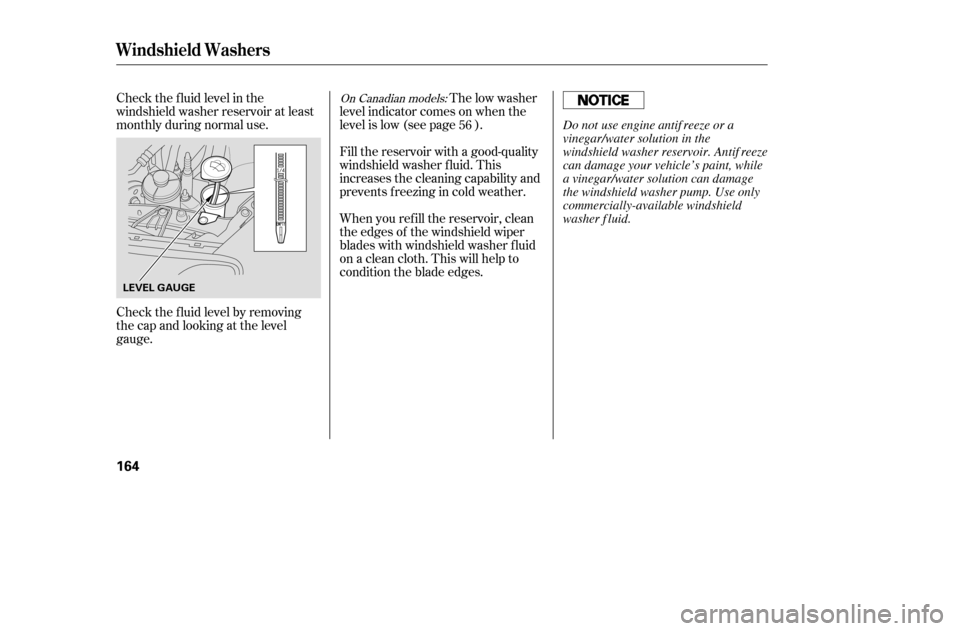
Check the f luid level in the
windshield washer reservoir at least
monthly during normal use.When you ref ill the reservoir, clean
the edges of the windshield wiper
blades with windshield washer f luid
on a clean cloth. This will help to
condition the blade edges.
Fill the reservoir with a good-quality
windshield washer f luid. This
increases the cleaning capability and
prevents f reezing in cold weather.
The low washer
level indicator comes on when the
level is low (see page ).
Check the f luid level by removing
the cap and looking at the level
gauge. 56On Canadian models:
Windshield Washers
164
LEVEL GAUGE
Do not use engine antif reeze or a
vinegar/water solution in the
windshield washer reservoir. Antif reeze
can damage your vehicle’s paint, while
a vinegar/water solution can damage
the windshield washer pump. Use only
commercially-available windshield
washer f luid.
�����—�����—�����y�
�������������y���
�(���%�������y���
�����y
Page 163 of 226
If you need to change a headlight
bulb on the passenger’s side, remove
the bolt from the stay and push the
battery toward windshield to obtain
enough working space.Remove the electrical connector
f rom the bulb by pushing on the
tab and pulling the connector
down.
Remove the bulb by turning it one-
quarter turn counterclockwise.Push the electrical connector back
onto the bulb. Make sure it is on
all the way.
Turn on the headlights to test the
new bulb.
Put the battery back to its original
position, reinstall the bolt in the
stay and tighten it securely.
Reinstall the power steering
reservoir.
(Passenger’s side)
(Driver’s side)
Insert the new bulb into the hole
and turn it one-quarter turn clock-
wise to lock it in place.
2. 3. 4. 5.6. 7.
Lights
Maint enance
171
STAY
TAB
BULB
CONNECTOR
�����—�����—�����y�
���������
���y���
�(���%�������y���
�����y
Page 168 of 226
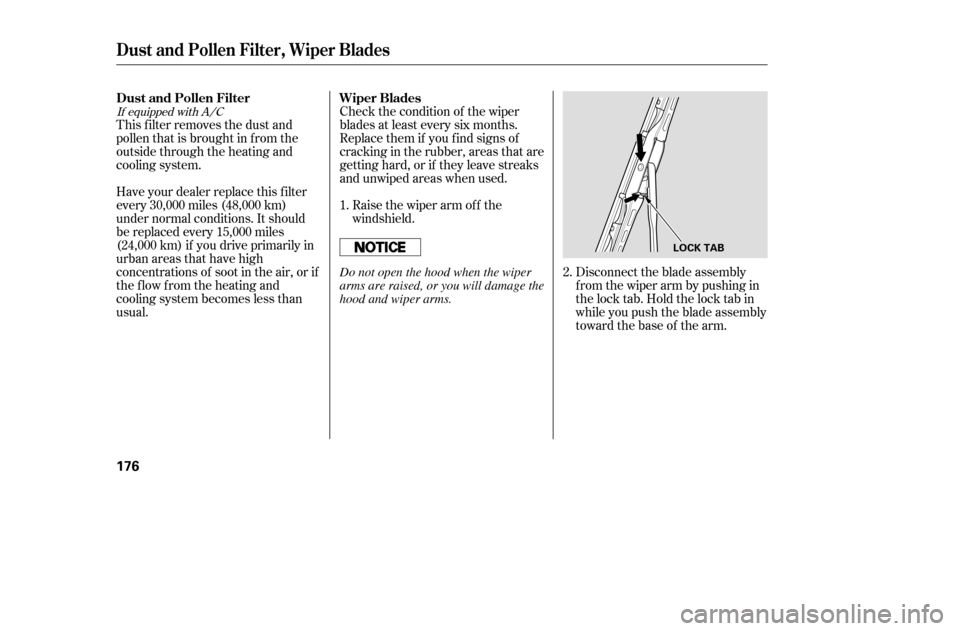
Disconnect the blade assembly
fromthewiperarmbypushingin
the lock tab. Hold the lock tab in
while you push the blade assembly
toward the base of the arm.
Check the condition of the wiper
blades at least every six months.
Replace them if you f ind signs of
cracking in the rubber, areas that are
getting hard, or if they leave streaks
and unwiped areas when used.
Raise the wiper arm of f the
windshield.
This f ilter removes the dust and
pollenthatisbroughtinfromthe
outside through the heating and
cooling system.
Have your dealer replace this filter
every 30,000 miles (48,000 km)
under normal conditions. It should
be replaced every 15,000 miles
(24,000 km) if you drive primarily in
urban areas that have high
concentrations of soot in the air, or if
the f low f rom the heating and
cooling system becomes less than
usual.
2.
1.
If equipped with A/C
Wiper Blades
Dust and Pollen Filter
Dust and Pollen Filter, Wiper Blades
176
LOCK TAB
Do not open the hood when the wiper
arms are raised, or you will damage the
hood and wiper arms.
�����—�����—�����y�
������
������y���
�(���%�������y���
�����y