Page 77 of 286
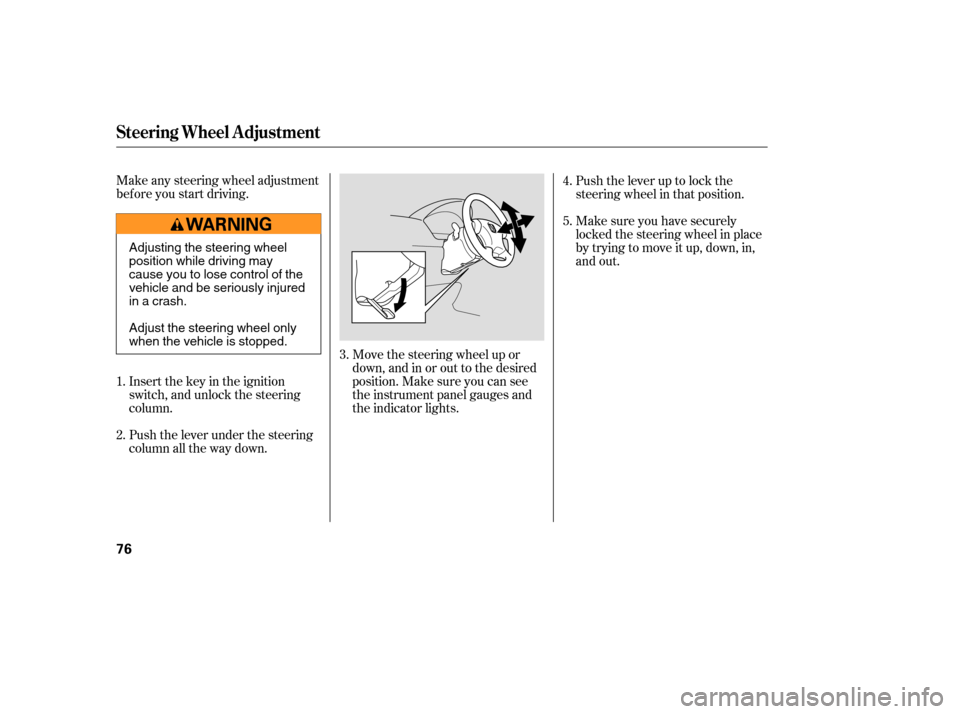
Make any steering wheel adjustment
bef ore you start driving.Push the lever under the steering
column all the way down. Insert the key in the ignition
switch, and unlock the steering
column. Move the steering wheel up or
down, and in or out to the desired
position. Make sure you can see
the instrument panel gauges and
the indicator lights.Push the lever up to lock the
steering wheel in that position.
Make sure you have securely
locked the steering wheel in place
by trying to move it up, down, in,
and out.
1.
2. 3.4.
5.
Steering Wheel A djustment
76
Adjusting the steering wheel
position while driving may
cause you to lose control of the
vehicle and be seriously injured
inacrash.
Adjust the steering wheel only
when the vehicle is stopped.
�����—�
���—���
�y���������������y���
�(���'�������y���������y
Page 78 of 286
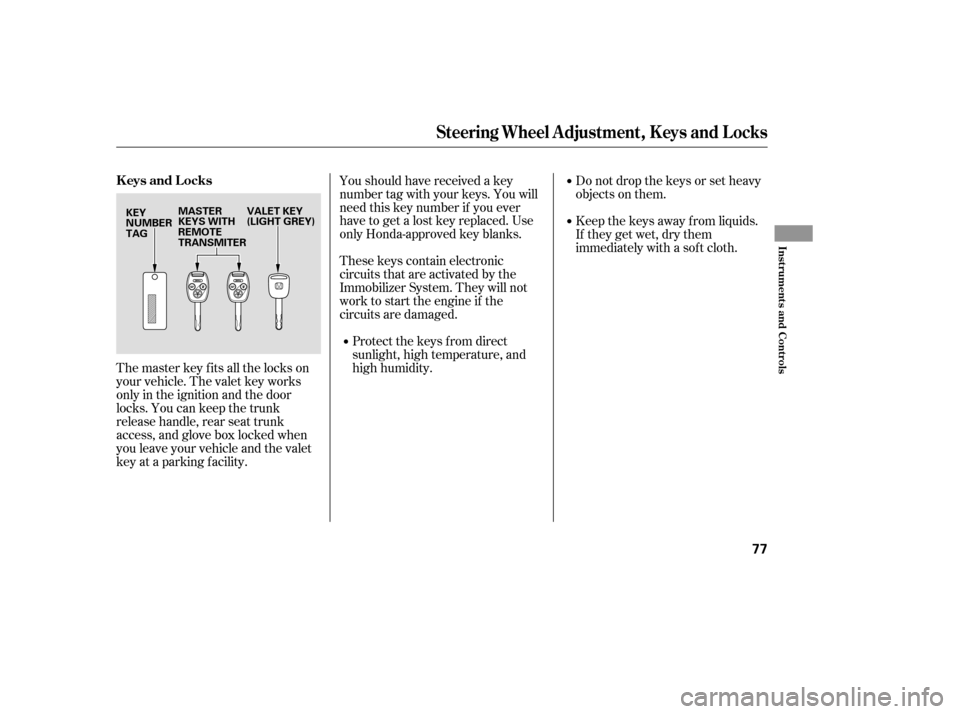
The master key fits all the locks on
your vehicle. The valet key works
only in the ignition and the door
locks. You can keep the trunk
release handle, rear seat trunk
access, and glove box locked when
you leave your vehicle and the valet
key at a parking f acility.Youshouldhavereceivedakey
number tag with your keys. You will
need this key number if you ever
have to get a lost key replaced. Use
only Honda-approved key blanks.
These keys contain electronic
circuits that are activated by the
Immobilizer System. They will not
work to start the engine if the
circuits are damaged.
Protect the keys f rom direct
sunlight, high temperature, and
high humidity. Donotdropthekeysorsetheavy
objects on them.
Keep the keys away f rom liquids.
If they get wet, dry them
immediately with a sof t cloth.
Steering Wheel A djustment, K eys and L ocks
Keys and Locks
Inst rument s and Cont rols
77
KEY
NUMBER
TAG
VALET KEY
(LIGHT GREY)
MASTER
KEYS WITH
REMOTE
TRANSMITER
�����—�
���—���
�y���������������y���
�(���'�������y���������y
Page 80 of 286
�µ�µ
�µ
�µ
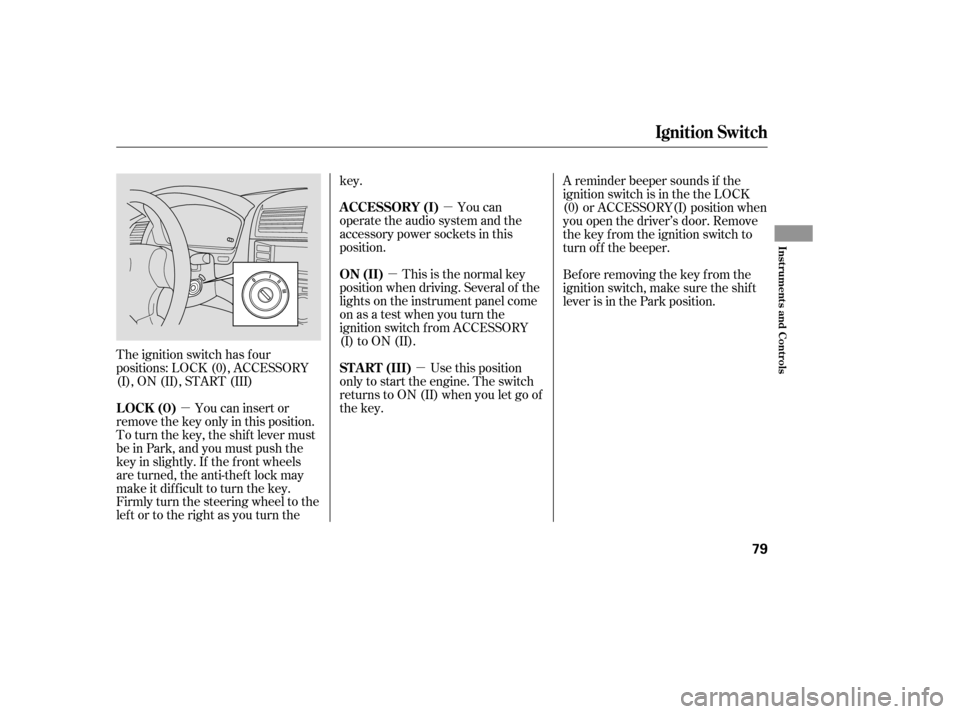
The ignition switch has f our
positions: LOCK (0), ACCESSORY
(I), ON (II), START (III)
You can insert or
remove the key only in this position.
To turn the key, the shift lever must
be in Park, and you must push the
key in slightly. If the f ront wheels
are turned, the anti-thef t lock may
make it difficult to turn the key.
Firmly turn the steering wheel to the
left or to the right as you turn the key.
You can
operate the audio system and the
accessory power sockets in this
position.
This is the normal key
position when driving. Several of the
lights on the instrument panel come
on as a test when you turn the
ignition switch f rom ACCESSORY
(I) to ON (II).
Use this position
only to start the engine. The switch
returns to ON (II) when you let go of
the key. A reminder beeper sounds if the
ignition switch is in the the LOCK
(0) or ACCESSORY(I) position when
you open the driver’s door. Remove
the key from the ignition switch to
turn of f the beeper.
Bef ore removing the key f rom the
ignition switch, make sure the shif t
lever is in the Park position.
Ignition Switch
LOCK (0)
A CCESSORY (I)
ON (II)
ST A RT (III)
Inst rument s and Cont rols
79
�����—���
�—�����y�
����
��������y���
�(���'�������y���������y
Page 100 of 286

Your heating and air conditioning
system provides a comf ortable
environment in all weather
conditions.
Your audio system has many
f eatures. This section describes
them.
The security system helps prevent
your vehicle f rom being broken into
or being stolen..............
Vents, Heating, and A/C . 100
..........
Dual Temperature Control . 109
..............
Climate Control Sensors . 111
..........................
Playing the Radio .112
.....................
To Play the Radio .113
....................
To Select a Station . 113
.................
Adjusting the Sound . 116
....................
Radio Frequencies . 117
........................
Radio Reception .117
..................................
Playing a CD .119
..........
Playing a CD, CD Changer . 120
.............................
To Play a CD .120
...............
To Stop Playing a CD . 123
Removing CDs from the .................................
Changer .123
Operating the Optional CD .................................
Changer .124
.........
CD Player Error Messages . 125
.....
CD Changer Error Messages . 126
.....................
Protecting your CDs .127
.................
General Inf ormation . 127
..........................
Protecting CDs .127
...............................
Playing a Tape .128
..........................
To Play a Tape .129
............
To Stop Playing a Tape . 129
............
Tape Search Functions . 130 .....
Caring the Tape and Player . 131
Playing the XM Satellite ......................................
Radio .132
...............
Satellite Digital Radio . 132
...
To Play XM Satellite Radio . 133
..................
To Select a Channel . 133
..............
Satellite Radio Signals . 135
Receiving Satellite Radio ....................................
Service .136
.............
Steering Wheel Controls . 138
.................
Radio Thef t Protection . 139
..........................
Setting the Clock .140
............................
Security System .141
...............................
Cruise Control .142
HomeLink Universal ................................
Transceiver .145
Features
Features
99
TM
TM
�����—�
���—���
�y�������������
�y���
�(���'�������y���
�����y
Page 107 of 286

Air conditioning, as it cools, removes
moisture from the air. When used in
combination with the heater, it
makes the interior warm and dry.Turn the fan on.
Turn on the air conditioning.
Select and Fresh Air mode.
Adjust the temperature control
dial or buttons to your pref erence.
This setting is suitable f or all driving
conditions whenever the outside
temperature is above 32°F (0°C). To remove f og f rom the inside of the
windows:
Set the f an to the desired speed or
high f or f aster def rosting.
Select . When you select , the system automatically
switches to Fresh Air mode and
turns on the A/C. The A/C
indicator will not come on in U.S.
vehicles.
Set the temperature control dial or
buttons so the airflow feels warm.
Select to help clear the
rear window.
To increase airf low to the
windshield, close the side vents.
When you switch to another mode
f rom , the A/C stays on.
Press the A/C button to turn it of f . Select . The system
automatically switches to Fresh
Air mode and turns on the A/C.
The A/C ON indicator will not
come on in U.S. vehicles.
Select .
Set the f an and temperature
controls to maximum level.
To clear the windows f aster, you can
close the dashboard corner vents by
rotating the wheel below it. This will
send more warm air to the
windshield def roster vents. Once the
windshield is clear, select the f resh
air mode to avoid fogging the
windows.
For your saf ety, make sure you have
a clear view through all the windows
bef ore driving.
1.
2.
3.
4.
1.
2.
3.
4.
5.1.
2.
3.
Dehumidif y the Interior T o Def og and Def rost T o Remove Exterior Frost or Ice
From the Windows
Vents, Heating, and A/C
106
�����—�
���—�����y�
�������������y���
�(���'�������y���
�����y
Page 139 of 286
�Û�Ý�´�µ
�´
�µ
�´
�µ
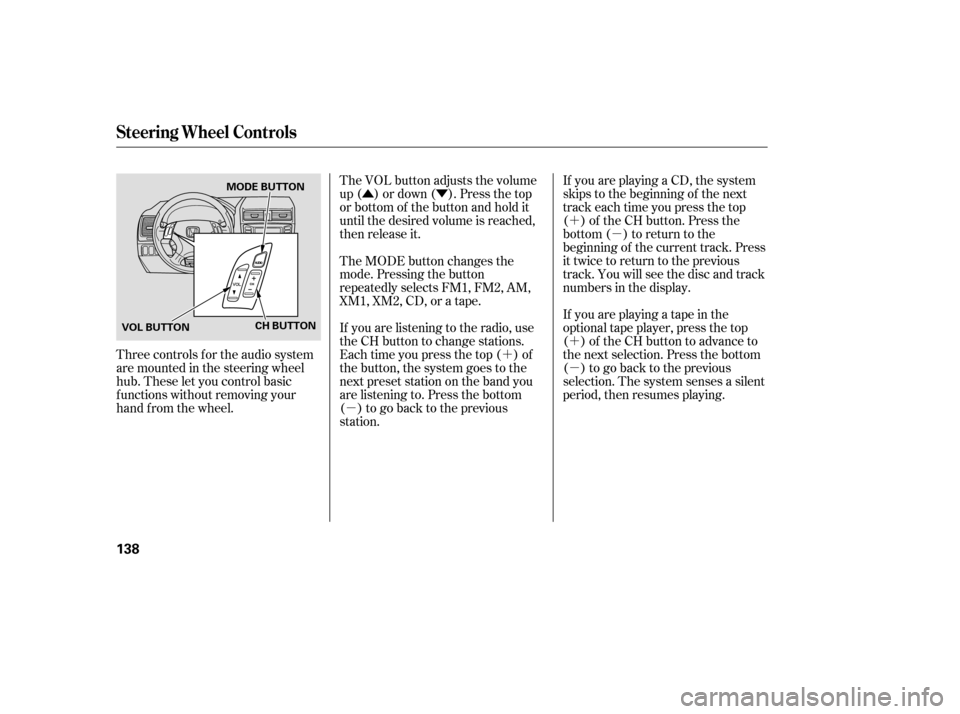
The VOL button adjusts the volume
up ( ) or down ( ). Press the top
or bottom of the button and hold it
until the desired volume is reached,
then release it.
If youareplayingaCD,thesystem
skips to the beginning of the next
track each time you press the top
( ) of the CH button. Press the
bottom ( ) to return to the
beginning of the current track. Press
it twice to return to the previous
track. You will see the disc and track
numbers in the display.
If youareplayingatapeinthe
optional tape player, press the top
( ) of the CH button to advance to
the next selection. Press the bottom
( ) to go back to the previous
selection. The system senses a silent
period, then resumes playing.
The MODE button changes the
mode. Pressing the button
repeatedly selects FM1, FM2, AM,
XM1, XM2, CD, or a tape.
If you are listening to the radio, use
the CH button to change stations.
Each time you press the top ( ) of
the button, the system goes to the
next preset station on the band you
are listening to. Press the bottom
( ) to go back to the previous
station.
Three controls f or the audio system
are mounted in the steering wheel
hub. These let you control basic
f unctions without removing your
hand f rom the wheel.
Steering Wheel Controls
138
CH BUTTON
VOL BUTTON MODE BUTTON
�����—�
���—���
�y���������������y���
�(���'�������y���
���
�y
Page 143 of 286
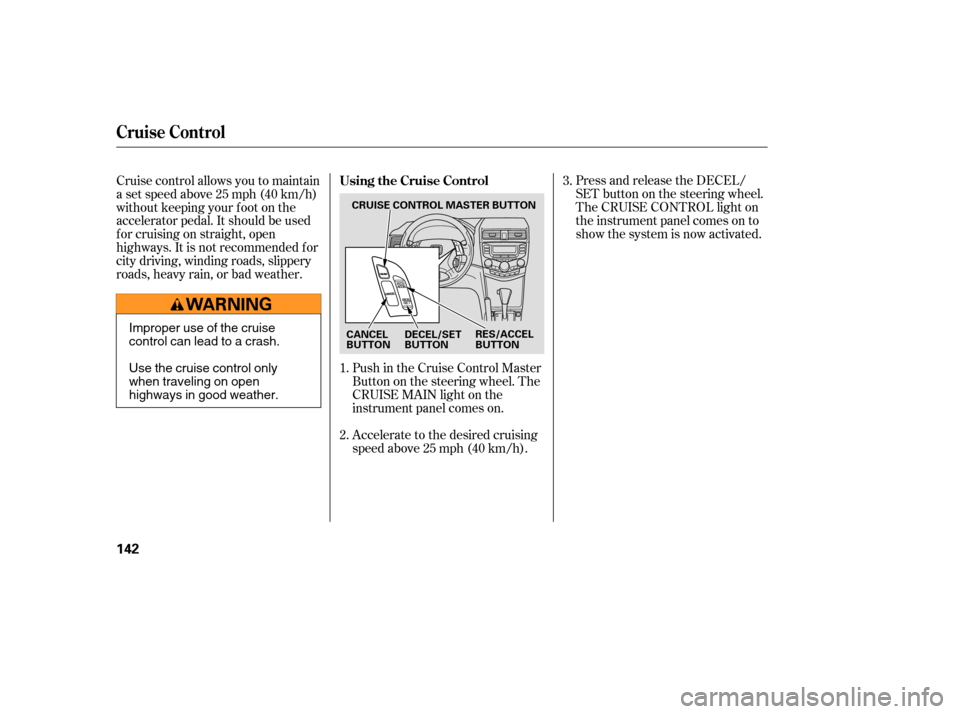
Push in the Cruise Control Master
Buttononthesteeringwheel.The
CRUISE MAIN light on the
instrument panel comes on.
Accelerate to the desired cruising
speedabove25mph(40km/h).Press and release the DECEL/
SET button on the steering wheel.
The CRUISE CONTROL light on
the instrument panel comes on to
show the system is now activated.
Cruise control allows you to maintain
asetspeedabove25mph(40km/h)
without keeping your f oot on the
accelerator pedal. It should be used
f or cruising on straight, open
highways. It is not recommended f or
city driving, winding roads, slippery
roads, heavy rain, or bad weather.
1.
2.3.
Using the Cruise Control
Cruise Control
142
CRUISE CONTROL MASTER BUTTON
CANCEL
BUTTON RES/ACCEL
BUTTON
DECEL/SET
BUTTON
Improper use of the cruise
control can lead to a crash.
Use the cruise control only
when traveling on open
highways in good weather.
�����—�
���—�����y�
�������������y���
�(���'�������y���
�����y
Page 145 of 286
PressingtheCruiseControlMaster
Button turns the system off and
erases the previous cruising speed.
You can cancel cruise control in any
of these ways:
Push the CANCEL button on the
steering wheel.
Pushthecruisecontrolmaster
button. Tap the brake pedal. When you push the CANCEL button,
or tap the brake pedal, the system
will remember the previously set
cruising speed. To return to that
speed, accelerate to above 25 mph
(40 km/h) and then press and
release the RESUME/accel button.
The CRUISE CONTROL indicator
comes on. The vehicle will accelerate
to the same cruising speed as before.
Cancelling Cruise Control Resuming the Set Speed
Cruise Control
144
�����—���
�—�����y�
������
������y���
�(���'�������y���
�����y