Page 139 of 194
Navigation (NAV) 134Memory control buttonPrevious destinations
The previous destinations are stored and can be
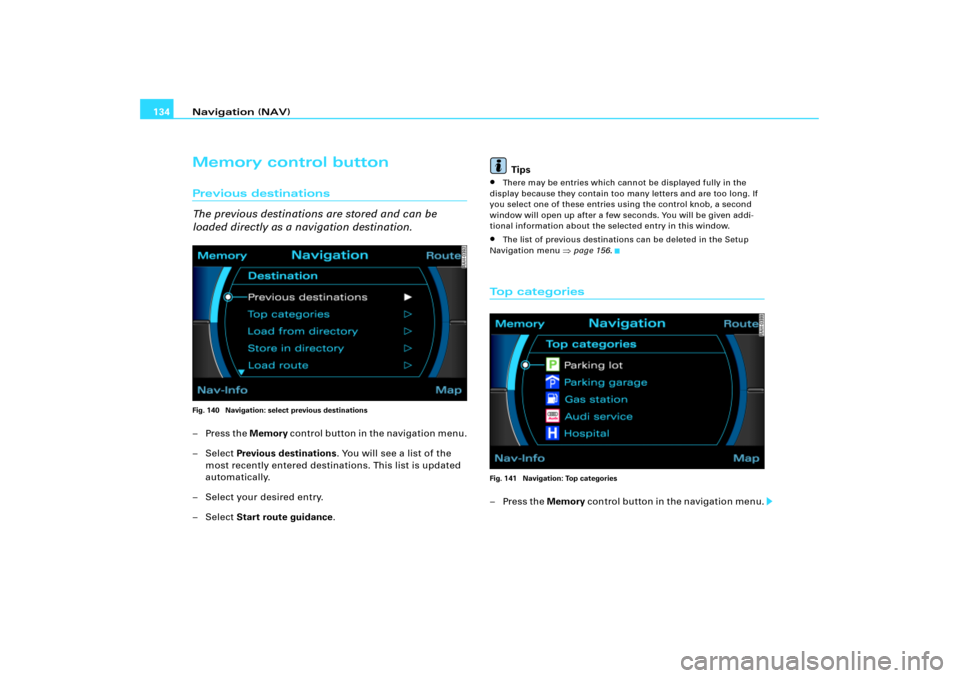
loaded directly as a navigation destination.Fig. 140 Navigation: select previous destinations–Press the Memory c o n t r o l b ut t o n i n t h e n a v i g a t i o n m e n u .
– Select Previous destinations. You will see a list of the
most recently entered destinations. This list is updated
automatically.
– Select your desired entry.
– Select Start route guidance.Tips
�
There may be entries which cannot be displayed fully in the
display because they contain too many letters and are too long. If
you select one of these entries using the control knob, a second
window will open up after a few seconds. You will be given addi-
tional information about the selected entry in this window.
�
The list of previous destinations can be deleted in the Setup
Navigation menu
�page 156.
To p c a t e g o r i e sFig. 141 Navigation: Top categories–Press the Memory control button in the navigation menu.
Page 142 of 194
Navigation (NAV)137
General operation
RADIO, CD
NAME, TEL
NAV, INFO
CAR, SETUP
Tips
Administration of the directory data is handled through the
button
�page 98.
Save route
Once calculated, route plans can be saved with the
route criteria you entered and loaded later as a new
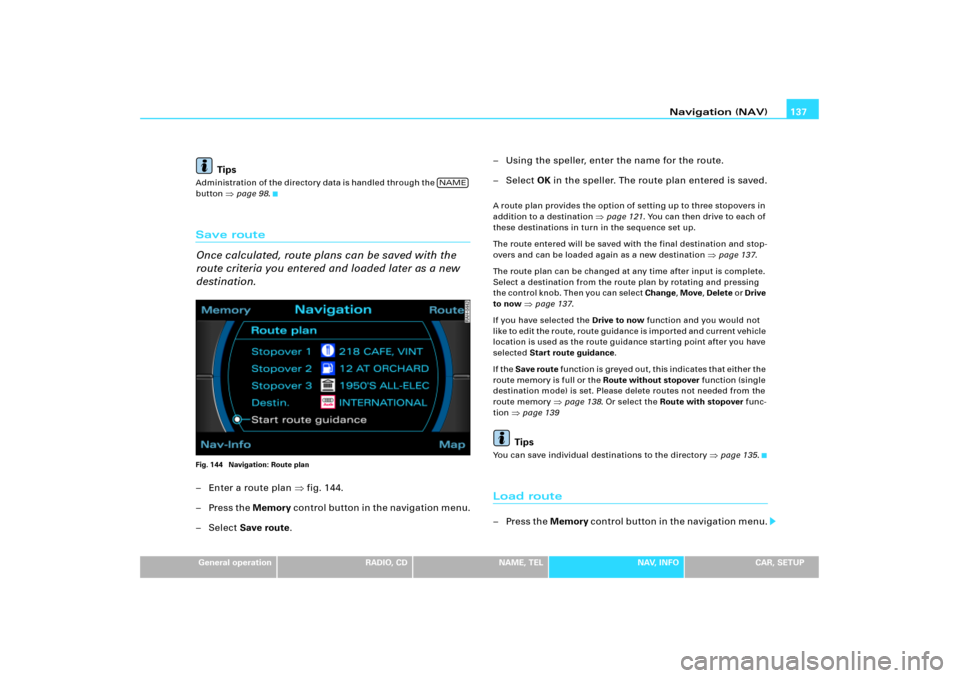
destination.Fig. 144 Navigation: Route plan– Enter a route plan �fig.144.
–Press the Memory co n t ro l bu t to n i n t h e n a vi g a t i o n m e n u .
–Select Save route.– Using the speller, enter the name for the route.
– Select OK in the speller. The route plan entered is saved.
A route plan provides the option of setting up to three stopovers in
addition to a destination
�page 121. You can then drive to each of
these destinations in turn in the sequence set up.
The route entered will be saved with the final destination and stop-
overs and can be loaded again as a new destination
�page 137.
The route plan can be changed at any time after input is complete.
Select a destination from the route plan by rotating and pressing
the control knob. Then you can select Change, Move, Delete o r Drive
to now
�page 137.
If you have selected the Drive to now function and you would not
l i k e t o e d i t t h e r o u t e , r o u t e g u i d a n c e i s i m p o r t e d a n d c u r r e n t v e h i c l e
location is used as the route guidance starting point after you have
selected Start route guidance.
If the Save route f u n c t i o n i s g r e y e d o u t , t h i s i n d i c a t e s t h a t e i t h e r t h e
route memory is full or the Route without stopover function (single
destination mode) is set. Please delete routes not needed from the
route memory
�page 138. Or select the Route with stopover func-
tion
�page 139Tips
You can save individual destinations to the directory
�page 135.
Load route–Press the Memory c o n t r o l b ut to n i n t h e n a v i g a t i o n m e n u .
NAME
Page 143 of 194
Navigation (NAV) 138
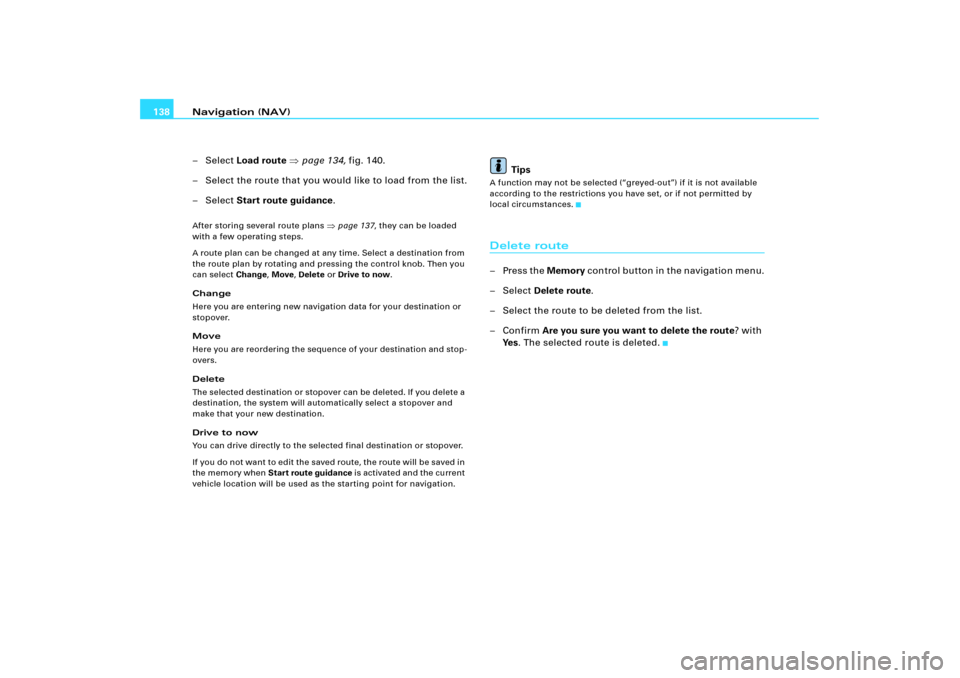
– Select Load route �page 134, fig.140.
– Select the route that you would like to load from the list.
– Select Start route guidance.After storing several route plans
�page 137, they can be loaded
with a few operating steps.
A route plan can be changed at any time. Select a destination from
the route plan by rotating and pressing the control knob. Then you
can select Change, Move, Delete or Drive to now.
Change
Here you are entering new navigation data for your destination or
stopover.
Move
Here you are reordering the sequence of your destination and stop-
overs.
Delete
The selected destination or stopover can be deleted. If you delete a
destination, the system will automatically select a stopover and
make that your new destination.
Drive to now
You can drive directly to the selected final destination or stopover.
If you do not want to ed it the saved route, the route will b e sa ved in
the memory when Start route guidance is activated and the current
vehicle location will be used as the starting point for navigation.
Tips
A function may not be selected (“greyed-out”) if it is not available
according to the restrictions you have set, or if not permitted by
local circumstances.Delete route–Press the Memory control button in the navigation menu.
– Select Delete route.
– Select the route to be deleted from the list.
–Confirm Are you sure you want to delete the route? with
Ye s. The selected route is deleted.
Page 145 of 194
Navigation (NAV) 140stopover, your route guidance will proceed with stopovers until you
select and confirm Route without stopover.
Route with stopover
Select this option to be guided to your final destination with stop-
overs.
Stopovers can also be special destinations
�page 126.
Stopovers already entered can be deleted, changed or moved at any
time, or you can drive to them immediately �page 137.
Route without stopover
Select this option to navigate directly to your destination.
Tips
If you switch to the Navigation function and you are shown the
menu for Route planning
�page 139, fig .1 4 6 , y o u a r e in r o ut e g u id -
ance with stopovers. If you would like to navigate directly to a final
destination, select and confirm Route without stopovers in the menu
for the Route function.
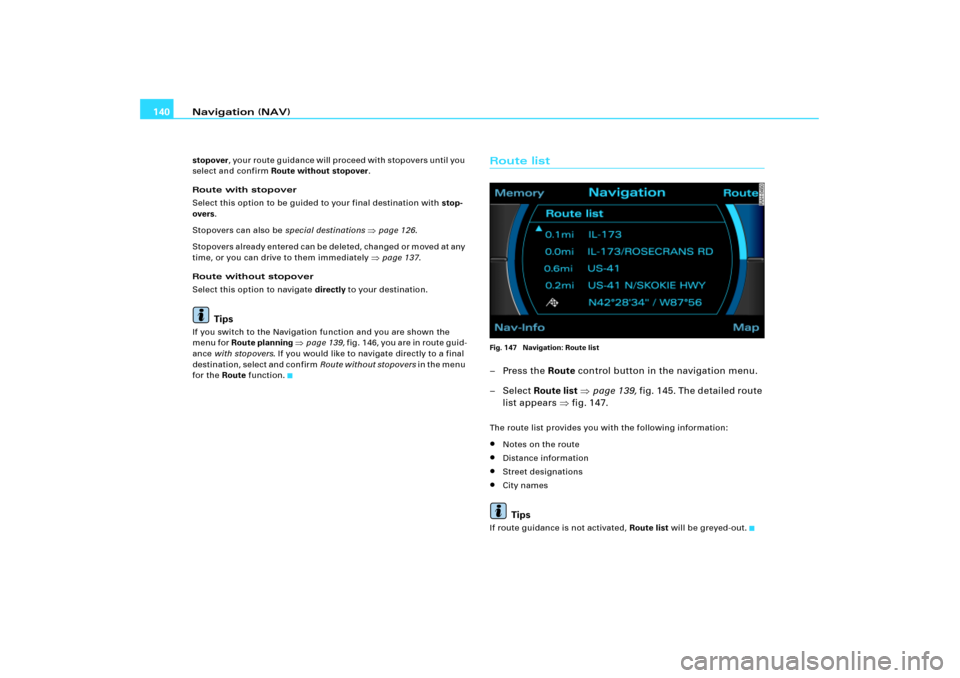
Route listFig. 147 Navigation: Route list–Press the Route control button in the navigation menu.
– Select Route list �page 139, fig.145 . The detai led route
list appears �fig.147.The route list provides you with the following information:�
Notes on the route
�
Distance information
�
Street designations
�
City namesTips
If route guidance is not activated, Route list will be greyed-out.
Page 156 of 194
Navigation (NAV)151
General operation
RADIO, CD
NAME, TEL
NAV, INFO
CAR, SETUP
�
Distance to destination
�
Location of your vehicle
�
Geographic location of your vehicle (latitude, longitude)
�
Receivable satellites
The last navigation announcement will also be repeated.
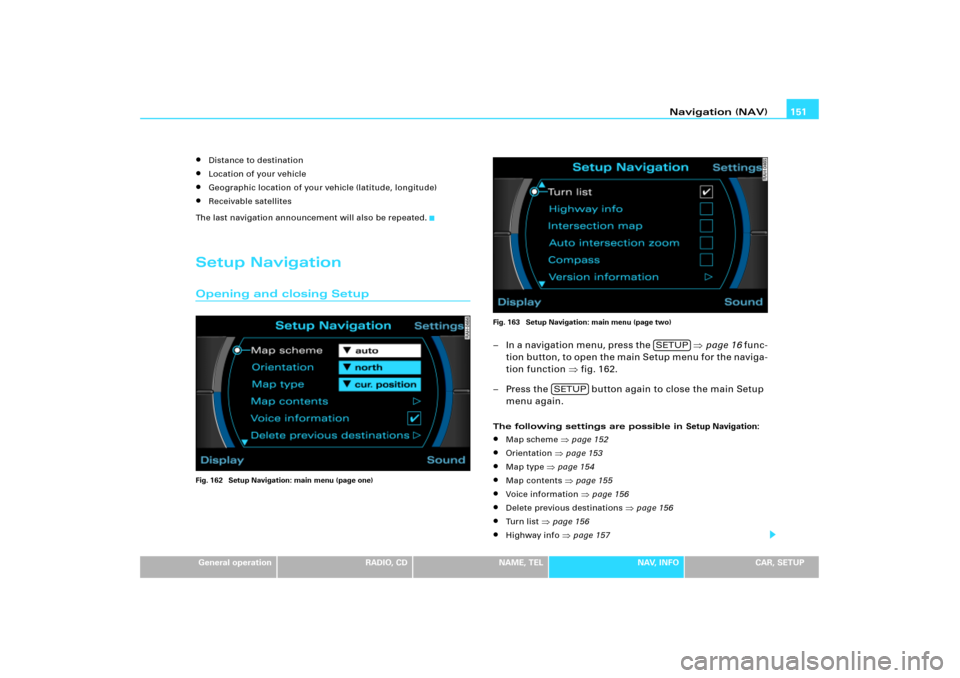
Setup NavigationOpening and closing SetupFig. 162 Setup Navigation: main menu (page one)Fig. 163 Setup Navigation: main menu (page two)
– In a navigation menu, press the �page 16 func-
t i o n b u tt o n , t o o p e n t h e m ai n S e t up m e n u fo r t h e n a v i g a -
tion function �fig.162.
– Press the button again to close the main Setup
menu again.The following settings are possible in Setup Navigation:�
Map scheme
�page 152
�
Orientation
�page 153
�
Map type
�page 154
�
Map contents
�page 155
�
Voice information
�page 156
�
Delete previous destinations
�page 156
�
Turn list
�page 156
�
Highway info
�page 157
SETUP
SETUP
Page 161 of 194
Navigation (NAV) 156Yo u c a n m o d i fy t h e m a p c o n t e n t s d i s p la ye d to s ui t yo u r w is he s . Th e
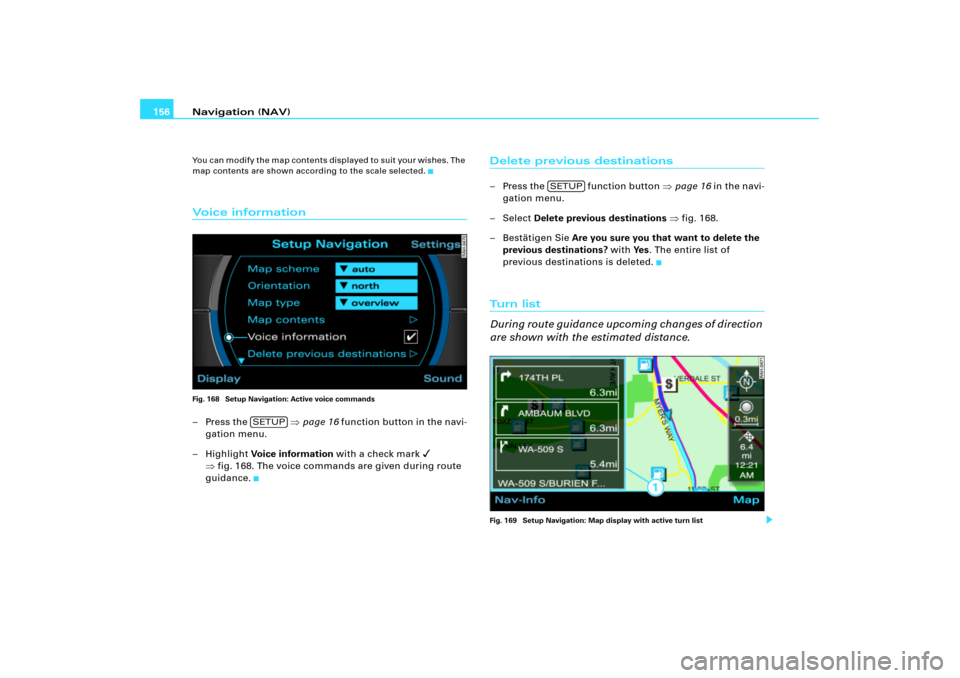
map contents are shown according to the scale selected.Vo i c e i n fo r m a t i o nFig. 168 Setup Navigation: Active voice commands–Press the �page 16 function button in the navi-
gation menu.
– Highlight Voice information with a check mark
�
�fig.168. The voice commands are given during route
guidance.
Delete previous destinations– Press the function button �page 16 in the navi-
gation menu.
– Select Delete previous destinations �fig.168.
– Bestätigen Sie Are you sure you that want to delete the
previous destinations? with Ye s. The entire list of
previous destinations is deleted.Tu rn l i s t
During route guidance upcoming changes of direction
are shown with the estimated distance.Fig. 169 Setup Navigation: Map display with active turn list
SETUP
SETUP
Page 162 of 194
Navigation (NAV)157
General operation
RADIO, CD
NAME, TEL
NAV, INFO
CAR, SETUP
– Press the function button �page 16 in the navi-
gation menu.
– Highlight Turn list with a check mark
� �page 151,
fig.163 to activate the function.
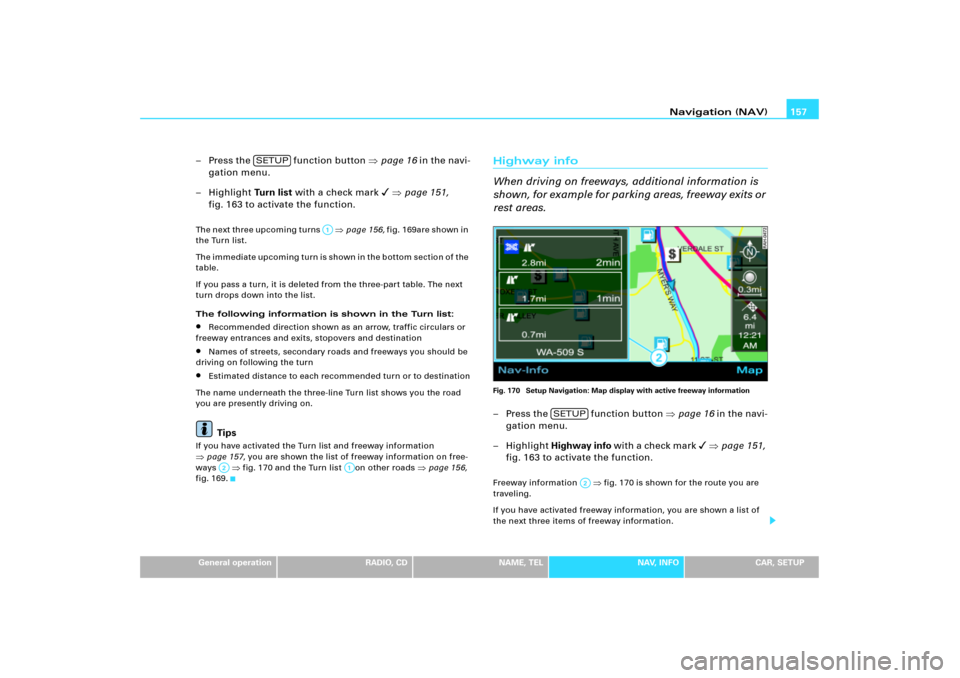
Th e n e x t th re e up c o mi n g t u rn s
�page 156, fi g .1 6 9 a r e s h o wn in
the Turn list.
The immediate upcoming turn is shown in the bottom section of the
table.
If you pass a turn, it is deleted from the three-part table. The next
turn drops down into the list.
The following information is shown in the Turn list:
�
Recommended direction shown as an arrow, traffic circulars or
freeway entrances and exits, stopovers and destination
�
Names of streets, secondary roads and freeways you should be
driving on following the turn
�
Estimated distance to each recommended turn or to destination
The name underneath the three-line Turn list shows you the road
you are presently driving on.Tips
If you have activated the Turn list and freeway information �page 157, you are shown the list of freeway information on free-
ways
�fig.170 and the Turn list on other roads
�page 156,
fig.169.
Highway info
When driving on freeways, additional information is
sh o w n , f o r e x a m p l e f o r p a r ki ng a re as , f re e w a y e x i t s o r
rest areas.Fig. 170 Setup Navigation: Map display with active freeway information– Press the function button �page 16 in the navi-
gation menu.
– Highlight Highway info w i t h a ch e ck m a r k
� �page 151,
fig.163 to activate the function.
Freeway information
�fig.170 is shown for the route you are
traveling.
If you have activated freeway information, you are shown a list of
the next three items of freeway information.
SETUP
A1
A2
A;
SETUP
A2
Page 175 of 194
SETUP 170The following submenus are available in the Setup
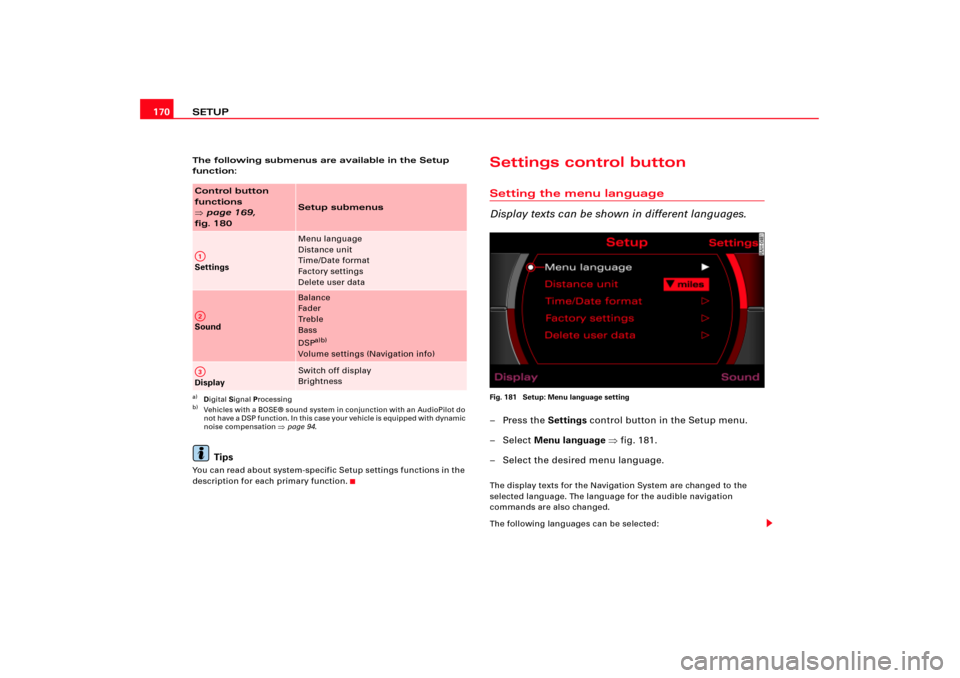
function:
Tips
You can read about system-specific Setup settings functions in the
description for each primary function.
Settings control buttonSetting the menu language
Display texts can be shown in different languages.Fig. 181 Setup: Menu language setting–Press the Settings control button in the Setup menu.
– Select Menu language �fig.181.
– Select the desired menu language.The display texts for the Navigation System are changed to the
selected language. The language for the audible navigation
commands are also changed.
The following languages can be selected:
Control button
functions �
page 169,
fig. 180
Setup submenus
Settings
Menu language
Distance unit
Time/Date format
Factory settings
Delete user data
Sound
Balance
Fader
Tr e b l e
Bass
DSP
a)b)
Volume settings (Navigation info)
a)Digital Signal Processingb)Vehicles with a BOSE® sound system in conjunction with an AudioPilot do
n o t h av e a D SP f un ct i o n. I n th is c as e y o ur v e hi cl e is equ ip p ed w i th d y n am ic
noise compensation �page 94.
Display
Switch off display
Brightness
A1A�A3