2004 VOLKSWAGEN GOLF PLUS set
[x] Cancel search: setPage 185 of 541
(D), Sport Drive (5), or has been selected, press and hold the peda l to keep the vehicl e from moving. The vehicle may and move forward or backw ard even if the engine is idling slowly.
Never shift into !!everse when the vehicl e is movin g.
Never leave the vehicle in Neutral (N). will
roll down hill s, whether the engine is running or not.
While driving
Note
Even though the transmission is in the vehicl e may move a couple of inches fonvards or backwards if yo u take your foot off the pedal after stopping the vehicle without first setting the parking brake.
b y mi stak e w hen the vehi cle is moving. take
your foot o ff the accelerator p ed al.
Page 192 of 541
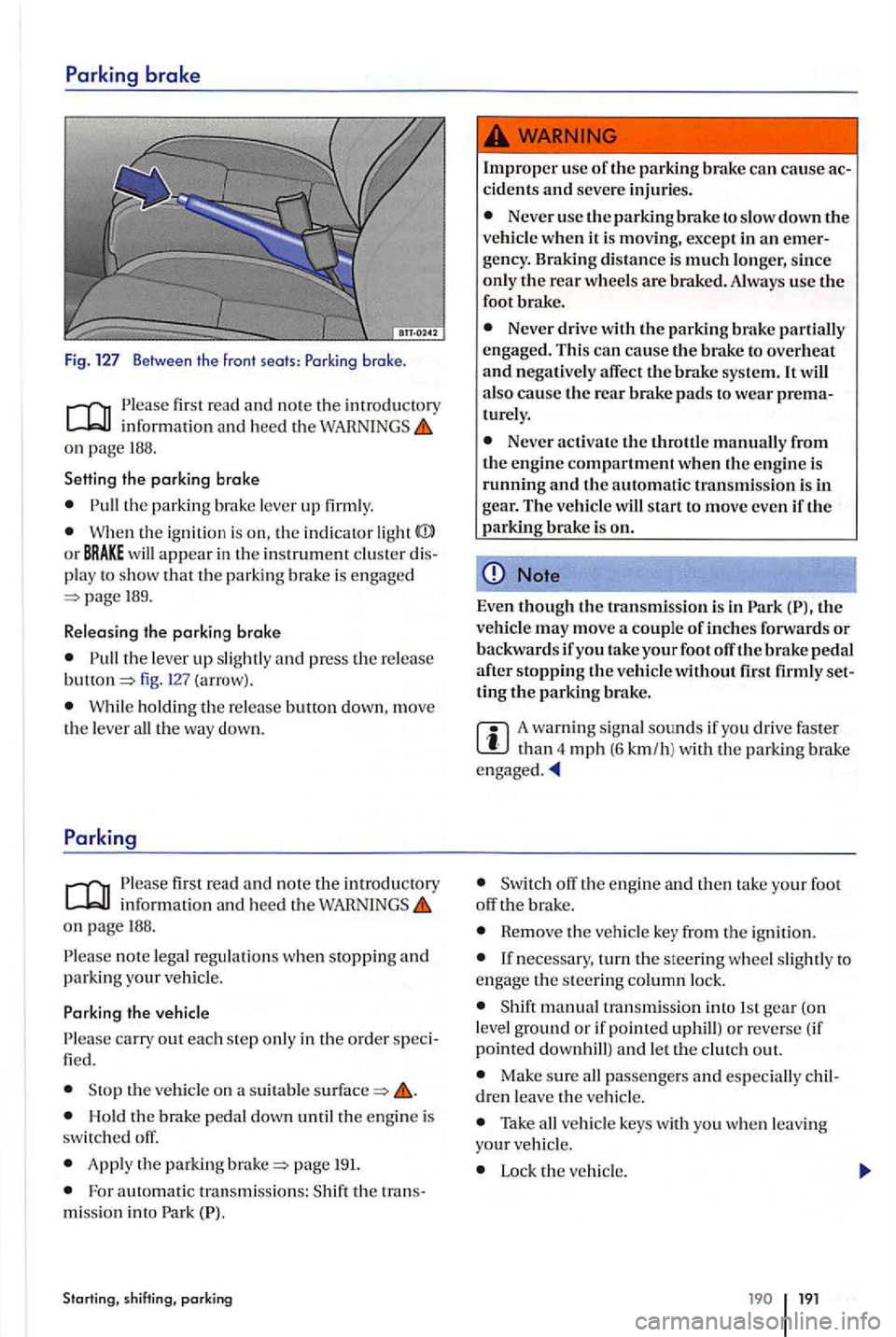
first read and note the imrod uctory
on pag e 188.
Setting the parking brake
the parkin g br ake lever up firml y.
Wh en th e ignitio n is on, the in dicator light
189.
R e leasing the parking
brake
the lever up slightl y and press the release fig. (arrow).
W hil e ho ldin g th e re lease butt on down, move
t h e leve r all th e way down.
info rmatio n and hee d th e on page 188.
n o te lega l regulations when stopping and parking your veh icle.
th e vehicle on a suitabl e
Hold th e brak e pedal dow n until the engin e is
switc h ed off.
App ly the parking page 191.
Fo r a utomatic tra nsmiss ions: th e tra ns
mi ssio n in to Park
Starting, shift ing, parking
Improper use of the parking brake ca n cause ac cidents and seve re injurie s.
Never use the pa rkin g brake to slow down the ve hicl e when it is moving , except in an emer
gency . Braking distance is much longe r, since only the rear wheels are brak ed. Always use the
foot brake.
Never drive with the parking brake partiall y
engage d. Thi s can cause the brake to overheat and negatively affect the brake syste m. It also cause the rea r brake pads to wea r prematurely.
Never acti va te t he throttl e manually from
th e e ngin e compartment when th e engine is running and the automatic tra n smissio n is in gear. The ve h icl e w ill start to move eve n iftl1 e parking brake is on.
Note
Even t11ough the transmi ssio n is in th e
ve hicl e may move a couple of inches forward s or backwar ds if you take your foot off the brake pedal after s toppin g the vehicle without set
ting tl1e parking brake.
A wa rning sig nal sounds if yo u driv e faste r th an 4 mph (6 km/h ) w ith th e parking brake
off the engin e and th en tak e yo ur foot
off brak e.
Rem ove the veh icle ke y from th e ign ition .
manual transm iss ion in to 1 st gea r (on
l evel ground or if pointed uphill) o r re ve rse (if
point ed
Make sure all passengers and esp ecially children leave th e ve hicle.
Take all ve h icle keys with you w he n le a vin g your ve hicl e.
Lock the ve hicl e.
19 1
Page 213 of 541
Introduction
th is section yo u'll fin d inform ation on the followi ng:
Warning ond indica tor lights . . . . . . . . . . . . . . . . . . 215
Cruise control operation . . . . . . . . . . . . . .
h elps maint ains
an indiv idually s tored con stan t sp ee d w hen
d ri vin g above 12 mph (km /h).
Th e
More information:
page 179
Parts, acce ssories. repa irs an d modificat io ns page 303
Using the cruise control when it is not possibl e
t o drive safely at a constant speed can b e dan
gerous
Never use cruise control when dri ving in
h eavy or varying traffic or when you cannot keep
a safe distance betwe en you and the ve hicle s ahead of you. Never use cruise contro l on ste ep , winding, or slippery roads (s uch grav el roads, wet roads, or sno\vy or icy road s) or on road s with standing
wat er.
Never use cruise control when driving off
road or on unpave d road s.
Always adjust your speed and the di stance yo u keep betwe en you and the vehicles ahead of you to the weather, and vis ibility condition s.
To he lp prevent unintended operation of crui se control , switch the s y stem off when it is not
It is dange rous to use the Resume feature
wh en th e prev iously set speed is too high for the exis ting traffic, or weather condi tion s.
When traveling downhill , tJ1e cru ise control may no t b e a ble to maintain a cons tant sp eed .
Th e vehicl e will spe ed up b ecause of it s o wn
weight. Downshift and/or usc the foot brake to
s low the ve hicle.
When travelin g downhill , the crui se control may not be able to a constant speed.
The vehicle may speed up b ecause of it s own
weight . Dow nshift and/or u se the foot brak e to
s lo w the vehicle.
Page 215 of 541
Cruise control operation
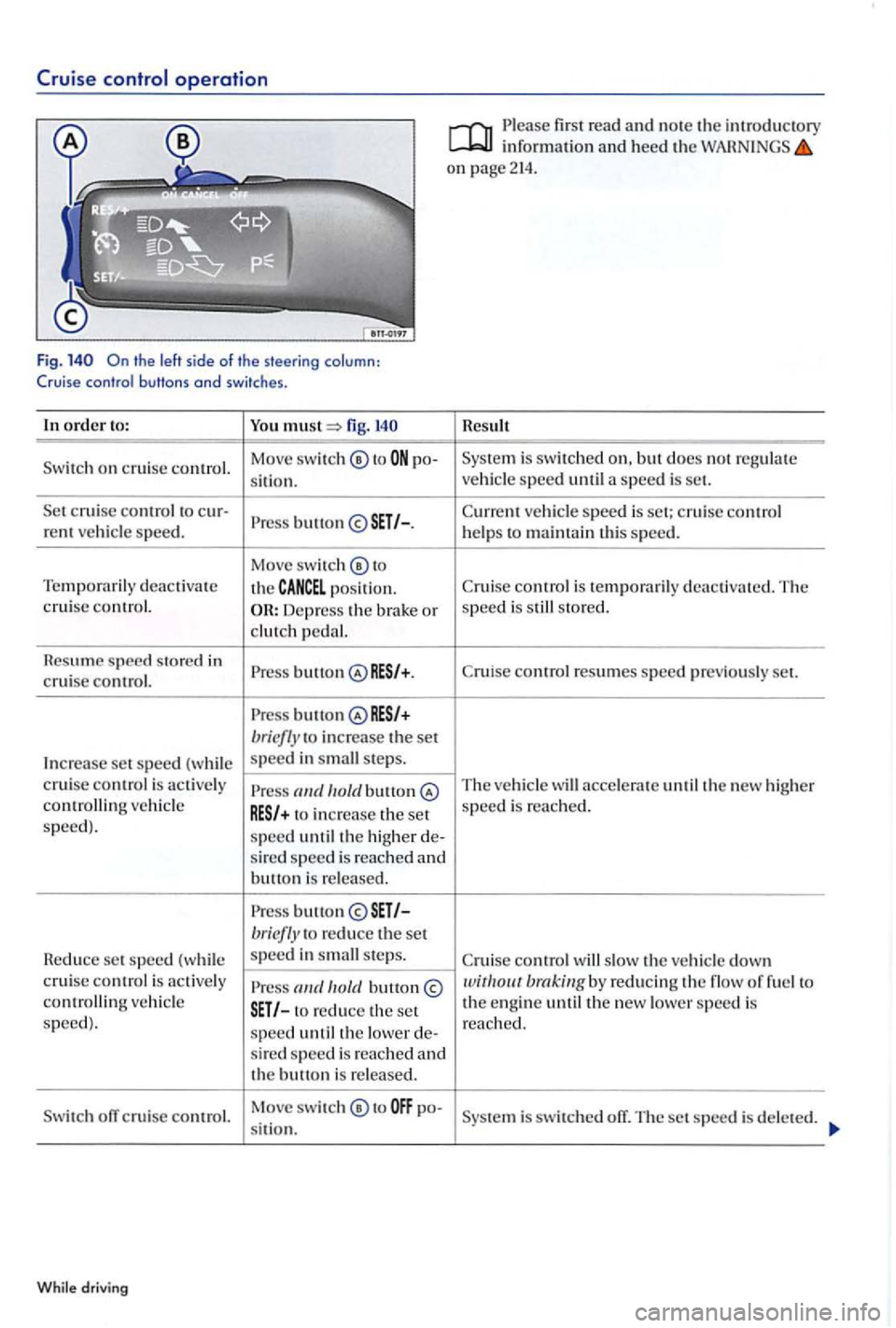
Fig.
order to: You fig.
o n cruise control. Move
switch ® to po-
s
it i o n.
c ruise control to cur-button rent ve hicle speed.
Move swi tc h ® to
Temp oraril y deactiva te
the
posit ion. cruise control. Depress th e brake or
clutch pedal.
R
esume s peed store d in
Press button cruise control.
Press bri efly to increase the set
In cr
ease set s peed (w hil e s
peed in ste p s.
cruise control is acti ve ly
to incre ase the set speed) .
speed unti l the higher de-
s ir ed speed is re ac hed and butt o n i s released .
P ress b
utton briefly to red uce the set
R
educe set speed (w hile s
peed in steps.
cruise control is active ly ve hicl e to reduce the set
speed ).
speed until the lower de-s ir ed speed is re ac hed and the button is re leased.
off c rui se control. Move swit
ch ® to po-
s it i o n.
While driv ing
Please first read and note th e int roduc tory
on page 214.
Result
is swit ch ed but does n ot regu late vehicl e speed until a speed is set.
Curr ent vehicle s
peed is set ; c ruise co ntrol
helps t o maint ain thi s speed .
Cr ui
se control is te mporarily deactiva te d. The
s peed is s to red.
C ru ise control r
esumes speed previo usly set.
The ve hicl e will acce lera te until the new high er
s peed is re a ched.
C ruise control slow the ve hicle down
is switc hed off. The set speed is dele te d.
Page 218 of 541
Function and operation
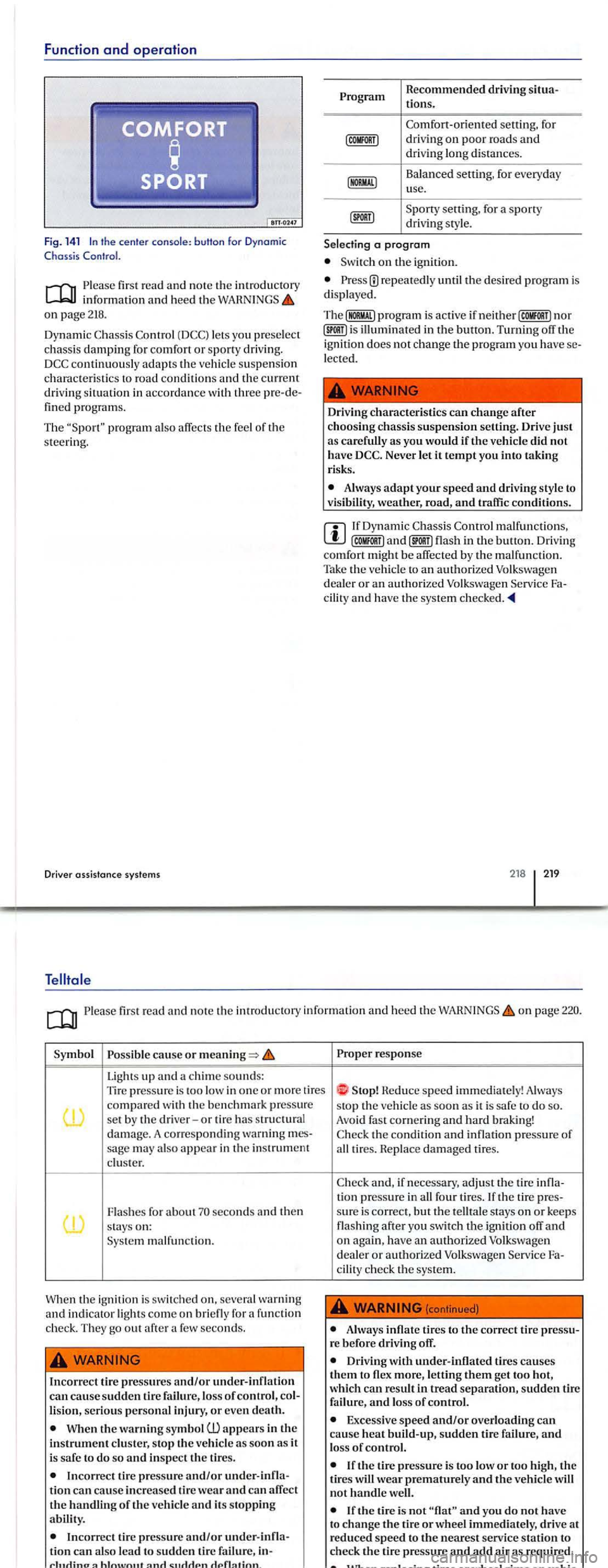
Fig. 141 In the cen te r co nsole : b uHon fo r Dynomic C hoss is
Please read and note th e introductory inf ormati on and hee d t he on page 218.
D ynamic C hassis Control lets you prese lec t
chassi s dam ping for comfo rt or sporty driving .
pro grams.
T he
program also affec ts th e feel of the steering .
Driver assis tanc e systems
Program R
ecommended driving
Comfort- oriented setting, for driving on poor roa ds and driving lon g di sta nces .
Balanced
setting, for everyday
u se.
a program
o n th e ignition.
re p ea te dl y th e des ired progra m is
disp laye d.
Th e
nor illumin ated in the button. Turning off the
i g nition does no t chan ge the program you have lec ted.
Driv ing characteristics can
change after choosing chassis suspension setting. Drive just as carefully as you would if the vehicle did not
h ave Neve r let it tempt you into takin g
risks.
Always adapt your speed and driving style to
visibil and traffic condit ions.
malfunctions , flash in the button. Driving comfo rt might be affec te d b y th e malfunction. Tak e th e ve hicl e to an authorized Volk swage n
d ea ler or an authorize d Volkswa gen
218 219
Please read and note the introdu ctory information and h eed the WARNINGS on page
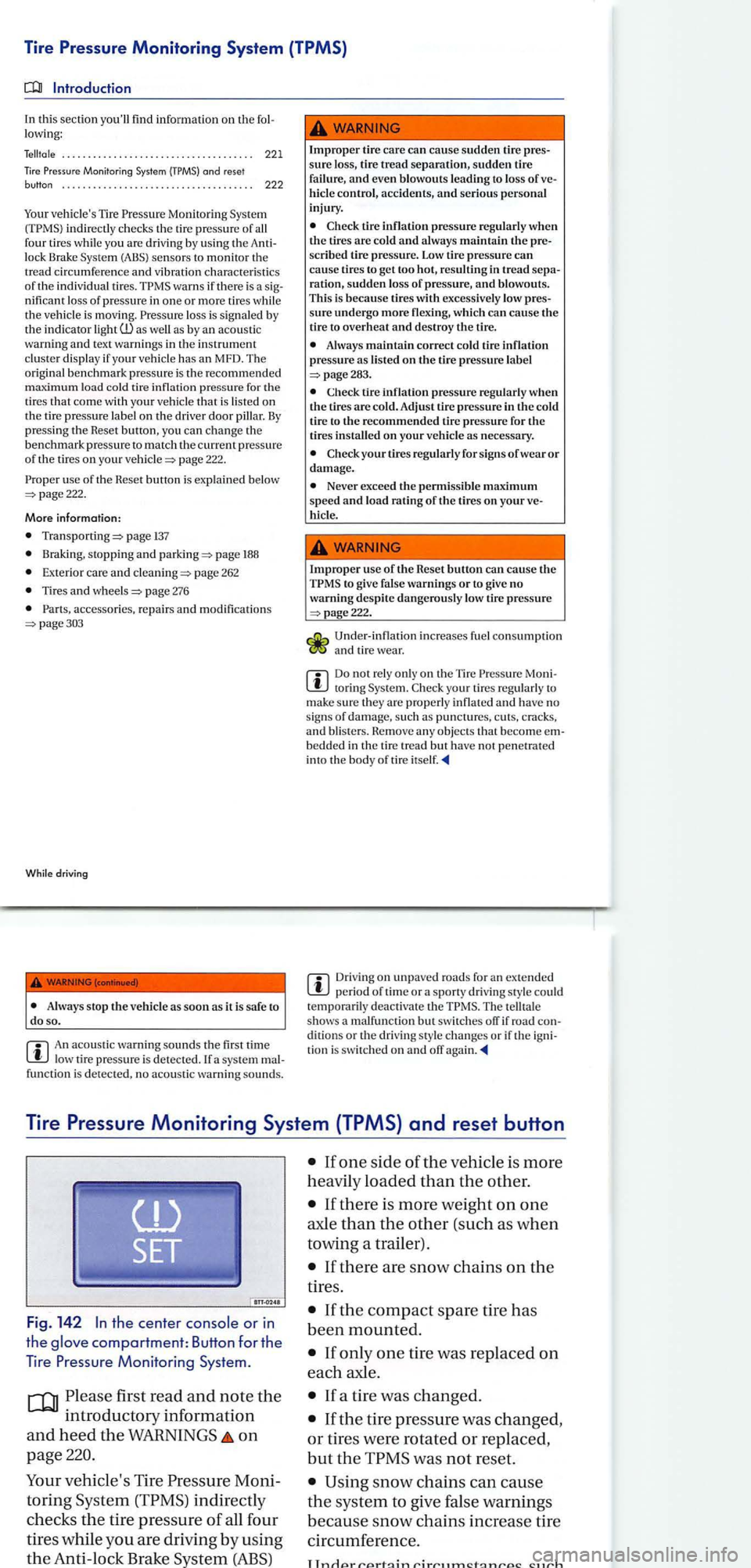
Poss ible cause or
Lights up and a chime sounds: Tire pressure is too in one o r more tires compa re d wi th th e ben chmark press ure
se t by the driver-or ti re has stru ctural
damage. A co rre spo ndi ng warning
sa ge may also app ear in the instrument cluster.
Fla s hes for abo ut seconds and then stay s on: malfun ction.
W h
en the ignition i s s witched on, severa l warning
a nd ind icato r light s come on briefly fo r funct ion
c h ec k. Th ey go out after a few seco nds.
Incorrec t lire pressures and/or under- inflati on can cause sudden tire failure , loss of control , lisio n, seriou s personal injury, o r even death.
When the warning symb ol
In correc t tir e pressure a nd/or tio n can ca use incre a se d tir e wear and ca n affe ct the handling of th e ve hicle and its stoppin g
Incor rec t tir e pressure and/or ti o n can also lead t o sudden tir e fa ilu re,
Proper response
Heduc e speed imm ediately! Always
s t
op th e vehicle as soon as it is safe do so . Avoid fas t cornerin g and hard braking!
tion press ure in all four tires. If th e tir e
cilit y c heck the sys tem.
(continued)
Always inflate tires to the correct tire re befor e drivin g off .
Driv in g with under-inflat ed tire s causes them to flex more, letting the m get too hot,
which can
Excessive speed and/or over loading can
ca use heat build -up, sudden tire failure , and lo ss of control.
If the tire pressure is too low or too high , th e tires wear prematurely and the vehicl e will
not handl e we ll.
If the tire is not and yo u d o no t h ave
t o ch an ge the tire or whee l immediat ely , drive a t
reduced spee d to the nearest serv ice station to
c h eck th e tir e pressure and add
Page 219 of 541
Tire Pressure Monitoring System (TPMS)
this section you'll find informati on on th e lowing:
. . . . . . . . . . . . . . . . . . . . . . . . . . . . . . . . . . . . . 221
Monitor ing System
Monito ring Sys te m indirectly c hecks the tire pressure of all
f our tires while you are driving by us ing the lock Brake Syste m (ABS) sensor s to monitor the
tr ea d circumf erenc e and vibration ch arac te ris tics of the indi vidua l tir es. warns if there is a nifi cant loss of pres sure in one or more tires while
the vehicl e is mo vin g. loss is s ig nale d b y
the ind icato r light as by an aco usti c
wa rni ng and text warnin gs in the in strument clu ster di spla y if your ve hicle has an MFD. The
origina l b en chmark pre ssure is th e recommended
m axi mum load cold tire inflati on pressure for the tire s that come with your vehicle that is lis te d on
th e tire pressure lab el on the dri ver door pill ar. By press ing the Reset button , yo u can ch ange the
b enchmark pressure to match th e c urr ent pressure of the tir es on you r page 222.
use of the Heset butto n i s explained below 222.
More informa tion:
page 137
Bra king, stopping and page 188
Ext e rior care an d page 262
page 276
pa ge303
Whil e driving
An acoustic warni ng sounds th e first time low tire pressure is detec ted. a system
Improp er tire care can cause sudden tire sure loss,
hicle control, accidents, and serious personal
injury .
tire inflation pressure regularl y when the tires are cold and alway s maintain the scribed tire pressure . Low tire pressure can cause tires to get too hot, res ultin g in tread ration, sudden lo ss of pres sure, and blowout s.
Thi s is because tires with excessively low
sure undergo more flexi ng, which can cau se the tir e to overheat and destroy the tire.
Always maintain correct cold tire inflation pressure as listed on the tire pressure label
Check tire inflation pressure regularl y when the tires are cold. Adjust tir e press ure in the cold
tir e to the recommended tire pressure for t11e tires installed on your vehicl e as necessary.
Neve r exceed the permissi ble maximum speed and load rating of the tires on your hicl e.
Imprope r us e of the Reset button can cause the to give false warnings or to give no
warning des pite dangerou sly lo w tire pressure
page222.
Und er- inflat ion increases fue l con sumptio n and tire wear.
to ring Syste m.
bedde d in the tir e tre ad but have n o t penetrated
int o the body of tire
Driving on u npaved roads for an extended
The te lltal e
s h ows a malfunc tion but switch es orr if road dit io ns or th e drivin g sty le c han ges or if th e tio n is switch ed on and orr
Tire Pressure Monitoring System (TPMS) and reset button
the center or in
the compartment: Button for th e
T
ire Pressure Monitoring System.
first r ead and note the
introductory informatio n
and heed the WARNINGS on
page
ve hicle's Tir e Moni
torin g
indirectly
c h ec ks
the ti re pressure of al l four
tire s while yo u are drivin g by us
ing
the Anti -loc k
If there is more weight on one
axle than the other (such as when
towin g a trailer) .
Page 220 of 541
Each tire, including the spare (if
provided),
should be checked
monthly w hen cold and inflated to
the inflation pressure recom
mended by the vehicle manufac
turer
on the vehicle placard or tire
inflation pressure label.
(If your
vehicle
has tires of a different size
than the size indicated on the ve
hicle placard
or tire inflation pres
sure label, you sho uld determine
the proper tire inflation pressure
for
those tires.)
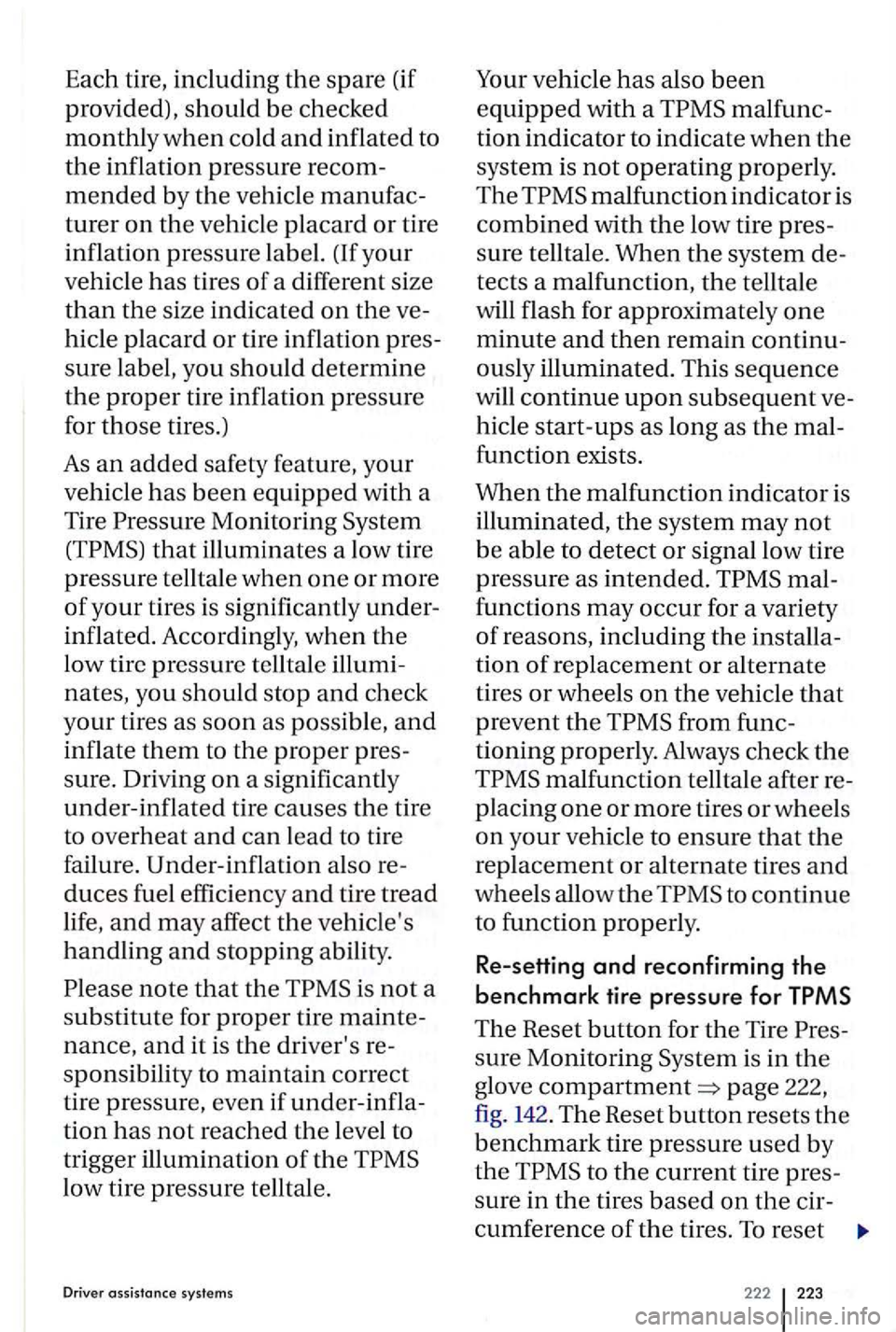
As an added safety feature, your
vehicle
has been equipped with a
Tire
is not a
substitute for proper tire mainte
nance,
and it is the driver's re
sponsib ility to
maintain correct
tire pressure , even if under-infla
tion
has not reached the level to
trigger illumination
of the
low tire pressure telltale.
Driver assistance systems
Your vehicle has also been
equipped with a malfunc
tion indicator to indicate
when the
system is not operating properly.
The
malfunction indicator is
combined with the low tire pres
sure telltale. When
the system de
tects a malfunction, the telltale
will flash for approximate ly
one
minute and then remain continu
ously illuminated. This sequence
will continue upon subsequent ve
hicle
start-ups as long as the mal
function exists.
When
the malfunction indicator is
illuminated, th e system may not
be able to detect or signal low tire
pressure
as intended.
to continue
to function properly.
Re-setting and reconfirming the
benchmark tire pressure for TPMS
The Reset button for the Tire
sure Monitoring is in the
glove compartment=> page 222,
fig. 142. The Reset button resets the
benchmark tire pressure used by
the
to the current tire pres
sure
in the tires based on the cir
cumference
of the tires. To reset
222 223
Page 221 of 541
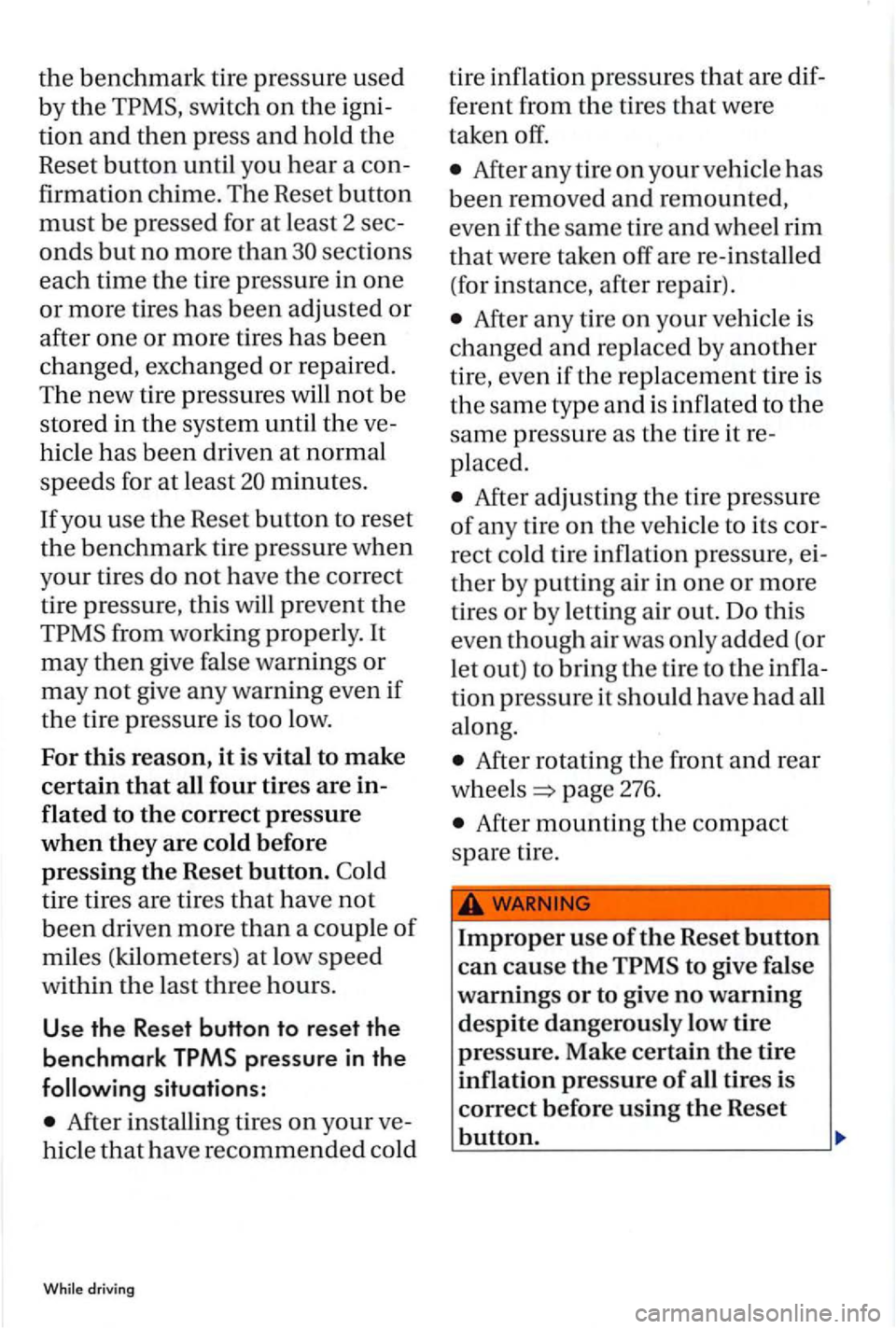
the benchmark tire pressure used
b y
the swi tch on the igni
tion
and then press and hold the
Reset button until you hear a con
firmation chime. The Reset button
must be pressed for at least 2 sec
onds but no more than sect ions
each time
the tire pressure in one
or more tire s has bee n adjusted or
after
one or more tires has been
changed, exchanged or r
epaired.
The new tire pressures will not be
st
ore d in the system until the ve
hicle has b
een driven at normal
s p eeds for
at leas t minutes.
If you use the Reset button to reset
the ben chmark tire pressure when
yo
ur tires do not have the corre ct
t ir e pressure, this
will prevent the
After installin g tires on your ve
hicle
that h ave recom mended co ld
driving
tire infl ation pressures that are dif
ferent from the tires that were
taken off.
After any tire on you r ve hicl e has
b
een removed and remounted,
even if t he sa me tire
and w hee l rim
that were taken off are re-insta ll ed
(for instance, after repair).
After a ny tire on you r veh icle is
changed
and r ep lace d by another
tire, even if th e rep lace me
nt tire is
th e
same type and is inflated to the
same press ure as the tir e it re
pl ace d.
After adjusting the tire pressure
of an y tire on the ve hicl e
to its cor
rect cold tire in flation pressure, ei
ther by putting air in one or more
tires
or by let tin g air out. Do this
even though air was o
nly added (or
let out)
to bring the tir e to the infl a
tion pressure it should have had all
along .
After rotating the front and rear
w he els
page 276.
After mounting th e compact
s pare tir
e.
Improper use of the Reset button
can cause the to give false
warnings
or to give no warning
d espite dangerously low tire
pressure. Make certain
the tire
inflation pressure
of all tires is
correct before using
the Reset
button.