Page 7 of 256
�Î
�Î
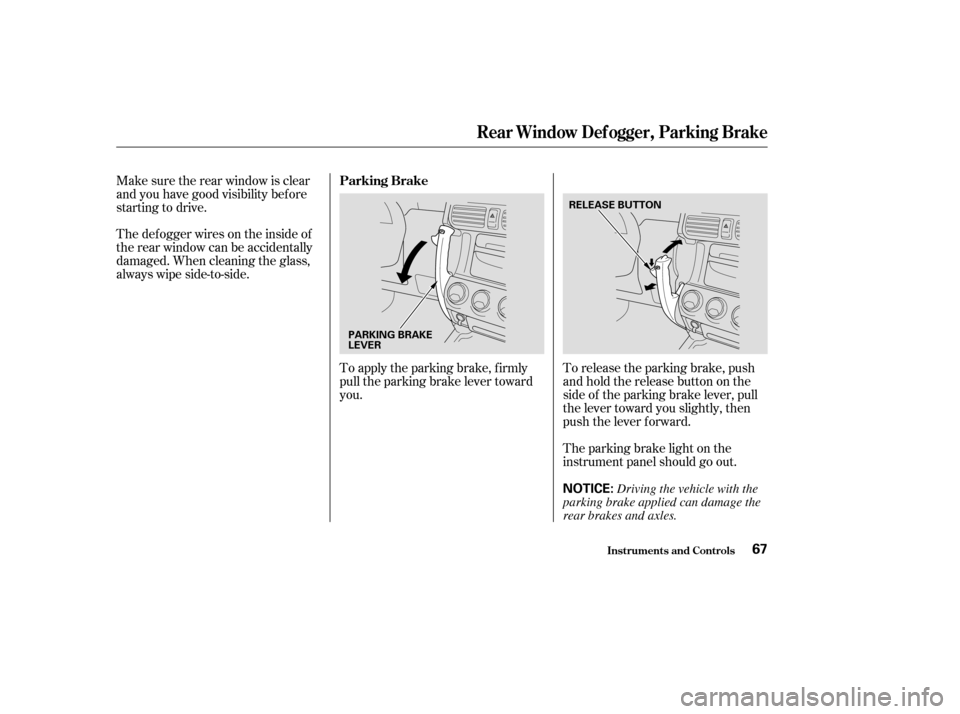
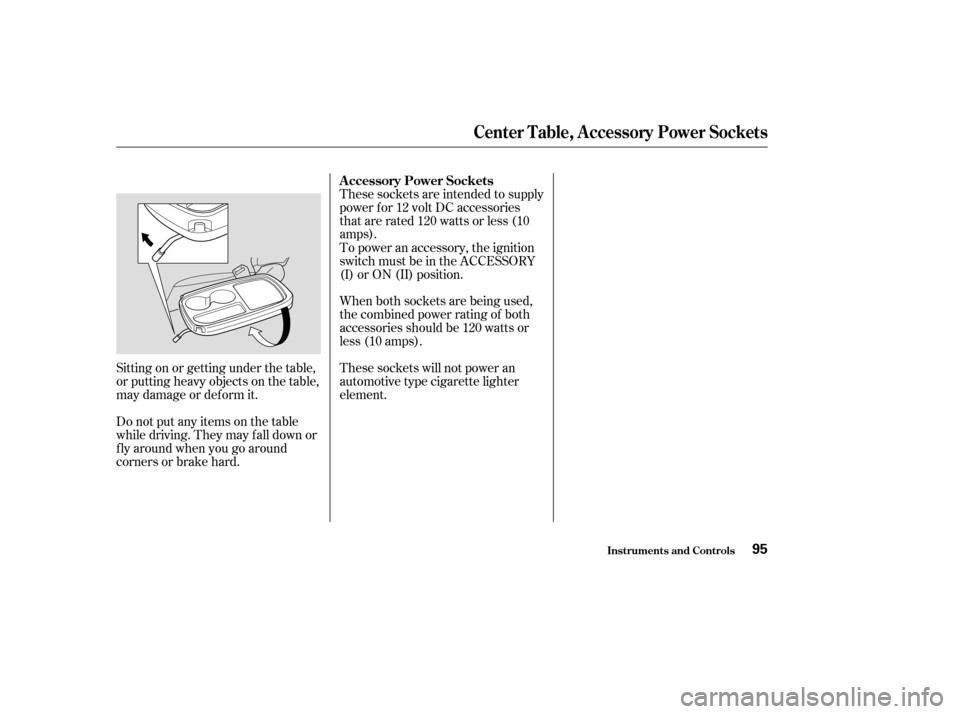
To use the horn, press the center pad of the steering wheel.
:
Your Vehicle at a Glance
3
HEADLIGHTS/TURN SIGNALS
MOONROOF
CRUISE CONTROL
A/T model is shown. HORN
PARKING BRAKE REAR WINDOW
DEFOGGERWINDSHIELD
WIPERS/WASHERS
SHIFT LEVER (A/T)
STEERING WHEEL ADJUSTMENT AUDIO SYSTEM
DIGITAL CLOCK
(P.88)
(P.119) (P.68) (P.67)(P.
66)
(P.64)
(P.
66)
(P.142)
(P.65) (P.102)
(P.118)
HAZARD WARNING
BUTTON
Page 57 of 256

This section gives inf ormation about
the controls and displays that
contribute to the daily operation of
your Honda. All the essential
controls are within easy reach............................
Control Locations .54
............................
Instrument Panel .55
.............................................
Gauges .61
...................................
Trip Meter .61
.....................................
Odometer .61
..................................
Fuel Gauge .61
...................
Temperature Gauge . 62
Outside Temperature ..................................
Indicator .62
Controls Near the Steering .......................................
Wheel .63
......................
Wipers and Washers .64
.........
Turn Signals and Headlights . 65
........
Instrument Panel Brightness . 66
.................
Hazard Warning Button . 66
.................
Rear Window Def ogger . 66
.................................
Parking Brake .67
..........
Steering Wheel Adjustment . 68
...............................
Keys and Locks .69
........................
Immobilizer System .70
................................
Ignition Switch .71
......................................
Door Locks .72
......................
Power Door Locks .72
..............
Childproof Door Locks . 72
...........
Tailgate and Hatch Glass . 73
.......................
Remote Transmitter .74 ....................................
Seat Heaters .76
.................................................
Seats .77
........................
Seat Adjustments .77
Driver’s Seat Height ..............................
Adjustment .78
......................................
Armrests .78
..........................
Head Restraints .79
..........
Reclining the Front Seats . 80
...
Folding the Rear Seats Down . 81
..........
Folding the Rear Seat Up . 82
.....................
Detachable Anchor .84
..............................
Power Windows .86
........................................
Grove Box .87
.........................................
Moonroof .88
.............................................
Mirrors .89
....
Adjusting the Power Mirrors . 89
................
Power Mirror Heaters . 90
...........
Interior Convenience Items . 91
.............................
Beverage Holder .92
...................................
Built-in Table .92
.....................................
Storage Box .94
..........................
Sunglasses Holder .94
....................................
Center Table .94
..............
Accessory Power Sockets . 95
Instruments and Controls
Inst rument s and Cont rols53
Page 62 of 256
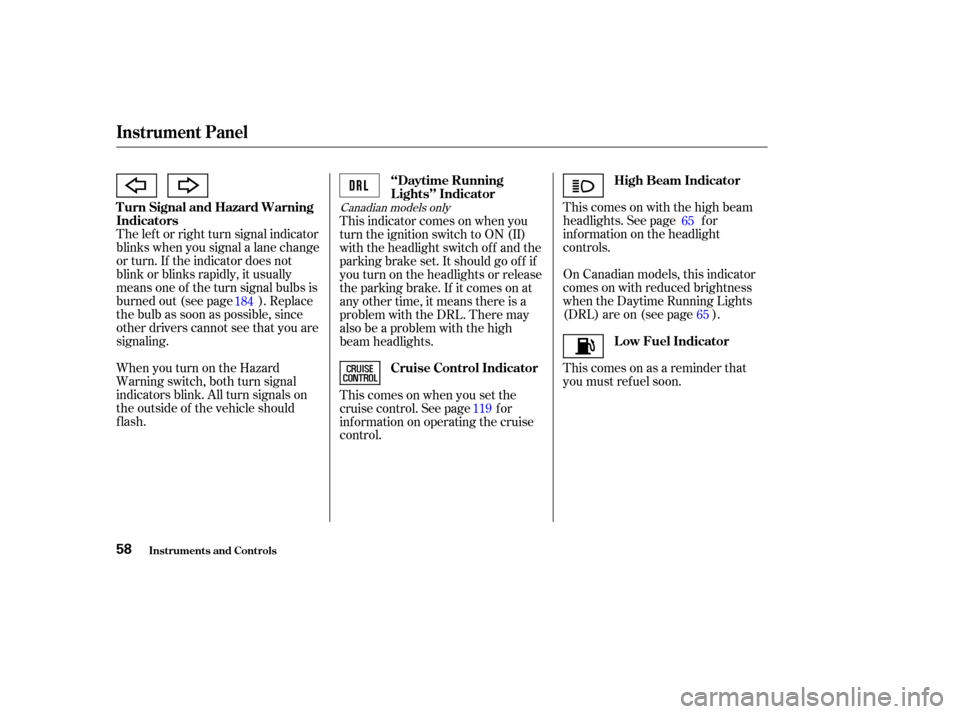
On Canadian models, this indicator
comes on with reduced brightness
when the Daytime Running Lights
(DRL) are on (see page ). This comes on with the high beam
headlights. See page f or
inf ormation on the headlight
controls.
Thiscomesonasareminderthat
you must ref uel soon.
The lef t or right turn signal indicator
blinks when you signal a lane change
or turn. If the indicator does not
blink or blinks rapidly, it usually
means one of the turn signal bulbs is
burned out (see page ). Replace
the bulb as soon as possible, since
other drivers cannot see that you are
signaling.
WhenyouturnontheHazard
Warning switch, both turn signal
indicators blink. All turn signals on
the outside of the vehicle should
flash. This indicator comes on when you
turn the ignition switch to ON (II)
with the headlight switch off and the
parking brake set. It should go of f if
youturnontheheadlightsorrelease
the parking brake. If it comes on at
any other time, it means there is a
problem with the DRL. There may
also be a problem with the high
beam headlights.
Thiscomesonwhenyousetthe
cruise control. See page f or
inf ormation on operating the cruise
control.
184
11965
65
Canadian models only
Inst rument s and Cont rols
Instrument Panel
Turn Signal and Hazard Warning
Indicators
‘‘Daytime Running
Lights’’ Indicator
High Beam Indicator
Low Fuel Indicator
Cruise Control Indicator
58
Page 67 of 256
�Î
�Î
To use the horn, press the center pad of the steering wheel.
:
Controls Near the Steering Wheel
Inst rument s and Cont rols63
HEADLIGHTS/TURN SIGNALS
SHIFT LEVER (A/T)
CRUISE CONTROL MOONROOF
PARKING BRAKE
HORN
WINDSHIELD WIPERS/
WASHERS
A/T model is shown. REAR WINDOW DEFOGGER
(P.88)
(P.119) STEERING WHEEL ADJUSTMENT (P.67)(P.66)
(P.66) HAZARD WARNING BUTTON
(P.64) (P.141)
(P.65)
(P.68)
Page 69 of 256
�µ�µ �µ
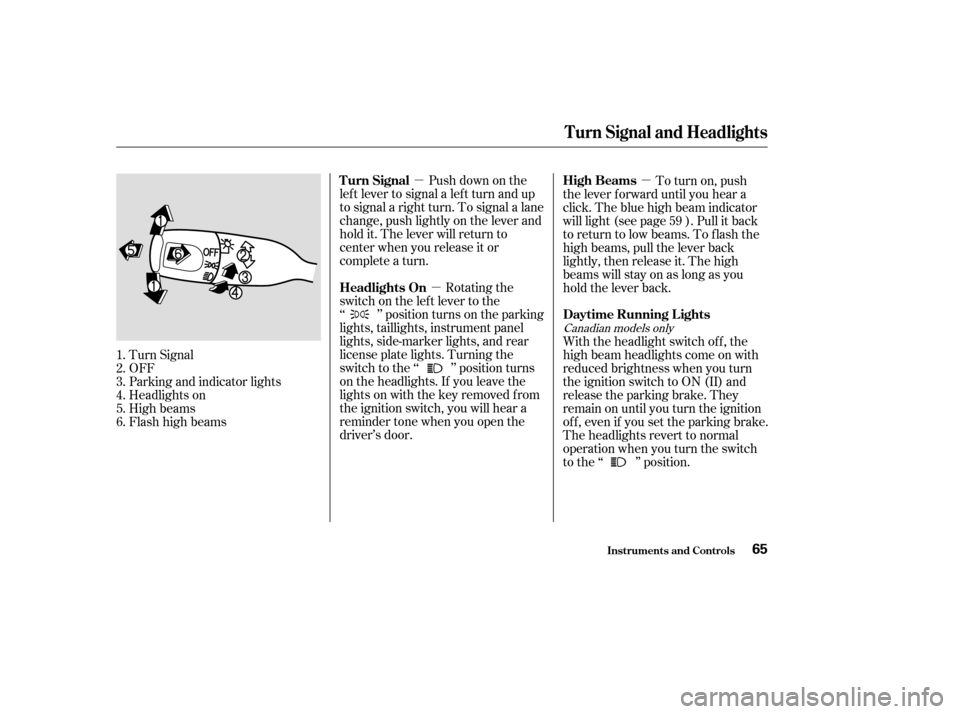
Push down on the
lef t lever to signal a lef t turn and up
to signal a right turn. To signal a lane
change, push lightly on the lever and
hold it. The lever will return to
center when you release it or
complete a turn.
Rotating the
switch on the lef t lever to the
‘‘ ’’ position turns on the parking
lights, taillights, instrument panel
lights, side-marker lights, and rear
license plate lights. Turning the
switch to the ‘‘ ’’ position turns
on the headlights. If you leave the
lights on with the key removed f rom
the ignition switch, you will hear a
reminder tone when you open the
driver’s door. To turn on, push
the lever f orward until you hear a
click. The blue high beam indicator
will light (see page ). Pull it back
to return to low beams. To flash the
high beams, pull the lever back
lightly, then release it. The high
beams will stay on as long as you
hold the lever back.
With the headlight switch off, the
high beam headlights come on with
reduced brightness when you turn
the ignition switch to ON (II) and
release the parking brake. They
remain on until you turn the ignition
of f , even if you set the parking brake.
The headlights revert to normal
operation when you turn the switch
to the ‘‘ ’’ position.
Turn Signal
OFF
Parking and indicator lights
Headlights on
High beams
Flashhighbeams
1.
2.
3.
4.
5.
6. 59
Canadian models only
Turn Signal
Headlights On
High Beams
Daytime Running L ights
Inst rument s and Cont rols
Turn Signal and Headlights
65
Page 71 of 256
To release the parking brake, push
andholdthereleasebuttononthe
side of the parking brake lever, pull
the lever toward you slightly, then
push the lever f orward.
To apply the parking brake, f irmly
pull the parking brake lever toward
you.
Make sure the rear window is clear
and you have good visibility bef ore
starting to drive.
Thedefoggerwiresontheinsideof
the rear window can be accidentally
damaged. When cleaning the glass,
always wipe side-to-side.
The parking brake light on the
instrument panel should go out.
Parking Brake
Rear Window Def ogger, Parking Brake
Inst rument s and Cont rols67
NOTICE:
PARKING BRAKE
LEVER
RELEASE BUTTON
Driving the vehicle with the
parking brake applied can damage the
rear brakes and axles.
Page 99 of 256
Sitting on or getting under the table,
or putting heavy objects on the table,
may damage or deform it.
Do not put any items on the table
while driving. They may f all down or
f ly around when you go around
corners or brake hard.These sockets are intended to supply
power f or 12 volt DC accessories
that are rated 120 watts or less (10
amps).
When both sockets are being used,
the combined power rating of both
accessories should be 120 watts or
less (10 amps). To power an accessory, the ignition
switch must be in the ACCESSORY
(I) or ON (II) position.
These sockets will not power an
automotive type cigarette lighter
element. A ccessory Power Sockets
Center Table, A ccessory Power Sockets
Inst rument s and Cont rols95
Page 124 of 256

Cruise control may not hold the set
speed when you are going up and
down hills. If your speed increases
going down a hill, use the brakes to
slow down. This will cancel the
cruise control. To resume the set
speed, press the RESUME/accel
button. The CRUISE CONTROL
light on the instrument panel will
come back on.You can increase the set cruising
speed in any of these ways:
Press and hold the RESUME/
accel button. When you reach the
desired cruising speed, release the
button.
To increase your speed in very
small amounts, tap the RESUME/
accel button. Each time you do
this, your vehicle will speed up
about 1 mph (1.6 km/h).
Push on the accelerator pedal.
Accelerate to the desired cruising
speed and press the SET/decel
button. You can decrease the set cruising
speed in any of these ways:
Press and hold the SET/decel
button. Release the button when
you reach the desired speed.
To slow down in very small
amounts, tap the SET/decel
button. Each time you do this,
your vehicle will slow down about
1 mph (1.6 km/h).
Tap the brake or clutch pedal
lightly with your f oot. The
CRUISE CONTROL light on the
instrument panel will go out.
When the vehicle slows to the
desired speed, press the SET/
decel button.
Changing the Set Speed
Cruise Control
Comf ort and Convenience Feat ures120