Page 7 of 256
�Î
�Î
To use the horn, press the center pad of the steering wheel.
:
Your Vehicle at a Glance
3
HEADLIGHTS/TURN SIGNALS
MOONROOF
CRUISE CONTROL
A/T model is shown. HORN
PARKING BRAKE REAR WINDOW
DEFOGGERWINDSHIELD
WIPERS/WASHERS
SHIFT LEVER (A/T)
STEERING WHEEL ADJUSTMENT AUDIO SYSTEM
DIGITAL CLOCK
(P.88)
(P.119) (P.68) (P.67)(P.
66)
(P.64)
(P.
66)
(P.142)
(P.65) (P.102)
(P.118)
HAZARD WARNING
BUTTON
Page 67 of 256
�Î
�Î
To use the horn, press the center pad of the steering wheel.
:
Controls Near the Steering Wheel
Inst rument s and Cont rols63
HEADLIGHTS/TURN SIGNALS
SHIFT LEVER (A/T)
CRUISE CONTROL MOONROOF
PARKING BRAKE
HORN
WINDSHIELD WIPERS/
WASHERS
A/T model is shown. REAR WINDOW DEFOGGER
(P.88)
(P.119) STEERING WHEEL ADJUSTMENT (P.67)(P.66)
(P.66) HAZARD WARNING BUTTON
(P.64) (P.141)
(P.65)
(P.68)
Page 70 of 256
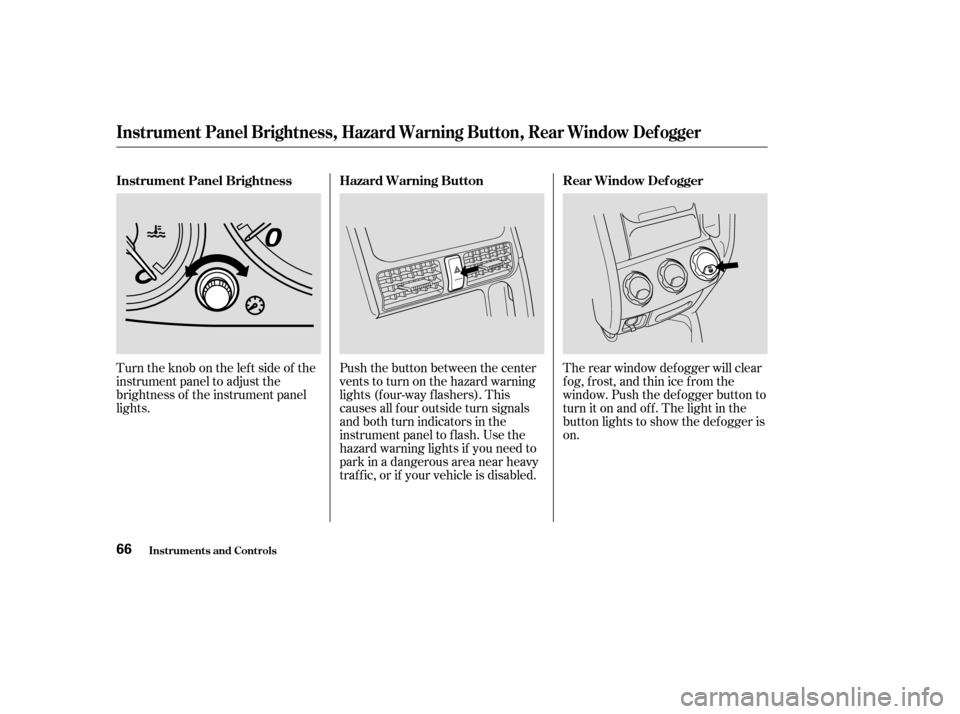
Turntheknobontheleftsideof the
instrument panel to adjust the
brightness of the instrument panel
lights.Push the button between the center
vents to turn on the hazard warning
lights (f our-way f lashers). This
causes all f our outside turn signals
and both turn indicators in the
instrument panel to f lash. Use the
hazard warning lights if you need to
park in a dangerous area near heavy
traf f ic, or if your vehicle is disabled.The rear window def ogger will clear
fog, frost, and thin ice from the
window. Push the def ogger button to
turn it on and of f . The light in the
button lights to show the def ogger is
on.
Instrument Panel Brightness
Rear Window Def ogger
Hazard Warning Button
Instrument Panel Brightness, Hazard Warning Button, Rear Window Def ogger
Inst rument s and Cont rols66
Page 71 of 256
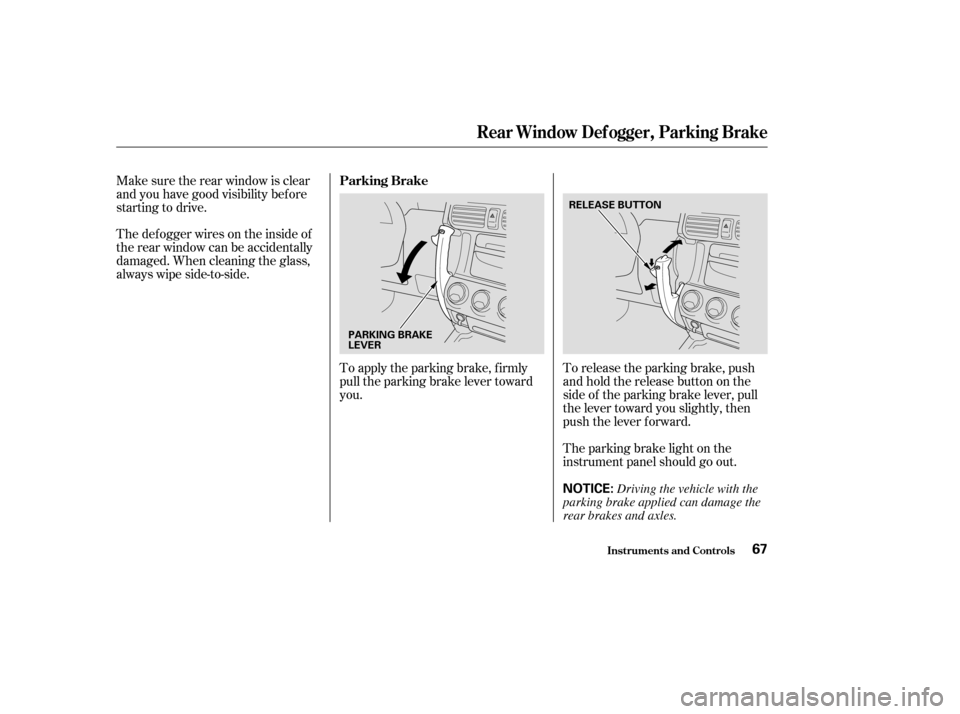
To release the parking brake, push
andholdthereleasebuttononthe
side of the parking brake lever, pull
the lever toward you slightly, then
push the lever f orward.
To apply the parking brake, f irmly
pull the parking brake lever toward
you.
Make sure the rear window is clear
and you have good visibility bef ore
starting to drive.
Thedefoggerwiresontheinsideof
the rear window can be accidentally
damaged. When cleaning the glass,
always wipe side-to-side.
The parking brake light on the
instrument panel should go out.
Parking Brake
Rear Window Def ogger, Parking Brake
Inst rument s and Cont rols67
NOTICE:
PARKING BRAKE
LEVER
RELEASE BUTTON
Driving the vehicle with the
parking brake applied can damage the
rear brakes and axles.
Page 94 of 256
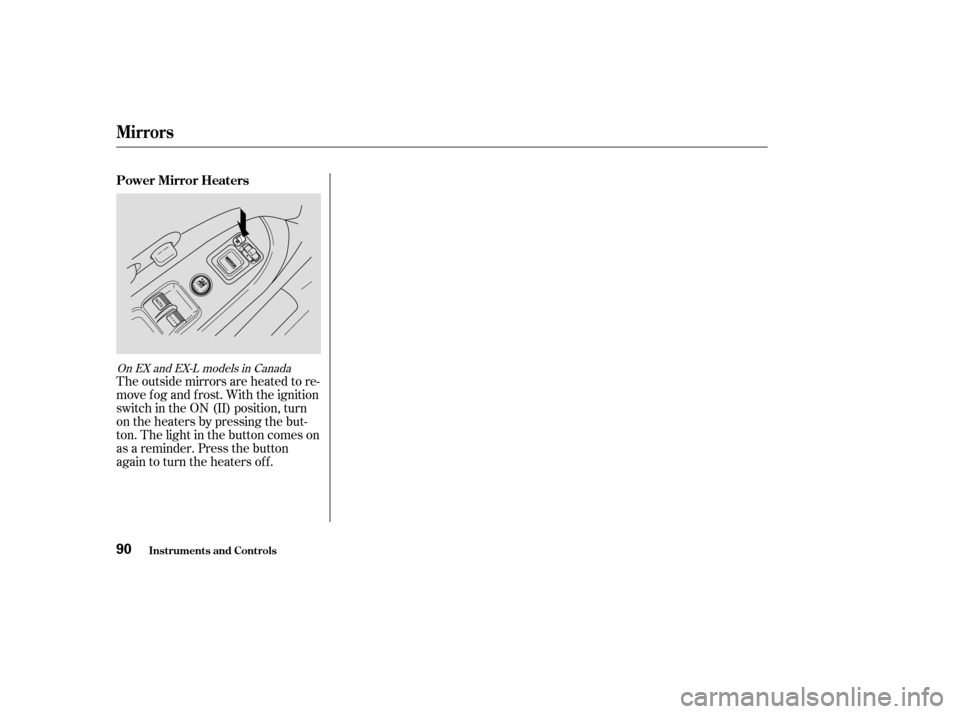
The outside mirrors are heated to re-
move fog and frost. With the ignition
switch in the ON (II) position, turn
on the heaters by pressing the but-
ton. The light in the button comes on
as a reminder. Press the button
again to turn the heaters off.
On EX and EX-L models in Canada
Power Mirror Heaters
Mirrors
Inst rument s and Cont rols90
Page 103 of 256

Turn this dial clockwise to increase
fan speed and increase the airflow.
Turning this dial clockwise increases
the temperature of the airflow.
This button turns the air
conditioning on and of f . The light in
thebuttonisonwhentheA/Cison.
When the light in the button is on,
air f rom the vehicle’s interior is sent
throughout the system again. When
the light is of f , air is brought in f rom
the outside of the vehicle (Fresh Air
mode).The outside air intakes f or the
heating and cooling system are at
the base of the windshield. Keep this
area clear of leaves and other debris.
ThesystemshouldbeleftinFresh
Air mode under almost all conditions.
Keeping the system in Recirculation
mode, particularly with the A/C of f ,
can cause the windows to fog up.
Switch to Recirculation mode when
driving through dusty or smoky
conditions, then return to Fresh Air
mode.
This button turns the rear window
def ogger of f and on (see page ).
The system automatically
turns on the A/C and switches to
Recirculation mode. Air f lows f rom
the center and side vents in the
dashboard.
Air flows from the center
and corner vents in the dashboard.
Air f lows f rom the f loor
vents. When you select , the
system automatically switches to
Fresh Air mode.
Air f low is divided between
the f loor vents and the def roster
vents at the base of the windshield. Air f low is divided between
the vents in the dashboard and the
f loor vents.
Use the mode control dial to select
the vents the air flows from. Some
air will f low f rom the dashboard
vents in all modes. 66
Fan Control Dial
T emperature Control Dial
Air Conditioning (A/C) Button
Recirculation Button
Rear Window Def ogger Button
Mode Control Dial
Comf ort and Convenience Feat ures
Air Flow Buttons
99