Page 176 of 301

This section gives you tips on
starting the engine under various
conditions, and how to operate the
5-speed manual and automatic
transmissions. It also includes
important inf ormation on parking
your vehicle, the braking system, the
Traction Control System, and facts
you need if you are planning to tow a
trailer.........................
Preparing to Drive . 178
.......................
Starting the Engine . 179
....
5-speed Manual Transmission . 180
.....
Recommended Shif t Points . 181
..............
Engine Speed Limiter . 181
..............
Automatic Transmission . 182
Shif t Lever Position ...............................
Indicators . 182
.......................................
Shif ting . 182
..............
Engine Speed Limiter . 184
....................
Shif t Lock Release . 185
...........................................
Parking . 187
.............................
Braking System . 188
...............
Brake System Design . 188
.............
Brake Wear Indicators . 188
...........
Anti-lock Brakes (ABS) . 189
Activating the Anti-lock ................................
Brakes . 189
........................
ABS Indicator . 189
..............
Traction Control System . 191
...............
TCS ON/OFF Switch . 192
.........
TCSActivationIndicator .192
...........................
Towing a Trailer . 194
Driving
Driving177
�����—�����—�����y�
�
�����������y���
�(�������
���y���
�����y
Page 177 of 301
Youshoulddothefollowingchecks
and adjustments bef ore you drive
your vehicle.Make sure all windows, mirrors,
and outside lights are clean and
unobstructed. Remove f rost, snow,
or ice.
Visually check the tires. If a tire
looks low, use a gauge to check its
pressure.
Check that any items you may be
carrying are stored properly or
f astened down securely. Check the adjustment of the
inside and outside mirrors (see
page ).
Make sure the doors are securely
closed and locked.
Fasten your seat belt. Check that
your passengers have f astened
their seat belts (see page ).When you start the engine, check
the gauges and indicator lights in
the instrument panel (see page
).
Check the steering wheel
adjustment (see page ).
Check the seat adjustment (see
pages and ).
3. 2.
1.
4. 5. 6. 7.8.
159.
61
98 92 93
78
Preparing to Drive
Driving178
�����—�����—�����y�
�
�����������y���
�(�������
���y���
���
�y
Page 179 of 301
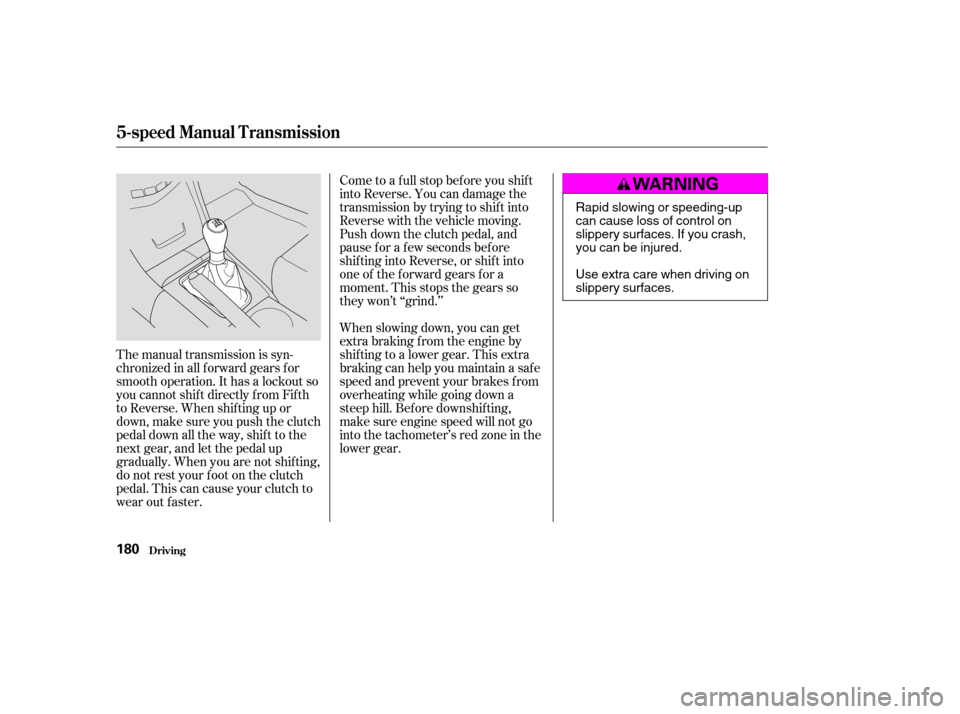
The manual transmission is syn-
chronizedinallforwardgearsfor
smooth operation. It has a lockout so
you cannot shift directly from Fifth
to Reverse. When shif ting up or
down,makesureyoupushtheclutch
pedal down all the way, shift to the
next gear, and let the pedal up
gradually. When you are not shif ting,
do not rest your f oot on the clutch
pedal. This can cause your clutch to
wear out faster.Come to a full stop before you shift
into Reverse. You can damage the
transmission by trying to shif t into
Reverse with the vehicle moving.
Push down the clutch pedal, and
pause f or a f ew seconds bef ore
shif ting into Reverse, or shif t into
one of the f orward gears f or a
moment. This stops the gears so
they won’t ‘‘grind.’’
When slowing down, you can get
extra braking f rom the engine by
shifting to a lower gear. This extra
braking can help you maintain a safe
speed and prevent your brakes f rom
overheating while going down a
steep hill. Bef ore downshif ting,
make sure engine speed will not go
into the tachometer’s red zone in the
lower gear.
5-speed Manual T ransmission
Driving180
Rapid slowing or speeding-up
can cause loss of control on
slippery surfaces. If you crash,
you can be injured.
Use extra care when driving on
slippery surfaces.
�����—�����—�����y�
�
�����������y���
�(�������
���y���
�����y
Page 181 of 301

These indicators between the tacho-
meter and speedometer show which
position the shif t lever is in.
The ‘‘D’’ indicator comes on f or a
f ew seconds when you turn the
ignition switch to ON (II). If it
f lashes while driving (in any shif t
position), it indicates a possible
problem in the transmission.To shif t f rom any position, press the
release button on the side of the
shif t lever to move it. You cannot
shif t out of Park when the ignition
switch is in LOCK (0) or
ACCESSORY (I).
If the malf unction indicator lamp
comes on along with the ‘‘D’’
indicator, there is a problem in the
automatic transmission control
system. Avoid rapid acceleration and
havethetransmissioncheckedbya
Honda dealer as soon as possible.
To shift from:
PtoR
RtoP
NtoR
Dto2 2to1
1to2
2toD
DtoD
DtoN
DtoD NtoDRtoN Do this:
Press the brake pedal and
press the release button.
Press the release button.
Move the lever.
3
3
3
3
Automatic Transmission
Driving
Shif t L ever Position Indicators
Shif ting
182
SHIFT LEVER
�����—�����—�����y�
�
�����������y���
�(�������
���y���
�����y
Page 182 of 301

�µ�µ�µ�µ
�µ
This position mechani-
cally locks the transmission. Use
Park whenever you are turning of f or
starting the engine. To shif t out of
Park, you must press on the brake
pedal and have your f oot of f the
accelerator pedal. Press the release
button on the side of the shift lever
to move it.
If you have done all of the above and
still cannot move the lever out of
Park, see on
page .
You must also press the release
button to shift into Park. To avoid
transmission damage, come to a
complete stop bef ore shif ting into
Park. The shif t lever must be in Park
bef ore you can remove the key f rom
the ignition switch. Press the brake
pedal and press the release button to
shif t f rom Park to Reverse. To shif t
from Reverse to Neutral, come to a
completestopandthenshift.
Use Neutral if you
need to restart a stalled engine, or if
it is necessary to stop brief ly with
the engine idling. Shif t to the Park
position if you need to leave your
vehicle for any reason. Press on the
brake pedal when you are moving
the shift lever from Neutral to
another gear. This position is similar
to D, except only the first three
gears are selected instead of all f ive.
Use D when towing a trailer in hilly
terrain, or to provide engine braking
when going down a steep hill. D can
also keep the transmission f rom
cycling between third and f ourth
gears in stop-and-go driving.
Use this position f or
your normal driving. The
transmission automatically selects a
suitable gear for the vehicle speed
and acceleration. You may notice the
transmission shif ting up at higher
speeds when the engine is cold. This
helps the engine warm up f aster.
185
3
3
CONT INUED
Automatic Transmission
Driving
Park (P)
Shif t L ock Release Reverse (R)
Neutral (N)
Drive (D )
Drive (D)3
183
�����—�����—�����y�
�
�����������y���
�(�������
���y���
�����y
Page 183 of 301

�µ�µThis position locks
the transmission in second gear. It
does not downshif t to f irst gear
when you come to a stop.
Use Second gear:
For starting out on a slippery
surf ace or in deep snow.
To help reduce wheel spin.
When driving downhill with a
trailer. To shif t f rom Second to
First, press the release button on the
side of the shift lever. With the lever
in this position, the transmission
locks in First gear. By upshif ting and
downshif ting through 1, 2, D , and D,
you can operate this transmission
much like a manual transmission
without a clutch pedal. If you exceed the maximum speed
f or the gear you are in, the engine
speed will enter into the tachometer’s
red zone. If this occurs, you may f eel
the engine cut in and out. This is
caused by a limiter in the engine’s
computer controls. The engine will
run normally when you reduce the
RPM below the red zone.
For more power when climbing.
To increase engine braking when
going down steep hills.
3
Automatic Transmission
Driving
Second (2) First (1) Engine Speed L imiter
184
�����—�����—�����y�
�
�������
���y���
�(�������
���y���
�����y
Page 184 of 301
Put a cloth on the edge of the Shif t
Lock Release slot cover next to
the shift lever. Use a small flat-
tipped screwdriver or f inger nail
f ile to remove the cover. Caref ully
pryoff theedgeof thecover.Insert the key in the Shift Lock
Release slot.
This allows you to move the shif t
lever out of Park if the normal
method of pushing on the brake
pedal and pressing the release
button does not work.
Remove the key from the ignition
switch.
Set the Parking brake.
1. 2.
3.4.
CONT INUED
Automatic Transmission
Driving
Shif t L ock Release
185
COVER
�����—�����—�����y�
�
�����������y���
�(�������
���y���
�����y
Page 185 of 301
Push down on the key while you
pressthereleasebuttononthe
shif t lever and move the shif t lever
out of Park to Neutral.
Remove the key from the Shift
Lock Release slot, then reinstall
thecover.Makesurethenotchon
the cover is on the lef t side.
Depress the brake pedal and
restart the engine.If you need to use the Shif t Lock
Release, it means your vehicle is
developing a problem. Have the
vehicle checked by a Honda dealer.
5. 6.
Automatic Transmission
Driving186
RELEASE
BUTTON
SHIFT LOCK RELEASE SLOT
�����—�����—�����y�
�
�����������y���
�(�������
���y���
�����y


