Page 272 of 420
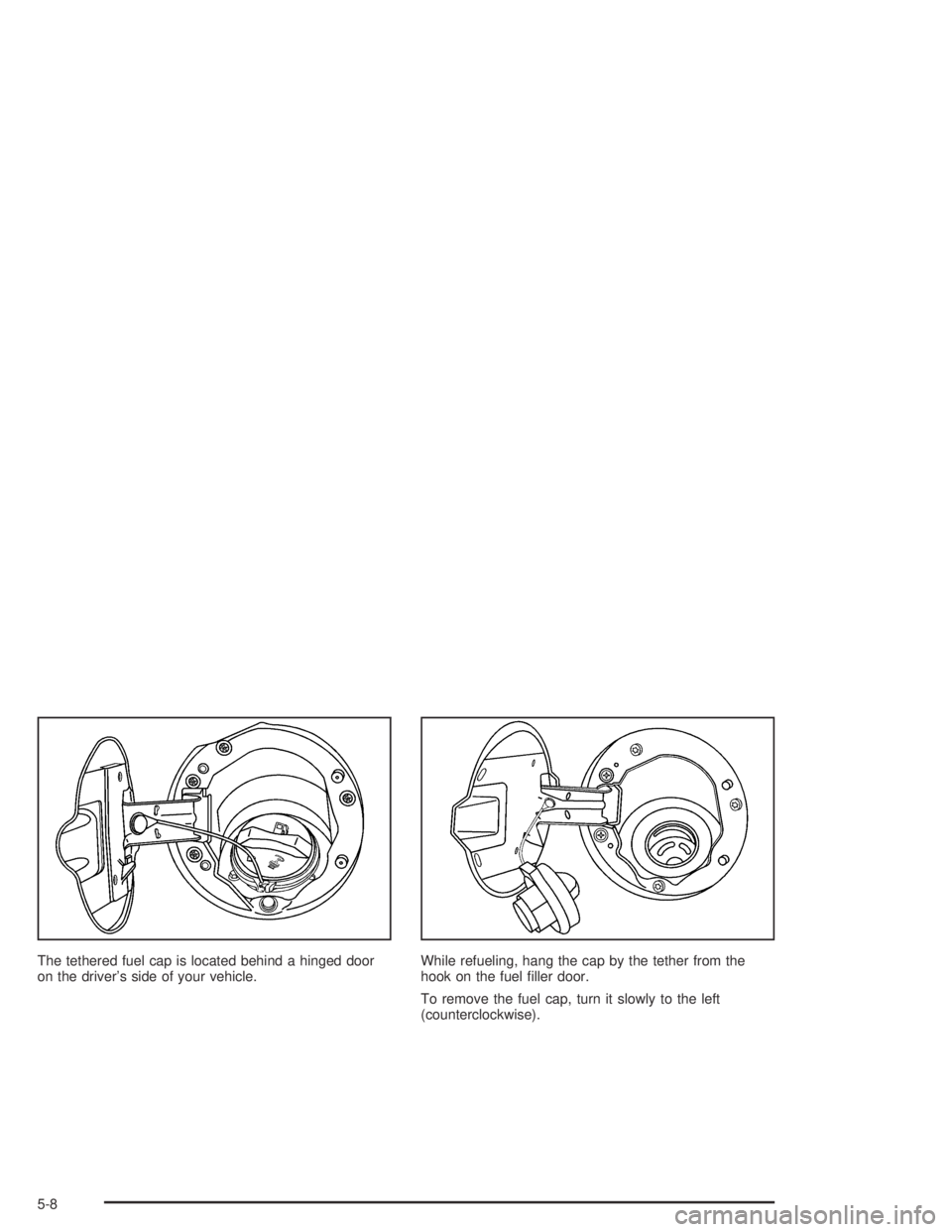
The tethered fuel cap is located behind a hinged door
on the driver’s side of your vehicle.While refueling, hang the cap by the tether from the
hook on the fuel ller door.
To remove the fuel cap, turn it slowly to the left
(counterclockwise).
5-8
Page 273 of 420

{CAUTION:
If you spill fuel and then something ignites it,
you could be badly burned. Fuel can spray out
on you if you open the fuel cap too quickly.
This spray can happen if your tank is nearly full,
and is more likely in hot weather. Open the fuel
cap slowly and wait for any “hiss” noise to stop.
Then unscrew the cap all the way.
{CAUTION:
If a re starts while you are refueling, do not
remove the nozzle. Shut off the ow of fuel
by shutting off the pump or by notifying the
station attendant. Leave the area immediately.
Be careful not to spill fuel. Do not top off or overll
your tank and wait a few seconds after you have
nished pumping before you remove the nozzle.Clean fuel from painted surfaces as soon as possible.
SeeCleaning the Outside of Your Vehicle on page 5-98
Cleaning the Outside of Your Vehicle. When lling
the tank do not overll by squeezing in much more fuel
after the pump shuts off.
When you put the fuel cap back on, turn it to the right
(clockwise) until you hear a clicking sound. Make sure
you fully install the cap. The diagnostic system can
determine if the fuel cap has been left off or improperly
installed. This would allow fuel to evaporate into the
atmosphere. If the fuel cap is not properly installed,
FUEL CAP will appear on the DIC and the check engine
light will be lit on instrument panel cluster. SeeDIC
Warnings and Messages on page 3-39andMalfunction
Indicator Lamp on page 3-30for more information.
Notice:If you need a new fuel cap, be sure to get the
right type. Your dealer can get one for you. If you get
the wrong type, it may not t properly. This may
cause your malfunction indicator lamp to light and
may damage your fuel tank and emissions system.
SeeMalfunction Indicator Lamp on page 3-30.
5-9
Page 298 of 420
How to Add Coolant to the Radiator
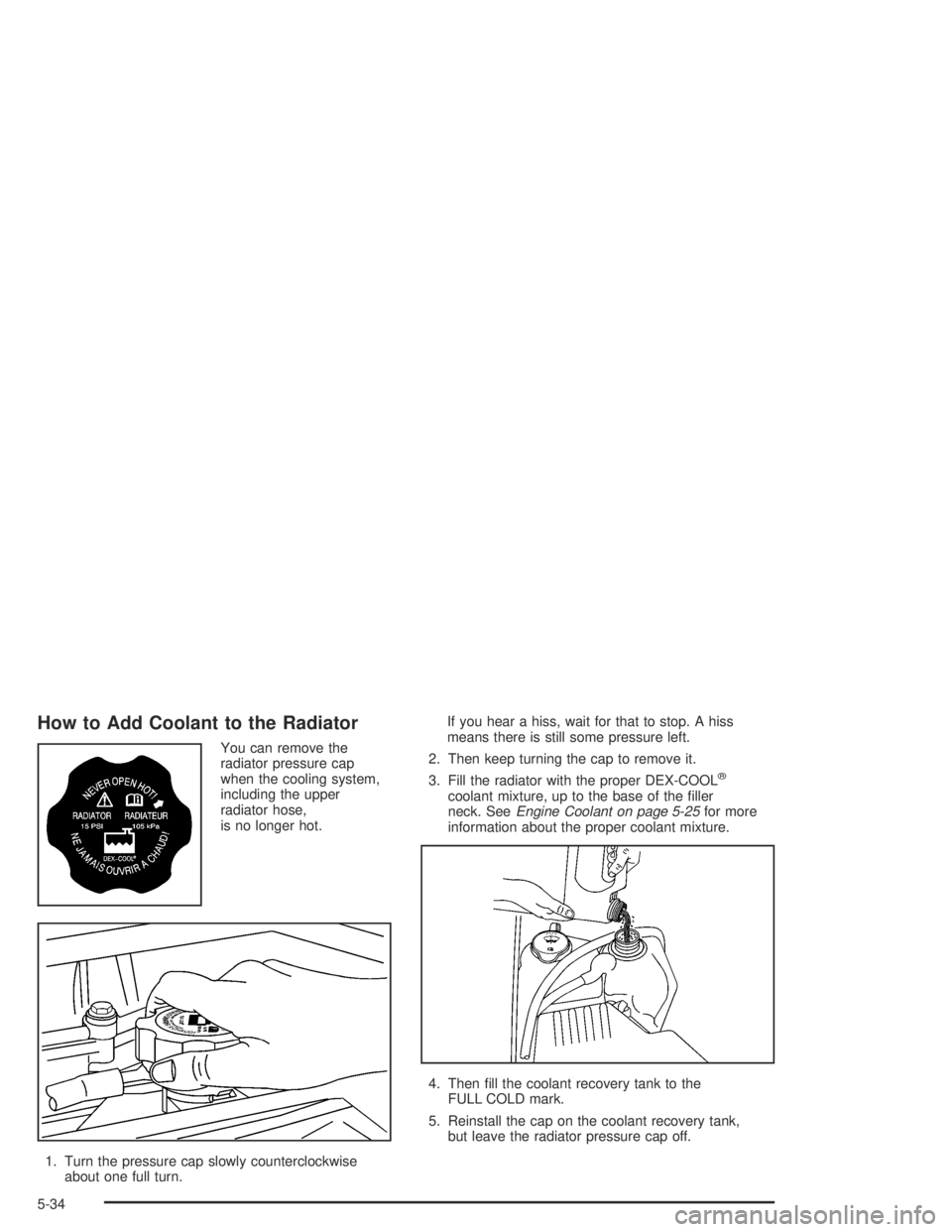
You can remove the
radiator pressure cap
when the cooling system,
including the upper
radiator hose,
is no longer hot.
1. Turn the pressure cap slowly counterclockwise
about one full turn.If you hear a hiss, wait for that to stop. A hiss
means there is still some pressure left.
2. Then keep turning the cap to remove it.
3. Fill the radiator with the proper DEX-COOL
®
coolant mixture, up to the base of the ller
neck. SeeEngine Coolant on page 5-25for more
information about the proper coolant mixture.
4. Then ll the coolant recovery tank to the
FULL COLD mark.
5. Reinstall the cap on the coolant recovery tank,
but leave the radiator pressure cap off.
5-34
Page 315 of 420
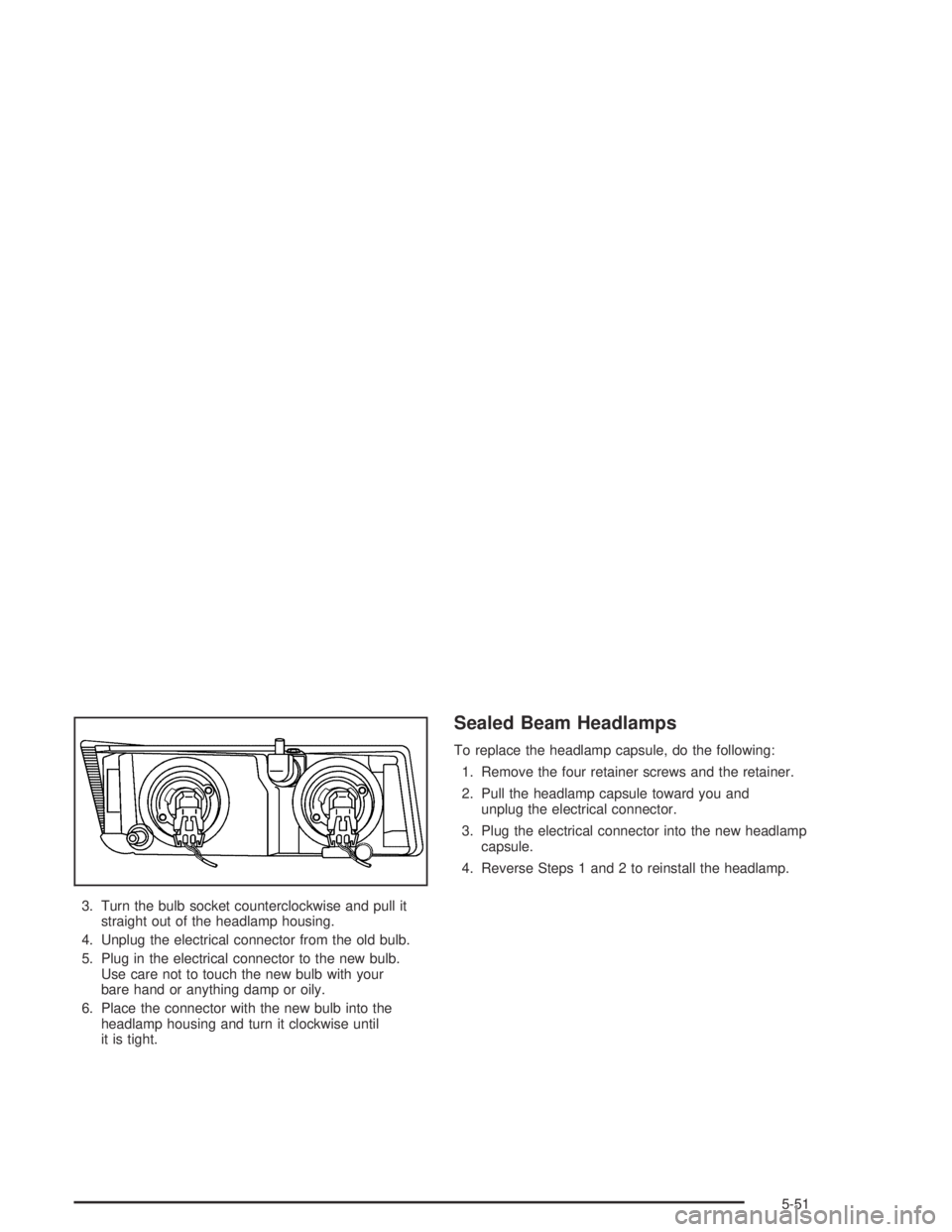
3. Turn the bulb socket counterclockwise and pull it
straight out of the headlamp housing.
4. Unplug the electrical connector from the old bulb.
5. Plug in the electrical connector to the new bulb.
Use care not to touch the new bulb with your
bare hand or anything damp or oily.
6. Place the connector with the new bulb into the
headlamp housing and turn it clockwise until
it is tight.
Sealed Beam Headlamps
To replace the headlamp capsule, do the following:
1. Remove the four retainer screws and the retainer.
2. Pull the headlamp capsule toward you and
unplug the electrical connector.
3. Plug the electrical connector into the new headlamp
capsule.
4. Reverse Steps 1 and 2 to reinstall the headlamp.
5-51
Page 316 of 420
Front Turn Signal, Sidemarker and
Daytime Running Lamps
1. Remove the turn signal/parking lamp/daytime
running lamp (DRL) assembly by pressing on the
release clip on the outboard side of the housing and
pulling the outboard end of the lamp toward you.
2. Pull the inboard side of the lamp out from the small
post in the grille.3. Turn the bulb socket counterclockwise and remove
it from the lamp housing.
4. Remove the old bulb from the bulb socket.
5. Insert the new bulb into the bulb socket.
6. Insert the bulb socket into the lamp housing and
turn it clockwise until it is tight.
7. Place the inboard end of the turn signal/parking
lamp/DRL housing over the small post in the grille.
8. Align the release clip of the lamp assembly with the
square opening in the grille, and push the outboard
side of the lamp assembly in, until the release
clip snaps into place.
5-52
Page 317 of 420
Center High-Mounted Stoplamp
(CHMSL)
1. Remove the screws and lift off the lamp assembly.
2. Turn the bulb socket counterclockwise and
remove it from the housing.
3. Pull the bulb straight out of the socket.
4. Insert the new bulb into the socket and press it in
until tight.
5. Insert the bulb socket into the housing and turn
until tight.
6. Reinstall the lamp assembly and tighten the screws.
Taillamps, Turn Signal, Stoplamps
and Back-up Lamps
1. Open the tailgate. SeeTailgate on page 2-10.
2. Remove the two rear
lamp assembly screws
near the tailgate
latch and pull out the
lamp assembly.
5-53
Page 318 of 420
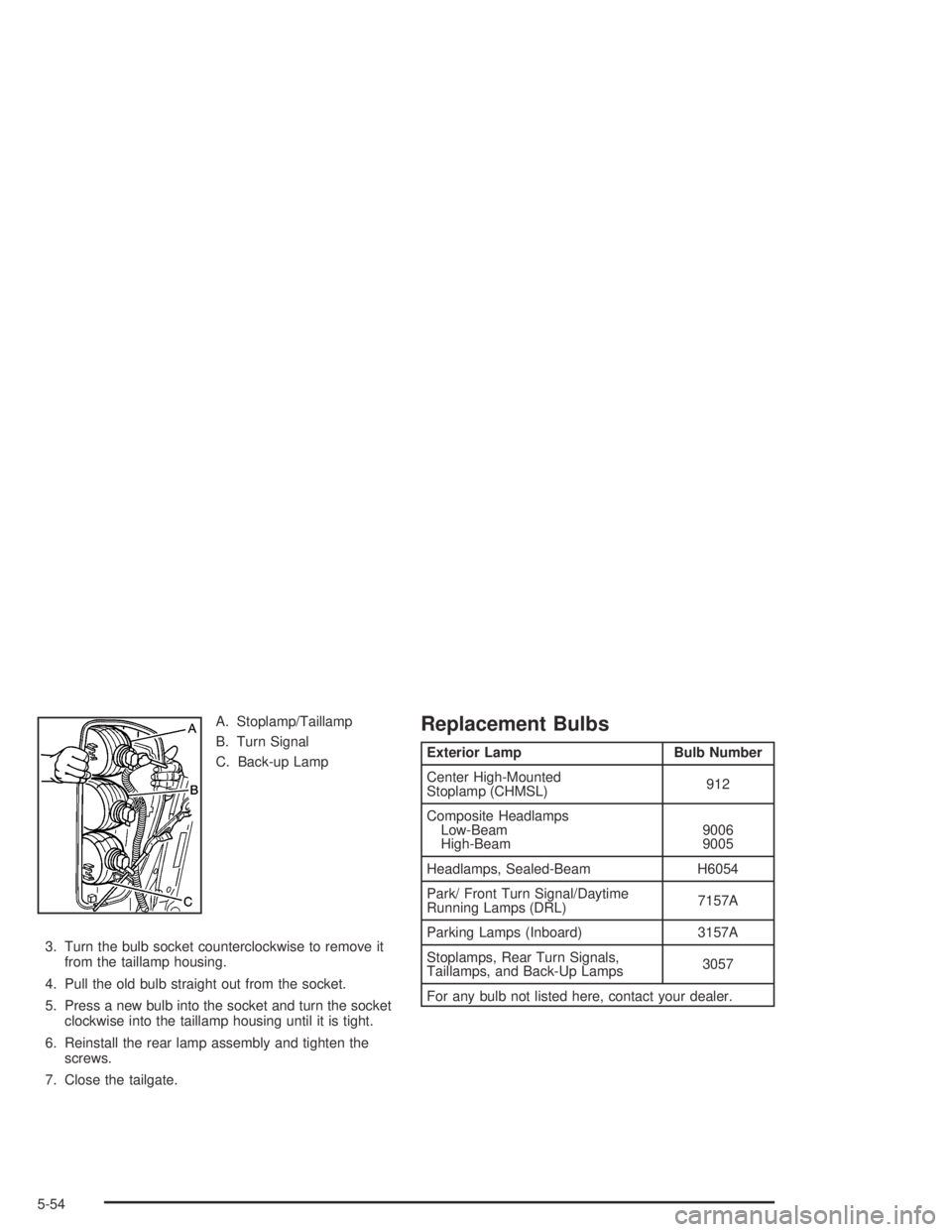
A. Stoplamp/Taillamp
B. Turn Signal
C. Back-up Lamp
3. Turn the bulb socket counterclockwise to remove it
from the taillamp housing.
4. Pull the old bulb straight out from the socket.
5. Press a new bulb into the socket and turn the socket
clockwise into the taillamp housing until it is tight.
6. Reinstall the rear lamp assembly and tighten the
screws.
7. Close the tailgate.Replacement Bulbs
Exterior Lamp Bulb Number
Center High-Mounted
Stoplamp (CHMSL)912
Composite Headlamps
Low-Beam
High-Beam9006
9005
Headlamps, Sealed-Beam H6054
Park/ Front Turn Signal/Daytime
Running Lamps (DRL)7157A
Parking Lamps (Inboard) 3157A
Stoplamps, Rear Turn Signals,
Taillamps, and Back-Up Lamps3057
For any bulb not listed here, contact your dealer.
5-54
Page 340 of 420
2. Move the seats forward and turn the wing nut on
the cover counterclockwise to remove it. For crew
cab models, reach under the rear seat to access the
jack and wheel blocks. To reinstall the jack and
wheel block assembly in the mounting bracket,
insert the tabs into the jack base by pushing the
blocks up into the assembly. The outer hole in
the jack base aligns with the tab on the bracket.
When reinstalling, make sure the jack is secure,
but do not overtighten the jack in the bracket.
3. The wheel blocks and the wheel block retainer can
be removed by turning the wing nut
counterclockwise.
Put the wheel blocks at the front and rear of the tire
farthest away from the one being changed. That
would be the tire on the other side, at the opposite
end of the vehicle.
4. There is also a wing nut used to retain the storage
bag and tools located under the front passenger’s
seat. To remove it, turn the wing nut
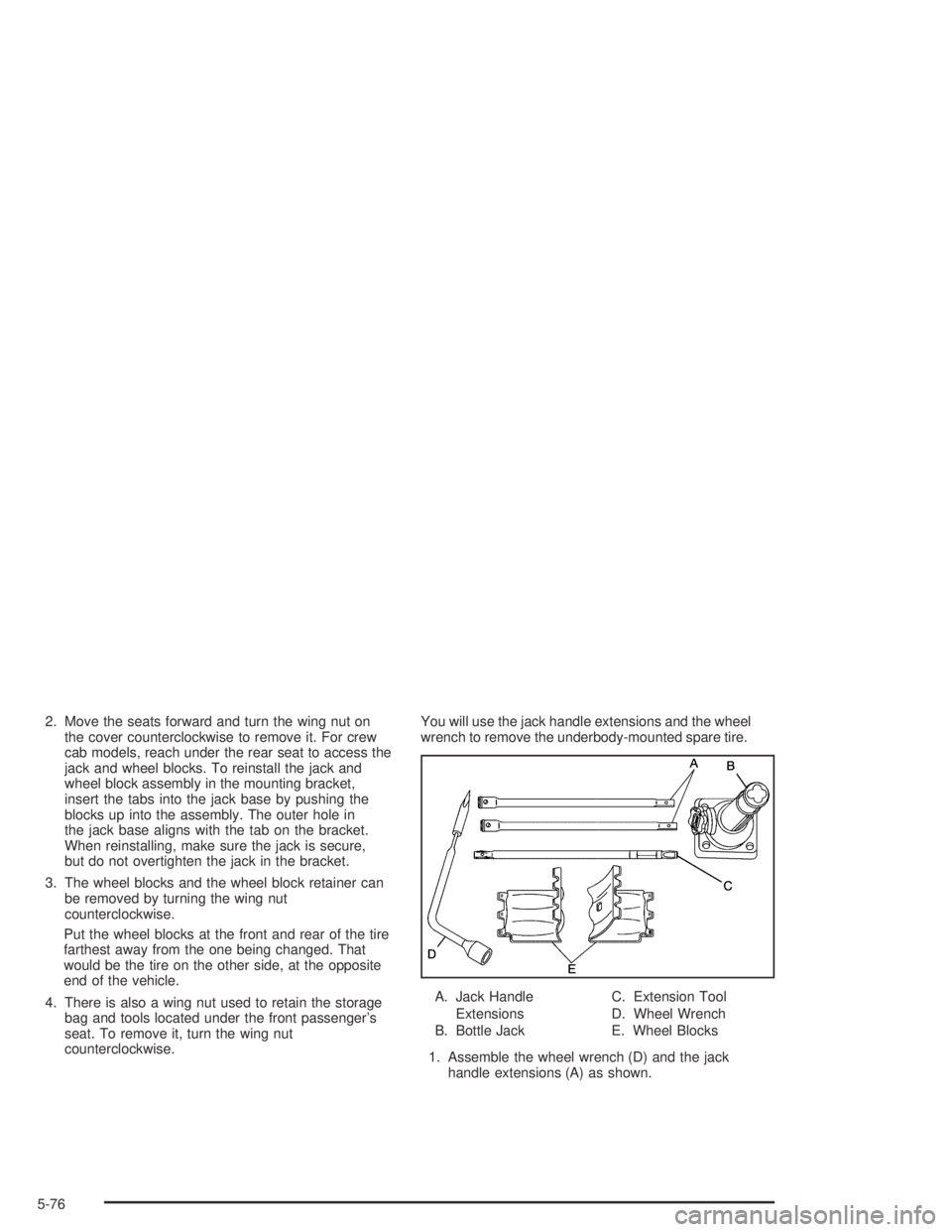
counterclockwise.You will use the jack handle extensions and the wheel
wrench to remove the underbody-mounted spare tire.
A. Jack Handle
Extensions
B. Bottle JackC. Extension Tool
D. Wheel Wrench
E. Wheel Blocks
1. Assemble the wheel wrench (D) and the jack
handle extensions (A) as shown.
5-76