2004 FORD TAURUS CD changer
[x] Cancel search: CD changerPage 1 of 240
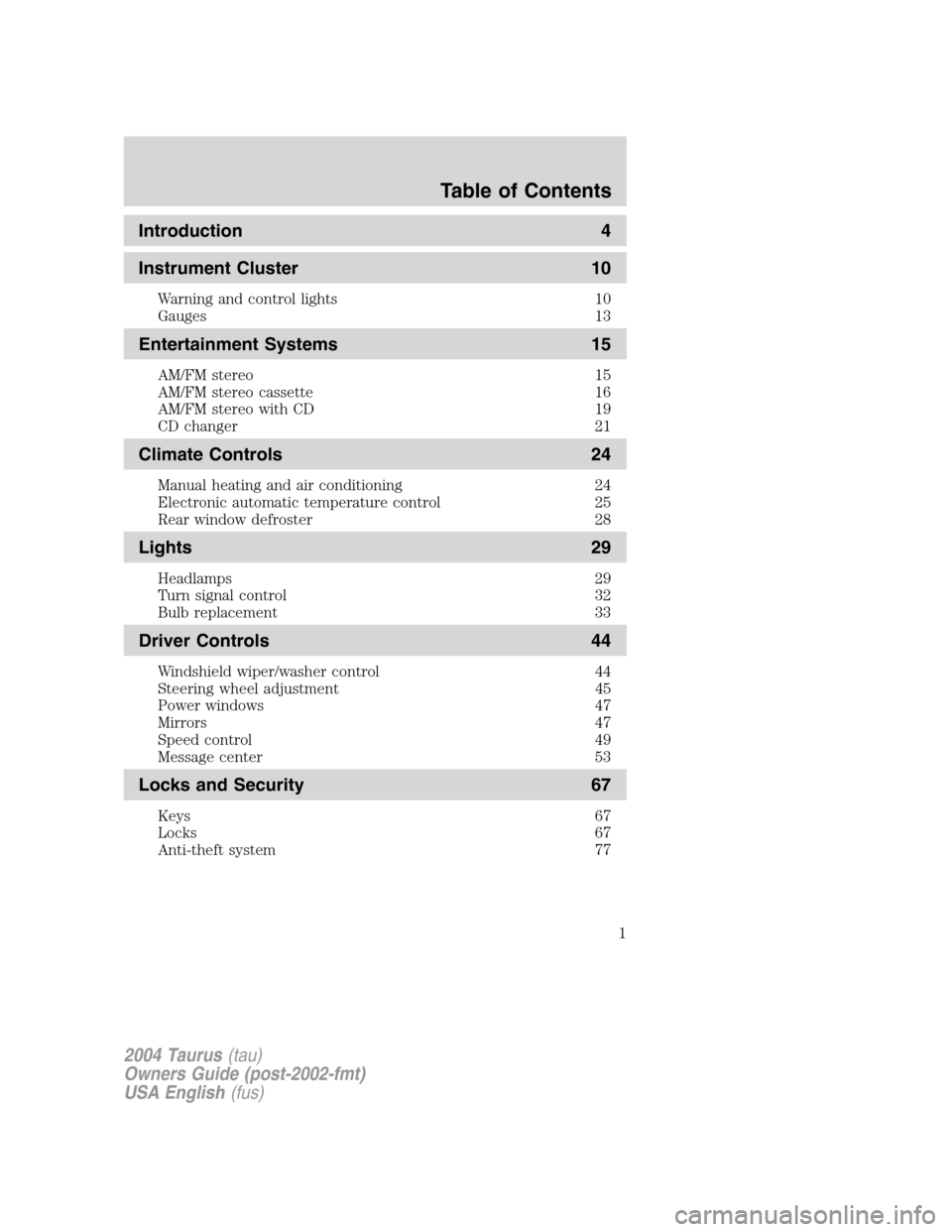
Introduction 4
Instrument Cluster 10
Warning and control lights 10
Gauges 13
Entertainment Systems 15
AM/FM stereo 15
AM/FM stereo cassette 16
AM/FM stereo with CD 19
CD changer 21
Climate Controls 24
Manual heating and air conditioning 24
Electronic automatic temperature control 25
Rear window defroster 28
Lights 29
Headlamps 29
Turn signal control 32
Bulb replacement 33
Driver Controls 44
Windshield wiper/washer control 44
Steering wheel adjustment 45
Power windows 47
Mirrors 47
Speed control 49
Message center 53
Locks and Security 67
Keys 67
Locks 67
Anti-theft system 77
2004 Taurus(tau)
Owners Guide (post-2002-fmt)
USA English(fus)
Table of Contents
Table of Contents
1
Page 20 of 240
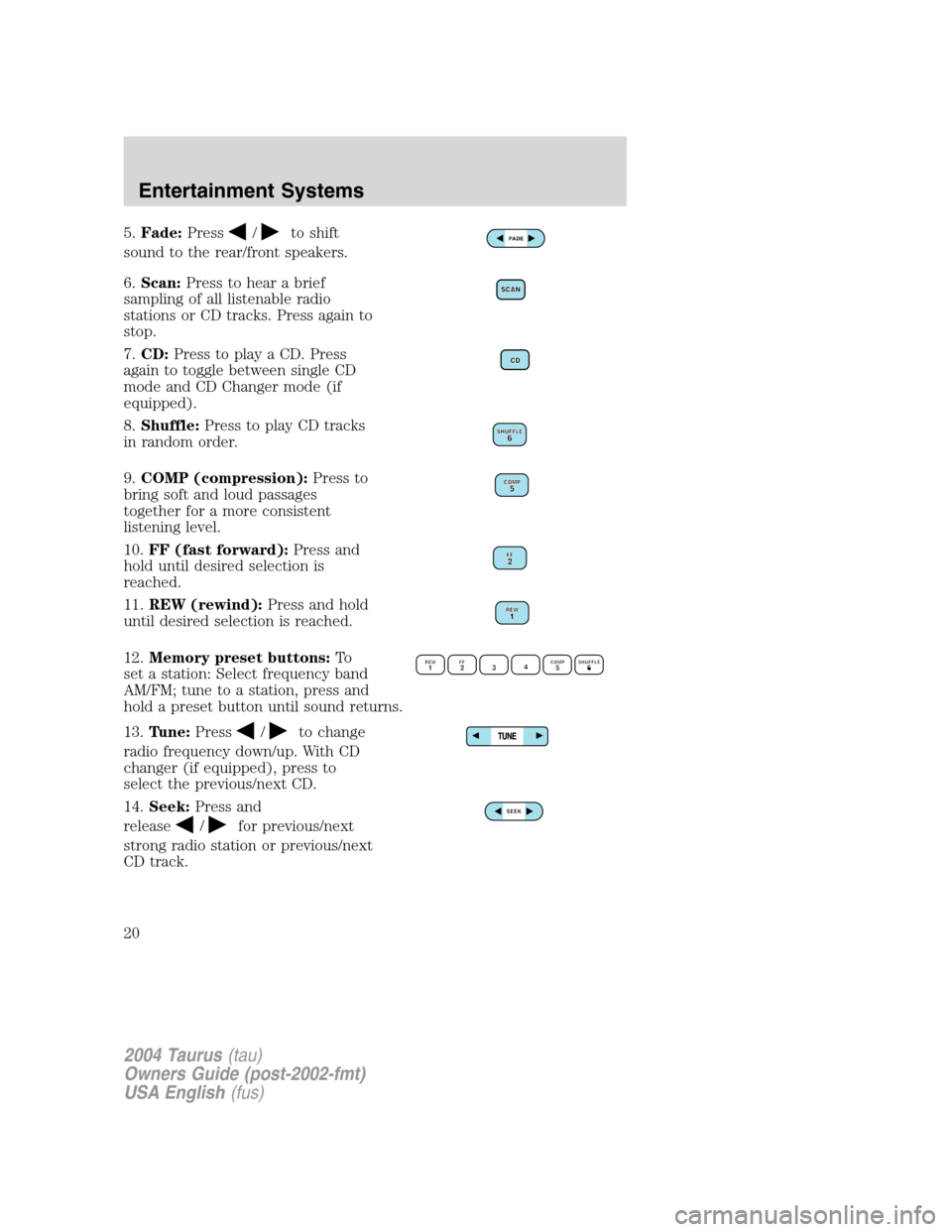
5.Fade:Press/to shift
sound to the rear/front speakers.
6.Scan:Press to hear a brief
sampling of all listenable radio
stations or CD tracks. Press again to
stop.
7.CD:Press to play a CD. Press
again to toggle between single CD
mode and CD Changer mode (if
equipped).
8.Shuffle:Press to play CD tracks
in random order.
9.COMP (compression):Press to
bring soft and loud passages
together for a more consistent
listening level.
10.FF (fast forward):Press and
hold until desired selection is
reached.
11.REW (rewind):Press and hold
until desired selection is reached.
12.Memory preset buttons:To
set a station: Select frequency band
AM/FM; tune to a station, press and
hold a preset button until sound returns.
13.Tune:Press
/to change
radio frequency down/up. With CD
changer (if equipped), press to
select the previous/next CD.
14.Seek:Press and
release
/for previous/next
strong radio station or previous/next
CD track.
FADE
2004 Taurus(tau)
Owners Guide (post-2002-fmt)
USA English(fus)
Entertainment Systems
20
Page 21 of 240
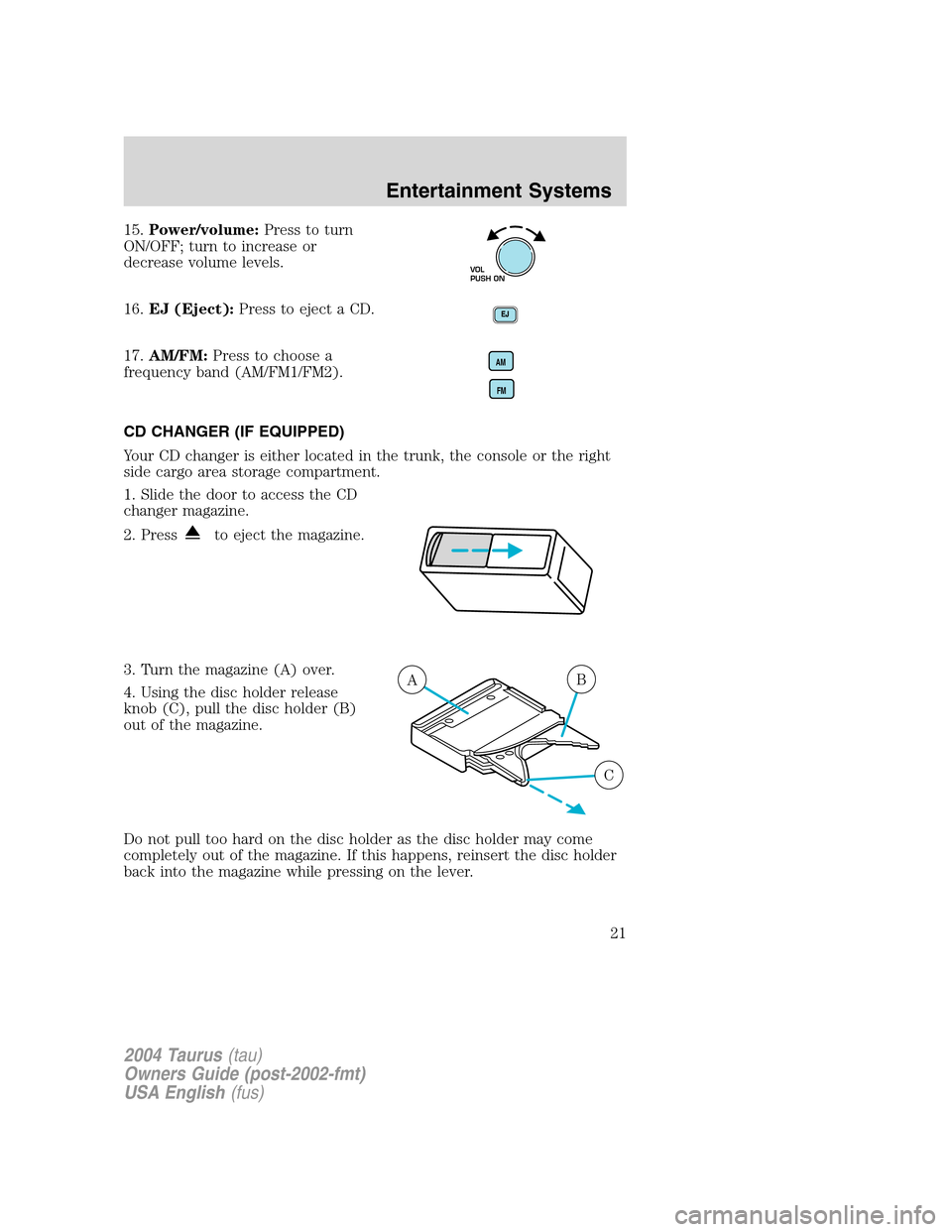
15.Power/volume:Press to turn
ON/OFF; turn to increase or
decrease volume levels.
16.EJ (Eject):Press to eject a CD.
17.AM/FM:Press to choose a
frequency band (AM/FM1/FM2).
CD CHANGER (IF EQUIPPED)
Your CD changer is either located in the trunk, the console or the right
side cargo area storage compartment.
1. Slide the door to access the CD
changer magazine.
2. Press
to eject the magazine.
3. Turn the magazine (A) over.
4. Using the disc holder release
knob (C), pull the disc holder (B)
out of the magazine.
Do not pull too hard on the disc holder as the disc holder may come
completely out of the magazine. If this happens, reinsert the disc holder
back into the magazine while pressing on the lever.
VOL
PUSH ON
AM
FM
AB
C
2004 Taurus(tau)
Owners Guide (post-2002-fmt)
USA English(fus)
Entertainment Systems
21
Page 23 of 240
•Tighten very loose tapes by inserting a finger or pencil into the hole
and turning the hub.
•Remove loose labels before inserting tapes.
•Allow tapes which have been subjected to extreme heat, humidity or
cold to reach a moderate temperature before playing.
•Clean the cassette player head with a cassette cleaning cartridge after
10–12 hours of play to maintain good sound/operation.
Don’t:
•Expose tapes to direct sunlight, extreme humidity, heat or cold.
•Leave tapes in the cassette player for a long time when not being
played.
CD/CD PLAYER CARE
Do:
•Handle discs by their edges only. Never touch the playing surface.
•Inspect discs before playing. Clean only with an approved CD cleaner
and wipe from the center out.
Don’t:
•Expose discs to direct sunlight or heat sources for extended periods
of time.
•Insert more than one disc into each slot of the CD changer magazine.
•Clean using a circular motion.
CD units are designed to play commercially pressed 12 cm (4.75
in) audio compact discs only. Due to technical incompatibility,
certain recordable and re-recordable compact discs may not
function correctly when used in Ford CD players. Irregular
shaped CDs, CDs with a scratch protection film attached, and CDs
with homemade paper (adhesive) labels should not be inserted
into the CD player. The label may peel and cause the CD to
become jammed. It is recommended that homemade CDs be
identified with permanent felt tip marker rather than adhesive
labels. Ball point pens may damage CDs. Please contact your
dealer for further information.
AUDIO SYSTEM WARRANTY AND SERVICE
Refer to theWarranty Guidefor audio system warranty information. If
service is necessary, see your dealer or qualified technician.
2004 Taurus(tau)
Owners Guide (post-2002-fmt)
USA English(fus)
Entertainment Systems
23
Page 52 of 240
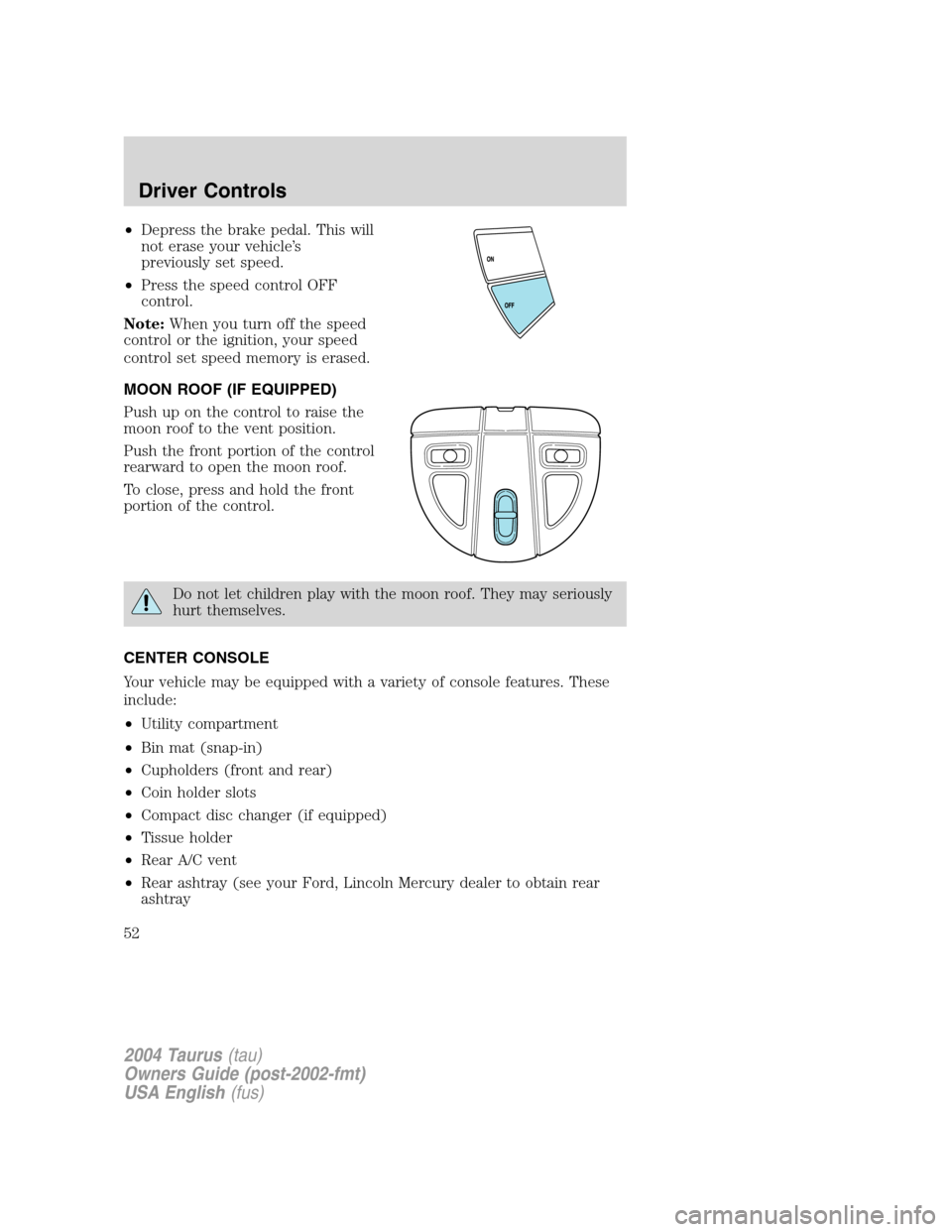
•Depress the brake pedal. This will
not erase your vehicle’s
previously set speed.
•Press the speed control OFF
control.
Note:When you turn off the speed
control or the ignition, your speed
control set speed memory is erased.
MOON ROOF (IF EQUIPPED)
Push up on the control to raise the
moon roof to the vent position.
Push the front portion of the control
rearward to open the moon roof.
To close, press and hold the front
portion of the control.
Do not let children play with the moon roof. They may seriously
hurt themselves.
CENTER CONSOLE
Your vehicle may be equipped with a variety of console features. These
include:
•Utility compartment
•Bin mat (snap-in)
•Cupholders (front and rear)
•Coin holder slots
•Compact disc changer (if equipped)
•Tissue holder
•Rear A/C vent
•Rear ashtray (see your Ford, Lincoln Mercury dealer to obtain rear
ashtray
2004 Taurus(tau)
Owners Guide (post-2002-fmt)
USA English(fus)
Driver Controls
52
Page 232 of 240
A
Accessory delay ..........................47
Air bag supplemental restraint
system ........................101–102, 107
and child safety seats ............103
description ......................102, 107
disposal ....................................109
driver air bag ..........102, 104, 108
indicator light .........................107
operation .................102, 104, 108
passenger air bag ...102, 104, 108
side air bag ..............................107
Air cleaner filter .......................220
Air conditioning ..........................25
Antifreeze (see Engine
coolant) .....................................187
Anti-lock brake system
(see Brakes) ..............................127
Anti-theft system ........................79
arming the system ....................80
disarming a triggered
system .......................................80
Audio system
(see Radio) ......................15–16, 19
Automatic transaxle
fluid, adding ............................204
fluid, checking ........................204
fluid, refill capacities ..............221
fluid, specification ..................224
Automatic transmission
driving an automatic
overdrive .................................132
Auxiliary power point .................46
Axle
lubricant specifications ..........222
B
Battery .......................................185acid, treating emergencies .....185
jumping a disabled battery ....156
maintenance-free ....................185
replacement, specifications ...220
servicing ..................................185
BeltMinder ...................................96
Brakes ........................................126
anti-lock ...................................127
anti-lock brake system (ABS)
warning light ...........................127
fluid, checking and adding ....204
fluid, refill capacities ..............221
fluid, specifications .........222, 224
lubricant specifications ..222, 224
parking ....................................128
shift interlock ..........................130
Bulbs ............................................33
C
Capacities for refilling fluids ....221
Cargo area shade ........................65
Cargo cover .................................64
Cargo net .....................................64
CD changer .................................21
CD-single premium .........15–16, 19
Cell phone use ............................53
Certification Label ....................226
Changing a tire .........................151
Child safety restraints ..............110
child safety belts ....................110
Child safety seats ......................113
attaching with tether
straps .......................................117
in front seat ............................114
in rear seat ......................114, 117
2004 Taurus(tau)
Owners Guide (post-2002-fmt)
USA English(fus)
Index
Index
232