Page 75 of 584
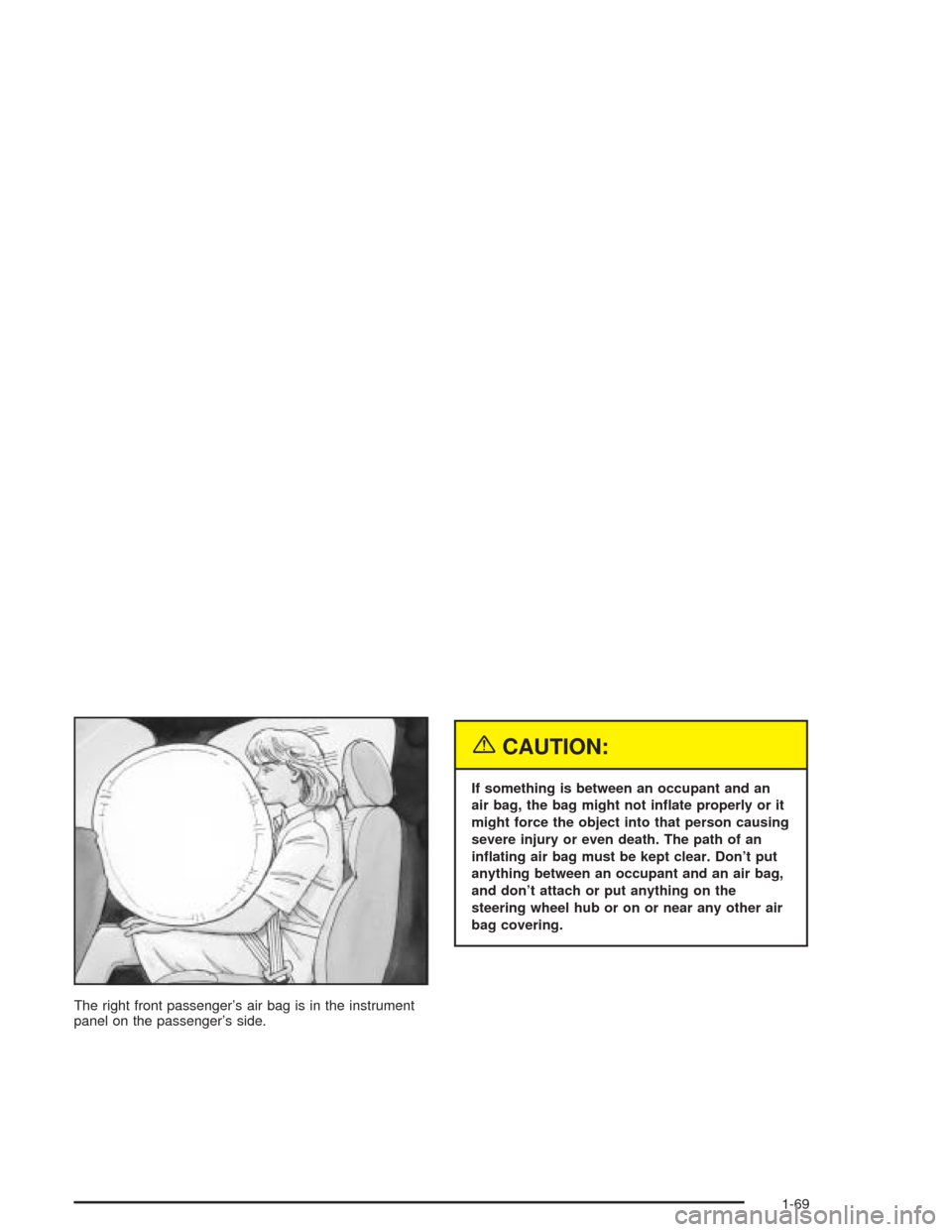
The right front passenger’s air bag is in the instrument
panel on the passenger’s side.
{CAUTION:
If something is between an occupant and an
air bag, the bag might not inate properly or it
might force the object into that person causing
severe injury or even death. The path of an
inating air bag must be kept clear. Don’t put
anything between an occupant and an air bag,
and don’t attach or put anything on the
steering wheel hub or on or near any other air
bag covering.
1-69
Page 77 of 584

Seat Position Sensors
Vehicle’s with dual stage air bags are also equipped
with special sensors which enable the sensing system to
monitor the position of both the driver and passenger
front seats. The seat position sensor provides
information which is used to determine if the air bags
should deploy at a reduced level or at full deployment.
Single Stage Air Bags
If your vehicle has frontal air bags with single stage
deployment and your vehicle goes straight into a wall
that does not move or deform, the threshold level
is about 13 to 16 mph (20 to 25 km/h). The threshold
level can vary, however, with specic vehicle design, so
that it can be somewhat above or below this range.
If your vehicle strikes something that will move or
deform, such as a parked car, the threshold level will be
higher. The air bag is not designed to inate in
rollovers, rear impacts, or in many side impacts because
ination would not help the occupant.
What Makes an Air Bag Inate?
In an impact of sufficient severity, the air bag sensing
system detects that the vehicle is in a crash. The
sensing system triggers a release of gas from the
inator, which inates the air bag. The inator, air bag,
and related hardware are all part of the air bag
modules inside the steering wheel and in the instrument
panel in front of the right front passenger.
How Does an Air Bag Restrain?
In moderate to severe frontal or near-frontal collisions,
even belted occupants can contact the steering wheel or
the instrument panel. Air bags supplement the
protection provided by safety belts. Air bags distribute
the force of the impact more evenly over the occupant’s
upper body, stopping the occupant more gradually.
But air bags would not help you in many types of
collisions, including rollovers, rear impacts and many
side impacts, primarily because an occupant’s motion is
not toward those air bags. Air bags should never be
regarded as anything more than a supplement to safety
belts, and then only in moderate to severe frontal or
near-frontal collisions.
1-71
Page 78 of 584
What Will You See After an
Air Bag Inates?
After an air bag inates, it quickly deates, so quickly
that some people may not even realize the air bag
inated. Some components of the air bag module – the
steering wheel hub for the driver’s air bag, or the
instrument panel for the right front passenger’s
bag – will be hot for a short time. The parts of the bag
that come into contact with you may be warm, but
not too hot to touch. There will be some smoke and dust
coming from the vents in the deated air bags. Air
bag ination does not prevent the driver from seeing or
being able to steer the vehicle, nor does it stop
people from leaving the vehicle.
{CAUTION:
When an air bag inates, there is dust in the
air. This dust could cause breathing problems
for people with a history of asthma or other
breathing trouble. To avoid this, everyone in
the vehicle should get out as soon as it is safe
CAUTION: (Continued)
CAUTION: (Continued)
to do so. If you have breathing problems but
can not get out of the vehicle after an air bag
inates, then get fresh air by opening a
window or a door. If you experience breathing
problems following an air bag deployment, you
should seek medical attention.
In many crashes severe enough to inate the air bag,
windshields are broken by vehicle deformation.
Additional windshield breakage may also occur from the
right front passenger air bag.
Air bags are designed to inate only once. After
they inate, you will need some new parts for
your air bag system. If you do not get them, the air
bag system will not be there to help protect you
in another crash. A new system will include air bag
modules and possibly other parts. The service
manual for your vehicle covers the need to replace
other parts.
1-72
Page 79 of 584

Your vehicle is equipped with electronic frontal
sensors which help the sensing system distinguish
between a moderate and a more severe frontal
impact. Your vehicle is also equipped with a crash
sensing and diagnostic module, which records
information about the frontal air bag system. The
module records information about the readiness of
the system and when the system commands air
bag ination. It records the status of the driver’s
safety belt usage in a crash in which the air
bag deploys or a crash in which the air bag nearly
deploys. The module also records speed, engine
rpm, brake and throttle data.
Let only qualied technicians work on your air bag
systems. Improper service can mean that an air
bag system will not work properly. See your dealer
for service.
Notice:If you damage the covering for the driver’s
or the right front passenger’s air bag, the bag
may not work properly. You may have to replace the
air bag module in the steering wheel or both the
air bag module and the instrument panel for
the right front passenger’s air bag. Do not open or
break the air bag coverings.
Air Bag Off Switch
Regular Cab and Extended Cab Models
If your vehicle is a regular cab model or an extended
cab model, it has a switch on the instrument panel
that you can use to turn off the right front passenger’s
air bag.
United States with Passenger Sensing System
1-73
Page 84 of 584

To turn the right front passenger’s air bag on again,
insert your ignition key into the switch, push in,
and move the switch to the ON or AUTO position.
Passenger Sensing System
If your rearview mirror has one of the indicators pictured
in the following illustrations, your vehicle has a
passenger sensing system. The indicator will be visible
when you turn your ignition key to RUN or START.
The words ON and OFF or the symbol for on and off,
will be visible on the rearview mirror during the system
check. When the system check is complete, either
the word ON or the word OFF, or the symbol for on or
the symbol for off will be visible. SeePassenger Air
Bag Status Indicator on page 3-40. If your rearview
mirror does not have either of the indicators pictured
below, then your vehicle does not have the passenger
sensing system.The passenger sensing system will turn off the right
front passenger’s frontal air bag under certain
conditions. The driver’s air bag is not part of the
passenger sensing system. In addition to the passenger
sensing system, your vehicle has an air bag off switch
located on the instrument panel.Passenger Air Bag Status Indicator – United States
Passenger Air
Bag Status
Indicator−Canada
1-78
Page 88 of 584
{CAUTION:
If the air bag readiness light in the instrument
panel cluster ever comes on and stays on, it
means that something may be wrong with the
air bag system. If this ever happens, have the
CAUTION: (Continued)
CAUTION: (Continued)
vehicle serviced promptly, because an
adult-size person sitting in the right front
passenger’s seat may not have the protection
of the frontal air bag. See “Air Bag Readiness
Light” in the Index for more on this, including
important safety information.
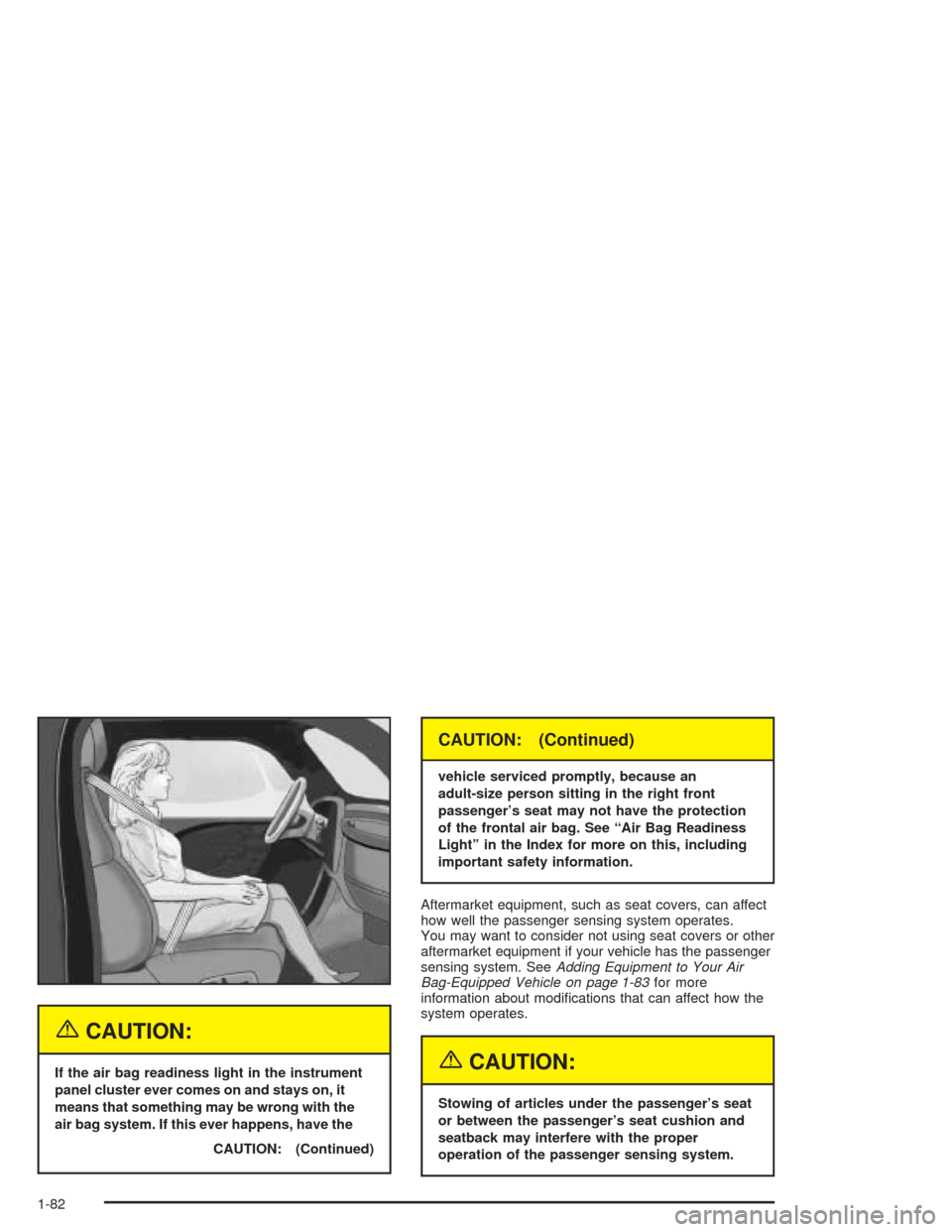
Aftermarket equipment, such as seat covers, can affect
how well the passenger sensing system operates.
You may want to consider not using seat covers or other
aftermarket equipment if your vehicle has the passenger
sensing system. SeeAdding Equipment to Your Air
Bag-Equipped Vehicle on page 1-83for more
information about modications that can affect how the
system operates.
{CAUTION:
Stowing of articles under the passenger’s seat
or between the passenger’s seat cushion and
seatback may interfere with the proper
operation of the passenger sensing system.
1-82
Page 119 of 584

4. Before starting the engine, be sure to unplug and
store the cord as it was before to keep it away
from moving engine parts. If you don’t, it could
be damaged.
How long should you keep the coolant heater plugged
in? The answer depends on the outside temperature, the
kind of oil you have, and some other things. Instead
of trying to list everything here, we ask that you contact
your dealer in the area where you’ll be parking your
vehicle. The dealer can give you the best advice for that
particular area.
Automatic Transmission Operation
If your vehicle is equipped with an automatic
transmission, it features an electronic shift position
indicator within the instrument panel cluster. This display
must be powered anytime the shift lever is capable of
being moved out of PARK (P). SeeFuses and
Circuit Breakers on page 5-123.
There are several different positions for your shift lever.PARK (P):This position locks your rear wheels. It’s the
best position to use when you start your engine
because your vehicle can’t move easily. If your vehicle
is equipped with the Allison
®Transmission, use
PARK (P) for stationary operation of the Power Takeoff
(PTO), if equipped.
{CAUTION:
It is dangerous to get out of your vehicle if the
shift lever is not fully in PARK (P) with the
parking brake rmly set. Your vehicle can roll.
Do not leave your vehicle when the engine is
running unless you have to. If you have left the
engine running, the vehicle can move
suddenly. You or others could be injured. To
be sure your vehicle will not move, even when
you are on fairly level ground, always set your
parking brake and move the shift lever to
PARK (P). SeeShifting Into Park (P) on
page 2-49. If you are pulling a trailer, see
Towing a Trailer on page 4-70.
2-27
Page 122 of 584
Tow/Haul Mode
(Automatic Transmission)
Your vehicle may be equipped with a Tow/Haul mode.
The selector button is located on the end of the
column shift lever. You can use this feature to assist
when towing or hauling a heavy load. Turn Tow/Haul on
and off by pressing the button until the Tow/Haul
indicator light illuminates on the instrument panel. See
“Tow/Haul Mode” underTowing a Trailer on page 4-70
for more information.
Overdrive Disable
(Allison Transmission®)
If your vehicle has an Allison Transmission®you may
have the overdrive disable feature. The overdrive disable
feature prevents the transmission from shifting into
fth (5) gear. The selector button is located on the end
of the column shift lever. You can turn overdrive
disable on and off by pressing and holding the button at
the end of the column shift lever until the indicator
light, on the instrument panel, illuminates.
2-30