2004 CHEVROLET MALIBU display
[x] Cancel search: displayPage 216 of 426
DVD Player
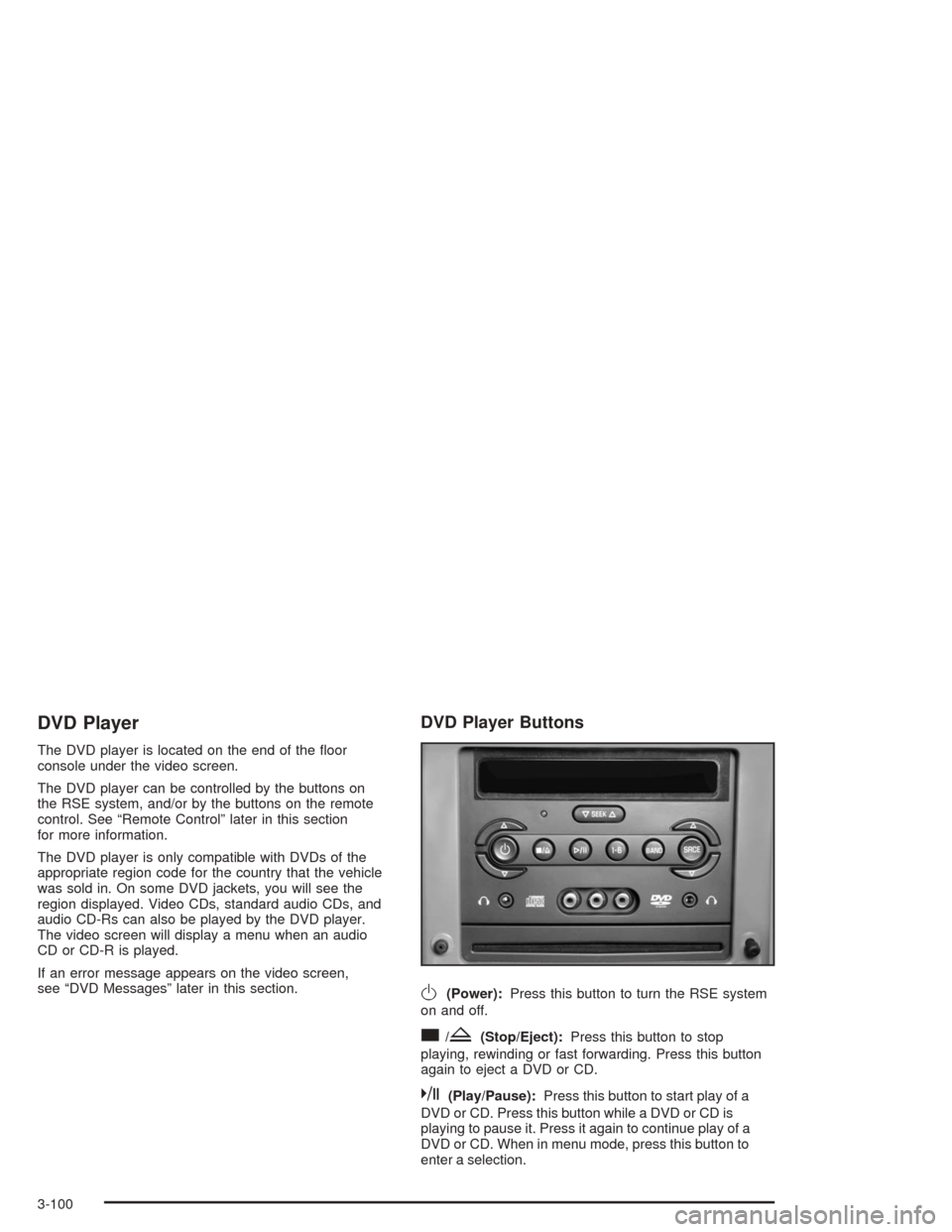
The DVD player is located on the end of the oor
console under the video screen.
The DVD player can be controlled by the buttons on
the RSE system, and/or by the buttons on the remote
control. See “Remote Control” later in this section
for more information.
The DVD player is only compatible with DVDs of the
appropriate region code for the country that the vehicle
was sold in. On some DVD jackets, you will see the
region displayed. Video CDs, standard audio CDs, and
audio CD-Rs can also be played by the DVD player.
The video screen will display a menu when an audio
CD or CD-R is played.
If an error message appears on the video screen,
see “DVD Messages” later in this section.
DVD Player Buttons
O(Power):Press this button to turn the RSE system
on and off.
c/Z(Stop/Eject):Press this button to stop
playing, rewinding or fast forwarding. Press this button
again to eject a DVD or CD.
k(Play/Pause):Press this button to start play of a
DVD or CD. Press this button while a DVD or CD is
playing to pause it. Press it again to continue play of a
DVD or CD. When in menu mode, press this button to
enter a selection.
3-100
Page 218 of 426
Stopping and Resuming Playback
To stop playing a disc, press and release the stop
button on the DVD player faceplate or the remote
control.
To resume playback, press the play/pause button on
the DVD player faceplate or the remote control. As long
as the disc has not been ejected, and the stop button
has not been pressed twice on the remote control or the
DVD player faceplate, the movie should resume play
from where it was last stopped.
If the disc has been ejected, or if the stop button has
been pressed twice on the remote control or the
DVD player faceplate, the disc will resume play at the
beginning of the disc. To resume playback where
you left off, press the play button twice.
Ejecting a Disc
Press the eject button on the DVD player or remote
control to eject the disc.
If a disc is ejected from the player, but not removed,
the DVD player will reload the disc after a short period
of time. The disc will be stored in the DVD player.
The DVD player will not resume play of the disc
automatically.
DVD Messages
The following errors may appear on the video screen
display:
Disc Format Error:This message will be displayed if a
disc is inserted upside down, if the disc is not readable
or if the disc format is not compatible with the DVD
player.
Disc Play Error:This message will be displayed if the
mechanism cannot play the disc. Scratched or
damaged discs will cause this error.
Region Code Error:This message will be displayed if
the region code of the DVD is not compatible with
the region code of the DVD player.
Load/Eject Error:This message will be displayed if the
disc is not properly loaded or ejected.
Disc Not Present:This message will be displayed
when the play or the stop button is pressed without a
disc in the player.
3-102
Page 220 of 426
z(Set-up Menu):Press this button to adjust the
color, tint, brightness, contrast, and display mode
(normal, full, or zoom). The dynamic range compression
feature can be used to reduce loud audio and increase
low audio produced by some DVDs.
e(Audio):Press this button to display a menu that
will only appear when a DVD is being played. The format
and content of this function is dependent on the disc.
r(Fast Reverse):Press this button to fast reverse
the DVD or CD. To stop fast reversing, press this button
again. This button may not work when the DVD is
playing the copyright information or the previews.
SRCE (Source):Press this button to toggle between
the DVD player and an auxiliary source.
c(Stop):Press this button to stop playing, rewinding,
or fast forwarding a DVD or CD. Press this button
twice to return to the beginning of the DVD.
t(Previous Track/Chapter):Press this button to
return to the start of the current track or chapter. Press
this button again to return to the previous track or
chapter. This button may not work when the DVD is
playing the copyright information or the previews.
1 through 0 (Numeric Keypad):The remote control
numeric keypad provides you with the capability of direct
chapter, title, and track number selection.
\:Press this button, within 3 seconds after inputting
a numeric selection to clear all numeric inputs. Press
this button before inputting the number.
}10:Press the button, to select chapter, title, and
track numbers greater than 9. Press this button before
inputting the number.
P(Illumination):Press this button to turn the remote
control backlight on. The backlight will time out after
about 7 to 10 seconds if no other button is pressed while
the backlight is on.
y(Main DVD Menu):Press this button to access
the DVD menu. The DVD menu is different on every
DVD. Use the up, down, left, and right arrow buttons to
move the cursor around the DVD menu. After making
a selection press the enter button. This button only
operates when using a DVD.
r(Enter):Press this button to select the choices
that are highlighted in any menu.
q(Return):Press this button to exit the current
active menu and return to the previous menu. This
button will operate only when a DVD is being played
and a menu is active.
3-104
Page 221 of 426
|(Camera Angle):This button changes camera
angles on DVDs that have this feature when a DVD is
playing. The format and content of this function is
dependent on the disc.
{(Subtitle):This button turns on subtitles and
moves through subtitle options when a DVD is playing.
The format and content of this function is dependent
on the disc.
[(Fast Forward):Press this button to fast forward
the DVD or CD. To stop fast forwarding, press this
button again. This button may not work when the DVD
is playing the copyright information or the previews.
s(Play/Pause):Press this button to start play of a
DVD or CD. Press this button while a DVD or CD is
playing to pause it. Press this button again to continue
the play of the DVD or CD.
Slow Play:When the DVD is playing, press the pause
button then press the fast forward button. The DVD
will continue playing in a slow play mode. To cancel
slow play mode, press the play/pause button.
u(Next Track/Chapter):Press this button to advance
to the beginning of the next track or chapter. This
button may not work when the DVD is playing the
copyright information or the previews.
Setup Menu
To access the setup menu, ensure that a DVD disc is in
the player and the video is stopped. Press the display
button. Once the menu is activated, use the remote
control directional arrows and the enter button to
navigate the screen icons.
Picture Preferences
The USER PREFERENCE SETTINGS menu allows you
to modify the default viewing preferences from the
display. Use the remote control up and down arrow
buttons to select. The movie may stop while selections
are being made.
TV Shape:The default video screen display may be
selected from 4:3 letterbox, 4:3 panscan, or 16:9.
Black Level Shift:The default black level to the video
screen may be adjusted.
Video Shift:The default position of the video on the
display may be adjusted.
Color Settings:The default color setting of the video
screen may be selected from Personal, Rich, Natural,
Soft, or Animation.
Personal Color:The default setting for Saturation,
Brightness, and Contrast may be adjusted.
3-105
Page 222 of 426
Sound Preferences
The USER PREFERENCE SETTINGS menu allows
you to modify the default sound preferences from
the display. Use the remote control up and down arrow
buttons to select. The movie may stop while selections
are being made.
Analog Output:The default sound output may be
selected from Stereo or Dolby
®surround.
Dynamic Compression:The default setting may be
selected as On or Off.
Karaoke Vocal:The default setting may be selected
as On or Off.
Language Preferences
The USER PREFERENCE SETTINGS menu allows you
to modify the default language preferences from the
display. Use the remote control up and down arrow
buttons to select. The movie may stop while selections
are being made.
Audio Language:The default DVD playback audio
language may be selected from various languages.
The audio output is dependent on whether a DVD
supports the selected language.Subtitle:The default DVD subtitle language may be
selected from English, Spanish, or French. The subtitle
language is dependent on whether the DVD supports
the selected language.
Menu:The default on-screen display language may be
selected from various languages.
Features
The USER PREFERENCE SETTINGS menu allows
you to modify the default feature preferences from the
display. Use the remote control up and down arrow
buttons to select. The movie may stop while selections
are being made.
Status Window:The status window may be selected
as On or Off. The status window provides disc type,
elapsed time, and number of titles information while the
menu bar is displayed or the DVD is in stop mode.
Help Text:Help text may be selected as On or Off.
A help text bar is provided at the bottom of the screen
describing the functions of an item selected from
any of the user menus.
3-106
Page 223 of 426
Menu Bar
The menu bar is displayed across the top of the screen.
It allows adjustments to the audio and video settings.
Use the remote control left and right arrow buttons
to select. The movie may stop while selections are
being made.
Current Subtitle Language:The subtitle language
may be selected as Off, English, Spanish, or French.
The actual subtitle language is dependent on whether
a DVD supports the selected language.
Current Audio Language:The audio language may
be selected as Off, English, Spanish, or French.
The actual audio language is dependent on whether
a DVD supports the selected language.
Smart Color:This color setting may be selected without
changing the default from the color settings menu.
Sound Mode:This analog output may be changed
without changing the default from the analog
output menu.
Frame-by-Frame:The DVD will pause and may be
viewed frame-by-frame, in forward or reverse, by
using the remote control arrow buttons. Press play to
resume play of the DVD. DVD audio will not be available
during selection.Slow Motion:The DVD will pause and may be
viewed in slow motion, at various speeds, in forward or
reverse, by using the remote control arrow buttons.
Press play to resume play of the DVD. DVD audio will
not be available during selection.
Scan Speeds:The DVD may be viewed in fast motion,
at various speeds, in forward or reverse, by using the
remote control arrow buttons. Press play to resume play
of the DVD. DVD audio will not be available during
selection.
Enlarge Picture:The DVD will pause and the frame
may be enlarged by using the remote control arrow key
buttons. Pressing the enter button on the remote
control allows panning of the frame using the remote
control arrow buttons. Press play to resume play of the
DVD. DVD audio will not be available during selection.
Title:Move between DVD titles by using the remote
control arrow buttons.
Chapter:Move between DVD chapters by using the
remote control arrow buttons.
3-107
Page 225 of 426
Problem Recommended Action
The picture does not
ll the screen. There
are black borders on
the top and bottom or
on both sides or it
looks stretched out.Press and release the
size control button on the
remote control. This will
ll the screen. If there are
borders on the top and
bottom, the movie may
have been made that way
for a standard screen.
I ejected the disc and
tried to take it out,
but it was pulled back
into the slot.Eject the disc again.
The language in the
audio or on the screen
is wrong.Press the main display
menu button on the
DVD player or the remote
control and change the
audio or language selection
on the DVD menu.
The remote control
does not work.Point the remote control
directly at the transmitter
window. The batteries
could be weak or put in
wrong. The parental control
button might have been
pressed. (The remote
control will not work the
RSA control, only the
RSE system).Problem Recommended Action
How do I get subtitles
on or off?Press the display button
on the remote control to
go to the DVDs main
menu. Then follow the
screen prompts.
After stopping the
player, I push the play
button but sometimes
the DVD starts where
I left off, and sometimes
at the beginning.Press the stop button on
the remote control to
resume where the DVD
left off. Press the stop
button twice to start the
DVD at the beginning.
If the power is off and the
DVD is still in the player,
press the play button.
The DVD is playing
but there is no picture
or sound. The auxiliary
source is running but
there is no picture
or sound.Press and release the
AUX button on the remote
control or the SRCE and
play buttons on the DVD
player to get to auxiliary
input. Check to make sure
that the auxiliary source is
connected to the inputs
properly.
The audio or video
skips or jumps.The DVD could be dirty
or scratched. Try cleaning
the DVD.
3-109
Page 231 of 426
When listening to a cassette tape, press the up or the
down arrow to go to the next or the previous selection.
The SEEK button is inactive if the tape mode on the
front radio is in use.
When listening to a CD, press the up arrow to hear the
next track on the CD. Press the down arrow to go
back to the start of the current track if more than ve
seconds have played. The SEEK button is inactive if the
CD mode on the front radio is in use.
xw(Volume):Press the up or down arrow to
increase or decrease the volume on the wired
headphones (not included). The arrows on the right is
for the right headphone and the arrows on the left is for
the left headphone.
Theft-Deterrent Feature
THEFTLOCK®is designed to discourage theft of your
radio. The feature works automatically by learning
a portion of the Vehicle Identication Number (VIN).
If the radio is moved to a different vehicle, it will
not operate and LOCKED will appear on the display.
With THEFTLOCK activated, your radio will not
operate if stolen.
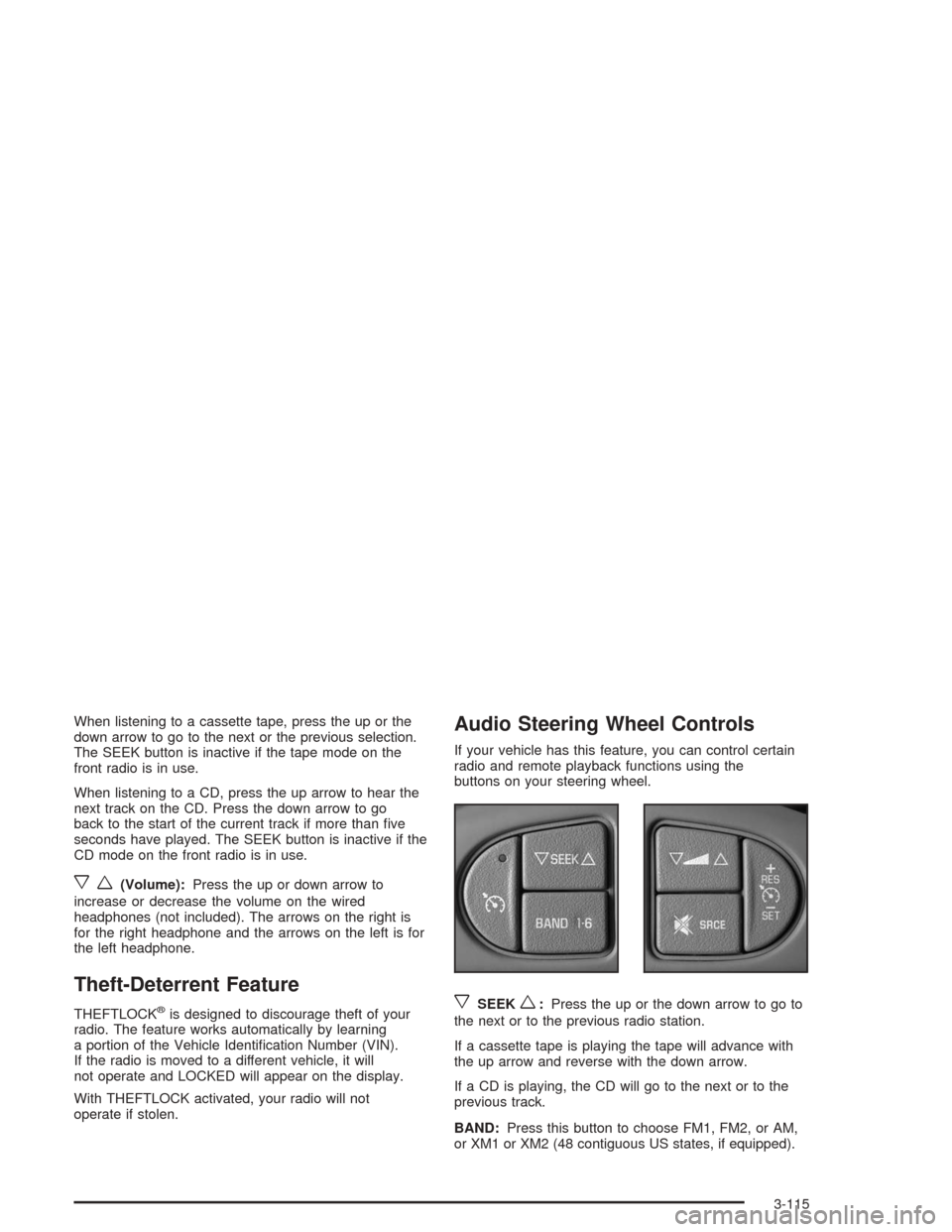
Audio Steering Wheel Controls
If your vehicle has this feature, you can control certain
radio and remote playback functions using the
buttons on your steering wheel.
xSEEKw:Press the up or the down arrow to go to
the next or to the previous radio station.
If a cassette tape is playing the tape will advance with
the up arrow and reverse with the down arrow.
If a CD is playing, the CD will go to the next or to the
previous track.
BAND:Press this button to choose FM1, FM2, or AM,
or XM1 or XM2 (48 contiguous US states, if equipped).
3-115