2004 CHEVROLET CORVETTE ignition
[x] Cancel search: ignitionPage 130 of 384
Twilight Sentinel®(Optional in United
States, Standard in Canada)
Twilight Sentinel®can turn your lamps on and off for
you. A light sensor on top of the instrument panel makes
the Twilight Sentinel
®work, so be sure it is not covered.
You can customize your vehicle to turn Twilight
Sentinel
®on or off, except for vehicles first sold in
Canada. SeeDriver Information Center (DIC) on
page 3-48to turn this feature on or off.
When Twilight Sentinel
®is turned on, you will see the
following happen:
•When it is dark enough outside, the front turn signal
lamps (DRL) will go off, and the headlamps and
parking lamps will come on. The other lamps
that come on with headlamps will also come on.
•When it is bright enough outside, the headlamps
will go off, and the front turn signal lamps (DRL)
will come on, as long as the exterior lamp switch is
in the OFF position.
If you start your vehicle in a dark garage, the automatic
headlamp system will come on immediately. Once
you leave the garage, it will take about one minute for
the automatic headlamp system to change to DRL if it is
light outside. During that delay, your instrument panel
cluster may not be as bright as usual.Make sure your instrument panel brightness control is in
full bright position. See “Instrument Panel Brightness
Control” underInterior Lamps on page 3-17.
With Twilight Sentinel
®turned on, you can idle the
vehicle with the lamps off, even when it is dark outside.
First set the parking brake while the ignition is in
OFF. Then start the vehicle. The lamps will stay off until
you release the parking brake.
Twilight Sentinel
®also provides exterior illumination as
you leave the vehicle. If Twilight Sentinel®has turned
on the lamps when you turn off the ignition, your lamps
will remain on until:
•The exterior lamp switch is moved from OFF to the
parking lamp position, or
•a delay time that you select has elapsed.
SeeDriver Information Center (DIC) on page 3-48to
select the delay time that you want. You can also select
no delay time.
If you turn off the ignition with the exterior lamp switch
in the parking lamp or headlamp position, the Twilight
Sentinel
®delay will not occur. The lamps will turn off as
soon as the switch is turned off.
As with any vehicle, you should turn on the regular
headlamp system when you need it.
3-16
Page 132 of 384
Reading Lamps
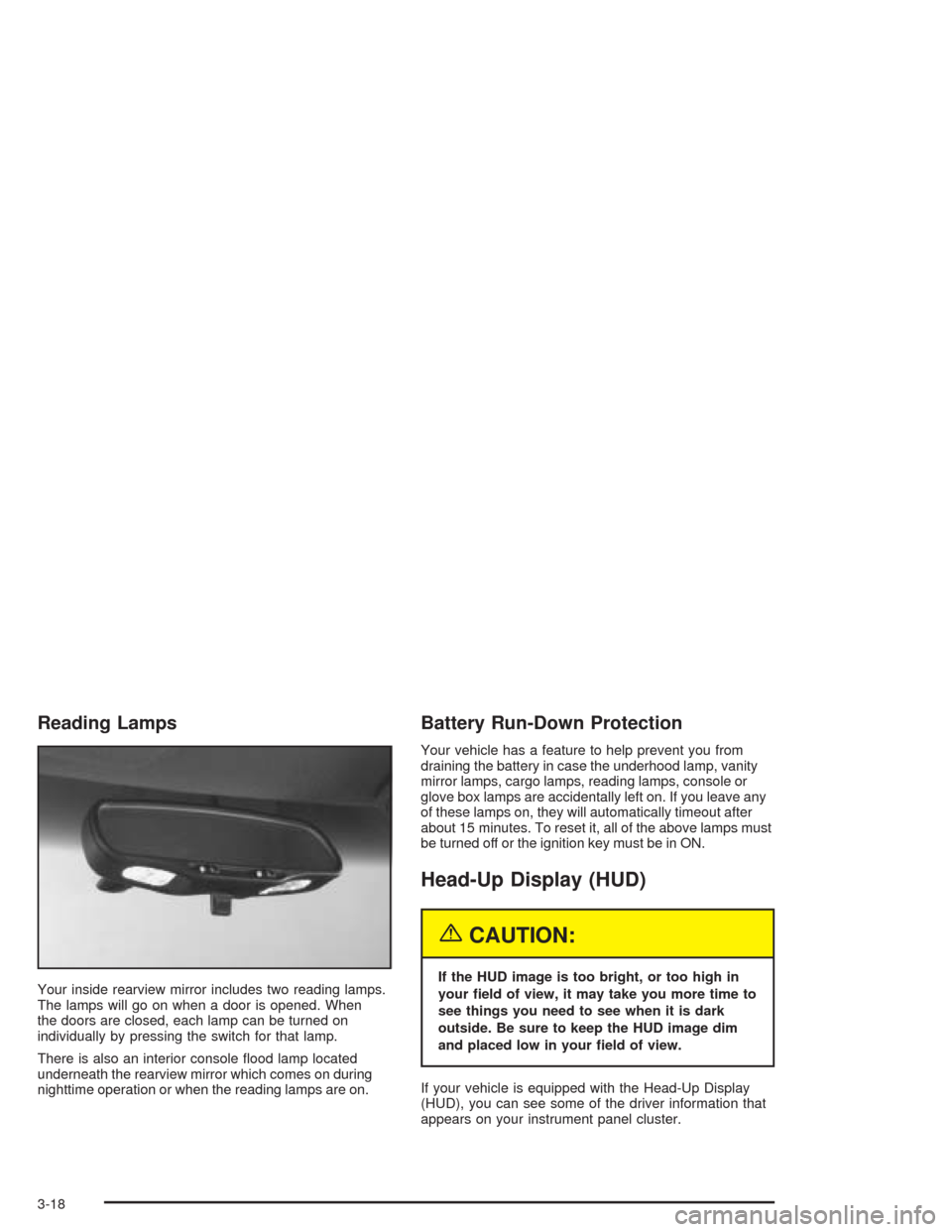
Your inside rearview mirror includes two reading lamps.
The lamps will go on when a door is opened. When
the doors are closed, each lamp can be turned on
individually by pressing the switch for that lamp.
There is also an interior console flood lamp located
underneath the rearview mirror which comes on during
nighttime operation or when the reading lamps are on.
Battery Run-Down Protection
Your vehicle has a feature to help prevent you from
draining the battery in case the underhood lamp, vanity
mirror lamps, cargo lamps, reading lamps, console or
glove box lamps are accidentally left on. If you leave any
of these lamps on, they will automatically timeout after
about 15 minutes. To reset it, all of the above lamps must
be turned off or the ignition key must be in ON.
Head-Up Display (HUD)
{CAUTION:
If the HUD image is too bright, or too high in
your eld of view, it may take you more time to
see things you need to see when it is dark
outside. Be sure to keep the HUD image dim
and placed low in your eld of view.
If your vehicle is equipped with the Head-Up Display
(HUD), you can see some of the driver information that
appears on your instrument panel cluster.
3-18
Page 135 of 384
It is possible for sunlight to enter the HUD causing
all of the graphics to light up. The display will
return to normal when the sunlight is no longer
entering the HUD.
2. Adjust the seat to a comfortable driving position. If
you change your seat position later, you may have
to re-adjust your HUD.
3. Press the top or bottom of the DISPLAY switch to
center the HUD image in your view.
The HUD image can only be adjusted up and down,
not side-to-side.
4. Slide the dimmer control downward until the HUD
image is no brighter than necessary.
To turn HUD off, slide the switch to OFF.
If the sun comes out or it becomes cloudy, you may
need to adjust the HUD brightness again using
the dimmer control. Polarized sunglasses could make
the HUD image harder to see.
To change from English to metric units, press the
E/M button located to the right of the steering wheel.Clean the inside of the windshield as needed to remove
any dirt or film that reduces the sharpness or clarity
of the HUD image.
To clean the HUD, spray household glass cleaner on a
soft, clean cloth. Wipe the HUD lens gently, then dry
it. Do not spray cleaner directly on the lens because the
cleaner could leak into the unit.
If the ignition is on and you can’t see the HUD image,
check to see if:
•Something is covering the HUD unit.
•The HUD dimmer control is adjusted properly.
•The HUD image is adjusted to the proper height.
•Ambient light, in the direction your vehicle is facing,
is low.
•A fuse is blown. SeeFuses and Circuit Breakers on
page 5-93.
Keep in mind that your windshield is part of the HUD
system. If you ever have to have your windshield
replaced, be sure to get one that is designed for HUD
or your HUD image may look blurred and out of focus.
3-21
Page 143 of 384
Sensors
The solar sensor on your vehicle monitors the solar
radiation and uses the information to maintain the
selected temperature when operating in AUTO mode by
initiating needed adjustments to the temperature, the
fan speed and the air delivery system. The system may
also supply cooler air to the side of the vehicle facing
the sun. The recirculation mode will also be activated, as
necessary. Do not cover the solar sensor located on
the top right side of the instrument panel near the
windshield or the system will not work properly.
There is also a sensor located behind the front bumper.
This sensor reads the outside air temperature and
helps to maintain the temperature inside the vehicle.
Any cover on the front of the vehicle could give a false
reading in the temperature.If the outside temperature goes up, the displayed
temperature will not change until:•The vehicle’s speed is above 16 mph (26 km/h) for
one and a half minutes.
•The vehicle’s speed is above 45 mph (72 km/h) for
one minute.
These delays prevent false readings. If the temperature
goes down, the outside temperature will be shown
when you start the vehicle. If it has been turned off for
less than three hours, the temperature will be recalled
from the previous vehicle operation.
There is also an inside temperature sensor located to
the left of the ignition switch. The automatic climate
control system uses this sensor to receive information,
so if you block or cover it, the system will not function
properly.
3-29
Page 148 of 384
Speedometer and Odometer
Your speedometer lets you see your speed in either
miles per hour (mph) or kilometers per hour (km/h).
There is only one scale for mph and km/h. When you
press the E/M (English/metric) button on the Driver
Information Center (DIC), the cluster will calculate the
proper speed and move the needle to the correct
position. Either the MPH or the km/h telltale will
illuminate, depending on which measurement you
choose.
To read the odometer with the ignition off, turn on the
parking lamps.
You may wonder what happens if your vehicle needs a
new odometer installed. The mileage total of the
new odometer will be set to the original miles
(kilometers) of the old odometer. See your dealer if the
odometer must be replaced in your vehicle.
Tachometer
The tachometer displays the engine speed in thousands
of revolutions per minute (rpm).
Fuel will shut off at about 6200 rpm (6500 rpm for Z06).
If you continue to drive your vehicle at the fuel shut
off rpm, you could damage your engine. Be sure
to operate your vehicle below the fuel shut off rpm or
reduce your rpm quickly when the fuel shuts off.
Safety Belt Reminder Light
When the key is turned to ON or START, a chime will
come on for several seconds to remind people to fasten
their safety belts, unless the driver’s safety belt is
already buckled.
The safety belt light will
also come on and stay on
until the driver’s belt is
buckled.
3-34
Page 149 of 384
Air Bag Readiness Light
There is an air bag readiness light on the instrument
panel, which shows a deployed air bag symbol.
The system checks the air bag’s electrical system for
malfunctions. The light tells you if there is an electrical
problem. The system check includes the air bag
modules, the wiring and the diagnostic module. For
more information on the air bag system, seeAir
Bag System on page 1-40.
This light will come on
when you start your
vehicle, and it will flash for
a few seconds. Then the
light should go out. This
means the system is ready.
If the air bag readiness light stays on after you start the
vehicle or comes on when you are driving, your air
bag system may not work properly. Have your vehicle
serviced right away.{CAUTION:
If the air bag readiness light stays on after you
start your vehicle, it means the air bag system
may not be working properly. The air bags in
your vehicle may not inate in a crash, or they
could even inate without a crash. To help
avoid injury to yourself or others, have your
vehicle serviced right away if the air bag
readiness light stays on after you start your
vehicle.
The air bag readiness light should flash for a few
seconds when you turn the ignition key to ON. If the
light does not come on then, have it fixed so it will
be ready to warn you if there is a problem.
3-35
Page 152 of 384
Brake System Warning Light
Your vehicle’s hydraulic brake system is divided into two
parts. If one part is not working, the other part can
still work and stop you. For good braking, though, you
need both parts working well.
This light should come on
when you turn the ignition
key to START. If it
does not come on then,
have it fixed so it will
be ready to warn you if
there is a problem.
If this warning light stays on after you start the engine,
the parking brake may still be set or there could be
a brake problem. Refer toParking Brake on page 2-31
to see if it is set. If the parking brake is not set, have
your brake system inspected right away.If the light comes on while you are driving and you have
a LOW BRAKE FLUID message showing on the DIC,
pull off the road and stop carefully. You may notice that
the pedal is harder to push. Or, the pedal may go
closer to the floor. It may take longer to stop. If the light
is still on, have the vehicle towed for service. See
Towing Your Vehicle on page 4-33.
{CAUTION:
Your brake system may not be working
properly if the brake system warning light is
on. Driving with the brake system warning light
on can lead to an accident. If the light is still
on after you have pulled off the road and
stopped carefully, have the vehicle towed
for service.
3-38
Page 153 of 384

Anti-Lock Brake System
Warning Light
With the anti-lock brake
system, the light will come
on when your engine is
started and may stay on for
several seconds. That is
normal.
If the light stays on, turn the ignition to OFF. Or, if the
light comes on when you are driving, stop as soon
as possible and turn the ignition off. Then start
the engine again to reset the system. If the light still
stays on, or comes on again while you are driving, your
vehicle needs service. If the regular brake system
warning light is not on, you still have brakes, but you do
not have anti-lock brakes. If the regular brake system
warning light is also on, you do not have anti-lock brakes
and there is a problem with your regular brakes. See
Brake System Warning Light on page 3-38. Also
see “Service ABS” underDIC Warnings and Messages
on page 3-58.
The anti-lock brake system warning light will come on
briefly when you turn the ignition key to ON. This is
normal. If the light does not come on then, have it fixed
so it will be ready to warn you if there is a problem.
Traction Control System (TCS)
Warning Light
This light should come on
briefly as you start the
engine. If the light does not
come on then, have it
fixed so it will be ready to
warn you if there is a
problem.
If it stays on, or comes on and the DIC shows a
SERVICE TRACTION SYSTEM message when you are
driving, there is a problem with your TCS system and
your vehicle needs service. When this light is on,
the system will not limit wheel spin. Adjust your driving
accordingly. If the driver turns off the Traction Control
System by pressing the button on the console, the TCS
system light will come on and the TRACTION SYSTEM
OFF message will show on the DIC.
3-39