2004 CHEVROLET CORVETTE change time
[x] Cancel search: change timePage 199 of 384
5:Press this pushbutton to select the next CD in the
magazine. If a CD cannot be played, its number will be
skipped when selecting CDs while using this
pushbutton.
FWD 6 (Forward):Press and hold this pushbutton to
quickly advance within a track. Release this pushbutton
to play the passage. The elapsed time of the track
will appear on the display.
RECALL:Press this button to see what track is
currently playing. Press it again within five seconds to
see how long the track has been playing.
oSEEKp:The left arrow works the same as the
PREV pushbutton and the right arrow works the
same as the NEXT pushbutton.
AM/FM:Press this button to listen to the radio when a
CD is playing. The inactive CD will remain safely
inside the radio for future listening.
CD AUX (Auxiliary):Press this button to play a CD
when listening to the radio. Press this button to switch
between playing a CD in the CD player and playing
a CD in the CD changer, if both are loaded.
CD Messages
If any error message appears on the display, it could be
for one of the following reasons:
•It is very hot. When the temperature returns to
normal, the CD should play.
•You are driving on a very rough road. When the
road becomes smoother, the CD should play.
•The CD is dirty, scratched, wet, or upside down.
•The air is very humid. If so, wait about an hour and
try again.
•There may have been a problem while burning
the CD.
•The label may be caught in the CD player.
•The CD changer door is open. Completely close the
changer door to restore normal operation.
•An empty magazine is in the CD changer. Try
the magazine again with a CD loaded on one of
the trays.
If the CD is not playing correctly, for any other reason,
try a known good CD.
If any error occurs repeatedly or if an error cannot be
corrected, contact your dealer. If the radio displays
an error message, write it down and provide it to your
dealer when reporting the problem.
3-85
Page 213 of 384
Remember: Anti-lock does not change the time you
need to get your foot up to the brake pedal or always
decrease stopping distance. If you get too close to
the vehicle in front of you, you will not have time to apply
your brakes if that vehicle suddenly slows or stops.
Always leave enough room up ahead to stop, even
though you have anti-lock brakes.
Using Anti-Lock
Do not pump the brakes. Just hold the brake pedal
down firmly and let anti-lock work for you. You may hear
a motor or clicking noise and feel the brake pedal
move a little during a stop, but this is normal.
Braking in Emergencies
With anti-lock, you can steer and brake at the same
time. In many emergencies, steering can help you more
than even the very best braking.
Traction Control System (TCS)
Your vehicle has a traction control system called TCS
that limits wheel spin. This is especially useful in slippery
road conditions. The system operates only if it senses
that the rear wheels are spinning too much or are
beginning to lose traction. When this happens, the
system works the rear brakes and reduces engine power
(by closing the throttle and managing engine spark) to
limit wheel spin.
The TRACTION SYS ACTIVE message will come on
when the TCS system is limiting wheel spin. See
DIC Warnings and Messages on page 3-58. You may
feel or hear the system working, but this is normal.
If your vehicle is in cruise control when the TCS system
begins to limit wheel spin, the cruise control will
automatically disengage. When road conditions allow you
to safely use it again, you may re-engage the cruise
control. SeeTurn Signal/Multifunction Lever on page 3-6.
4-9
Page 217 of 384
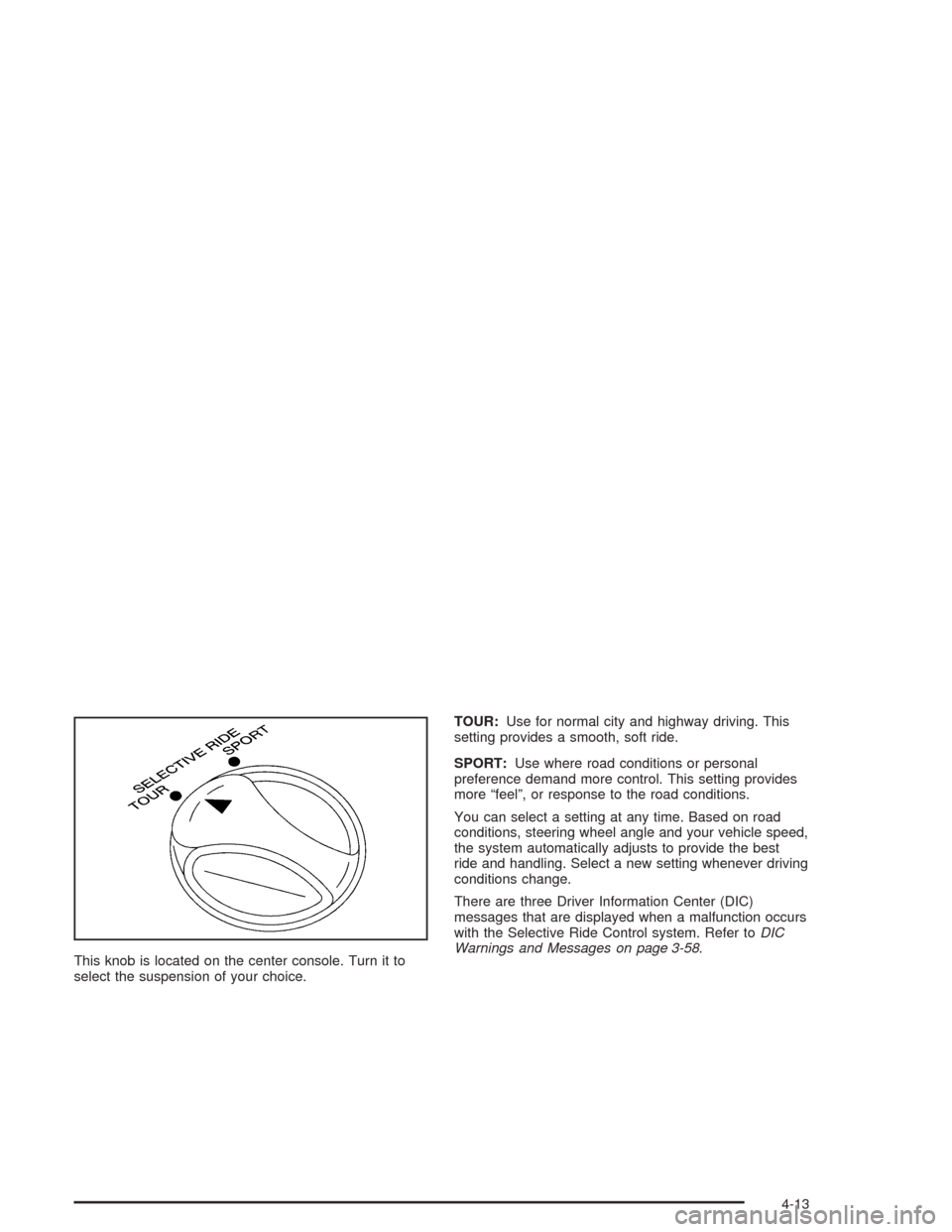
This knob is located on the center console. Turn it to
select the suspension of your choice.TOUR:Use for normal city and highway driving. This
setting provides a smooth, soft ride.
SPORT:Use where road conditions or personal
preference demand more control. This setting provides
more “feel”, or response to the road conditions.
You can select a setting at any time. Based on road
conditions, steering wheel angle and your vehicle speed,
the system automatically adjusts to provide the best
ride and handling. Select a new setting whenever driving
conditions change.
There are three Driver Information Center (DIC)
messages that are displayed when a malfunction occurs
with the Selective Ride Control system. Refer toDIC
Warnings and Messages on page 3-58.
4-13
Page 221 of 384
•Do not get too close to the vehicle you want to
pass while you are awaiting an opportunity. For one
thing, following too closely reduces your area of
vision, especially if you are following a larger
vehicle. Also, you will not have adequate space if
the vehicle ahead suddenly slows or stops.
Keep back a reasonable distance.
•When it looks like a chance to pass is coming up,
start to accelerate but stay in the right lane and
do not get too close. Time your move so you will be
increasing speed as the time comes to move into
the other lane. If the way is clear to pass, you
will have a “running start” that more than makes up
for the distance you would lose by dropping
back. And if something happens to cause you to
cancel your pass, you need only slow down
and drop back again and wait for another
opportunity.
•If other vehicles are lined up to pass a slow vehicle,
wait your turn. But take care that someone is not
trying to pass you as you pull out to pass the slow
vehicle. Remember to glance over your shoulder
and check the blind spot.
•Check your mirrors, glance over your shoulder, and
start your left lane change signal before moving out
of the right lane to pass. When you are far
enough ahead of the passed vehicle to see its front
in your inside mirror, activate your right lane
change signal and move back into the right lane.
(Remember that your right outside mirror is convex.
The vehicle you just passed may seem to be
farther away from you than it really is.)
•Try not to pass more than one vehicle at a time on
two-lane roads. Reconsider before passing the
next vehicle.
•Do not overtake a slowly moving vehicle too rapidly.
Even though the brake lamps are not flashing, it
may be slowing down or starting to turn.
•If you are being passed, make it easy for the
following driver to get ahead of you. Perhaps
you can ease a little to the right.
4-17
Page 258 of 384
Your vehicle’s engine is filled at the factory with a
Mobil 1®synthetic oil, which meets all requirements for
your vehicle.
Substitute Engine Oil:When adding oil to maintain
engine oil level, oil meeting GM Standard GM4718M
may not be available. You can add substitute oil
designated SAE 5W-30 with the starburst symbol at all
temperatures. If temperatures are above 0°F (-18°C),
you may substitute SAE 10W-30 with the starburst
symbol. Substitute oil not meeting GM Standard
GM4718M should not be used for an oil change.
Engine Oil Additives
Do not add anything to your oil. The recommended oils
with the starburst symbol that meet GM Standard
GM4718M are all you will need for good performance
and engine protection.
When to Change Engine Oil
(GM Oil Life System)
Your vehicle has a computer that lets you know when to
change your engine oil and filter. This is based on
engine revolutions and engine temperature, and not on
mileage. Based on driving conditions, the mileage at
which an oil change will be indicated can vary
considerably. For the oil life system to work properly,
you must reset the system every time the oil is changed.
When the system has calculated that oil life has been
diminished, it will indicate that an oil change is
necessary. A CHANGE OIL SOON message will come
on. Change your oil as soon as possible within the
next two times you stop for fuel. It is possible that, if you
are driving under the best conditions, the oil life
system may not indicate that an oil change is necessary
for over a year. However, your engine oil and filter
must be changed at least once a year and at this time
the system must be reset. Your dealer has GM-trained
service people who will perform this work using
genuine GM parts and reset the system. It is also
important to check your oil regularly and keep it at the
proper level.
If the system is ever reset accidentally, you must
change your oil at 3,000 miles (5 000 km) since your
last oil change. Remember to reset the oil life system
whenever the oil is changed.
5-16
Page 259 of 384
How to Reset the CHANGE OIL SOON
Message
The GM Oil Life System calculates when to change
your engine oil and filter based on vehicle use. Anytime
your oil is changed, reset the system so it can
calculate when the next oil change is required. If a
situation occurs where you change your oil prior to a
CHANGE OIL SOON message being turned on,
reset the system.
To reset the CHANGE OIL SOON message after an oil
change, do the following:
1. Turn the ignition to ON, with the engine off.
2. Press the TRIP button so the OIL LIFE percentage
is displayed.
3. Press RESET and hold for two seconds. OIL LIFE
REMAIN 100% will appear.
4. Turn the key to OFF.
If the CHANGE OIL SOON message comes back on
when you start your vehicle, the engine oil life system
has not reset. Repeat the procedure.
What to Do with Used Oil
Used engine oil contains certain elements that may be
unhealthy for your skin and could even cause cancer.
Do not let used oil stay on your skin for very long. Clean
your skin and nails with soap and water, or a good
hand cleaner. Wash or properly dispose of clothing or
rags containing used engine oil. See the manufacturer’s
warnings about the use and disposal of oil products.
Used oil can be a threat to the environment. If you
change your own oil, be sure to drain all the oil from the
filter before disposal. Never dispose of oil by putting it
in the trash, pouring it on the ground, into sewers, or into
streams or bodies of water. Instead, recycle it by
taking it to a place that collects used oil. If you have a
problem properly disposing of your used oil, ask
your dealer, a service station or a local recycling center
for help.
5-17
Page 263 of 384
Manual Transmission Fluid
When to Check
A good time to have it checked is when the engine oil is
changed. However, the fluid in your manual transmission
doesn’t require changing.
How to Check
Because this operation can be difficult, you may choose
to have this done at your dealership service department.
If you do it yourself, be sure to follow all the instructions
here, or you could get a false reading.
Notice:Too much or too little uid can damage
your transmission. Too much can mean that some
of the uid could come out and fall on hot engine
part or exhaust system parts, starting a re.
Too little uid could cause the transmission to
overheat. Be sure to get an accurate reading if you
check your transmission uid.
Check the fluid level only when your engine is off, the
vehicle is parked on a level place and the transmission
is cool enough for you to rest your fingers on the
transmission case.Then, follow these steps:
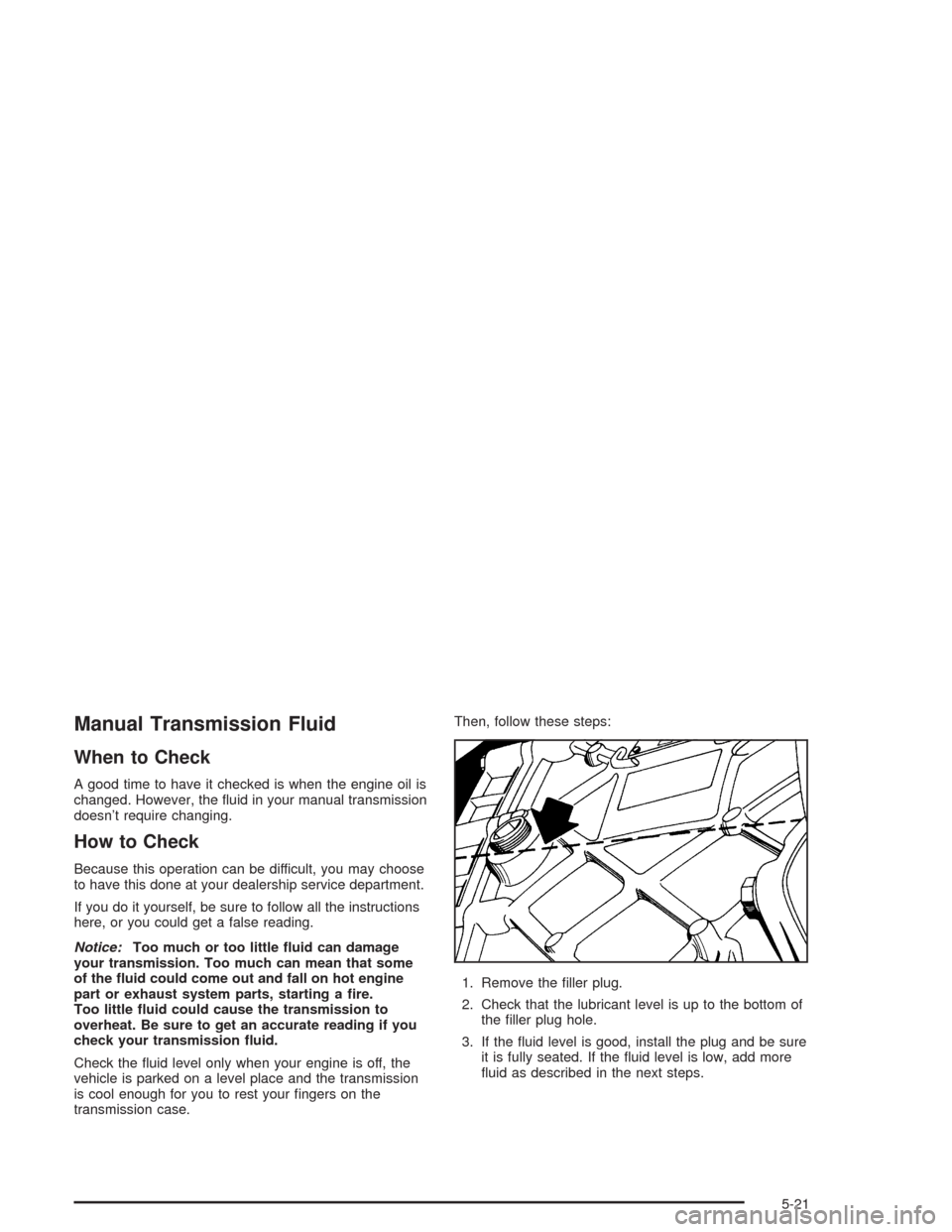
1. Remove the filler plug.
2. Check that the lubricant level is up to the bottom of
the filler plug hole.
3. If the fluid level is good, install the plug and be sure
it is fully seated. If the fluid level is low, add more
fluid as described in the next steps.
5-21
Page 282 of 384
Replacing Brake System Parts
The braking system on a vehicle is complex. Its many
parts have to be of top quality and work well together if
the vehicle is to have really good braking. Your
vehicle was designed and tested with top-quality GM
brake parts. When you replace parts of your braking
system — for example, when your brake linings
wear down and you need new ones put in — be sure
you get new approved GM replacement parts. If you do
not, your brakes may no longer work properly. For
example, if someone puts in brake linings that are wrong
for your vehicle, the balance between your front and
rear brakes can change — for the worse. The braking
performance you have come to expect can change
in many other ways if someone puts in the wrong
replacement brake parts.
Battery
Your new vehicle comes with a maintenance free
ACDelco®battery. When it is time for a new battery, get
one that has the replacement number shown on the
original battery’s label. We recommend an ACDelco
®
battery.
For battery replacement, see your dealer or the service
manual. To purchase a service manual, seeService
and Owner PublicationsinService Publications Ordering
Information on page 7-11.
Warning:Battery posts, terminals and related
accessories contain lead and lead compounds,
chemicals known to the State of California to cause
cancer and reproductive harm. Wash hands after
handling.
5-40