Page 132 of 420
3-13
Instruments and controls
–CONTINUED –
further details of the EBD system fault warning, refer
to “Brake system warning light”.
NOTE
If the warning light behavior is as shown below,
the ABS system may be considered normal.The warning light comes on right after the en-
gine is started but goes out immediately, remain-
ing off. The warning light remains on after the engine
has been started, but it goes out when the vehicle
speed reaches about 8 mph (12 km/h). The warning light comes on during driving, but
it goes out immediately and remains off.
When driving with an insufficient battery voltage such
as when the engine is jump started, the ABS warning
light may come on. This is due to the low battery volt-
age and does not indicate a malfunction. When the
battery becomes fully charged, the light will go out. Brake system warning light
Driving with the brake system warning light
on is dangerous. This indicates your brake sys- tem may not be working properly. If the light re-
mains on, have the brakes inspected by a
SUBARU dealer immediately.
If at all in doubt about whether the brakes are
operating properly, do not drive the vehicle.
Have your vehicle towed to the nearest
SUBARU dealer for repair.
This light has the following three functions: Parking brake warning
The light comes on with the parking brake applied
while the ignition switch is in the “ON” position. It goes
out when the parking brake is fully released. Brake fluid level warning
This light comes on when the brake fluid level has
dropped to near the “MIN” level of the brake fluid res-
ervoir with the ignition switch in the “ON” position and
with the parking brake fully released.
If the brake system warning light should come on while
driving (with the parking brake fully released and with
the ignition switch positioned in “ON”), it could be an
indication of leaking of brake fluid or worn brake pads.
If this occurs, immediately stop the vehicle at the near-
est safe place and check the brake fluid level. If the flu-
(U.S.) (Canada)
Page 136 of 420
3-17
Instruments and controls
–CONTINUED –
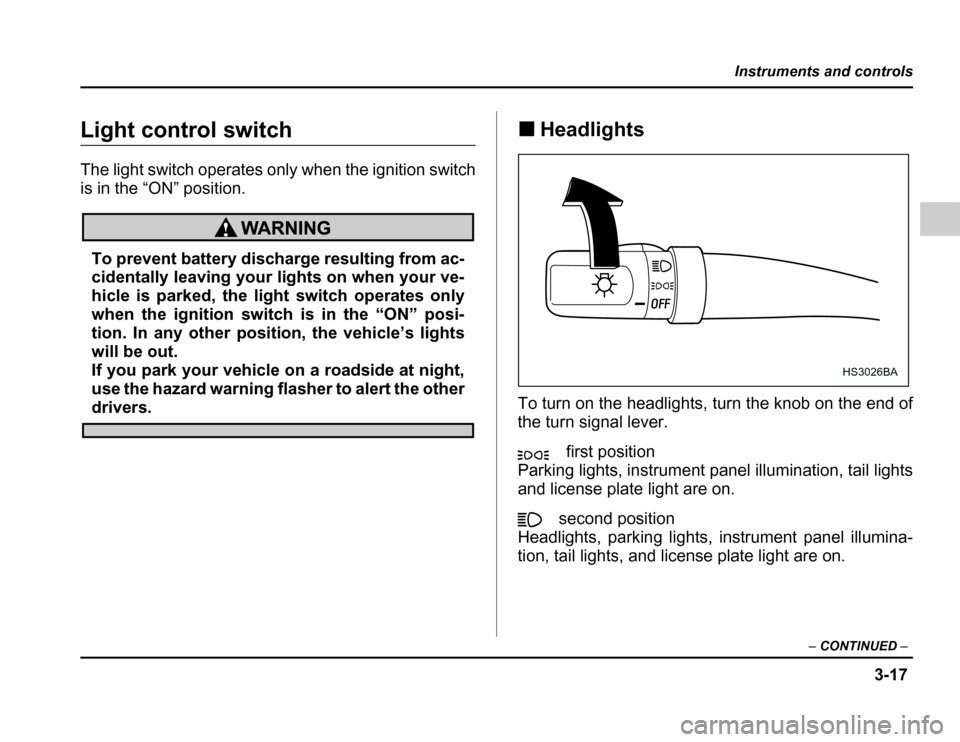
Light control switch
The light switch operates only when the ignition switch
is in the “ON” position.
To prevent battery discharge resulting from ac-
cidentally leaving your lights on when your ve-
hicle is parked, the light switch operates only
when the ignition switch is in the “ON” posi-
tion. In any other position, the vehicle
Page 140 of 420
3-21
Instruments and controls
–CONTINUED –
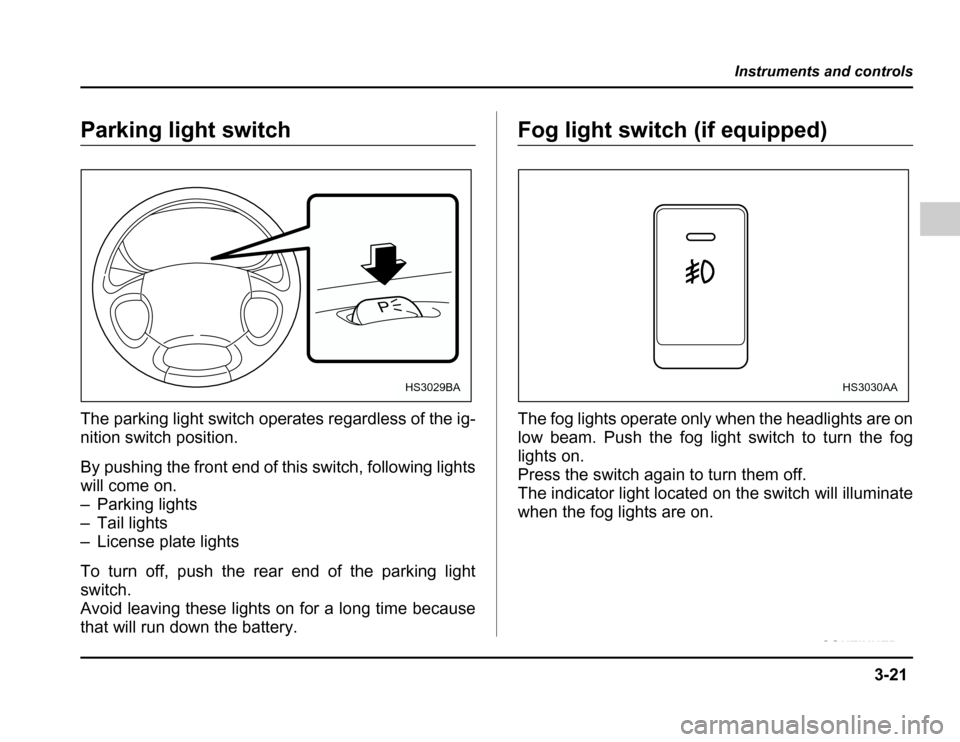
Parking light switch
The parking light switch operates regardless of the ig-
nition switch position.
By pushing the front end of this switch, following lights
will come on.
– Parking lights
– Tail lights
– License plate lights
To turn off, push the rear end of the parking light switch.
Avoid leaving these lights on for a long time because
that will run down the battery.Fog light switch (if equipped)
The fog lights operate only when the headlights are on
low beam. Push the fog light switch to turn the fog
lights on.
Press the switch again to turn them off.
The indicator light located on the switch will illuminate
when the fog lights are on.
P
HS3029BAHS3030AA
Page 146 of 420
3-27
Instruments and controls
–CONTINUED –
not complete, you have to push the switch to turn the
deicer on again.
To prevent the battery from being discharged,
do not operate the windshield wiper deicer con-
tinuously for any longer than necessary.
NOTE
If your vehicle is equip ped with the outside mirror
defogger, the outside mirror defogger operates
while the windshield wiper deicer is operating.
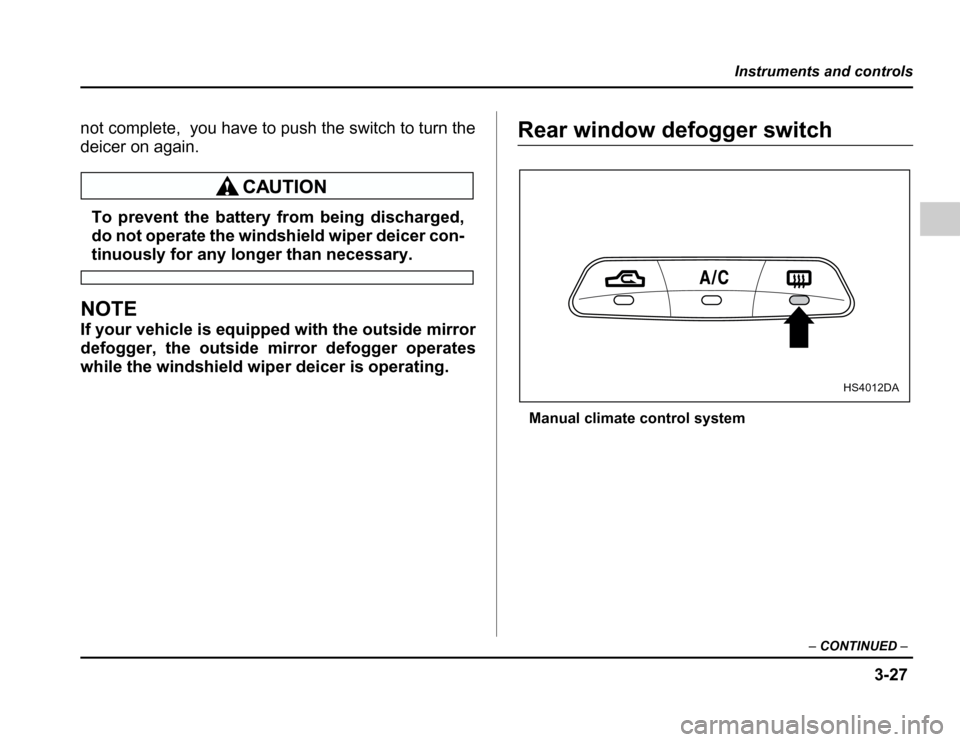
Rear window defogger switch
Manual climate control system
HS4012DA
Page 147 of 420
3-28
Instruments and controls
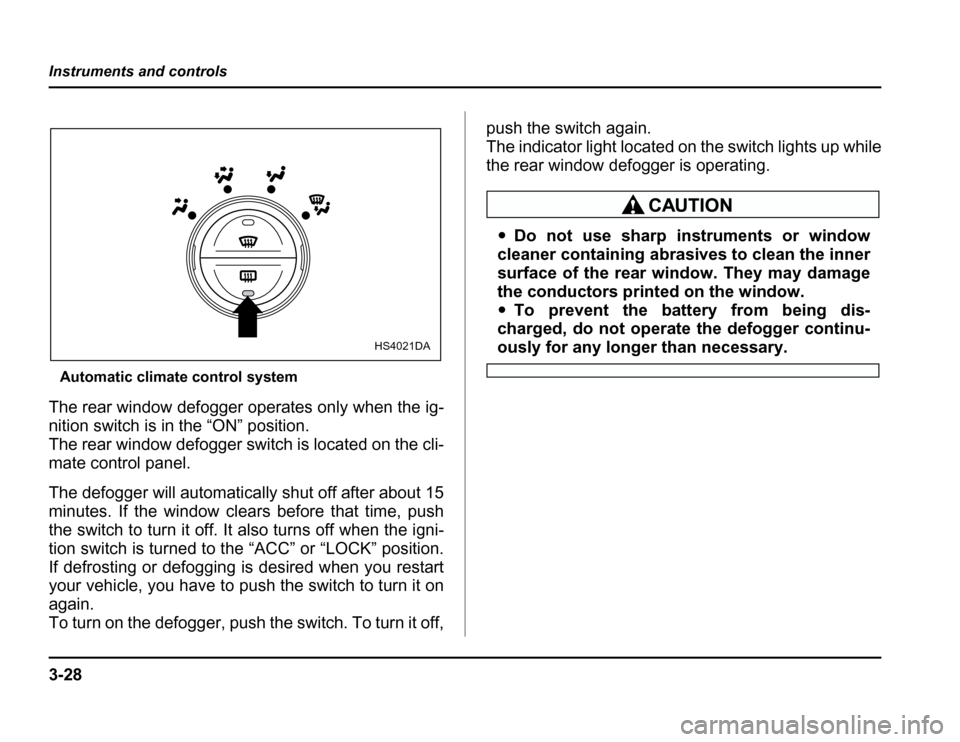
Automatic climate control system
The rear window defogger operates only when the ig-
nition switch is in the “ON” position.
The rear window defogger switch is located on the cli-
mate control panel.
The defogger will automatically shut off after about 15
minutes. If the window clears before that time, push
the switch to turn it off. It also turns off when the igni-
tion switch is turned to the “ACC” or “LOCK” position.
If defrosting or defogging is desired when you restart
your vehicle, you have to push the switch to turn it on
again.
To turn on the defogger, push the switch. To turn it off, push the switch again.
The indicator light located on the switch lights up while
the rear window defogger is operating.
Do not use sharp instruments or window
cleaner containing abrasives to clean the inner
surface of the rear window. They may damage
the conductors printed on the window. To prevent the battery from being dis-
charged, do not operate the defogger continu-
ously for any longer than necessary.HS4021DA
Page 152 of 420
3-33
Instruments and controls
–CONTINUED –
side mirror defogger is operating.
The defogger will automatically shut off after about 15
minutes. If the mirror clears before that time, push the
switch to turn it off. It also turns off when the ignition
switch is turned to the “ACC” or “LOCK” position. If de-
frosting or defogging is desired when you restart your
vehicle, you have to push the switch to turn it on again.
NOTE
On vehicles equipped with a windshield wiper de-
icer, the windshield wiper deicer switch is also
used to operate the ou tside mirror defogger.
To prevent the battery from being discharged,
do not operate the defogger continuously for
any longer than necessary.
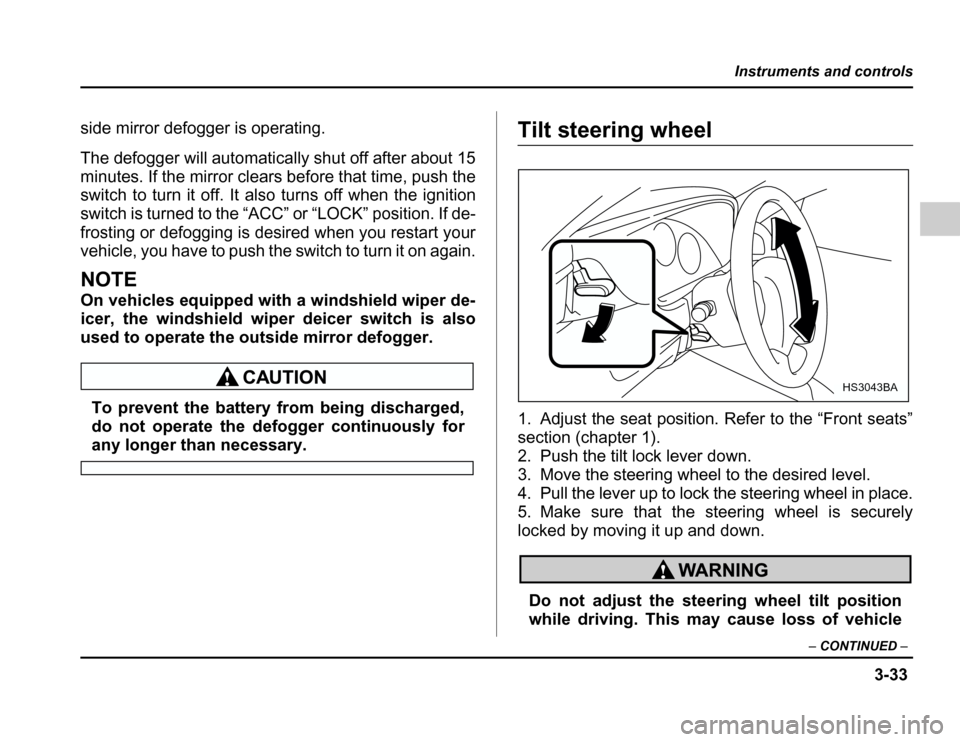
Tilt steering wheel
1. Adjust the seat position. Refer to the “Front seats”
section (chapter 1).
2. Push the tilt lock lever down.
3. Move the steering wheel to the desired level.
4. Pull the lever up to lock the steering wheel in place.
5. Make sure that the steering wheel is securely
locked by moving it up and down.
Do not adjust the steering wheel tilt position
whiledriving.Thismaycauselossofvehicle
HS3043BA
Page 184 of 420
5-9
Audio
– CONTINUED –
to select that station in a single operation. Up to six
WB, AM, FM1 and FM2 stations each may be preset. How to preset stations
1. Press the “BAND” selection button to select AM,
FM1, FM2 or WB reception.
2. Press the “SCAN” button (6) or tune the radio man-
ually until the desired station frequency is displayed.
3. Press one of the preset buttons (4) for at least 2
seconds to store the frequency. At this time, there will
momentarily be no sound from the radio. If the button
is pressed for less than 2 seconds, the preceding se-
lection will remain in memory.
NOTE
If the connection between the radio and battery is
broken for any reason such as vehicle mainte-
nance or radio removal, all stations stored in the
preset buttons are cleared. If this occurs, it is nec-
essary to reset the preset buttons.
Page 196 of 420
5-21
Audio
– CONTINUED –
tire band has been scanned from the low end to the
high end.
Press the “SCAN” button again to cancel the SCAN
mode and to stop on any displayed frequency.
When the “SCAN” button is pressed for automatic tun-
ing, stations are scanned in the direction of low fre-
quencies to high frequencies only.
Automatic tuning may not function properly if the sta-
tion reception is weakened by distance from the sta-
tion or proximity to tall buildings and hills. Selecting preset stations
Presettingastationwithapresetbutton(5)allowsyou
to select that station in a single operation. Up to six
AM, FM1, FM2 and WB stations each may be preset. How to preset stations
1. Press the “FM/AM” selection button to select AM,
FM1 or FM2 reception.
OR
Press the “WB” button (2) to select the weather band.
2. Press the “SCAN” button (3) or tune the radio man-
ually until the desired station frequency is displayed.
3. Press one of the preset buttons (5) for at least 1.5
seconds to store the frequency. The frequency of the
station will flash once on the display at this time. If the
button is pressed for less than 1.5 seconds, the pre- ceding selection will remain in memory.
NOTE
If the connection between the radio and battery is
broken for any reason such as vehicle mainte-
nance or radio removal, all stations stored in the
preset buttons are cleared. If this occurs, it is nec-
essary to reset the preset buttons.