2003 PONTIAC GRAND PRIX brakes
[x] Cancel search: brakesPage 6 of 378

These are some examples of vehicle symbols you may find on your vehicle:
POSSlBLE A
CAUTION
INJURY
PROTECT EYES BY
SHIELDING
CAUSTIC
BAlTERY
4CID COULD CAUSE
BURNS
AVO1
D
SPARKS OR
FLAMES
SPARK OR FLAME
\\I/'
COULD
EXPLODE BAlTERY LATCH BOTH LAP AND
SHOULDER BELTS
TO
PROTECT OCCUPANT 4
DO NOT TWIST SAFETY
BELT WHEN AlTACHING
FASTEN SEAT
BELTS
MOVE SEAT FULLY
\!$%
REARWARD* /z
SECURE
CHILD SEAT
PULL BELT
COMPLETELY
THEN SECURE CHILD SEAT
TI POWER
WINDOW DO NOT INSTALL
A REAR-FACING
CHILD RESTRAINT IN THIS SEATING POSITION
DO NOT INSTALL A
'ORWARD-FACING CHILD RESTRAINT IN THIS SEATING
POSITION
DOOR LOCK
UNLOCK
L
LlGHTlNG - MASTER SWITCH e- / ,
SIGNALS TURN
PARKING
pf
LAMPS
RUNNING LAMPS
LAMPS
so
ENGINE
COOLANT TEMP
CHARGING BAlTERY
SYSTEM
COOLANT
d
ENGINE OIL PRESSURE
Wb
ANTI-LOCK (@)
BRAKES ENGINE
COOLANT FAN
OWNERS MANUAL
SERVICE
MANUAL
Page 92 of 378

Make sure the shift lever is fully in PARK (P) before
starting the engine. The vehicle has an automatic
transaxle shift lock control system. You must fully apply
the regular brakes and press the shift control button
located on the front of the shift lever, before you
can shift from PARK (P) when the ignition is in RUN.
If you cannot shift out of PARK (P), ease pressure
on the shift lever by pushing
it all the way into PARK (P)
while keeping the brake pedal pushed down. Release
the shift lever button. Then move the shift lever out
of PARK (P), being sure to press the shift lever button.
See Shifting
Out of Park (P) on page 2-30.
REVERSE (R): Use this gear to back up.
Notice: Shifting to REVERSE (R) while your vehicle
is moving forward could damage your transaxle.
Shift to REVERSE (R) only after your vehicle
is stopped.
To rock the vehicle back and forth to get out of snow,
ice or sand without damaging the transaxle, see If
You Are Stuck: In Sand, Mud, ice or Snow on
page
4-32.
NEUTRAL (N): In this position, the engine doesn’t
connect with the wheels. To restart when you’re already
moving, use NEUTRAL (N) only. Also, use
NEUTRAL
(N) when the vehicle is being towed.
ini a d ‘e gea your enc_ e is
“racing” (running at high speed) is dangerous.
Unless your foot
is firmly on the brake pedal,
your vehicle could move very rapidly. You
could lose control and
hit people or objects.
Don’t shift into a drive gear while your engine
is racing.
Notice: Damage to your transaxle caused by
shifting into a drive gear with the engine racing
isn’t
covered by your warranty.
AUTOMATIC OVERDRIVE
(a): This position is for
normal driving. If you need more power
for passing, and
you’re:
Going less than 35 mph (55 km/h), push your
Going about 35 mph (55 km/h) or more, push the
accelerator pedal about halfway
down.
accelerator pedal all the way down.
2-25
Page 93 of 378

You’ll shift down to the next gear and have more power.
Notice: If your vehicle seems to start up rather
slowly, or if
it seems not to shift gears as you go
faster, something may be wrong with a transaxle system sensor.
If you drive very far that way, your
vehicle can be damaged. So, if
this happens,
have your vehicle serviced right away. Until then,
you can use SECOND
(2) when you are driving
less than
35 mph (55 km/h) and AUTOMATIC
OVERDRIVE (D) for higher speeds.
THIRD
(3): This position is also used for normal driving,
but
it offers more power and lower fuel economy than
AUTOMATIC OVERDRIVE
(@ ).
Here are some times you might choose THIRD (3)
instead of AUTOMATIC OVERDRIVE (a):
When driving on hilly, winding roads.
When towing a trailer, so there is less shifting
between gears.
When going down a steep hill.
When driving in non-highway scenarios
(i.e. city streets, etc.). SECOND
(2): This
position gives you more power but
lower fuel economy than THIRD
(3). You can use
SECOND (2) on hills. It can help control your speed as
you go down steep mountain roads, but then you
would also want to use your brakes
off and on.
Notice: Don’t drive in SECOND (2) for more than
25 miles (40 km), or at speeds over 55 mph
(90 km/h), or you can damage your transaxle.
Use THIRD
(3) or AUTOMATIC OVERDRIVE (D) as
much as possible. Don’t shift into SECOND
(2)
unless you are going slower than 65 mph (105 km/h)
or you can damage your engine.
FIRST
(1): This position gives you even more power
but lower fuel economy than SECOND (2). You can use
it on very steep hills, or in deep snow or mud. If the
shift lever is in
FIRST (I), the transaxle won’t shift into
first gear until the vehicle is going slowly enough.
Notice: If your front wheels won’t turn, don’t try to
drive. This might happen if you were stuck in
very deep sand or mud or were up against a solid
object. You could damage your transaxle. Also,
if you stop when going uphill, don’t hold your
vehicle there with only the accelerator pedal. This
could overheat and damage the transaxle. Use your
brakes to hold your vehicle in position on
a hill.
2-26
Page 94 of 378
Parking Brake
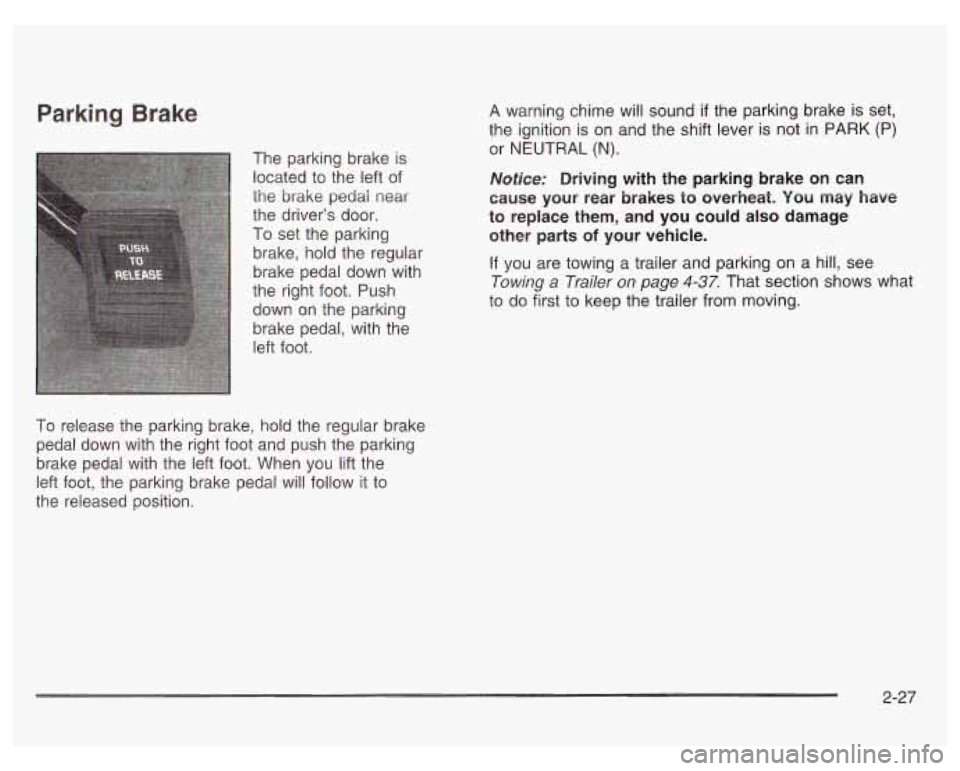
The parking brake is
located to the left of
the
brake pedai near
the driver’s door.
To set the parking
brake, hold the regular
brake pedal down with
the right foot. Push
down on the parking
brake pedal, with the
left foot.
To release the parking brake, hold the regular brake
pedal down with the right foot and push the parking
brake pedal with the left foot. When
you lift the
left foot, the parking brake pedal will follow it to
the released position. A
warning chime will sound
if the parking brake is set,
the ignition is on and the shift lever is not
in PARK (P)
or NEUTRAL (N).
Notice: Driving with the parking brake on can
cause your rear brakes
to overheat. You may have
to replace them, and you could also damage
other parts
of your vehicle.
If you are towing a trailer and parking on a hill, see
Towing a Trailer
on page 4-37. That section shows what
to do first to keep the trailer from moving.
2-27
Page 97 of 378
Shifting Out of Park (P)
Your vehicle has an automatic transaxle shift lock
control system. You
must fully apply your regular brakes
before you can shift from PARK (P) while the ignition
is in RUN. See Automatic Transaxle Operation on
page
2-24.
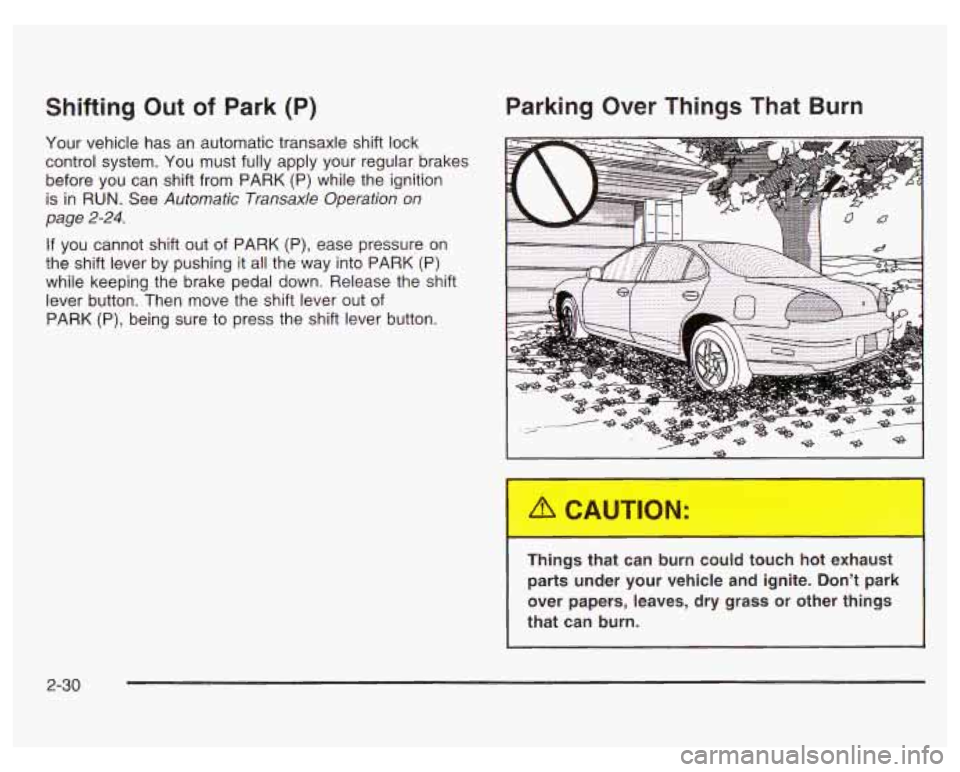
Parking Over Things That Burn
If you cannot shift out of PARK (P), ease pressure on
the shift lever by pushing it
all the way into PARK (P)
while keeping the brake pedal down. Release the shift
lever button. Then move the shift lever out of
PARK (P), being sure to press the shift lever button.
1 ngL -.iat can burn could touch hot exhaust
parts under your vehicle and ignite. Don’t park
over papers, leaves,
dry grass or other things
that can burn.
2-30
Page 129 of 378
Cruise Control
With cruise control, you can maintain a speed of about
25 mph (40 km/h) or more without keeping your foot
on the accelerator. This can really help on long
trips. Cruise control does not work at speeds below
approximately
25 mph (40 km/h).
When you apply the brakes, the cruise control
shuts
off.
If your vehicle is in cruise control when the traction
control system on the
3800 Supercharged V6 engine or
the enhanced traction system on the 3100 V6 and
3800 V6 engine begins to limit wheel spin, the cruise
control will automatically disengage. See Traction
Control System (TCS) on page
4- 10 or Enhanced
Traction System (ETS) on page
4-1 1. When road
conditions allow you to safely use it again, you may
turn the cruise control back on.
Setting Cruise Control
Cruise control can be dangerous where
you can’t drive safely at a steady speed.
So, don’t use you’r cruise control on
winding roads or in heavy traffic.
Cruise control can be dangerous on
slippery roads. On such roads, fast
changes
in tire traction can cause
needless wheel spinning, and you could
lose control. Don’t use cruise control on
slippery roads.
I
If you leave your cruise control on when you’re
not using cruise, you might hit a button and go
into cruise when you don’t want to. You could
be startled and even lose control. Keep the
cruise control switch off until you want to use
cruise control.
1. Move the cruise control switch to ON.
2. Get up to the speed you want.
3. Push in the SET button at the end of the
4. Take your foot off the accelerator pedal.
multifunction lever
and release it.
3-8
Page 150 of 378
Anti-Lock Brake System Warning Light
if your vehicle has the
optional anti-lock brake
system, this light will come
on when your engine is
started and may stay on
for several seconds.
That’s normal.
If the anti-lock brake system warning light stays on
longer than normal after you’ve started your engine, turn
the ignition
off. If the light comes on and stays on
while you’re driving, stop as soon as possible and turn
the ignition
off. Then start the engine again to reset
the system.
If the light still stays on, or comes on again
while you’re driving, your vehicle needs service.
If
the light is on and the regular brake system warning
light isn’t on, you still have brakes, but you don’t have
anti-lock brakes.
The anti-lock brake system warning light should come
on briefly when you turn the ignition key to
RUN. This is
normal.
If the light doesn’t come on then, have it
fixed
so it will be ready to warn you if there is a problem.
Traction Control System (TCS)
Warning Light
TCS
OFF
If your vehicle is
equipped with the 3800
supercharged V6 engine,
the traction control
system warning light
may come on for the
following reasons:
If you turn the system off by pressing the TCS
button located on the far right side of the trip
computer, the warning light will come on and stay
on. To turn the system back on, press the button
again. The warning light should go
off. See Traction
Control System (TCS) on page
4-10 for more
information.
@ If there’s a brake system problem that is specifically
related to traction control, the traction control
system will turn
off and the warning light will come
on. If your brakes begin to overheat, the traction
control system will turn
off and the warning light will
come on until your brakes cool down.
If the traction control system warning light comes on
and stays on for an extended period of time when the
system
is turned on, your vehicle needs service.
3-29
Page 160 of 378

The Driver Information Center (DIC) gives you important
safety and maintenance facts. When you turn the
ignition on, all of the DIC lights illuminate for a few
seconds. After this, the DIC will begin working.
Functions
__ (Door Ajar): If one of the doors is ajar, this light
will appear next to that door on the vehicle outline.
CHANGE OIL SOON: This light will appear when the
system indicates that it’s time for an oil change. The
system predicts remaining oil life using data from length
of drives, coolant temperature, engine rpm and
vehicle speed. It alerts you to change the oil on a
schedule consistent with the vehicle’s driving conditions.
After changing the oil, the system must be reset. See
How to Reset the GM
Oil Life SystemTM under
Engine
Oil on page 5- 18.
e LOW: This light will come on when the ignition is
on and the fluid in the washer fluid container is low.
AJAR: This light alerts you that the trunk is not
fully closed.
LOW TRAC (Low Traction): If your vehicle is equipped
with anti-lock brakes, this light will come on when the
enhanced traction system is limiting wheel spin. See Enhanced Traction System (ETS) on page 4-
I I or
Low Traction Light on page 3-30.
TRAC OFF (Traction Off): If your vehicle is equipped
with anti-lock brakes, this light lets you know that
the enhanced traction system has been disabled and
will not limit wheel spin. See Enhanced Traction System
Warning Light
on page 3-30 or Low Traction Light on
page 3-30.
TRAC (Traction): If the vehicle has anti-lock brakes
and the enhanced traction system, you will have a
disable button on the far right side of the DIC.
The enhanced traction system is automatically activated
when you turn the ignition on. This button will
activate/deactivate the system. If you need to disable
the system, such
as when you are stuck and are rocking
the vehicle back and forth, push this button. See If
You Are Stuck: in Sand, Mud, Ice or Snow on
page 4-32.
3-39