2003 PONTIAC BONNEVILLE tow
[x] Cancel search: towPage 2 of 418
The 2003 Pontiac Bonneville Owner Manual
Seats and Restraint Systems ........................... 1-1
Front Seats
............................................... 1-2
Safety Belts
.............................................. 1-7
Child Restraints
....................................... 1-27
Air Bag Systems
...................................... 1-47
Restraint System Check
............................ 1-56
Features and Controls ..................................... 2-1
Keys
........................................................ 2-3
Doors and Locks
...................................... 2-10
Windows
................................................. 2-1 9
Theft-Deterrent Systems
............................ 2-21
Starting and Operating Your Vehicle
........... 2-25
Mirrors
.................................................... 2-38
OnStap
.................................................. 2-40
HomeLink@ Transmitter
............................. 2-42
Storage Areas
......................................... 2-46
SlJnroof
................................................. 2-47
Vehicle Personalization
............................. 2-48
Instrument Panel ............................................. 3-1
Instrument Panel Overview
.......................... 3-4
Climate Controls
...................................... 3-25
Warning Lights, Gages and Indicators
......... 3-34
Systems Monitor
...................................... 3-55
Driver Information Center (DIC)
.................. 3-57 Secondary
Information Center (SIC)
............ 3-68
Audio System(s)
....................................... 3-71
Driving Your Vehicle ....................................... 4-1
Your Driving, the Road, and Your Vehicle
..... 4-2
Towing
................................................... 4-32
Service
..................................................... 5-3
Fuel
......................................................... 5-5
Checking Things Under the Hood
............... 5-12
Headlamp Aiming
..................................... 5-52
Bulb Replacement
.................................... 5-56
Windshield Wiper Blade Replacement
......... 5-61
Tires
...................................................... 5-62
Appearance Care
..................................... 5-82
Vehicle Identification
................................. 5-90
Electrical System
...................................... 5-91
C8pa.citigs
and Specifications ......... 5-100
Normal Maintenance Replacement Parts .... 5-101
Maintenance Schedule
................................ 6-2
Customer Assistance Information .................... 7-1
Customer Assistance Information
.................. 7-2
Reporting Safety Defects
............................ 7-8
index ................................................................ 1
Service and Appearance Care .......................... 5-1
Maintenance Schedule ..................................... 6-1
Page 10 of 418
To adjust the power seats, do the following:
Horizontal Control: Raise or lower the front of the seat
cushion by pressing the forward edge
of the control
up or down.
Raise
or lower the rear of the seat cushion by pressing
the rear edge of the control up or down.
Move the seat forward or rearward by pressing the
control toward the front or rear
of the vehicle.
Move the seat higher or lower by holding the whole
control up or down.
Vertical Control (Option): Move the seatback into a
reclined position by pressing the top of the control
backward.
Move the seatback forward by pressing the top of the
control forward.
Manual Lumbar
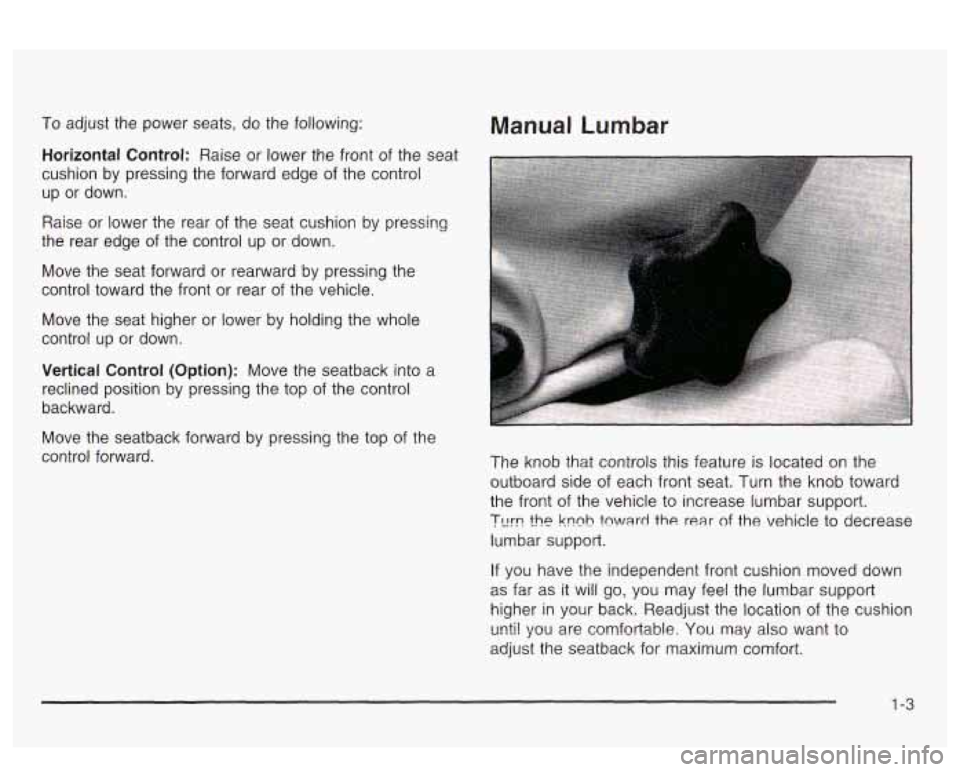
The knob that controls this feature is located on the
outboard side of each front seat. Turn the knob toward
the front of the vehicle to increase lumbar support.
?urn !he knnh fnward the rear of the vehicle to decrease
lumbar support.
If you have the independent front cushion moved down
as far as it will go, you may feel the lumbar support
higher in your back. Readjust the location of the cushion
unti! sp~! are comfortable; You may also want to
adjust the seatback for maximum comfort.
1-3
Page 35 of 418
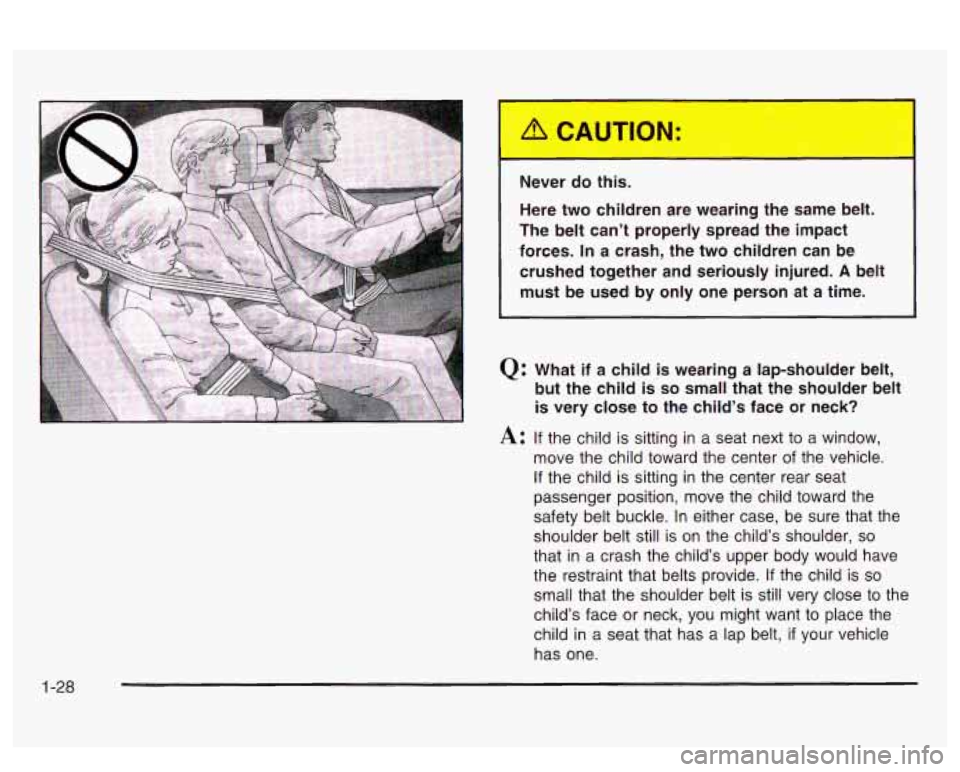
Never do this.
Here two children are wearing the same belt.
The belt can’t properly spread the impact
forces.
In a crash, the two children can be
crushed together and seriously injured.
A belt
must be used by only one person at a time.
Q: What if a child is wearing a lap-shoulder belt,
but the child is
so small that the shoulder belt
is very close to the child’s face or neck?
A: If the child is sitting in a seat next to a window,
move the child toward the center
of the vehicle.
If the child is sitting in the center rear seat
passenger position, move the child toward the
safety belt buckle. In either case, be sure that the
shoulder belt still is
on the child’s shoulder, so
that in a crash the child’s upper body would have
the restraint that belts provide. If the child is
so
small that the shoulder belt is still very close to the
child’s face or neck, you might want
to place the
child in a seat that has a lap belt,
if your vehicle
has one.
1-28
Page 40 of 418
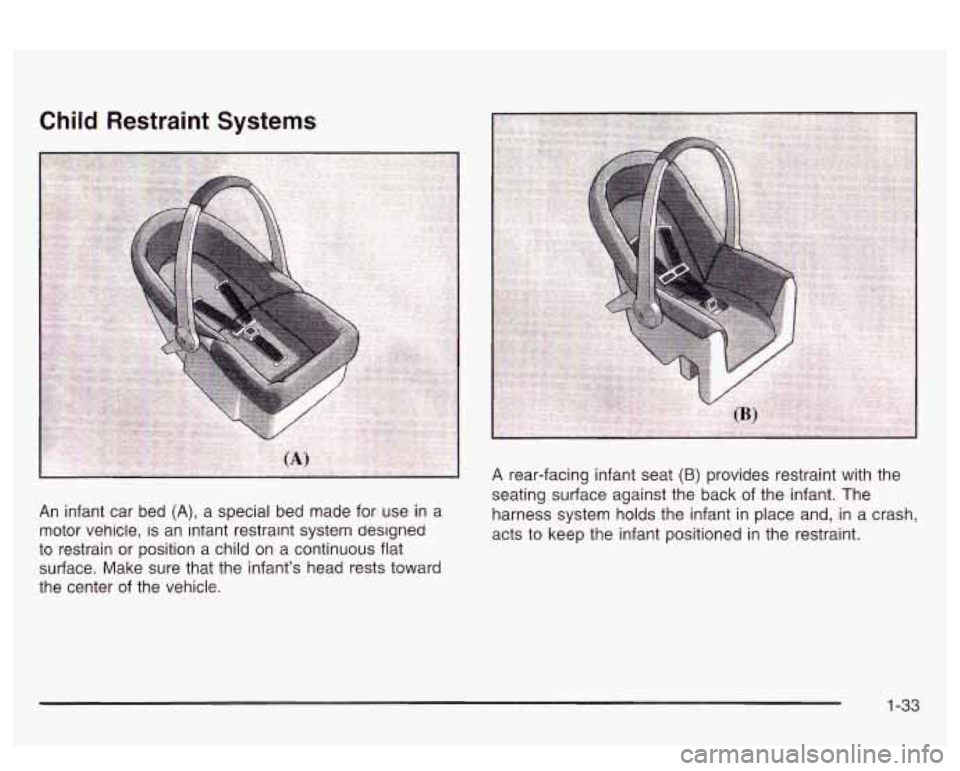
seating surfzce against the back of the infant. The
An infant car bed (A), a special bed made for use in a harness system holds the infant in place and, in a crash,
motor vehicle,
is an iniant restramt system designeu acts to keep the infant positioned in the restraint.
to restrain or position a child
on a continuous flat
surface. Make sure that the infant’s head rests toward
the center of the vehicle.
1-33
Page 60 of 418
But the frontal air bags would not help you in many
types of collisions, including rollovers, rear impacts, and
many side impacts, primarily because an occupant’s
motion is not toward the air bag. Side impact air bags
would not help you in many types of collisions,
including frontal or near frontal collisions, rollovers, and
rear impacts, primarily because an occupant’s motion
is not toward those air bags. Air bags should never
be regarded as anything more than a supplement to
safety belts, and then only in moderate to severe frontal
or near-frontal collisions for the driver’s and right front
passenger’s frontal air bags, and only in moderate
to severe side collisions for vehicle’s with a driver’s and
right front passenger‘s side impact air bag.
What Will You See After an Air Bag
Inflates?
After the air bag inflates, it quickly deflates, so quickly
that some people may not even realize the air bag
inflated. Some components of the air bag module will be
hot for a short time. These components include the
steering wheel hub for the driver’s frontal air bag and the
instrument panel for the right front passenger’s frontal
air bag. For vehicles with side impact air bags, the side
of the seatback closest to the driver’s and/or right
front passenger’s
door will be hot. The parts of the bag
that come into contact with you may be warm, but
not too hot
to touch. There will be some smoke and dust coming
from the vents in the deflated air bags. Air bag
inflation doesn’t prevent the driver from seeing or
being able to steer the vehicle, nor does it stop people
from leaving the vehicle.
When an air bag inflates, there is dust in the
air. This dust could cause breathing problems
for people with a history of asthma or other
breathing trouble.
To avoid this, everyone in
the vehicle should get out as soon as it is safe
to do
so. If you have breathing problems but
can’t get out
of the vehicle after an air bag
inflates, then get fresh air by opening a
window or a door.
If you experience breathing
problems following an air bag deployment, you
should seek medical attention.
Your vehicle has a feature that will automatically unlock
the doors and turn the interior lamps on when the air
bags inflate (if battery power is available). You can lock
the doors again and turn the interior lamps
off by
using the door Imk and interior !amp contro!s.
1-53
Page 76 of 418
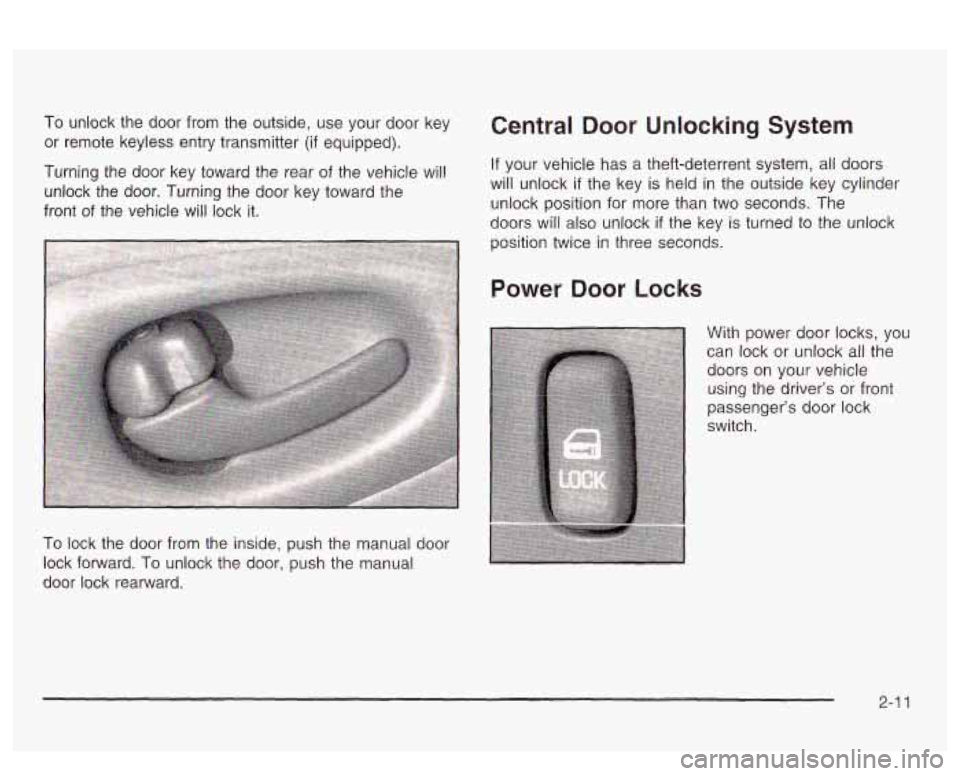
To unlock the door from the outside, use your door key
or remote keyless entry transmitter
(if equipped).
Turning the door key toward the rear
of the vehicle will
unlock the door. Turning the door key toward the
front
of the vehicle will lock it.
To lock the door from the inside, push the manual door
lock forward.
To unlock the door, push the manual
door lock rearward.
Central Door Unlocking System
If your vehicle has a theft-deterrent system, all doors
will unlock if the key
is held in the outside key cylinder
unlock position for more than two seconds. The
doors will also unlock if the key is turned to the unlock
position twice in three seconds.
Power Door Locks
With power door locks, you
can lock or unlock all the
doors on your vehicle
using the driver’s or front
passenger’s door lock
switch.
2-1 1
Page 94 of 418
PARK (P): This position locks your front wheels. It’s the
best position to use when you start your engine
because your vehicle can’t move easily.
s dangerous to get out of your veh ? if the
shift lever is not fully
in PARK (P) with the
parking brake firmly set. Your vehicle can roll.
Don’t leave your vehicle when the engine is
running unless you have to. If you have left the
engine running, the vehicle can move
suddeniy.
You or others; could be injured. To
be sure your vehicle won’t move, even when
you’re on fairly level ground, always set your parking brake and move the
shift lever to
PARK (P). See “Shifting Into Park (P)” in the
Index. If you’re pulling
a trailer, see “Towing a
Tr2?!!er” in the !ndPY=
Ensure the shift lever is fully in PARK (P) before starting
the engine. Your vehicle has an automatic transaxle
shift lock control system. You have to fully apply
your regular brakes before you can shift from PARK (P)
when the ignition key is in
ON. If you cannot shift out
of PARK
(P), ease pressure on the shift lever - push the
shift lever all the way into PARK (P) and also release
the shift lever button on console shift models as
you maintain brake application. Then move the shift
lever into the gear you wish (press the shift lever button
before moving the shift lever on floor shift console
models). See
Shifting Out of Park (P) on page 2-35.
REVERSE (R): Use this gear to back up.
Notice: Shifting to REVERSE (R) while your vehicle
is moving forward could damage your transaxle.
Shift
to REVERSE (R) only after your vehicle
is stopped.
To rock your vehicle back and forth to get out of snow,
ice
or sand without damaging your transaxle, see If
You Are Stuck: In Sand, Mud, Ice or Snow on
paye 4-53.
2-29
Page 95 of 418
NEUTRAL (N): In this position, your engine doesn’t
connect with the wheels. To restart when you’re already
moving, use NEUTRAL
(N) only. Also, use
NEUTRAL
(N) when your vehicle is being towed.
Sh.- ..ng in{ ~ a driv ~ ~ ~ ~r while your engine is
“racing” (running at high speed) is dangerous.
Unless your foot is firmly on the brake pedal,
your vehicle could move very rapidly. You
could lose control and hit people or objects. Don’t shift into a drive gear while your engine
is racing.
Notice: Damage to your transaxle caused by
shifting into a drive gear with the engine racing isn’t
covered by your warranty. AUTOMATIC
OVERDRIVE
(a): This position is for
normal driving. If you need more power for passing,
and you’re:
Going less than about 35 mph (55 km/h), push your
Going about 35 mph (55 km/h) or more, push the
You’ll shift down to the next gear and have more power.
THIRD
(3): This position is also used for normal
driving, however, it offers more power and lower fuel
economy than AUTOMATIC OVERDRIVE
(@).
Here are some times you might choose THIRD (3)
instead of AUTOMATIC OVERDRIVE (@ ):
When driving on hilly, winding roads,
when towing a trailer, so there is less shifting
when going down a steep hill.
accelerator pedal about
halfway down.
accelerator all the way down.
between gears, or
2-30