Page 106 of 416
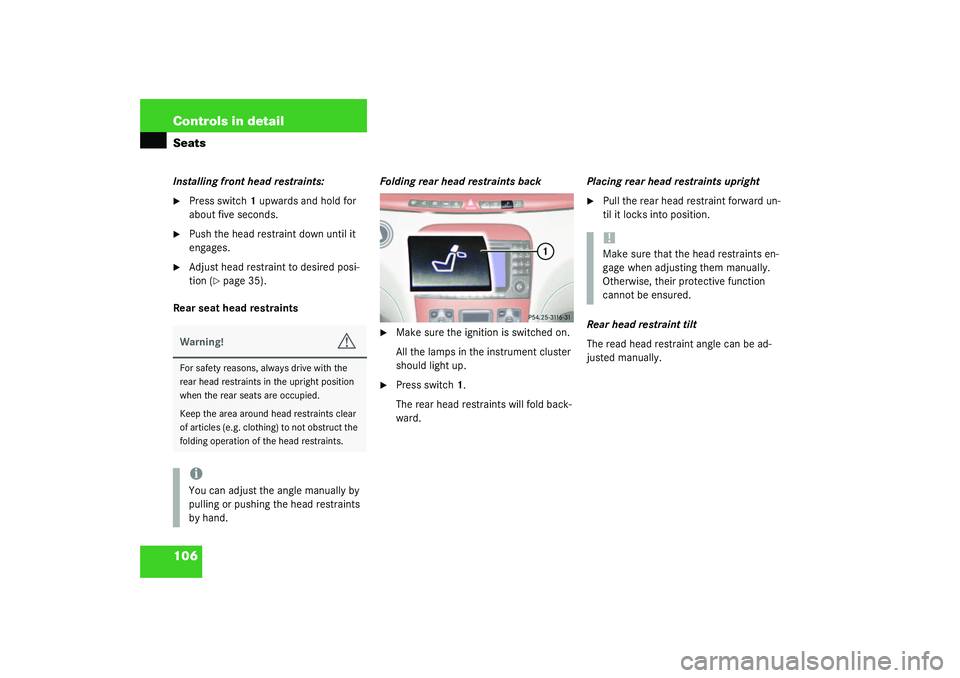
106 Controls in detailSeatsInstalling front head restraints:�
Press switch1 upwards and hold for
about five seconds.
�
Push the head restraint down until it
engages.
�
Adjust head restraint to desired posi-
tion (
�page 35).
Rear seat head restraintsFolding rear head restraints back
�
Make sure the ignition is switched on.
All the lamps in the instrument cluster
should light up.
�
Press switch1.
The rear head restraints will fold back-
ward.Placing rear head restraints upright
�
Pull the rear head restraint forward un-
til it locks into position.
Rear head restraint tilt
The read head restraint angle can be ad-
justed manually.
Warning!
G
For safety reasons, always drive with the
rear head restraints in the upright position
when the rear seats are occupied.
Keep the area around head restraints clear
of articles (e.g. clothing) to not obstruct the
folding operation of the head restraints.iYou can adjust the angle manually by
pulling or pushing the head restraints
by hand.
!Make sure that the head restraints en-
gage when adjusting them manually.
Otherwise, their protective function
cannot be ensured.
Page 115 of 416
115 Controls in detailSeats
Power seat, setting passenger seat po-
sition from rear*
This function lets you adjust the position of
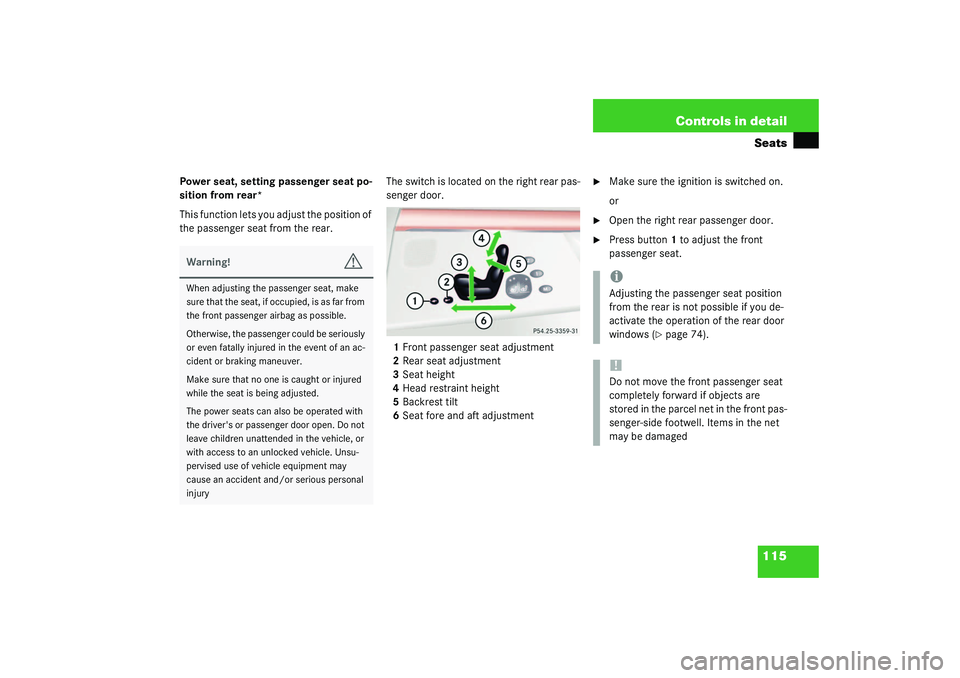
the passenger seat from the rear.The switch is located on the right rear pas-
senger door.
1Front passenger seat adjustment
2Rear seat adjustment
3Seat height
4Head restraint height
5Backrest tilt
6Seat fore and aft adjustment
�
Make sure the ignition is switched on.
or
�
Open the right rear passenger door.
�
Press button1 to adjust the front
passenger seat.
Warning!
G
When adjusting the passenger seat, make
sure that the seat, if occupied, is as far from
the front passenger airbag as possible.
Otherwise, the passenger could be seriously
or even fatally injured in the event of an ac-
cident or braking maneuver.
Make sure that no one is caught or injured
while the seat is being adjusted.
The power seats can also be operated with
the driver's or passenger door open. Do not
leave children unattended in the vehicle, or
with access to an unlocked vehicle. Unsu-
pervised use of vehicle equipment may
cause an accident and/or serious personal
injury
iAdjusting the passenger seat position
from the rear is not possible if you de-
activate the operation of the rear door
windows (
�page 74).
!Do not move the front passenger seat
completely forward if objects are
stored in the parcel net in the front pas-
senger-side footwell. Items in the net
may be damaged
Page 125 of 416
125 Controls in detail
Lighting
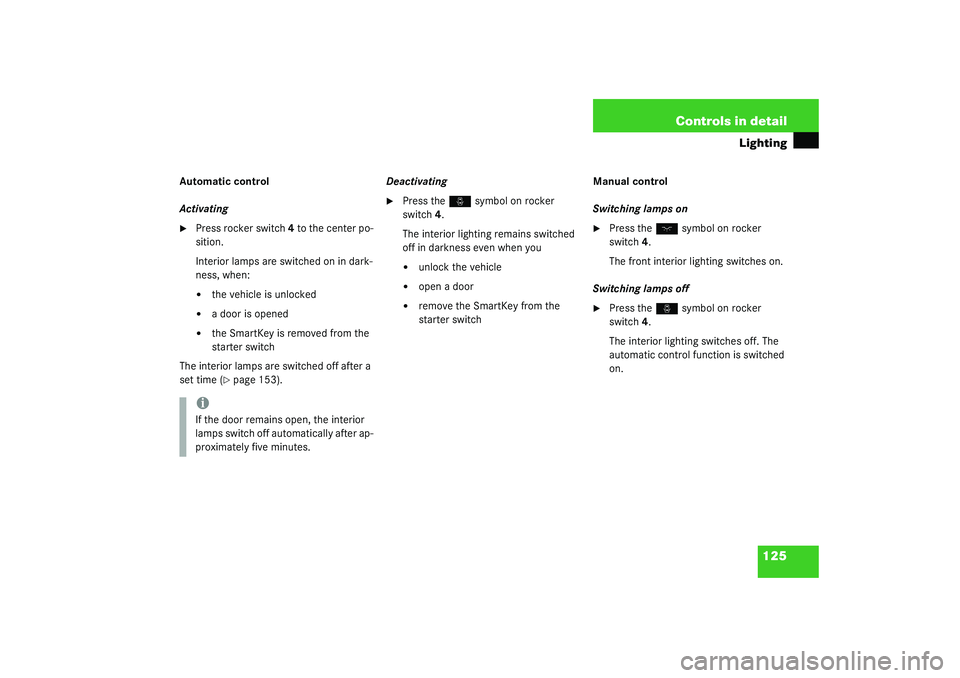
Automatic control
Activating�
Press rocker switch 4 to the center po-
sition.
Interior lamps are switched on in dark-
ness, when:�
the vehicle is unlocked
�
a door is opened
�
the SmartKey is removed from the
starter switch
The interior lamps are switched off after a
set time (�page 153).Deactivating
�
Press the
ñ
symbol on rocker
switch 4.
The interior lighting remains switched
off in darkness even when you
�
unlock the vehicle
�
open a door
�
remove the SmartKey from the
starter switchManual control
Switching lamps on
�
Press the
ð
symbol on rocker
switch 4.
The front interior lighting switches on.
Switching lamps off
�
Press the
ñ
symbol on rocker
switch 4.
The interior lighting switches off. The
automatic control function is switched
on.
iIf the door remains open, the interior
lamps switch off automatically after ap-
proximately five minutes.
Page 127 of 416
127 Controls in detail
Instrument cluster
Instrument cluster
A full view illustration of the instrument
cluster can be found in the “At a glance”
section of this manual (
�page 22).
The instrument cluster is activated when
you
�
open a door
�
turn on the ignition
�
press the reset button
J
(�page 22)
�
switch on the exterior lamps
You can change the instrument cluster set-
tings in the Instrument cluster submenu of
the control system (
�page 149).
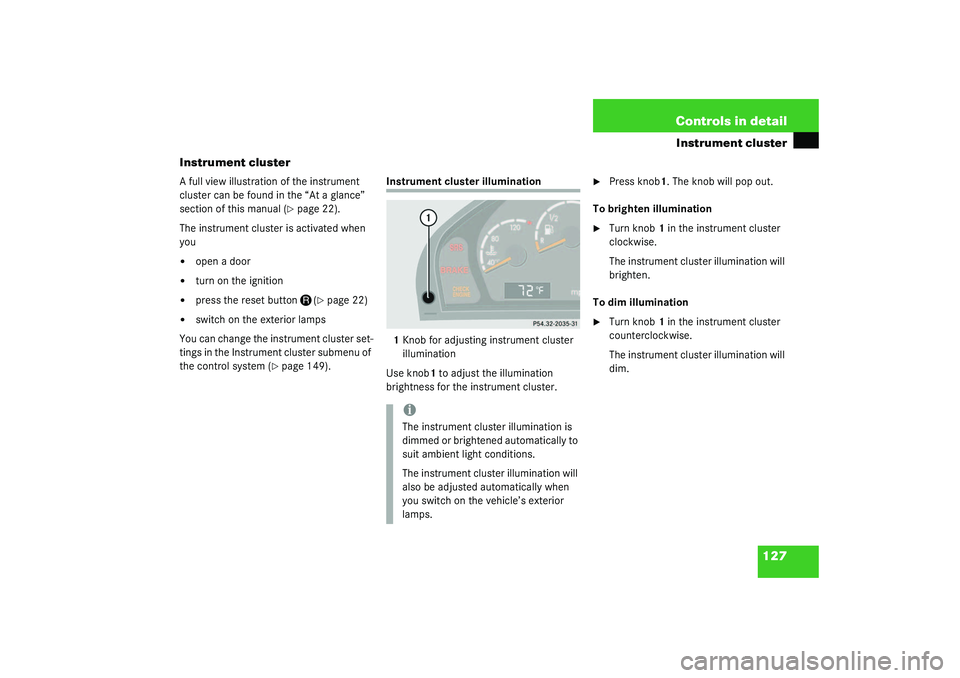
Instrument cluster illumination
1Knob for adjusting instrument cluster
illumination
Use knob1 to adjust the illumination
brightness for the instrument cluster.
�
Press knob1. The knob will pop out.
To brighten illumination
�
Turn knob1 in the instrument cluster
clockwise.
The instrument cluster illumination will
brighten.
To dim illumination
�
Turn knob1 in the instrument cluster
counterclockwise.
The instrument cluster illumination will
dim.
iThe instrument cluster illumination is
dimmed or brightened automatically to
suit ambient light conditions.
The instrument cluster illumination will
also be adjusted automatically when
you switch on the vehicle’s exterior
lamps.
Page 148 of 416
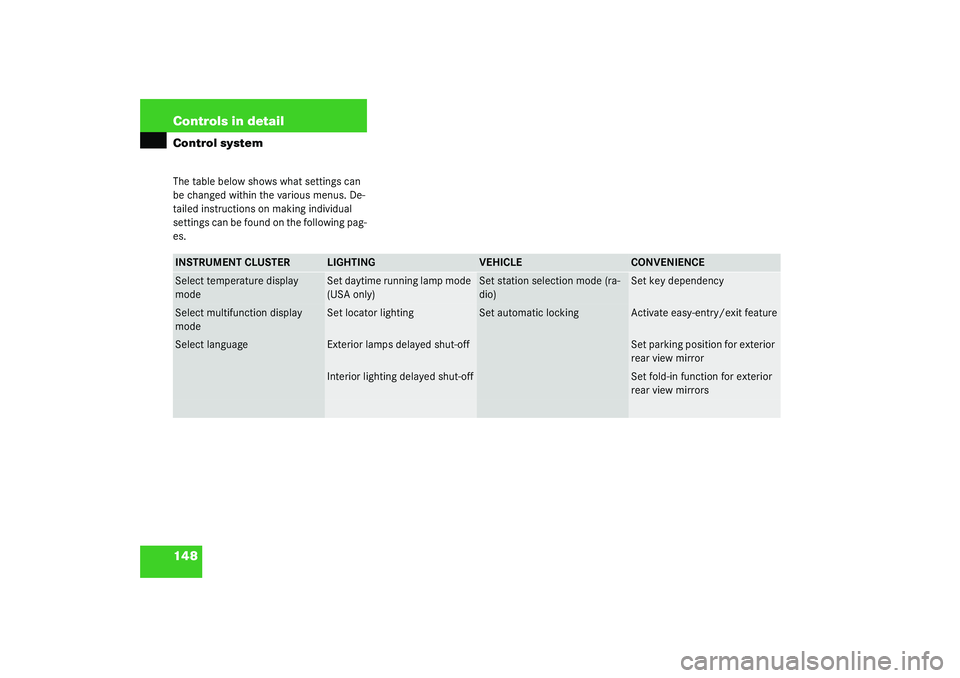
148 Controls in detailControl systemThe table below shows what settings can
be changed within the various menus. De-
tailed instructions on making individual
settings can be found on the following pag-
es.INSTRUMENT CLUSTER
LIGHTING
VEHICLE
CONVENIENCE
Select temperature display
mode
Set daytime running lamp mode
(USA only)
Set station selection mode (ra-
dio)
Set key dependency
Select multifunction display
mode
Set locator lighting
Set automatic locking
Activate easy-entry/exit feature
Select language
Exterior lamps delayed shut-off
Set parking position for exterior
rear view mirror
Interior lighting delayed shut-off
Set fold-in function for exterior
rear view mirrors
Page 151 of 416
151 Controls in detail
Control system
Setting daytime running lamp mode
(USA only)�
Move the selection marker with
the
æ
or
ç
button to the
LIGHT-
ING
submenu.
�
Press button
j
or
k
repeatedly
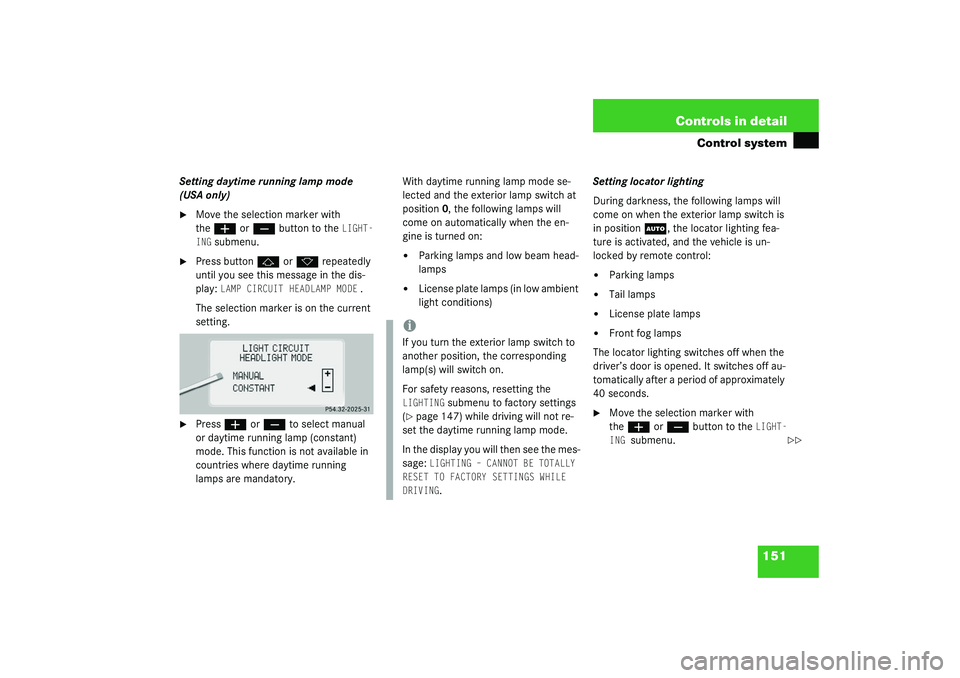
until you see this message in the dis-
play:
LAMP CIRCUIT HEADLAMP MODE
.
The selection marker is on the current
setting.
�
Press
æ
or
ç
to select manual
or daytime running lamp (constant)
mode. This function is not available in
countries where daytime running
lamps are mandatory.With daytime running lamp mode se-
lected and the exterior lamp switch at
position0, the following lamps will
come on automatically when the en-
gine is turned on:
�
Parking lamps and low beam head-
lamps
�
License plate lamps (in low ambient
light conditions) Setting locator lighting
During darkness, the following lamps will
come on when the exterior lamp switch is
in position
U
, the locator lighting fea-
ture is activated, and the vehicle is un-
locked by remote control:
�
Parking lamps
�
Tail lamps
�
License plate lamps
�
Front fog lamps
The locator lighting switches off when the
driver’s door is opened. It switches off au-
tomatically after a period of approximately
40 seconds.
�
Move the selection marker with
the
æ
or
ç
button to the
LIGHT-
ING
submenu.
iIf you turn the exterior lamp switch to
another position, the corresponding
lamp(s) will switch on.
For safety reasons, resetting the LIGHTING
submenu to factory settings
(
�page 147) while driving will not re-
set the daytime running lamp mode.
In the display you will then see the mes-
sage:
LIGHTING – CANNOT BE TOTALLY
RESET TO FACTORY SETTINGS WHILE
DRIVING.
��
Page 154 of 416
154 Controls in detailControl system�
Press
æ
or
ç
to select the de-
sired lamp-on time period. You can se-
lect:
�
0 S
, the delayed shut-off feature is
deactivated.
�
5 S,
10 S
, 15 S
, or
20 S
, the delayed
shut-off feature is activated.Vehicle submenu
Access the
VEHICLE
submenu via the
SET-
INGS
menu. Use the
VEHICLE
submenu to
make general vehicle settings. The follow-
ing functions are available:
Setting station selection mode
Use the
STATION SEARCH USING
function to
select the manual or memory station se-
lection mode for the radio (
�page 136).
�
Move the selection marker with
the
æ
or
ç
button to the
VEHI-
CLE
submenu.
�
Press button
j
or
k
repeatedly
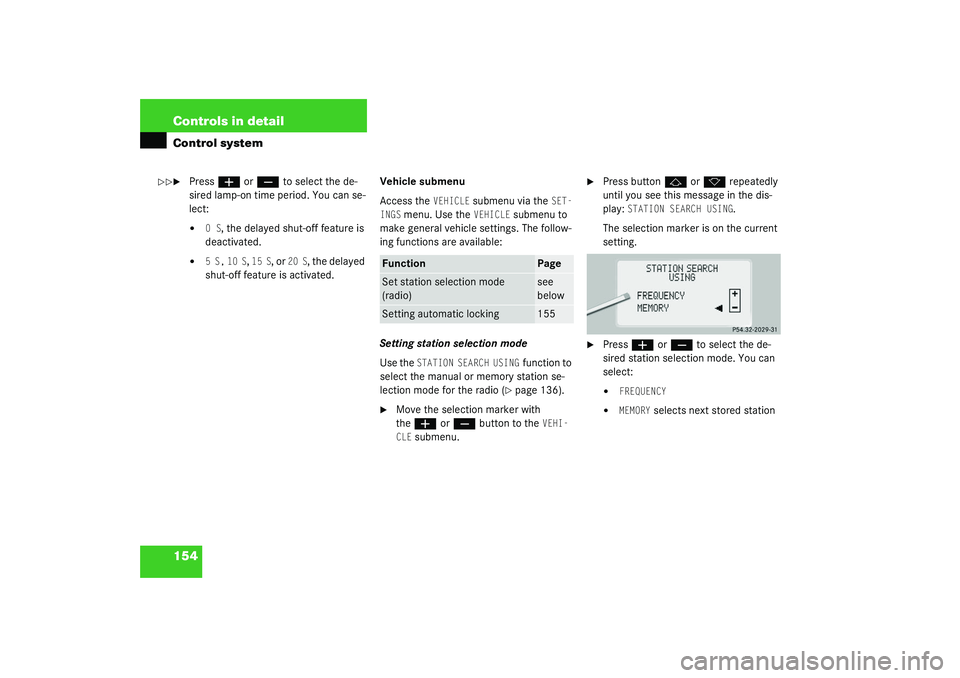
until you see this message in the dis-
play:
STATION SEARCH USING
.
The selection marker is on the current
setting.
�
Press
æ
or
ç
to select the de-
sired station selection mode. You can
select:
�
FREQUENCY
�
MEMORY
selects next stored station
��
Function
Page
Set station selection mode
(radio)
see
below
Setting automatic locking
155
Page 155 of 416
155 Controls in detail
Control system
Setting automatic locking
Use this function to activate or deactivate
the automatic central locking. With the au-
tomatic central locking system activated,
the vehicle is centrally locked at vehicle
speeds of approximately 9 mph
(15 km/h).�
Press button
æ
or
ç
to move
the selection marker to the Vehicle
submenu.
�
Press button
j
or
k
repeatedly
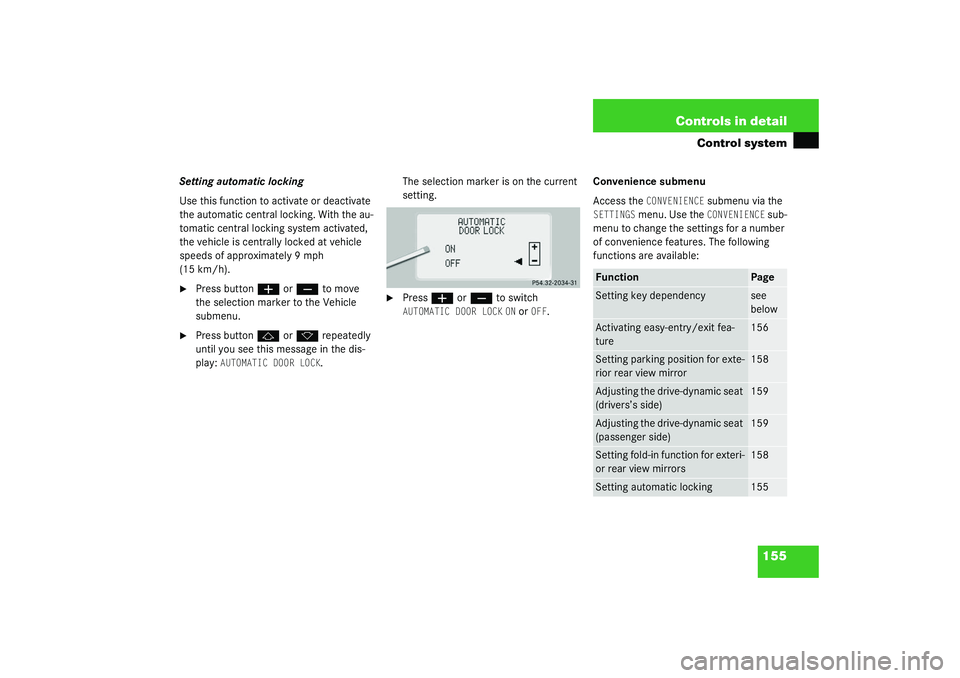
until you see this message in the dis-
play:
AUTOMATIC DOOR LOCK
.The selection marker is on the current
setting.
�
Press
æ
or
ç
to switch
AUTOMATIC DOOR LOCK
ON or
OFF
.Convenience submenu
Access the
CONVENIENCE
submenu via the
SETTINGS
menu. Use the
CONVENIENCE
sub-
menu to change the settings for a number
of convenience features. The following
functions are available:
Function
Page
Setting key dependency
see
below
Activating easy-entry/exit fea-
ture
156
Setting parking position for exte-
rior rear view mirror
158
Adjusting the drive-dynamic seat
(drivers’s side)
159
Adjusting the drive-dynamic seat
(passenger side)
159
Setting fold-in function for exteri-
or rear view mirrors
158
Setting automatic locking
155