Page 28 of 150
25 Audio
Radiooperation
Tapeoperation
CDoperation
Audio Adjustment
Page 29 of 150
26 Audio
Radio operation
Radio operation
Quick reference
Page 30 of 150
27 Audio
Radio operation
FunctionPage
1Switches radio operation
on30
2Color display
3Press to:
Switch the MCS on and
off
Turn to:
Adjust the volume
14
16
4Selecting a station (pre-
sets)
Selecting a station via di-
rect frequency entry
Saving a station
Selecting a station from
the preset menu FM/AM
Selecting a station from
the WB preset menu
36
34
37
5Joystick
: Automatic seek
tuning, ascending
: Automatic seek
tuning, descending
: Manual tuning,
ascending
: Manual tuning,
descending
33
33
33
33
6Softkeys
“LIST”: Preset menu
“AM”, “FM”: Changing ra-
dio band
“WB”: Weather Band
“AUTO”: Automatically
saves stations
“ADJ”: Audio adjust-
ment
“SCAN”: Scan
37
31
32
33
63
35
FunctionPage
Page 31 of 150
28 Audio
Radio operation
Menuoverview
Page 32 of 150
29 Audio
Radio operation
FunctionPage
1Main radio menu, FM
2Currently selected
frequency band (FM) and
memory preset (such as
1)
3Current frequency
4Scan function35
5Main Audio Adjust menu
Audio Adjustment63
6Auto store menu37
7Main Weather Band (WB)
menu32
8Current weather channel
selected
9Main AM radio menu
10Current frequency band
(AM) and memory preset
selected (e.g. 1)
11Preset menu37
Page 33 of 150
30 Audio
Radio operation
This chapter will provide detailed informa-
tion on:
�Radio operation
�Tape operation
�CD operation* and
�Sound adjustments
If you have not done so already, please
familiarize yourself with these functions by
reading the “At a glance” chapter.
Main FM radio menu
�Press .
The radio is switched on and the sta-
tion last tuned to will begin to play.
�Press any system key, e.g. .
MCS will switch to the tape mode.
Switching radio operation on
i
You can operate the telephone and the
navigation system while the radio is on.
Switching another system on
Page 34 of 150
31 Audio
Radio operation
You can select between FM-, AM- and WB-
Band.FM Band
�Press the softkey “FM”. “FM” is
displayed in the upper left hand corner
of the display.
The FM station last tuned to begins to
play and the frequency appears in the
display.AM Band�Press the softkey “AM”. “AM” is
displayed in the upper left hand corner
of the display.
The AM station last tuned to begins to
play and the frequency appears in the
display.
Changing the Radio band
Frequency band
FM
AMFrequency range
87.5 - 108.0 FM
530 - 1710 AM
Page 35 of 150
32 Audio
Radio operation
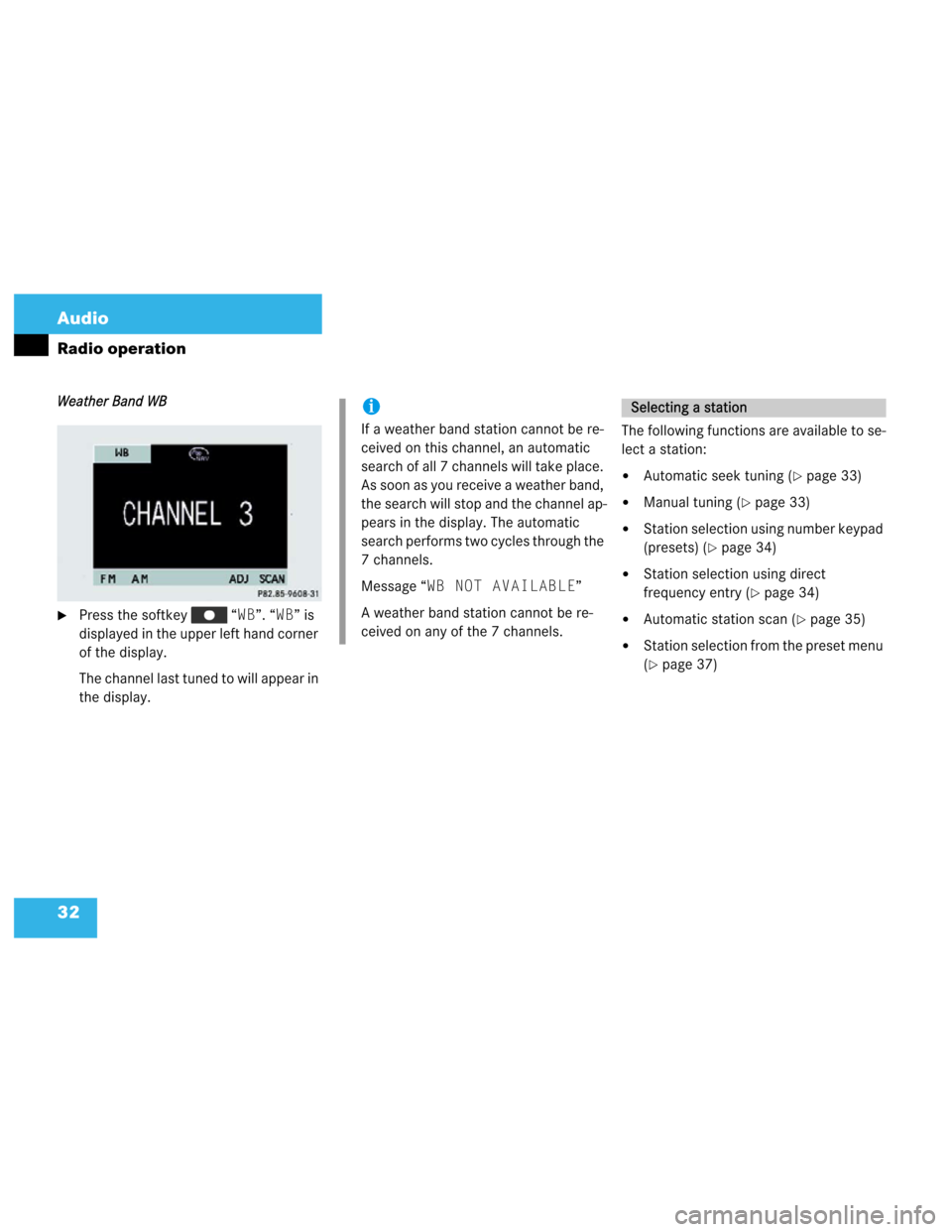
Weather Band WB
�Press the softkey “WB”. “WB” is
displayed in the upper left hand corner
of the display.
The channel last tuned to will appear in
the display.The following functions are available to se-
lect a station:
�Automatic seek tuning (�page 33)
�Manual tuning (�page 33)
�Station selection using number keypad
(presets) (
�page 34)
�Station selection using direct
frequency entry (
�page 34)
�Automatic station scan (�page 35)
�Station selection from the preset menu
(
�page 37)
i
If a weather band station cannot be re-
ceived on this channel, an automatic
search of all 7 channels will take place.
As soon as you receive a weather band,
the search will stop and the channel ap-
pears in the display. The automatic
search performs two cycles through the
7 channels.
Message “WB NOT AVAILABLE”
A weather band station cannot be re-
ceived on any of the 7 channels.
Selecting a station