Page 127 of 399

127 Controls in detail
Control system
Select radio station�
Turn on the radio. Refer to separate op-
erating instructions.
Vehicles with COMAND*:
Refer to separate operating instruc-
tions.
�
Press buttonè orÿ repeatedly
until you see the currently tuned sta-
tion in the display.
1Waveband setting
2Station frequency
�
Press buttonk orj repeatedly
until the desired station is found.Operate the CD player*
�
Turn on the radio and select the CD
player. Refer to separate operating in-
structions.
Vehicles with COMAND*: Refer to sep-
arate operating instructions.
�
Press buttonè orÿ repeatedly
until the settings for the CD currently
being played are shown in the display.
1Current CD (for CD changer*)
2Current track
�
Press buttonk orj repeatedly
until the desired track is selected.
iYou can only store new stations using
the corresponding feature on the radio,
see separate operating instructions.
Vehicles with COMAND*:
Refer to separate operating instruc-
tions.
You can also operate the radio in the
usual manner.
ProCarManuals.com
Page 128 of 399

128 Controls in detailControl systemOperate the cassette player�
Turn on the radio and select the ca-
sette player, see separate operating in-
structions.
Vehicles with COMAND*: Refer to sep-
arate operating instructions.
�
Press buttonè orÿ repeatedly
until the settings for the cassette cur-
rently being played are shown in the
display.
1Current side
�
Press buttonj to fast forward to
the next track.
�
Press buttonk to rewind the cas-
sette to the beginning of the current
track.
NAVI*
Refer to separate COMAND* operating in-
structions.
Distronic* menu
Use the Distronic menu to display the cur-
rent settings for your Distronic system.
What information is shown in the display
depends on whether the Distronic system
is active or inactive.
Please refer to the "Driving systems" sec-
tion of this manual (
�page 197) for in-
structions on how to activate Distronic.
�
Press buttonè orÿ repeatedly
until you see one of the following two
pictures in the display.
iTo select a CD from the magazine,
press a number on the audio system or
the COMAND* system key pad located
in the center dashboard.
iTo select the reverse side of the tape,
press button below track number on
the audio system display, or enter re-
quest on the COMAND* system locat-
ed in the center dashboard.
ProCarManuals.com
Page 129 of 399
129 Controls in detail
Control system
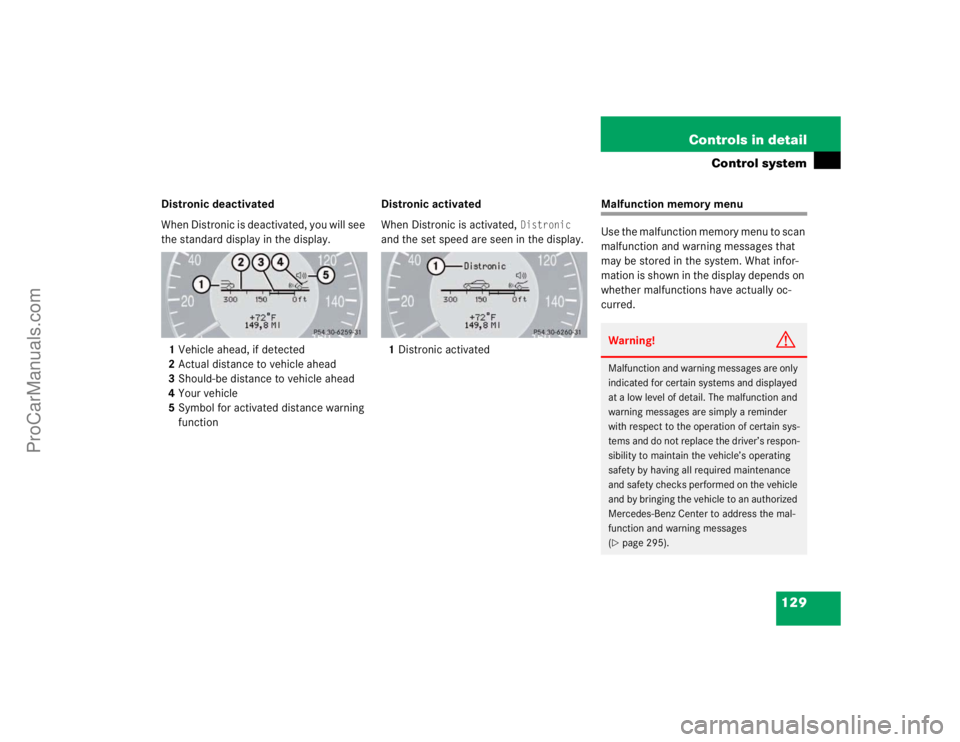
Distronic deactivated
When Distronic is deactivated, you will see
the standard display in the display.
1Vehicle ahead, if detected
2Actual distance to vehicle ahead
3Should-be distance to vehicle ahead
4Your vehicle
5Symbol for activated distance warning
functionDistronic activated
When Distronic is activated,
Distronic
and the set speed are seen in the display.
1Distronic activated
Malfunction memory menu
Use the malfunction memory menu to scan
malfunction and warning messages that
may be stored in the system. What infor-
mation is shown in the display depends on
whether malfunctions have actually oc-
curred.Warning!
G
Malfunction and warning messages are only
indicated for certain systems and displayed
at a low level of detail. The malfunction and
warning messages are simply a reminder
with respect to the operation of certain sys-
tems and do not replace the driver’s respon-
sibility to maintain the vehicle’s operating
safety by having all required maintenance
and safety checks performed on the vehicle
and by bringing the vehicle to an authorized
Mercedes-Benz Center to address the mal-
function and warning messages
(�page 295).
ProCarManuals.com
Page 130 of 399
130 Controls in detailControl system�
Press buttonè orÿ repeatedly
until you see the malfunction message
memory in the display.
No malfunction messages
If no malfunctions have occured, the mes-
sage in the display is:
No MalfunctionMalfunctions have occurred
If malfunctions have occurred, you will see
the number of malfunctions in the display:
�
Press buttonk orj.
The stored messages will now be dis-
played in order. See the "Practical
hints" section for malfunction and
warning messages (
�page 295).
Should any malfunctions occur while driv-
ing, the number of malfunctions will reap-
pear in the display when the key in the
starter switch is turned to position0 or re-
moved from the starter switch.
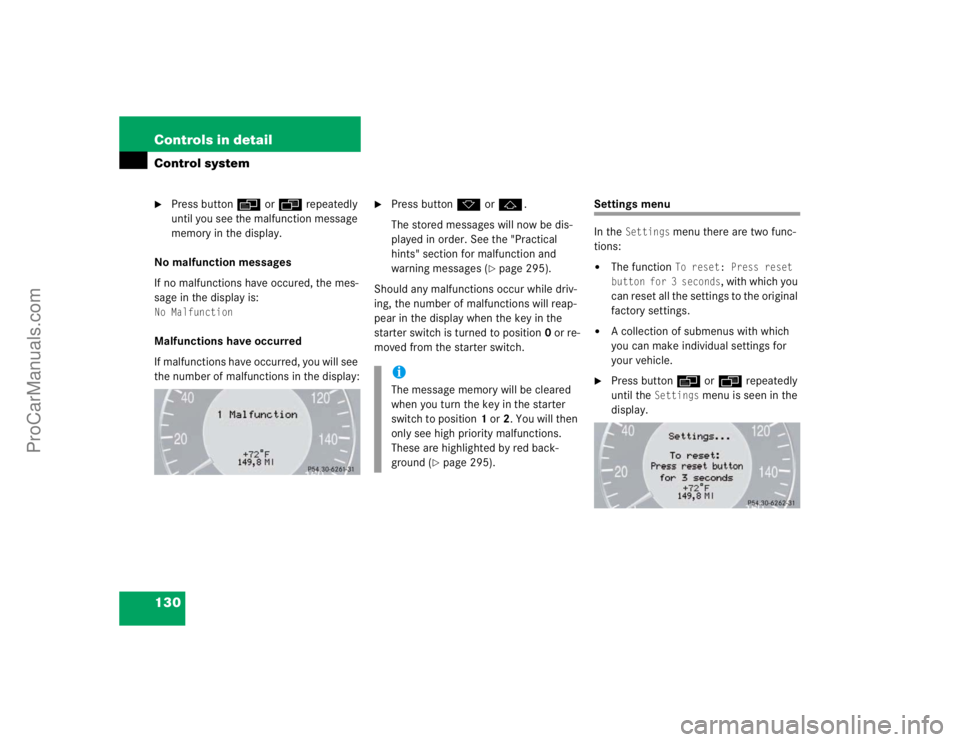
Settings menu
In the
Settings
menu there are two func-
tions:
�
The function
To reset: Press reset
button for 3 seconds
, with which you
can reset all the settings to the original
factory settings.
�
A collection of submenus with which
you can make individual settings for
your vehicle.
�
Press buttonè orÿ repeatedly
until the
Settings
menu is seen in the
display.
iThe message memory will be cleared
when you turn the key in the starter
switch to position1 or2. You will then
only see high priority malfunctions.
These are highlighted by red back-
ground (
�page 295).
ProCarManuals.com
Page 131 of 399
131 Controls in detail
Control system
Resetting all settings
You can reset all the functions of all sub-
menus to the factory settings.�
Press the reset knob in the instrument
cluster (
�page 22) for approximately
three seconds.
In the display you will see the request
to press the reset knob again to con-
firm.
�
Press the reset knob again.
The functions of all the submenus will
reset to factory settings.Submenus in the Settings menu
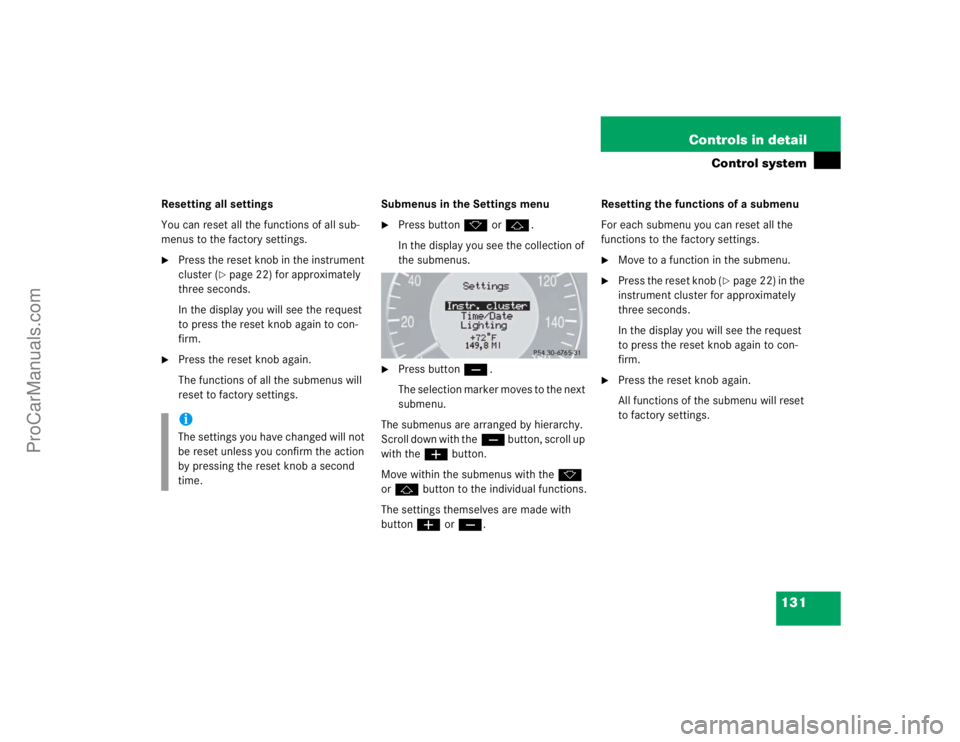
�
Press buttonk orj.
In the display you see the collection of
the submenus.
�
Press buttonç.
The selection marker moves to the next
submenu.
The submenus are arranged by hierarchy.
Scroll down with theç button, scroll up
with theæ button.
Move within the submenus with thek
orj button to the individual functions.
The settings themselves are made with
buttonæ orç.Resetting the functions of a submenu
For each submenu you can reset all the
functions to the factory settings.
�
Move to a function in the submenu.
�
Press the reset knob (
�page 22) in the
instrument cluster for approximately
three seconds.
In the display you will see the request
to press the reset knob again to con-
firm.
�
Press the reset knob again.
All functions of the submenu will reset
to factory settings.
iThe settings you have changed will not
be reset unless you confirm the action
by pressing the reset knob a second
time.
ProCarManuals.com
Page 132 of 399
132 Controls in detailControl systemThe table below shows what settings can
be changed within the various menus. De-
tailed instructions on making individual
settings can be found on the following pag-
es.INSTRUMENT CLUSTER
TIME/DATE
LIGHTING
VEHICLE
Select temperature display
mode
Set time (hours)
Set daytime running lamp mode
(USA only)
Set automatic locking
Select speedometer display
mode
Set time (minutes)
Set locator lighting
Select language
Set date (month)
Ambient lighting
Select display (speed display or
outside temperature) for status
line
Set date (day)
Exterior lamps delayed
switch-off
Tire pressure unit display*
Set date (year)
Interior lighting delayed
switch-off
ProCarManuals.com
Page 133 of 399
133 Controls in detail
Control system
CONVENIENCE
DYNAMIC SEAT*
Activate easy-entry/exit feature
Set level for dynamic seat, driv-
er
Set key dependency
Set level for dynamic seat, pas-
senger
Set parking position for exterior
rear view mirror
ProCarManuals.com
Page 134 of 399

134 Controls in detailControl systemInstrument cluster submenu
Access the
Instr. cluster
submenu via
the
Settings
menu. Use the
Instr. clus-
ter
submenu to change the instrument
cluster display settings. The following
functions are available:Selecting temperature display mode
�
Move the selection marker with
theæ orç button to the
Instr.
cluster
submenu.
�
Press buttonj ork repeatedly
until you see this message in the dis-
play:
Temp. indicator
.
The selection marker is on the current
setting.
�
Pressæ orç to set the temper-
ature unit to degrees Celsius (°C) or
degrees Fahrenheit (°F).Selecting speedometer display mode
�
Move the selection marker with
theæ orç button to the
Instr.
cluster
submenu.
�
Press buttonj ork repeatedly
until you see this message in the dis-
play:
Display unit
.
The selection marker is on the current
setting.
�
Press æ or ç to set speedome-
ter unit to
km or
miles
.
Function
Page
Select temperature display
mode
134
Select speedometer display
mode
134
Select language
135
Select display (speed display or
outside temperature) for status
display
135
Select display (speed display or
outside temperature) for basic
display
136
Tire pressure display*
136
ProCarManuals.com