Page 61 of 288

2. Carefully pull the bulb straight out of the socket and push in the new
bulb.
3. Install the bulb socket in the lampassembly by turning it
counterclockwise.
To re-install the headlampon the vehicle:
1. Install the headlampon the vehicle by aligning the four plastic
projections into the four holes, pushing rearward to seat the lamp
assembly.
2. Insert the two retainers, making sure that the retainers go over both
plastic projections on each side of the lamp, pushing the retainers down
until they seat.
3. Replace the plastic radiator cover by inserting the edge of the cover
into the tongue and groove of the mating cover, and then rotating the
cover downward. Press firmly on the cover over each headlampand in
the center of the cover to re-engage the snap-in fasteners.
4. Turn the headlamps on and make sure they work properly.
Replacing tail/brake/turn/sidemarker/backup lamp bulbs
The tail/brake/turn/sidemarker/backupbulbs are located in the tail lamp
assembly, one just below the other. Follow the same steps to replace
each bulb:
1. Make sure the headlampswitch is
in the OFF position and then open
the liftgate to expose the lamp
assemblies.
2. Remove the two screws from the
lampassembly.
3. Pull the lampassembly towards
the rear and side of the vehicle at
an angle, carefully removing it from
the vehicle.
4. Rotate the bulb socket counterclockwise and remove from lamp
assembly.
5. Pull the bulb straight out of the socket and push in the new bulb.
6. To complete installation, follow the removal procedure in reverse
order.
Lights
61
Page 62 of 288
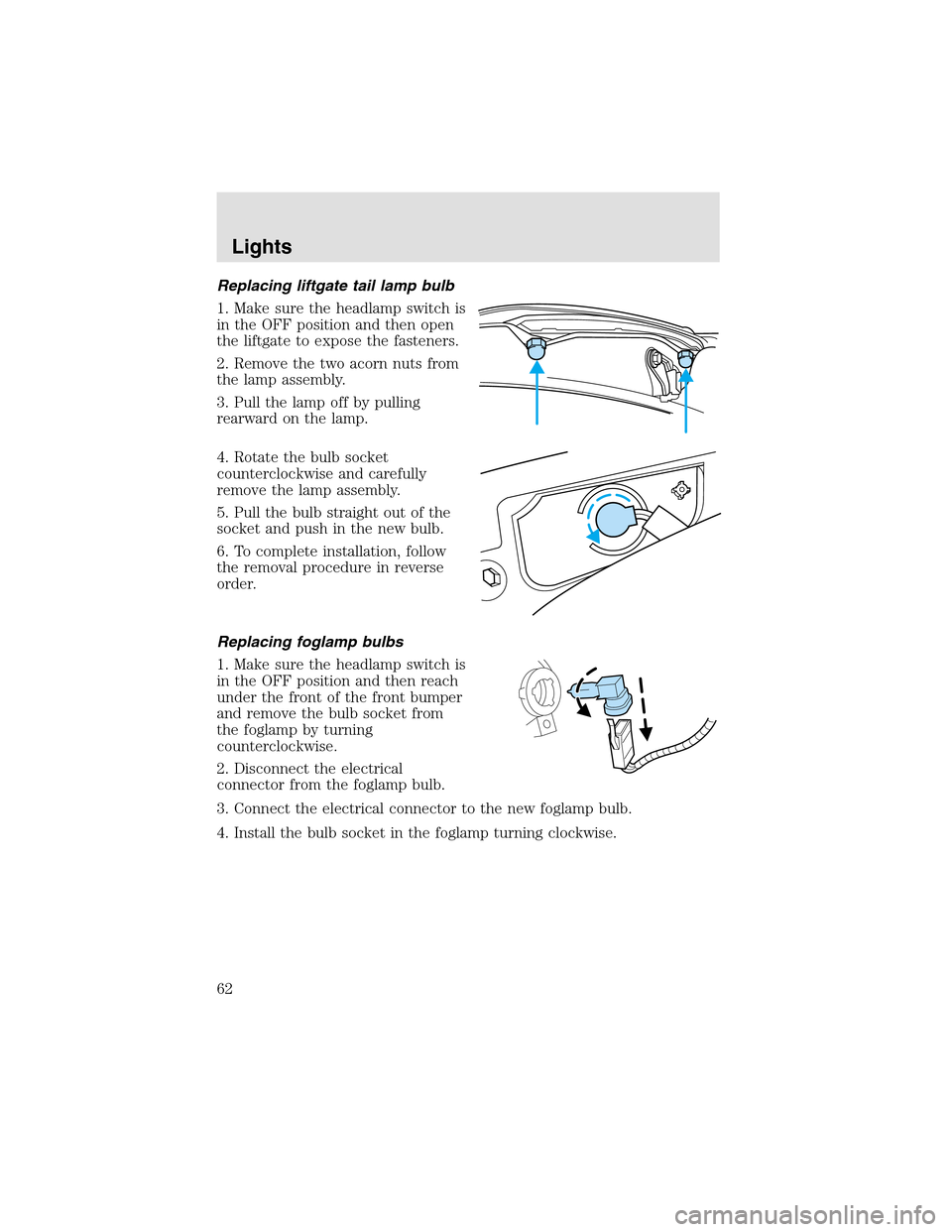
Replacing liftgate tail lamp bulb
1. Make sure the headlampswitch is
in the OFF position and then open
the liftgate to expose the fasteners.
2. Remove the two acorn nuts from
the lampassembly.
3. Pull the lampoff by pulling
rearward on the lamp.
4. Rotate the bulb socket
counterclockwise and carefully
remove the lampassembly.
5. Pull the bulb straight out of the
socket and push in the new bulb.
6. To complete installation, follow
the removal procedure in reverse
order.
Replacing foglamp bulbs
1. Make sure the headlampswitch is
in the OFF position and then reach
under the front of the front bumper
and remove the bulb socket from
the foglampby turning
counterclockwise.
2. Disconnect the electrical
connector from the foglampbulb.
3. Connect the electrical connector to the new foglampbulb.
4. Install the bulb socket in the foglampturning clockwise.
Lights
62
Page 63 of 288
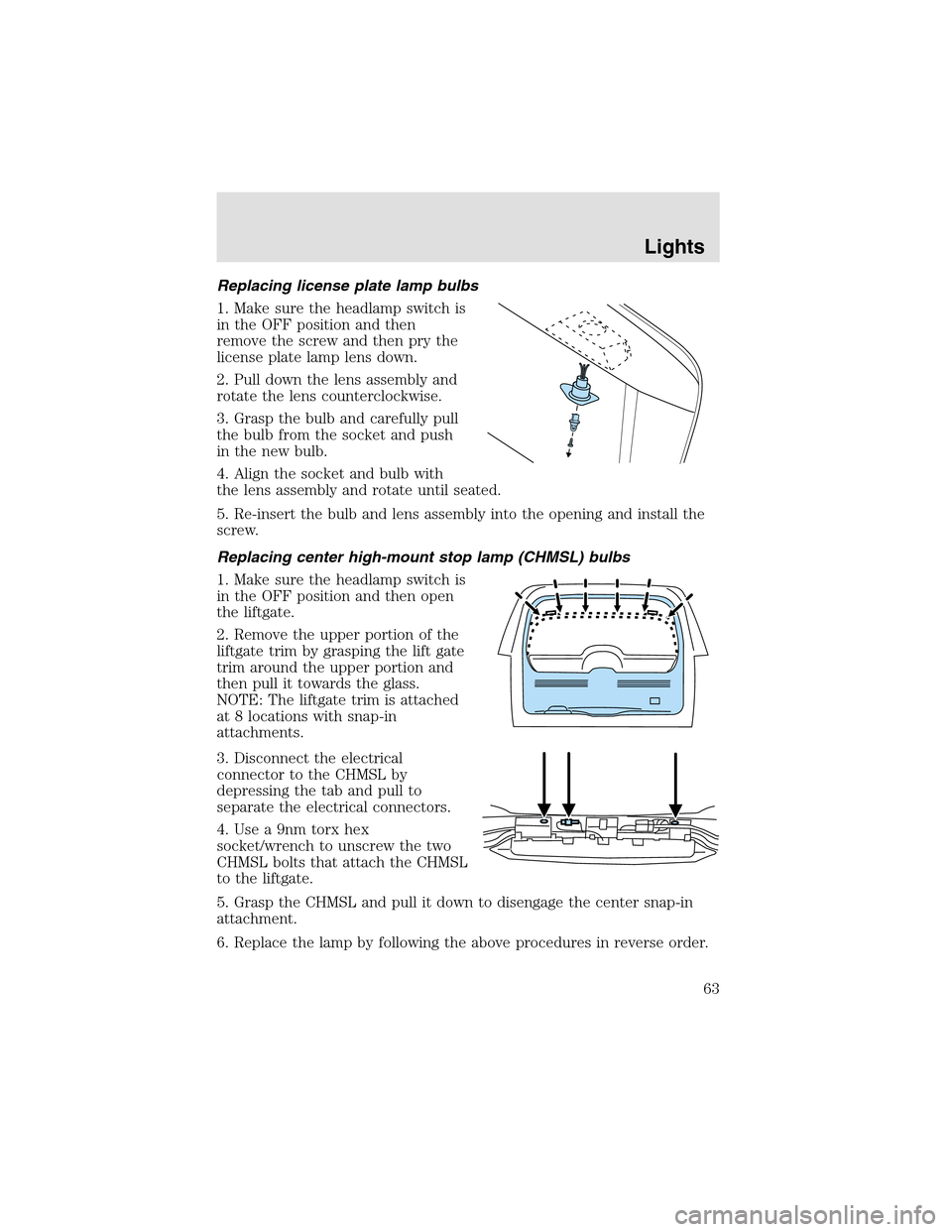
Replacing license plate lamp bulbs
1. Make sure the headlampswitch is
in the OFF position and then
remove the screw and then pry the
license plate lamp lens down.
2. Pull down the lens assembly and
rotate the lens counterclockwise.
3. Graspthe bulb and carefully pull
the bulb from the socket and push
in the new bulb.
4. Align the socket and bulb with
the lens assembly and rotate until seated.
5. Re-insert the bulb and lens assembly into the opening and install the
screw.
Replacing center high-mount stop lamp (CHMSL) bulbs
1. Make sure the headlampswitch is
in the OFF position and then open
the liftgate.
2. Remove the upper portion of the
liftgate trim by grasping the lift gate
trim around the upper portion and
then pull it towards the glass.
NOTE: The liftgate trim is attached
at 8 locations with snap-in
attachments.
3. Disconnect the electrical
connector to the CHMSL by
depressing the tab and pull to
separate the electrical connectors.
4. Use a 9nm torx hex
socket/wrench to unscrew the two
CHMSL bolts that attach the CHMSL
to the liftgate.
5. Grasp the CHMSL and pull it down to disengage the center snap-in
attachment.
6. Replace the lamp by following the above procedures in reverse order.
Lights
63
Page 64 of 288
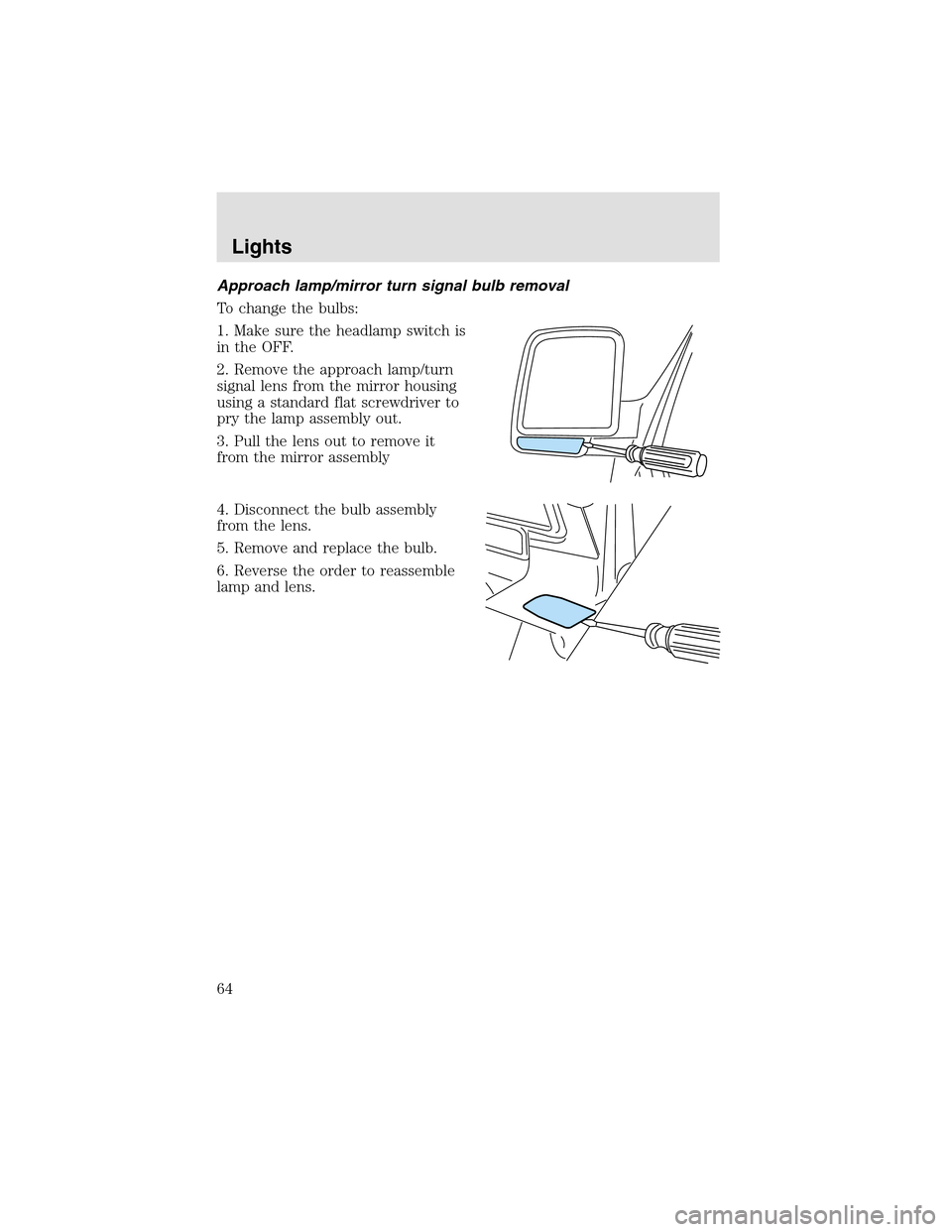
Approach lamp/mirror turn signal bulb removal
To change the bulbs:
1. Make sure the headlampswitch is
in the OFF.
2. Remove the approach lamp/turn
signal lens from the mirror housing
using a standard flat screwdriver to
pry the lamp assembly out.
3. Pull the lens out to remove it
from the mirror assembly
4. Disconnect the bulb assembly
from the lens.
5. Remove and replace the bulb.
6. Reverse the order to reassemble
lampand lens.
Lights
64
Page 70 of 288
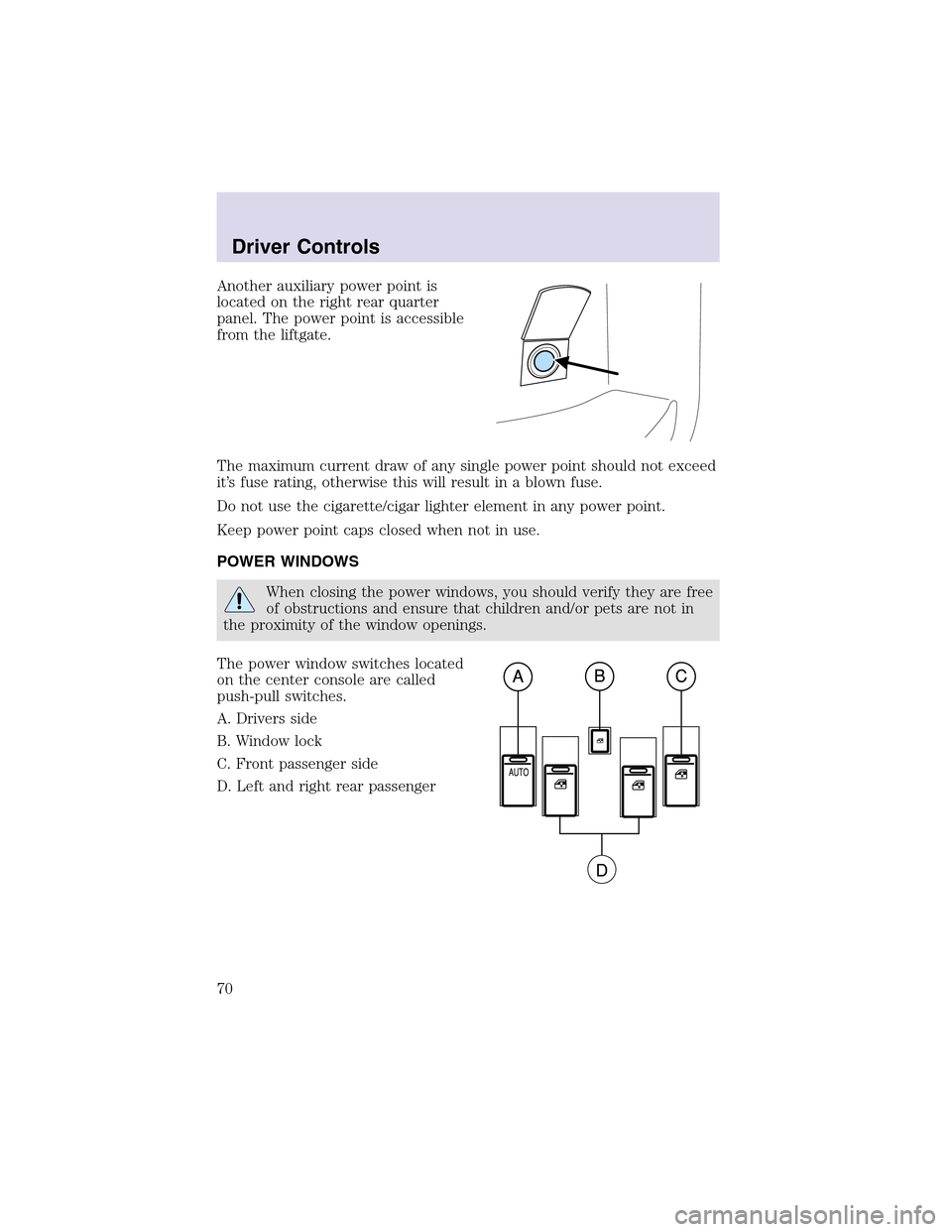
Another auxiliary power point is
located on the right rear quarter
panel. The power point is accessible
from the liftgate.
The maximum current draw of any single power point should not exceed
it’s fuse rating, otherwise this will result in a blown fuse.
Do not use the cigarette/cigar lighter element in any power point.
Keep power point caps closed when not in use.
POWER WINDOWS
When closing the power windows, you should verify they are free
of obstructions and ensure that children and/or pets are not in
the proximity of the window openings.
The power window switches located
on the center console are called
push-pull switches.
A. Drivers side
B. Window lock
C. Front passenger side
D. Left and right rear passenger
Driver Controls
70
Page 71 of 288
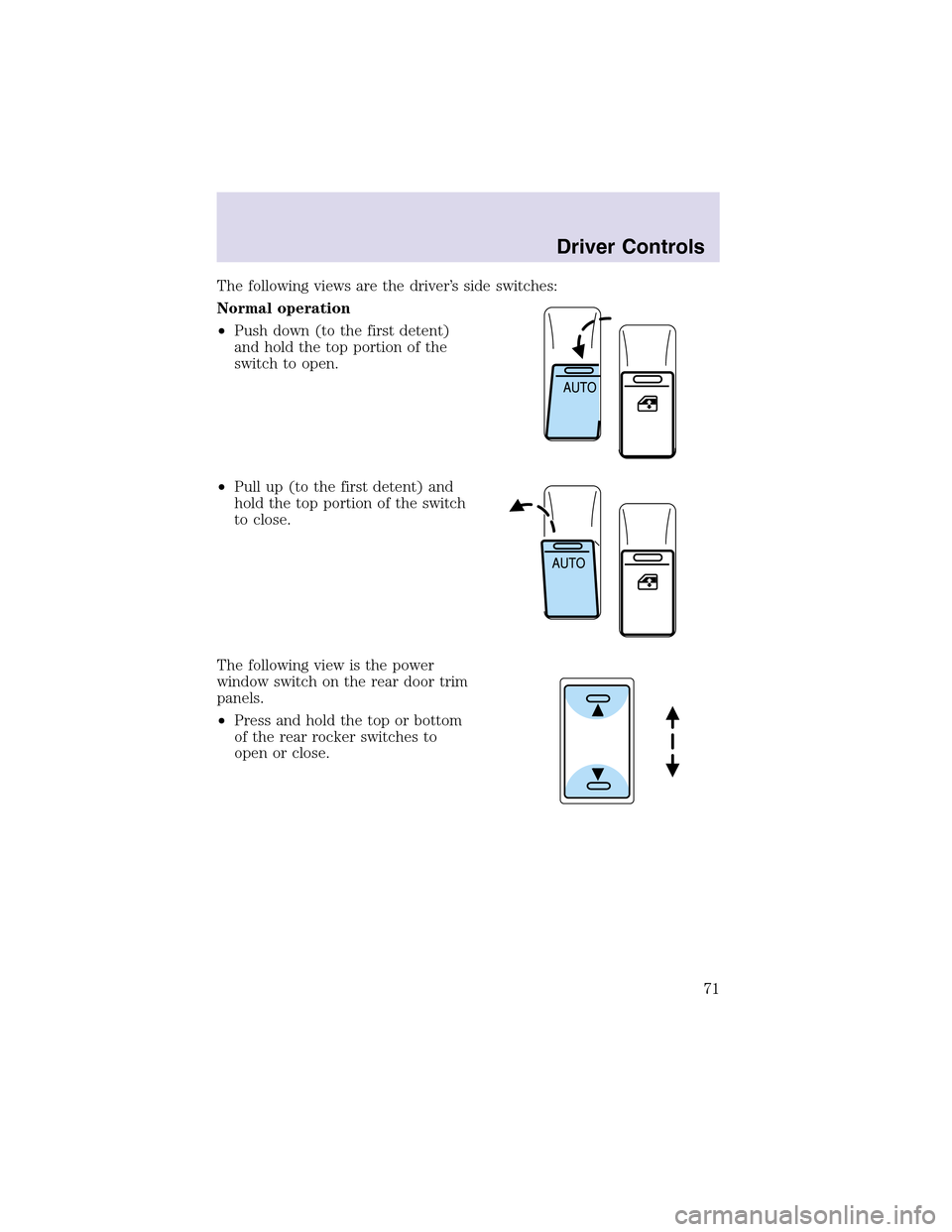
The following views are the driver’s side switches:
Normal operation
•Push down (to the first detent)
and hold the topportion of the
switch to open.
•Pull up(to the first detent) and
hold the topportion of the switch
to close.
The following view is the power
window switch on the rear door trim
panels.
•Press and hold the topor bottom
of the rear rocker switches to
open or close.
Driver Controls
71
Page 72 of 288
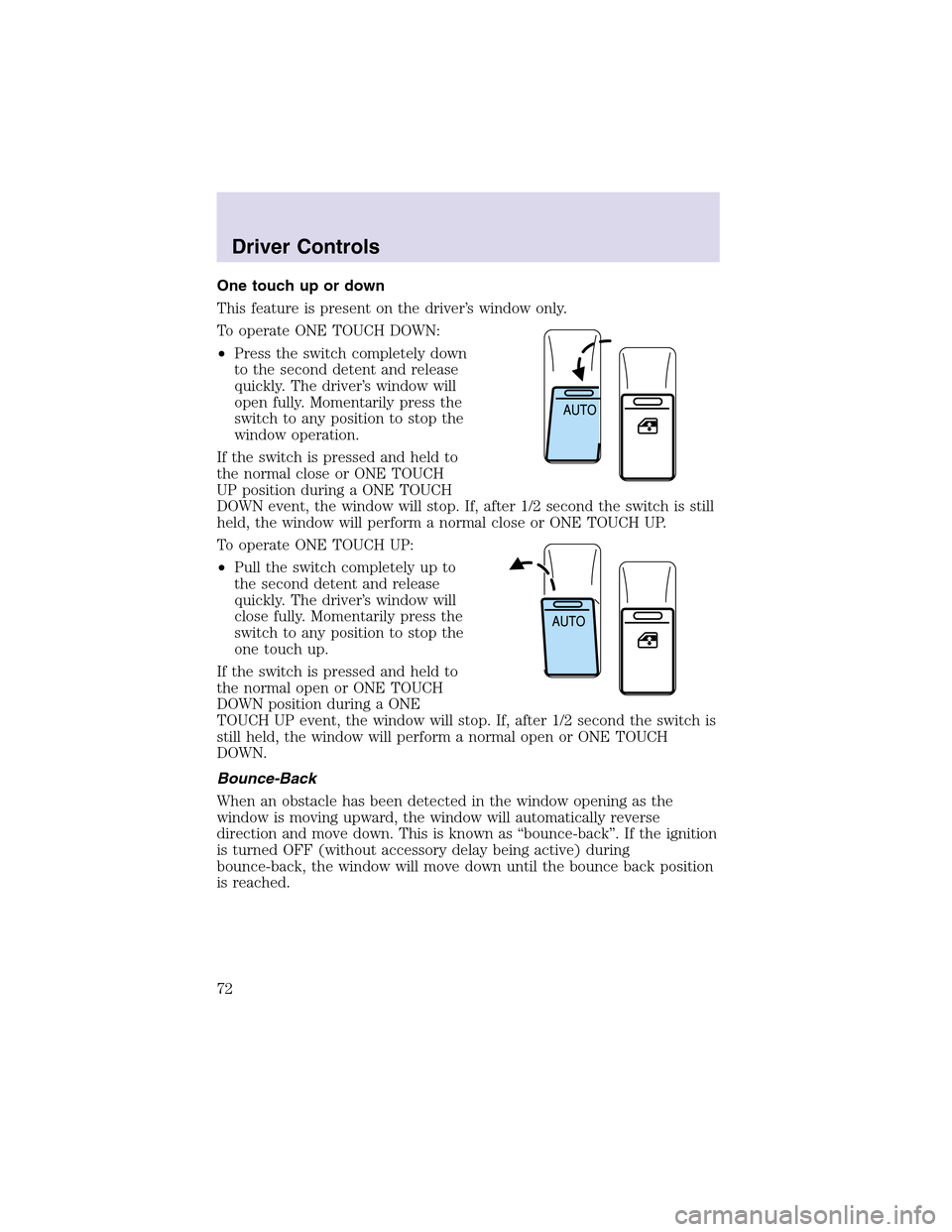
One touch up or down
This feature is present on the driver’s window only.
To operate ONE TOUCH DOWN:
•Press the switch completely down
to the second detent and release
quickly. The driver’s window will
open fully. Momentarily press the
switch to any position to stop the
window operation.
If the switch is pressed and held to
the normal close or ONE TOUCH
UP position during a ONE TOUCH
DOWN event, the window will stop. If, after 1/2 second the switch is still
held, the window will perform a normal close or ONE TOUCH UP.
To operate ONE TOUCH UP:
•Pull the switch completely up to
the second detent and release
quickly. The driver’s window will
close fully. Momentarily press the
switch to any position to stop the
one touch up.
If the switch is pressed and held to
the normal open or ONE TOUCH
DOWN position during a ONE
TOUCH UP event, the window will stop. If, after 1/2 second the switch is
still held, the window will perform a normal open or ONE TOUCH
DOWN.
Bounce-Back
When an obstacle has been detected in the window opening as the
window is moving upward, the window will automatically reverse
direction and move down. This is known as “bounce-back”. If the ignition
is turned OFF (without accessory delay being active) during
bounce-back, the window will move down until the bounce back position
is reached.
Driver Controls
72
Page 73 of 288
Security Override
If during a bounce-back condition, the switch is released to the neutral
position, then held in the one touch up position within two seconds after
the window reaches the bounce-back position,the window will travel
up with no bounce-back protection.If the switch is released before
the window reaches fully closed or the ignition is turned OFF (without
accessory delay being active), the window will stop. Security override
can be used if there is ice on the window or seals, causing a restriction.
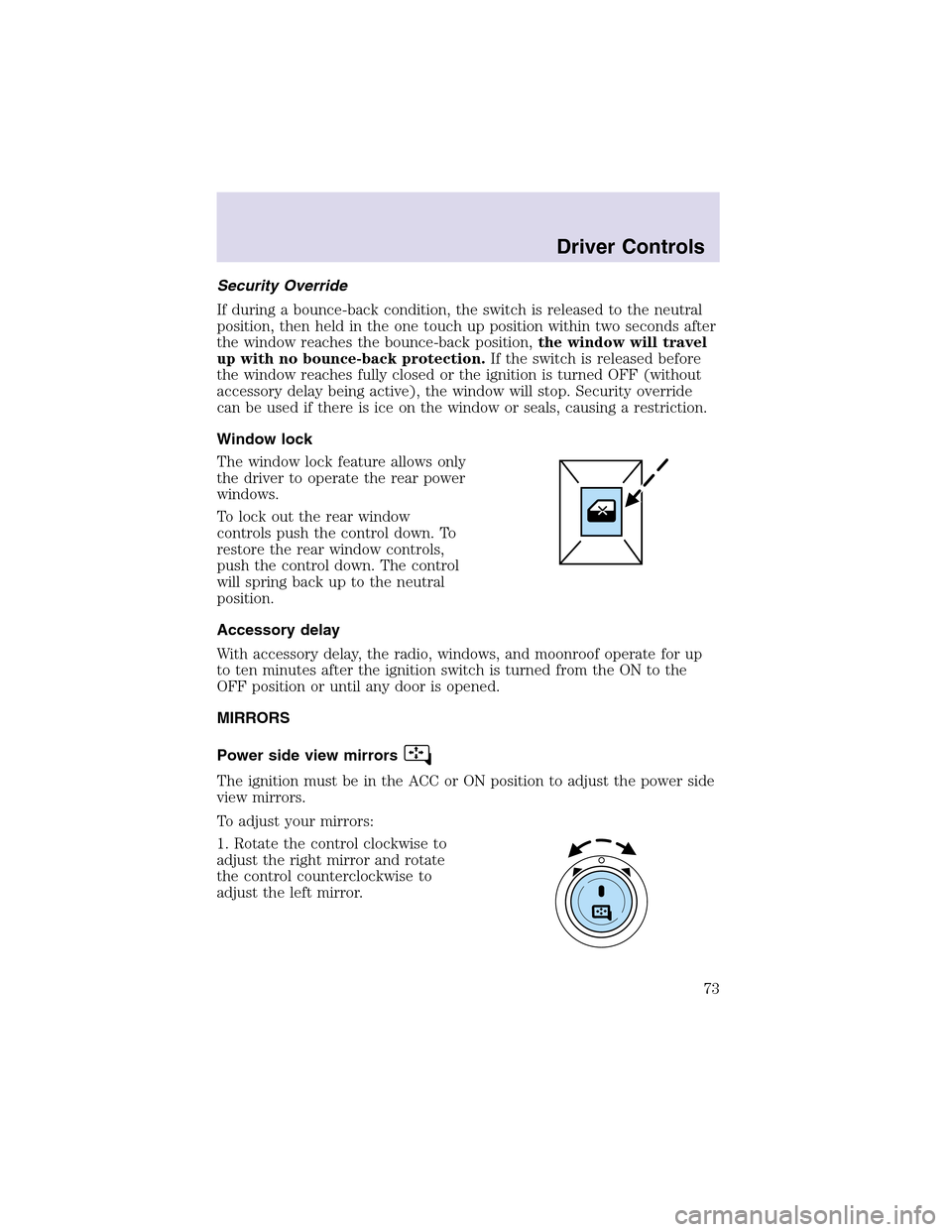
Window lock
The window lock feature allows only
the driver to operate the rear power
windows.
To lock out the rear window
controls push the control down. To
restore the rear window controls,
push the control down. The control
will spring back up to the neutral
position.
Accessory delay
With accessory delay, the radio, windows, and moonroof operate for up
to ten minutes after the ignition switch is turned from the ON to the
OFF position or until any door is opened.
MIRRORS
Power side view mirrors
The ignition must be in the ACC or ON position to adjust the power side
view mirrors.
To adjust your mirrors:
1. Rotate the control clockwise to
adjust the right mirror and rotate
the control counterclockwise to
adjust the left mirror.
Driver Controls
73