Page 113 of 392
To use the sun visor, pull it down.
You can also use the sun visor at the
side window. Remove the support
rod f rom the clip and swing the sun
visor toward the side window. In this
position, the sun visor can be
extended by sliding out the
extension.Touseavanitymirroronthebackof
the sun visor, pull up the cover.
Make sure you put the sun visor
back in place when you are getting
into or out of the vehicle. Do not use
the sun visor extension over the rear
view mirror.
The light beside the mirror comes
on only when the parking lights or
headlights are on.
Sun Visor
Vanity Mirror
Sun Visor, Vanit y Mirror
Inst rument s and Cont rols109
EXTENSION
SUN VISOR
Page 115 of 392
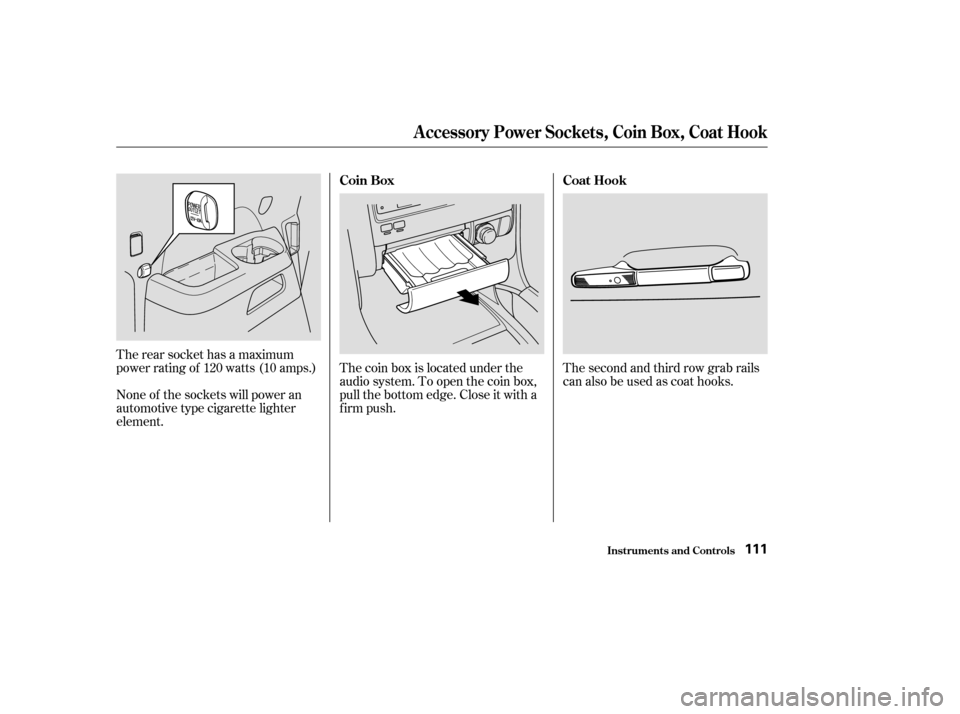
The coin box is located under the
audio system. To open the coin box,
pull the bottom edge. Close it with a
firm push.
The rear socket has a maximum
power rating of 120 watts (10 amps.)
None of the sockets will power an
automotive type cigarette lighter
element. Thesecondandthirdrowgrabrails
can also be used as coat hooks.
Inst rument s and Cont rols
Coin Box
Coat Hook
A ccessory Power Socket s, Coin Box, Coat Hook
111
Page 116 of 392
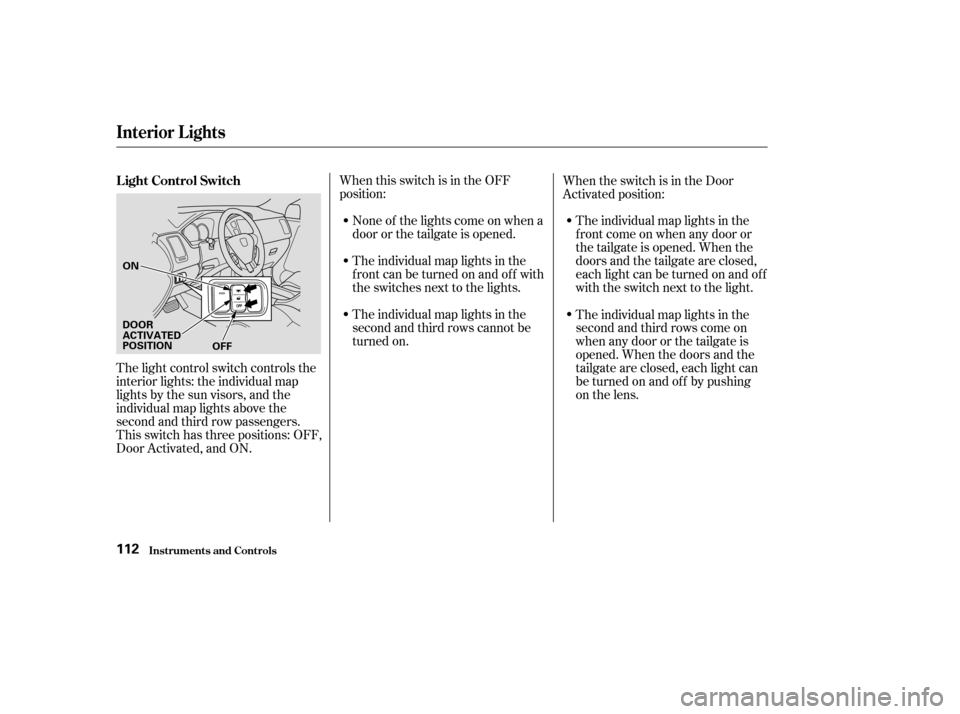
When this switch is in the OFF
position:None of the lights come on when a
door or the tailgate is opened.
The individual map lights in the
f ront can be turned on and of f with
the switches next to the lights. The individual map lights in the
f ront come on when any door or
thetailgateisopened.Whenthe
doors and the tailgate are closed,
eachlightcanbeturnedonandoff
with the switch next to the light.
When the switch is in the Door
Activated position:
The light control switch controls the
interior lights: the individual map
lights by the sun visors, and the
individual map lights above the
second and third row passengers.
This switch has three positions: OFF,
Door Activated, and ON. The individual map lights in the
second and third rows cannot be
turned on.
The individual map lights in the
second and third rows come on
when any door or the tailgate is
opened. When the doors and the
tailgate are closed, each light can
be turned on and of f by pushing
on the lens.
L ight Control Switch
Interior Lights
Inst rument s and Cont rols112
ON
DOOR
ACTIVATED
POSITION OFF
Page 117 of 392
The lights go out about six seconds
after all the doors and the tailgate
are closed.
With the light control switch in the
Door Activated position, all the
individual map lights come on when
you unlock the door with the remote
transmitter (see page ).
Withanydoororthetailgateleft
open, the lights stay on about three
minutes, then go out.When the switch is in the ON
position:
All the individual map lights come on
andstayonaslongastheswitch
remains in the ON position.
84
Interior Lights
Inst rument s and Cont rols113
Page 118 of 392
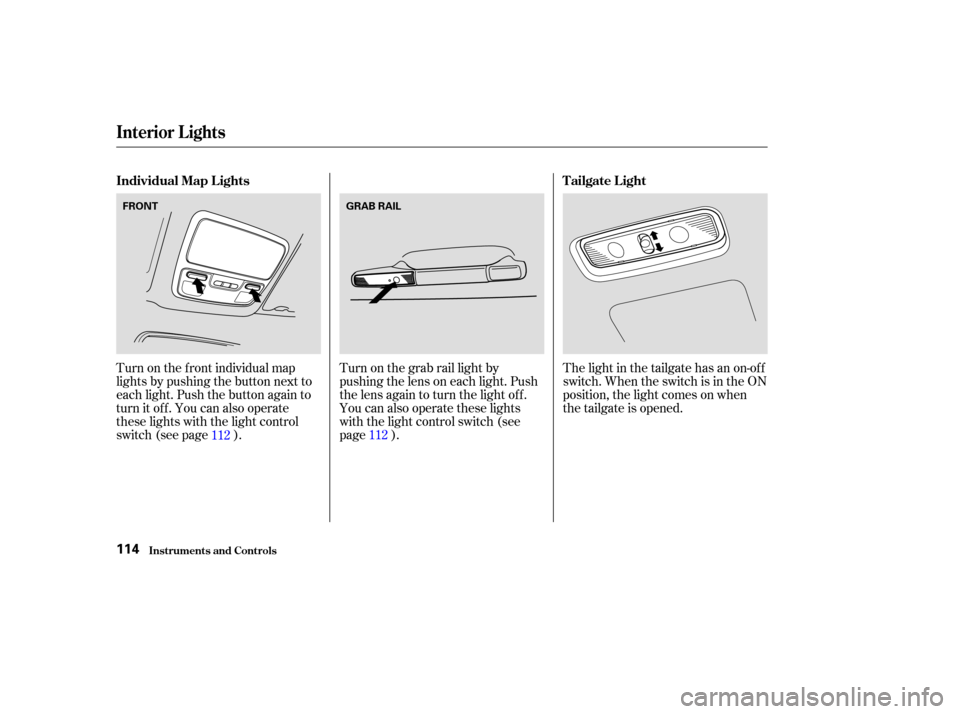
Turn on the f ront individual map
lights by pushing the button next to
each light. Push the button again to
turn it off. You can also operate
these lights with the light control
switch (see page ).Turn on the grab rail light by
pushing the lens on each light. Push
the lens again to turn the light off.
You can also operate these lights
with the light control switch (see
page ).The light in the tailgate has an on-of f
switch. When the switch is in the ON
position, the light comes on when
thetailgateisopened.
112 112
Individual Map L ights
Tailgate L ight
Interior Lights
Inst rument s and Cont rols114
FRONTGRAB RAIL
Page 119 of 392
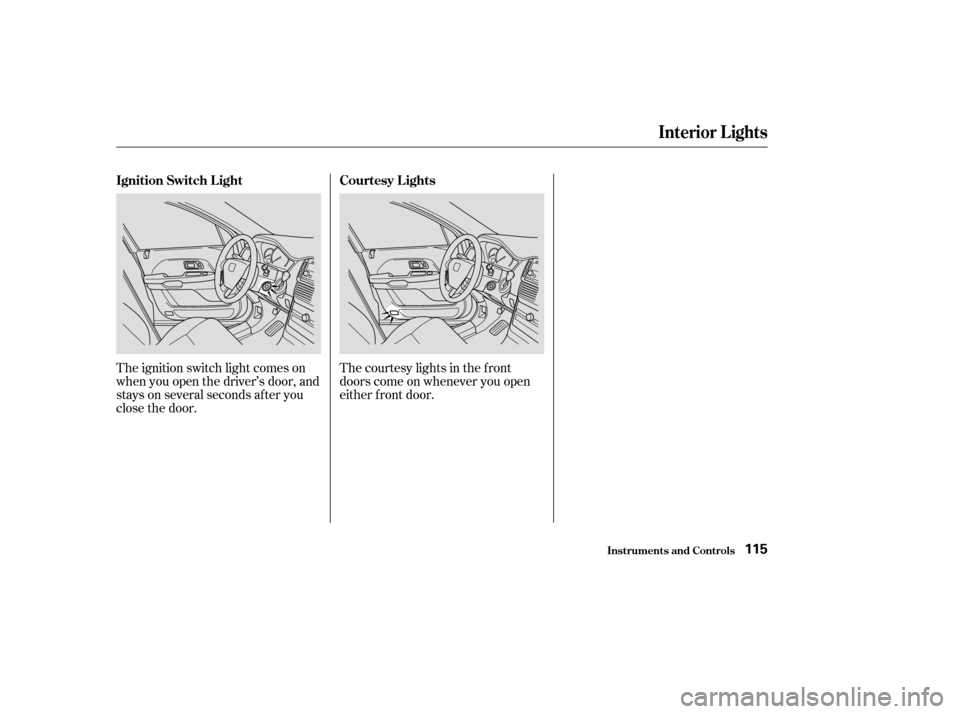
The ignition switch light comes on
when you open the driver’s door, and
stays on several seconds after you
close the door.The courtesy lights in the f ront
doors come on whenever you open
either f ront door.
Interior Lights
Inst rument s and Cont rols
Ignition Switch L ight
Courtesy L ights
115
Page 121 of 392

.....................
Heating and Cooling .118
.........
What Each Control Does . 118
............
How to Use the System . 122
..........
To Turn Everything Of f . 127
...............
Climate Control System . 128
(EX model) .......
Fully-automatic Operation . 130
.......
Semi-automatic Operation . 131
Sunlight Sensor/ ............
Temperature Sensor . 134
...........................
Rear A/C Unit .135
.......................
Audio System (LX) .137
AM/FM/CD ........................
Audio System .137
.................
Operating the Radio . 137
.................
Adjusting the Sound . 141
..............................
Digital Clock .142
............
Audio System Lighting . 143
.........
Operating the CD Player . 143
.....
Operating the CD Changer . 145
....
CD Player Error Indications . 147
CD Changer Error .............................
Indications .148
Operating the Cassette .....................................
Player .149
............
Tape Search Functions . 151.......................
Audio System (EX) .153
AM/FM/Cassette/CD Audio ....................................
System .153
.................
Operating the Radio . 154
.................
Adjusting the Sound . 158
..............................
Digital Clock .159
............
Audio System Lighting . 159
Operating the Cassette .....................................
Player .160
............
Tape Search Functions . 162
.........
Operating the CD Player . 163
.....
Operating the CD Changer . 165
....
CD Player Error Indications . 166
CD Changer Error .............................
Indications .167
Audio System (Optional on U.S. ..............................
EX model) .168
AM/FM/Cassette/CD/DVD ........................
Audio System .168
.................
Operating the Radio . 170
.................
Adjusting the Sound . 174
..............................
Digital Clock .175
............
Audio System Lighting . 175
....................
Radio Frequencies . 176
........................
Radio Reception .176 Operating the Cassette
.....................................
Player .178
Caring f or the Cassette .....................................
Player .181
.........
Operating the CD Player . 182
.....
Operating the CD Changer . 184
.......
Protecting Compact Discs . 185
....
CD Player Error Indications . 186
CD Changer Error .............................
Indications .187
...........
Remote Audio Controls . 188
.......................
Thef t Protection .189
........
Rear Entertainment System . 190
............................
Security System .206
...............................
Cruise Control .207
HomeLink Universal ................................
Transceiver .210
Comf ort and Convenience Features
Comf ort and Convenience Feat ures117
Page 122 of 392
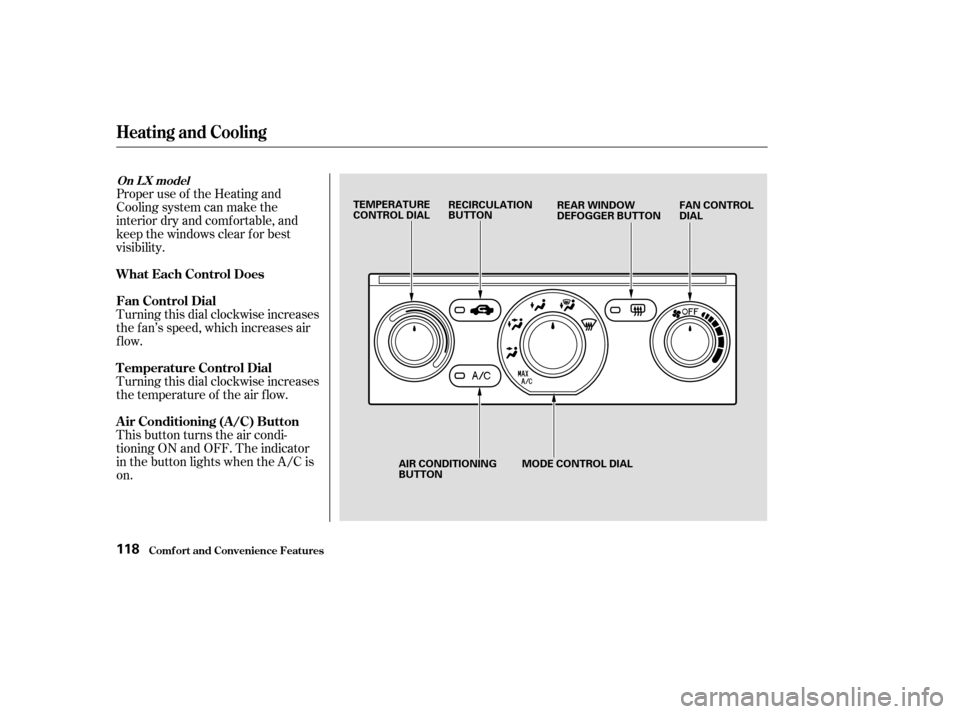
Proper use of the Heating and
Cooling system can make the
interior dry and comf ortable, and
keep the windows clear f or best
visibility.
Turning this dial clockwise increases
the f an’s speed, which increases air
flow.
Turning this dial clockwise increases
the temperature of the air flow.
This button turns the air condi-
tioning ON and OFF. The indicator
in the button lights when the A/C is
on.
Comf ort and Convenience Feat ures
Heating and Cooling
What Each Control Does
Fan Control Dial
T emperature Control Dial
Air Conditioning (A/C) Button
On L X model
118
TEMPERATURE
CONTROL DIALRECIRCULATION
BUTTON
FAN CONTROL
DIAL
REAR WINDOW
DEFOGGER BUTTON
AIR CONDITIONING
BUTTON MODE CONTROL DIAL