Page 228 of 415

Many DVDs are recorded, or
dubbed, in more than one language.
To select a dif f erent language than
the one being heard, press the
AUDIO button. Continue to press
and release the AUDIO button to
hear all the available languages.
To change the color, contrast, aspect
ratio, and brightness of the video
screen, press the DISP button. The
current setting of one will be
displayed on the screen each time
you press the button. Use theand buttons to change the
setting as desired. The display will
disappear f rom the screen several
seconds af ter you stop adjusting the
setting. On some DVDs, the scenes are
recorded by more than one camera,
giving dif f erent viewpoints of the
same scene. By pressing the Angle
button, you can select a dif f erent
viewpoint.
In the MENU selection mode,
pressing the RETURN button for
less than two seconds changes the
MENU display to the previous page.
Pressing the RETURN button for
more than two seconds while a DVD
is playing brings the system into the
TITLE enter mode. When you enter
your selection, the DVD player will
start playing f rom the selected title.
Rear Entertainment System
Comf ort and Convenience Feat ures
A UDIO Button
DISP But t on A NGL E Button
RETURN (T/C) Button
225
Page 237 of 415
The security system helps to protect
your vehicle and valuables f rom thef t.
The horn sounds and a combination
of headlights, parking lights, side
marker lights and taillights f lashes if
someone attempts to break into your
vehicleorremovetheradio.This
alarm continues f or two minutes,
then the alarm stops. To reset an
alarming system before the two
minutes have elapsed, unlock either
f ront door with the key or the
remote transmitter.
The security system sets
automatically fifteen seconds after
you lock the doors, hood, and
tailgate. For the system to activate,
you must lock the doors f rom the
outside with the key, the lock tab,
the door lock switch, or the remote
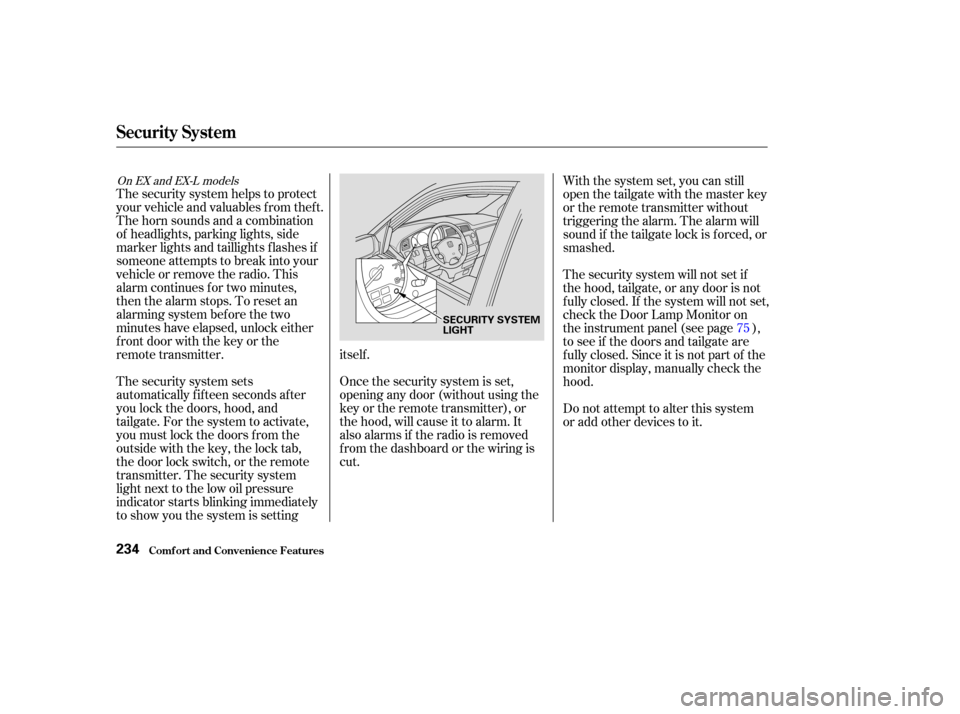
transmitter. The security system
light next to the low oil pressure
indicator starts blinking immediately
to show you the system is settingitself .
Once the security system is set,
opening any door (without using the
key or the remote transmitter), or
the hood, will cause it to alarm. It
also alarms if the radio is removed
f rom the dashboard or the wiring is
cut.With the system set, you can still
open the tailgate with the master key
or the remote transmitter without
triggering the alarm. The alarm will
sound if the tailgate lock is f orced, or
smashed.
The security system will not set if
the hood, tailgate, or any door is not
f ully closed. If the system will not set,
check the Door Lamp Monitor on
the instrument panel (see page ),
to see if the doors and tailgate are
f ully closed. Since it is not part of the
monitor display, manually check the
hood.
Do not attempt to alter this system
or add other devices to it.
75
On EX and EX-L models
Security System
Comf ort and Convenience Feat ures234
SECURITY SYSTEM
LIGHT
Page 264 of 415
�µ
CONT INUED
This position mechani-
cally locks the transmission. Use
Park whenever you are turning of f or
starting the engine. To shif t out of
Park, you must press on the brake
pedal and have your f oot of f the
accelerator pedal. Pull the shif t lever
towards you, then move it out of
Park.
If you have done all of the above and
still cannot move the lever out of
Park, see Shif t Lock Release on page .
You must also pull the shif t lever
towards you to shift into Park. To
avoid transmission damage, come to
a complete stop bef ore shif ting into
Park. The shif t lever must be in Park
bef ore you can remove the key f rom
the ignition switch.
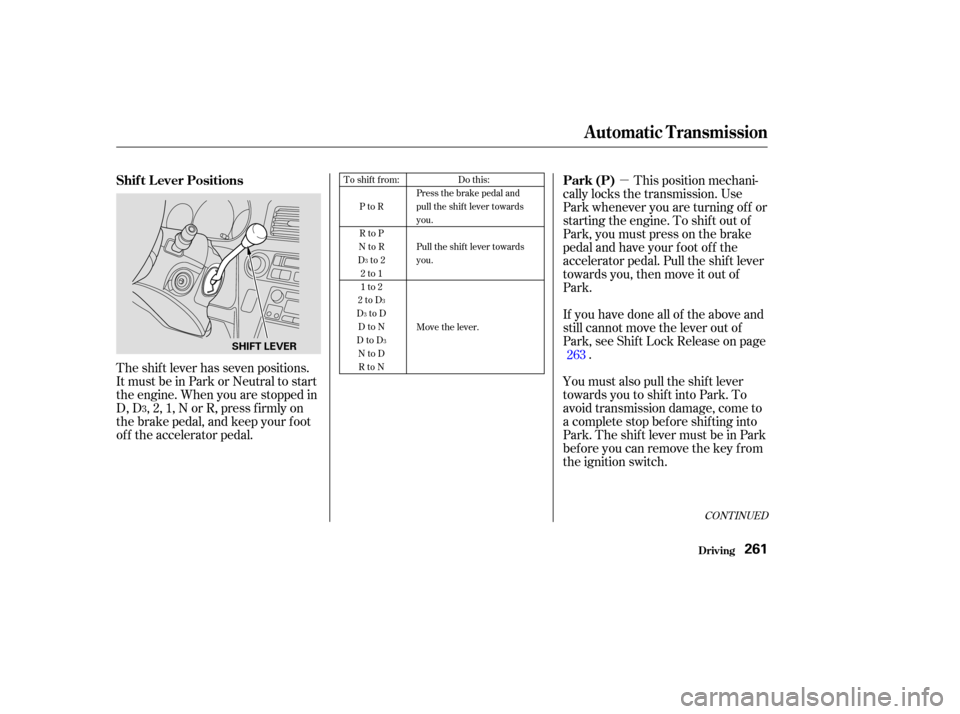
The shift lever has seven positions.
It must be in Park or Neutral to start
the engine. When you are stopped in
D, D , 2, 1, N or R, press f irmly on
the brake pedal, and keep your f oot
of f the accelerator pedal.
263Do this:
Press the brake pedal and
pull the shift lever towards
you.
Pull the shift lever towards
you.
Move the lever.
To shift from:
PtoR
RtoP
NtoR
Dto2 2to1
1to2
2toD
DtoD DtoN
DtoD NtoDRtoN
3
3
3
3
3
Automatic Transmission
Driving
Park (P)
Shif t L ever Positions
261
SHIFT LEVER
Page 265 of 415
�µ
�µ �µ �µ
Use Neutral if you
need to restart a stalled engine, or if
it is necessary to stop brief ly with
the engine idling. Shif t to Park posi-
tion if you need to leave the vehicle
f or any reason. Press on the brake pe-
dal when you are moving the shif t
lever from Neutral to another gear.
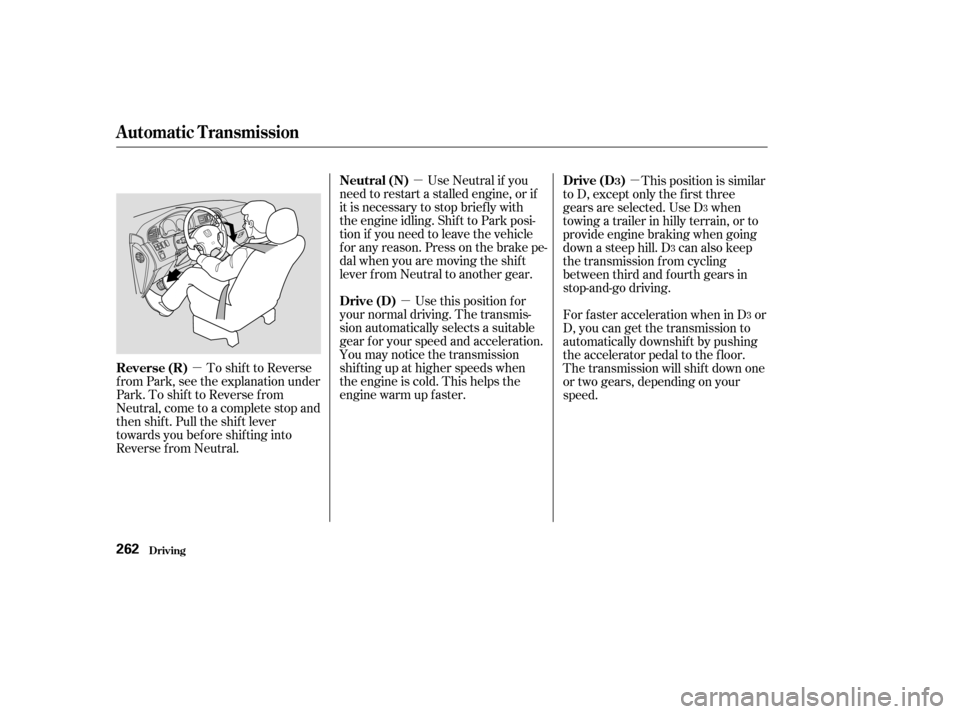
To shif t to Reverse
f rom Park, see the explanation under
Park. To shif t to Reverse f rom
Neutral, come to a complete stop and
then shift. Pull the shift lever
towards you before shifting into
Reverse f rom Neutral. Use this position f or
your normal driving. The transmis-
sion automatically selects a suitable
gear f or your speed and acceleration.
You may notice the transmission
shif ting up at higher speeds when
the engine is cold. This helps the
engine warm up f aster. This position is similar
to D, except only the first three
gears are selected. Use D when
towing a trailer in hilly terrain, or to
provide engine braking when going
down a steep hill. D can also keep
the transmission f rom cycling
between third and f ourth gears in
stop-and-go driving.
ForfasteraccelerationwheninD or
D, you can get the transmission to
automatically downshif t by pushing
the accelerator pedal to the floor.
The transmission will shif t down one
or two gears, depending on your
speed.
3
3
3
Automatic Transmission
Driving
Neutral (N)
Reverse (R) Drive (D)Drive (D )3
262
Page 266 of 415

�µ
�µ To shif t to Second,
pull the shif t lever towards you, then
shif t to the lower gear. This position
locks the transmission in second
gear. It does not downshif t to f irst
gear when you come to a stop.
Second gives you more power when
climbing, and increased engine
braking when going down steep hills.
Usesecondgearwhenstartingout
on a slippery surf ace or in deep snow.
It will help reduce wheelspin.
When driving down hill with a trailer,
use the Second position. If you exceed the maximum speed
f or the gear you are in, the engine
speed will enter into the tachometer’s
red zone. If this occurs, you may f eel
the engine cut in and out. This is
caused by a limiter in the engine’s
computer controls. The engine will
run normally when you reduce the
RPM below the red zone.
This allows you to move the shif t
lever out of Park if the normal
method of pushing on the brake
pedal and pulling the shif t lever does
not work.
Set the Parking brake.
Remove the key from the ignition
switch.
Place a cloth on the edge of the
Shif t Lock Release slot cover on
the steering column. Remove the
cover by caref ully prying on the
edge with a small f lat-tipped
screwdriver (not included in the
tool kit).
To shif t f rom Second to
First, pull the shift lever towards you,
then shift to the lower gear. With the
lever in this position, the transmis-
sion locks in First gear. By upshif t-
ing and downshif ting through 1, 2,
D , and D, you can operate this
transmission much like a manual
transmission without a clutch pedal. 1.
2.
3.
CONT INUED
3
Automatic Transmission
Driving
Second (2)
Engine Speed L imiter Shif t L ock Release
First (1)
263
Page 273 of 415
When starting out or driving at low
speeds on a loose or slippery road
surface, you may notice that the
vehicle does not respond to the
accelerator in the same way it does
at other times. This is a sign TCS is
activating. You will see the TCS
indicator light f lash.
You should still install winter tires on
your vehicle during the winter. Make
sure to use the same size originally
supplied with vehicle. Exercise the
samecautioninwinterdrivingasyou
would if your vehicle was not
equipped with TCS.
Driving with the compact spare tire
installed (see page ) may
activate the TCS. You should turn of f
the system.If the brakes overheat while TCS is
activating, the TCS indicator will
stop flashing and stay on temporarily.
This indicates that TCS has turned
off. After the brakes have cooled
down (usually f or about 10 minutes),
TCSwillturnbackonandthe
indicator will turn of f .
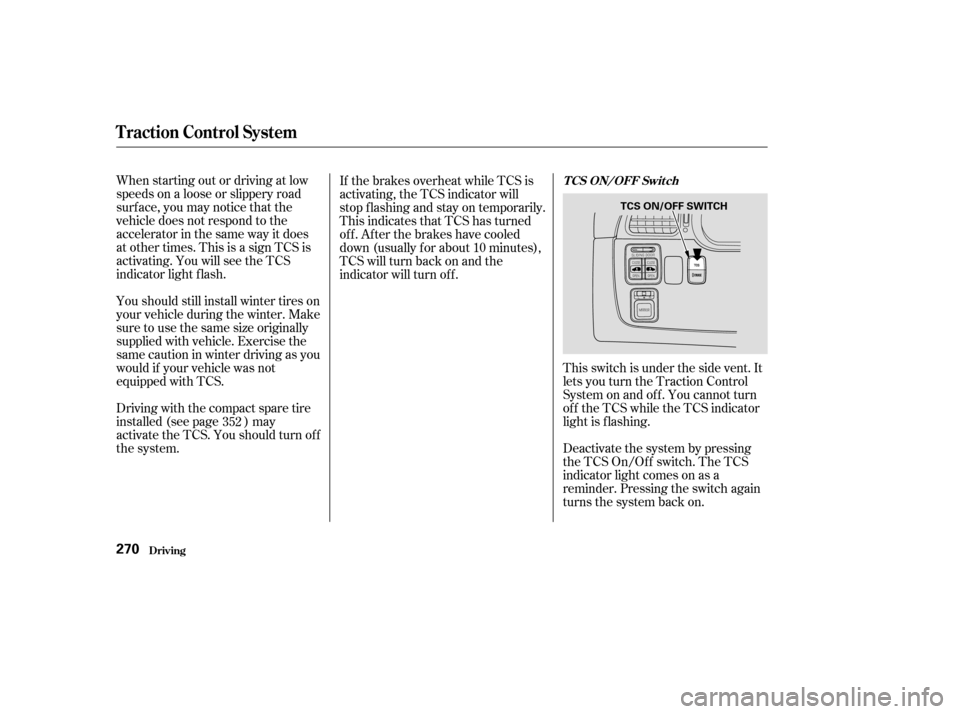
This switch is under the side vent. It
letsyouturntheTractionControl
System on and of f . You cannot turn
of f the TCS while the TCS indicator
light is f lashing.
Deactivate the system by pressing
the TCS On/Off switch. The TCS
indicator light comes on as a
reminder. Pressing the switch again
turns the system back on.
352
Traction Control System
Driving
TCS ON/OFF Switch
270
TCS ON/OFF SWITCH
Page 308 of 415
Fill the reserve tank to the MAX
mark. Install the reserve tank cap.
Install the radiator cap, and
tighten it to the first stop.
Start the engine and let it run until
the radiator cooling f an comes on
at least twice. Then stop the
engine.
Remove the radiator cap. Fill the
radiator with coolant up to the
base of the f iller neck.
Install the radiator cap, and
tighten it fully.
Pour Honda All Season
Antif reeze/Coolant Type 2 into
the radiator up to the base of the
f iller neck. This coolant is a
mixture of 50 percent antif reeze
and 50 percent water. Pre-mixing
is not required.
The cooling system capacity is:
8. 10.
11.
12.
13.9.
Cooling Syst em
Maint enance305
FILLER NECK
Fill up to here
1.98 US gal (7.5, 1.65 Imp gal)
Page 371 of 415

Using gloves or a large heavy
cloth, turn the radiator cap
counterclockwise, without pushing
down, to the f irst stop. This
releases any remaining pressure in
the cooling system. After the
pressure releases, push down on
the cap and turn it until it comes
off.
Start the engine and set the
temperature control dial to
maximum (climate control to
FULL AUTO at 90°F/32°C). Add
coolant to the radiator up to the
base of the f iller neck. If you do
not have the proper coolant
mixture available, you can add
plain water. Remember to have
the cooling system drained and
ref illed with the proper mixture as
soon as you can.Put the radiator cap back on
tightly. Run the engine and watch
the temperature gauge. If it goes
back to the red mark, the engine
needs repair. (See
on page .)
If the temperature stays normal,
check the coolant level in the
radiator reserve tank. If it has
gone down, add coolant to the
MAX mark. Put the cap back on
tightly.
9.
10. 11.
12.
380
If Your Engine Overheats
T aking Care of t he Unexpect ed
Emergency
Towing
368