Page 14 of 280
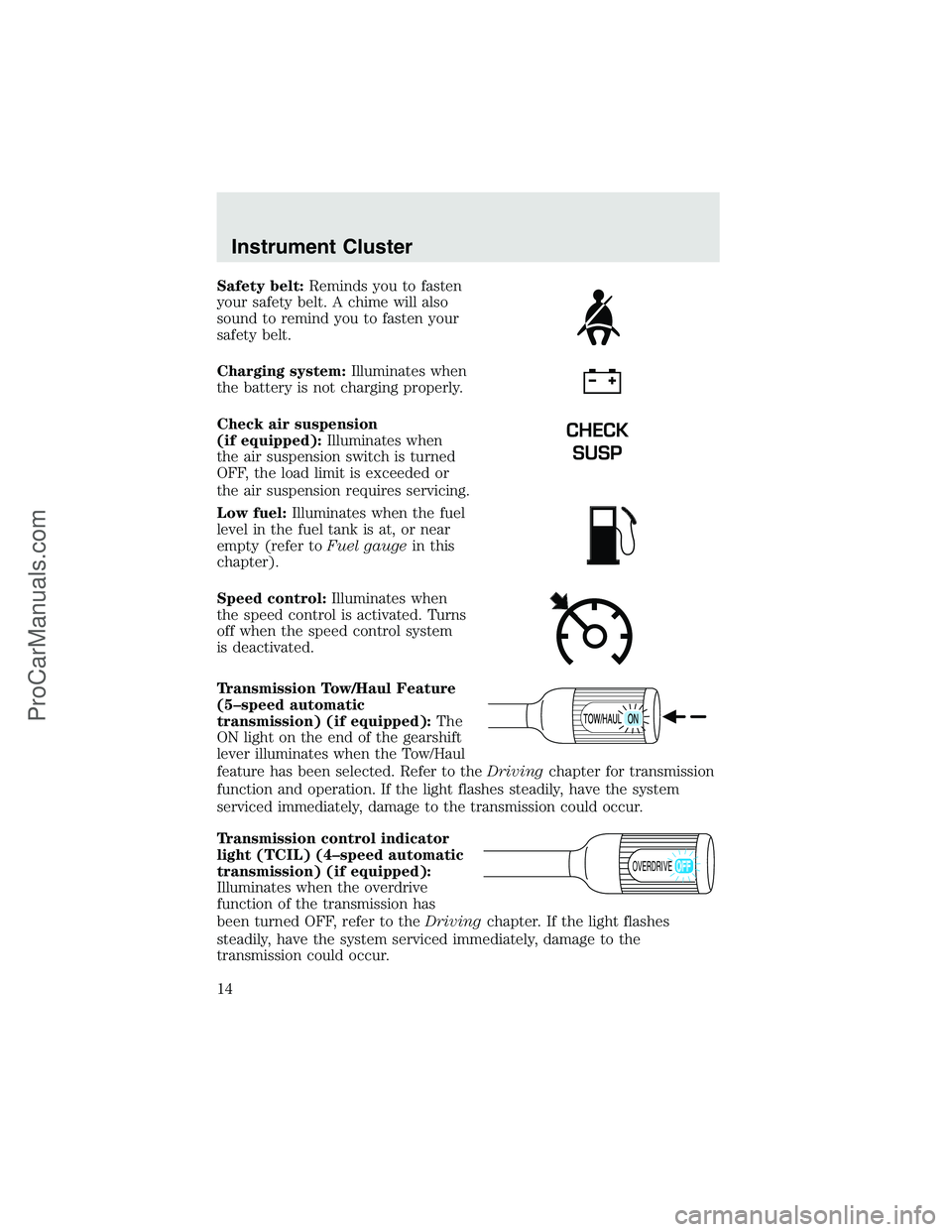
Safety belt:Reminds you to fasten
your safety belt. A chime will also
sound to remind you to fasten your
safety belt.
Charging system:Illuminates when
the battery is not charging properly.
Check air suspension
(if equipped):Illuminates when
the air suspension switch is turned
OFF, the load limit is exceeded or
the air suspension requires servicing.
Low fuel:Illuminates when the fuel
level in the fuel tank is at, or near
empty (refer toFuel gaugein this
chapter).
Speed control:Illuminates when
the speed control is activated. Turns
off when the speed control system
is deactivated.
Transmission Tow/Haul Feature
(5–speed automatic
transmission) (if equipped):The
ON light on the end of the gearshift
lever illuminates when the Tow/Haul
feature has been selected. Refer to theDrivingchapter for transmission
function and operation. If the light flashes steadily, have the system
serviced immediately, damage to the transmission could occur.
Transmission control indicator
light (TCIL) (4–speed automatic
transmission) (if equipped):
Illuminates when the overdrive
function of the transmission has
been turned OFF, refer to theDrivingchapter. If the light flashes
steadily, have the system serviced immediately, damage to the
transmission could occur.
CHECK
SUSP
OVERDRIVE
Instrument Cluster
14
ProCarManuals.com
Page 18 of 280
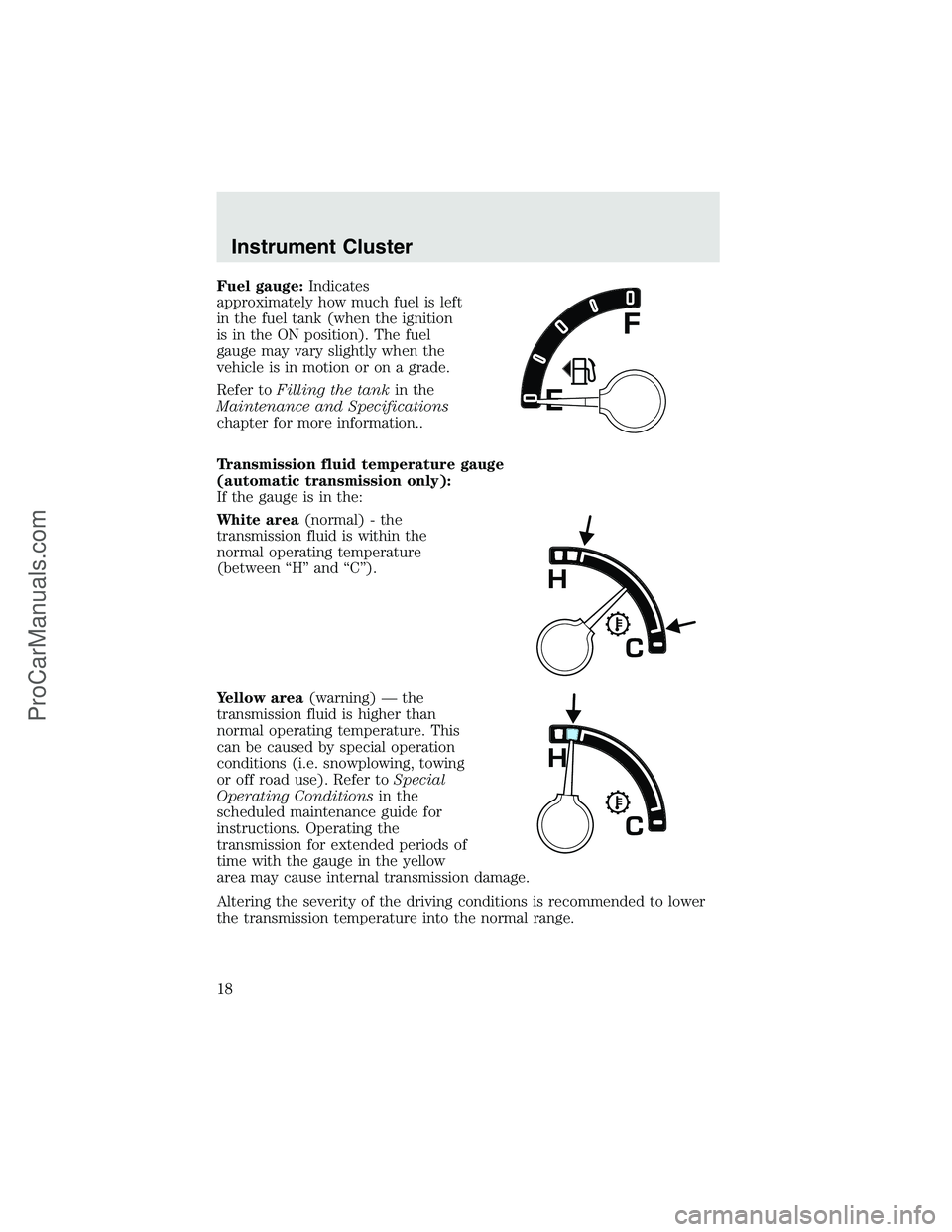
Fuel gauge:Indicates
approximately how much fuel is left
in the fuel tank (when the ignition
is in the ON position). The fuel
gauge may vary slightly when the
vehicle is in motion or on a grade.
Refer toFilling the tankin the
Maintenance and Specifications
chapter for more information..
Transmission fluid temperature gauge
(automatic transmission only):
If the gauge is in the:
White area(normal) - the
transmission fluid is within the
normal operating temperature
(between“H”and“C”).
Yellow area(warning)—the
transmission fluid is higher than
normal operating temperature. This
can be caused by special operation
conditions (i.e. snowplowing, towing
or off road use). Refer toSpecial
Operating Conditionsin the
scheduled maintenance guide for
instructions. Operating the
transmission for extended periods of
time with the gauge in the yellow
area may cause internal transmission damage.
Altering the severity of the driving conditions is recommended to lower
the transmission temperature into the normal range.
Instrument Cluster
18
ProCarManuals.com
Page 61 of 280
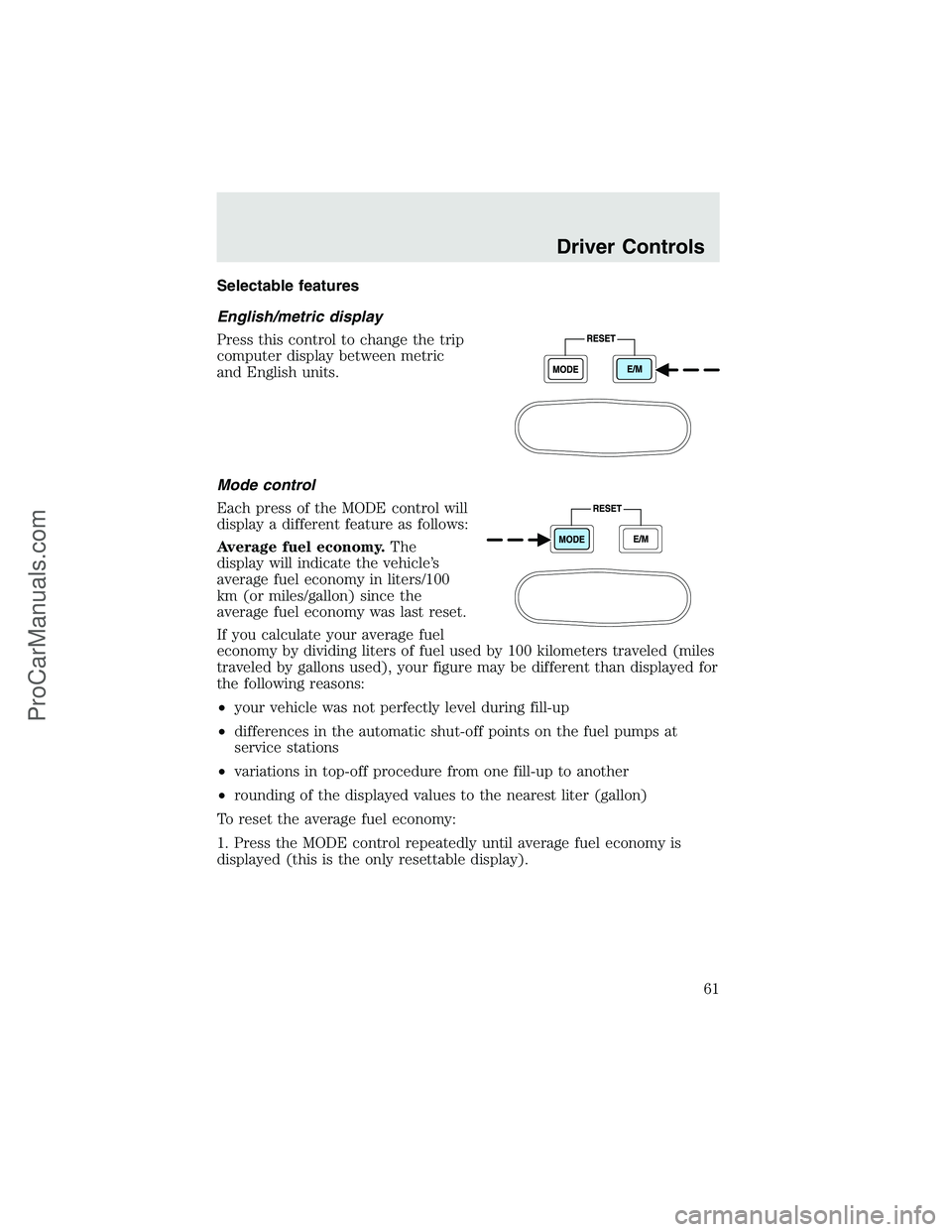
Selectable features
English/metric display
Press this control to change the trip
computer display between metric
and English units.
Mode control
Each press of the MODE control will
display a different feature as follows:
Average fuel economy.The
display will indicate the vehicle’s
average fuel economy in liters/100
km (or miles/gallon) since the
average fuel economy was last reset.
If you calculate your average fuel
economy by dividing liters of fuel used by 100 kilometers traveled (miles
traveled by gallons used), your figure may be different than displayed for
the following reasons:
•your vehicle was not perfectly level during fill-up
•differences in the automatic shut-off points on the fuel pumps at
service stations
•variations in top-off procedure from one fill-up to another
•rounding of the displayed values to the nearest liter (gallon)
To reset the average fuel economy:
1. Press the MODE control repeatedly until average fuel economy is
displayed (this is the only resettable display).
Driver Controls
61
ProCarManuals.com
Page 62 of 280
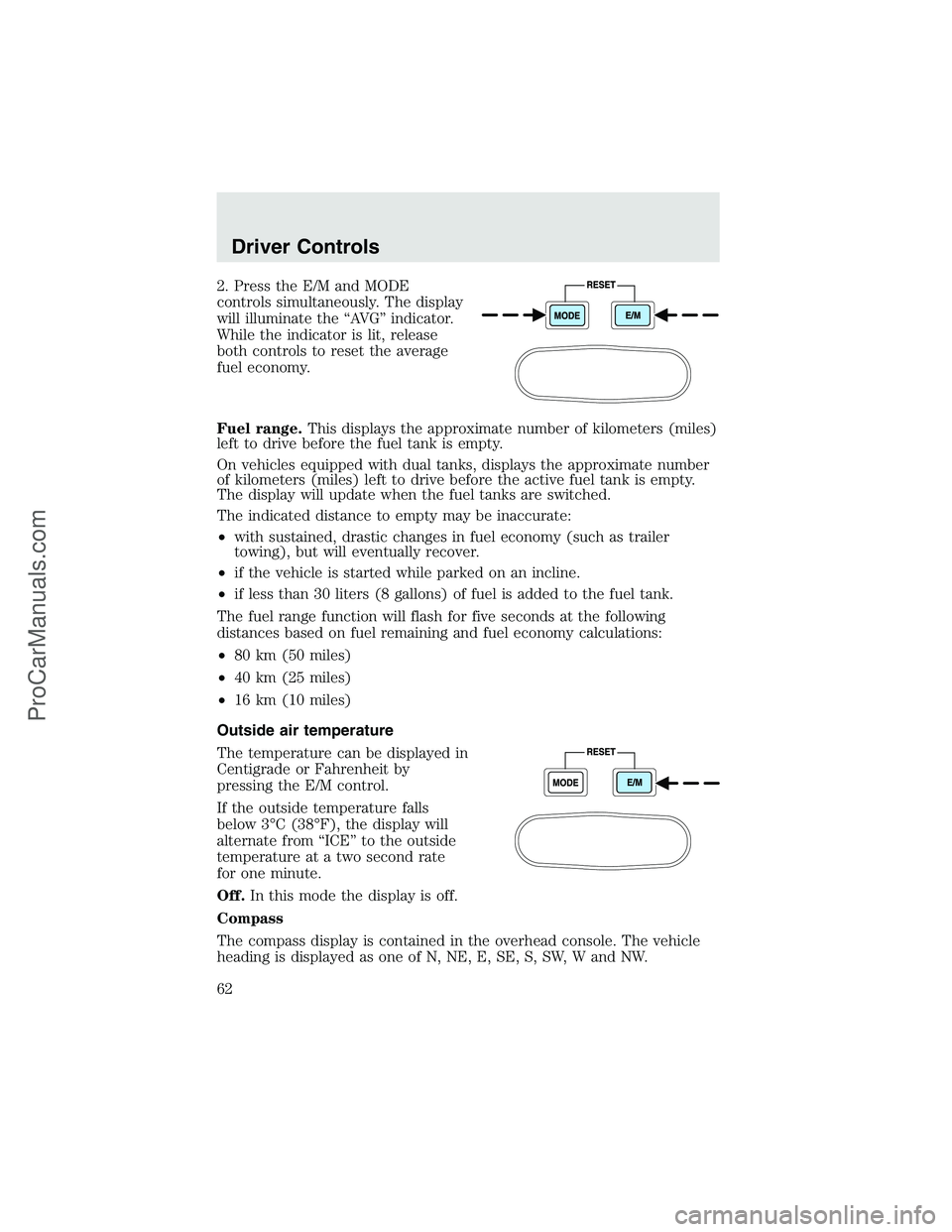
2. Press the E/M and MODE
controls simultaneously. The display
will illuminate the“AV G”indicator.
While the indicator is lit, release
both controls to reset the average
fuel economy.
Fuel range.This displays the approximate number of kilometers (miles)
left to drive before the fuel tank is empty.
On vehicles equipped with dual tanks, displays the approximate number
of kilometers (miles) left to drive before the active fuel tank is empty.
The display will update when the fuel tanks are switched.
The indicated distance to empty may be inaccurate:
•with sustained, drastic changes in fuel economy (such as trailer
towing), but will eventually recover.
•if the vehicle is started while parked on an incline.
•if less than 30 liters (8 gallons) of fuel is added to the fuel tank.
The fuel range function will flash for five seconds at the following
distances based on fuel remaining and fuel economy calculations:
•80 km (50 miles)
•40 km (25 miles)
•16 km (10 miles)
Outside air temperature
The temperature can be displayed in
Centigrade or Fahrenheit by
pressing the E/M control.
If the outside temperature falls
below 3°C (38°F), the display will
alternate from“ICE”to the outside
temperature at a two second rate
for one minute.
Off.In this mode the display is off.
Compass
The compass display is contained in the overhead console. The vehicle
heading is displayed as one of N, NE, E, SE, S, SW, W and NW.
Driver Controls
62
ProCarManuals.com
Page 63 of 280
The compass heading is displayed in average fuel economy modes, fuel
range modes and temperature modes.
The compass reading may be affected when you drive near large
buildings, bridges, power lines and powerful broadcast antennas.
Magnetic or metallic objects placed in or on the vehicle may also affect
compass accuracy. Adjustments may need to be made to the zone and
calibration of the compass.
Compass zone adjustment
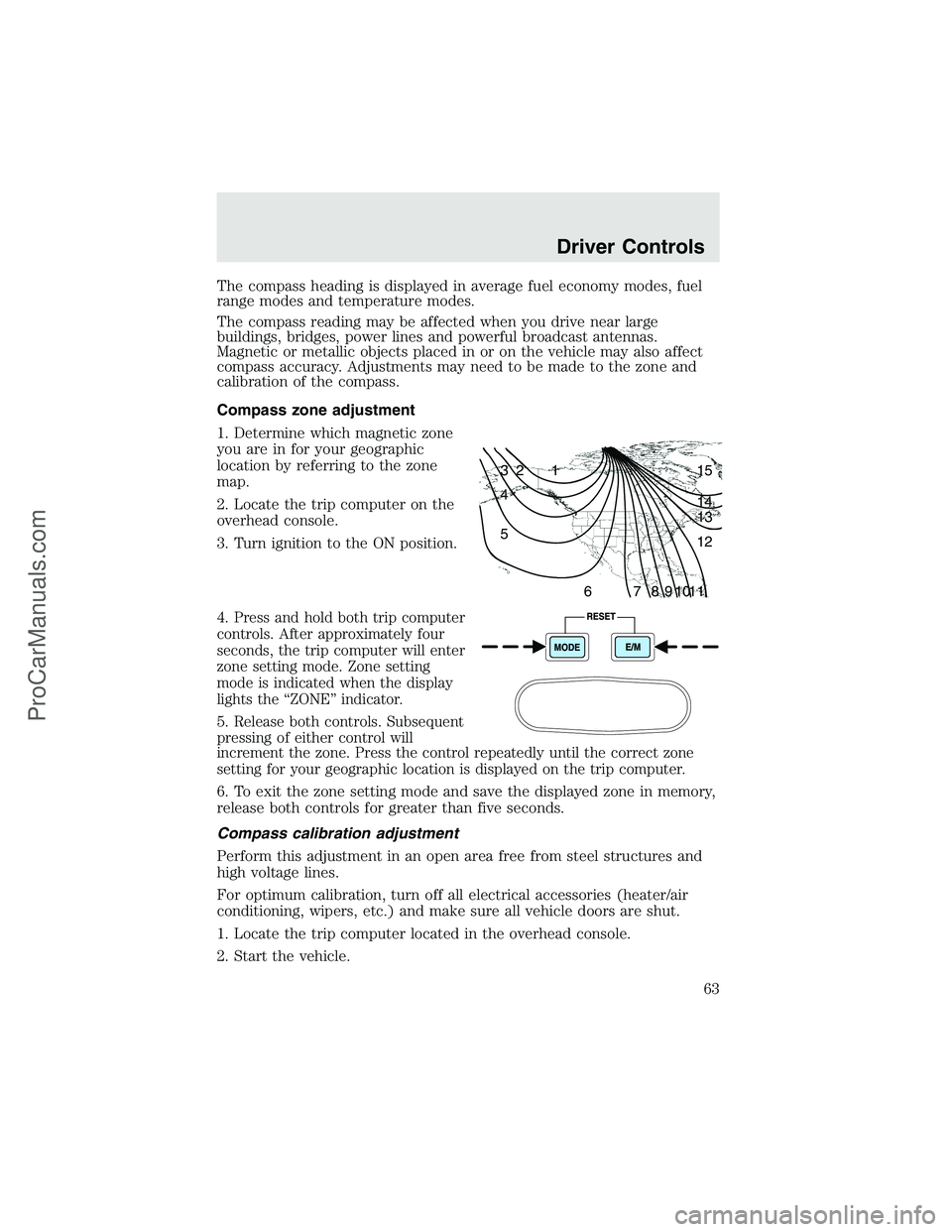
1. Determine which magnetic zone
you are in for your geographic
location by referring to the zone
map.
2. Locate the trip computer on the
overhead console.
3. Turn ignition to the ON position.
4.
Press and hold both trip computer
controls. After approximately four
seconds, the trip computer will enter
zone setting mode. Zone setting
mode is indicated when the display
lights the“ZONE”indicator.
5.Release both controls. Subsequent
pressing of either control will
increment the zone. Press the control repeatedly until the correct zone
setting for your geographic location is displayed on the trip computer.
6. To exit the zone setting mode and save the displayed zone in memory,
release both controls for greater than five seconds.
Compass calibration adjustment
Perform this adjustment in an open area free from steel structures and
high voltage lines.
For optimum calibration, turn off all electrical accessories (heater/air
conditioning, wipers, etc.) and make sure all vehicle doors are shut.
1. Locate the trip computer located in the overhead console.
2. Start the vehicle.
1 2 3
4
5
6 7 8 9 101112 13 14 15
Driver Controls
63
ProCarManuals.com
Page 90 of 280
AIR BAG SUPPLEMENTAL RESTRAINT SYSTEM (SRS)
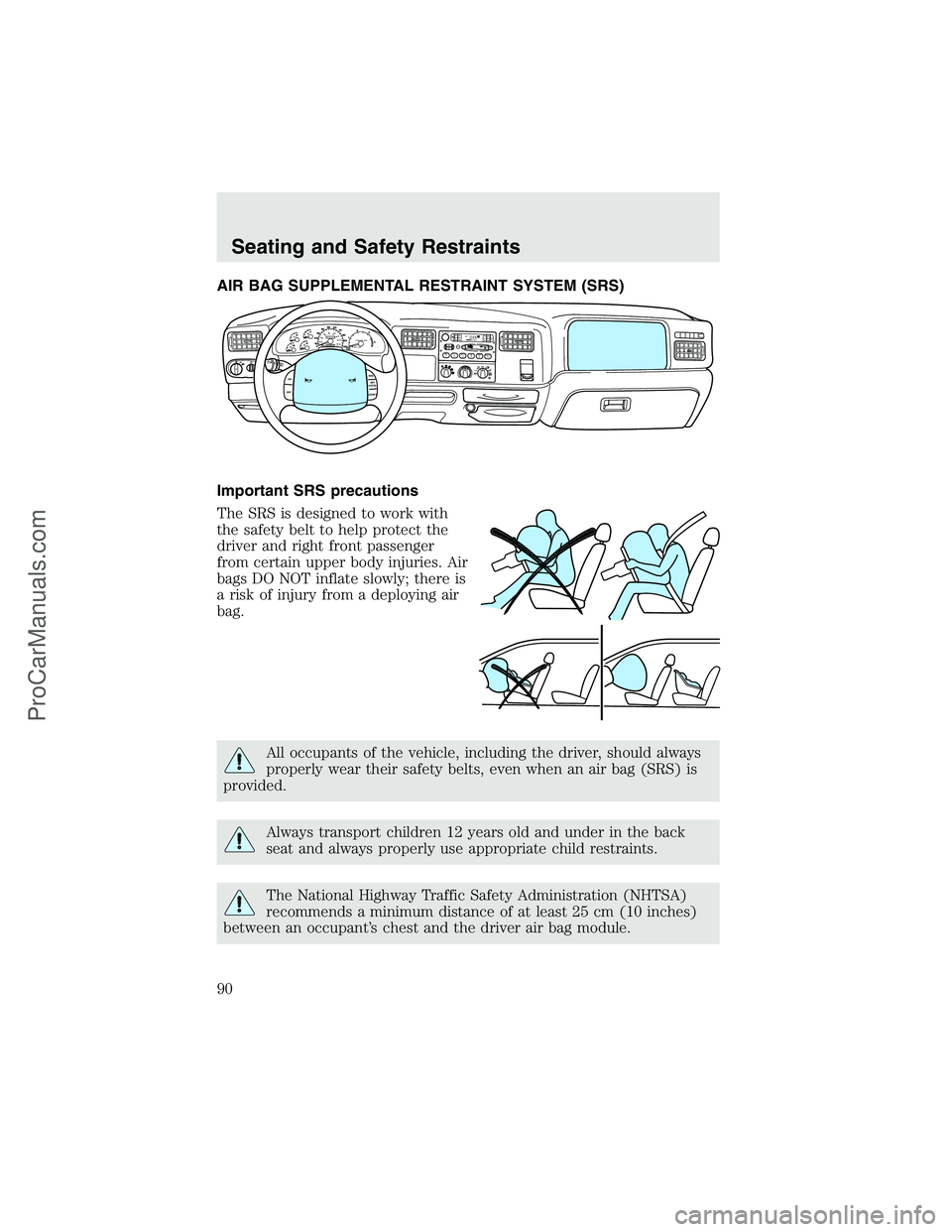
Important SRS precautions
The SRS is designed to work with
the safety belt to help protect the
driver and right front passenger
from certain upper body injuries. Air
bags DO NOT inflate slowly; there is
a risk of injury from a deploying air
bag.
All occupants of the vehicle, including the driver, should always
properly wear their safety belts, even when an air bag (SRS) is
provided.
Always transport children 12 years old and under in the back
seat and always properly use appropriate child restraints.
The National Highway Traffic Safety Administration (NHTSA)
recommends a minimum distance of at least 25 cm (10 inches)
between an occupant’s chest and the driver air bag module.
12
34
5
6DOLBY B NRD
OLBY B
NRF
M
1S
TST
O
S
C
A
NEJ
REW
FF
SIDE 1-2
COMPSHU
FF
LETAPECDD
I
S
C
SB
A
S
ST
R
E
BB
A
LF
A
D
EA
U
T
O
S
E
TV
O
L
-
P
U
S
H
O
NSEEKTUNEA
M
FM 18
PA
/
C
M
A
X
A
/
CO
F
F
40
30
20H
H10
050
60
70
80
12
3
4 90
10040
206080
100
120
140
160
MPHDIESEL FUEL ONLY
RPM x 1000 km/hF
ON
OFFRES
SET
ACCEL
COAST
Seating and Safety Restraints
90
ProCarManuals.com
Page 110 of 280
STARTING
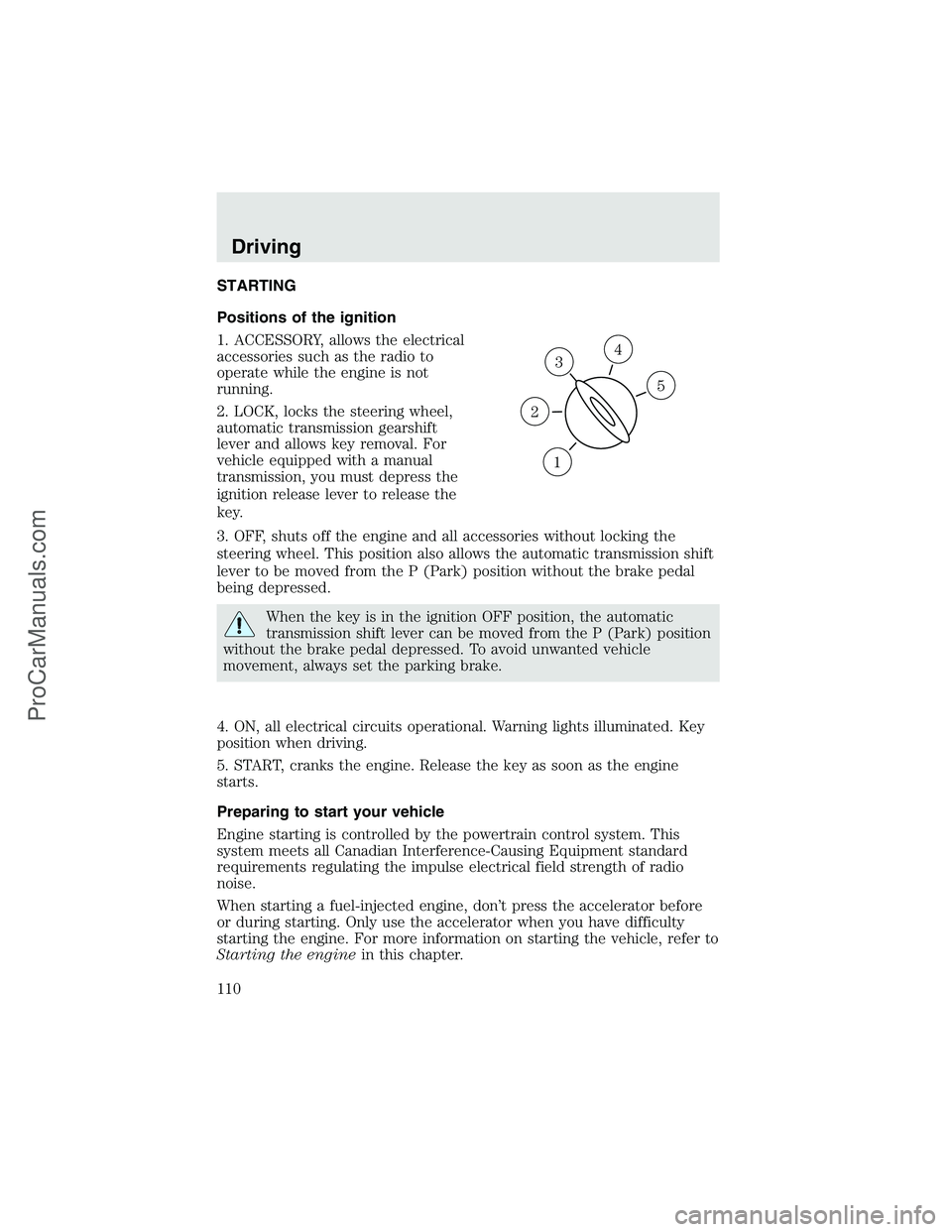
Positions of the ignition
1. ACCESSORY, allows the electrical
accessories such as the radio to
operate while the engine is not
running.
2. LOCK, locks the steering wheel,
automatic transmission gearshift
lever and allows key removal. For
vehicle equipped with a manual
transmission, you must depress the
ignition release lever to release the
key.
3. OFF, shuts off the engine and all accessories without locking the
steering wheel. This position also allows the automatic transmission shift
lever to be moved from the P (Park) position without the brake pedal
being depressed.
When the key is in the ignition OFF position, the automatic
transmission shift lever can be moved from the P (Park) position
without the brake pedal depressed. To avoid unwanted vehicle
movement, always set the parking brake.
4. ON, all electrical circuits operational. Warning lights illuminated. Key
position when driving.
5. START, cranks the engine. Release the key as soon as the engine
starts.
Preparing to start your vehicle
Engine starting is controlled by the powertrain control system. This
system meets all Canadian Interference-Causing Equipment standard
requirements regulating the impulse electrical field strength of radio
noise.
When starting a fuel-injected engine, don’t press the accelerator before
or during starting. Only use the accelerator when you have difficulty
starting the engine. For more information on starting the vehicle, refer to
Starting the enginein this chapter.
3
1
2
5
4
Driving
110
ProCarManuals.com
Page 113 of 280
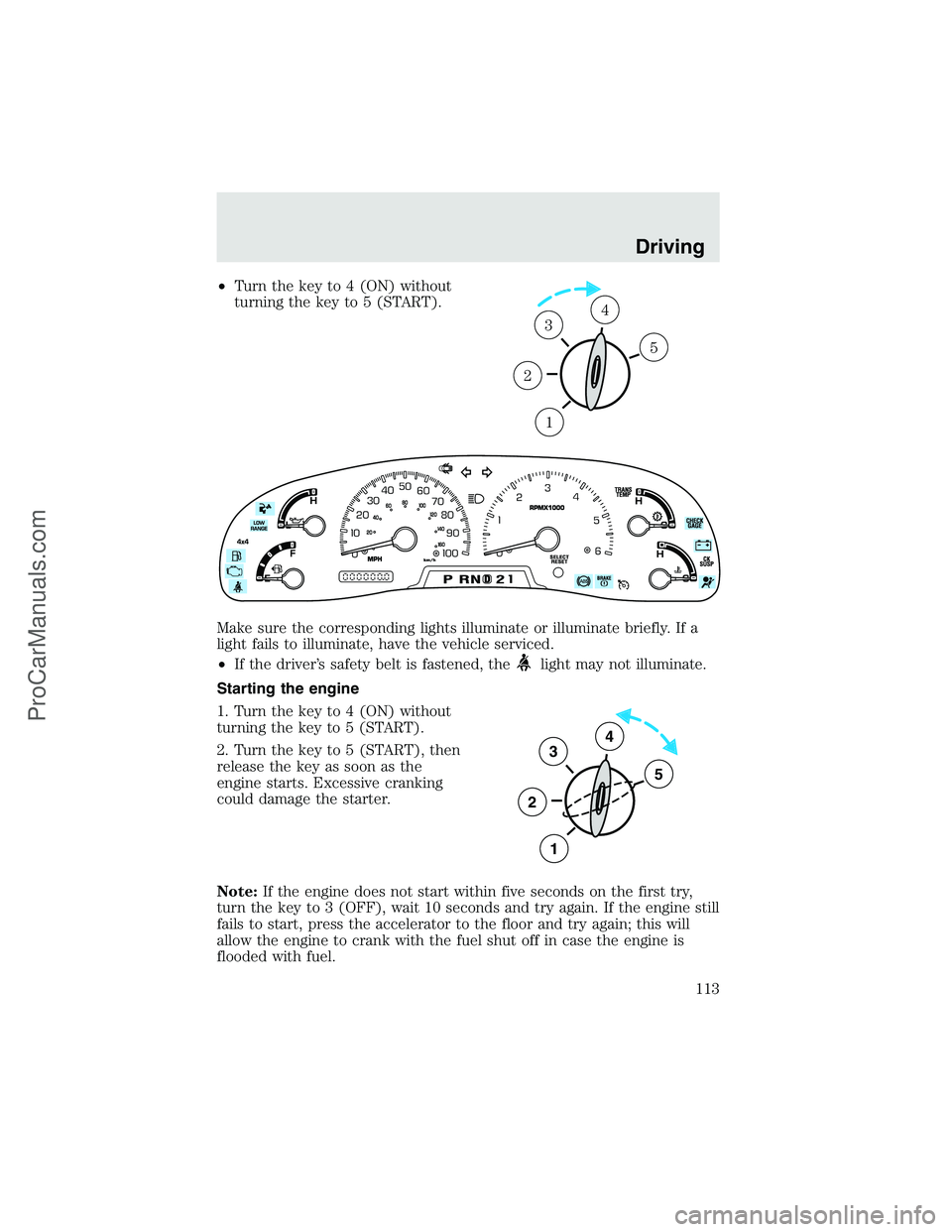
•Turn the key to 4 (ON) without
turning the key to 5 (START).
Make sure the corresponding lights illuminate or illuminate briefly. If a
light fails to illuminate, have the vehicle serviced.
•If the driver’s safety belt is fastened, the
light may not illuminate.
Starting the engine
1. Turn the key to 4 (ON) without
turning the key to 5 (START).
2. Turn the key to 5 (START), then
release the key as soon as the
engine starts. Excessive cranking
could damage the starter.
Note:If the engine does not start within five seconds on the first try,
turn the key to 3 (OFF), wait 10 seconds and try again. If the engine still
fails to start, press the accelerator to the floor and try again; this will
allow the engine to crank with the fuel shut off in case the engine is
flooded with fuel.
1
2
34
5
3
2
1
5
4
Driving
113
ProCarManuals.com